Kling 4.0 提示詞教學

用提示詞駕馭 Kling 4.0
像分鏡清單一樣

這份 Kling 4.0 提示詞教學,帶你寫出模型能精準執行的企劃:最長 30 秒的分秒節奏、口說台詞、清晰招牌文字與配樂,一次生成。以下拆解寫法,每個範例都由正式上線的模型實際生成。

總覽

一句提示詞就能開拍:Kling 4.0 會自行補齊鏡頭與聲音。給它詳細企劃,它就照著執行,這正是這款模型的強項。它讀得懂時間區間、運鏡指示、引號內的對白與音訊段落,也能讓角色、產品與招牌在切鏡後保持一致。

最長 30 秒

一次生成就能完成一整場戲:可以列出時間分明、直接切鏡的分鏡表,也可以一鏡到底。

支援九種語言對白

引號內的台詞會依照你描述的口音與說話方式,逐字說出。

文字清楚不跑位

招牌、標籤與標題的文字保持原樣,鏡頭移動時也會固定在原本的表面上。

輸入素材,各司其職

可使用起始與結束影格、最多 10 張參考圖、參考影片,或要編輯的現有片段。

提示詞結構

依序寫出三個部分:設定用來固定不變的要素,節拍用來安排每個動作的時間,音訊段落則描述音軌。

1. 設定

地點、時段、光線方向、表面質感、色彩。把形容詞轉成鏡頭看得到的細節:「高級感」要具體落在打光與材質上。

2. 時間節點

用「3-7 s」這類秒數區間,每段只安排一個動作,動作長度要符合該時段。指明運鏡方式、鏡頭高度與速度,以及最後停在哪個景別。

3. 音訊

沒有音效開關,所以要直接描述聲軌:環境音、音效、人聲。不想要背景音樂或字幕,就明確要求排除。

低成本反覆測試

沒有種子值設定,每次算圖都是一次全新拍攝。先用 720p 試效果,再用 1080p 輸出選定版本。

企劃範本

設定、節奏、音訊。各時間區間加總要等於片長。

[Location, time of day, light, color, what stays constant.] 0-[a] s: [framing] [one action], camera [move, height, speed]. [a]-[b] s: [framing] [one action]. [b]-[end] s: [framing] [one action], ending on [what to hold]. Audio: [ambience], [effects], [voices], no background music, no subtitles.

生成影片

以下每段影片都是用所附提示詞,在 Pixel Dojo 首次生成的結果。播放時請開啟聲音。

三鏡頭廣告

先寫設定,再排分鏡,最後安排音軌

10 s · 1080p · 16:9

Sunrise on a rocky mountain ridge, natural color, low warm side light, light mist in the valley below. Shot 1, 0-3 s: ground-level close-up as a trail shoe lands on wet granite and kicks up droplets. Shot 2, 3-7 s: the camera tracks alongside a runner in a red windbreaker climbing the ridge at shoulder height, matching her pace. Shot 3, 7-10 s: wide shot from behind as she reaches the summit and stops, mist rolling below. Hard cuts between shots. Same runner, same red windbreaker in every shot. Audio: shoes crunching on gravel, steady breathing, light wind, no dialogue, no background music, no subtitles.

各時間區間加總要涵蓋完整片長,每個鏡頭只安排一個動作,並各自指定構圖,最後一行再交代要保留哪些聲音、排除哪些聲音。
一句對白

台詞加引號,聲音說清楚

10 s · 1080p · 16:9

A small cafe at night, rain streaking the front window, warm tungsten pendant lights, empty tables. 0-4 s: slow push in on a barista in her thirties with a short dark bob and a green apron, wiping down the espresso machine. 4-10 s: she looks up toward the door, smiles, and says in warm, relaxed American English: "Last order of the night. What can I get you?" Audio: rain on the glass, a low espresso machine hiss, her clear close voice, no background music, no subtitles.

引號裡的內容會逐字念出。為這句台詞安排專屬時段,並在同一句中描述說話方式。

一鏡到底

用時間區間安排機位,而非切鏡

10 s · 1080p · 16:9

One continuous gimbal shot with no cuts, walking pace, through a Victorian glass greenhouse in the morning. 0-3 s: the camera passes through an open iron door into humid air and hanging ferns. 3-7 s: it glides down a brick path between giant lily pads in a central pool, light rays cutting through the condensation. 7-10 s: it rises slowly and settles on a single white orchid in sharp focus, background soft. Audio: dripping water, distant birds, soft footsteps on brick, no music, no subtitles.

預設啟用多鏡頭。寫上「一鏡到底,不切鏡」即可關閉,此時各段節奏描述的是每個時間點的攝影機位置。

固定不動的文字

字句寫精準,固定在物體表面

10 s · 1080p · 16:9

A wet alley in Tokyo at night. A pink neon sign on a brick wall reads exactly "OPEN ALL NIGHT" in bold block letters. The camera dollies slowly right past puddles reflecting the sign, and the lettering stays fixed to the wall and fully legible the whole time. A cook in a white cap steps out of a side door and lights a paper lantern. Audio: buzzing neon, rain dripping from gutters, distant traffic, no music, no subtitles.

文字要短、加上引號,寫清楚擺放位置,並要求攝影機移動時文字維持固定。長文案留到後製再加。

兩人輪流對話

一次一個聲音,每個聲音都要有辨識度

10 s · 1080p · 16:9

Two old friends sit facing each other on a night train, city lights streaking past the window. Medium two-shot, steady camera. They take turns, only one person speaks at a time, and each voice is distinct. 0-4 s: the man on the left, sixties, grey beard, says in a low, dry British voice: "You kept the ticket. After all these years." 4-9 s: the woman on the right, sixties, silver curls, laughs softly and answers in a bright American voice: "Of course I did. You still owe me the trip." Audio: rhythmic train wheels, their two voices, no music, no subtitles.

用位置標明每位說話者,為每句台詞安排時段,並直接寫明輪流說話。這樣就能避免聲音重疊或混在一起。

直式口播廣告

9:16 with a spoken pitch

10 s · 1080p · 9:16

Vertical selfie video. A woman in her late twenties with curly auburn hair holds her phone at arm's length in a bright packing studio, shelves of small amber glass bottles behind her. She holds up one bottle to the lens and says in warm, natural American English at a relaxed pace: "We pack every order by hand. This one is going to Portland." She smiles at the end. Audio: her clear close voice, quiet room tone, no music, no subtitles.

8-10 秒足夠自然說完兩句短句。腳本更長時,就拉長片長,不要在同一段影片裡硬塞更多字。

用參考照片打造角色陣容

每人一張肖像,每張圖片各有任務

5 s · 1080p · 3 張參考圖片
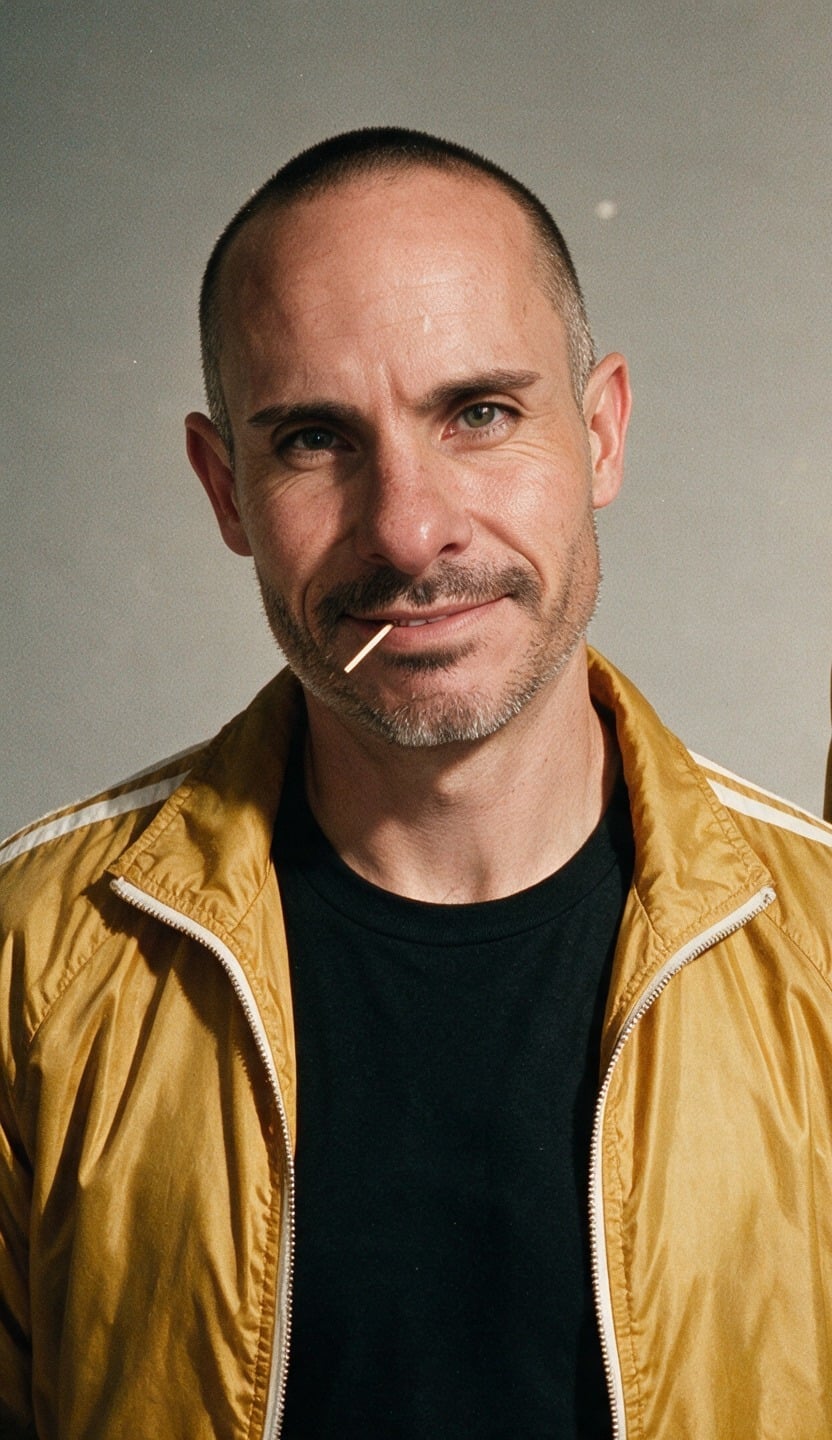
@Image1
@Image1
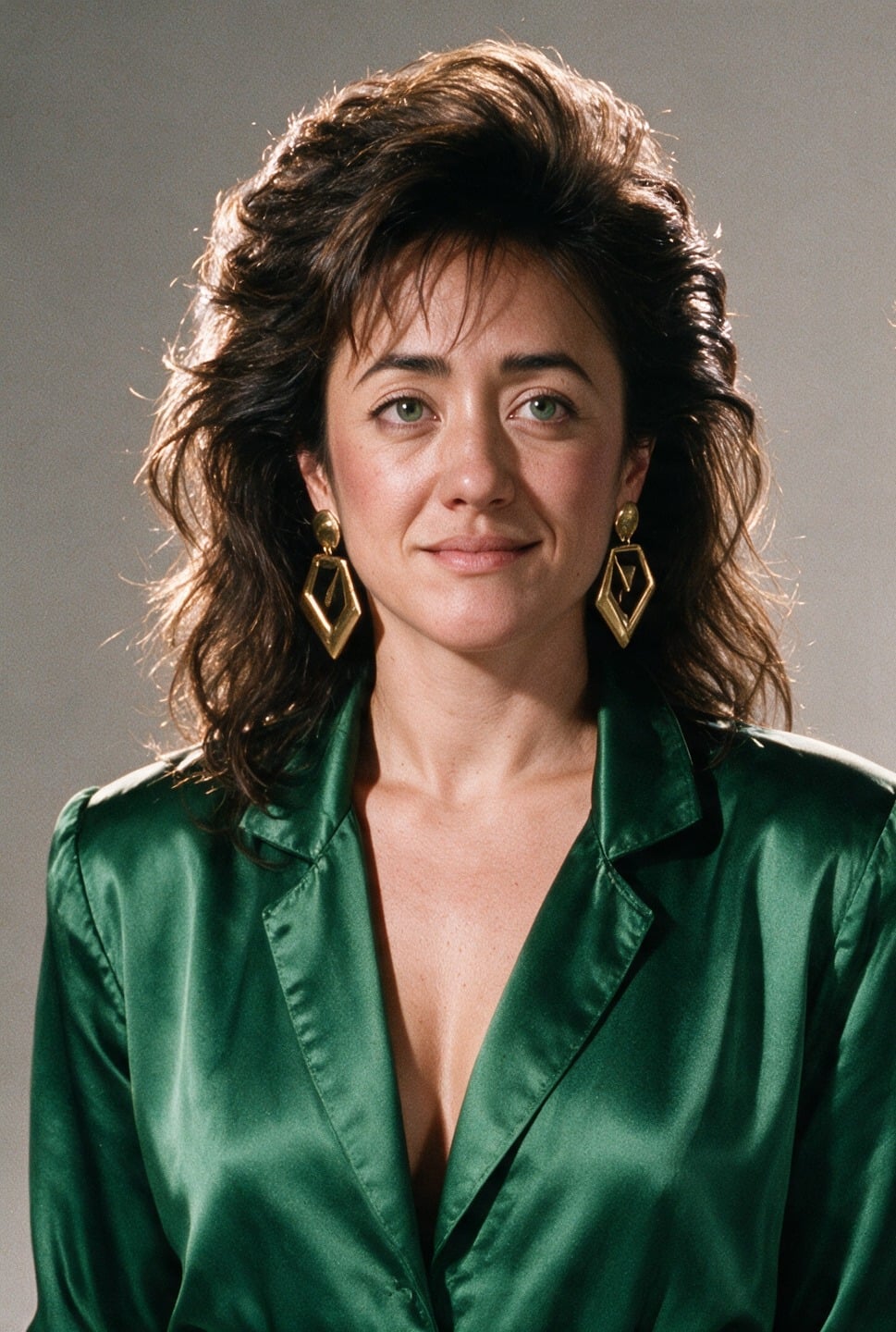
@Image2
@Image2
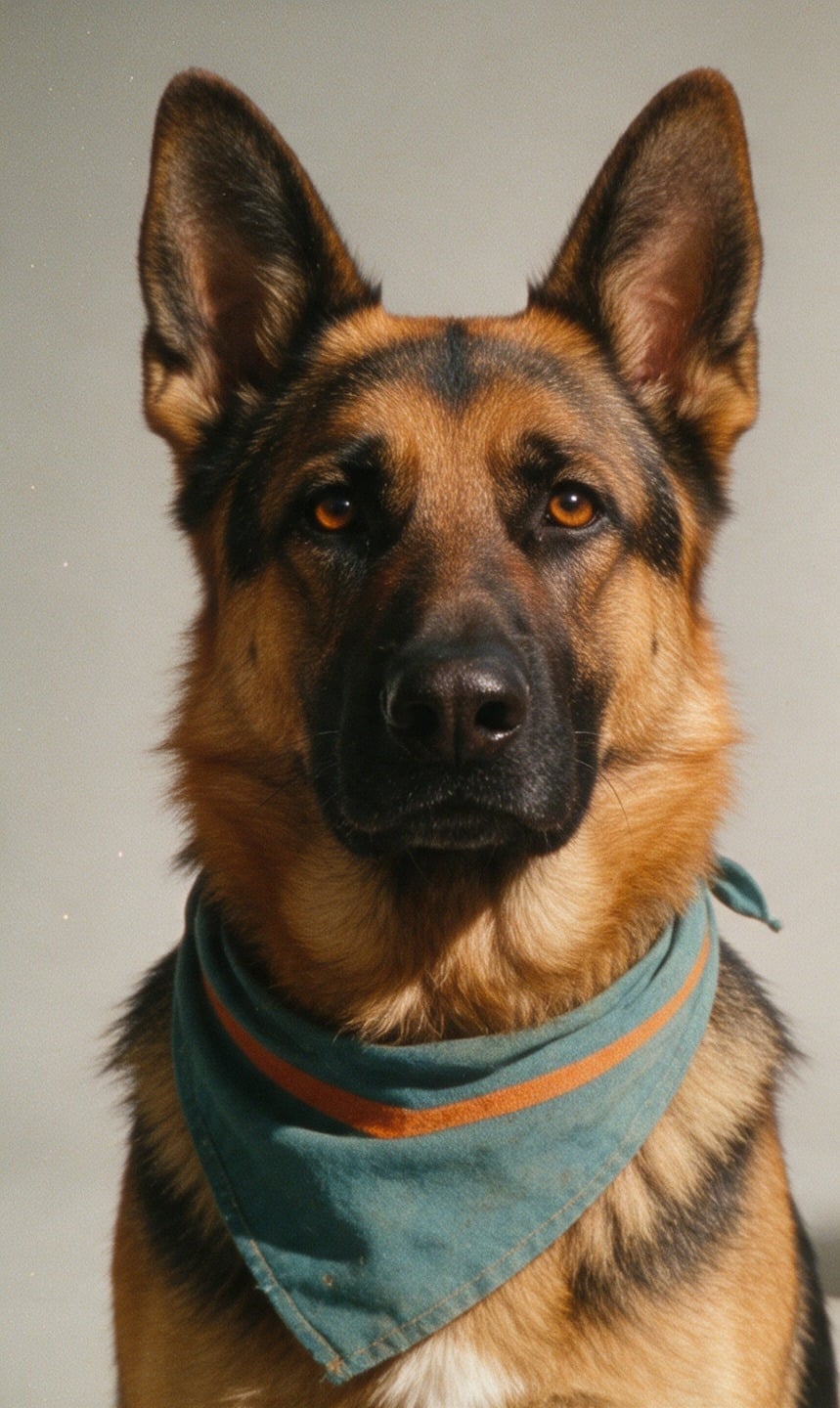
@Image3
@Image3

@Image1 is Brian: keep his face, shaved head, toothpick and mustard-yellow racing jacket over a black tee. @Image2 is Pamela: keep her face, dark curly hair and emerald-green jumpsuit. @Image3 is Circe, the German Shepherd: keep her markings. Sunny 1980s seaside boardwalk, 16:9 widescreen, warm saturated film look with light grain. Brian and Pamela walk toward the camera side by side with Circe trotting between them; behind them a giant three-headed blue inflatable dragon looms over the pier and puffs orange smoke. Slow backward tracking shot at chest height. Same faces in every frame. Audio: gulls, boardwalk crowd, no music, no subtitles.

每張參考圖片各用一句話,說明人物是誰、哪些特徵要保留。在 Pixel Dojo,系統會自動將 @Image1 轉成模型專用的圖片標籤。

分鏡表與長鏡頭

為鏡頭編號

「鏡頭 1,0-5 s:微距特寫,畫面中……」每個鏡頭只安排一個動作,並換一種構圖,讓每次切鏡都有新畫面。

排滿整段時間

時間區間若沒有涵蓋整段片長,就會留下空檔,讓模型補上你沒要求的鏡頭。

交代鏡頭如何銜接

寫「直接切換鏡頭」,就會切鏡。寫「一鏡到底,不切鏡」,就不會切鏡。

明列不可更動的元素

最後加上「每個鏡頭都是同一位跑者、同一件外套」。若是分開生成,則改用參考素材維持一致。

對白與畫面文字

台詞逐字放進引號

先用角色或位置指明說話者,再用引號寫出台詞,接著描述說話方式:年齡、語氣、語速、口音。

台詞長度配合片長

8 秒的片段容得下一兩句短句。片段長、台詞短,模型就會自行編詞填滿。

一次只讓一人說話

有兩位說話者時,為每句台詞分配時段,並註明兩人輪流說話、聲音要有明顯區別。

文字逐字寫清楚

用引號框出文字,說明放在哪裡;如果鏡頭會移動,就要求文字固定在該表面上。文字要短。

對白範本

一位說話者、一句台詞,語氣寫在同一句。

[Setting and light.] [Framing] of [speaker: age, look]. 0-[a] s: [action before the line]. [a]-[end] s: [speaker] says in [language, accent, tone, pace]: "[line]" Audio: [ambience], their clear voice, no background music, no subtitles.

影格與參考素材

起始影格、結束影格與參考圖片合計最多 10 張。用 @Image1、@Image2 依序指稱:先排影格,再排參考圖片,各自依加入順序排列。

起始與結束影格

起始影格決定開場畫面與長寬比。加入結束影格,再描述場景如何從起點過渡到終點。

每份參考都要有任務

每張圖片用一句話交代:圖中是誰或什麼,以及要保留哪些特徵,例如臉孔、穿搭、標籤、版面配置。沒有指定用途的圖片,模型就會自行猜測。

素材要乾淨

背景簡單、光線均勻。人物則每人提供一張肖像,並要求臉孔保持一致。

參考影片

最多可用 5 段片段,總長 30 s,將動作流程、運鏡路徑或廣告結構套用到新人物與新場景。依影片輸入費率計費。

編輯影片

把影片拖進 Clip 區塊,就能保留原本鏡頭,用提示詞改變畫面內容。輸出會維持原影片的長寬比與片長。

以「Edit @Video1」開頭

這樣就能保留原始影片。接著說明唯一要改的地方,並逐項列出必須保留的元素。只寫「其他全部不變」,不如一一點名有效。

替換產品

附上新產品的參考圖,並指明要替換哪個產品。手部動作與時間節奏會沿用原始影片。

新增或移除主體

說明主體相對於畫面中其他物件的位置。移除主體時,也要交代後方空間由什麼補上。

轉換風格

具體描述目標風格。如果原始素材是真人實拍,就明確排除照片寫實風格,並維持原有動作與運鏡不變。

編輯範本

保留原片,只改一處,列出其餘不變的內容。

Edit @Video1: replace [what] with [new thing, or @Image1]. Keep [the person, their hands, the camera move, the lighting, the background] unchanged. Audio: keep the original room tone.

參數

設定項目數值備註
片長3-30 s以整秒為單位。編輯現有影片時,以該影片的長度為準。
解析度720p, 1080p用 720p 反覆調整,定稿再用 1080p。
長寬比16:9, 9:16, 1:1, 21:9僅適用純文字生成影片。使用影格或影片時,長寬比由素材決定。
圖片最多 10 張起始影格、結束影格與參考素材合計。
影片最多 5 段,合計 30 s一段待編輯影片,加上參考影片。
音訊固定開啟在提示詞中描述。

常見問題

片長可設為 3 到 30 秒之間的任一整數秒,解析度可選 720p 或 1080p。長影片會自動拆成多個鏡頭,除非你指定一鏡到底。