Now on Android
AI Videos and Images, Made on Your Phone
Turn a photo into a video in one tap, or describe what you want and pick a model. 3 free effects every day.
On iPhone or a computer? Pixel Dojo runs in your browser with the same account.
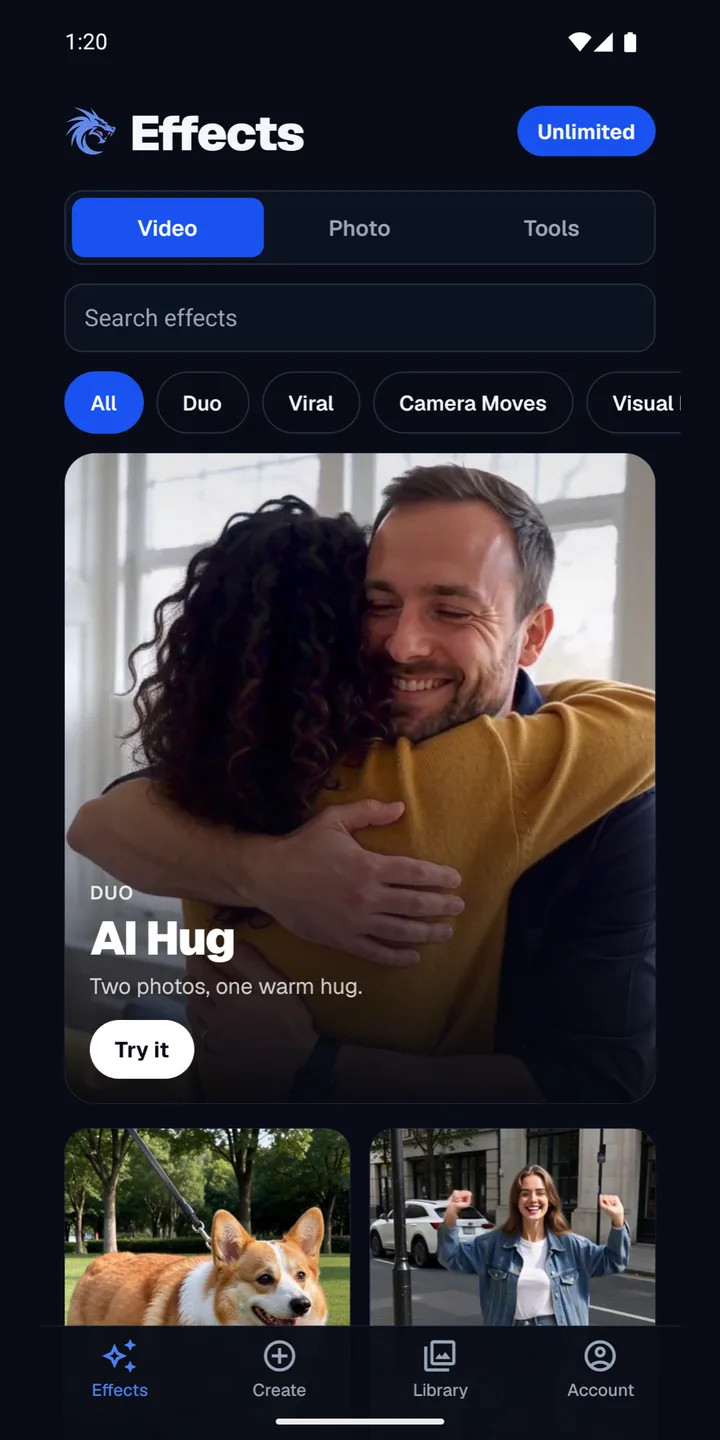
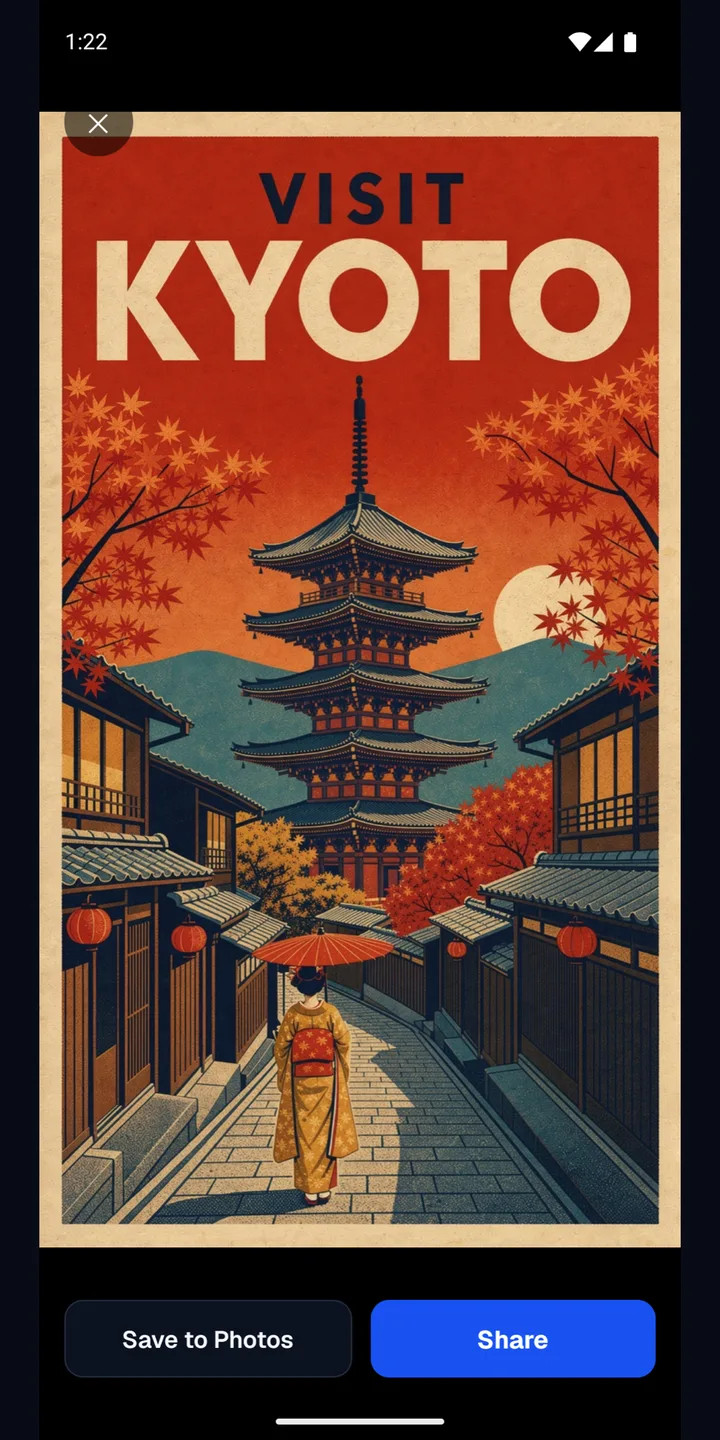
- video effects
- 310+
- video effects
- photo effects and tools
- 80+
- photo effects and tools
- video and image models
- 13
- video and image models
- free effects every day
- 3
- free effects every day
Inside the app
See It Before You Install
Pick an effect
Browse by Video, Photo or Tools. Search finds any effect by name.
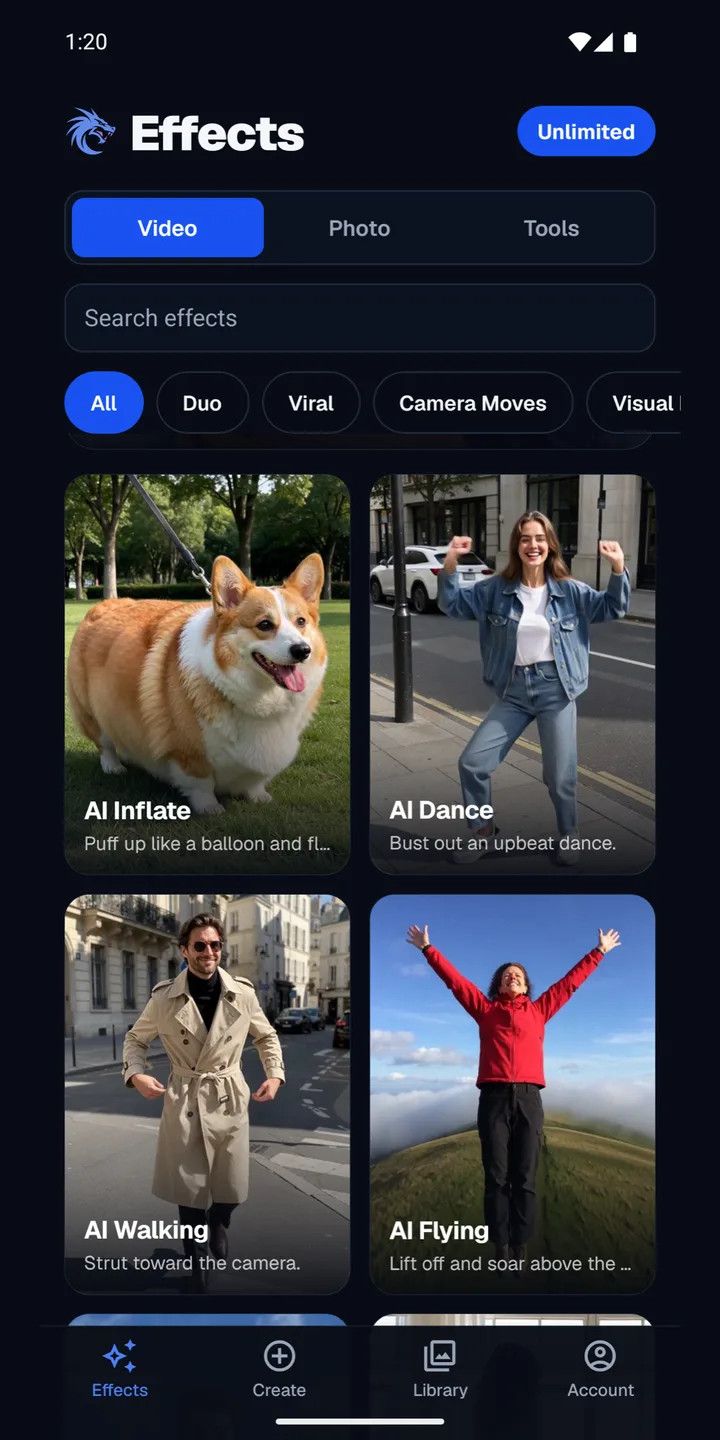
Hundreds of looks
Hug, dance, inflate, fly. New effects show up on their own.
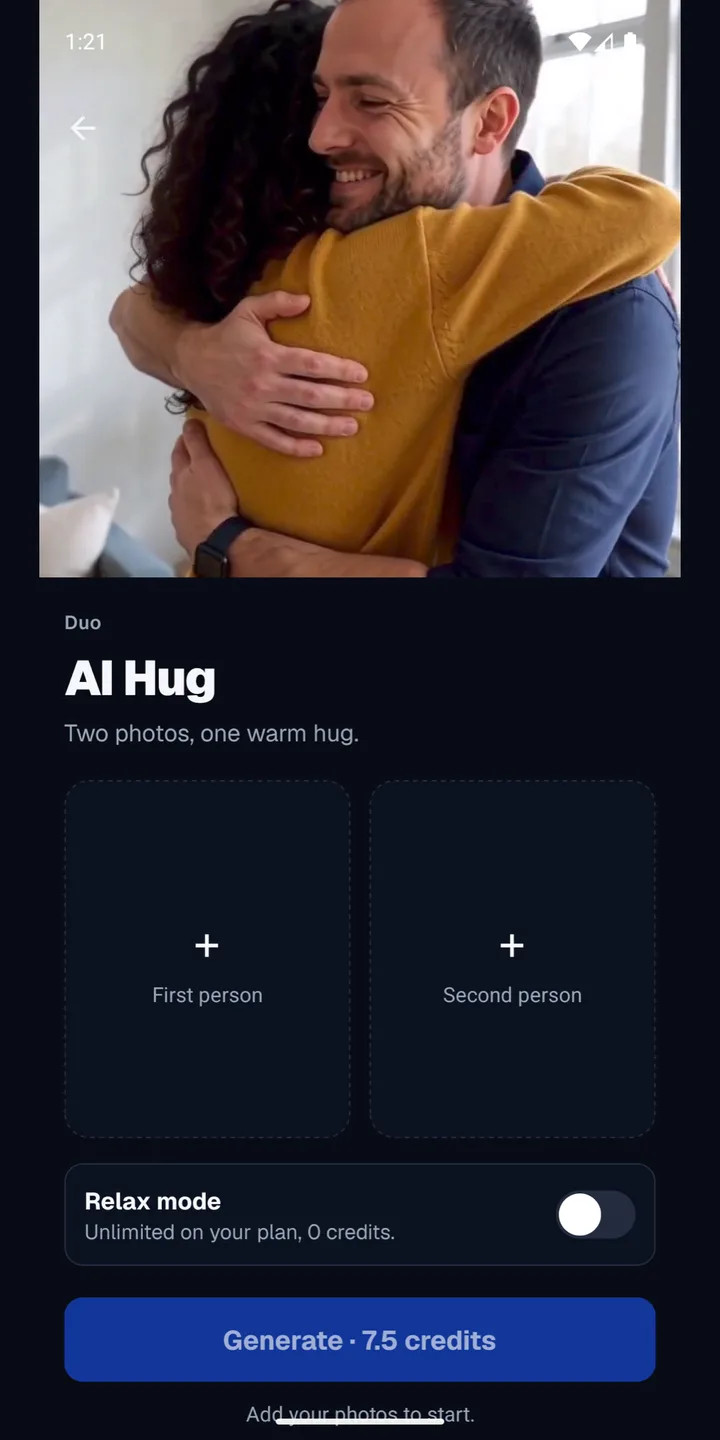
Add your photo
Use your camera roll or take a new picture. One tap starts it.
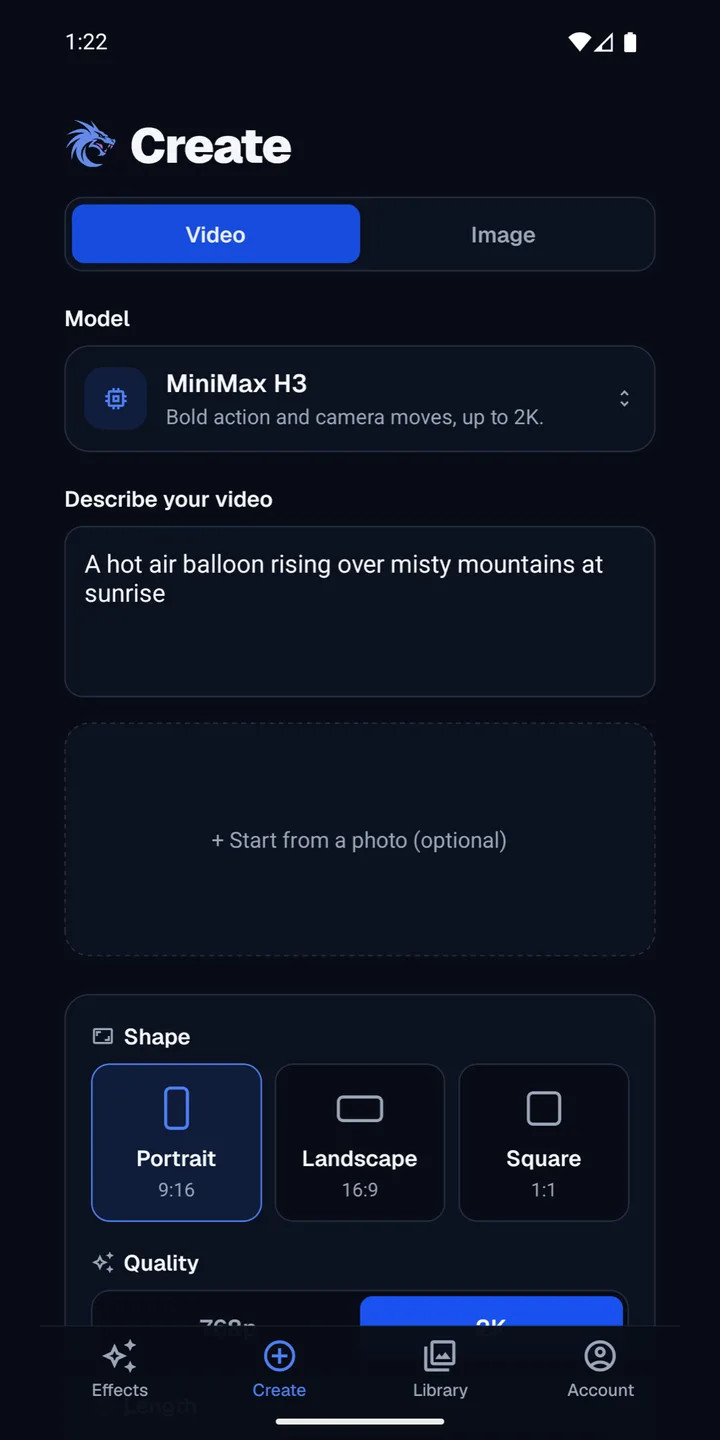
Create from a prompt
Describe a video or an image. Pick the shape, quality and length.
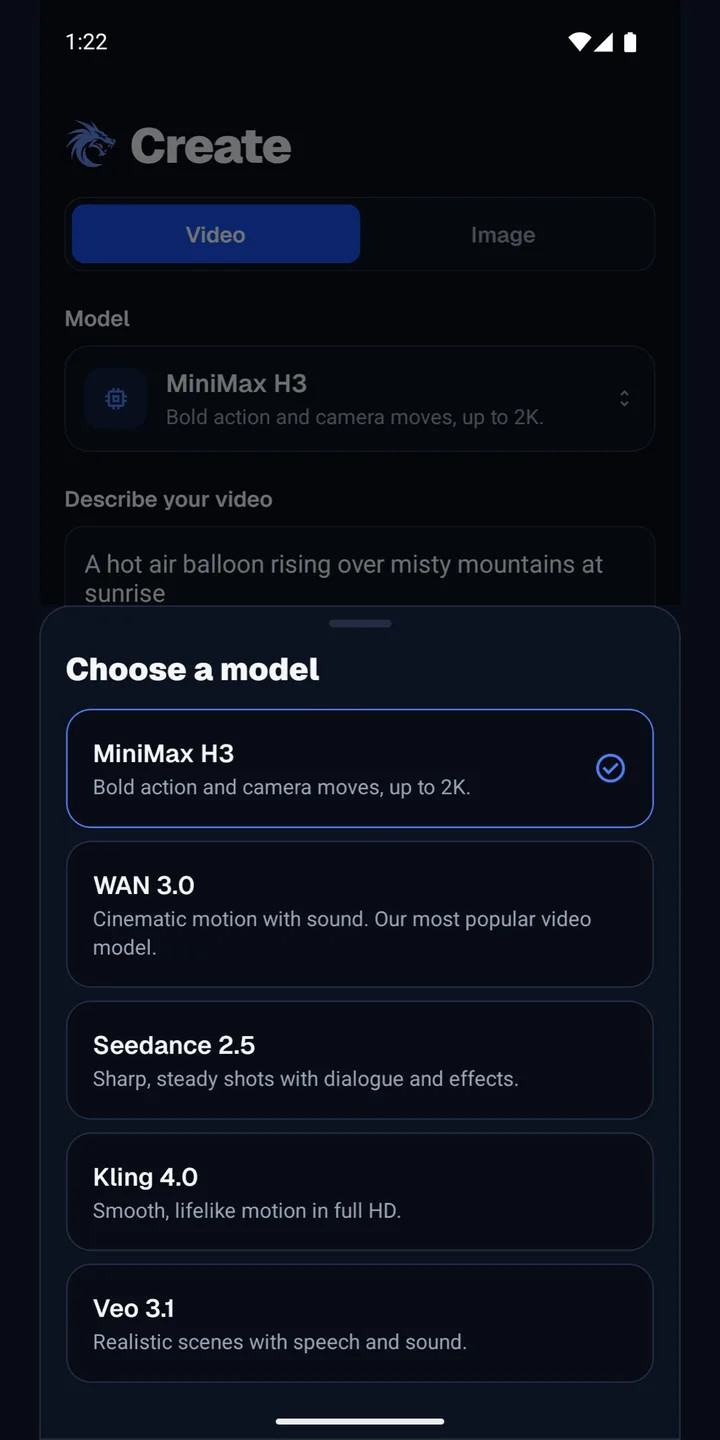
Choose your model
The same top models as the site, with a plain note on what each does best.
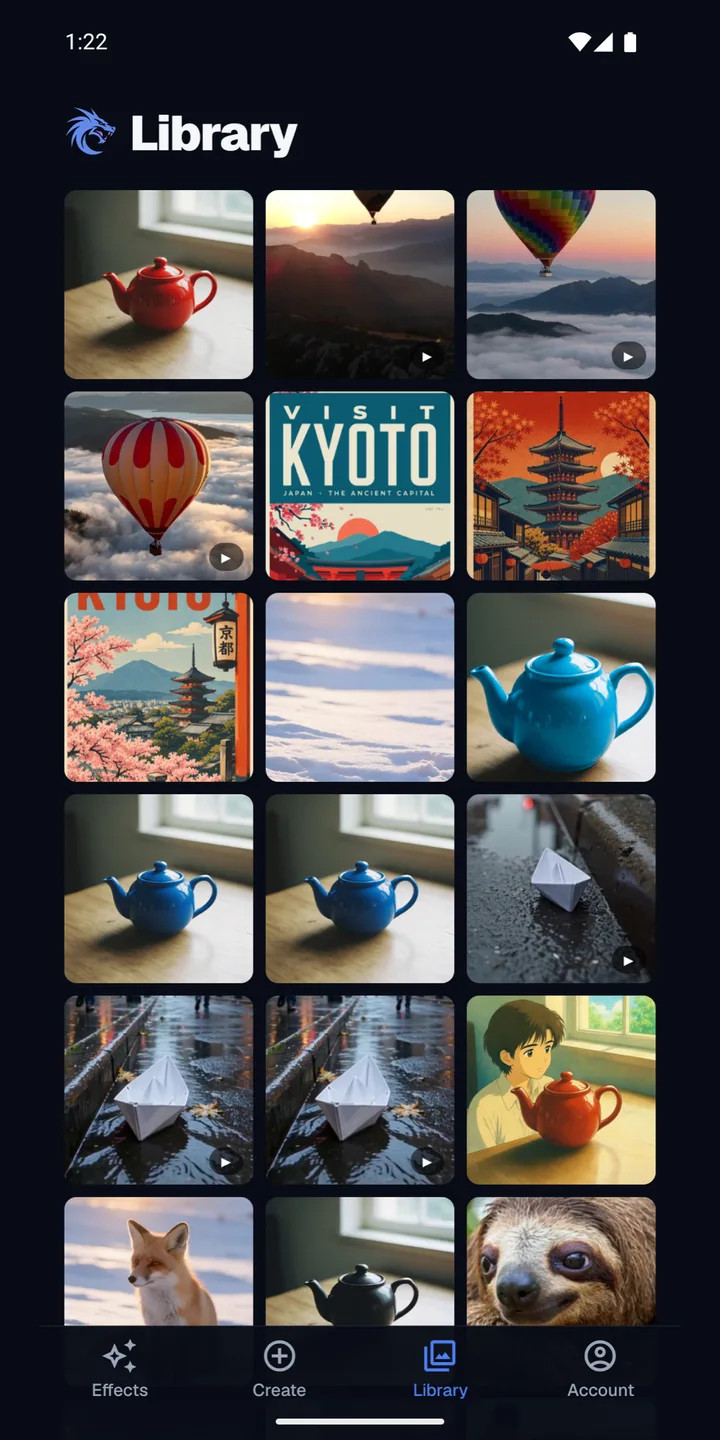
Your Library
Everything you make is saved to your account, on your phone and on the web.
Save and share
Save to Photos or share to any app in one tap.
What You Can Do
310+ video effects
Turn one photo into a video worth sharing. Pick an effect, add a photo and you are done.
Video and images from a prompt
Type what you want to see. Start from a photo if you like, and the app prices it before you tap Generate.
80+ photo effects and tools
Restyle a picture, swap a background, restore an old photo or make a headshot.
Unlimited on every plan
Every plan includes unlimited Relax effects, plus monthly credits for every model.
One account everywhere
Sign in with Google or email. Your plan, credits and Library are the same on the web.
Made to share
Save straight to Photos, or send to TikTok, Instagram and Messages.
Video models in the app
MiniMax H3
Bold action and camera moves, up to 2K.
WAN 3.0
Cinematic motion with sound. Our most popular video model.
Seedance 2.5
Sharp, steady shots with dialogue and effects.
Seedance 2.5 Flash
The faster, lower-cost Seedance 2.5.
Kling 4.0
Smooth, lifelike motion in full HD.
Veo 3.1
Realistic scenes with speech and sound.
Image models in the app
Nano Banana 2.1
Follows long prompts closely. Great for editing your photos.
Seedream 5.5
Our newest photoreal model. Lifelike people and rich detail.
Seedream 5
Photoreal images from a sentence.
GPT Image 2.6
Posters, layouts and clean text.
FLUX 3
Crisp detail and real products and places.
Ideogram 4.5
The best for words in an image. Put your text in quotes.
WAN 2.7 Edit
Change anything in a photo you add.
Start in a Minute
Step 1
Get the app
Install Pixel Dojo from Google Play. It is free to download.
Step 2
Sign in
Use Google or email. If you already have a Pixel Dojo account, use the same one.
Step 3
Make something
Pick an effect and add a photo. You get 3 free effects every day.
Questions & Answers
Pixel Dojo App FAQ
Yes. The app is free to download, and you get 3 free effects every day. No card needed. A plan adds unlimited Relax effects and monthly credits for every model.
Not yet. The app is on Android today. On iPhone, open pixeldojo.ai in your browser and sign in with the same account.
No. Sign in with the account you use on pixeldojo.ai. Your plan, your credits and your Library come with you.
Videos and images. Use one of 310+ video effects on a photo, run a photo effect or tool, or describe what you want in the Create tab and pick a model.
MiniMax H3, WAN 3.0, Seedance 2.5, Seedance 2.5 Flash, Kling 4.0, Veo 3.1, Nano Banana 2.1, Seedream 5.5, Seedream 5, GPT Image 2.6, FLUX 3, Ideogram 4.5, WAN 2.7 Edit. New models are added without an app update.
Yes. A plan or credit pack from pixeldojo.ai works in the app right away. You can also subscribe inside the app.
They are saved to your Library, in the app and on the web. You can also save them to Photos or share them from the result screen.
Open the Account tab in the app and tap Delete account. You can also ask on the pixeldojo.ai/delete-account page.