AI Video Generator
Start CreatingText to video and image to video
The AI Video Generator With Every Model in One Place
Type a scene or drop in a photo. Get cinematic video with sound, up to 30 seconds, from Veo 3.1, Kling 4.0, Seedance 2.5, WAN 3.0 and every top model.
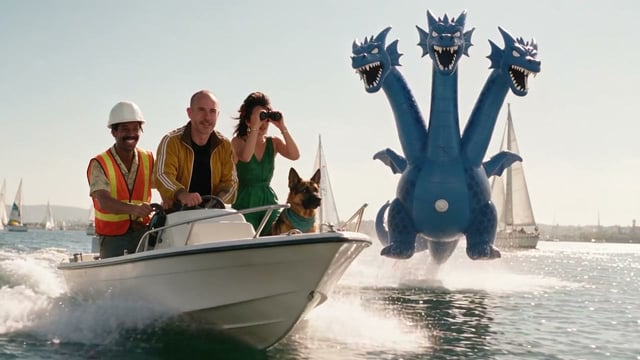
 Made on Pixel Dojo with five video models
Video Effects New
Your first video is free. One photo, one click.
310 ready-made effects, from AI Hug and Earth Zoom In to product spins and listing walkthroughs. Upload a photo and press Generate. No prompt to write, and a free account gets 3 a day.






AI video models
AI video generator models for every shot
Every video model has its own strength. Pick one to see what it makes, then try them all on one plan.
Seedance 2.5
30 Seconds In One Generation
A full 30-second shot from a single request, with spoken audio in 11 languages and up to 50 reference images, clips and voices to guide it.
Kling 4.0
A Whole Scene From One Brief
Up to 30 seconds written as a shot list, with dialogue in nine languages, signs that stay legible and a soundtrack in the same file.
WAN 3.0
Long Takes With Spoken Dialogue
A single take up to 30 seconds with dialogue in the same file, up to 10 reference images, and output from 480p to 4K.
Kling 3.0
Cinematic Motion Master
Smooth, realistic movement in 3 to 15 second clips, with native audio, multi-shot storyboards and close prompt adherence.
MiniMax H3
2K Detail, or H3 Max for Speed
Renders at 2K and 24fps with a stereo audio track in the same file, and spells on-screen titles the way you wrote them.
Veo 3.1
Native Audio & Cinematic Narratives
Polished 4, 6 or 8 second shots at up to 1080p, with dialogue, ambient sound and effects built in.
Flux 3 Video
Flux 3 Video makes the picture and the sound in one pass, so every hammer strike rings on the hit and a line you put in quotes comes back spoken word for word.
Gemini Omni Flash 1.1
Gemini Omni Flash 1.1 turns a prompt into a cinematic clip with its own sound, and one sentence can move a video you already have to a whole new location.
Hailuo 2.3
Hailuo 2.3 turns a short shot note into fluid, cinematic movement, from a silk gown flaring through a spin to a quiet smile spreading across a weathered face.
Happy Horse 1.0
Happy Horse makes picture and sound in one pass, so you get finished clips: a felt balloon lifting off a quilt, a line spoken on a rainy platform, or a three-shot forge scene from one prompt.
P Video
P Video 2 makes 1080p clips that arrive with their own sound: spoken lines, sound effects and music, all from one prompt.
P Video Avatar
P Video Avatar turns one portrait and a script into a talking video that says every word you wrote, in the voice and mood you asked for.
PixVerse V6
PixVerse V6 turns a single prompt into a cinematic multi-shot scene with native sound, cutting from wide shot to close-up in the order you write it.
Seedance 1.5
Seedance 1.5 Pro makes the picture and the sound in one pass, and it speaks the line you write in quotes, in English or Spanish, with the lips moving to the words.
Seedance 2.0
Seedance 2.0 turns one prompt into a cinematic clip with its own sound, from a whale of light breaching a misty fjord at 1080p to a three shot night market scene inside a single 10 second clip.
Vidu Q3
Vidu Q3 turns one prompt into a cinematic 1080p clip with its own soundtrack, and it can cut between two shots in a single generation.
WAN 2.1
WAN 2.1 takes any WAN 2.1 LoRA by URL, so one prompt can come out as clean flat color 2D animation or as a photoreal shot.
WAN 2.2
WAN 2.2 follows a cinematographer's shot note closely, from the lens and the light to the moment a bear snaps up a leaping salmon.
WAN 2.6
WAN 2.6 directs a whole scene from one prompt: several shots, spoken lines and a full soundtrack in a single 1080p clip.
WAN 2.7
WAN 2.7 turns a written shot list into a finished 1080p scene with sound and spoken dialogue, all from a single prompt.
Grok Imagine
Grok Imagine is at its best when things move: spray off a kitesurf jump, a crown of water around a sneaker and a silk scarf streaming in the wind all come out vivid and physical, with sound, from one prompt.
More from Seedance 2.5
- Visual effects
- 3D cartoon
- Nature
How it works
How to make an AI video in three steps
01
Describe it
Type a prompt for text to video, or add a photo for image to video.
02
Pick a model
Choose WAN 3.0, Seedance 2.5, Kling 4.0, Veo 3.1 or another top model, all on one plan.
03
Download it
Get the clip with its sound, commercial rights included.
Any style
Make AI videos in any style
Photoreal, anime, 3D animation, cyberpunk, stop motion, fashion films, product commercials and everything in between. Describe the look you want and pick a video model. Every video below was made on Pixel Dojo with the model named on it.
Use cases
What will you make with AI video?
Start with one clip. When the job is bigger, a studio takes it from a single shot to a finished video, on the same plan.
See Video StudioSocial videos
Reels, TikToks and Shorts that stop the scroll, made in minutes. Faceless Studio turns a topic into a narrated episode.
Product videos and ads
Product showcases and commercials with no studio shoot. Marketing Studio turns a product link into a video ad.
Music videos
Clips that match the mood of a track, ready to cut to the beat. The music video generator cuts a full video to your song.
Short films
Cinematic scenes with camera control, multiple shots and native sound. Film Studio turns an idea into a finished film.
Edit and extend clips
Video Studio changes, extends and recuts the clips you already have, with your saved characters and products.
Talking avatar explainers
Explainers, course intros and walkthroughs from one portrait and a voice track, with P Video Avatar or OmniHuman.
Or just ask: Sensei plans and makes the whole video for you, and Pixel Dojo also works inside Claude and ChatGPT through MCP.
From in-product surveys
Loved by 1M+ creators on Pixel Dojo
Prompt updates, strong features, and a community that is always willing to help and hear/act on professional feedback. I've never had a better experience.
“Everyone has gotten so expensive and limits what can be done, you all are simply the best available option by miles”
“Easy to use and good quality and fun”
“Very useful set of tools for image creation, upscaling and enhancement”
“Ease of use, variety of tools, high quality trainings, and a well-maintained discord channel”
One plan. Every AI video model.
Plans start at $10/month, and the same credits work on every video and image model.
Limited-time sales
See all dealsApplied automatically. No codes.
Lite
160 credits · 6.25¢ each
All the tools, starter credits.
Unlimited, no credits
- FLUX 3 Klein
- Qwen Image 2.1
- MiniMax H3 Turbo video
- 310+ video effects
Cancel anytime · Secure checkout
Pro
500 credits · 5¢ each
20% less per credit than LiteThe plan most creators pick.
Unlimited, no credits
- FLUX 3 Klein
- Qwen Image 2.1
- MiniMax H3 Turbo video
- 310+ video effects
Cancel anytime · Secure checkout
Pro Max
1,100 credits · 4.55¢ each
27% less per credit than LiteMore credits for daily creators.
Unlimited, no credits
- FLUX 3 Klein
- Qwen Image 2.1
- MiniMax H3 Turbo video
- 310+ video effects
Cancel anytime · Secure checkout
Free$0 · 3 video or photo effects a day, with a small watermark. No card needed.
Try an effectRefunds: on a first purchase, ask within 7 days. Under 20% of its credits used gets a full refund, more gets a pro-rated one. Renewals and top-ups are not refundable, except where the law requires. Refunds & Billing
Every plan includes all 127 tools, Canvas, and the Film, Character, Marketing, Video, Faceless, and Prompt Studios. Same generation speed on every plan. See every tool
Text to video and image to video in one AI video generator
An AI video generator turns words or pictures into moving video. Pixel Dojo puts 60+ AI video models behind one plan, so every shot gets the model that suits it best.
Make social clips, product demos, music visuals and short scenes with dialogue, all with full commercial rights. Sharpen a finished clip to 4K with the video upscaler, or go bigger: Faceless Studio turns a topic into a narrated episode, the music video generator cuts a video to your song, and Character Studio keeps the same character in every scene.
Text to video
With text to video, you describe a scene, the camera move and the sound, and the model renders it as a clip. Name the subject, what it does and how the camera follows it. WAN 3.0 and Seedance 2.5 add spoken dialogue in the same take, so a scene can arrive with its lines already in it.
Image to video
With image to video, you upload a photo, a product shot or a piece of art and the model brings it to life. Start from a still made in the AI image generator, or set a first and a last frame to decide exactly where the shot starts and lands. See more on the image to video page.
Make WAN 3.0 videos on Pixel Dojo
WAN 3.0 is built for scenes that need room to breathe: a character delivering lines, a product turning on a table, or one slow camera move held for the whole shot. Write the scene in stages, from the opening to the final beat, and it plays out as a single take with its sound. Set the length to Auto and the model picks it for you. When a story needs more than one take, WAN Reference to Video keeps a face the same from shot to shot and WAN 2.7 continues a clip you already have. Find prompts that work in the WAN 3.0 prompting guide and the basics in the video prompting guide.
Seedance 2.5, Veo 3.1 and Kling 4.0 on Pixel Dojo
Seedance 2.5 is the pick for a full 30 second scene from one request, with spoken audio in 11 languages and up to 50 reference images, clips and voices to keep a character on model. Veo 3.1 makes polished 4, 6 or 8 second shots at up to 1080p with dialogue, ambient sound and effects built in, the kind of clip that opens an ad. Kling 4.0 follows a written brief closely: up to 30 seconds as a shot list or one continuous take, with spoken lines in nine languages and signs that stay legible. Run the same prompt on all three and keep the best take: they share one credit balance.
AI Video Generator FAQ
An AI video generator creates video clips from a text prompt or an image. You describe the scene, the motion and the sound, and the model renders it as a finished clip. Pixel Dojo puts 60+ AI video models in one place, including WAN 3.0, Seedance 2.5, Kling 4.0, Veo 3.1 and MiniMax H3, with text to video, image to video, video extend and native sound on supported models, all on one plan.
Yes, to start. A free account gets 3 free video effects every day, no card needed: upload a photo, pick an effect and get a finished video. Plans from $10/month unlock all 60+ video models, the six studios and Sensei, and your credits roll over every month while you stay subscribed.
The best AI video generator is the one that gives you the right model for every shot, and that is how Pixel Dojo works. Use WAN 3.0 or Seedance 2.5 for 30 second takes with dialogue, Kling 4.0 for whole scenes written as a shot list, MiniMax H3 for 2K detail and Veo 3.1 for polished shots with sound. All 60+ models share one interface, one credit balance and full commercial rights, so you can run the same prompt on several and keep the best take.
Pixel Dojo includes 60+ AI video models: WAN 3.0, Seedance 2.5, Seedance 2, FLUX 3 Video, Veo 3.1, Kling 4.0, Kling 3.0, MiniMax H3 and H3 Max, Happy Horse 1.0, Grok Imagine Video, WAN 2.7, Vidu Q3, PixVerse V6, OmniHuman and more. Each one is tuned for a different job, from long dialogue scenes and fast social clips to talking avatars and product shots, and every one is included in your plan.
Choose text to video or image to video, then write a prompt that names the subject, the action, the camera move and the sound you want. Pick a model, such as WAN 3.0 for a long take or Veo 3.1 for a short polished shot, and set the length and aspect ratio. You see the credit cost before you generate, and the finished clip, with sound on supported models, is ready to preview and download.
Upload a photo, product shot or piece of art, choose an image to video model and describe the motion you want, like a slow push in or a character turning to camera. WAN 3.0, Seedance 2.5, FLUX 3 Video, MiniMax H3 and Veo 3.1 also take a last frame, so you decide exactly where the shot starts and ends. No picture yet? Make one with an AI image model on the same plan, then animate it.
Yes. WAN 3.0 is one of the AI video models in every Pixel Dojo plan. Write a prompt or set a first and last frame, choose a length up to 30 seconds and a resolution from 480p to 4K, and it returns a single take with spoken dialogue in the same file. Up to 10 reference images lock a character or a look. Other WAN models are here too: WAN 2.7 extends a clip you already have, and WAN Reference to Video keeps characters consistent across a shot.
WAN 3.0 comes with every Pixel Dojo plan, so there is no separate WAN subscription to buy. Plans start at $10/month, and the Lite plan includes 160 credits every month. Credits depend on the length and resolution of each clip, you always see the exact cost before you generate, and the same credits work on every other video and image model.
Yes. Veo 3.1, Kling 4.0, Seedance 2.5 and Seedance 2 are part of every Pixel Dojo plan, alongside WAN 3.0, MiniMax H3 and the rest of the 60+ video models. There is no separate subscription for each one: plans start at $10/month, one credit balance covers every model, and you see the exact cost before you generate. Use Seedance 2.5 for 30 second takes with dialogue in 11 languages, Kling 4.0 for multi-shot scenes up to 30 seconds with spoken dialogue, and Veo 3.1 for polished short shots with sound.
Clip length depends on the model. WAN 3.0, Seedance 2.5 and Kling 4.0 run up to 30 seconds in a single generation. FLUX 3 Video runs up to 20 seconds, while Seedance 2, WAN 2.7, Kling 3.0, MiniMax H3, Happy Horse and Grok Imagine Video run up to 15 seconds. Veo 3.1 delivers polished 4, 6 or 8 second shots. For longer stories, extend a clip or turn an idea into a full film with Film Studio.
Yes. Many models in Pixel Dojo's AI video generator create sound in the same pass as the picture, so there is no separate audio step. WAN 3.0 writes spoken dialogue, Seedance 2.5 speaks in 11 languages, Flux 3 Video syncs sound effects to the action, and Veo 3.1 adds dialogue, ambient sound and effects. Kling 4.0, MiniMax H3, Seedance 2 and WAN 2.7 also make video with sound, ready to post as it comes out.
Yes. WAN 2.7 takes a 2 to 10 second source clip and generates a seamless continuation, and Grok Video Extend adds 2 to 10 seconds of new footage from the last frame. To change what is in a clip, Seedance 2.5 Video Edit replaces a subject or adds and removes objects, and FLUX Video Edit makes prompted edits while keeping the original length, framing and audio. Chain extensions to build a longer scene that stays consistent.
Yes. Reference images lock a face, an outfit or a product so it looks the same from shot to shot. WAN Reference to Video builds a clip around up to five reference images or clips, WAN 3.0 takes up to 10 reference images, and Seedance 2.5 takes up to 50 reference images, clips and voices in one request. Save a character once in Character Studio and reuse it in every new scene.
Yes. OmniHuman and Kling Avatar animate a single portrait so it speaks your audio track with matching lip sync. Use a photo of a presenter, a character, a cartoon mascot or even an animal, add a voice recording, and get a talking video for explainers, course intros, product walkthroughs or social posts. For a channel with narration, captions and music, Faceless Studio builds the whole episode from a topic.
Yes. FLUX Video Upscale takes any clip to 1080p, 2K or 4K. Precise mode keeps your footage as it is and sharpens it, while Creative mode restores and adds finer detail, which suits older or softer footage. Some models also render high resolution directly: WAN 3.0 goes up to 4K and MiniMax H3 renders at 2K, so a clip can come out ready for a big screen.
Full access to all 60+ models, native audio and commercial rights starts at $10/month, and the Lite plan includes 160 credits every month. Credits depend on the model, the length and the resolution of each clip. That is one subscription instead of a separate plan for each model, and every plan includes the image tools too. You always see the credit cost before generating.
Yes. Your subscription to our AI video generator includes full commercial rights for all generated content. Use AI videos in ads, social media, product pages, presentations, YouTube channels and client work with no additional licensing. Download each clip in full resolution and put it wherever your audience is, from a paid campaign to a pitch deck.
One plan. Every creative workflow.
Plans start at $10/month.
- AI tools
- 127
- Creative studios
- 6
- Creations
- 4M+