Make Text and image to video
A new AI video from a prompt or a start photo, starring your saved characters, products or outfits.
Seedance 2.5
11 models can do this job.
Video Studio
Turn text or a photo into video, edit a clip, swap in your character or extend a scene. Every top video model, in one studio.
@Circe runs down the pier and leaps into a mountain of beach balls
Make a new AI video, edit video you already have, move a character into a clip, or extend it, all in one composer. Drag the handle on a before and after to compare.
A new AI video from a prompt or a start photo, starring your saved characters, products or outfits.
11 models can do this job.
Give it a clip you already have and say what changes. Here a white sneaker becomes your black one, and the rest of the shot stays put.
7 models can do this job.
Pick a clip with the motion you want. Your character performs it, matching the original movement beat for beat.
2 models can do this job.
A clip that ends too soon keeps going: run it forward for what happens next, or backward for what came first.
3 models can do this job.
22 of our 60+ video models
We preselect a good model for each job. Switch to any other model that can do that job and your prompt, cast and clips come with you.
Browse every AI video model with examples and prompting guides.
Save a character, product or outfit once, write @Name in your prompt, and it looks the same in every take: the same face, the same shoe, the same jacket.
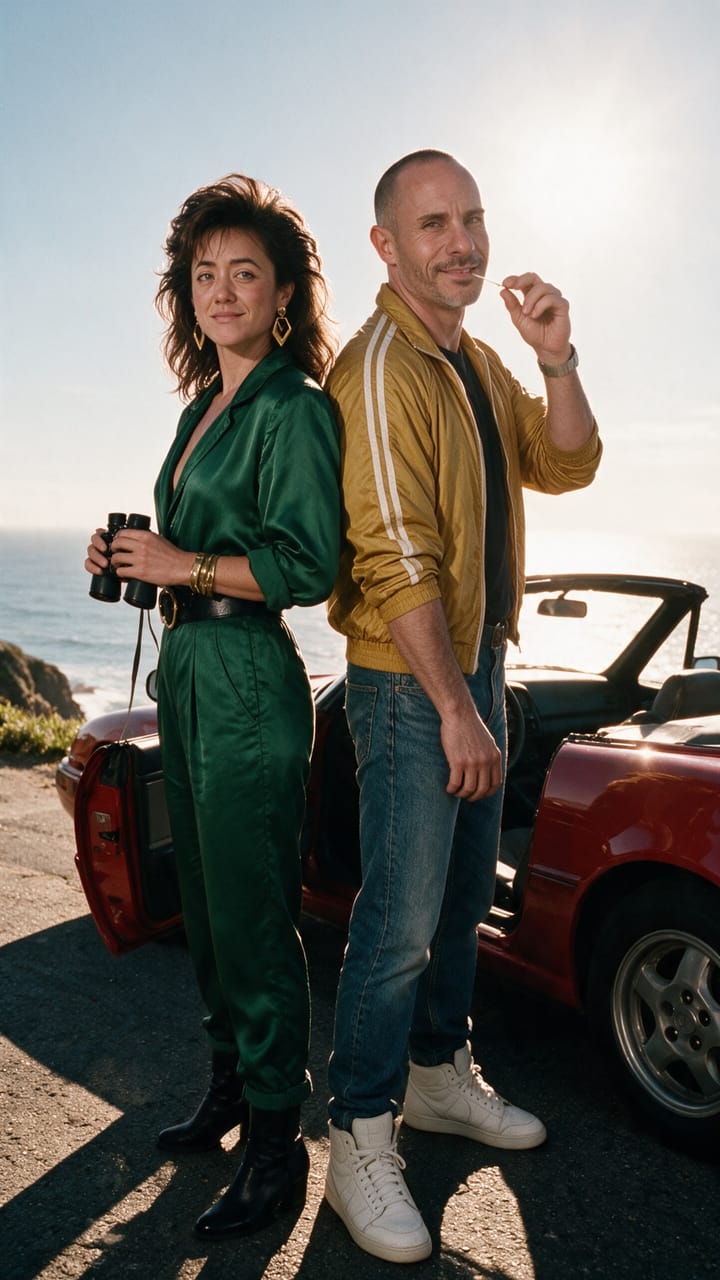
Saved once, cast as @Brian and @Pamela in every take.
Video Studio is an AI video generator and AI video editor in one composer. Pick a job, write what you want in plain words, and add a clip or your saved cast. Pixel Dojo sends it all to the model you chose and shows the exact price before anything runs.
Every finished clip lands in your feed with Extend, Change and Run again buttons, so one result becomes the next input. Telling a longer story? Film Studio turns it into a whole AI film. Building a cast first? Character Studio keeps the same face in every take.
Video Studio and all 60+ video models on Pixel Dojo, your saved cast and commercial usage rights come with every paid plan. Credits depend on the model, the length and the resolution, and the exact price shows on the button before you run a job.
Same speed on every plan.
Video Studio is the Pixel Dojo AI video studio: one page with four jobs. Make a new clip, Change a clip you already have, Move a character into another clip's motion, or Extend a clip forward or backward. Everything happens in the same composer, with 22 of our 60+ video models behind it, so you never switch tools to finish a shot.
A prompt is enough for Make. Change, Move and Extend need one clip to work from, which can be a clip you made in the studio or a video you upload from your computer. Add saved characters, products or outfits from your Library whenever you want them in the shot, and name them in the prompt with @Name.
Yes. Upload a video and it becomes the source for Change, Move or Extend. Finished clips from the studio work the same way: every result in your feed has Extend and Change buttons, so it goes straight back in without downloading and uploading it again. Keep building on the same shot until it is exactly right.
Yes. Characters, products and outfits from your Library attach to the shot as tiles, and you name them in the prompt with @Name. The studio hands the right reference images to whichever model you picked and keeps each model inside its own reference limit, so the same face, the same shoe and the same jacket come back take after take.
Pick Change, add the clip you want to edit and describe the change in plain words, like "swap the soda can for my product" or "make it golden hour". Attach a saved product or outfit to show exactly what goes in. Choose one of the 7 edit models, check the price on the Generate button and run it. The edited clip lands in your feed, ready to change again or extend.
Pick Move, add the clip with the motion you want and attach a saved character. Kling Video Character Swap has your character perform the same movement, matching the timing of the original, and you can switch between 2 character swap models in the same composer.
Pick Extend, add the clip and describe what happens next. Each pass adds new footage to the clip you already have, so Extend is how a scene runs past a single model's length limit. Run it forward to continue the action, or backward with Seedance 2.5 Video Edit to show what came first. Repeat it until the scene is as long as you need.
Yes. Pick Make, describe the shot in plain words and generate. Name saved characters with @Name to put them in it, or add a photo as the start frame for image to video.
Pick Make, add your picture as the start frame and describe the motion, like a slow push in or a character turning to camera. The studio animates it from that exact frame with Seedance 2.5. You can also skip the picture and name saved characters with @Name instead, and the studio builds the clip around them.
We pick a good model for each job and you can switch to any other model that can do that job. There are 11 for Make, 7 for Change, 2 for Move and 3 for Extend, including Seedance 2.5, Veo 3.1, Kling, WAN, MiniMax H3 and FLUX Video Edit. Your prompt, cast and clips come with you when you switch.
The best model depends on the job, which is why Video Studio starts from the job. For a new clip with your saved cast, start with Seedance 2.5. For product swaps, relighting and restyles, Seedance 2.5 Video Edit is preselected. To move a character, Kling Video Character Swap leads. Want a different look? Switch models in the same composer and keep the best take.
Every job shows its exact price on the Generate button before you run it. Credits depend on the model, the length and the resolution you choose. Video Studio is included with every paid plan, from $10 per month, and every plan includes commercial usage rights for what you make.
Yes. Save or download the finished clip, then run it through FLUX Video Upscale to take it to 1080p, 2K or 4K. Precise mode sharpens the footage as it is, and Creative mode restores and adds finer detail. It works on clips from Video Studio and on videos you upload, so the final cut is ready for a big screen.
Length depends on the model you pick, and the composer shows the range it accepts before you generate. To go longer, use Extend: each pass continues the clip you already have, so a scene can run well past a single model’s limit. For a full story with several scenes and a cast, Film Studio plans and renders the whole film.
Make it, change it, move your character into it, or keep it going. The price of the job is on the button before you run it.
Plans from $10/month · Cancel anytime
Telling a longer story? Try Film Studio.