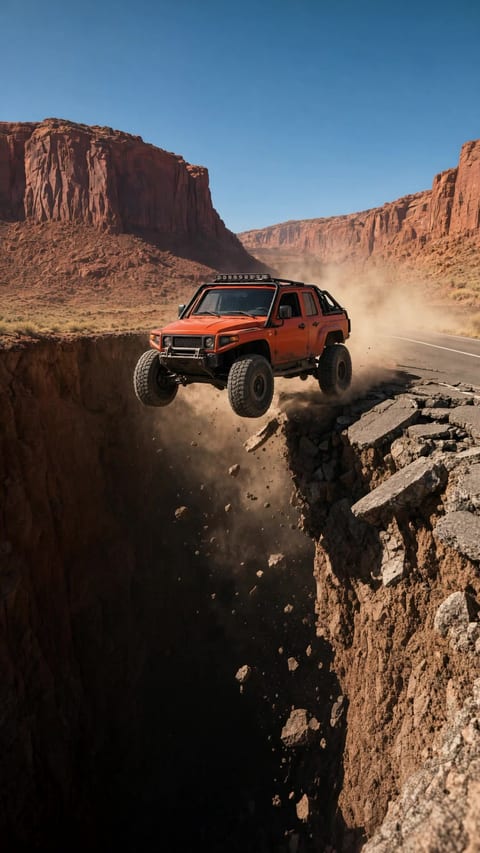
Titles, dates, small print
Type Set as Written
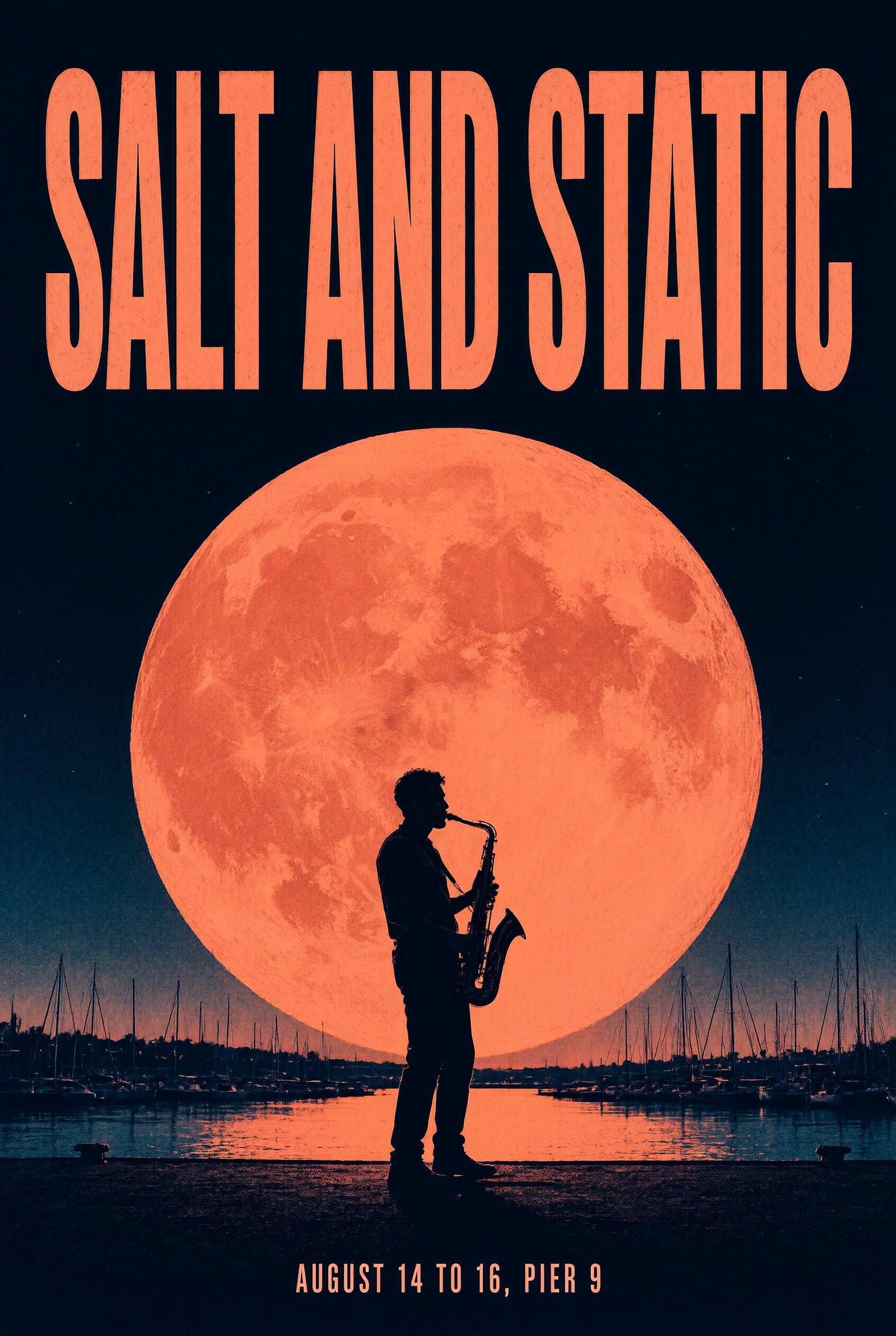
Quote every word and place it. The poster title came back in bold condensed letters across the top, and the date line sits small at the bottom, spelled exactly as typed.
Qwen Image 2.1 Prompting Guide
Qwen Image 2.1 is the newest image model from Alibaba's Qwen team. It sets the words you write as clean type, renders natively at 2K, edits and combines up to 10 reference images, and runs up to 3 LoRAs you train yourself. It comes in two versions: Qwen Image 2.1 Turbo for fast 8 step images and the full 40 step Qwen Image 2.1 for the most detail. Every image on this page was made on PixelDojo with the prompt shown.
Qwen Image 2.1 rewards a prompt that names the piece first and the details second. Say what you are making (a concert poster, an editorial portrait, a product hero), then the subject, the setting, the light and the finish. Put every word that should appear in the image inside quotes, and say where it goes.
One tool does text to image and editing. Leave the reference slot empty to generate from text. Attach one to ten images and the prompt becomes an instruction: change this, keep that, put the product from image 1 into the scene from image 2.
Both versions share the same strengths. Turbo is the everyday pick for drafts, volume and LoRA shoots. Switch to the full model for final art, the finest small print and a negative prompt when you need one.
2K
Native resolution
10
Reference images
3
LoRAs per image
Quote every word and place it. The poster title came back in bold condensed letters across the top, and the date line sits small at the bottom, spelled exactly as typed.
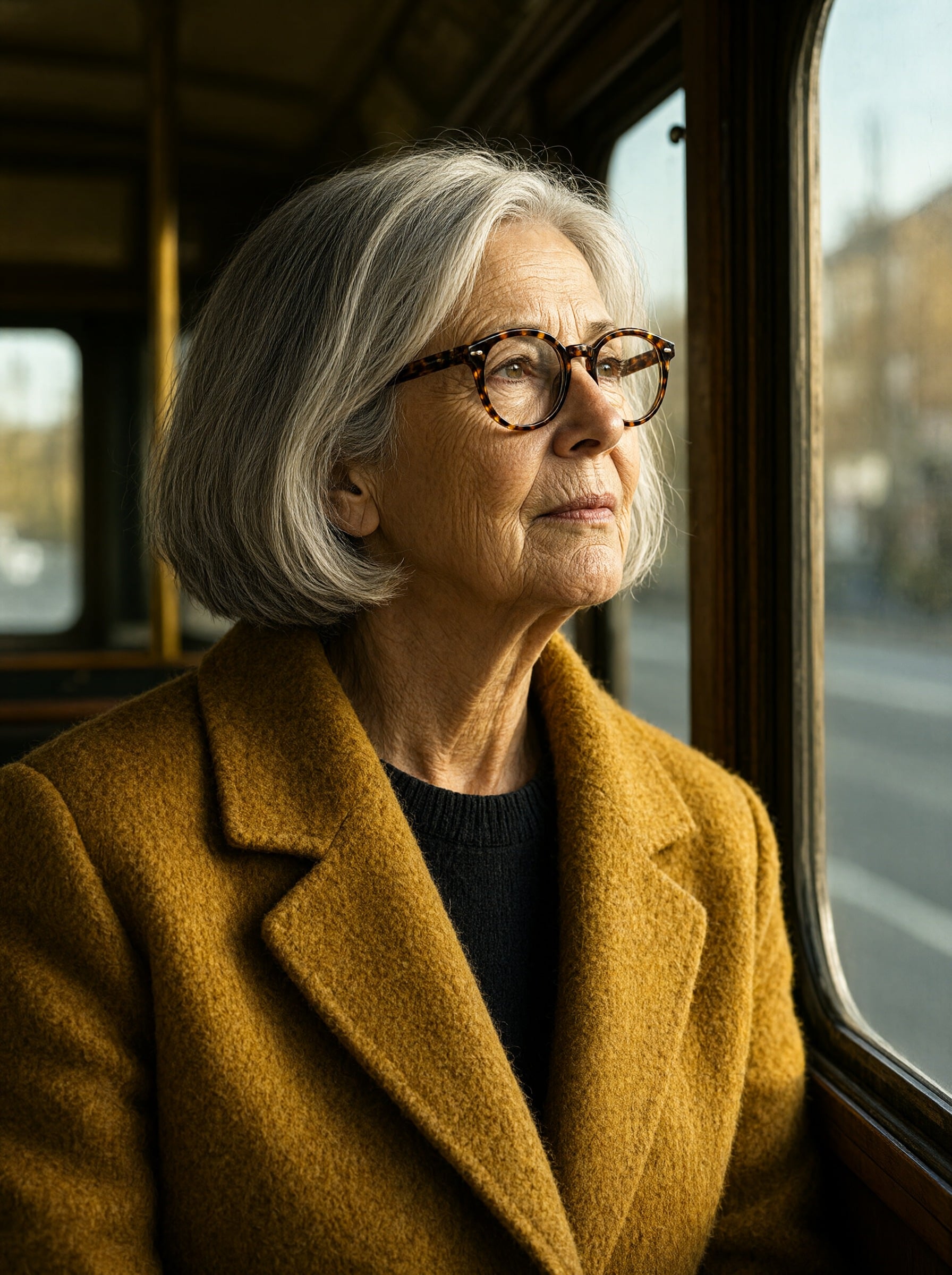
2K is the model's own size, so a 3:4 portrait comes back at 1792 x 2400 with every line, silver strand and wool fiber intact.
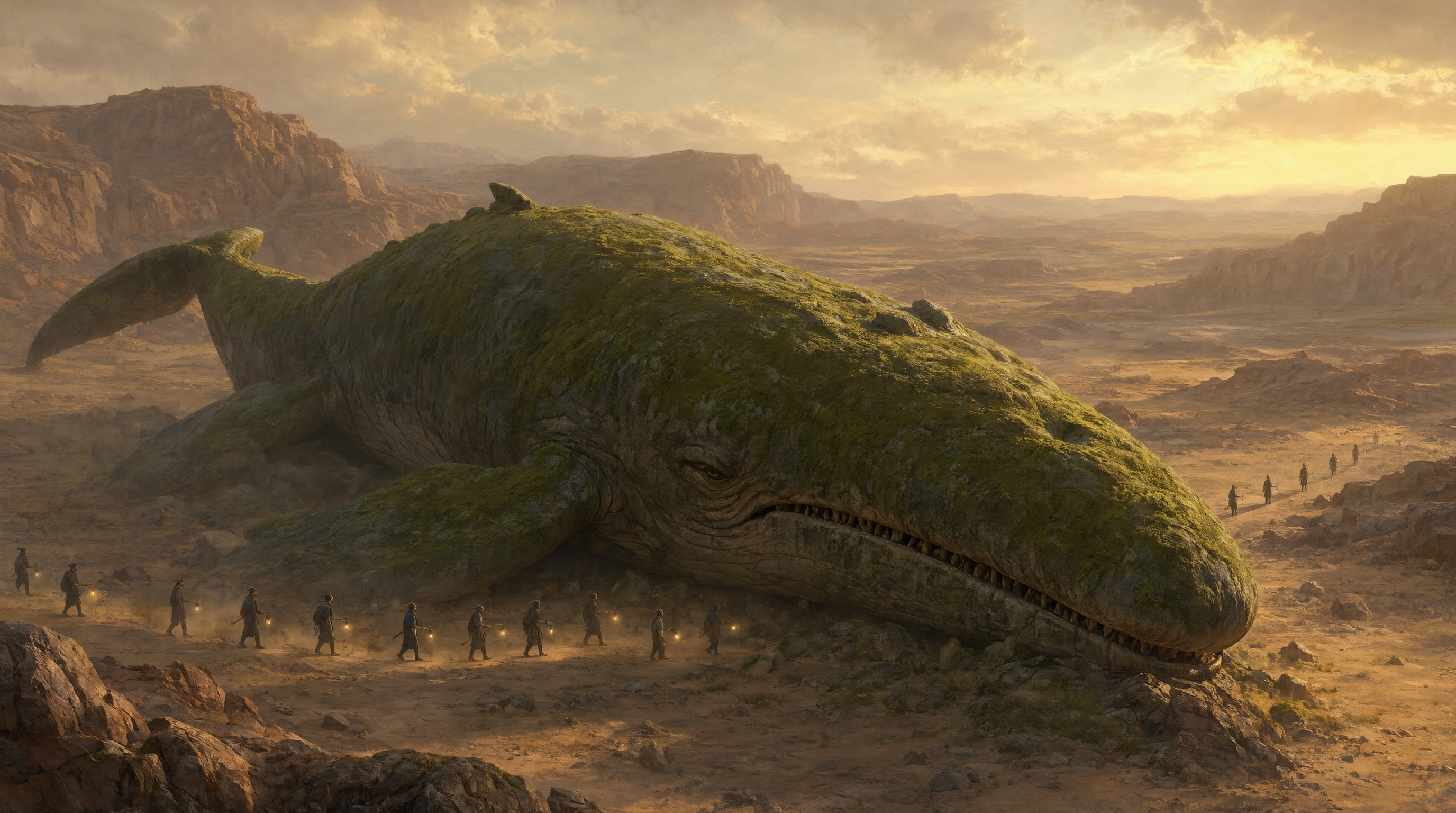
The full Qwen Image 2.1 takes its time on every part of the frame. This matte painting holds a giant whale, tiny lantern bearers and dust in the dawn light at once.
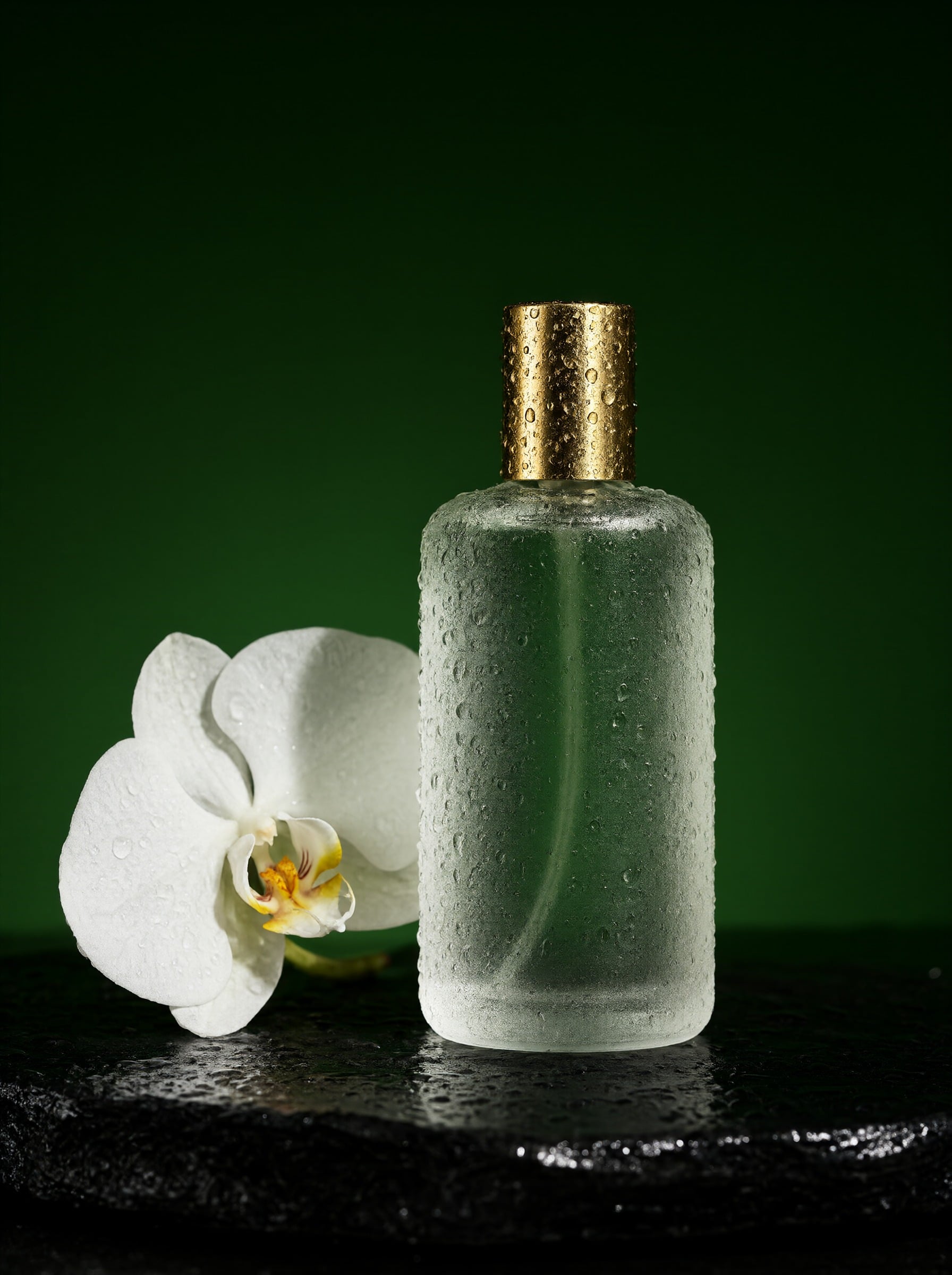
Turbo makes studio grade product shots, food and interiors in 8 steps. This perfume hero, droplets and orchid included, cost 0.5 credits at 2K.
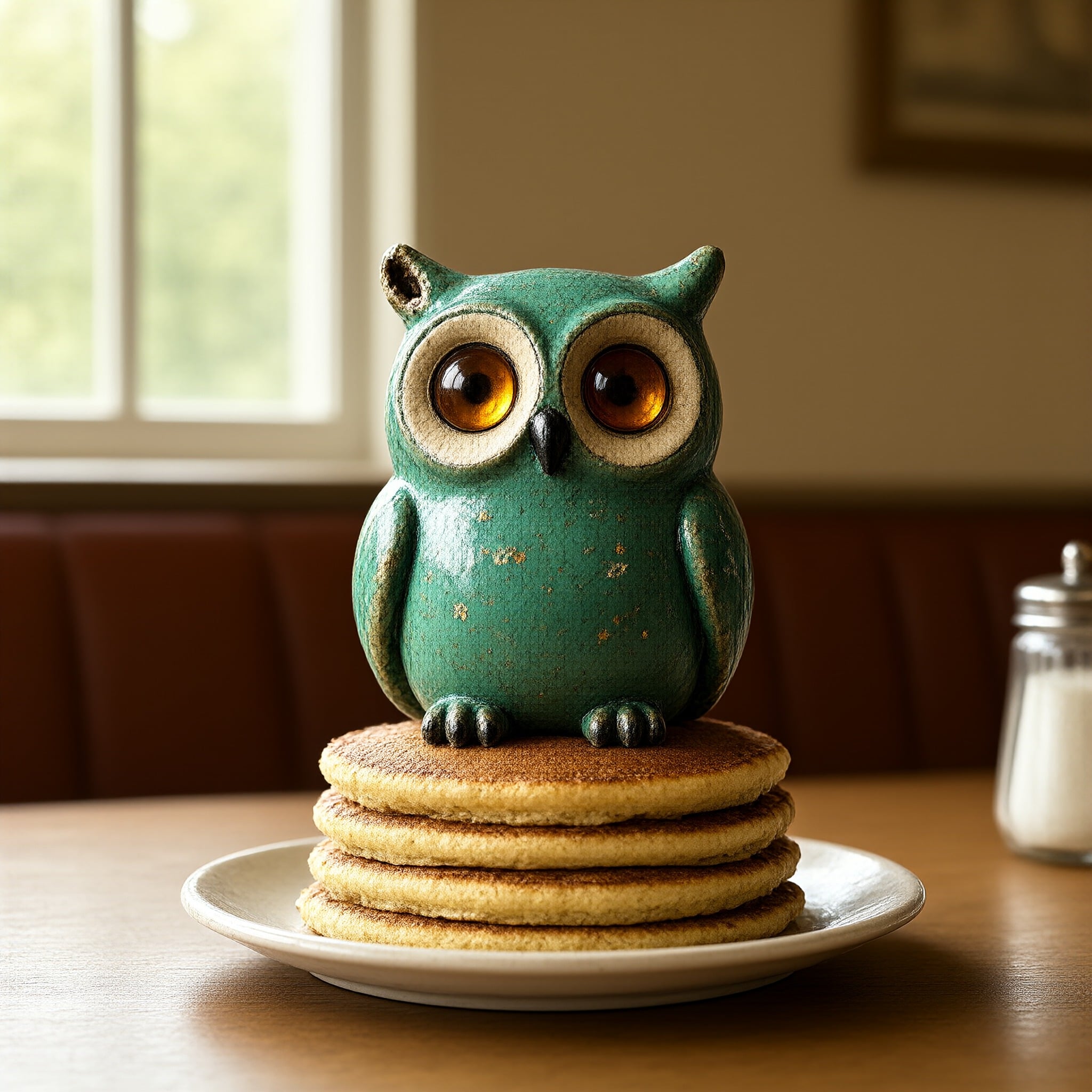
We trained a LoRA on 8 photos of a ceramic owl, then put it on a stack of pancakes with a one line prompt. Stack up to 3 LoRAs in one image.
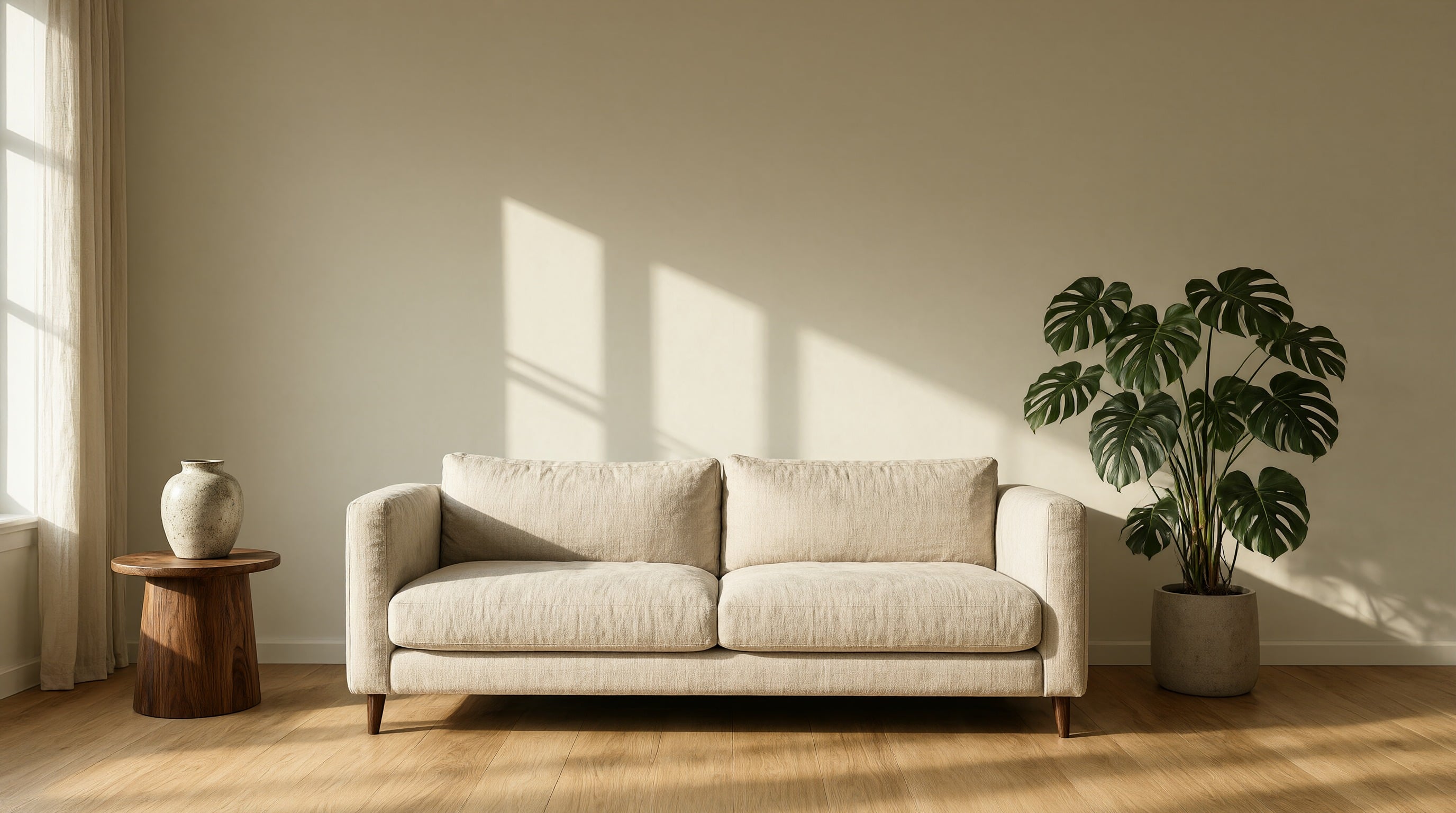
Name the materials and where the sun falls. Pale oak, linen and walnut, with long window shadows across the wall, make a calm magazine interior in a wide 16:9 frame.
Each example shows the exact prompt that produced the result. Copy any prompt with one click.
Turbo · 2K · 2:3 · 0.5 credits
Typographic concert poster, bold condensed letters "SALT AND STATIC" stacked across the top, a lone saxophonist silhouetted against a huge coral moon over a quiet harbor, screen-print grain, deep navy and coral palette, small text at the bottom reading "AUGUST 14 TO 16, PIER 9"
Name the piece, then the type style ("bold condensed letters"), then the words in quotes with a place for each: the title across the top, the date at the bottom. A two color palette and "screen-print grain" give it the printed look.
Turbo · 2K · 3:4 · 0.5 credits
Editorial portrait, medium close-up. A woman in her sixties with a silver bob and round tortoiseshell glasses, wearing a mustard wool coat, looks out the window of a vintage tram, warm late afternoon light raking across her face, 85mm lens, shallow depth of field, fine film grain
Shot type first, then a person you could pick out of a crowd: hair, glasses, coat. One action, one light source and a lens finish the brief. "Raking" light is what brings out the skin texture.
Turbo · 2K · 3:4 · 0.5 credits
Product hero shot. A frosted glass perfume bottle with a brass cap stands on wet black slate, a single white orchid leaning beside it, droplets beading on the glass, a hard rim light carving its silhouette against a deep green backdrop, macro lens, studio photography
Product, surface, one prop and one tactile detail (the droplets), then the light and the backdrop color. Swap the bottle for your own product and keep the rest of the sentence.
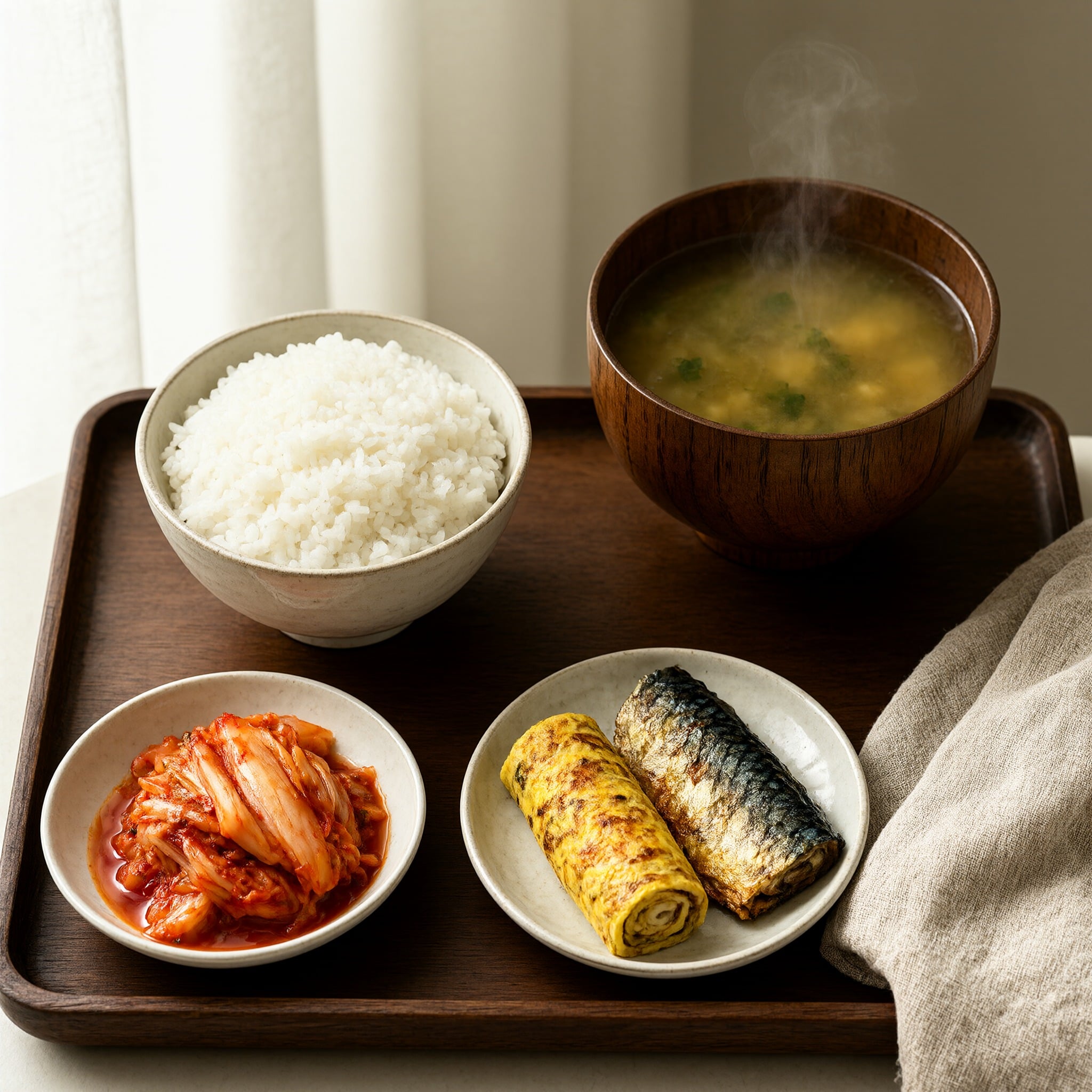
Turbo · 2K · 1:1 · 0.5 credits
Overhead food photograph. A Korean breakfast on a walnut tray: rice, kimchi, grilled mackerel, rolled omelette and miso soup with steam rising, linen napkin, soft window light from the left, crisp detail
List every dish after a colon and each one lands on the tray. "Steam rising" and "soft window light from the left" set the mood in a few words.
Full model · 2K · 16:9 · 1.5 credits
Concept art, wide establishing shot. A colossal moss-covered stone whale rests in a desert canyon at dawn, a caravan of tiny travelers with lanterns winding past its jaw, dust catching the first golden light, painterly matte painting, epic scale
For scale, pair something huge with something tiny: a whale and a caravan of travelers. The full model is worth the extra credits when the frame is full of small detail.
Turbo · 2K · 16:9 · 0.5 credits
Architectural interior. A Scandinavian living room with pale oak floors, a linen sofa and a tall monstera, low afternoon sun throwing long window shadows across the wall, a ceramic vase on a walnut side table, wide angle, magazine photography
Materials do the styling: pale oak, linen, walnut, ceramic. "Long window shadows across the wall" gives the empty wall a reason to be there.
Turbo · 2K · 1:1 · owl LoRA at strength 1 · 0.5 credits
a photo of zzqwowl sitting on a stack of pancakes in a retro diner, warm morning light
With a LoRA loaded, the trigger word stands in for the subject. The prompt never mentions the green glaze or the amber eyes: the LoRA carries them, so the prompt only has to describe the scene.
Put each title, date and label inside double quotes and say where it sits: across the top, small at the bottom, on the label. Short lines in capitals set the cleanest.
Bold condensed, classic serif, hand lettered, clean sans serif. The model follows a named style, so pick one instead of leaving it to chance.
Shape the idea on Turbo at 1K for 0.25 credits, then render the final on the full model at 2K for 1.5 credits. A new model or size is a new image, so judge the final on its own.
With several images attached, write "image 1", "image 2" and so on, and say what each one is for: the product, the setting, the face, the style.
For edits, list the change and then list what must stay the same: the face, the label, the camera angle. A big rewrite works better as a fresh prompt.
Train your LoRA with a made up word like zzqwowl so it never collides with a real word, then write it where the subject goes in the sentence.
Strength 1 is the default. Lower it a little when you stack a subject LoRA with a style LoRA, so neither one takes over the image.
2:3 or 3:4 for posters and portraits, 16:9 for banners and concept art, 9:16 for stories, 1:1 for social posts and product tiles.
1. The piece. What you are making, in a few words: "Typographic concert poster", "Editorial portrait, medium close-up", "Product hero shot".
2. The subject. Specific enough to picture: "a woman in her sixties with a silver bob and round tortoiseshell glasses", "a frosted glass perfume bottle with a brass cap".
3. The setting and action. Where it is and what is happening: "looks out the window of a vintage tram", "stands on wet black slate".
4. The words. Anything printed in the image, inside quotes, with its place: "SALT AND STATIC" across the top, "AUGUST 14 TO 16, PIER 9" at the bottom.
5. The finish. Light, lens, palette and texture: "warm late afternoon light", "85mm lens", "deep navy and coral palette", "screen-print grain".
Attach up to 10 reference images and Qwen Image 2.1 treats your prompt as an instruction about them. The same model and the same prices apply, on Turbo and on the full model.
Edit one photo: "Change the sofa in the reference image to deep green velvet. Keep the room, the light and the camera angle exactly the same." Name the change, then name what stays.
Combine several: "Place the sneaker from image 1 on the marble pedestal from image 2, soft studio light, clean grey backdrop." Numbering the images tells the model which one is the product and which one is the set.
Keep a face or a product across scenes: attach the photo, say "keep the same person from image 1, same face and hair", then describe the new scene in full as if writing it from scratch.
Restyle: attach a photo and a style reference, and write "Redraw image 1 in the style of image 2." For text on a product or sign, quote the new words exactly.
A LoRA teaches Qwen Image 2.1 one subject: your face, a product, a mascot or a style. Our owl LoRA learned a small ceramic figurine from 8 photos, then appeared in a scene it was never photographed in.
1. Gather clear photos of one subject, with different angles, light and backgrounds. 2. Open the Qwen Image 2.1 LoRA trainer and upload them one by one or as a zip, with optional captions. 3. Pick a rare trigger word and the number of steps: the default 2000 steps uses 70 credits, at 35 credits per 1000 steps.
4. When training finishes, open the LoRA from My Trainings and it loads straight into Qwen Image 2.1. Write the trigger word where the subject goes in your prompt. 5. Stack up to 3 LoRAs in one image, for example a character and a style, and set each one's strength from 0 to 2.
We ran the concert poster prompt above through Qwen Image 2.0 Pro as well. Qwen Image 2.1 Turbo answered with tall, bold condensed letters across the top, as the prompt asked, and the date line small at the bottom. Qwen Image 2.0 Pro chose a stacked classic serif inside a thin framed border, a more traditional print look.
Qwen Image 2.1 Turbo made its poster at 2K for 0.5 credits. Qwen Image 2.0 Pro used 1.5 credits. Qwen Image 2.1 also renders natively at 2K and runs your own LoRAs, and both models stay available on PixelDojo.
| Setting | Values | Notes |
|---|---|---|
| Prompt | string (required) | What to create, or the edit to make when reference images are attached. |
| Model | Turbo · Full | Turbo: 8 steps. Full: 40 steps, the most detail. API ids qwen-image-2.1-turbo and qwen-image-2.1. |
| Resolution | 1K · 2K | Turbo: 0.25 credits at 1K, 0.5 at 2K. Full: 1 at 1K, 1.5 at 2K. |
| Aspect ratio | 1:1 · 4:3 · 3:4 · 3:2 · 2:3 · 16:9 · 9:16 | At 2K, 1:1 is 2048 x 2048 and 16:9 is 2752 x 1536. |
| Reference images | up to 10 (optional) | For edits, compositions, consistent people and products, or style. |
| LoRAs | up to 3, strength 0 to 2 | Train your own with the Qwen Image 2.1 LoRA trainer. Default strength 1. |
| Negative prompt | string (optional) | Read by the full model only. |
| Images per run | 1 to 4 | Each image is billed separately. |
| Output format | jpeg · png · webp | png keeps transparency. |
Qwen Image 2.1 is the newest text to image and image editing model from Alibaba's Qwen team. It renders natively at 2K, sets text in images cleanly, edits and combines up to 10 reference images, and runs custom LoRAs.
Turbo makes an image in 8 steps for fast drafts and volume work. The full model takes 40 steps for the most detail and the finest small print, and it reads a negative prompt. Both take references and LoRAs, and both render at 1K or 2K.
Put every word inside double quotes, say where each line sits, and name the type style, like bold condensed or classic serif. Keep lines short. For dense small print, use the full model at 2K.
Attach the photo, describe the change, and list what must stay the same. To combine images, number them in the prompt (image 1, image 2) and give each a job, like the product and the setting.
Open the Qwen Image 2.1 LoRA trainer, upload clear photos of one subject, pick a rare trigger word and start. The default 2000 steps uses 70 credits. Then open the LoRA from My Trainings and write the trigger word into your prompt.
It is included in every PixelDojo plan, from $10/month. Turbo uses 0.25 credits per image at 1K and 0.5 at 2K. The full model uses 1 credit at 1K and 1.5 at 2K. LoRA training is 35 credits per 1000 steps.
Yes. Call qwen-image-2.1-turbo or qwen-image-2.1 at /api/v1/models/{apiId}/run with prompt, aspect_ratio, resolution, reference_images and lora_weights. Both versions are also in Canvas.
The exact prompts and settings behind each one.