PixelDojo vs OpenArt
PixelDojo vs OpenArt: two studios, one character, three clips
Pixel Dojo adds a free daily taste of one click effects, LoRA trainers, a public API with per model docs and credits that never expire while you subscribe.
OpenArt now sells a director, a character builder and an MCP server, which is a lot of what we built too. So we skipped the sales pages and did a job: one original character, three scenes, three clips with sound.
30 credits ($1.88) per 5 s clip at 720p with audio. Included in every plan, from $10/month.
Already a member? Sign in
By Brian Lovett · Updated
Where the two products overlap, and where they split
OpenArt lists a Director with Short Film and Music Video templates, a Character Builder, One-Click Story, over 100 models and an MCP and CLI for Claude, ChatGPT and Cursor.
Pixel Dojo covers the same ground with different pieces: Film Studio, Character Studio, Marketing Studio, Sensei, a hosted MCP server and a public API. The rest of this page goes feature by feature, then shows a test.
Product and sound work from the same studio
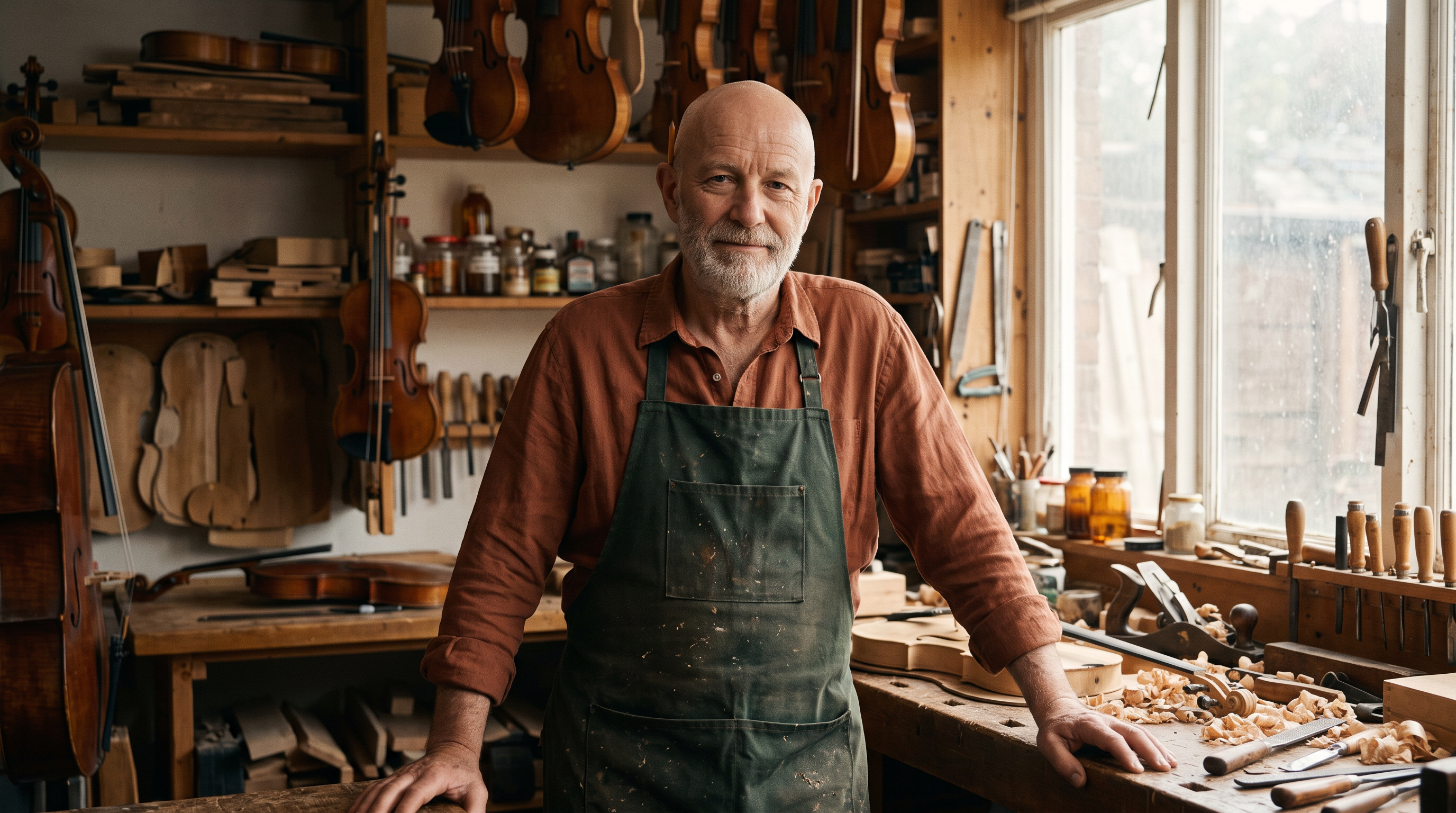
The one portrait all three scenes grew from, made on Nano Banana 2.1.
Cinematic portrait of an original character: a luthier in his sixties with a silver beard, a shaved head, a green waxed apron over a rust linen shirt and a pencil behind his ear, standing in a warm violin workshop, wood shavings on the bench, looking at the camera with a quiet half smile, soft window light, 35mm.

A clean packshot on Seedream 5, the start frame for the ad clip next to it.
Product photograph of a hammered copper gooseneck pour-over kettle with a walnut handle on a pale terrazzo counter, one soft window light from the left, a folded linen cloth beside it, clean negative space, 85mm lens.
The packshot animated on Kling 3.0 with a soft pour in the sound track.
Steam curls from the copper kettle as a thin stream pours from the gooseneck spout, light flickering across the hammered metal, the camera slowly dollies in. Sound: a gentle pour and a soft kitchen hum.
Macro on Seedance 2.5 with the lathe hum recorded in.
Close macro shot of a lathe cutting a glossy black record, a fine curl of lacquer spiralling off the stylus, red studio light glowing on the grooves, the camera slowly pushes in. Sound: a low electrical hum and the soft hiss of the stylus.
Feature by feature, from each company's own pages
OpenArt facts from its home and pricing pages, read October 16, 2026.
| Feature | OpenArt | Pixel Dojo |
|---|---|---|
| Film making | Director with Short Film and Music Video templates, and One-Click Story | Film Studio: script, cast, storyboard, clips, then a whole film editor pass you apply or skip |
| Reusable characters | Character Builder, counted per plan | Character Studio: save once, write @Name in any prompt on any tool, in Sensei and over the API and MCP |
| Ad videos | Not on its home or pricing page | Marketing Studio: add a store link or product photos, pick a style, render an ad with voiceover |
| One click effects | Not on its home or pricing page | 283 effects, 3 free a day to try and no watermark for subscribers |
| Custom training | Personalized models, counted per plan | LoRA trainers for FLUX, Qwen, WAN and Z-Image |
| API | No public REST API on its home or pricing page | Public REST API with docs for every model, credit packs from $5 |
| MCP | OpenArt MCP & CLI on every plan | Hosted MCP server at pixeldojo.ai/mcp |
| Free plan | None on its pricing page | 3 one click effects a day are free to try |
| Commercial use | Listed from the Plus plan | Included on every plan |
One saved face, three places, three clips
We made an original luthier (his portrait sits in the gallery above), then wrote three scenes around him: his workshop, a street corner and a rooftop. Each scene got a still on Nano Banana 2.1 from his portrait, then a Seedance 2.5 clip with sound.
The luthier lifts a half carved violin scroll, blows the wood dust off it and smiles at the camera, shavings drifting in the window light. Sound: a plane shaving wood, soft room tone and a distant violin.
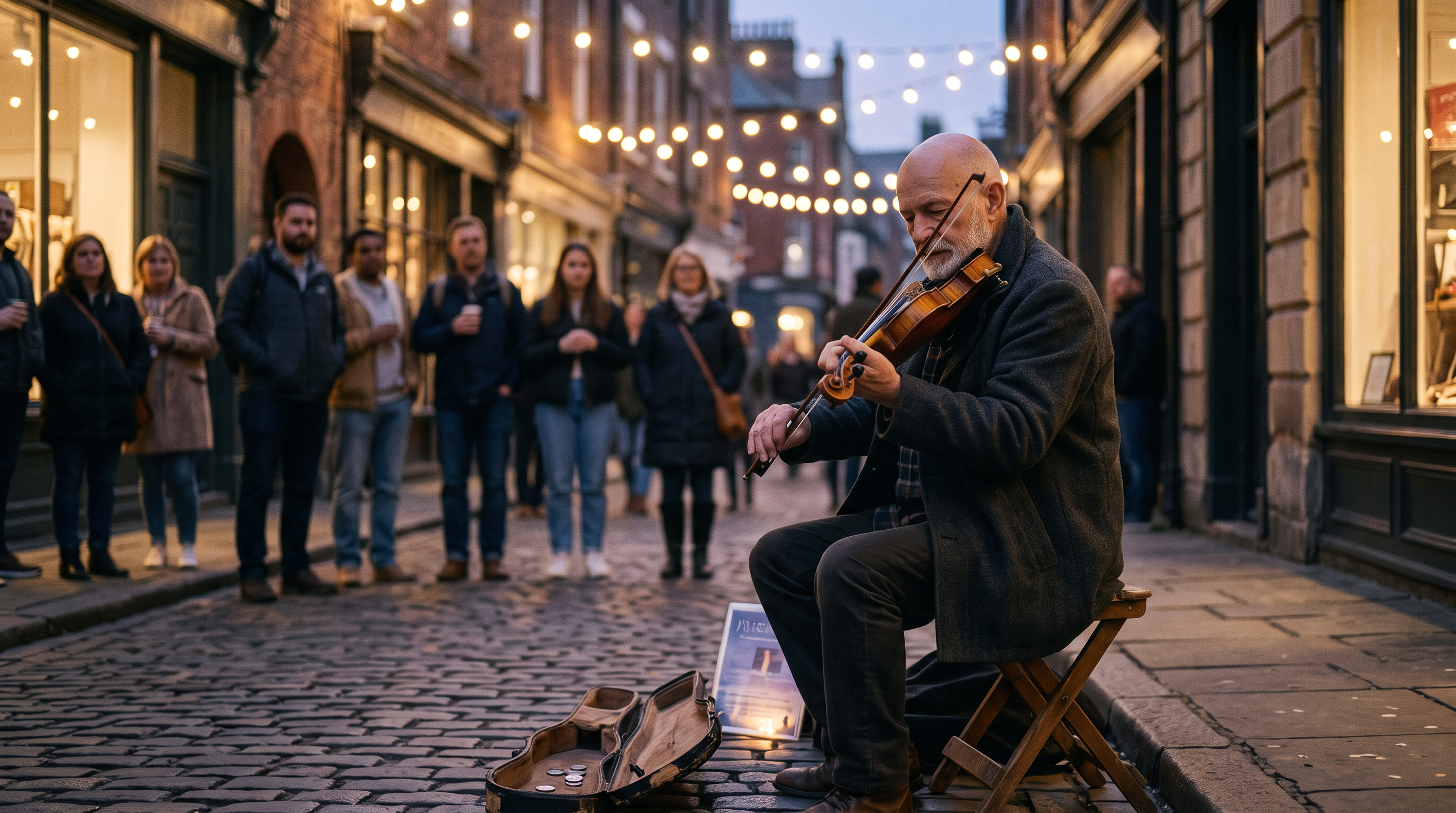
Use the luthier from the reference photo, same face, silver beard and shaved head. He sits on a folding stool on a cobbled street corner at dusk playing a fiddle he built, a small crowd of listeners blurred behind him, strings of bulb lights overhead, wearing a charcoal wool coat, cinematic 35mm photograph.
The luthier draws the bow across the fiddle in a slow phrase, his shoulders swaying, the bulb lights glimmer and the crowd nods along behind him. Sound: a warm folk fiddle melody, soft street ambience and light applause.
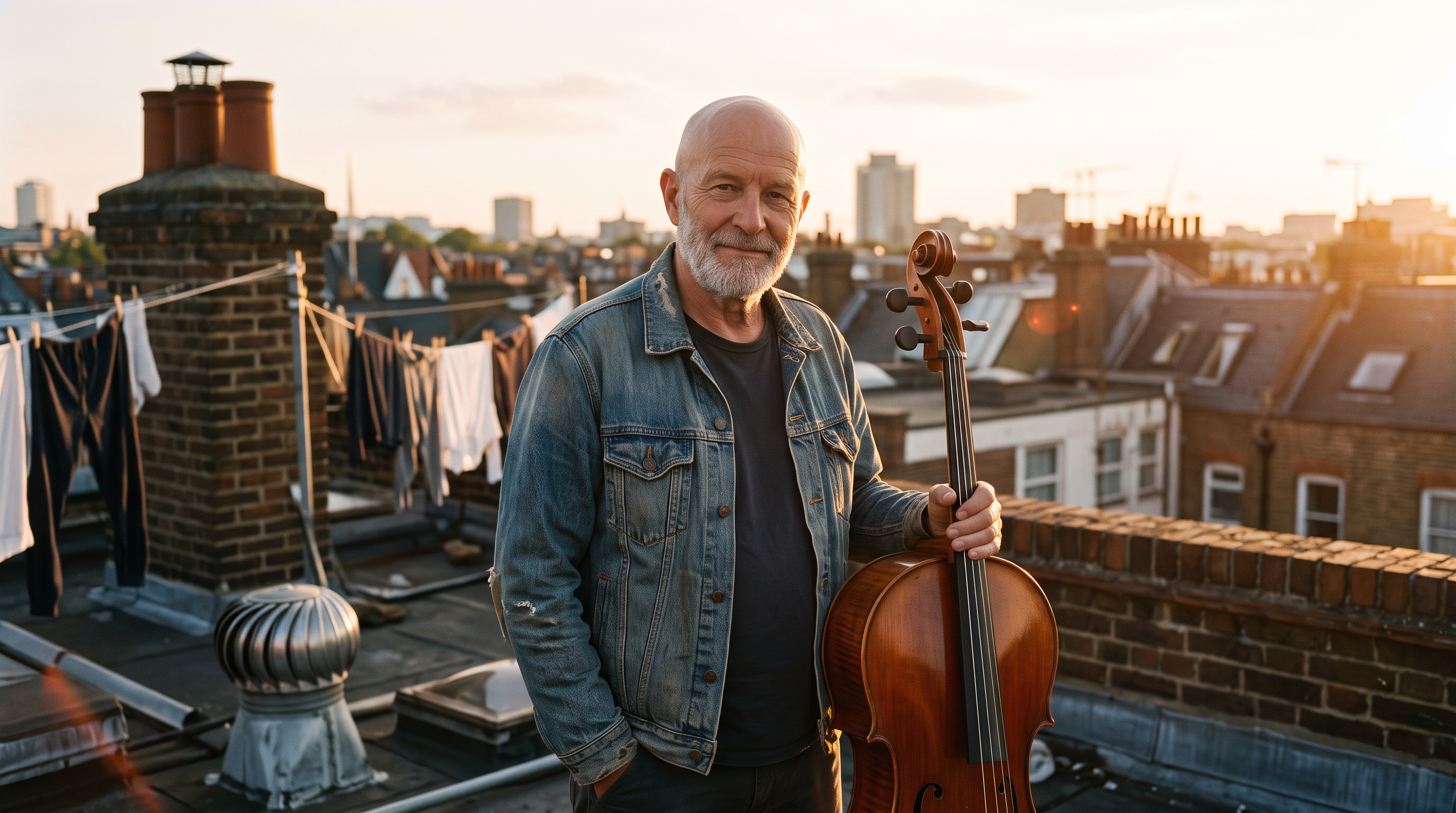
Use the luthier from the reference photo, same face, silver beard and shaved head. He stands on a city rooftop at golden hour holding a finished cello by its neck, laundry lines and chimneys behind him, wearing a denim jacket, warm backlight, cinematic 35mm photograph.
The luthier turns the cello upright, rests his bow on the strings and plays one low sustained note as the sun flares behind the chimneys and laundry sways. Sound: a deep cello note, rooftop wind and distant traffic.
- The silver beard, shaved head and weathered face carried from the workshop to the street to the rooftop, from one portrait and no training.
- Wardrobe, light and setting changed freely: an apron, a charcoal coat and a denim jacket, with dusk and golden hour lighting.
- Seedance 2.5 kept the face stable once he started to move, and every clip came back with sound.
- A saved Character Studio character does this by name: write @Name and the same face is called on any tool.
Everything on a Pixel Dojo plan, side by side with OpenArt
Sensei, the AI director
Describe a project and Sensei plans it, prices it, waits for your approval and reviews every take inside the budget you approved.
Six studios
Film Studio with a whole film editor cut, Marketing Studio for product video ads, Video Studio to change or extend a clip, Character Studio with @mentions in any prompt, Faceless Studio for narrated videos and Prompt Studio to shape a prompt before you spend.
300+ video effects, 45+ photo effects, 35 one job tools
One click looks and quick fixes, with 3 free every day.
LoRA training
Train your own FLUX, Qwen, WAN or Z-Image LoRA and use it next to every other model.
API and MCP
A public API with docs generated from each model, credit packs from $5, and a hosted MCP server for AI assistants.
Credits that keep
Your credits never expire as long as you have a subscription.
Unlimited Relax mode
Subscribers get unlimited Relax runs on Qwen Image 2.1, FLUX 3 Image Klein, MiniMax H3 Turbo and every video and photo effect, with no credits.
Genre presets
Start Film Studio, Faceless Studio or Sensei from a genre, such as a micro drama, a movie trailer or an explainer, and the format, look and pacing are set for you.
Character Swap
Upload a short clip, pick a saved character or a photo, and Character Swap puts your star in the lead while the scene, camera moves and sound stay the same.
Plans: OpenArt vs Pixel Dojo
OpenArt's pricing page lists Starter at $14 a month, Plus at $34, Pro at $56 and Wonder at $240, with commercial rights from Plus. Pixel Dojo plans are Lite $10 a month for 160 credits, Pro $25 for 500 credits, Pro Max $50 for 1,100 credits, and commercial use is on all of them.
Your credits never expire as long as you have a subscription. Under our refund policy, a first purchase can be refunded within 7 days, in full if under 20% of the credits are used and pro-rated after that.
The credit counts are not the same unit on both sites, so compare the price of the clip you need. Every Pixel Dojo model page shows its credit price before you generate.
OpenArt questions
Is PixelDojo better than OpenArt?
Yes. Pixel Dojo adds Sensei, Film Studio's editor pass, Marketing Studio, 283 one click effects, LoRA trainers and a public API with per model docs.
Does OpenArt have a free plan?
Its pricing page lists Starter, Plus, Pro and Wonder and no free plan. Pixel Dojo lets anyone run 3 one click effects a day to try, with a watermark.
Does OpenArt have an API and MCP?
OpenArt lists an MCP & CLI for Claude, ChatGPT and Cursor. We did not find a public REST API on its home or pricing page. Pixel Dojo has a public API with docs for every model, credit packs from $5, and a hosted MCP server.
Can I keep one character across several videos?
Yes. Save the character in Character Studio, then write @Name in any prompt, or use one portrait as the first frame for each clip like the test above.
Can I train my own model on Pixel Dojo?
Yes. The LoRA trainers cover FLUX, Qwen, WAN and Z-Image, and each training costs credits.
Video Effects New
Your first video is free. One photo, one click.
310 ready-made effects, from AI Hug and Earth Zoom In to product spins and listing walkthroughs. Upload a photo and press Generate. No prompt to write, and a free account gets 3 a day.






Switch from OpenArt to Pixel Dojo today
Write a prompt above or start from any example on this page. One plan covers every top model, six studios and Sensei, and your credits roll over.
Start with Seedance 2.5Sources
Facts about OpenArt come from these public pages, checked on Oct 16, 2026. Prices and plans change; check the source before you buy.