Clipfly alternative
Clipfly alternative: pick the engine that moves your photo
Pixel Dojo puts Seedance 2.5, Kling 3.0 and WAN 2.7 side by side for photo animation, shows each one's credit price before you click, and adds images, captions and a film studio on the same plan.
Clipfly mixes an online video editor with AI tools like a photo animator and a video generator. We took the job most people open it for, turning one still into a moving clip, and ran the same photo through three engines.
30 credits ($1.88) per 5 s clip at 720p with audio. Included in every plan, from $10/month.
Already a member? Sign in
By Brian Lovett · Updated
More short videos made the same way
We made every clip below on Pixel Dojo with the prompt shown. Tap one to start from it.
A trailer style shot on WAN 3.0 with a booming hit and wind built in.
Cinematic trailer shot: a lone explorer in a scuffed white expedition suit walks out of a dust storm on a red plain toward a half buried ancient stone gate, dust trailing behind, low sun, slow push in, a deep booming hit and howling wind.
Vertical dance on Kling 3.0 with a funk beat in the clip.
Vertical shot of a street dancer in a mint tracksuit popping and locking on a sunny rooftop with water towers behind, sharp freezes on the beat, handheld camera, an upbeat funk beat and sneaker squeaks.
Hand painted animation on WAN 3.0, a bell and a breeze included.
Hand painted watercolor animation of a hedgehog postman pedaling a tiny bicycle down a hill road past wildflower meadows, letters fluttering from his satchel, puffy summer clouds, gentle bicycle bell rings and a soft breeze.
A talking selfie on Veo 3.1 Fast. She delivers the line with bakery sound behind her.
Vertical selfie style shot of a cheerful baker in a flour dusted apron holding a fresh croissant up to the camera and saying, "Fresh out of the oven. Come early tomorrow." Warm bakery light, oven hum and a bell on the door.
The problem: one engine per clip, chosen for you
Clipfly lists Seedance 2.0, Wan 2.7, Kling 3.0, Veo 3.1, Pixverse V6 and HappyHorse 1.0 on its AI video generator page, and its pricing page charges 10 credits for one clip from the video generator or the photo animator.
That is easy to start with. The catch is that engines move a photo in very different ways, and the right one depends on the shot. We wanted to see that difference on one photo, with each engine's own price on the tile.
One fjord photo, three image to video engines
We made the still on Nano Banana 2.1, then gave the same photo and the same motion prompt to Seedance 2.5, Kling 3.0 and WAN 2.7. Each tile shows its settings and credits.
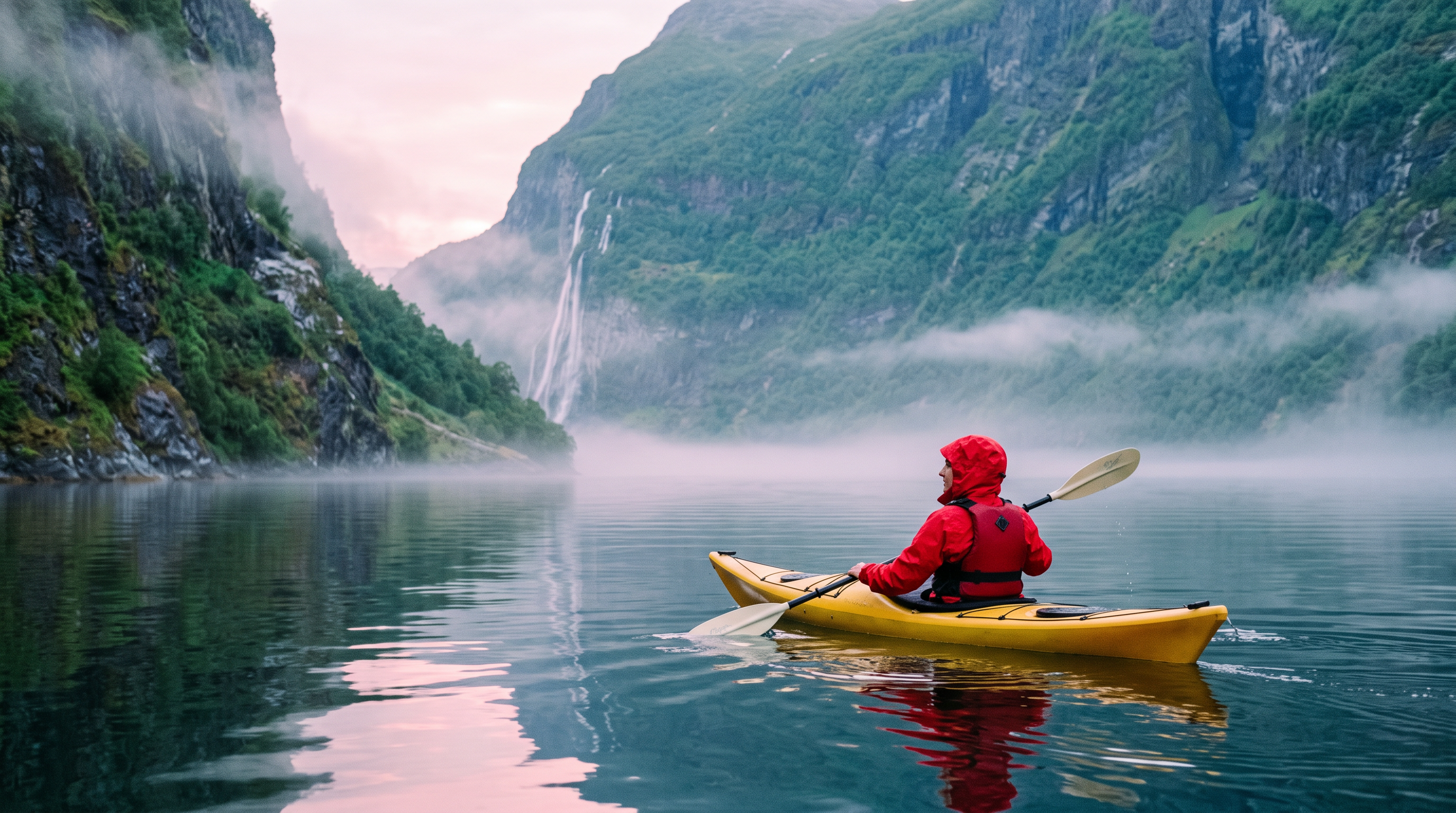
Photograph of a woman in a red rain jacket paddling a yellow kayak across a glassy fjord at dawn, steep green cliffs and a thin waterfall behind her, low mist on the water, soft pink light, 35mm lens.
The paddler dips her blade and glides forward across the still water, ripples spreading behind the yellow kayak, mist drifting past the cliffs, the camera tracks slowly alongside. Sound: soft paddle splashes, a distant waterfall and a few birds.
The paddler dips her blade and glides forward across the still water, ripples spreading behind the yellow kayak, mist drifting past the cliffs, the camera tracks slowly alongside. Sound: soft paddle splashes, a distant waterfall and a few birds.
The paddler dips her blade and glides forward across the still water, ripples spreading behind the yellow kayak, mist drifting past the cliffs, the camera tracks slowly alongside. Sound: soft paddle splashes, a distant waterfall and a few birds.
- All three kept the red jacket, the yellow kayak and the waterfall from the photo. Nothing melted or swapped.
- Seedance 2.5 gave the strongest forward glide and wider ripples, with paddle splashes and birds in the sound, for 30 credits.
- Kling 3.0 matched the calm of the photo closely, with sound built in, for 20 credits.
- WAN 2.7 cost 10 credits and still produced clean paddle strokes. It is the one we would use for quick drafts.
The verdict
For animating a photo, the engine matters more than the app. On Pixel Dojo you choose it per shot and see its price first, then keep going in the same tab: captions, upscaling, more clips or a full film.
If you need the clip itself to look right, pick the engine per shot.
Clipfly plans vs Pixel Dojo
Everything in the Clipfly column comes from its pricing and AI video generator pages, read on October 15, 2026.
| At a glance | Clipfly | Pixel Dojo |
|---|---|---|
| Plans | Pro $49.99 a year for 200 credits a month, Pro+ $189.99 a year for 1,000, Business $389.99 a year for 3,000 | Lite $10 a month for 160 credits, Pro $25 for 500 credits, Pro Max $50 for 1,100 credits |
| Price of a video clip | 10 credits per clip from the video generator or the photo animator | Shown on every model page before you generate; our clips here ran from 10 to 30 credits |
| Video engines | Seedance 2.0, Wan 2.7, Kling 3.0, Veo 3.1, Pixverse V6, HappyHorse 1.0 | Seedance 2.5, Kling 3.0, Veo 3.1, WAN 3.0 and WAN 2.7, each on its own page |
| Extra credits | Packs from 100 credits for $9.99, with bonus credits on larger packs | API credit packs from $5 |
| Commercial use | Allowed for videos made on Clipfly, per its generator page | Commercial use on every plan |
| Beyond the clip | Online video editor with 100+ editing functions and stock audio | Sensei, Film Studio, Character Studio, auto captions, upscalers and a public API |
Why Clipfly users switch to Pixel Dojo
Unlimited on every plan
On every paid plan, Relax runs Qwen Image 2.1, FLUX 3 Image Klein and MiniMax H3 Turbo, plus every video and photo effect, unlimited with no credits spent.
Sensei, the AI director
Describe a project and Sensei plans it, prices it, waits for your approval and reviews every take.
Film Studio
An idea becomes a finished film: script, cast, storyboard, clips and an editor pass that trims every shot, with each step priced before it runs.
Character Studio
Save a face once and call it by @name in any prompt, so the same person shows up in every image and clip.
One click video effects
300+ one-click video effects turn a photo into a trend clip, from AI Hug to AI Inflate, with no prompt to write, and 3 are free every day.
Start from a genre
Pick a format such as a UGC ad, a micro drama, a movie trailer or an explainer, and the matching studio opens with the settings and a sample idea filled in.
Star in any video
Upload a short clip, pick a saved character or a photo, and Character Swap puts your star in the lead while the scene, camera moves and sound stay the same.
Credits that roll over
Your credits roll over while you stay subscribed, so nothing you pay for disappears at the end of the month.
Every top model, plus an API
More than 80 image and 60 video models in one account, with a public API and a hosted MCP server for your own apps and AI assistants.
Pixel Dojo pricing for photo animation
Plans are Lite $10 a month for 160 credits, Pro $25 for 500 credits, Pro Max $50 for 1,100 credits. Every plan includes every model and commercial use. Credits roll over while you stay subscribed.
Each engine page shows its credit price for your length and resolution before you press generate. In our test WAN 2.7 cost 10 credits, Kling 3.0 cost 20 and Seedance 2.5 cost 30.
Under our refund policy, a first purchase can be refunded within 7 days, in full if under 20% of the credits are used and pro-rated after that.
Clipfly questions
What is a good alternative to Clipfly?
Pixel Dojo runs Seedance 2.5, Kling 3.0, Veo 3.1 and WAN in the browser, shows each model's credit price before you generate, and adds captions, upscalers and Film Studio on the same plan.
How much does Clipfly cost?
Clipfly's pricing page lists Pro at $49.99 a year with 200 credits a month, Pro+ at $189.99 a year with 1,000 and Business at $389.99 a year with 3,000, plus credit packs from $9.99.
How many credits does a Clipfly video use?
Clipfly lists 10 credits for one clip from its video generator or photo animator, 10 for a talking avatar and 10 per minute for its video upscaler.
Which engine is best for animating a photo?
In our fjord test Seedance 2.5 gave the most motion, Kling 3.0 stayed closest to the calm of the photo, and WAN 2.7 was the cheapest at 10 credits. Try the same photo on two and keep the one you like.
Can I add captions to the clip after?
Yes. Auto captions on Pixel Dojo transcribe the speech in a clip and burn in the subtitles, and the video reframe tool turns a wide clip vertical.
Video Effects New
Your first video is free. One photo, one click.
310 ready-made effects, from AI Hug and Earth Zoom In to product spins and listing walkthroughs. Upload a photo and press Generate. No prompt to write, and a free account gets 3 a day.






Switch from Clipfly to Pixel Dojo today
Write a prompt above or start from any example on this page. One plan covers every top model, six studios and Sensei, and your credits roll over.
Start with Seedance 2.5Sources
Facts about Clipfly come from these public pages, checked on Oct 15, 2026. Prices and plans change; check the source before you buy.