GPT Image 2.5 Prompting Guide

Prompt GPT Image 2.5

OpenAI's newest image model in two variants. Sunburst keeps a reference subject faithful and changes only what you ask. Flare returns the same quality tier in about half the time. Every example below was generated on PixelDojo with the prompt shown.

Overview

GPT Image 2.5 picks up where GPT Image 2 left off and fixes the two things people complained about: edits that drifted away from the reference, and lighting that looked composited. It keeps a reference subject's identity and materials, makes localized changes without touching the rest of the frame, renders natural light and textures, and holds a consistent visual direction across multi-panel layouts. Generate and edit share one page: add reference images and the same prompt box becomes an edit instruction.

Sunburst vs Flare

Sunburst

The premium model. Strongest reference preservation, the most precise localized edits, and the best handling of dense layouts. Roughly twice the wait of Flare at High. Use it for finals, client work, and anything with a reference image.

Flare

The fast model. Higher quality than GPT Image 2 at about half the latency, and the same credit price as Sunburst. Use it to iterate on composition and copy, then switch to Sunburst for the final render.

Both variants cost the same. The only trade is speed against fidelity, so there is no reason to draft on Sunburst. Iterate on Flare, finish on Sunburst.

Prompt Playbook

Quote exact strings

Wrap every string that must render literally in double quotes and name its role: headline, subhead, callout, label, footer.

Name the light, then the material

Say where the light comes from and what it hits: "north window light raking across wet clay". 2.5 reasons about the surface from the light.

Declare the artifact

Poster, infographic, storyboard, product shot, editorial photograph. Layout rules change with the artifact type.

Lock invariants once

For characters or products that repeat, describe identity traits at the top of the prompt and let each panel describe only what changes.

Ask for the space you need

"Clean negative space to the right for copy" is honored. Plan the downstream layout in the prompt instead of outpainting later.

For edits, say what stays

End every edit prompt with the list of things to preserve: "keep the table, lighting, and camera exactly the same".

Generated Examples

Every image below was generated with GPT Image 2.5 on PixelDojo using the prompt and settings shown. Copy any prompt and change one variable at a time.

Typography With Exact Strings

Typography With Exact Strings

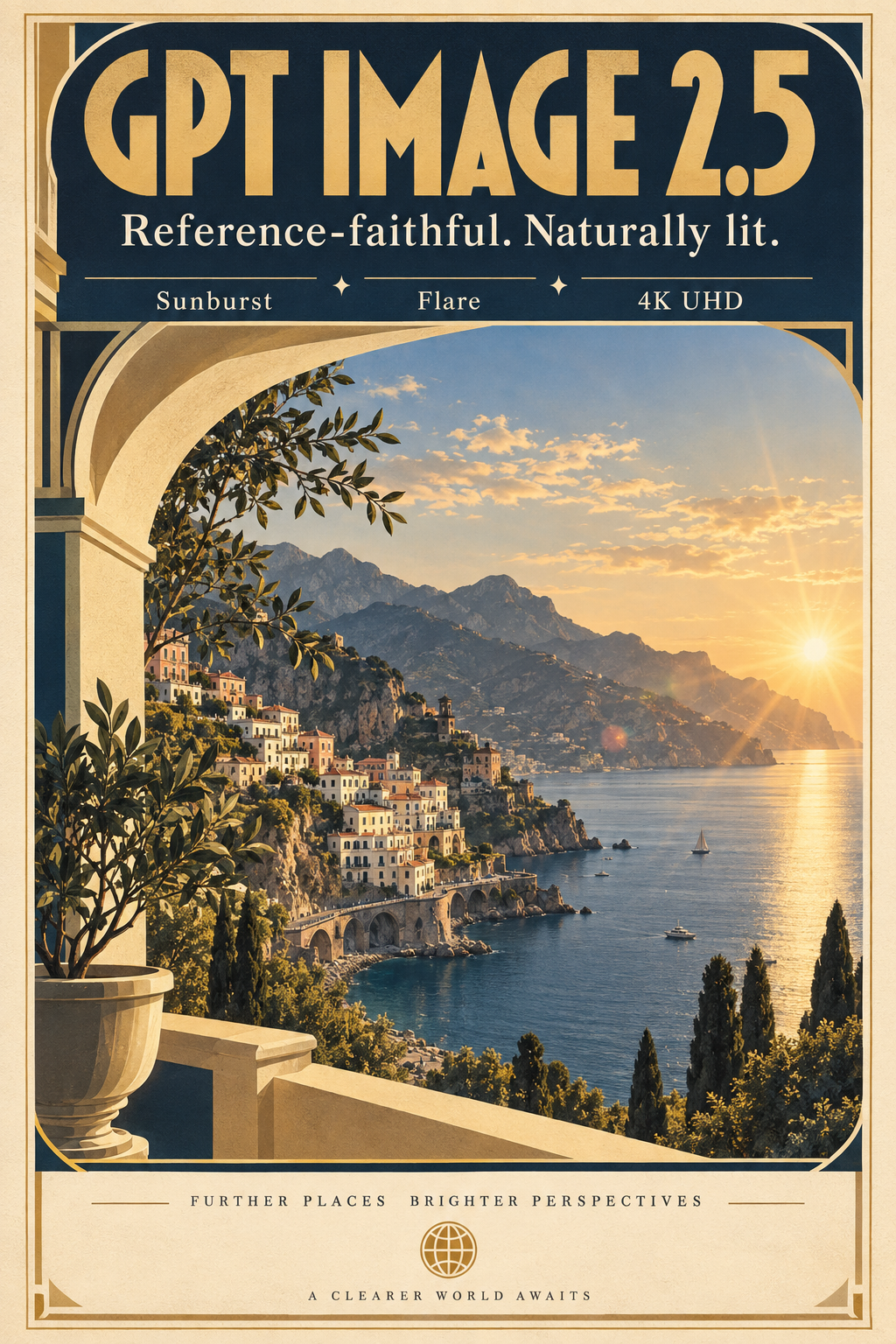
Poster-scale headline, subhead, and callouts

Sunburst · High · 1024×1536

A premium art-deco travel poster on thick matte paper. Large headline in bold geometric type: "GPT IMAGE 2.5". Subhead in clean serif: "Reference-faithful. Naturally lit." Three small callouts in perfect alignment: "Sunburst", "Flare", "4K UHD". Cream, navy, and warm gold palette, subtle paper grain, museum-grade typography.

Quote every string that must render literally and name its role (headline, subhead, callout). All three tiers of copy landed with correct spelling and spacing.
Natural Light and Wet Materials

Natural Light and Wet Materials

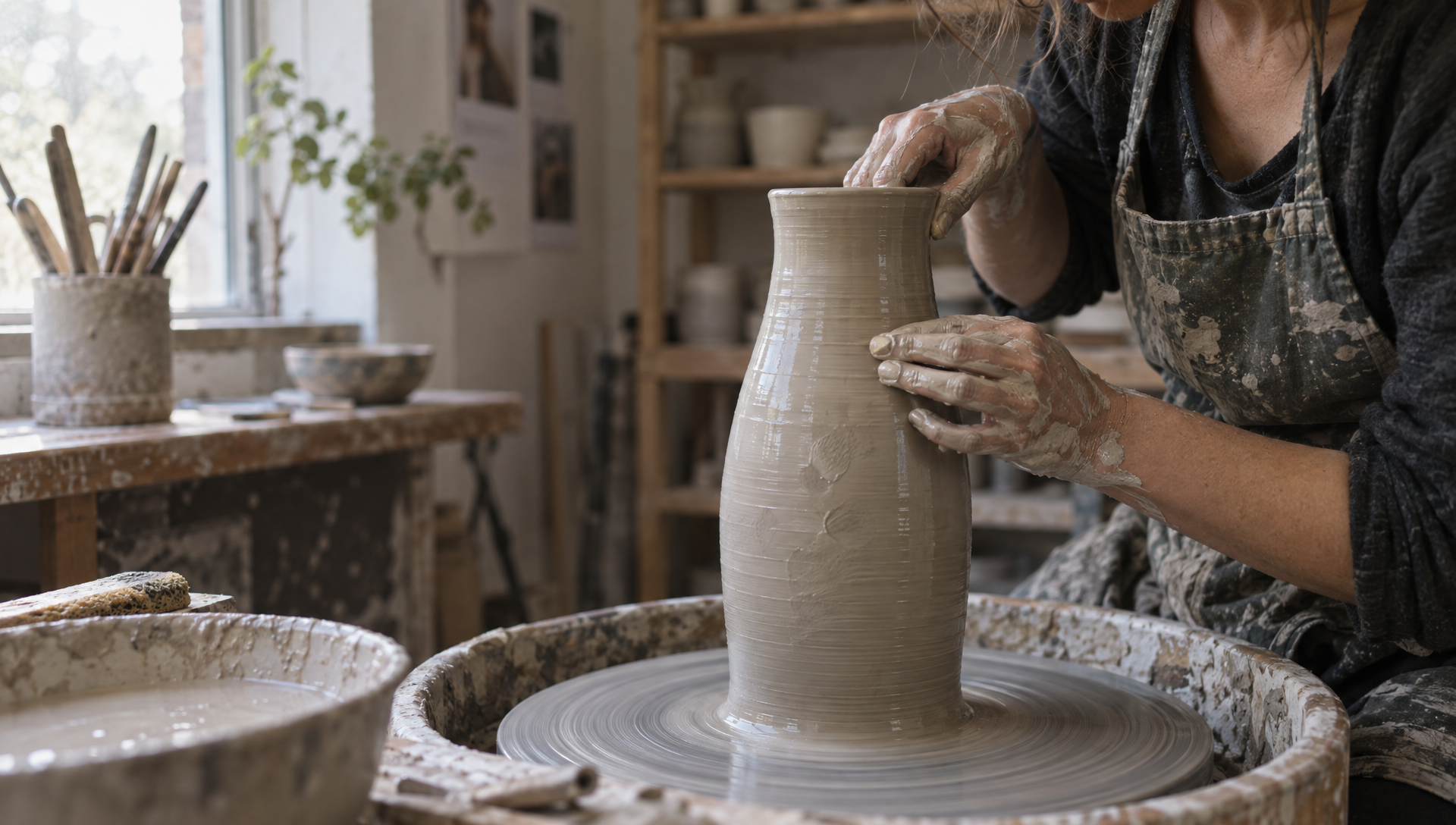
Raking window light on clay slip

Sunburst · High · 1920×1088

Editorial photograph of a ceramicist's hands shaping a tall stoneware vase on a wheel, clay slip glistening, north-facing window light raking across wet clay, visible fingerprints in the surface, Kodak Portra palette, shallow depth of field, 50mm.

Name the light source and its direction, then the material it hits. 2.5 renders specular wet surfaces and skin without the waxy look older models fall into.

Product Shot With Copy Space

Product Shot With Copy Space

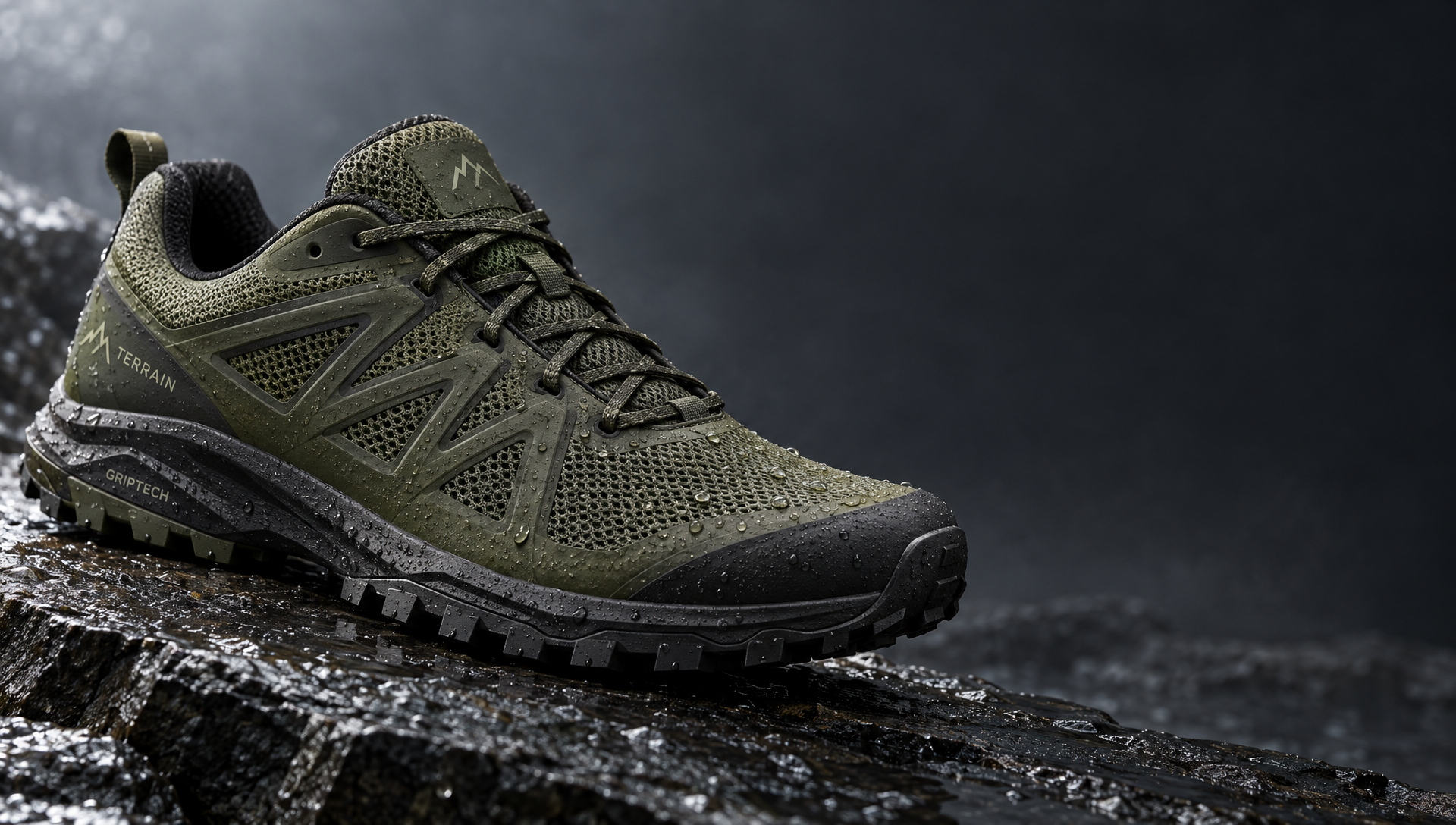
One hard key, soft fill, deliberate negative space

Sunburst · High · 1920×1088

Studio product photograph of a matte olive-green trail running shoe on wet slate, water droplets beading on the mesh, single hard key light from upper left with soft fill, crisp stitching detail, clean negative space to the right for copy.

Ask for the layout you need downstream. "Negative space to the right for copy" is honored, which saves an outpainting pass later.

Dense Infographic Layout

Dense Infographic Layout

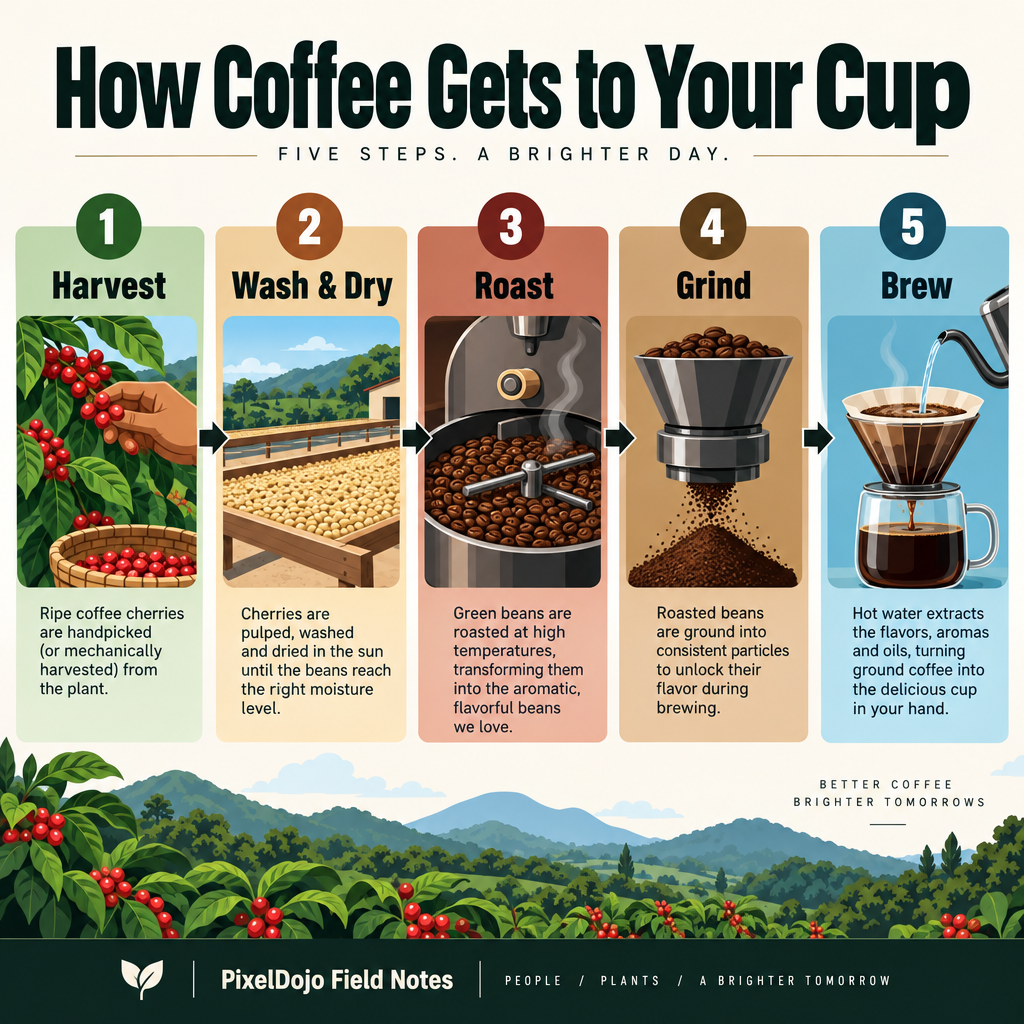
Five labeled stages, captions, and a footer

Sunburst · High · 1024×1024

A dense editorial infographic titled "How Coffee Gets to Your Cup" in bold sans-serif at the top. Five clearly labeled stages left to right with arrows: "1. Harvest", "2. Wash & Dry", "3. Roast", "4. Grind", "5. Brew". Each stage has a small icon and one-sentence caption. Footer: "PixelDojo Field Notes". Clean vector style, strong hierarchy, legible at thumbnail size.

Declare the structure up front: how many stages, their order, and what each contains. Every caption is readable and the numbered order held.

Consistent Visual Direction

Consistent Visual Direction

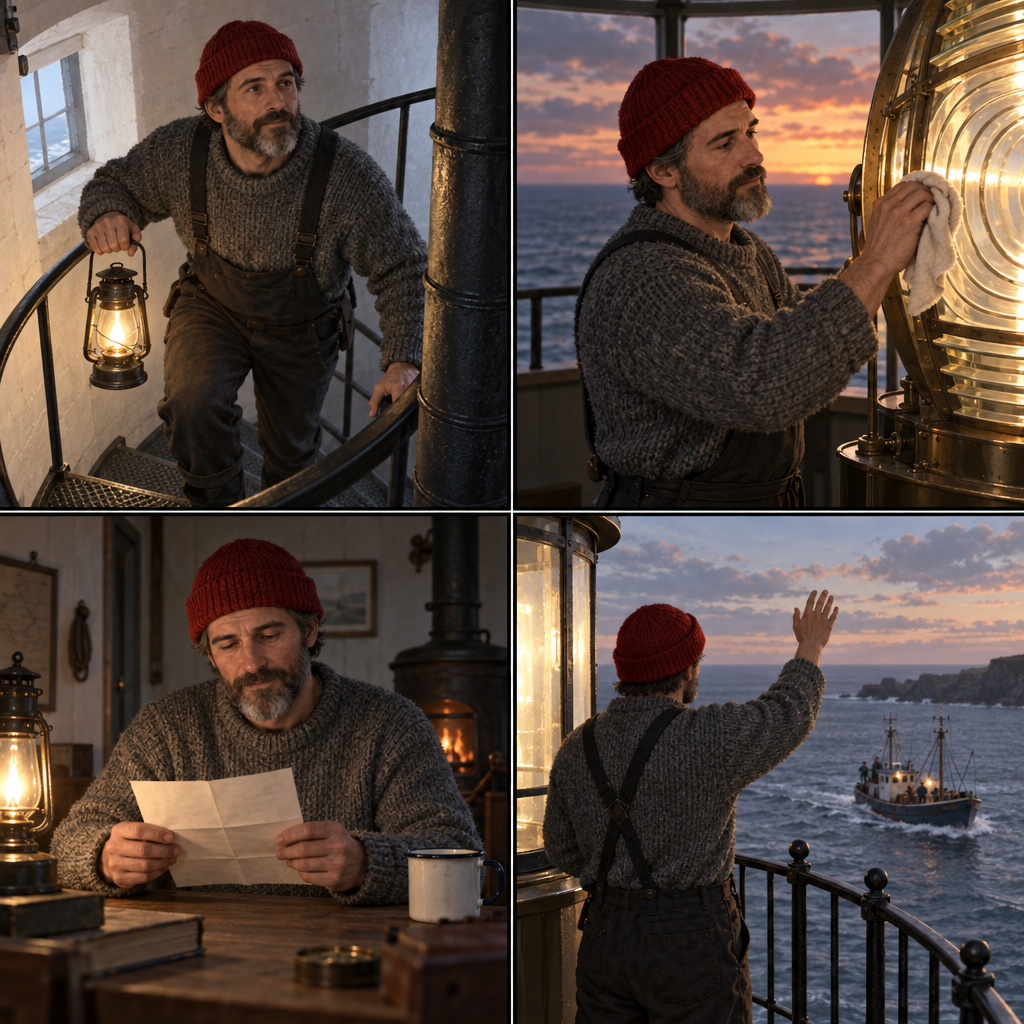
Same character across a 2×2 storyboard

Sunburst · High · 1024×1024

A 2x2 storyboard of the same young lighthouse keeper in each panel: grey wool sweater, red knit cap, salt-and-pepper beard, always the same face and proportions. Panel 1: climbing the spiral stair with a lantern. Panel 2: polishing the great lens at dusk. Panel 3: reading a letter at a small table. Panel 4: waving to a fishing boat from the gallery. Thin black panel borders, semi-realistic illustration, consistent visual direction.

State the invariants once (sweater, cap, beard), then let each panel describe only what changes. Identity holds across all four frames.

Flare at Medium Quality

Flare at Medium Quality

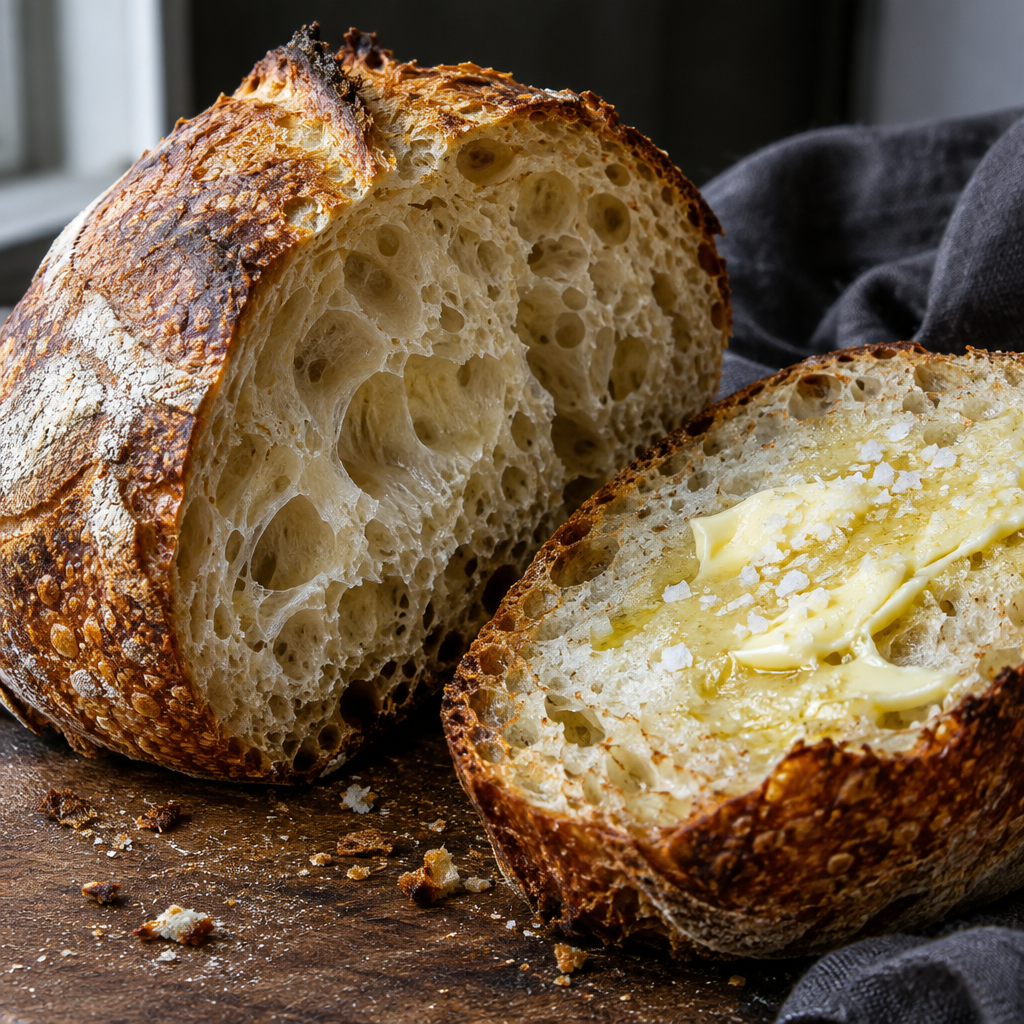
The fast variant on a texture-heavy food shot

Flare · Medium · 1024×1024 · 1 credit

Close-up food photograph of a sourdough loaf split open, open crumb with translucent walls, blistered caramelized crust, a smear of salted butter melting on one half, dark linen, side window light, crumbs on the board, macro texture.

Flare at Medium is the sweet spot for iteration: this came back in about 14 seconds for 1 credit and the crumb structure and butter sheen are fully resolved.

Editing With References

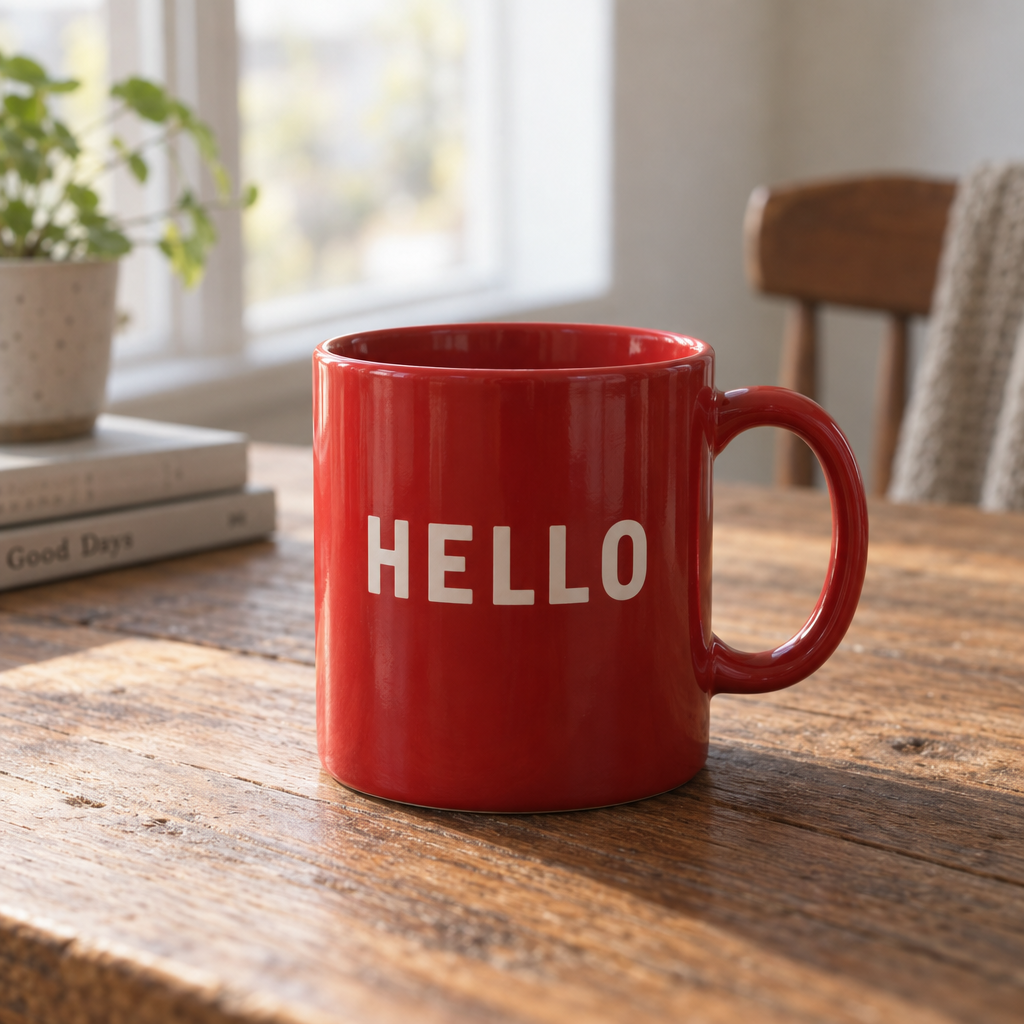
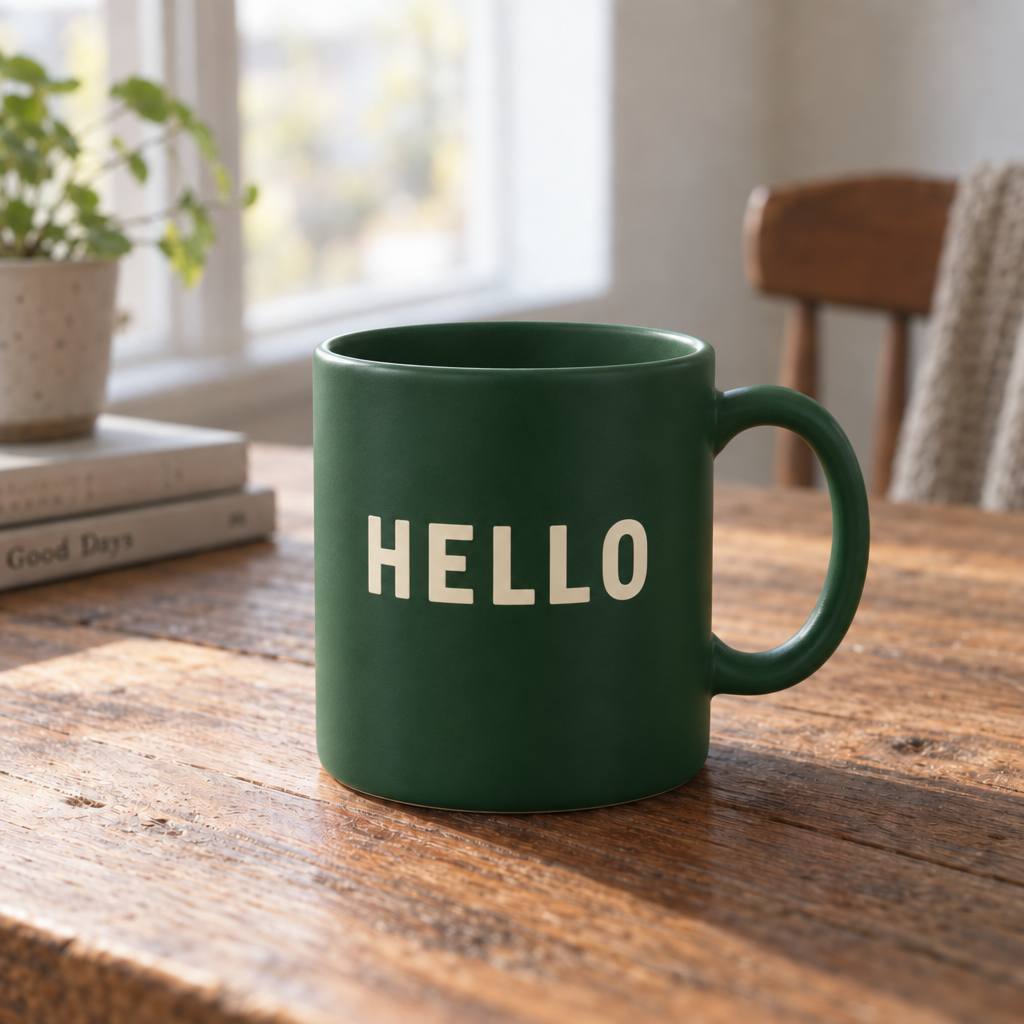
Add up to 8 reference images on the tool page and the prompt becomes an edit instruction. This is where Sunburst earns its name: below, only the mug changed. The table grain, plant, chair, window light, and camera are pixel-consistent with the source.

Source image: red mug

Reference

Edited image: green mug

Sunburst edit

Change the mug to a matte forest green with the word "HELLO" in cream, keep the table, plant, chair, lighting, and camera exactly the same.

Colorway swap

Attach the product shot and prompt: "Change the shoe to navy with a white sole, keep the slate, droplets, and lighting exactly the same."

Compose from several references

Attach a product, a background plate, and a style frame. Name each by role in the prompt and say which one wins on lighting.

Typography fix

Attach the poster and prompt only the correction: "Change the subhead to read exactly 'OPEN 8 TO 6', keep everything else."

Masked inpainting

On the API, pass mask_url with image_urls. White marks the area to edit, black is preserved.

Quality & Pricing

QualityCreditsAt 4KUse for
Low0.50.5Drafts, layout scouting, thumbnails
Medium12Everyday default, iteration
High24Finals, hero assets, print

Same price for both variants. Reference images add 0.5 credits per output. Sizes run from 1024×768 to 4K UHD 3840×2160; Full HD is 1920×1088 because the model needs dimensions in multiples of 16.

Prompt Templates

Reference Edit Template

Attach one reference, change one thing, list what stays.

Change [the one thing] to [exact new state]. Keep [subject identity], [background], [lighting], and [camera framing] exactly the same.

Natural Light Photograph Template

Photoreal scenes where the material response to light is the point.

[Editorial / studio] photograph of [subject and action]. [Light source and direction] on [material], [what the light does: raking, beading, glistening]. [Film stock or palette], [lens], [depth of field].

Typography Template

Posters, covers, and anything where the words must be pixel-perfect.

A [artifact type] with flawless typography. Headline: "[HEADLINE]". Subhead: "[subhead]". Callouts with exact text: "[A]", "[B]", "[C]". [Style and palette], editorial layout, high readability.

Consistent Direction Template

Storyboards and multi-scene sets where identity must hold.

A [grid] featuring the same [character: age, hair, clothing, distinguishing marks] in each panel, always the same face and proportions. Panel 1: [scene]. Panel 2: [scene]. Panel 3: [scene]. Panel 4: [scene]. [Art style], consistent visual direction.

Product Shot Template

Studio product photography with room for copy.

Studio product photograph of [product] on [surface], [one detail that proves the material]. [Key light direction] with soft fill, crisp [detail], clean negative space to the [side] for copy.

Checklist

  • Draft on Flare at Medium, finish on Sunburst at High.
  • Declare the artifact type first.
  • Quote every exact string and name its role.
  • Name the light source and direction before the material.
  • State identity invariants once, then only what changes per panel.
  • For edits, end the prompt with the list of things to keep.
  • Pick 4K only for hero assets; it doubles Medium and High.