GPT Image 2 Prompting Guide

Prompt GPT Image 2

OpenAI's ChatGPT Images 2.0 model — near-perfect text rendering, dense infographic layouts, multilingual signage, world-aware photorealism, and 4K output. This is the playbook for getting the most out of it, with ready-to-copy prompts and examples.

Built on OpenAI's ChatGPT Images 2.0 announcement and the official image generation guide.

Overview

GPT Image 2 is OpenAI's next-generation image model. It renders small text with correct spelling, handles dense layouts like infographics and UI mockups, mixes CJK and Latin scripts on the same canvas, and reasons about physics, lighting, and materials in a way that looks photographed instead of composited. It also supports masked editing — inpainting and outpainting — so you can revise a specific region of an existing image without disturbing the rest.

What's New In ChatGPT Images 2.0

Near-perfect text rendering

Dense text, small lettering, and typography-heavy layouts like magazine covers, posters, and infographics render with correct spelling and consistent spacing.

Multilingual typography

Latin plus CJK (Chinese, Japanese, Korean) in the same composition, including handwritten notes, signage, UI labels, and posters.

World-aware photorealism

Understands physics, lighting, and material properties — accurate reflections, color mixing, and believable textures replace the old AI-averaged look.

4K output + precise edits

Rendering up to 4K UHD, plus masked inpainting and outpainting so you can modify a region while preserving identity, composition, and lighting.

Prompt Playbook

Quote exact strings

Wrap every string that must render literally in double quotes — "PIXEL DOJO", "Today's Special", "$49/mo". Unquoted copy drifts.

Name the role of each text block

Say "headline", "subhead", "footer", "sidebar item", "stat card" — the model uses role hints to set size and hierarchy.

Declare the output artifact

Poster, magazine cover, infographic, UI mockup, storyboard panel, product shot. GPT Image 2 adjusts layout rules based on the artifact type.

Separate languages by label

For multilingual prompts, write "Japanese: 本日のおすすめ", "English: Today's Special" — never paraphrase; always paste the exact glyphs.

Lock invariants up front

For character or brand consistency, describe identity traits once ("short dark hair, freckled nose, olive flight suit") before iterating per scene.

Use real-world anchors

Call out film stock ("Kodak Portra"), lighting ("tungsten vs neon"), or era ("1970s Manhattan") to trigger the model's world knowledge.

Generated Examples

Every image below was generated with GPT Image 2 on PixelDojo using the prompt shown. Copy any prompt and tweak one variable at a time to see how the model responds.

Typography With Exact Strings

Typography With Exact Strings

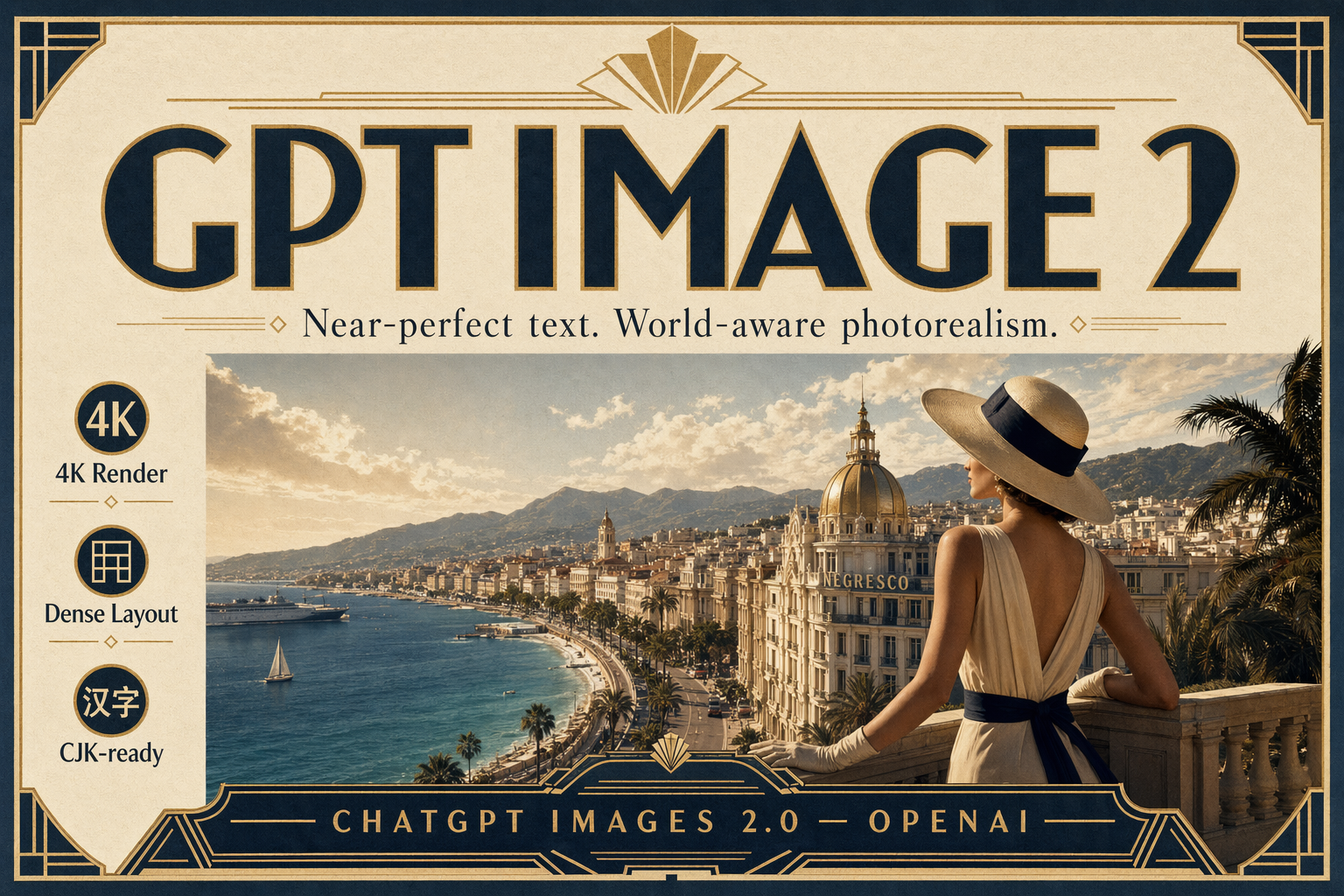
Near-perfect text at poster scale

A premium art-deco travel poster on thick matte paper. Large headline in bold geometric type: "GPT IMAGE 2". Subhead beneath it in clean serif: "Near-perfect text. World-aware photorealism." Bottom tagline in small caps: "CHATGPT IMAGES 2.0 — OPENAI". Include three tiny side callouts in perfect alignment: "4K Render", "Dense Layout", "CJK-ready". Cream, navy, and warm gold palette, subtle paper grain, museum-grade typography.

Put every exact string in double quotes and name the role of each text block (headline / subhead / callout). GPT Image 2 locks spelling and spacing when the copy is explicit.
World-Aware Photorealism

World-Aware Photorealism

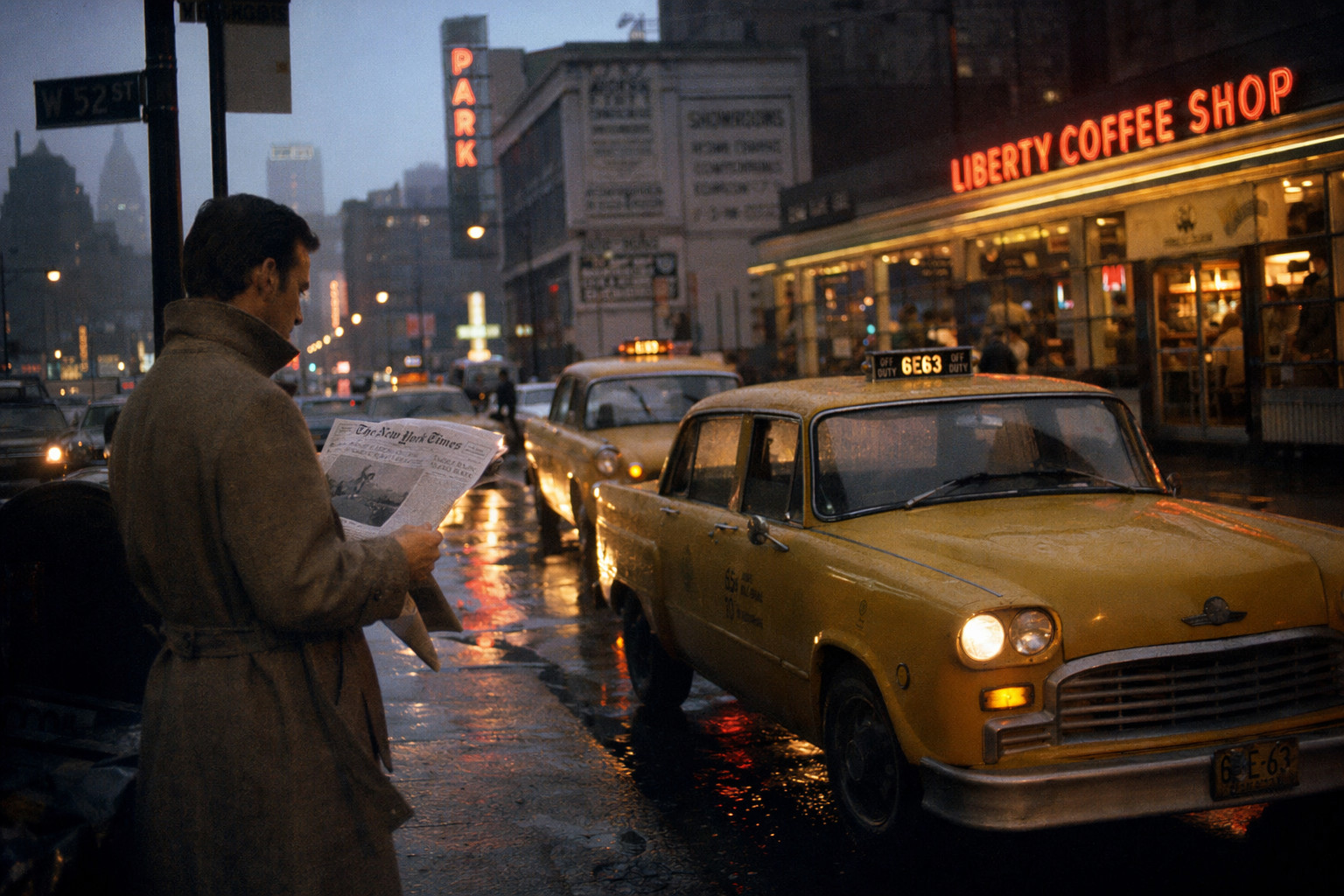
Physics, lighting, and cultural context

A photorealistic editorial photograph of a rainy 1970s Manhattan street at dusk, yellow cabs reflected in wet asphalt, neon diner sign reading "LIBERTY COFFEE SHOP" in warm tungsten, a man in a wool trench coat reading a newspaper at the curb. Kodak Portra color palette, accurate wet-surface physics, believable tungsten-vs-neon color mixing, 35mm grain, shallow depth of field.

Anchor real-world references (era, film stock, lighting type) so the model reasons about physics — reflections, color mixing, grain — instead of averaging a generic look.

Dense Infographic Layout

Dense Infographic Layout

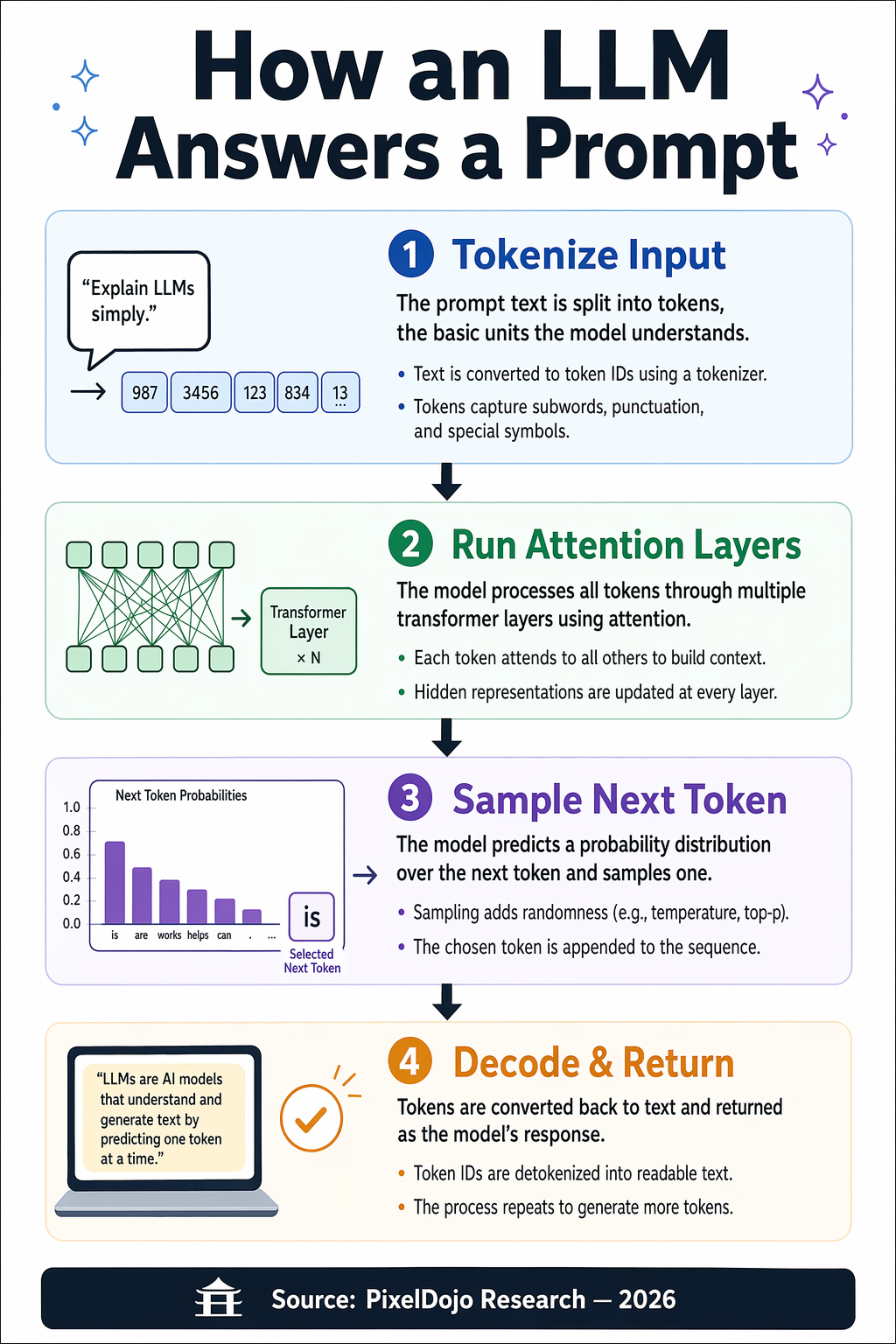
Hierarchy, small text, labeled stages

An editorial infographic poster titled "How an LLM Answers a Prompt" in large bold sans-serif at the top. Four clearly labeled stages arranged vertically with arrows between them: "1. Tokenize Input", "2. Run Attention Layers", "3. Sample Next Token", "4. Decode & Return". Each stage has a small icon, a one-sentence caption, and two bullet notes. Bottom footer: "Source: PixelDojo Research — 2026". Clean vector style, strong visual hierarchy, legible at thumbnail size, balanced grid layout.

For infographics, declare the structure (number of stages, ordering, captions, footer) up front. Numbered titles keep hierarchy intact even when the model compresses type.

Multilingual Signage

Multilingual Signage

Latin + CJK + Korean, all legible

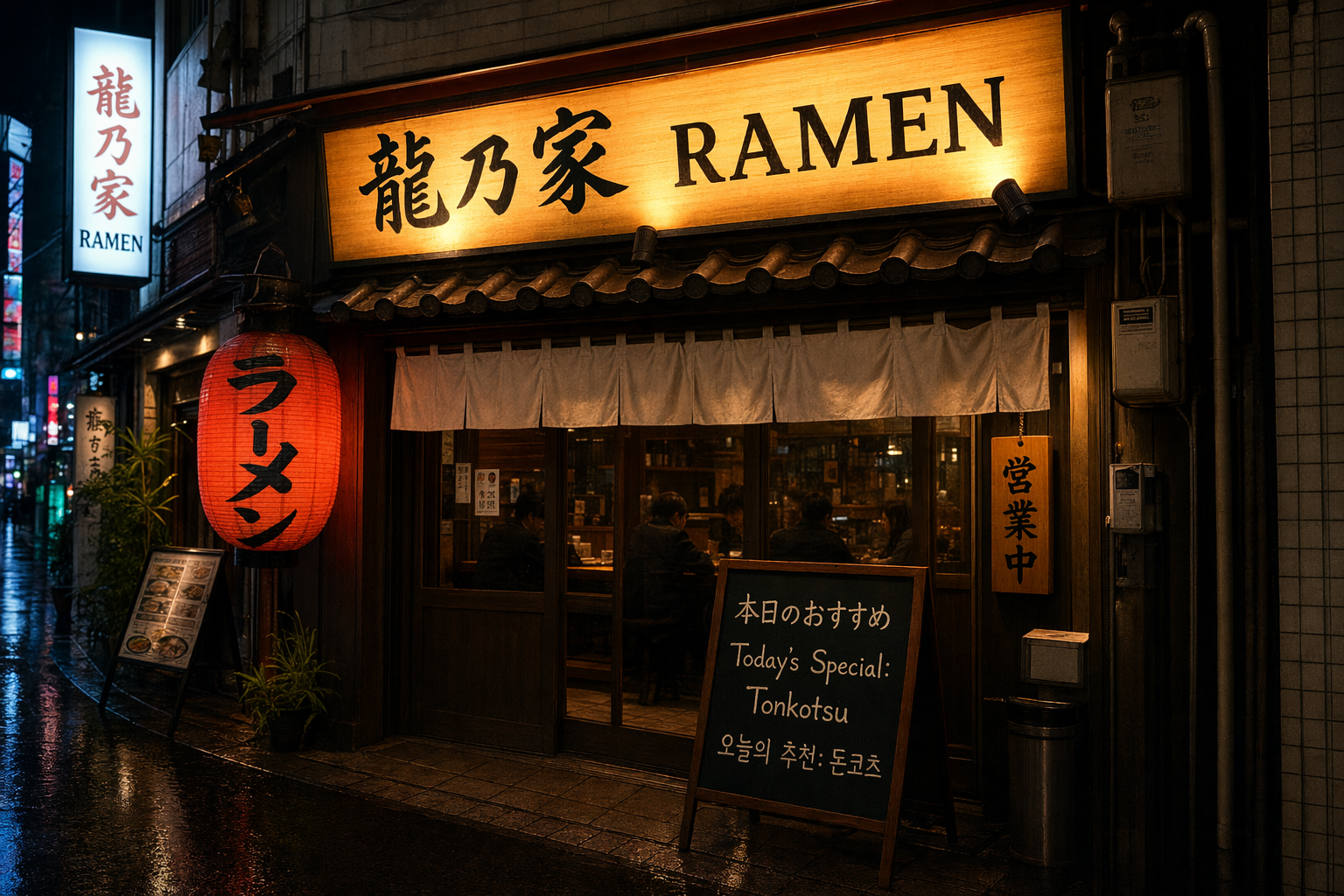
A photorealistic Tokyo ramen shop exterior at night, glowing lantern, wooden signage, rain-slick street. The main illuminated sign reads "龍乃家 RAMEN" in precise kanji plus clean Latin letters. A secondary chalkboard out front reads in three languages with correct spelling: Japanese "本日のおすすめ", English "Today's Special: Tonkotsu", Korean "오늘의 추천: 돈코츠". Cinematic color grading, believable neon bloom, accurate reflections.

GPT Image 2 handles CJK and Latin together when you separate them by language label. Spell out each script's exact glyphs in quotes rather than paraphrasing.

Product Mockup With Brand Copy

Product Mockup With Brand Copy

Labels that stay sharp and on-brand

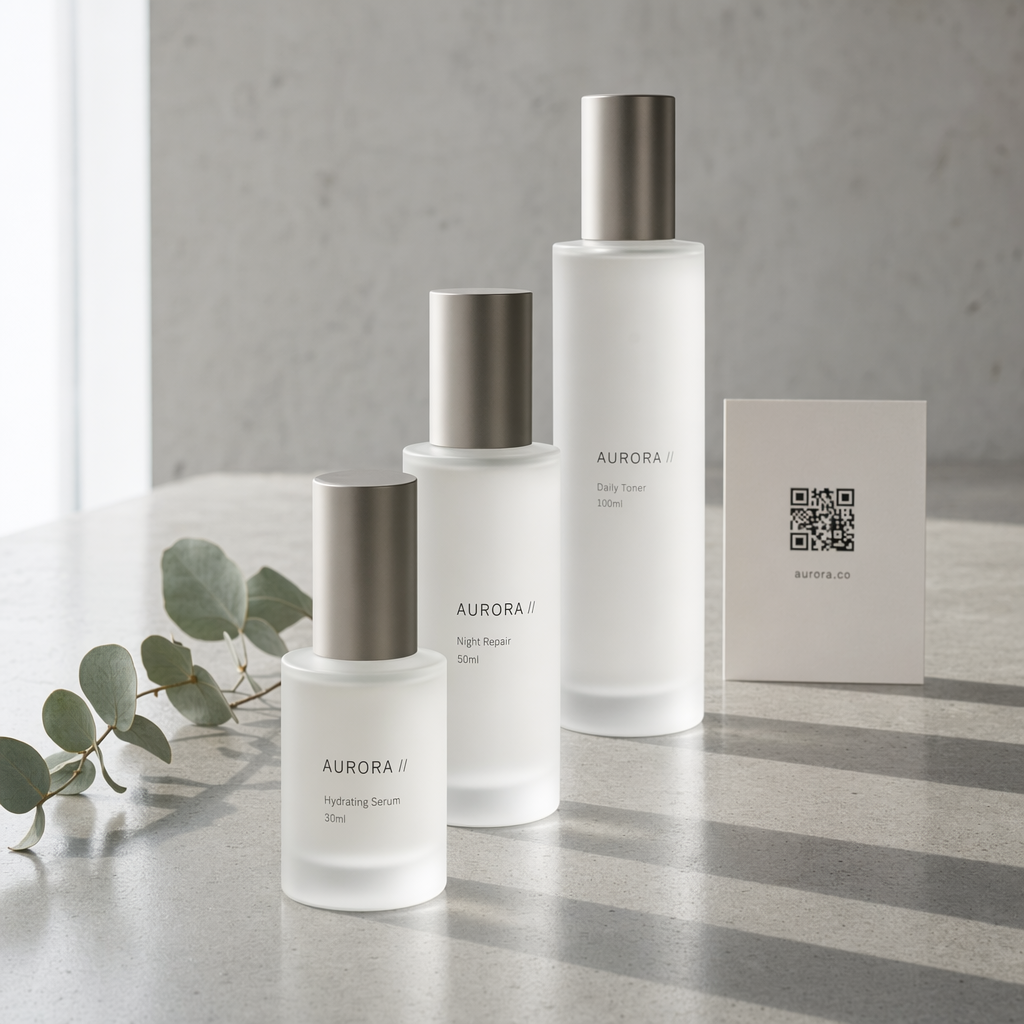
Studio product photography of a minimalist skincare set on polished concrete. Three frosted-glass bottles of varying heights. Front bottle label reads "AURORA // Hydrating Serum 30ml" in thin modern sans-serif. Middle bottle label reads "AURORA // Night Repair 50ml". Back bottle label reads "AURORA // Daily Toner 100ml". A small card behind them shows a QR code and the text "aurora.co". Soft north-window lighting, eucalyptus sprig, luxury beauty aesthetic, sharp label legibility, clean negative space.

Give each product its own line of label copy. Treat SKUs, sizes, and URLs like exact strings — the model preserves them when they sit next to their product.

Character Consistency Storyboard

Character Consistency Storyboard

Identity-locked across 4 scenes

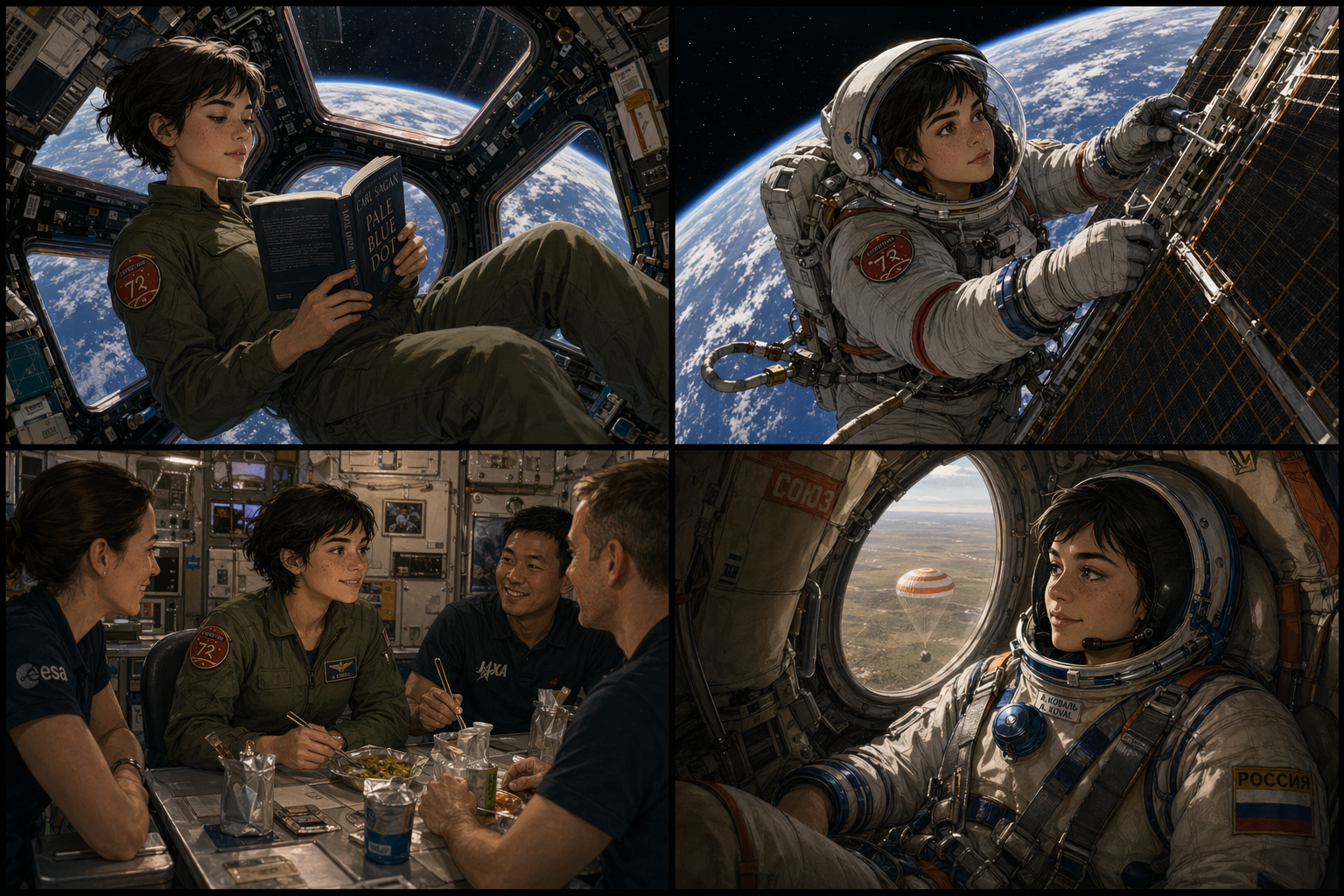
A 2x2 storyboard panel featuring the same young woman astronaut in each panel — short dark hair, freckled nose, olive flight suit with a red mission patch, always drawn with consistent face, proportions, and outfit. Panel 1: floating inside the ISS reading a book by the cupola window. Panel 2: fixing a solar panel during EVA, Earth behind her. Panel 3: sharing a meal with crew in the galley. Panel 4: descending in a Soyuz capsule, Kazakhstan steppe below. Thin black panel borders, cinematic lighting, semi-realistic illustrated style, strong identity lock.

State the invariants (hair, freckles, uniform, patch) once at the top of the prompt, then let each panel describe only what changes. That gives GPT Image 2 an identity anchor.

UI Mockup With Real Copy

UI Mockup With Real Copy

Dashboard labels, numbers, and nav

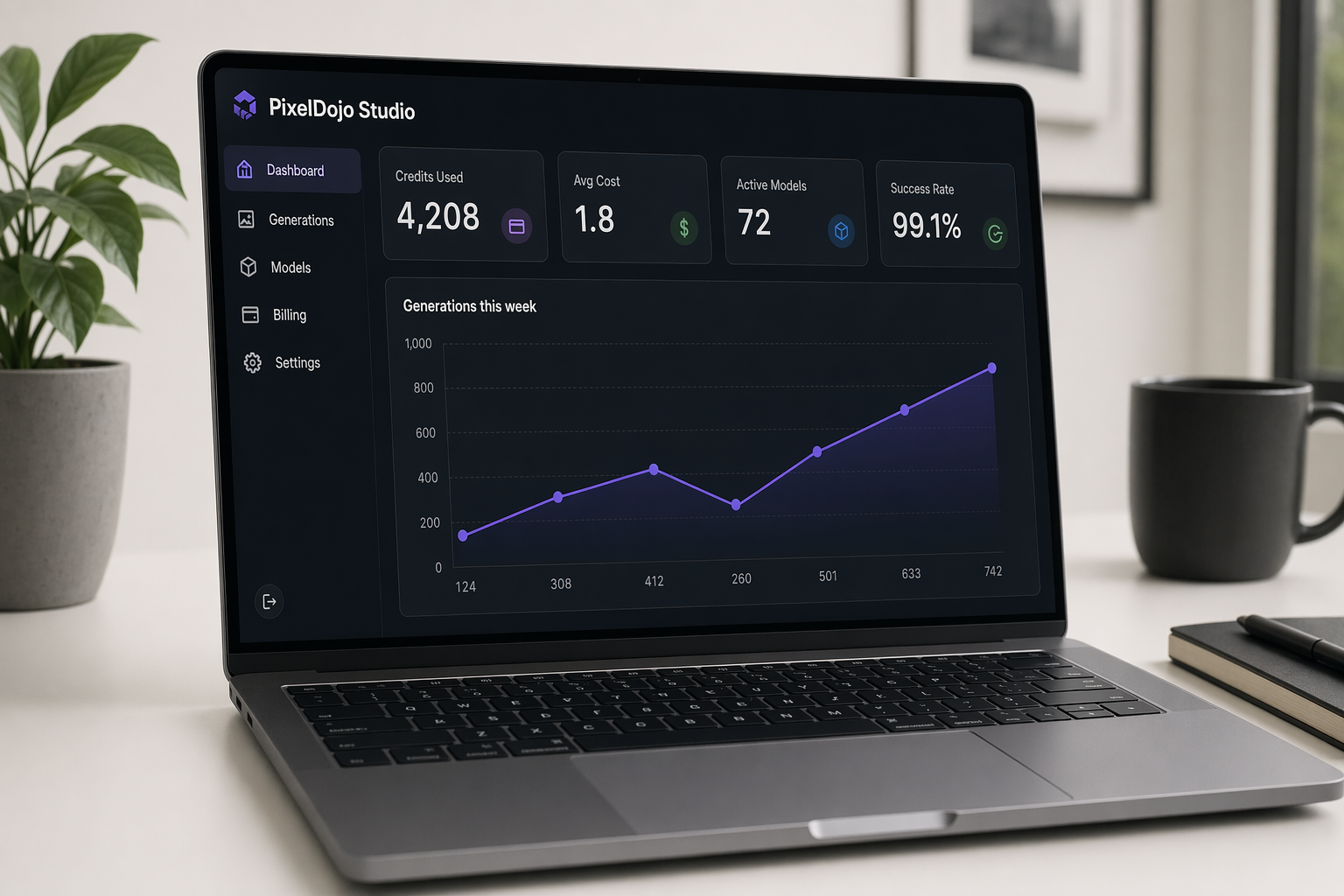
A photorealistic rendering of a laptop on a clean desk displaying a dark-mode SaaS analytics dashboard titled "PixelDojo Studio". Left sidebar shows legible navigation items: "Dashboard", "Generations", "Models", "Billing", "Settings". Main panel shows a large line chart labeled "Generations this week" with the values 124, 308, 412, 260, 501, 633, 742 along the x-axis. Four stat cards on top read exactly: "Credits Used 4,208", "Avg Cost 1.8", "Active Models 72", "Success Rate 99.1%". Every UI label is sharp and correctly spelled, subtle reflections on screen.

For UI mockups, list exact labels and numeric values. GPT Image 2's typography engine is strong enough to render small sidebar and stat-card copy without gibberish.

Quality & Size

Low

  • Fastest option, great for drafts
  • Thumbnails and concept passes
  • 0.5 credits per image

Medium

  • Balanced quality/speed default
  • Most day-to-day generations
  • 1.5 credits (3 at 4K)

High

  • Maximum detail, final assets
  • Best text fidelity + textures
  • 5 credits (10 at 4K)

Size tips: Square 1024×1024 is the fastest aspect. For polished deliverables, pick Full HD 1920×1080, QHD 2560×1440, or 4K UHD 3840×2160 — the model preserves layout precision at higher resolutions, so infographics and dense text benefit from more pixels.

Editing Workflow

GPT Image 2 supports masked editing — provide the source image and a mask (or a reference image), and describe only what should change. Identity, composition, and lighting are preserved outside the edited region.

Targeted object edit

Upload the base image, mask the object, and prompt: "Replace the red hat with a cream wide-brim sunhat, keep everything else unchanged."

Background swap

Mask the subject, then prompt the new background: "Place the subject on a foggy forest trail at golden hour, keep pose, outfit, and lighting on the face consistent."

Typography fix

Mask the sign or label region and prompt only the correction: "Change the sign to read exactly 'OPEN 8–6' in clean sans-serif, keep the material and shadow."

Outpainting

Extend the canvas and prompt the new area: "Extend the image 40% to the right, continue the beach scene with the same golden-hour palette and crashing waves."

Prompt Templates

Typography Template

Use for posters, magazine covers, and any design where the words have to be pixel-perfect.

A [artifact type] with flawless typography. Main headline: "[HEADLINE]". Subhead: "[subhead line]". Include callouts with exact text: "[callout A]", "[callout B]", "[callout C]". Art direction: [style + color palette], editorial layout, high readability.

Infographic Template

Use for dense, structured data visualizations with labeled stages or sections.

An infographic titled "[TITLE]" with [N] labeled [stages/sections] arranged [vertically/horizontally] with arrows between them: "1. [Step one]", "2. [Step two]", "3. [Step three]", "4. [Step four]". Each has a small icon, a one-sentence caption, and [X] bullet notes. Footer: "[source/attribution]". Clean [vector/editorial] style, strong visual hierarchy, balanced grid layout.

Multilingual Signage Template

Use when the image must render multiple scripts correctly.

A [scene description]. The main sign reads "[primary text in target script]" in [language/script]. A secondary sign reads in [N] languages with correct spelling: [language A] "[exact text]", [language B] "[exact text]", [language C] "[exact text]". [Lighting + color direction].

Character Consistency Template

Use for storyboards and multi-scene continuity where identity must stay locked.

A [grid layout] featuring the same [character description — be specific: age, hair, clothing, distinguishing marks] in each panel, always drawn with consistent face, proportions, and outfit. Panel 1: [scene one]. Panel 2: [scene two]. Panel 3: [scene three]. Panel 4: [scene four]. [Art style + framing direction], strong identity lock.

Product Mockup Template

Use for packaging, merchandise, and anything where the brand copy must be sharp.

Studio product photography of [product description] on [surface]. [N] items visible. Item 1 label reads "[exact brand + SKU + size]". Item 2 label reads "[exact brand + SKU + size]". Accent element (card/QR/tag) shows "[exact URL or code]". [Lighting direction], [aesthetic keywords], sharp label legibility, clean negative space.

Checklist

  • Declare the artifact type first (poster, infographic, storyboard, UI mockup, product shot).
  • Put every exact string in double quotes and name its role.
  • Describe hierarchy, labels, and readability when text is dense.
  • Anchor physics with film stock, lighting type, era, or material keywords.
  • State identity and brand invariants once, then describe only what changes per scene.
  • Start at Medium quality, promote to High for finals and 4K for hero assets.
  • For edits, mask the region and prompt only the change — let the model preserve the rest.