Alibaba's newest Qwen Image, unlimited on every plan with Relax
Qwen Image 2.1 AI Image Generator: Native 2K, Sharp Type
Set the words you write as clean, poster ready type at native 2K, with unlimited images on every plan in Relax mode.
Qwen Image 2.1 is the newest image model from Alibaba's Qwen team. It renders natively at 2K, sets titles and small print the way you spell them, edits and combines up to 10 reference images, and runs up to 3 LoRAs you train yourself. Pick Qwen Image 2.1 Turbo for fast 8 step images, or the full 40 step Qwen Image 2.1 for the most detail. We made every example on this page on Pixel Dojo, each with the exact prompt behind it. Qwen Image 2.1 is unlimited on every plan with Relax mode, alongside every top image and video model, six studios and Sensei, the AI director. Credits roll over while you are subscribed, and commercial use is included on every plan.
0.5 credits ($0.03) per image at 2K. Included in every plan, from $10/month.
Already a member? Sign in
By Brian Lovett · Updated
What Qwen Image 2.1 does best
Type that reads
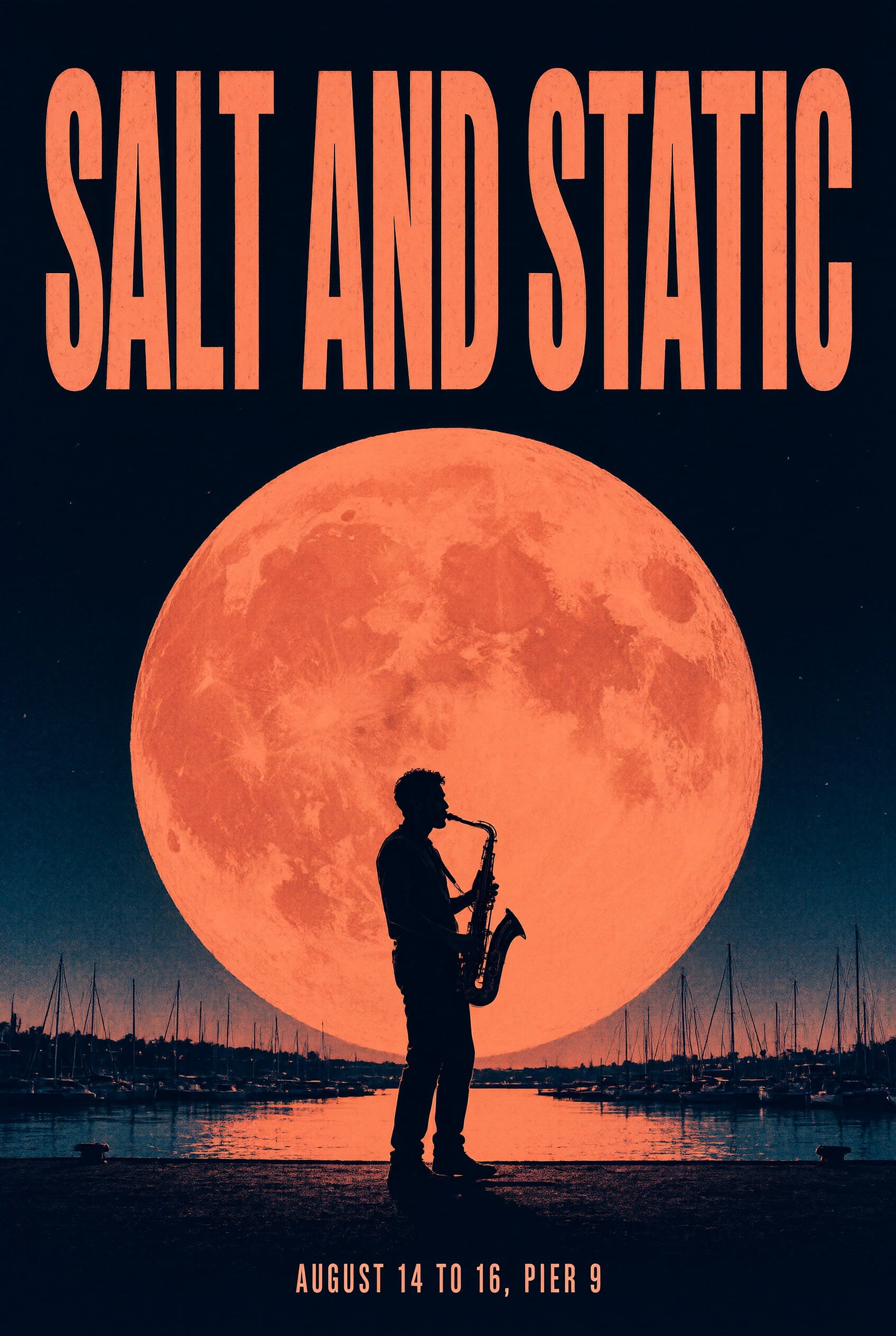
Put the words in quotes and say where they go. On our concert poster, SALT AND STATIC fills the top in bold condensed letters and the date line sits small at the bottom, both spelled exactly as written.
Native 2K detail
2K is the model's own size, not an upscale, so a 16:9 frame comes back at 2752 x 1536 with fine texture in skin, fabric and stone. Choose 1K for quick, low cost drafts.
Edit and compose from references
Attach up to 10 reference images and the prompt becomes an instruction: put the sneaker from image 1 on the pedestal from image 2, restyle a room, or keep a face and change the scene.
Your own LoRAs
Train a LoRA on your face, product or style with the Qwen Image 2.1 LoRA trainer, then stack up to 3 LoRAs in one image and set the strength of each.
Seven frames, up to four images
Pick 1:1, 4:3, 3:4, 3:2, 2:3, 16:9 or 9:16, and make 1 to 4 images per run from the same prompt.
What you can create with Qwen Image 2.1
We made these five images with Qwen Image 2.1 on Pixel Dojo, all at native 2K. Each tile shows the model, its settings and its credit cost. Tap Use this prompt on any tile to load it into the prompt box at the top of the page, then press Create with Qwen Image 2.1.
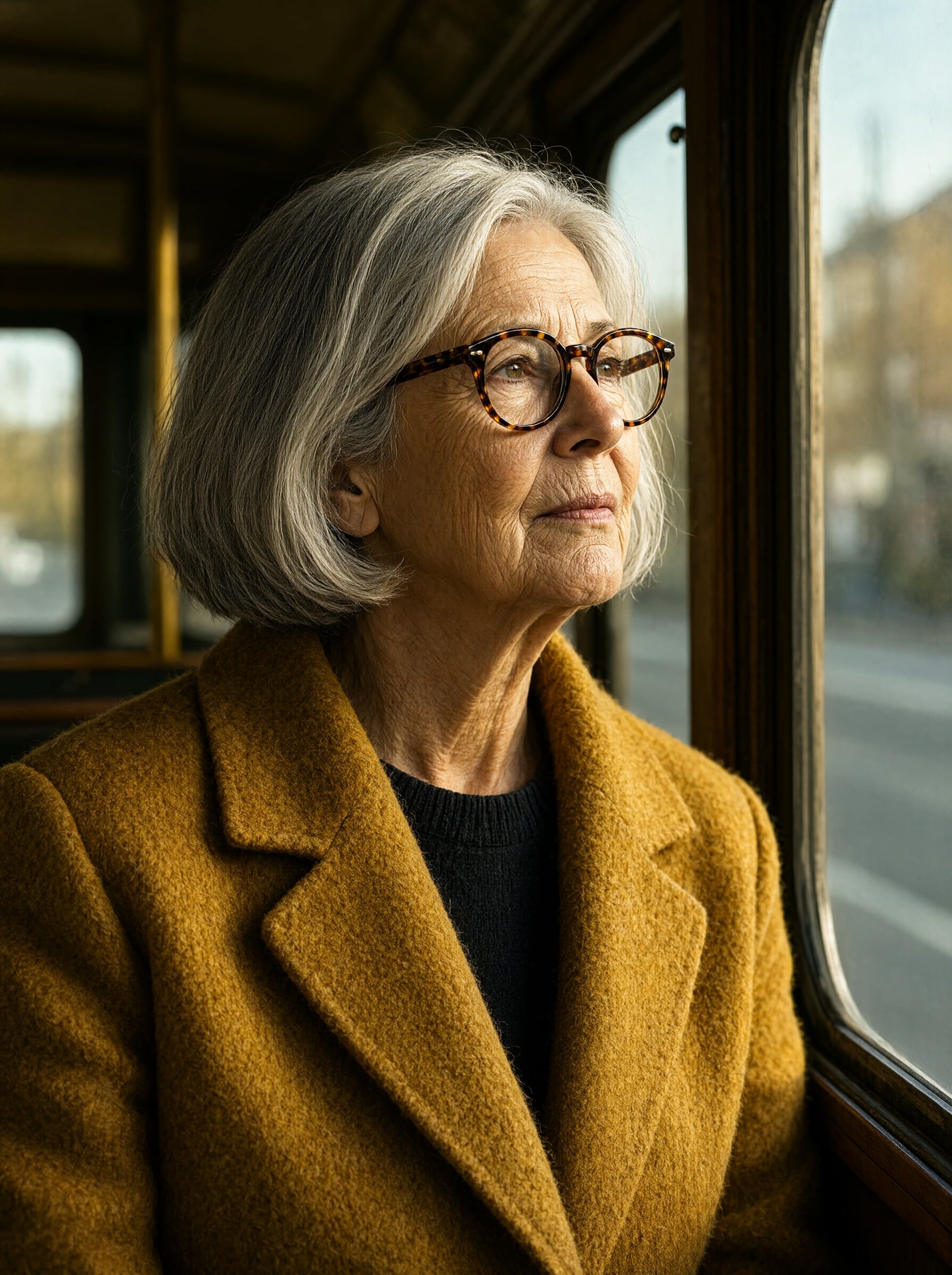
Real skin texture, every line and silver strand, and wool you can almost feel, lit by low sun through a tram window. Start from this prompt for your own editorial portraits.
Editorial portrait, medium close-up. A woman in her sixties with a silver bob and round tortoiseshell glasses, wearing a mustard wool coat, looks out the window of a vintage tram, warm late afternoon light raking across her face, 85mm lens, shallow depth of field, fine film grain
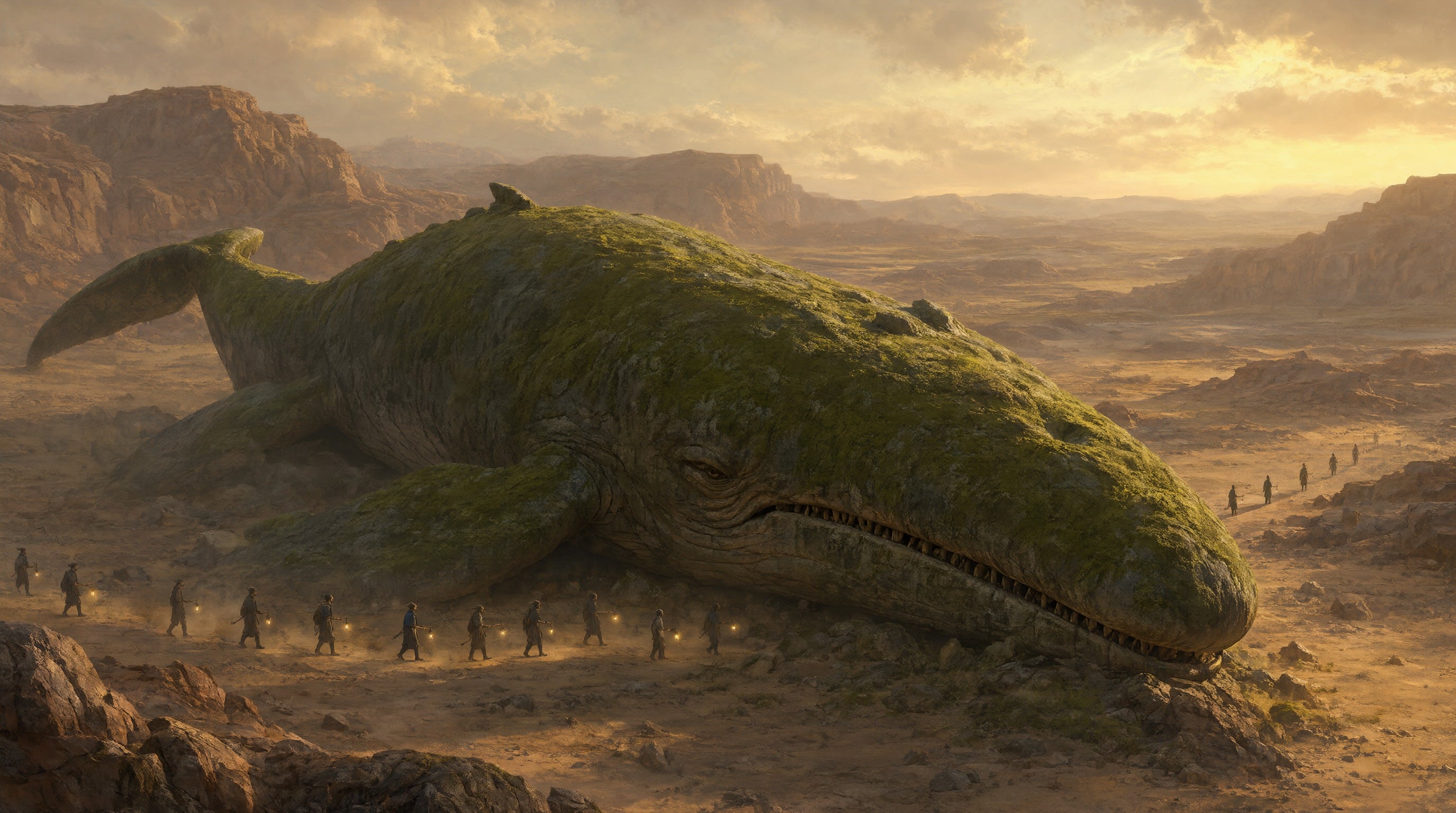
Epic scale from the full model: a stone whale, tiny lantern bearers for scale and dawn light catching the dust. Made for pitch decks and world building.
Concept art, wide establishing shot. A colossal moss-covered stone whale rests in a desert canyon at dawn, a caravan of tiny travelers with lanterns winding past its jaw, dust catching the first golden light, painterly matte painting, epic scale
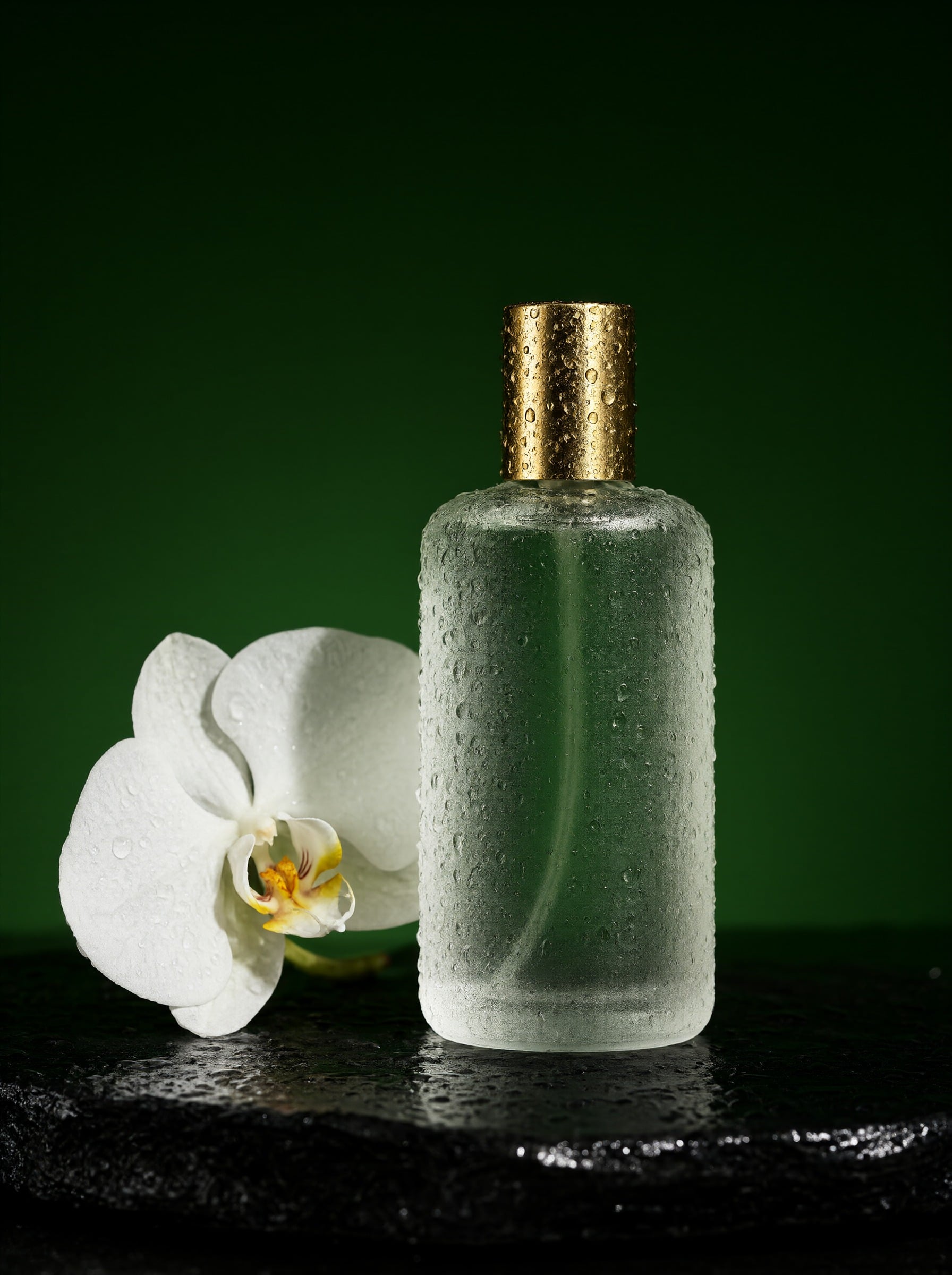
A studio product hero with beaded droplets, a brass cap and a white orchid on wet slate. Swap in your own product and keep the lighting.
Product hero shot. A frosted glass perfume bottle with a brass cap stands on wet black slate, a single white orchid leaning beside it, droplets beading on the glass, a hard rim light carving its silhouette against a deep green backdrop, macro lens, studio photography
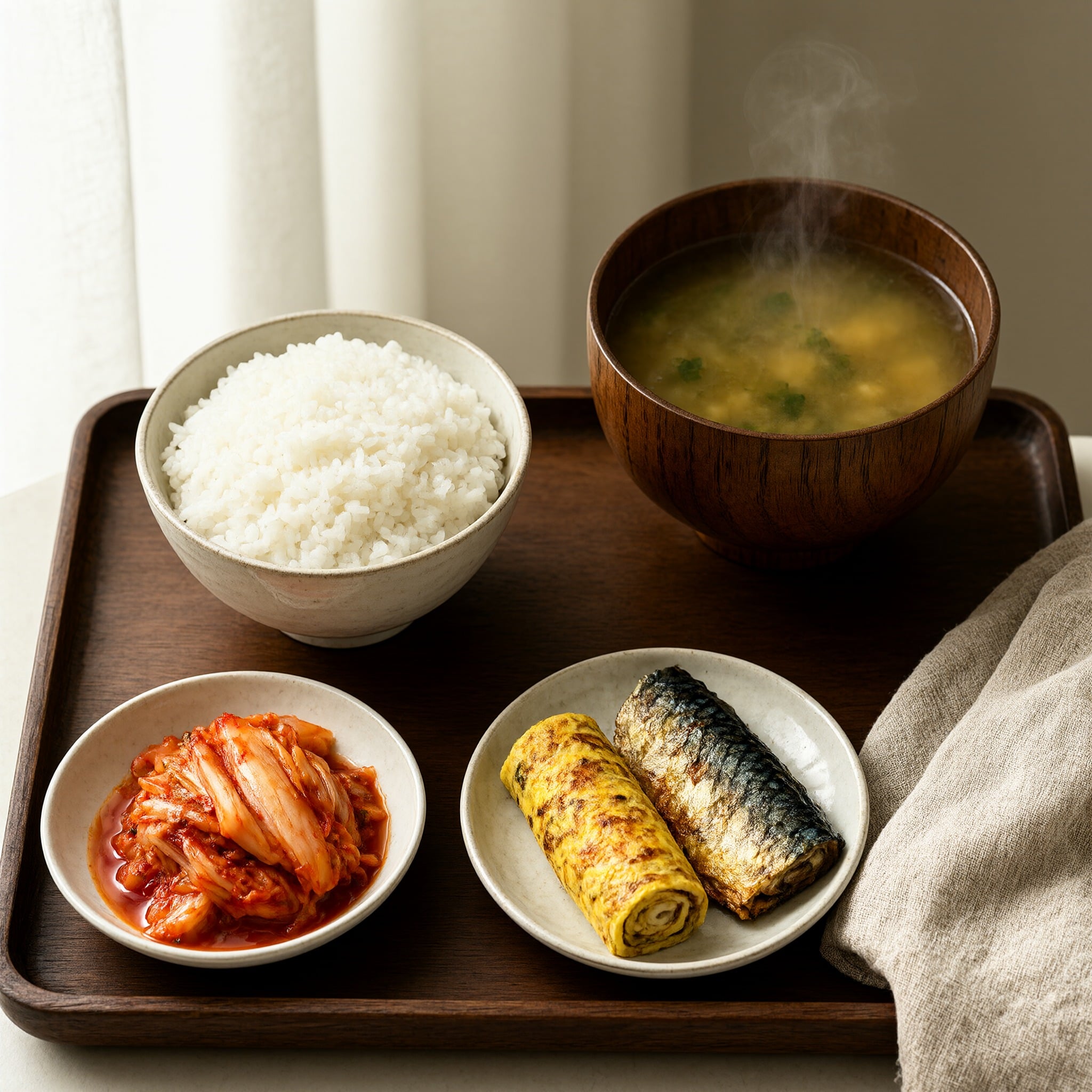
Every dish from the prompt on one tray, with steam rising from the soup and soft window light. Ready for a menu or a recipe post.
Overhead food photograph. A Korean breakfast on a walnut tray: rice, kimchi, grilled mackerel, rolled omelette and miso soup with steam rising, linen napkin, soft window light from the left, crisp detail
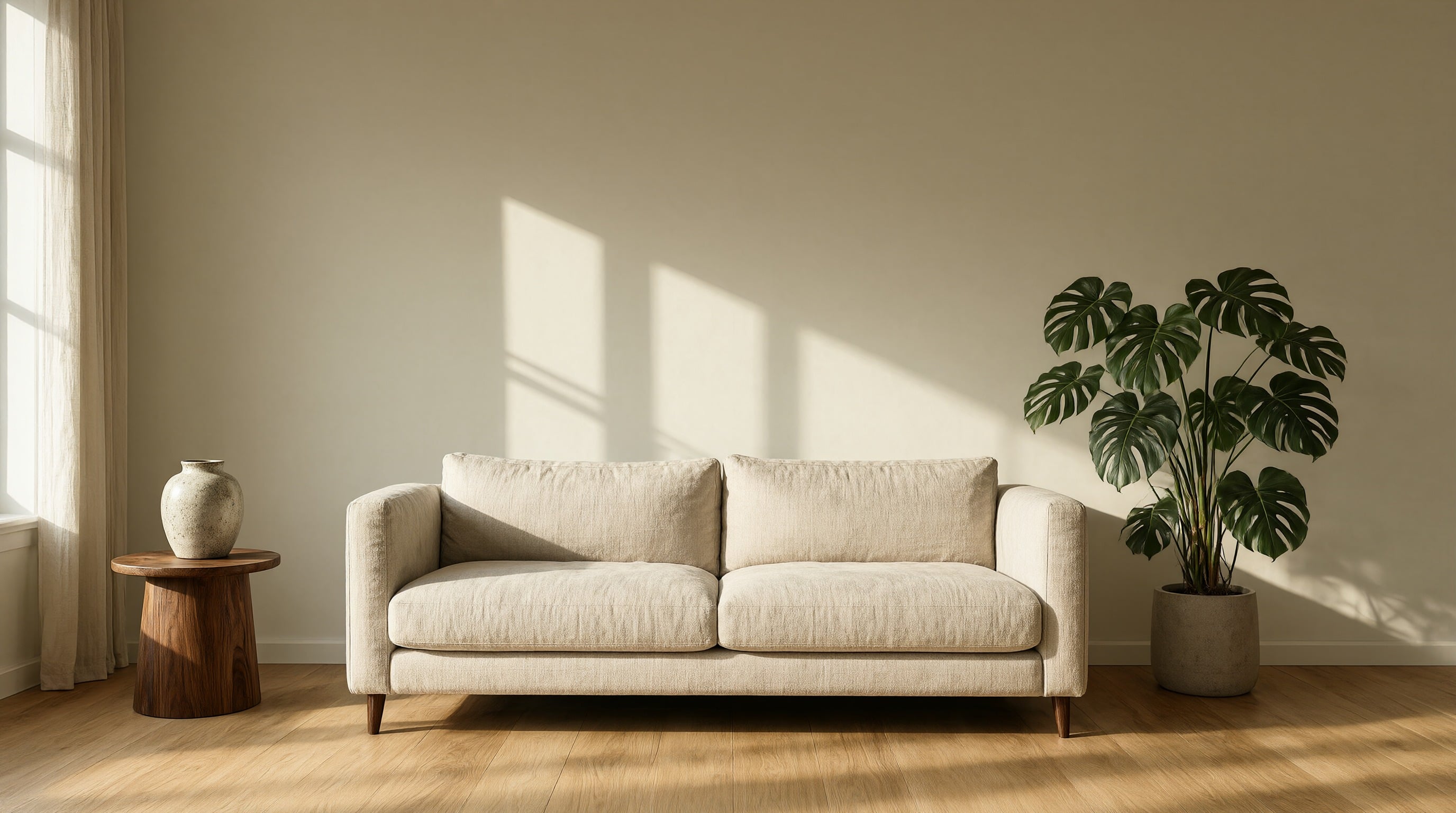
A calm magazine interior with long window shadows across the wall. A wide 16:9 frame that works as a hero banner or a mood board.
Architectural interior. A Scandinavian living room with pale oak floors, a linen sofa and a tall monstera, low afternoon sun throwing long window shadows across the wall, a ceramic vase on a walnut side table, wide angle, magazine photography
Qwen Image 2.1 Turbo or the full Qwen Image 2.1?
Both models live in one tool on Pixel Dojo. Switch between them with the model picker, and both take references and LoRAs.
| Feature | Qwen Image 2.1 Turbo | Qwen Image 2.1 |
|---|---|---|
| Sampling steps | 8 | 40 |
| Credits per image at 1K | 0.25 | 0.5 |
| Credits per image at 2K | 0.5 | 1.5 |
| Reference images | Up to 10 | Up to 10 |
| LoRAs per image | Up to 3 | Up to 3 |
| Best for | Fast images, volume work and LoRA shoots | Final art with the finest detail and small print |
Qwen Image 2.1 Turbo vs Qwen Image 2.0 Pro on a concert poster
We sent the same poster prompt to both models. Qwen Image 2.1 Turbo ran at 2K in a 2:3 frame, and Qwen Image 2.0 Pro at its own 3:4 size of 1728 x 2368. Turbo answered with tall, bold condensed letters across the top, a huge textured moon, a harbor full of masts and the date line small at the bottom. Qwen Image 2.0 Pro set the title in a stacked classic serif inside a thin framed border, a traditional print look. Qwen Image 2.1 Turbo made its poster for 0.5 credits.
Same prompt: Typographic concert poster, bold condensed letters "SALT AND STATIC" stacked across the top, a lone saxophonist silhouetted against a huge coral moon over a quiet harbor, screen-print grain, deep navy and coral palette, small text at the bottom reading "AUGUST 14 TO 16, PIER 9"
Qwen Image 2.1Qwen Image 2.1 Turbo at 2K, 0.5 credits. Bold condensed title and crisp small print, spelled exactly as written.
Typographic concert poster, bold condensed letters "SALT AND STATIC" stacked across the top, a lone saxophonist silhouetted against a huge coral moon over a quiet harbor, screen-print grain, deep navy and coral palette, small text at the bottom reading "AUGUST 14 TO 16, PIER 9"
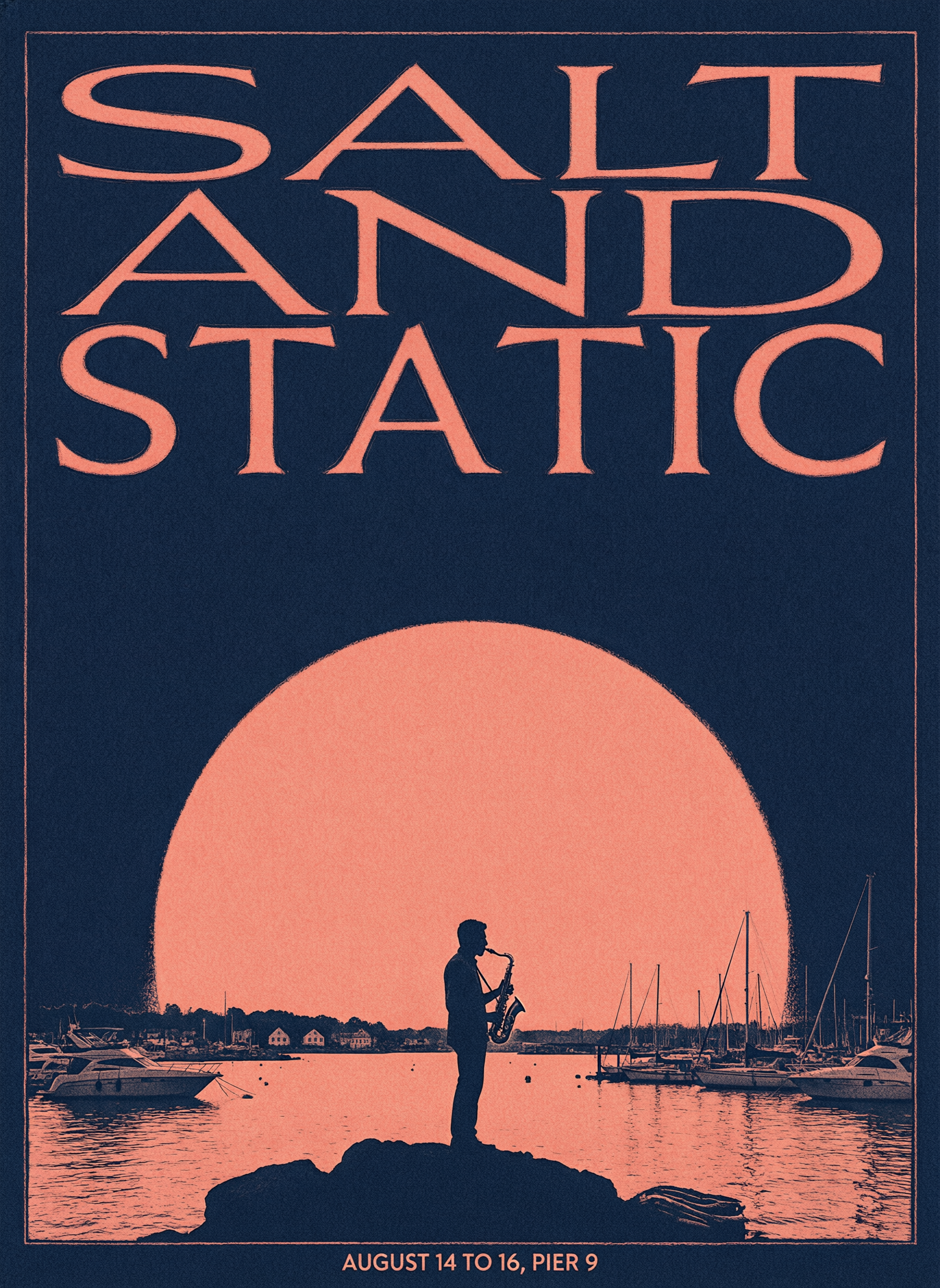 Qwen Image 2.0 Pro
Qwen Image 2.0 Pro at 1728 x 2368, 1.5 credits. A classic serif title stacked inside a framed border.
Typographic concert poster, bold condensed letters "SALT AND STATIC" stacked across the top, a lone saxophonist silhouetted against a huge coral moon over a quiet harbor, screen-print grain, deep navy and coral palette, small text at the bottom reading "AUGUST 14 TO 16, PIER 9"
| Qwen Image 2.1 | Qwen Image 2.0 Pro | |
|---|---|---|
| Credits per image | 0.5 | 1.5 |
| Title lettering | Bold condensed, one tall line | Classic serif, stacked in three lines |
| Best for | Bold modern posters at a low price | A traditional engraved print look |
Train a LoRA, then put your subject anywhere
We trained a LoRA on 8 photos of a small ceramic owl with the Qwen Image 2.1 LoRA trainer, using the trigger word zzqwowl. Then we asked Qwen Image 2.1 Turbo for the owl in a scene it had never been photographed in.
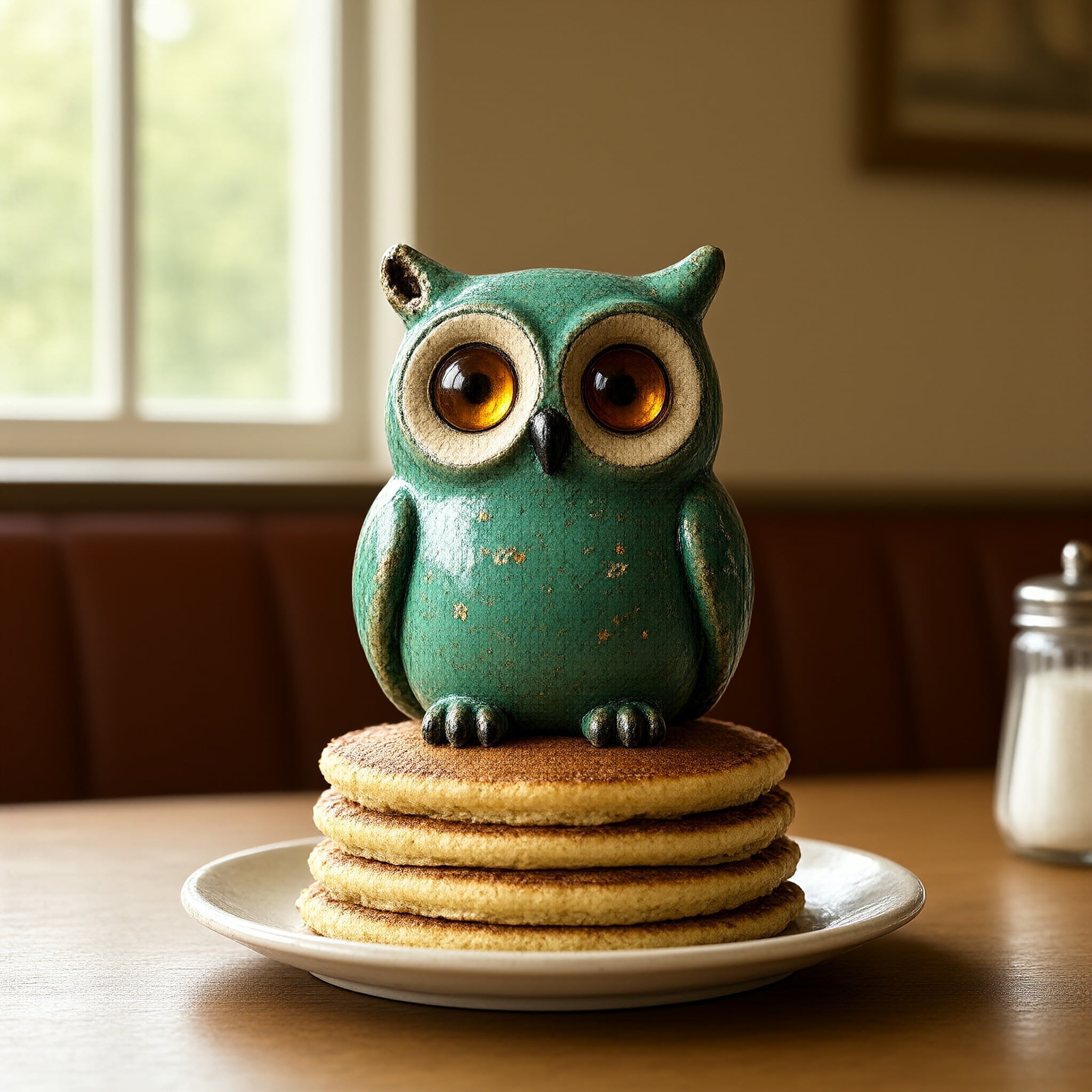
Our owl LoRA in a brand new scene: a retro diner, morning sun and a stack of pancakes, from a one line prompt.
a photo of zzqwowl sitting on a stack of pancakes in a retro diner, warm morning light
- Write the trigger word where the subject belongs in the sentence. "A photo of zzqwowl sitting on a stack of pancakes" put the owl right on top of the stack.
- The green glaze and the amber eyes come from the LoRA, not the prompt, which never describes them. Keep prompts about the scene and let the LoRA carry the subject.
How to train a Qwen Image 2.1 LoRA
- 1
Gather your photos
Pick clear photos of one subject: a face, a product, a mascot or a style. Vary the angle, the light and the background. Our owl LoRA learned from 8 photos.
- 2
Open the trainer
Go to the Qwen Image 2.1 LoRA trainer and upload your photos one by one or as a zip, with optional captions.
- 3
Set a trigger word and steps
Choose a rare word, like zzqwowl, so the model ties it to your subject. The default 2000 steps uses 70 credits, at 35 credits per 1000 steps.
- 4
Create with your LoRA
When training finishes, open the LoRA from My Trainings and it loads straight into Qwen Image 2.1. Write the trigger word into your prompt where the subject goes.
- 5
Stack and tune
Add up to 3 LoRAs to one image, for example your character plus a style, and set each one's strength from 0 to 2.
Qwen Image 2.1 pricing: included in every plan
Qwen Image 2.1 is included in every Pixel Dojo plan, with plans from $10/month, and credits roll over while you are subscribed. In Relax mode it is unlimited on every plan. Qwen Image 2.1 Turbo uses 0.25 credits per image at 1K and 0.5 credits at 2K. The full Qwen Image 2.1 uses 1 credit at 1K and 1.5 credits at 2K.
Training your own Qwen Image 2.1 LoRA costs 35 credits per 1000 steps, so a default 2000 step run is 70 credits.
Made with Qwen Image 2.1
All how-tosThe exact prompts and settings behind each one.
Qwen Image 2.1 questions
What is Qwen Image 2.1?
Qwen Image 2.1 is the newest text to image and image editing model from Alibaba's Qwen team. It renders natively at 2K, sets text in images cleanly, edits and combines up to 10 reference images, and runs custom LoRAs. On Pixel Dojo it comes in two versions, Qwen Image 2.1 Turbo and the full Qwen Image 2.1.
What is the difference between Qwen Image 2.1 and Qwen Image 2.1 Turbo?
Qwen Image 2.1 Turbo is a distilled version that makes an image in 8 steps, built for fast images and volume work. The full Qwen Image 2.1 takes 40 steps for the most detail and the finest small print, and supports a negative prompt. Both take references and LoRAs.
Can I use Qwen Image 2.1 images commercially?
Yes. You own what you make, on every plan.
Is Qwen Image 2.1 free?
A free account gets 3 free effects every day to try Pixel Dojo. Qwen Image 2.1 is unlimited on every plan with Relax mode, from $10/mo, and credits roll over while you are subscribed.
How do I train a Qwen Image 2.1 LoRA?
Open the Qwen Image 2.1 LoRA trainer, upload clear photos of your subject, pick a rare trigger word and start training. The default 2000 steps costs 70 credits. When it is done, open the LoRA from My Trainings and it loads into Qwen Image 2.1, where you write the trigger word into your prompt.
Can Qwen Image 2.1 edit my photos or combine images?
Yes. Attach up to 10 reference images and describe what you want: change one detail, restyle a scene, or place the product from one image into the setting of another. Number your images in the prompt, like image 1 and image 2, so the model knows which is which.
How is Qwen Image 2.1 different from Qwen Image 2.0 Pro?
Qwen Image 2.1 renders at native 2K, runs your own LoRAs and costs less. On our concert poster test, Qwen Image 2.1 Turbo followed the bold condensed lettering in the prompt for 0.5 credits. Both are on Pixel Dojo.
Make your first Qwen Image 2.1 image
Write a prompt above or start from any example on this page. One plan covers every top model, six studios and Sensei, and your credits roll over.
Start with Qwen Image 2.1