Google's newest Nano Banana: layouts, type and edits that land
Nano Banana 2.1 AI Image Generator: Layouts, Edits, 4K
Build finished layouts: posters, infographics and icon sets come back with the structure you described and the type set exactly as written.
Nano Banana 2.1 is Google's update to Nano Banana 2, with sharper graphic composition, stronger subject consistency and more precise edits. Make posters, infographics, product shots, portraits and icon sets at 1K, 2K or 4K, or upload up to 14 reference images to keep a person or a product the same from scene to scene. On Pixel Dojo it comes with every top image model in one plan, six studios and Sensei, the AI director, with commercial use on every plan. We made every example below here, and each one comes with the exact prompt behind it.
1 credit ($0.06) per image at 1K. Included in every plan, from $10/month.
Already a member? Sign in
By Brian Lovett · Updated
What is new in Nano Banana 2.1
Nano Banana 2.1 is the newest model in Google's Nano Banana 2 family. It keeps everything Nano Banana 2 does, text to image, editing and up to 14 reference images, and gets better at three things designers ask for most. Layouts hold together: grids stay even, panels line up and the copy lands where you put it. People and products stay consistent when you carry them into new scenes. And edits do what you ask and nothing else, so a color change stays a color change.
On Pixel Dojo, Nano Banana 2.1 is now the default model in the Nano Banana generator, and it also powers Character Studio, Film Studio frames, Character Sheets, Consistent Characters, Image Relighting and Reality Polisher.
What you can create with Nano Banana 2.1
We made all six of these with Nano Banana 2.1 on Pixel Dojo at 2K. Each tile shows its settings and credit cost. Tap Use this prompt on any tile to load it into the prompt box at the top of the page, then press Create with Nano Banana 2.1.
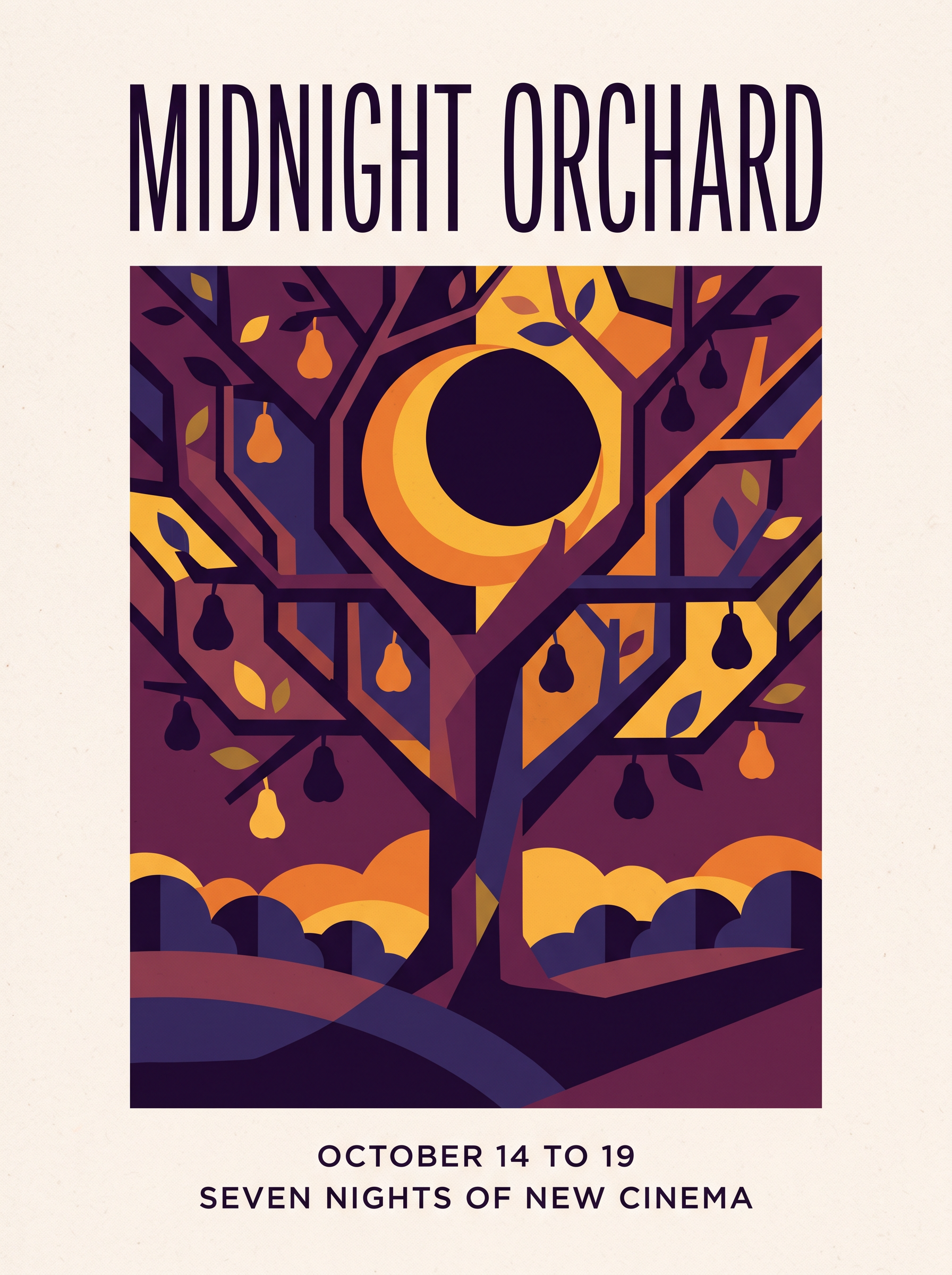
A finished festival poster with the title and both lines of type set exactly as written, clean margins and a bold flat illustration. Start from this prompt for your own event.
A finished vertical poster for an independent film festival called MIDNIGHT ORCHARD. Bold flat geometric illustration of a crescent moon caught in the branches of a stylized pear tree, deep plum and saffron palette with fine paper grain. The title in tall condensed letters across the top, and the lines OCTOBER 14 TO 19 and SEVEN NIGHTS OF NEW CINEMA in a small clean sans serif along the bottom, generous margins, precise alignment.
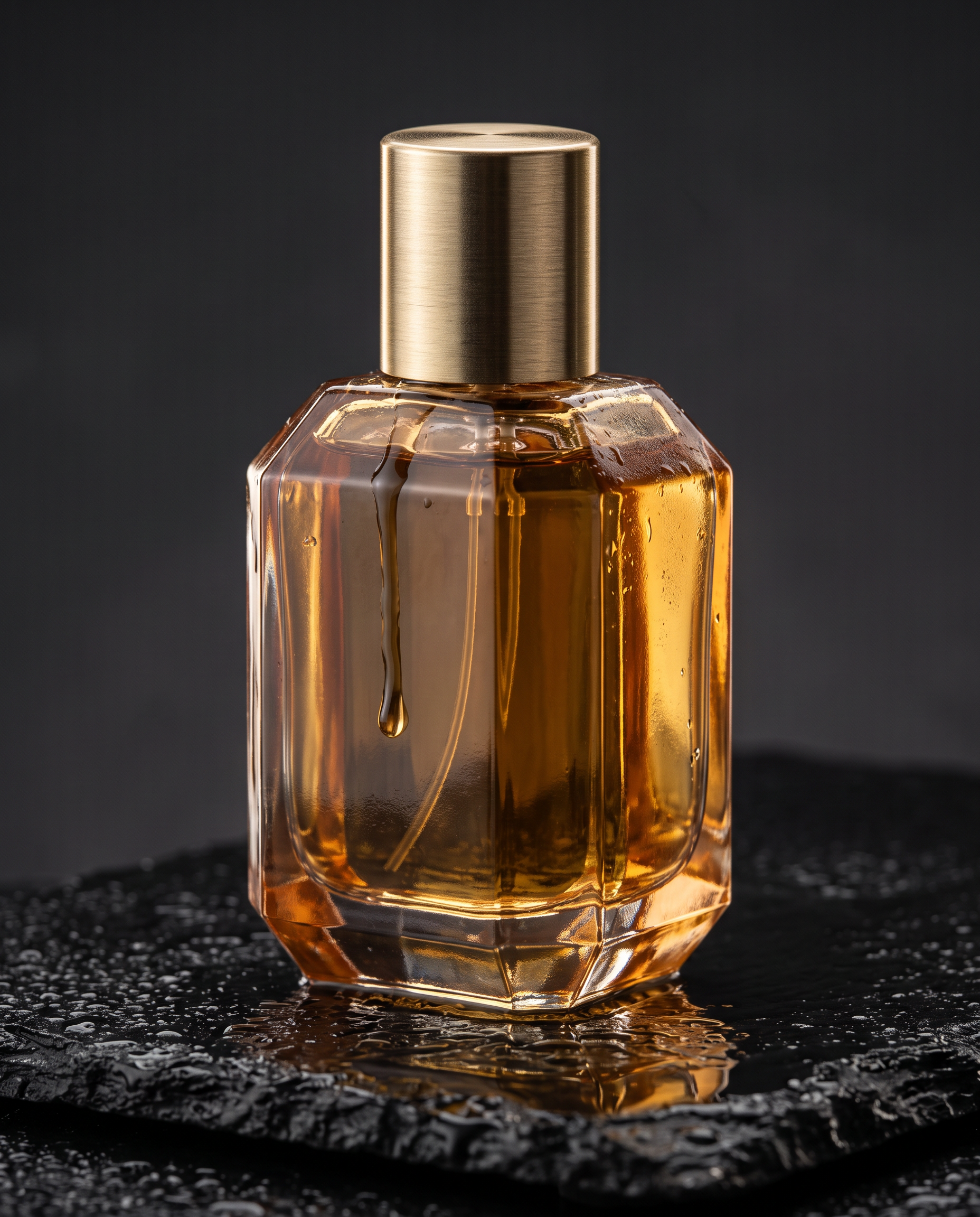
A macro product hero with crisp facets, a single running drop and believable reflections on wet stone.
Studio product photograph, low three quarter angle on a 100mm macro lens. A faceted amber glass perfume bottle with a brushed brass cap stands on a slab of wet black basalt, a single drop running down the glass, soft rim light from behind turning the liquid honey gold, crisp reflections on the wet stone, dark charcoal backdrop, razor sharp detail on every facet.
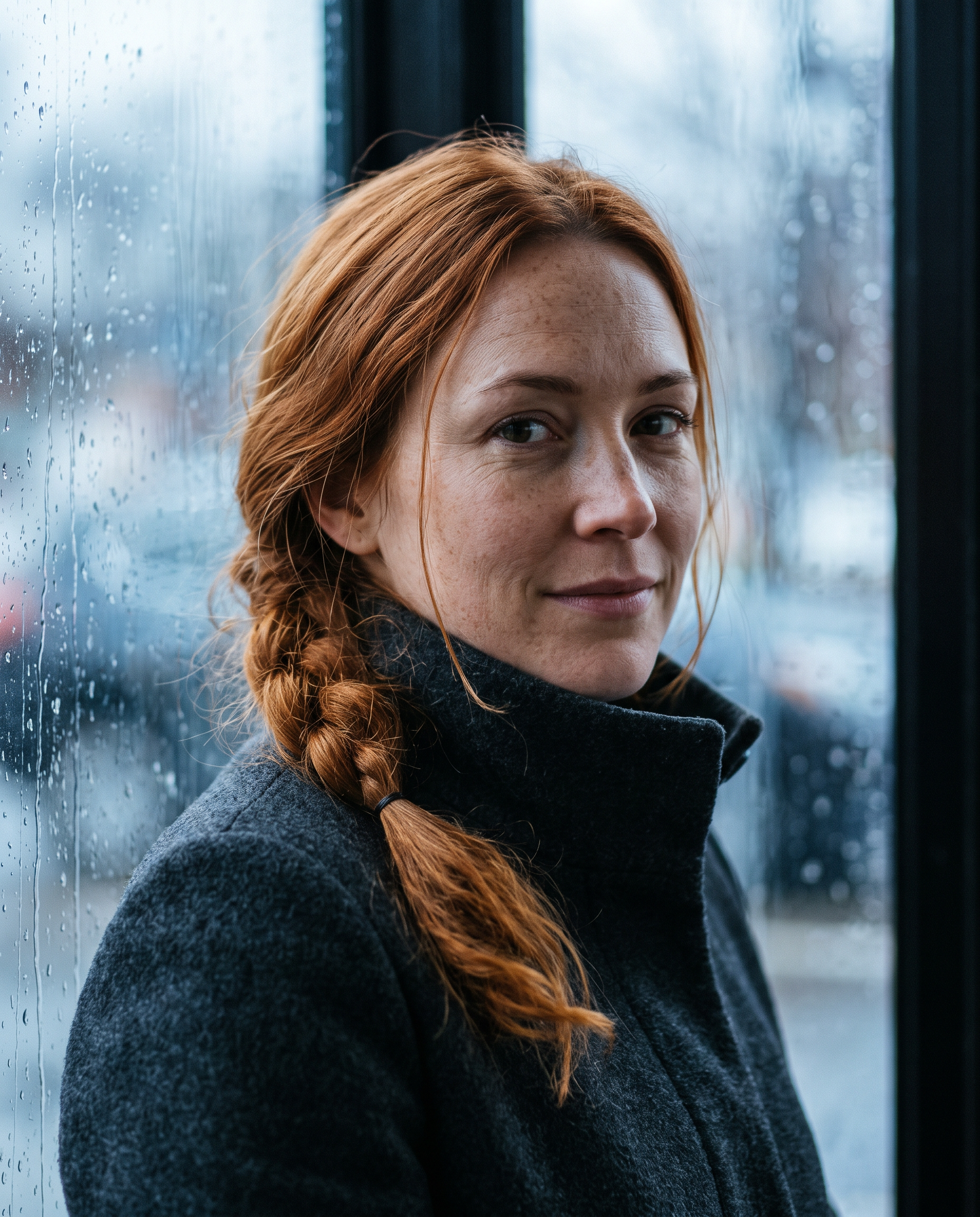
Natural skin texture, freckles and film grain in an editorial portrait lit by a rainy window.
Editorial portrait by a rainy window, medium close up on an 85mm lens. A woman in her early thirties with copper hair in a loose braid, freckles and a charcoal wool coat with the collar turned up, looking just past the camera with a calm half smile, rain streaked glass behind her throwing soft blue light, natural skin texture, fine film grain.
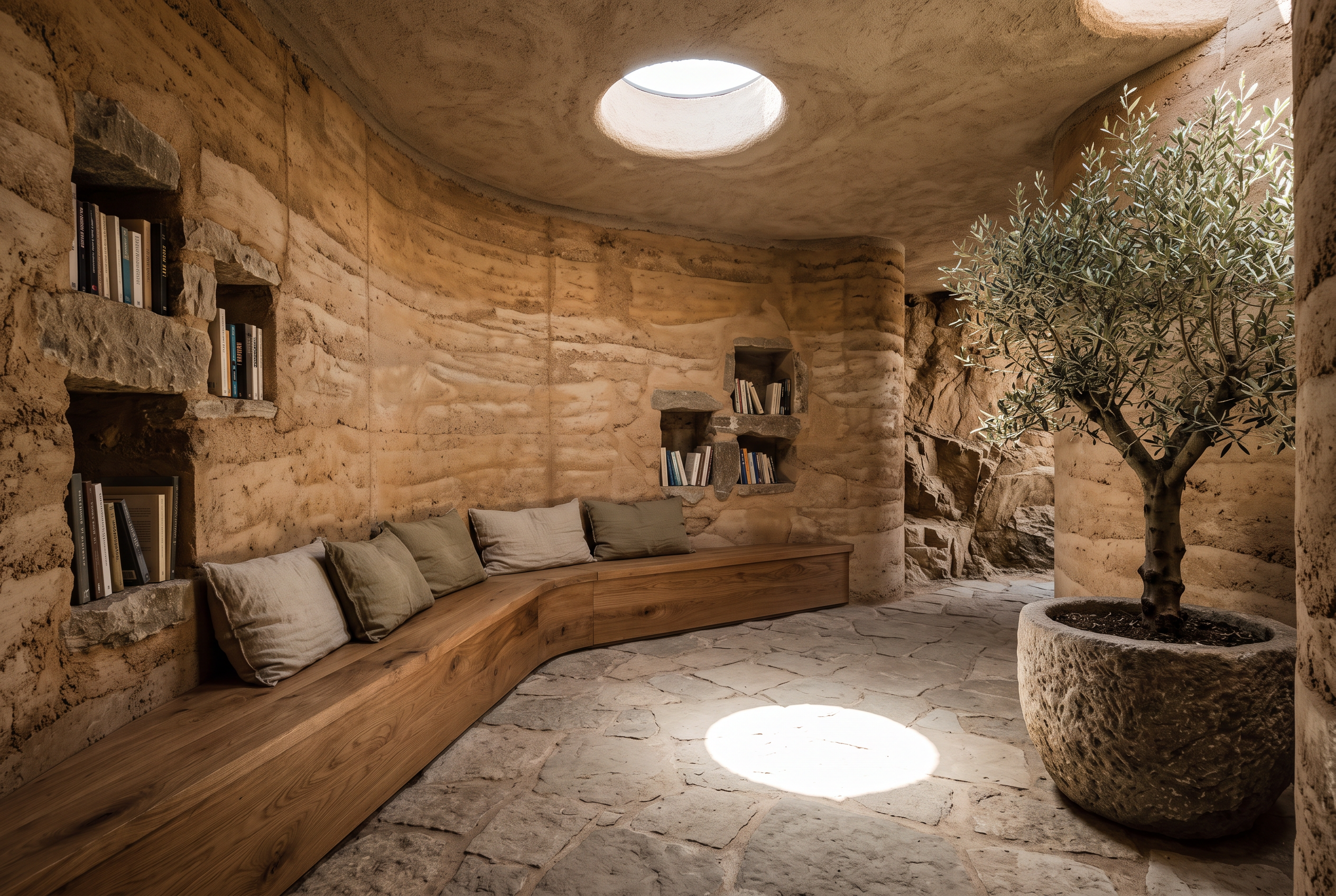
Architecture with straight verticals, layered materials and a single disc of sunlight exactly where the prompt put it.
Architectural interior photograph of a small reading room carved into a cliffside: curved rammed earth walls, a long built in oak bench with linen cushions, one round skylight casting a sharp disc of afternoon sun on the stone floor, books set into wall niches, a single olive tree in a stone planter. Wide angle, perfectly straight verticals, calm warm palette.
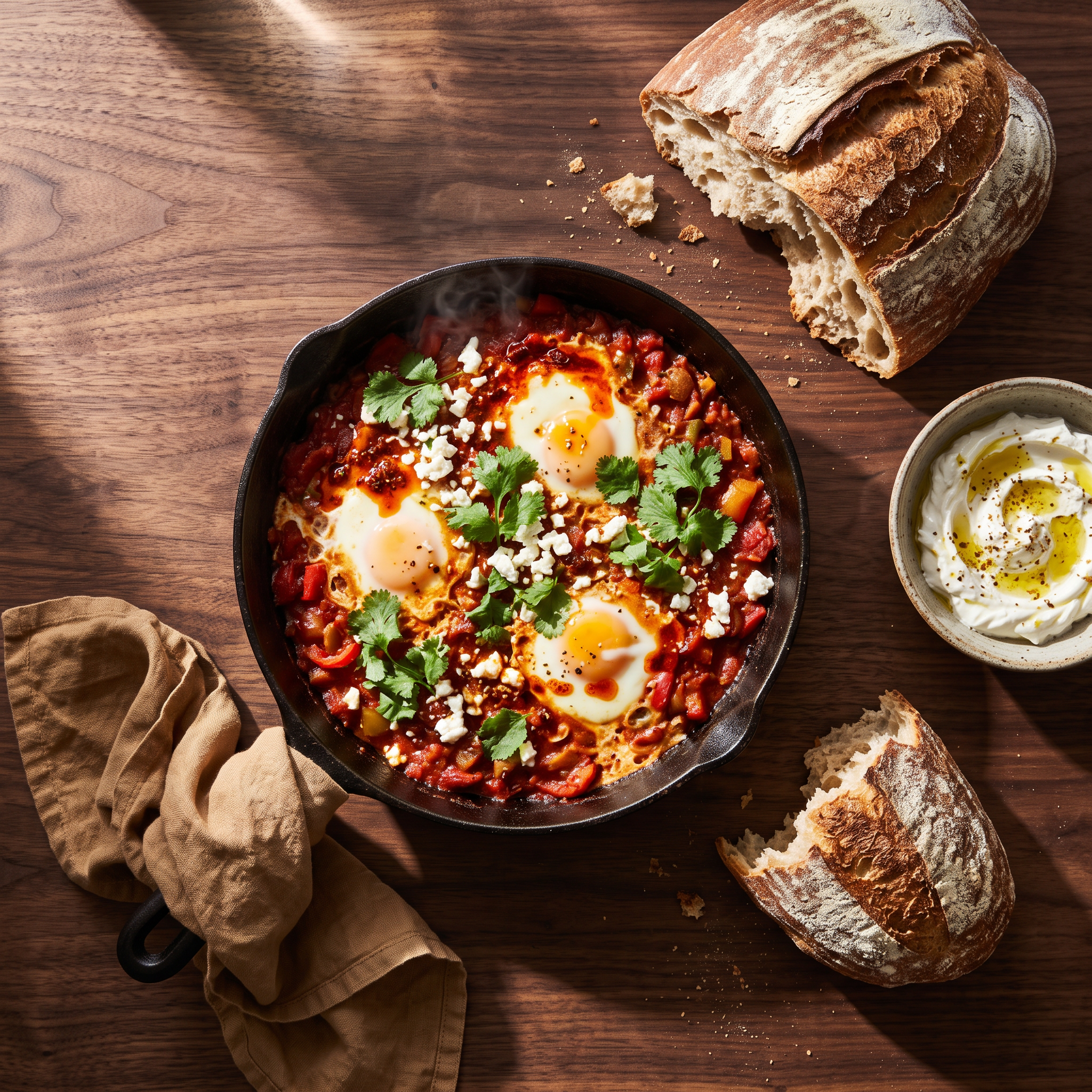
A styled overhead food shot with hard side light, long shadows and every ingredient from the prompt on the table.
Overhead food photograph on a dark walnut table: a cast iron skillet of shakshuka with three glossy eggs, crumbled feta, torn cilantro and a swirl of chili oil, a torn sourdough loaf, a small bowl of labneh and a rumpled linen napkin, hard morning side light with long shadows, a wisp of steam, rich saturated color.
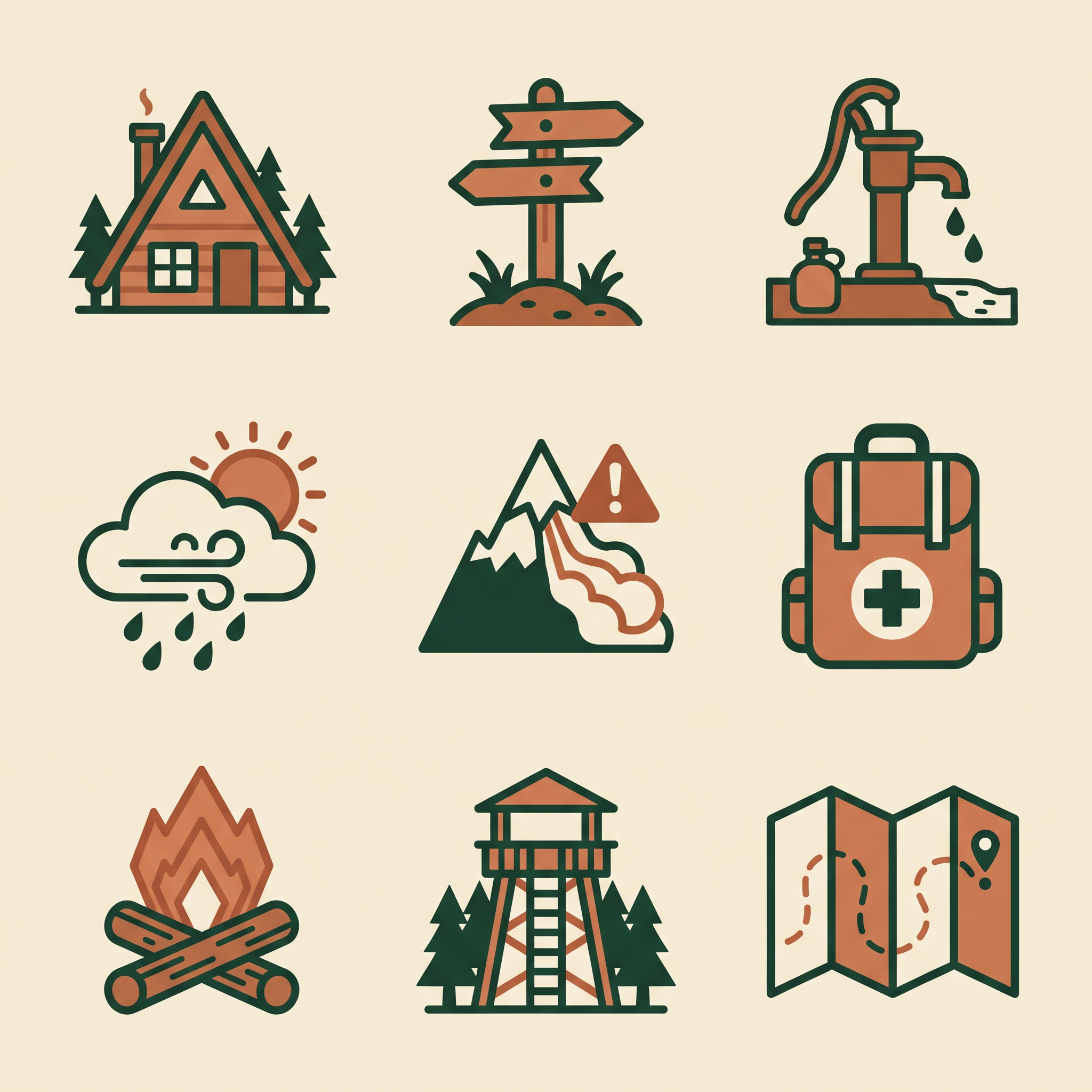
A matched icon set: one stroke weight, one corner radius and two colors across all nine icons.
A finished set of nine flat vector icons for a mountain hut hiking app, arranged in an even three by three grid on warm ivory: alpine hut, trail marker, water source, weather, avalanche risk, first aid, campfire, lookout tower, folded map. Two color style in deep forest green and terracotta, identical stroke weight and corner radius across every icon, no labels and no text.
Same person, same product, new scene
We took two images from the showcase and fed each back in as a reference. One prompt moved the portrait subject into a pottery studio. The other asked for exactly three changes to the perfume shot.
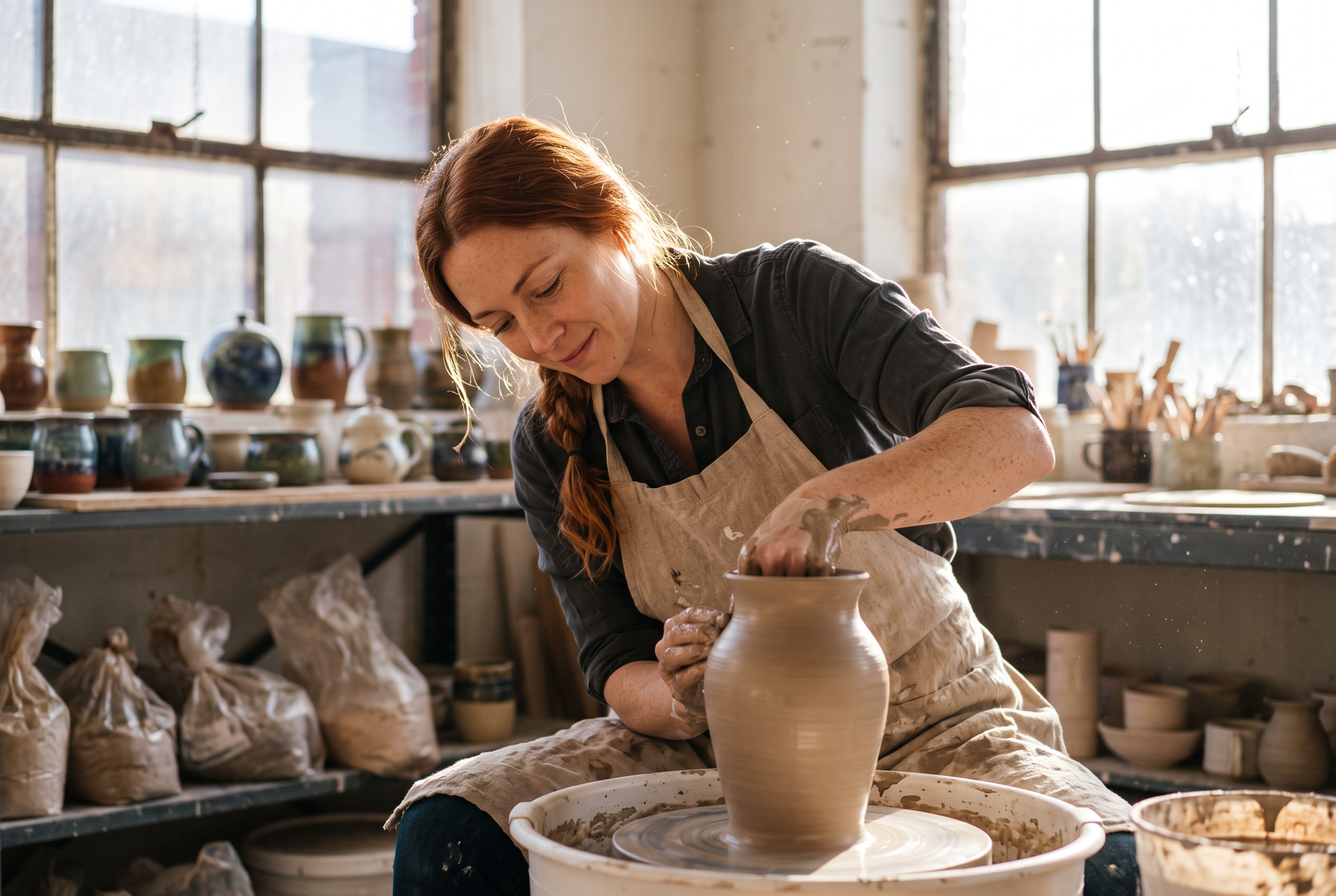
From one reference photo, the same face, braid and freckles in a brand new scene.
Use the reference image as the identity reference and keep the same woman clearly recognisable: same face, copper braid and freckles. Show her as a ceramicist at work in a sunlit pottery studio, shaping a tall vase on a spinning wheel, wet clay on her forearms, a linen apron, shelves of glazed pots behind her, warm afternoon light through dusty windows, documentary photograph on a 35mm lens.
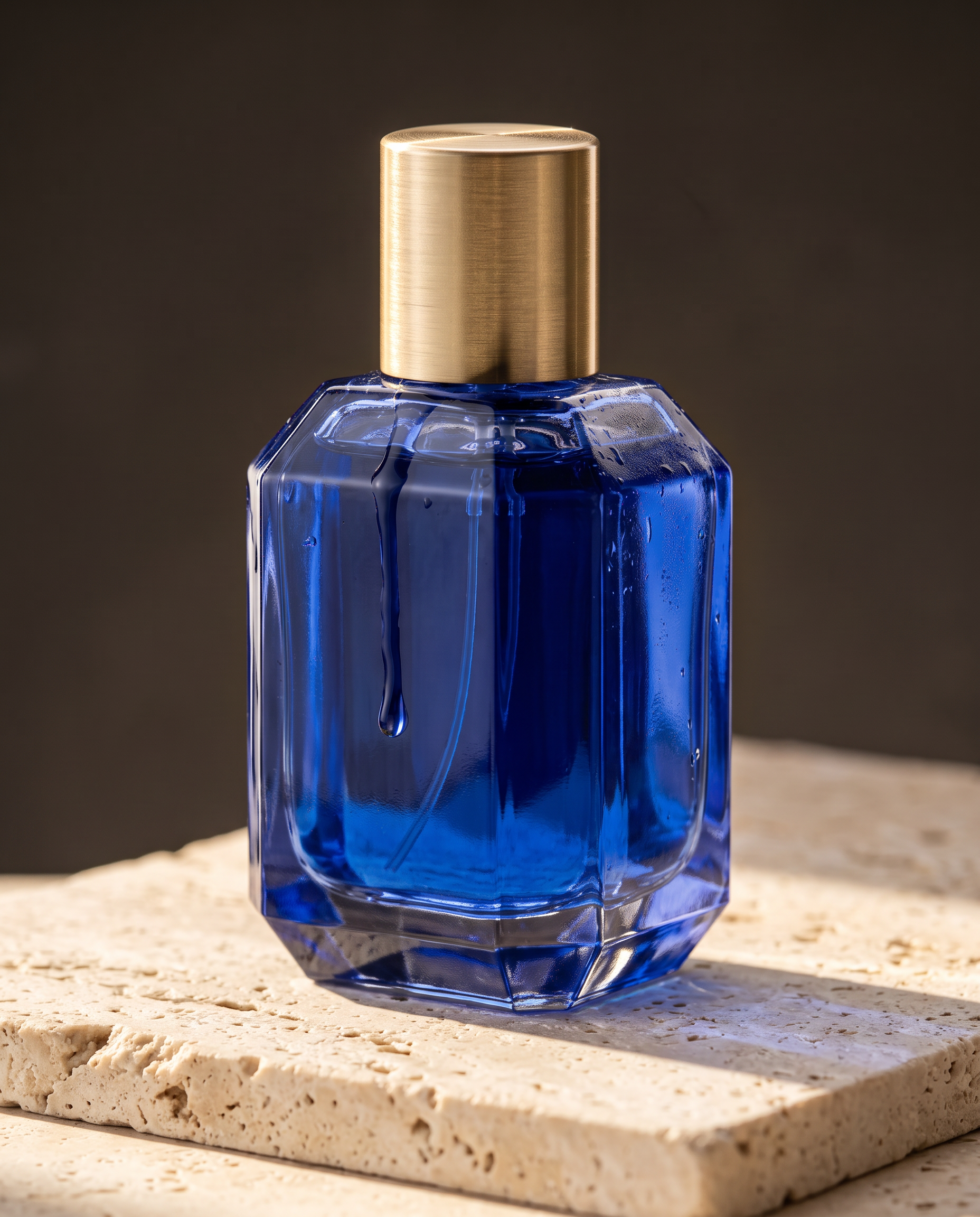
Three changes asked for, three changes made: cobalt glass, travertine and morning sun. The bottle, cap, drop and angle stay put.
Edit the reference photograph with exactly three changes: make the glass and the liquid deep cobalt blue, replace the wet black stone with a slab of pale travertine, and light the scene with bright morning sun from the left. Keep the bottle shape, the brushed brass cap, the running drop and the camera angle exactly the same.
- Say what to keep. Naming the face, the braid and the freckles carried the same woman into a new scene from a single reference photo.
- List each change you want and tell it to keep everything else. The perfume edit made its three changes and left the bottle, cap and angle untouched.
Nano Banana 2.1 vs Nano Banana 2 on an infographic
We sent the same infographic prompt at 2K to both models. Nano Banana 2.1 follows the brief closely, with four even panels, a title and one short caption each. Nano Banana 2 adds its own tags and props for a busier, more illustrated page. At 2K, Nano Banana 2.1 costs 1.5 credits and Nano Banana 2 costs 3. Pick Nano Banana 2.1 when the layout has to match your brief.
Same prompt: A clean editorial infographic titled HOW COFFEE IS ROASTED, landscape layout with four numbered panels from left to right: GREEN BEANS, DRYING, FIRST CRACK, COOLING. Each panel has a precise flat illustration of the beans at that stage and a one line caption under it, warm cream background, espresso brown and copper accents, consistent icon style, thin rules dividing the panels.
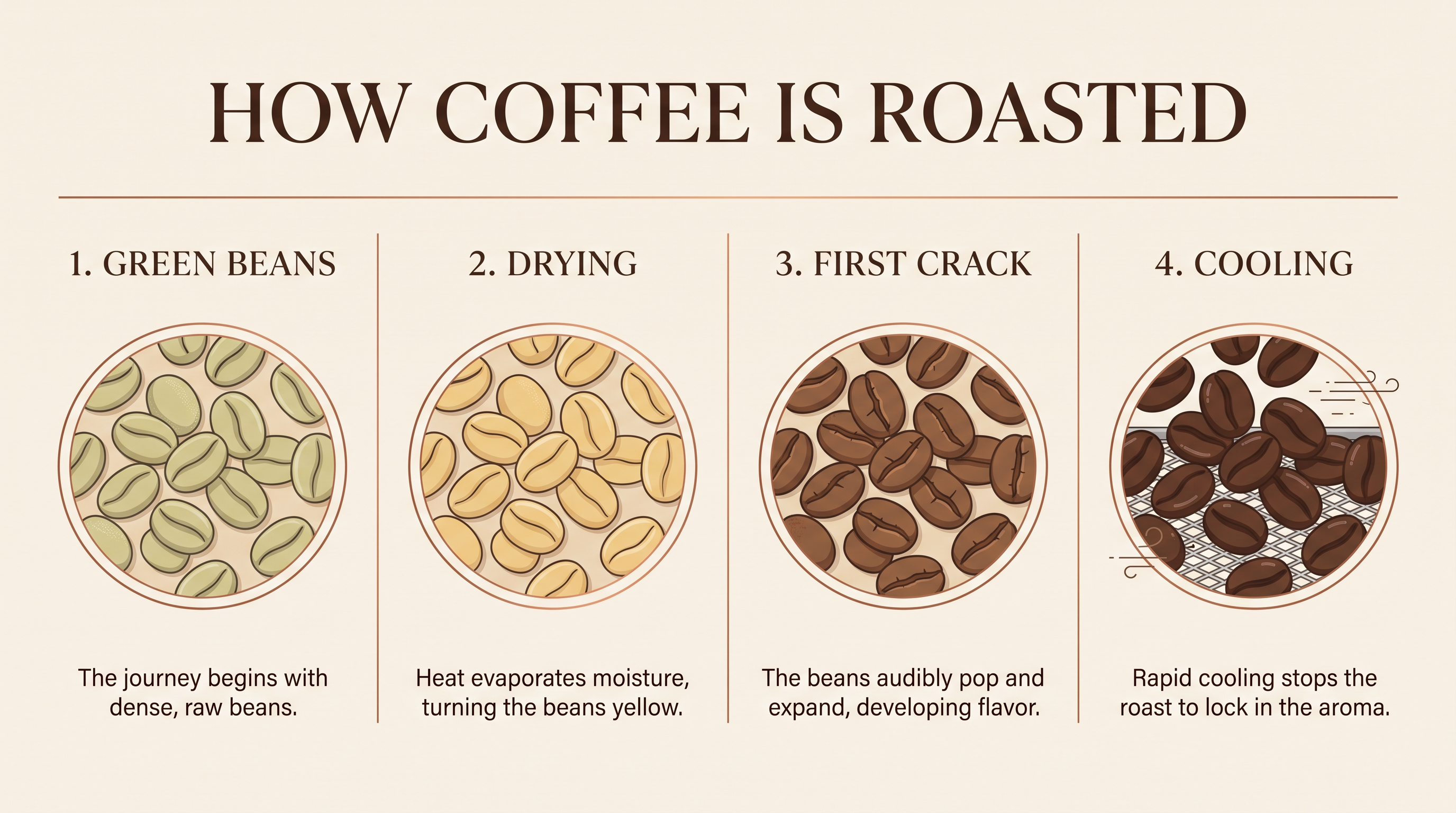 Nano Banana 2.1
Nano Banana 2.1 at 2K, 3 credits. Four even panels, one caption each, exactly as briefed.
A clean editorial infographic titled HOW COFFEE IS ROASTED, landscape layout with four numbered panels from left to right: GREEN BEANS, DRYING, FIRST CRACK, COOLING. Each panel has a precise flat illustration of the beans at that stage and a one line caption under it, warm cream background, espresso brown and copper accents, consistent icon style, thin rules dividing the panels.
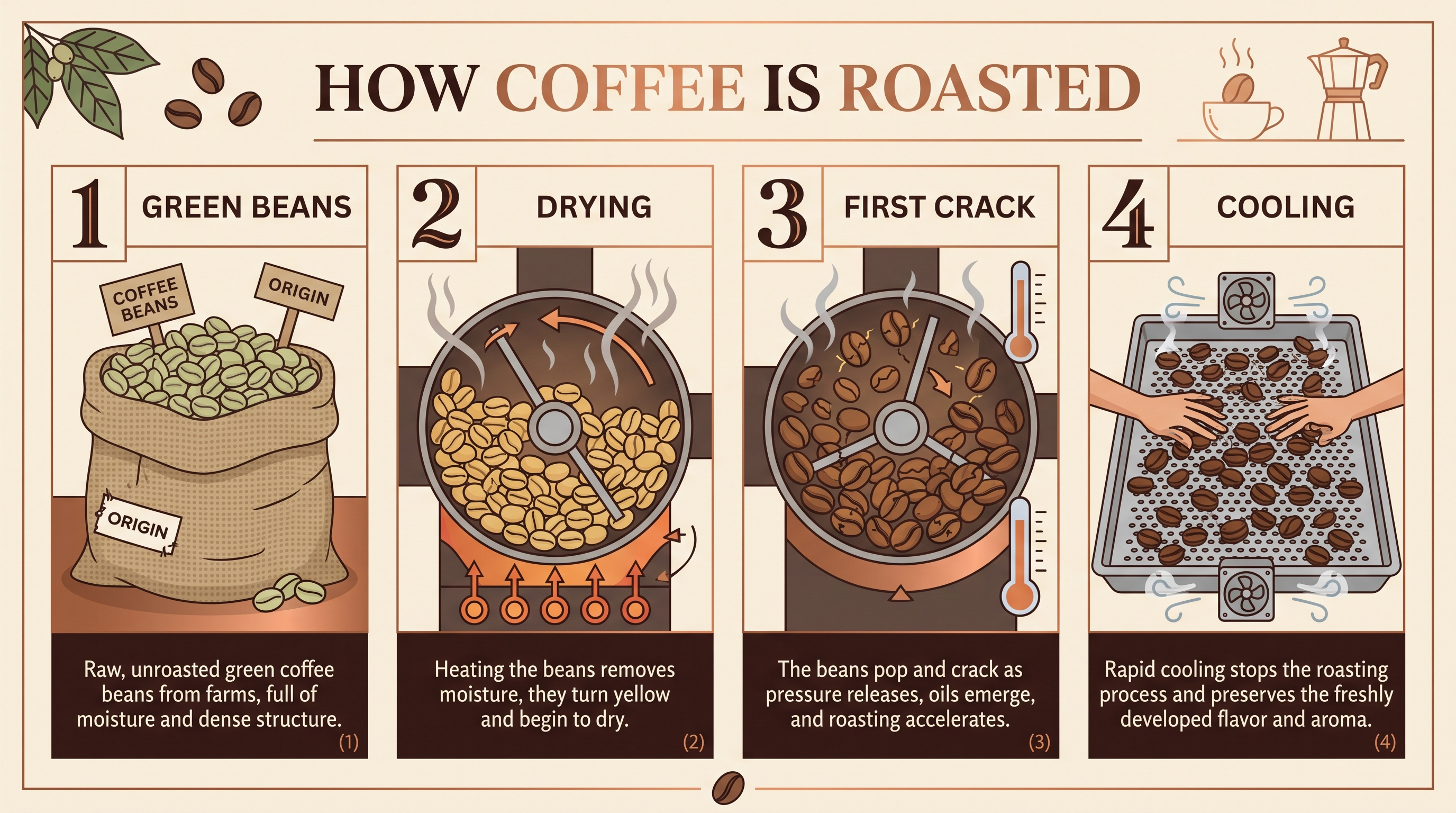 Nano Banana 2
Nano Banana 2 at 2K, 3 credits. A busier page with extra tags, props and longer captions.
A clean editorial infographic titled HOW COFFEE IS ROASTED, landscape layout with four numbered panels from left to right: GREEN BEANS, DRYING, FIRST CRACK, COOLING. Each panel has a precise flat illustration of the beans at that stage and a one line caption under it, warm cream background, espresso brown and copper accents, consistent icon style, thin rules dividing the panels.
| Nano Banana 2.1 | Nano Banana 2 | |
|---|---|---|
| Credits per 2K image | 1.5 | 3 |
| Panels and captions | Four panels, one short caption each | Four panels plus extra tags and props |
| Best for | Layouts that must match the brief | A more decorated, illustrated look |
How to use Nano Banana 2.1 on Pixel Dojo
- 1
Start from a prompt
Type in the box at the top of this page, or tap Use this prompt on any example. Create with Nano Banana 2.1 opens the Nano Banana generator with Nano Banana 2.1 selected.
- 2
Describe the structure
For design work, say how the page is built: how many panels or icons, the grid, the margins and the palette. Our icon prompt asked for nine icons in a three by three grid with one stroke weight, and that is what came back.
- 3
Write the exact copy
Spell out every word that should appear and where it goes. The festival poster set its title and two lines of type exactly as written.
- 4
Add references for consistency
Upload a photo of a person or a product and say what to keep. Up to 14 reference images work in one prompt.
- 5
Pick 2K or 4K for final art
Every example here is 2K. Switch to 4K for print, packaging and large ads.
Nano Banana 2.1 pricing: from 1 credit per image
Nano Banana 2.1 is included in every Pixel Dojo plan, with plans from $10/month. Each image uses 1 credit at 1K, 1.5 credits at 2K and 3 credits at 4K, less than Nano Banana 2 at every size.
Nano Banana 2.1 questions
What is Nano Banana 2.1?
Nano Banana 2.1 is Google's updated image generation and editing model in the Nano Banana 2 family. It improves graphic composition, subject consistency and edit accuracy, works from text or up to 14 reference images, and renders at 1K, 2K or 4K. On Pixel Dojo it is the default model in the Nano Banana generator.
What is Nano Banana 2.1 good at?
Finished design layouts like posters, infographics and icon sets, accurate text, keeping a person or product consistent across new scenes, and precise photo edits that change only what you ask. It also makes strong product, food, portrait and architecture photography.
How is Nano Banana 2.1 different from Nano Banana 2?
Nano Banana 2.1 follows layout and edit instructions more closely and keeps subjects more consistent. In our infographic test it matched the four panel brief exactly. It also costs less than Nano Banana 2.
Is Nano Banana 2.1 free?
A free account gets 3 free effects every day to try Pixel Dojo. Nano Banana 2.1 is included in every plan from $10/mo, at 1 credit at 1K, 1.5 credits at 2K and 3 credits at 4K. Your credits roll over while you stay subscribed.
Can I use Nano Banana 2.1 images and videos commercially?
Yes. You own what you make, on every plan.
Can Nano Banana 2.1 edit my photos?
Yes. Upload a photo and describe the change. In our test it recolored a perfume bottle, swapped the surface and relit the scene, and kept the bottle shape, cap and camera angle the same.
Is Nano Banana 2.1 available in the API?
Yes. Developers can call it as nano-banana-2-1 through the Pixel Dojo API at the same credit prices as on the site.
Make your first Nano Banana 2.1 image
Write a prompt above or start from any example on this page. One plan covers every top model, six studios and Sensei, and your credits roll over.
Start with Nano Banana 2.1