AI storyboard generator
AI Storyboard Generator: a whole scene, panel by panel
Give an image model one reference picture of your lead and it draws every panel with the same face. Our eight frame storyboard cost 1.5 credits a frame on Nano Banana 2.1, and any panel can become a moving shot.
Our scene: on a night shift at a mountain observatory, an astronomer spots a star that was not there yesterday. We made one reference picture of her, storyboarded the scene in eight frames, then turned three panels into shots on three video models.
1 credit ($0.06) per image at 1K. Included in every plan, from $10/month.
Already a member? Sign in
By Brian Lovett · Updated
Quick answers about AI storyboards
What it makes
A run of cinematic frames, one per shot, that show framing, action and light before you spend anything on video.
How the lead stays the same
Pass one reference picture of your character with every frame. Our astronomer kept her curls, glasses and red cardigan in all eight.
What a frame costs
Each of our frames cost 1.5 credits on Nano Banana 2.1 at 2K.
From panel to shot
Set any panel as the start frame on Seedance 2.5, Kling 4.0 or WAN 3.0 and it becomes a moving shot.
The reference and the panels that became shots
One reference picture went into every panel. Three panels then went to video models as start frames.
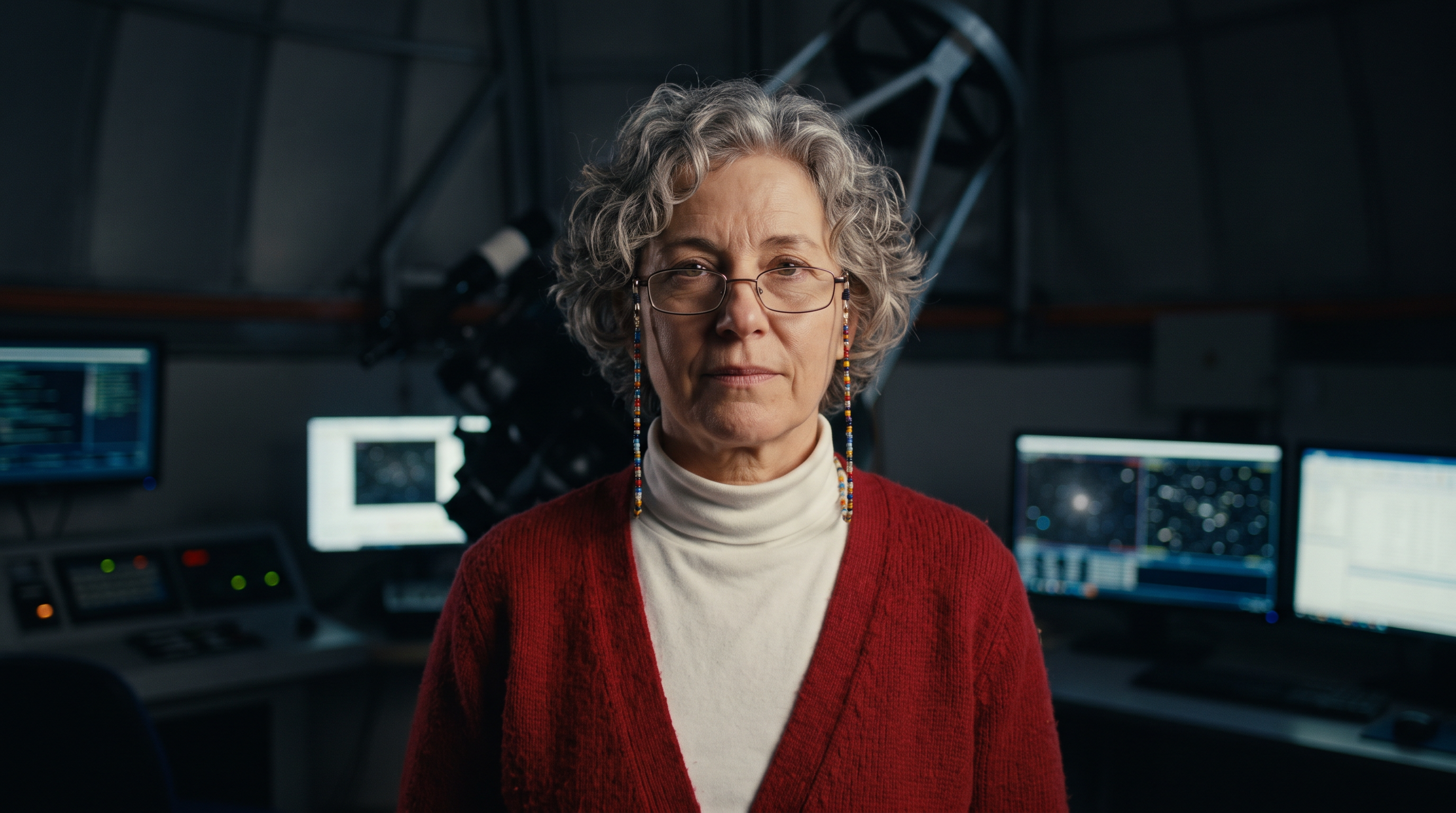
The one reference picture, Nano Banana 2.1, 1.5 credits.
Character reference photo for a film: an astronomer in her fifties with short grey curls, reading glasses on a beaded chain and a red wool cardigan over a white turtleneck, standing in a dim observatory control room, front facing, chest up, neutral expression, soft key light, photographic.
Panel 6 animated on WAN 3.0, 8 credits.
The huge telescope swings slowly across the red lit room as the dome rotates overhead and the slit slides across the stars, she works the controls at the desk below. Sound: heavy motors grinding, a low rumble.
Panel 7 animated on Kling 4.0, 23 credits.
She grips the old beige wall phone with a huge grin and says, "It is new. I am looking right at it." She laughs and twists the coiled cord around her finger, monitors glowing behind her. Sound: her excited voice, a faint line hiss.
Panel 8 animated on Seedance 2.5, 30 credits.
Slow push in from behind as she stands in the open dome slit in the snow, her breath clouds in the cold air, she tilts her head up toward the one bright new star and a faint smile spreads. Snow drifts past. Sound: wind over the ridge, the hum of the dome motor.
The storyboard: eight frames, one astronomer
Each frame was its own prompt, written as a shot: the shot size, what she does and the light. Every prompt carried the same reference picture.
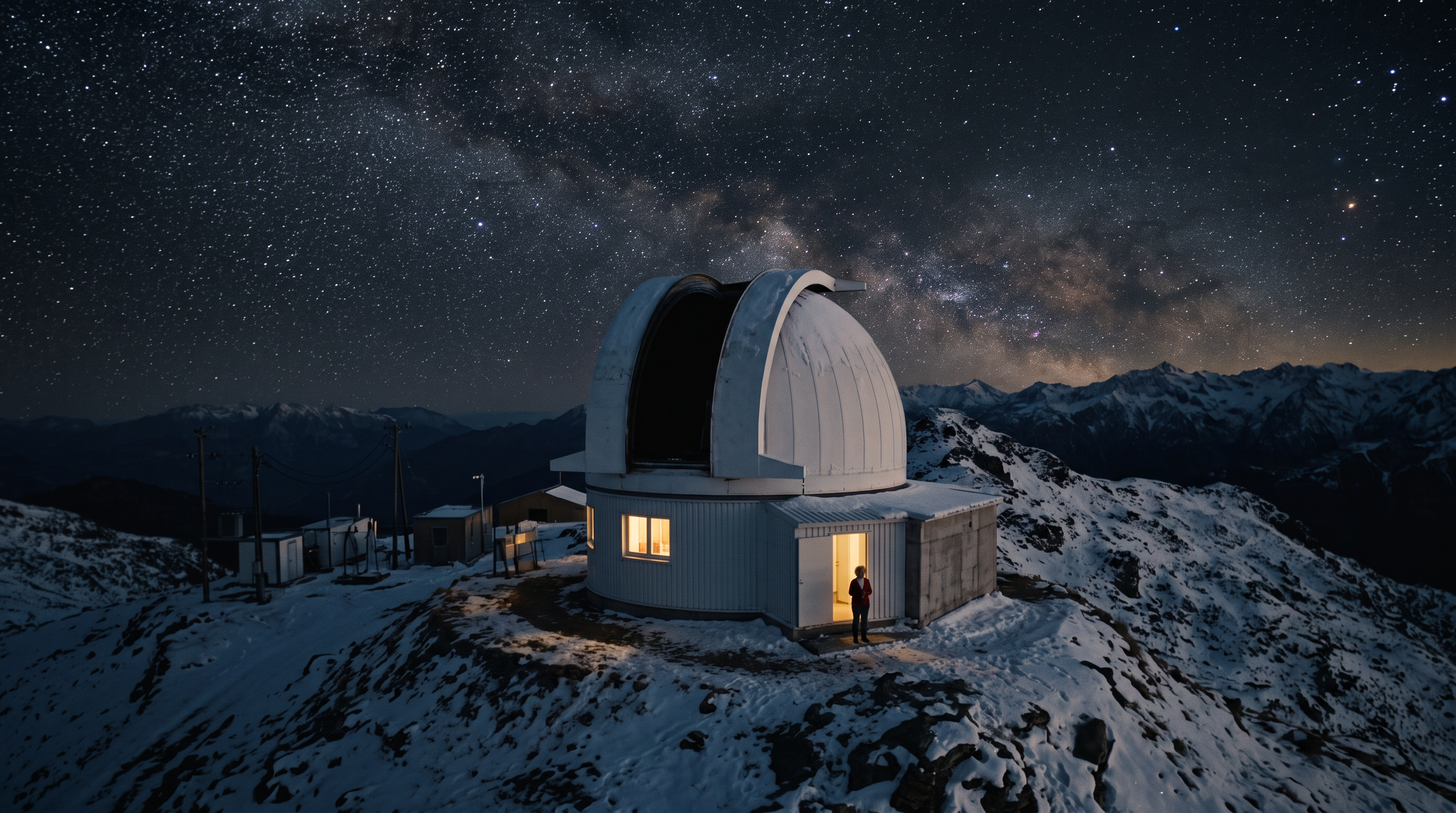
Storyboard frame 1, cinematic film still, extreme wide establishing shot: a white observatory dome on a snowy mountain ridge at night, the dome slit open to a dense sky of stars, one warm lit window, a tiny figure of the astronomer from the reference image (same face, short grey curls, glasses on a beaded chain, red wool cardigan over a white turtleneck) visible in the doorway.
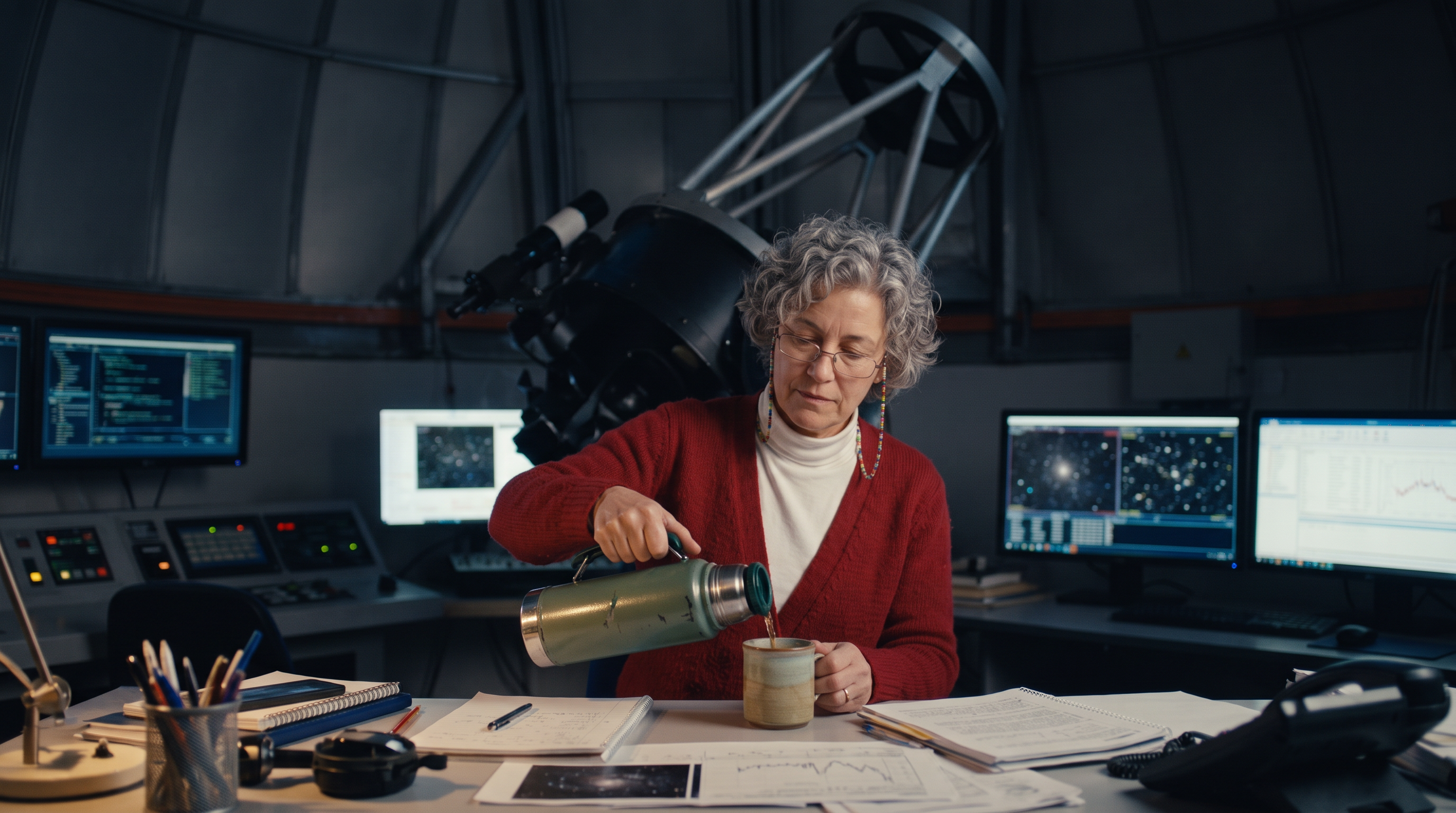
Storyboard frame 2, cinematic film still, medium shot: the astronomer from the reference image (same face, short grey curls, glasses on a beaded chain, red wool cardigan over a white turtleneck) pours tea from a dented green thermos at a cluttered control desk, rows of monitors glowing blue, the base of a huge telescope behind her, night.
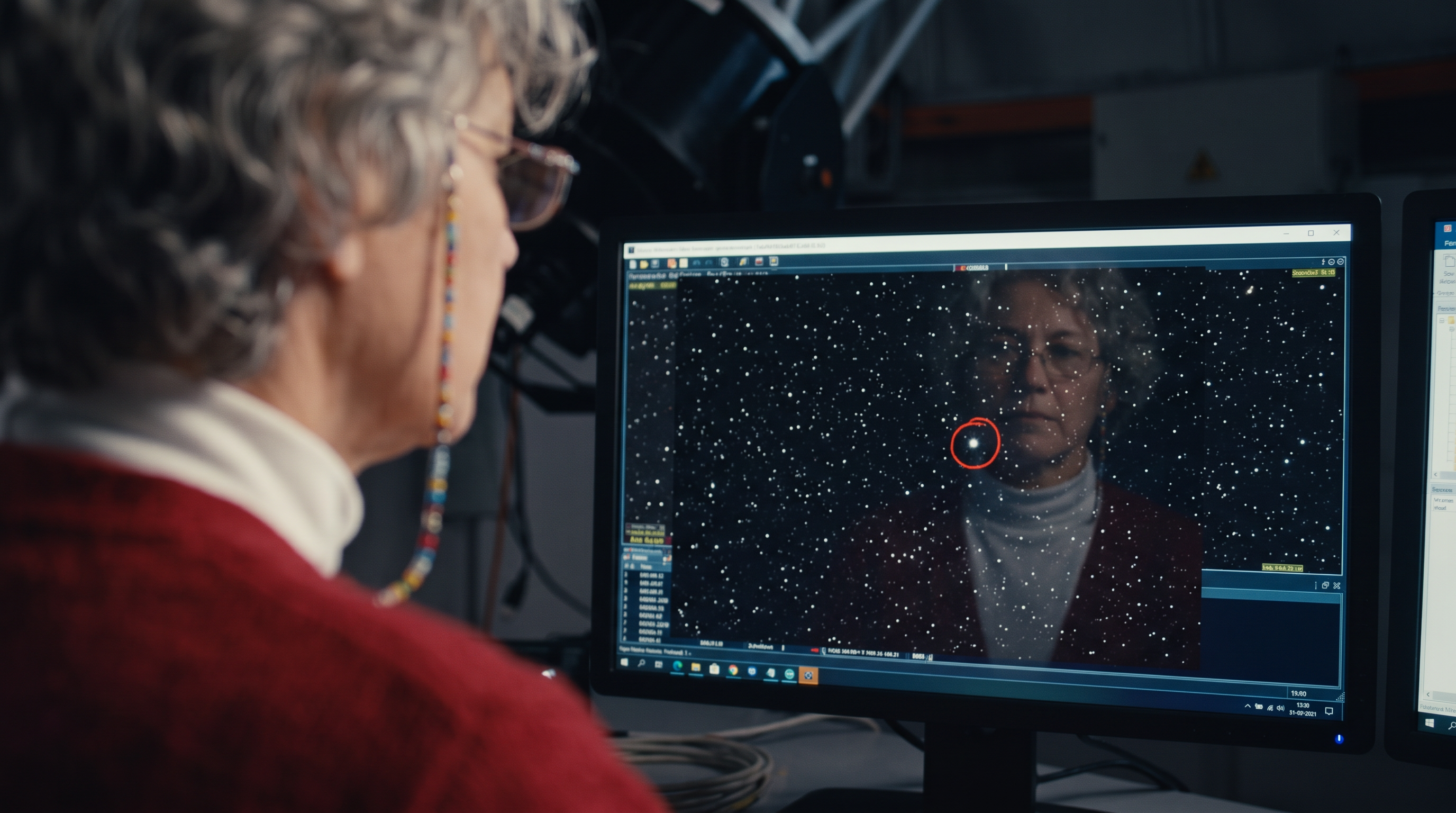
Storyboard frame 3, cinematic film still, insert close up over the shoulder of the astronomer from the reference image (same face, short grey curls, glasses on a beaded chain, red wool cardigan over a white turtleneck): a monitor shows a black star field with one new bright point circled in red, her reflection faint in the screen.
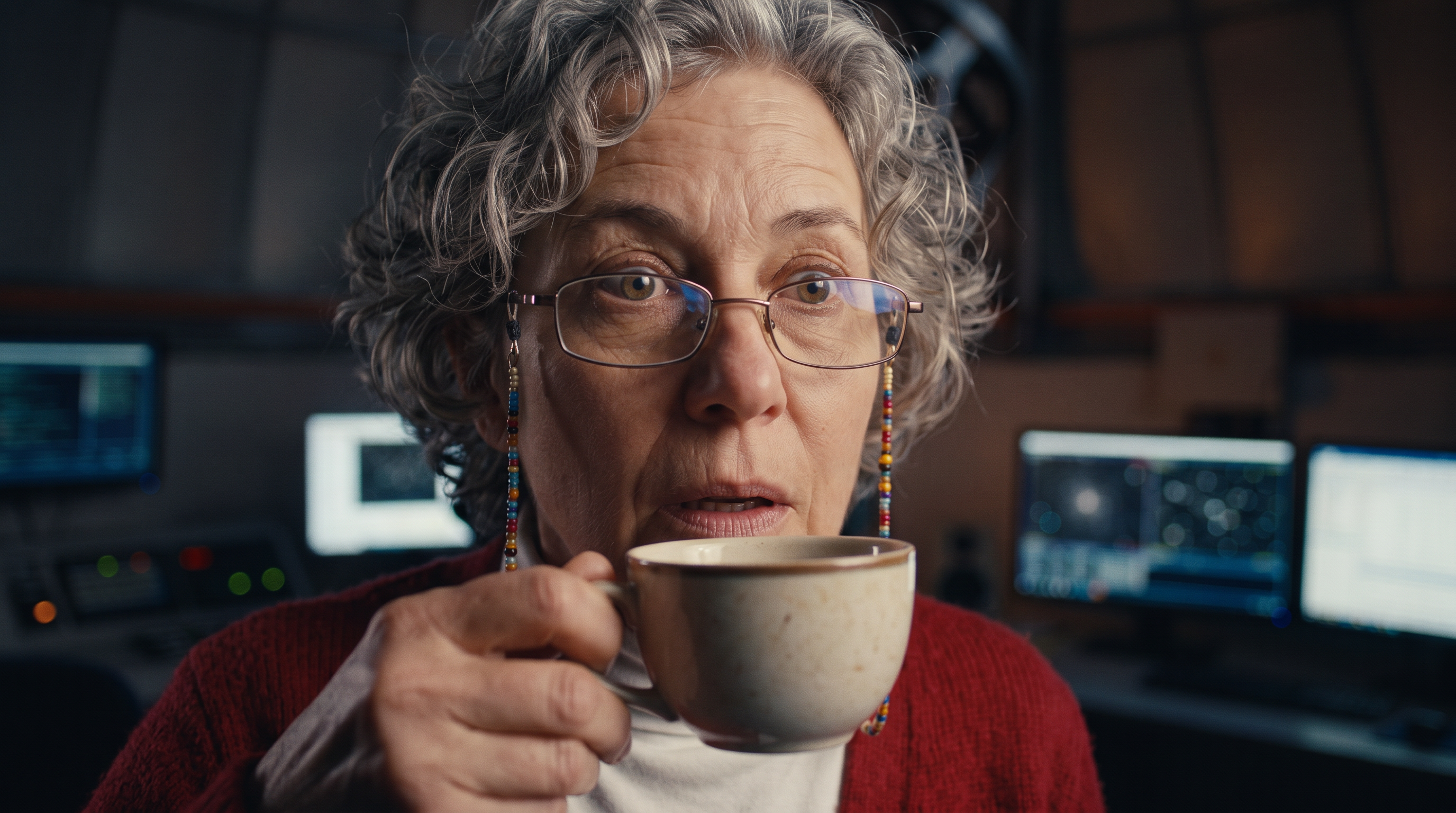
Storyboard frame 4, cinematic film still, tight close up on the face of the astronomer from the reference image (same face, short grey curls, glasses on a beaded chain, red wool cardigan over a white turtleneck): her eyes go wide behind her glasses, the tea cup frozen halfway to her lips, blue monitor light on her face.
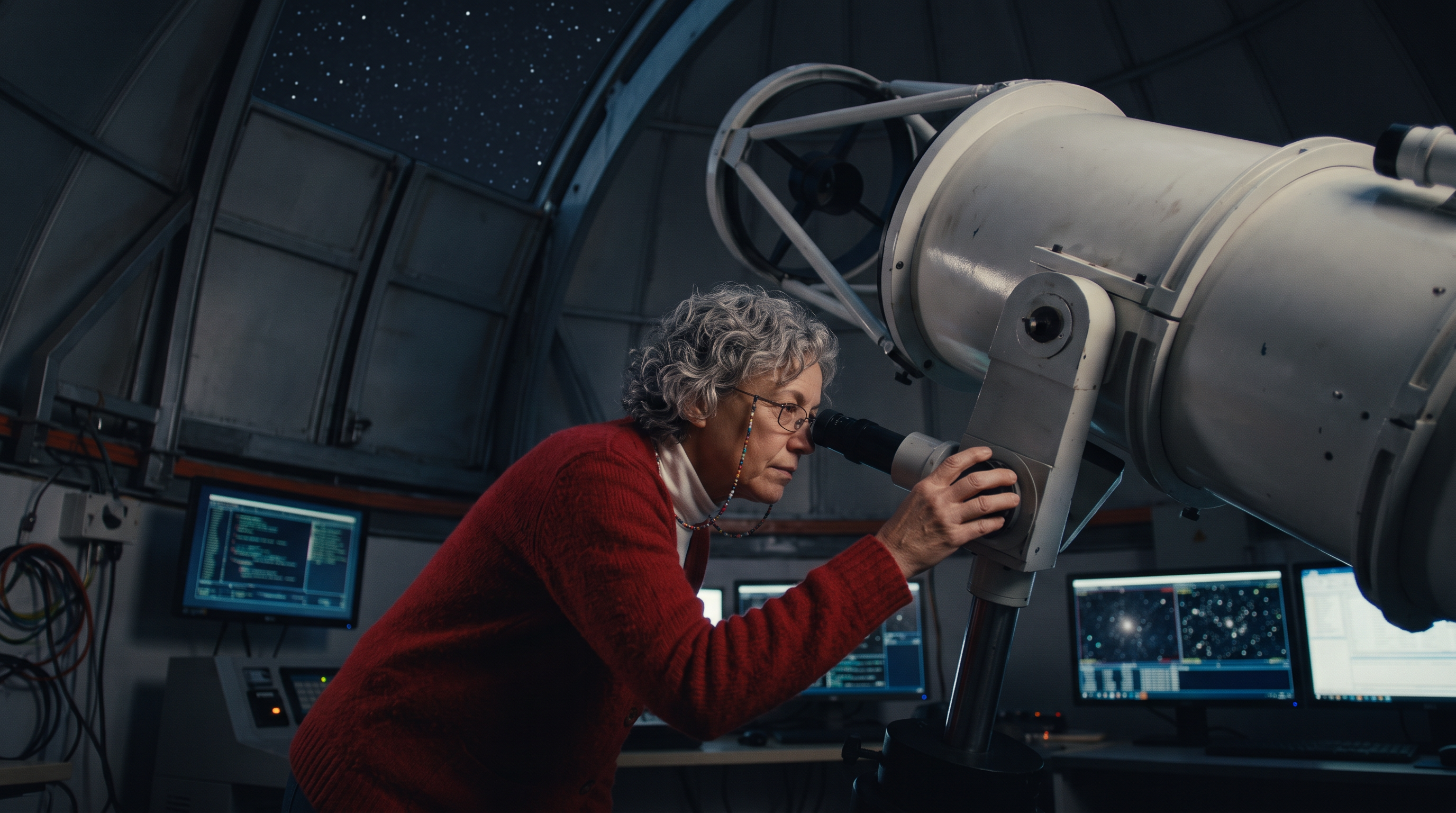
Storyboard frame 5, cinematic film still, low angle: the astronomer from the reference image (same face, short grey curls, glasses on a beaded chain, red wool cardigan over a white turtleneck) leans into the eyepiece of a giant white telescope, one hand on the focus knob, the open dome slit and stars above her.
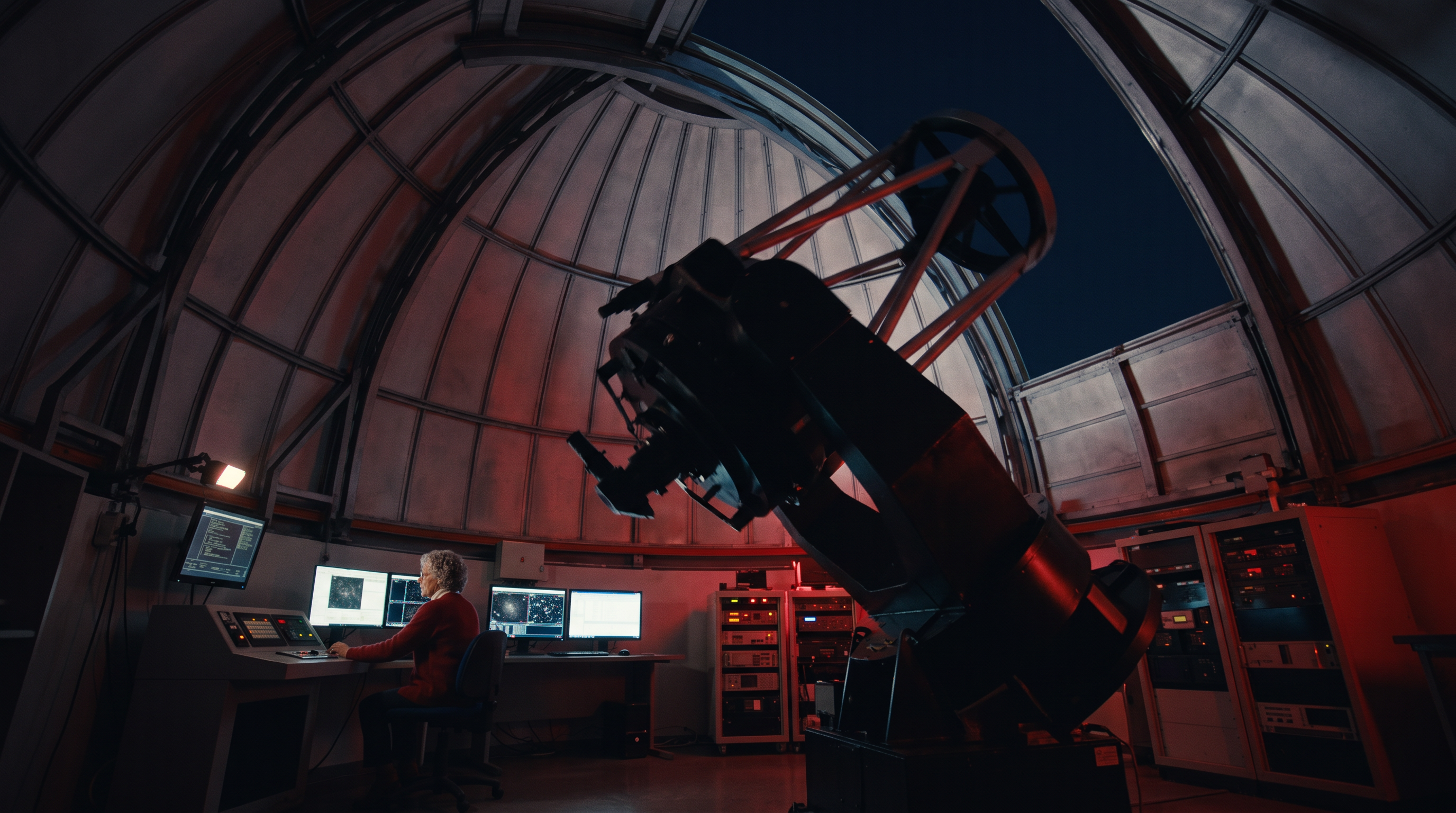
Storyboard frame 6, cinematic film still, wide shot from the floor: the huge telescope swings across the room as the dome rotates overhead, the astronomer from the reference image (same face, short grey curls, glasses on a beaded chain, red wool cardigan over a white turtleneck) small at the control desk working the controls, red work lights.
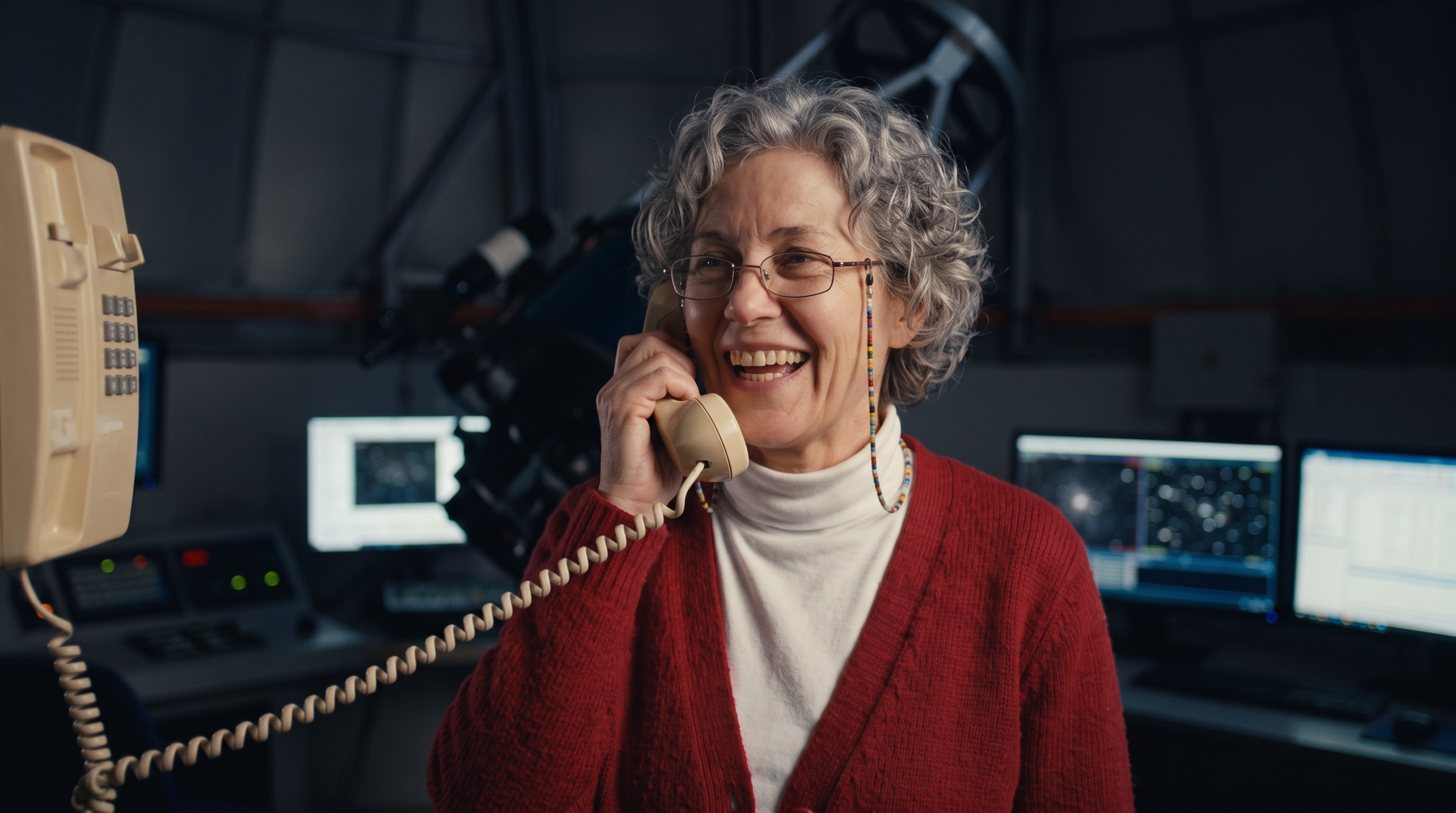
Storyboard frame 7, cinematic film still, medium shot: the astronomer from the reference image (same face, short grey curls, glasses on a beaded chain, red wool cardigan over a white turtleneck) grabs an old beige wall phone and speaks into it with a huge grin, coiled cord stretched, monitors glowing behind her.
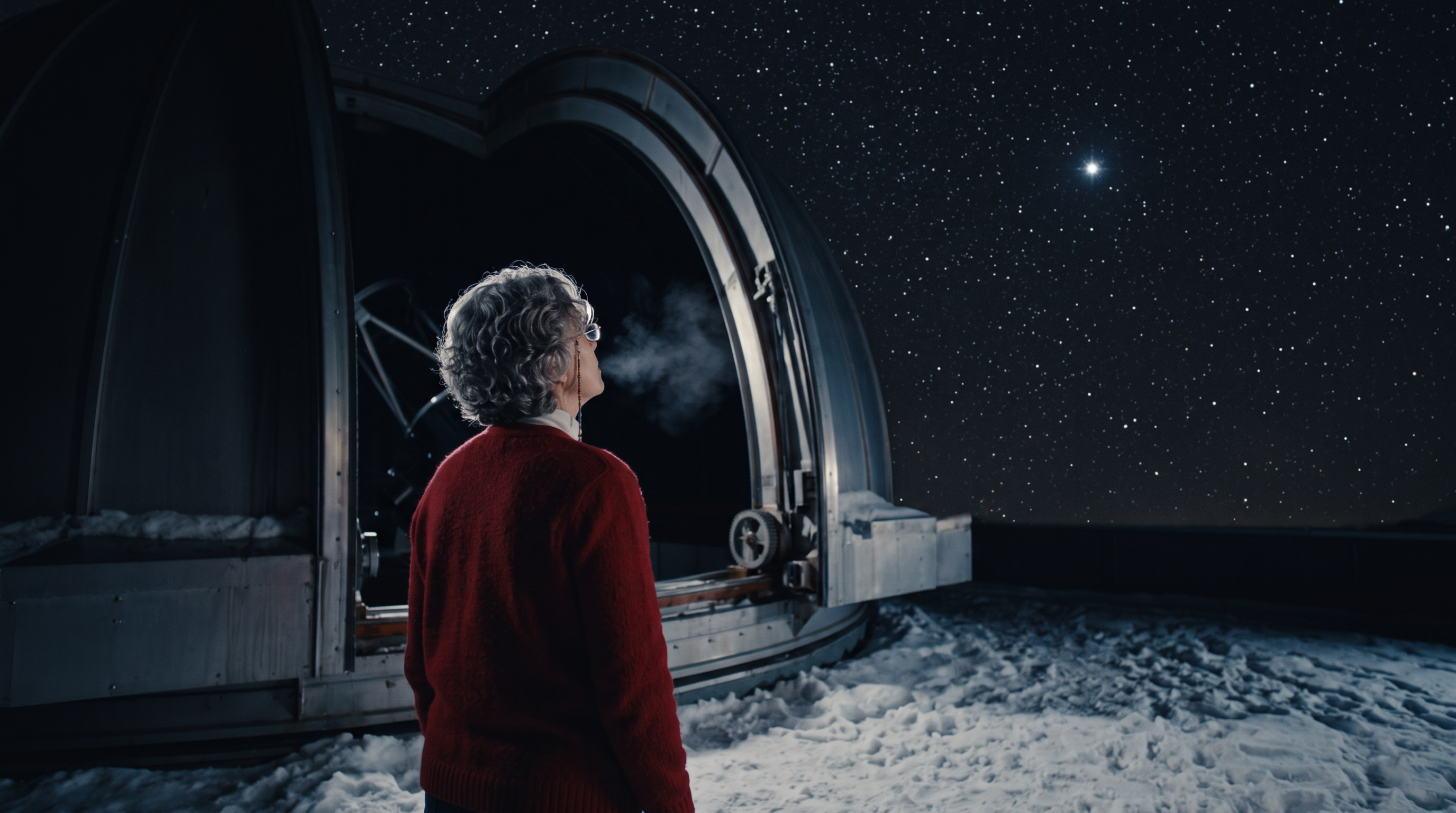
Storyboard frame 8, cinematic film still, wide shot from behind: the astronomer from the reference image (same face, short grey curls, glasses on a beaded chain, red wool cardigan over a white turtleneck) stands in the open dome slit in the snow, looking up at a sky full of stars with one star brighter than all the rest, her breath visible in the cold.
- Nano Banana 2.1 kept the same face, grey curls, glasses and red cardigan over a white turtleneck in all eight frames from one reference picture.
- The shot sizes followed the prompts: an extreme wide establishing shot, an insert on the monitor, a close up, a low angle and a wide from behind.
- Light carried the story from blue monitor glow to red work lights to cold starlight, so the frames read as one night.
- Eight frames at 1.5 credits each gave us the whole scene to judge before any video was made.
How Film Studio storyboards a film
In Film Studio's shot by shot mode, every shot gets a still storyboard frame made from the shot's prompt and your cast's reference pictures. You look at each frame and approve it before any video is made.
An approved frame then leads the shot: it goes to the video model first, so the clip starts from the composition you signed off. Cast from Character Studio and the same faces ride along on every frame.
We built the storyboard on this page by hand on Nano Banana 2.1 to show the method one frame at a time.
The pixeldojo_storyboard skill for AI agents
Our hosted MCP server includes a pixeldojo_storyboard skill for agents such as Claude or ChatGPT. It takes a scene brief and makes one short video clip from it, on Veo 3.1 Fast by default or on Kling 4.0 or Seedance when named. With a reference still it runs on the reference video model.
It makes one shot per call, not a page of panels. For a full multi shot film, agents use the pixeldojo_film skill, which runs Film Studio.
What else you get on Pixel Dojo
Unlimited on every plan
On every paid plan, Relax runs Qwen Image 2.1, FLUX 3 Image Klein and MiniMax H3 Turbo, plus every video and photo effect, unlimited with no credits spent.
Sensei, the AI director
Describe a project and Sensei plans it, prices it, waits for your approval and reviews every take.
Character Studio
Save a face once and call it by @name in any prompt, so the same person shows up in every image and clip.
Film Studio
An idea becomes a finished film: script, cast, storyboard, clips and an editor pass that trims every shot, with each step priced before it runs.
Photo effects
45+ photo effects restyle a picture in one click, from a hand painted anime still to a boxed action figure or a magazine cover, and every one starts from your own upload.
Start from a genre
Pick a format such as a UGC ad, a micro drama, a movie trailer or an explainer, and the matching studio opens with the settings and a sample idea filled in.
Star in any video
Upload a short clip, pick a saved character or a photo, and Character Swap puts your star in the lead while the scene, camera moves and sound stay the same.
Credits that roll over
Your credits roll over while you stay subscribed, so nothing you pay for disappears at the end of the month.
Every top model, plus an API
More than 80 image and 60 video models in one account, with a public API and a hosted MCP server for your own apps and AI assistants.
What our storyboard and shots cost
Each frame cost 1.5 credits on Nano Banana 2.1. The shots cost 30 credits on Seedance 2.5, 23 credits on Kling 4.0 and 8 credits on WAN 3.0.
Plans are Lite $10 a month for 160 credits, Pro $25 for 500 credits, Pro Max $50 for 1,100 credits. Any paid plan also makes unlimited images at 1K on Qwen Image 2.1 Turbo, FLUX 3 Image Klein and P-H3-Image with no credits spent, which is plenty for rough storyboard passes. Credits roll over while you stay subscribed.
Under our refund policy, a first purchase can be refunded within 7 days, in full if under 20% of the credits are used and pro-rated after that. Commercial use is included on every plan.
AI Storyboard Generator questions
What is an AI storyboard generator?
A tool that turns a scene or script into a sequence of frames, one per shot, so you can see the film before you make it. On Pixel Dojo you can make the frames on an image model or let Film Studio storyboard every shot for you.
How do I keep the same character in every frame?
Make one clear reference picture of the character and pass it with every frame prompt, as we did with our astronomer. Or save the character in Character Studio and call it by @name.
How much does an AI storyboard cost?
Our frames cost 1.5 credits each on Nano Banana 2.1, so the eight frame scene cost 1.5 credits a panel. On any paid plan, the unlimited image models make 1K frames with no credits spent.
Can I turn a storyboard into a video?
Yes. Set a frame as the start frame on Seedance 2.5, Kling 4.0 or WAN 3.0 to make it a shot, or let Film Studio film the whole storyboard and cut it into one film.
Is there a free AI storyboard generator?
Any paid plan makes unlimited images on Qwen Image 2.1 Turbo, FLUX 3 Image Klein and P-H3-Image with no credits spent. Without a plan you can try 3 free effects a day.
Make your first Nano Banana 2.1 image
Write a prompt above or start from any example on this page. One plan covers every top model, six studios and Sensei, and your credits roll over.
Start with Nano Banana 2.1