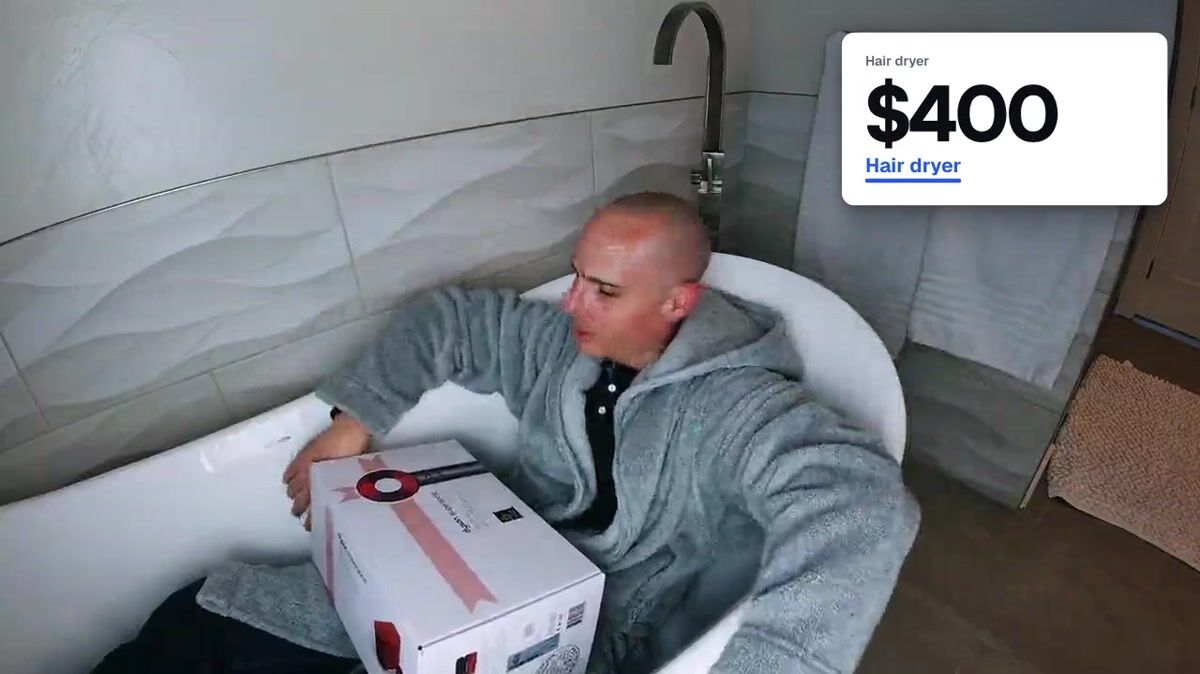
Why would you need a $400 hair dryer?
From a hair dryer review, 5 min
Clipper
Upload a podcast, stream or interview. Get its best moments back as vertical clips with captions. Or get the full video back with cards that pop up as you speak.
3 credits a minute of video · You only pay when it is done · Plans from $10 a month
Clipper finds the moments worth posting and turns each one into a vertical clip with captions. These came straight out of it.
From a hair dryer review, 5 min
From a hydroponic garden build, 14 min
From a projector review, 10 min
Each clip opens on a hook, makes sense on its own and ends on a payoff.
Get 3 to 8 clips per video. Every clip starts and ends on whole sentences.
One person stays centred in the vertical frame. Two people are stacked, so both are in shot.
Captions are burned in and timed to each word. Pick Pop, Highlighter or Clean.
Get your whole video back with headline, quote and stat cards, each timed to the word it belongs to.
4:47 · 6 cards added · nothing edited by hand
A number someone says, like a price or a speed, counts up on screen as they say it.
The best lines appear word by word as they are spoken, with the key words highlighted.
When someone runs through features or steps, each item appears as they say it.
Each card is placed in clear space in that shot, so nothing important is covered.
Cards work on videos up to 30 minutes long.
Four steps, and only the first two are yours.
Drop in an MP4 or MOV from 2 minutes to 2 hours long. A podcast, a stream, an interview or a review all work.
Short clips for TikTok, Reels and Shorts, or your full video back with cards added.
Every word is transcribed and timed. Then we pick the strongest moments and cut them clean.
Your results land in My Library, ready to download. You only pay when they are done.
If your best moments are buried in long videos, Clipper digs them out.
Turn every episode into a week of Shorts without opening an editor.
Pull the best moments out of a two-hour stream while you sleep.
Give a review a second life as clips, or add cards that make the key facts stick.
Turn a long lesson into short tips people actually finish watching.
Two people on screen? Clips stack both speakers so nobody gets cut out.
Run it from the API or your AI assistant and clip a whole back catalogue.
3 credits for each minute of your video, at least 15. Clips or cards, the price is the same. You see it before you start, and you only pay when your results are ready.
Clipper comes with every paid plan, from Lite's 160 credits ($10 a month) to Pro's 500 credits ($25 a month). See plans and pricing.
Clipper works the same way outside the website, at the same price.
Tell Sensei, our AI director, to clip your video. It shows the price first and hands back the clips in the chat.
Add the Pixel Dojo MCP server to Claude, ChatGPT or another assistant and ask it to clip a video for you.
Start a run from the Pixel Dojo API and get the clips back when they are ready. Good for clipping a whole back catalogue.
An AI video clipper turns one long video into short ones. Pixel Dojo's Clipper transcribes every word, picks the moments that hook a viewer and stand on their own, and cuts each one into a vertical clip. It keeps the speaker in frame and burns in captions timed to each word.
Prefer to keep the whole video? Full video with cards adds stat, quote and list cards that appear as the words are spoken. Each card is placed where it covers nobody.
No video yet? Make one from a topic in Faceless Studio, or turn an idea into a short film in the AI film maker.
More: AI video generator · AI Video Studio · OpusClip alternatives
An AI video clipper watches a long video for you and cuts out the moments worth posting. Clipper transcribes every word, picks the strongest moments, reframes each one for vertical screens and burns in captions, so you get ready-to-post clips instead of hours on a timeline.
Talking videos: podcasts, streams, interviews, reviews, lessons and panels. Upload an MP4 or MOV from 2 minutes up to 2 hours long. Clipper finds moments in what people say, so a video with little speech gives it little to work with.
You choose 3 to 8 clips. Each runs 15 to 60 seconds and starts and ends on whole sentences.
It gives you your whole video back, the same shape and length, with cards added at the right moments. A stat card counts up a number as it is said, a quote card shows the best line word by word, and a list card shows items as they are named. Videos up to 30 minutes work in this mode.
No. Clipper looks at each moment before placing its card and puts it in clear space in that shot. If a shot has no clear space, the card is left out.
Every word is timed from the audio and burned into the clip, so captions show on every app, even with the sound off. Pick Pop, Highlighter or Clean.
3 credits for each minute of your video, at least 15. The price is the same for clips and for cards. You see it before you start and you only pay when your results are ready. Clipper comes with every paid Pixel Dojo plan, from $10 a month.
Into My Library, in a folder named after your video. Download them from there or straight from the results page.
Yes. Clipper runs from the Pixel Dojo API, from the Pixel Dojo MCP server in Claude, ChatGPT and other assistants, and from Sensei, our AI director. The price is the same everywhere.
Yes. Clips you make from your own videos on a paid plan are yours to post and monetize on YouTube, TikTok, Instagram and anywhere else.
Upload one long video and get your clips back today.
Plans from $10 a month. Cancel anytime.