Ideogram 4.5 Prompting Guide

Prompt Ideogram 4.5

Ideogram's newest model for images that carry words: posters, logos, packaging, signs and infographics. Create from text, edit with a sentence, or use Precise Edit to change one line and keep everything else. Every example below was generated on PixelDojo with the prompt shown.

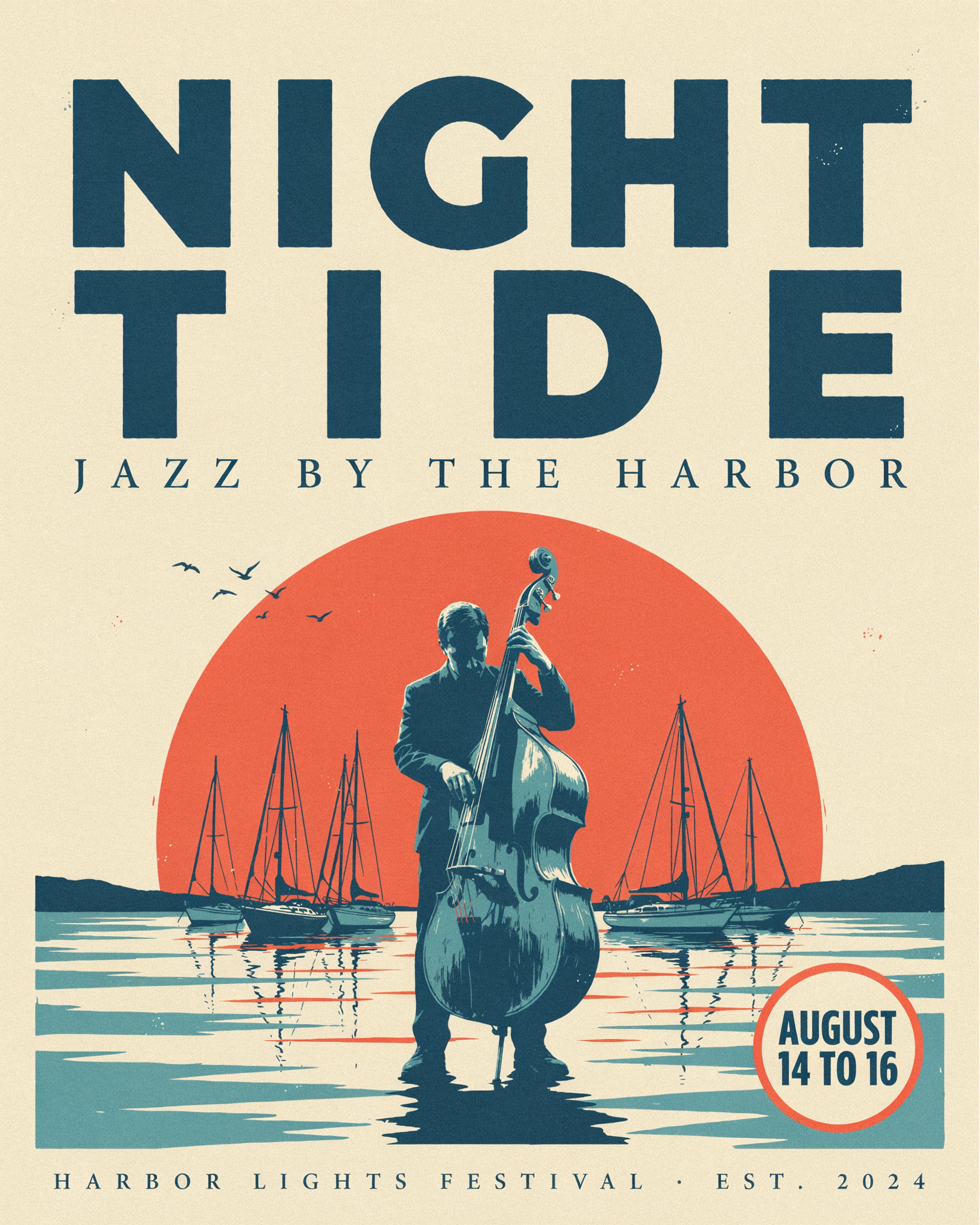
Ideogram 4.5 poster: NIGHT TIDE, JAZZ BY THE HARBOR, AUGUST 14 TO 16, over a bass player silhouetted against a coral moon

Overview

Ideogram 4.5 follows Ideogram 4 and keeps the thing Ideogram is known for: clean text inside images. What is new on PixelDojo is that one tool now does three jobs. With no images attached it is text to image. Attach up to 5 images and the prompt becomes an edit or composition instruction. Switch on Precise Edit and the model changes only what you name, keeping framing, layout and every other word in place.

Strengths

Text rendering

Quoted headlines, labels, taglines and step labels come out spelled as written, in the style and position you describe.

Design layouts

Posters, brand sheets, book covers and infographics with a clear hierarchy between headline, subhead and small print.

Photoreal scenes with lettering

Shop signs, packaging and chalkboards where the text sits on a real material: gold leaf, glass, paper, chalk.

Natural language edits

Change a season, swap an object or rewrite a sign with one sentence. Combine up to 5 images in one instruction.

Precise Edit

Change a single product name or price and leave the rest of a finished image exactly as it was.

Prompt Framework

  1. 1. Name the artifact

    Start with what you are making: a festival poster, a brand identity sheet, a tea tin product shot, a book cover. The layout rules follow from it.

  2. 2. Put exact text in quotes, early

    Wrap every string in double quotes and put the text near the start of the prompt, as Ideogram recommends. Keep each string short and give long copy as several placed lines.

  3. 3. Give each string a role, style and position

    Say "the headline ... in huge condensed letters across the top", "the tagline ... in small spaced capitals underneath". Describe the lettering (bold sans serif, elegant serif, chalk script) rather than naming a font.

  4. 4. Describe the scene and light

    For photos, name the surface, props, light direction and lens. For graphics, name the palette, the print style and the spacing.

  5. 5. Close the copy

    End with "The only words on the image are ..." when nothing else should appear. Without it, a plain prompt can gain a small extra line such as a footer.

Generated Examples

Every image below was generated with Ideogram 4.5 on PixelDojo using the prompt and settings shown. Copy any prompt and swap in your own words.

Typographic Poster

Typographic Poster

Headline, subhead and a date badge, each placed

High · 1792×2240 · 6 credits

Screen printed festival poster for an invented jazz weekend: the headline "NIGHT TIDE" in huge hand cut condensed letters across the top, "JAZZ BY THE HARBOR" in a slim widely spaced serif beneath it, and "AUGUST 14 TO 16" in a bold round badge at the bottom right. An upright bass player in silhouette against a giant setting moon over moored sailboats, three flat inks of deep teal, coral and cream, visible paper grain and slight ink misregistration.

Each quoted string comes with a role, a style and a position. All three landed where they were placed. Plain prompts can pick up a small extra line (here a festival footer), so say "the only words are..." when the copy must be exact.
Logo and Brand Mark

Logo and Brand Mark

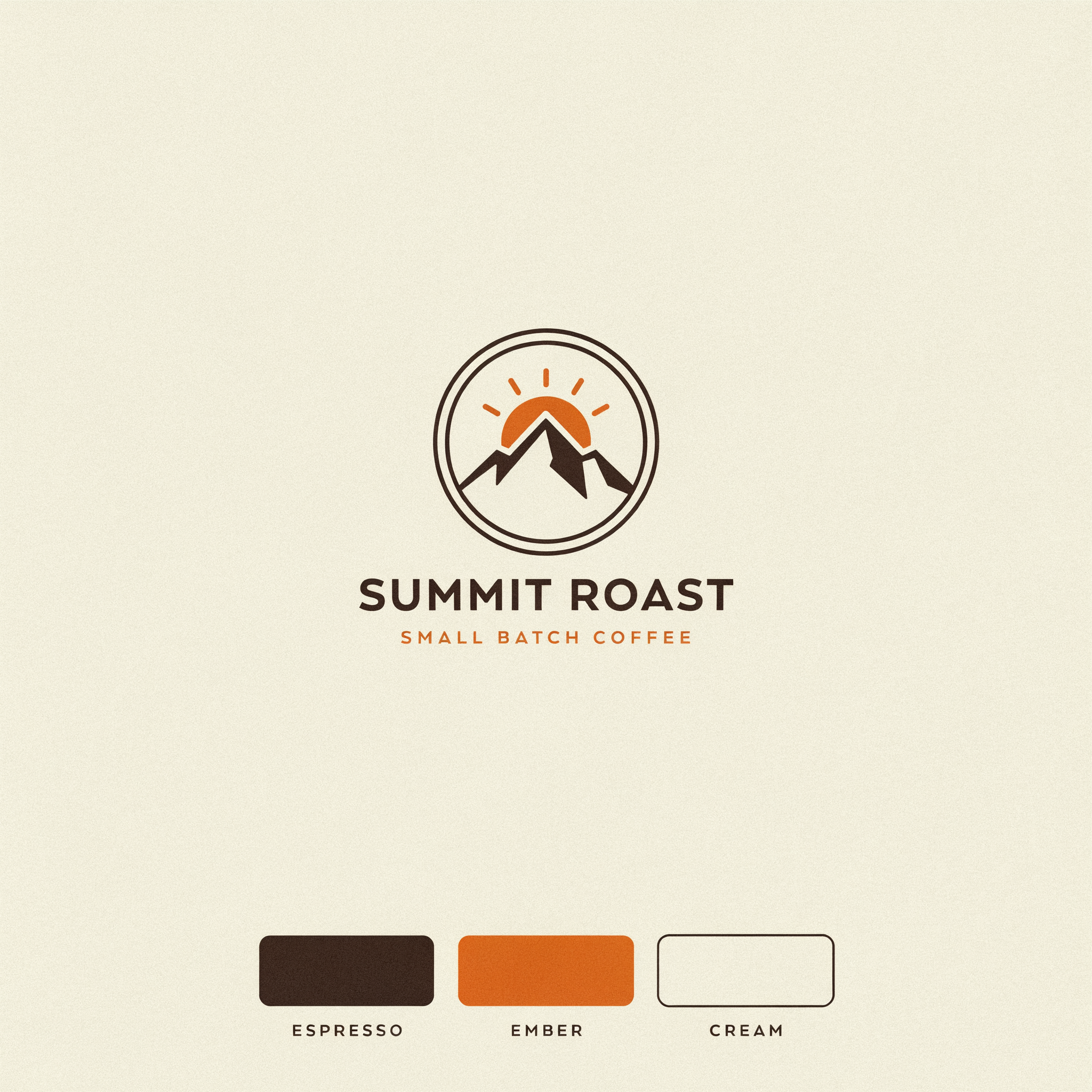
Emblem, wordmark, tagline and labeled swatches

Medium · 2048×2048 · 2 credits

Brand identity sheet for an invented coffee roaster on warm off white paper: a circular emblem with a stylized mountain and a rising sun inside, the wordmark "SUMMIT ROAST" in bold geometric sans serif below it, the tagline "SMALL BATCH COFFEE" in small spaced capitals underneath, and three color swatches labeled "ESPRESSO", "EMBER" and "CREAM" along the bottom. Flat vector design, crisp edges, generous margins.

Ask for a brand sheet instead of a bare logo. Naming the swatches turns the image into a usable direction board, and "flat vector, crisp edges" keeps the mark clean enough to trace.

Packaging Shot

Packaging Shot

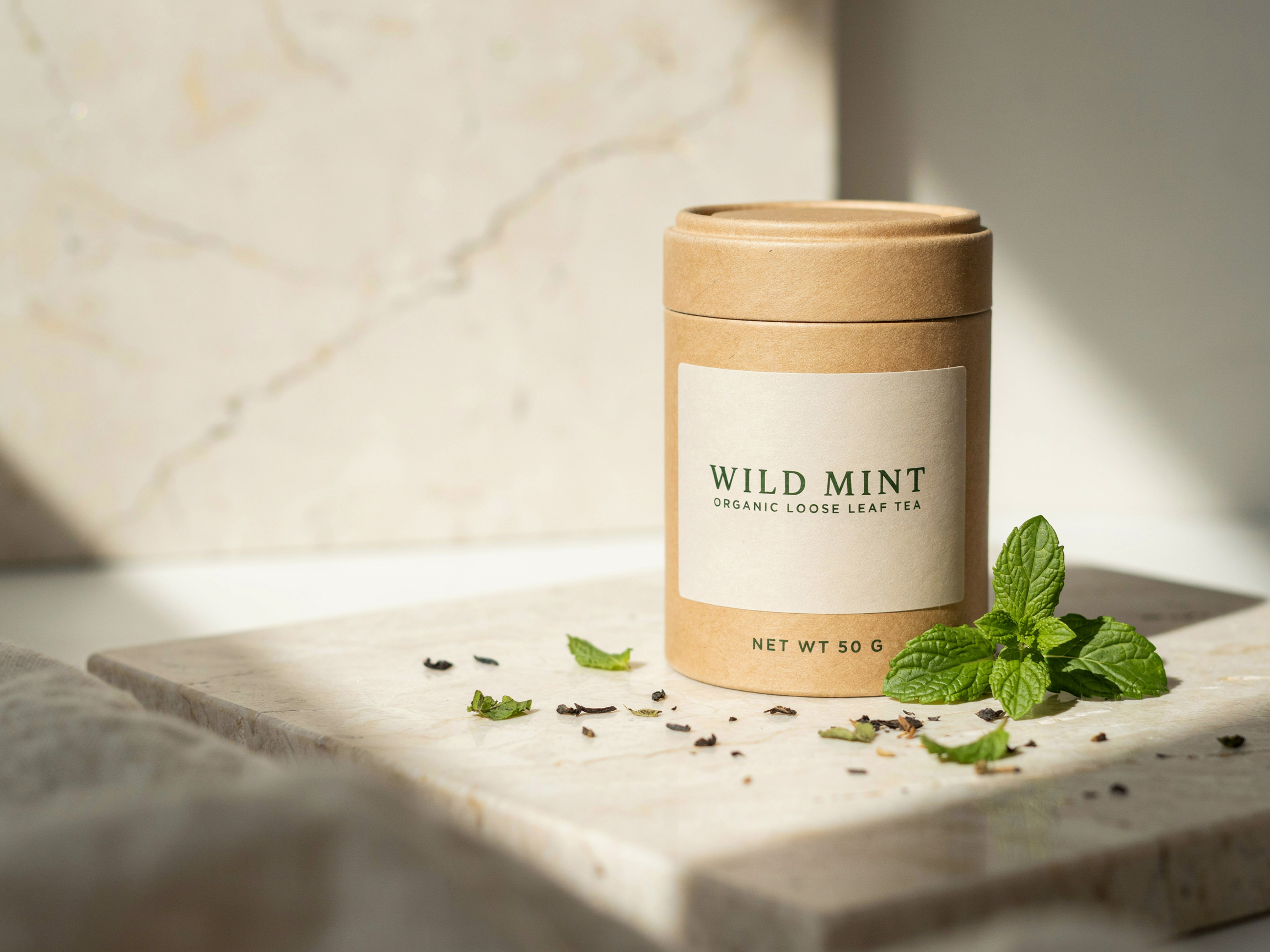
Three tiers of label copy on a real product photo

Medium · 2304×1728 · 2 credits

Studio product photograph of a matte kraft paper tea tin standing on pale travertine, the tin label reads "WILD MINT" in elegant deep green serif, with "ORGANIC LOOSE LEAF TEA" in small capitals beneath and "NET WT 50 G" at the bottom edge, fresh mint sprigs and scattered dried leaves around it, soft morning window light from the left, gentle shadows, shallow depth of field, premium packaging photography.

Give each line of the label its own size and style, from the product name down to the net weight. Then describe the photo the way a product photographer would: surface, props, light direction.

Photoreal Storefront

Photoreal Storefront

Gold leaf sign and window script in a street scene

Medium · 2496×1664 · 2 credits

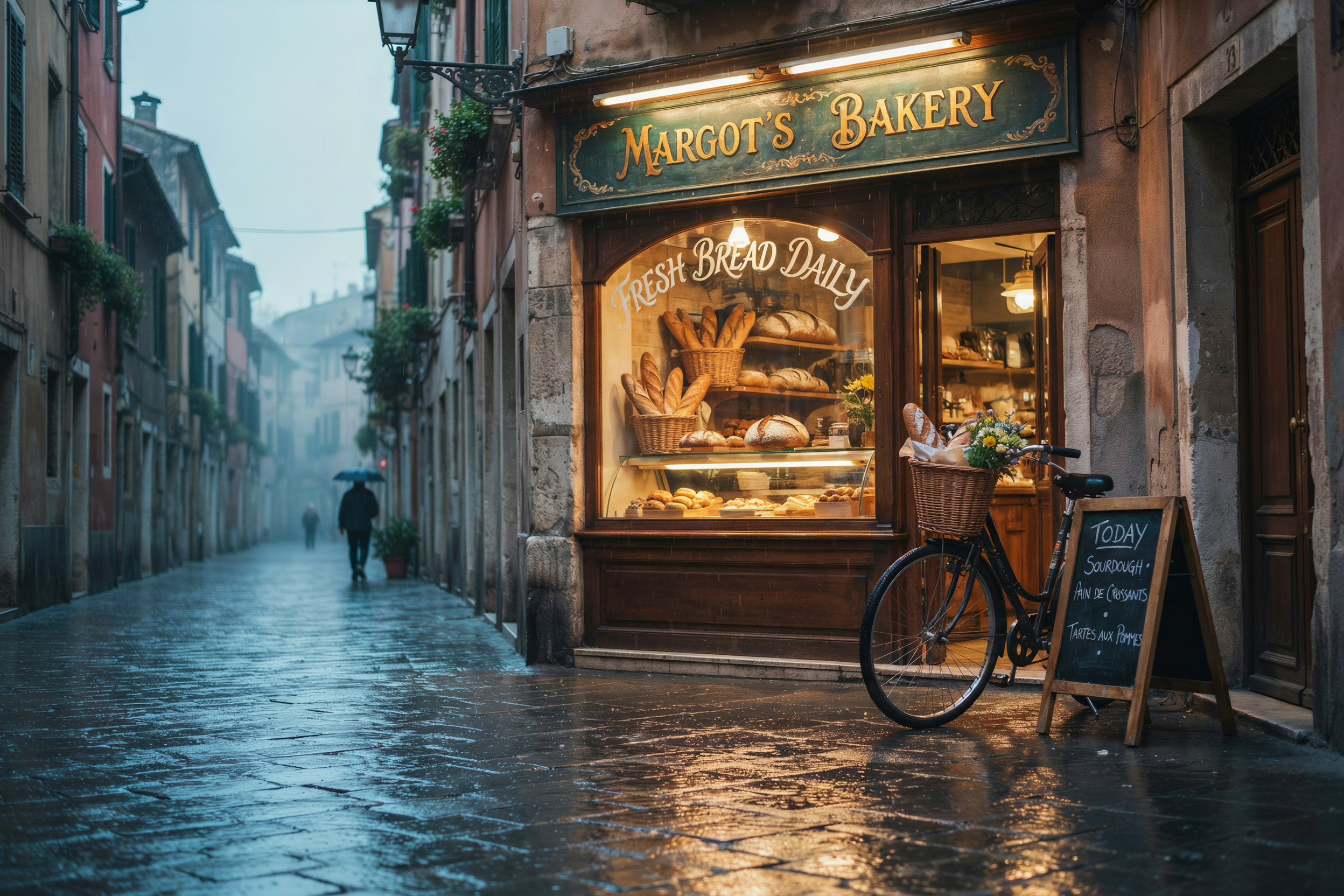
Photograph of a small corner bakery at blue hour on a rainy cobblestone street, 35mm lens: a hand painted gold leaf sign above the window reads "MARGOT'S BAKERY", the window glass is lettered "FRESH BREAD DAILY" in white script, warm light inside showing shelves of crusty loaves, reflections on the wet stones, a bicycle leaning by the door, cinematic color.

Name the material the lettering is made of (gold leaf, window paint, neon, chalk). Ideogram 4.5 renders the text as part of the surface, so it reads as a real sign rather than a caption pasted on top.

Step Infographic

Step Infographic

Numbered steps with matching icons and a footer

Medium · 1728×2304 · 2 credits

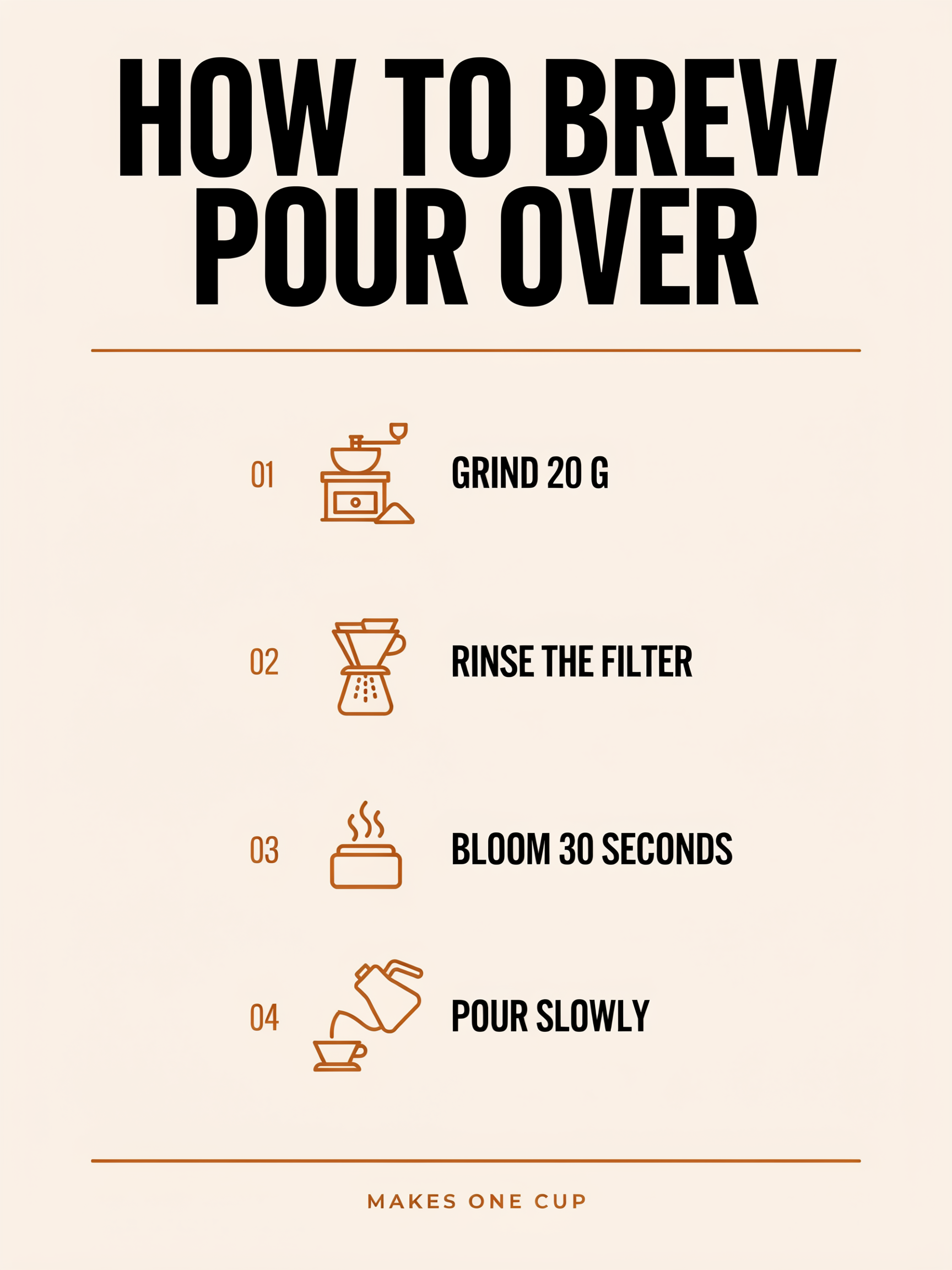
Clean editorial infographic poster titled "HOW TO BREW POUR OVER" in bold black sans serif at the top. Four numbered steps in a vertical column, each with a simple flat icon on the left: "1. GRIND 20 G", "2. RINSE THE FILTER", "3. BLOOM 30 SECONDS", "4. POUR SLOWLY". A footer line reads "MAKES ONE CUP". Cream background, burnt orange accent color, generous spacing, strong visual hierarchy.

Declare the structure first (four steps, one column, icon on the left), then list the exact labels in order. Short labels stay crisp. The model chose its own 01 to 04 numbering style.

Book Cover

Book Cover

Title, subtitle and author line, nothing else

Medium · 1664×2496 · 2 credits

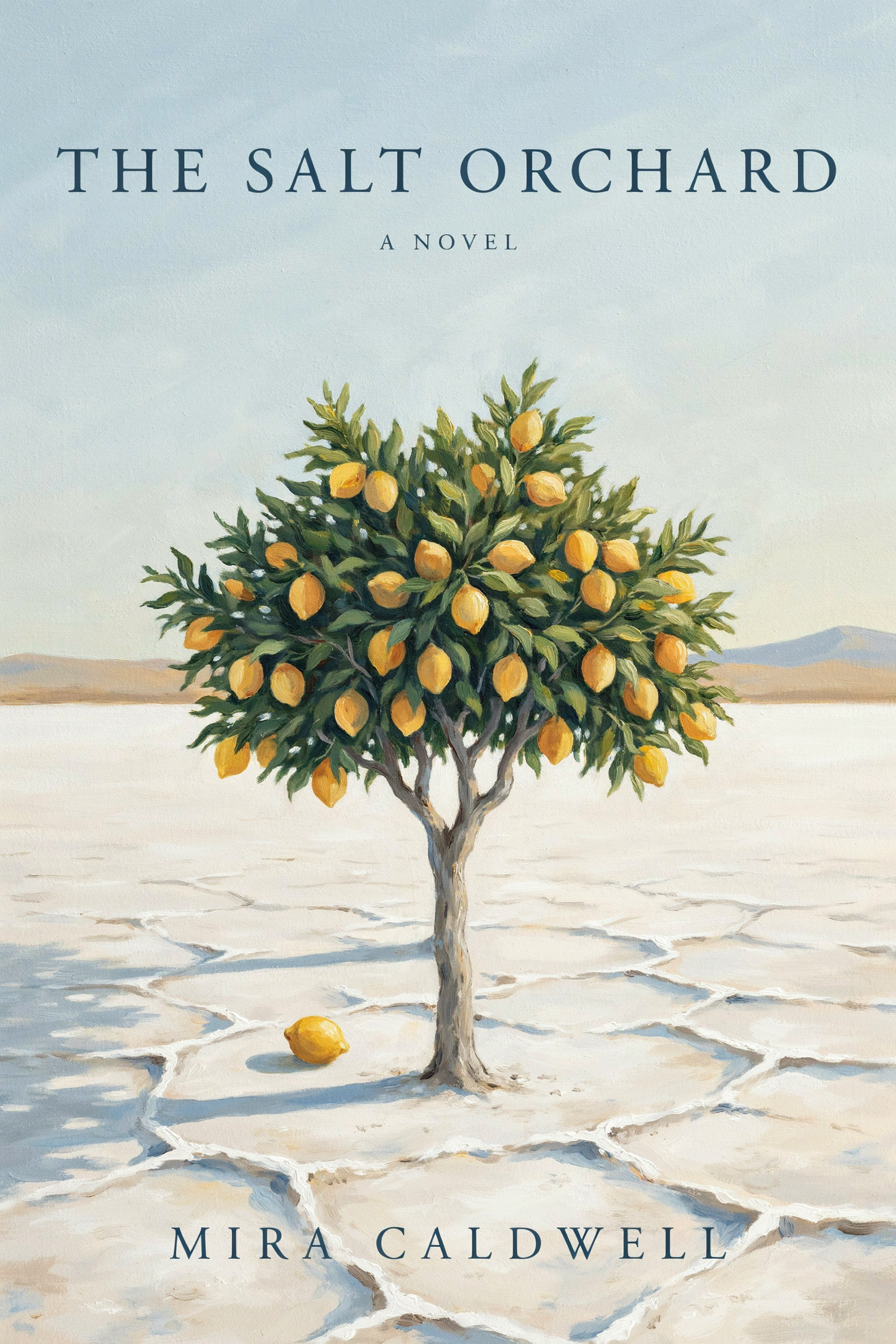
Book cover for an invented novel: the title "THE SALT ORCHARD" in large elegant serif centered in the top third, the line "A NOVEL" in small spaced capitals beneath it, and the author line "MIRA CALDWELL" along the bottom. A lone lemon tree heavy with fruit standing on a cracked white salt flat at dawn, long blue shadows, painterly texture, muted gold and pale blue palette. The only words on the cover are the title, A NOVEL and the author line.

The closing sentence, "The only words on the cover are...", keeps the design to your copy. The cover carries exactly three lines and no invented blurbs.

Edit vs Precise Edit

Attach an image and the prompt becomes an instruction. We generated the cafe photo below from text, then gave it two different instructions on Medium quality. Same source, same price, very different scope.

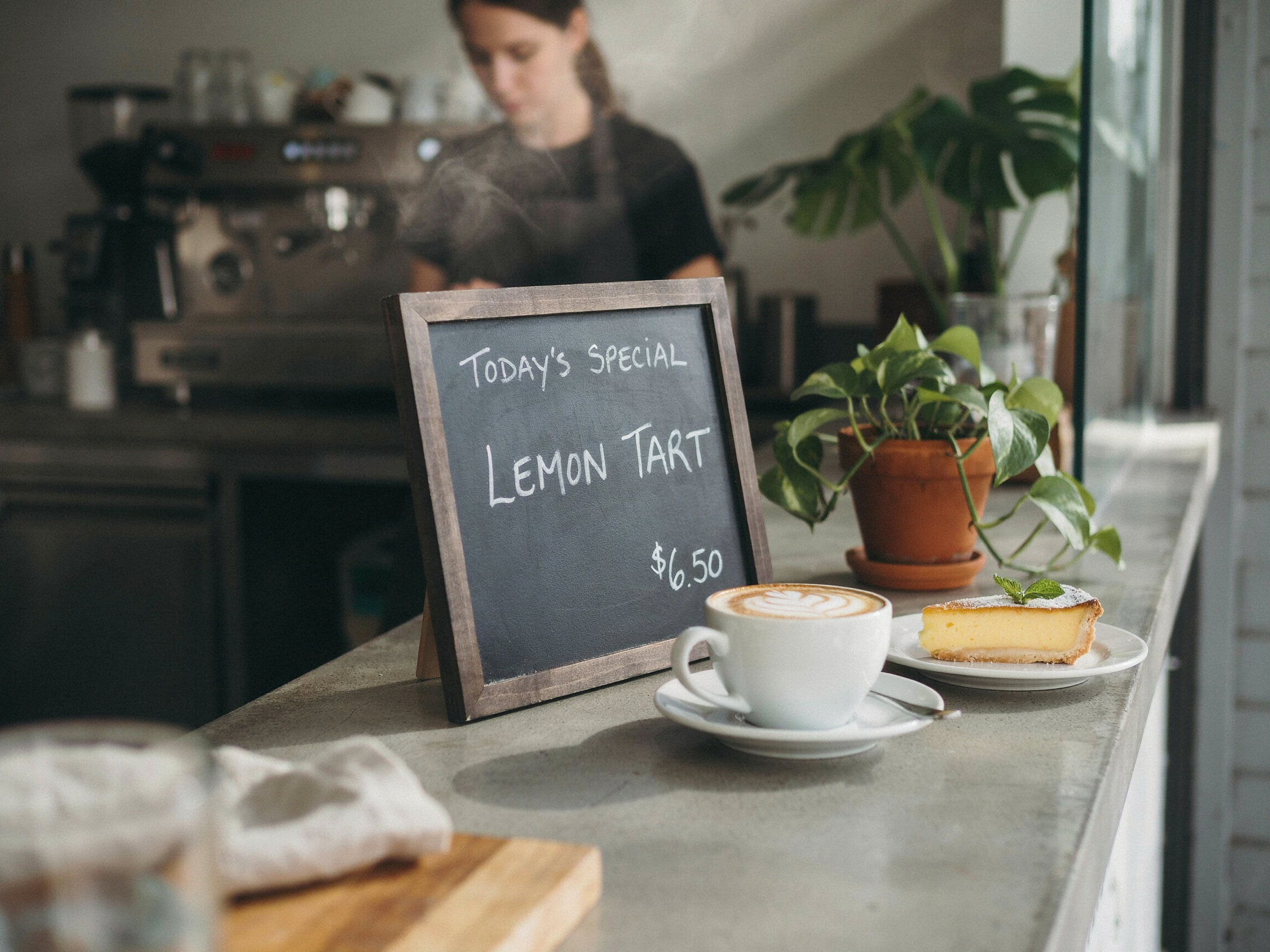
Source image: cafe counter with a chalkboard reading TODAY'S SPECIAL, LEMON TART, $6.50

Source · text to image · Medium · 2304×1728

Photograph of a cozy cafe counter in the morning: a wooden standing chalkboard menu reads "TODAY'S SPECIAL" at the top and "LEMON TART" below in white chalk lettering, a ceramic cup of cappuccino and a slice of lemon tart on a plate beside it, warm window light, potted plants, shallow depth of field, 35mm lens.

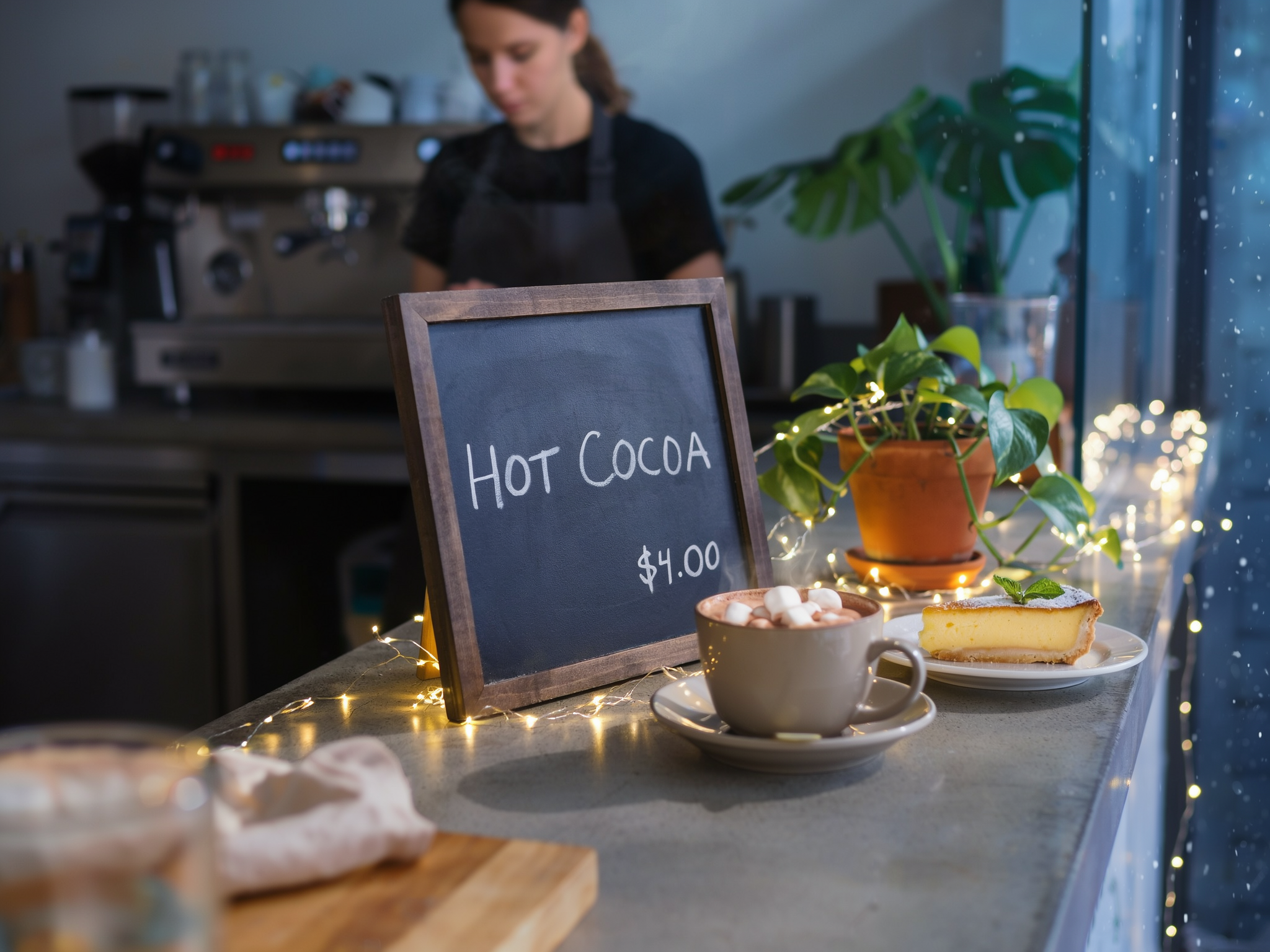
The cafe counter turned into a snowy winter evening with string lights, hot chocolate and a chalkboard reading HOT COCOA $4.00

Edit

Turn this into a cozy snowy winter evening: snow falling outside the window, warm string lights along the counter, swap the cappuccino for a mug of hot chocolate topped with marshmallows, and change the chalkboard to read "HOT COCOA" with "$4.00" below it.

Edit follows the instruction freely. The light, the season, the drink and the board all changed in one pass, while the counter, barista and plants kept their places.

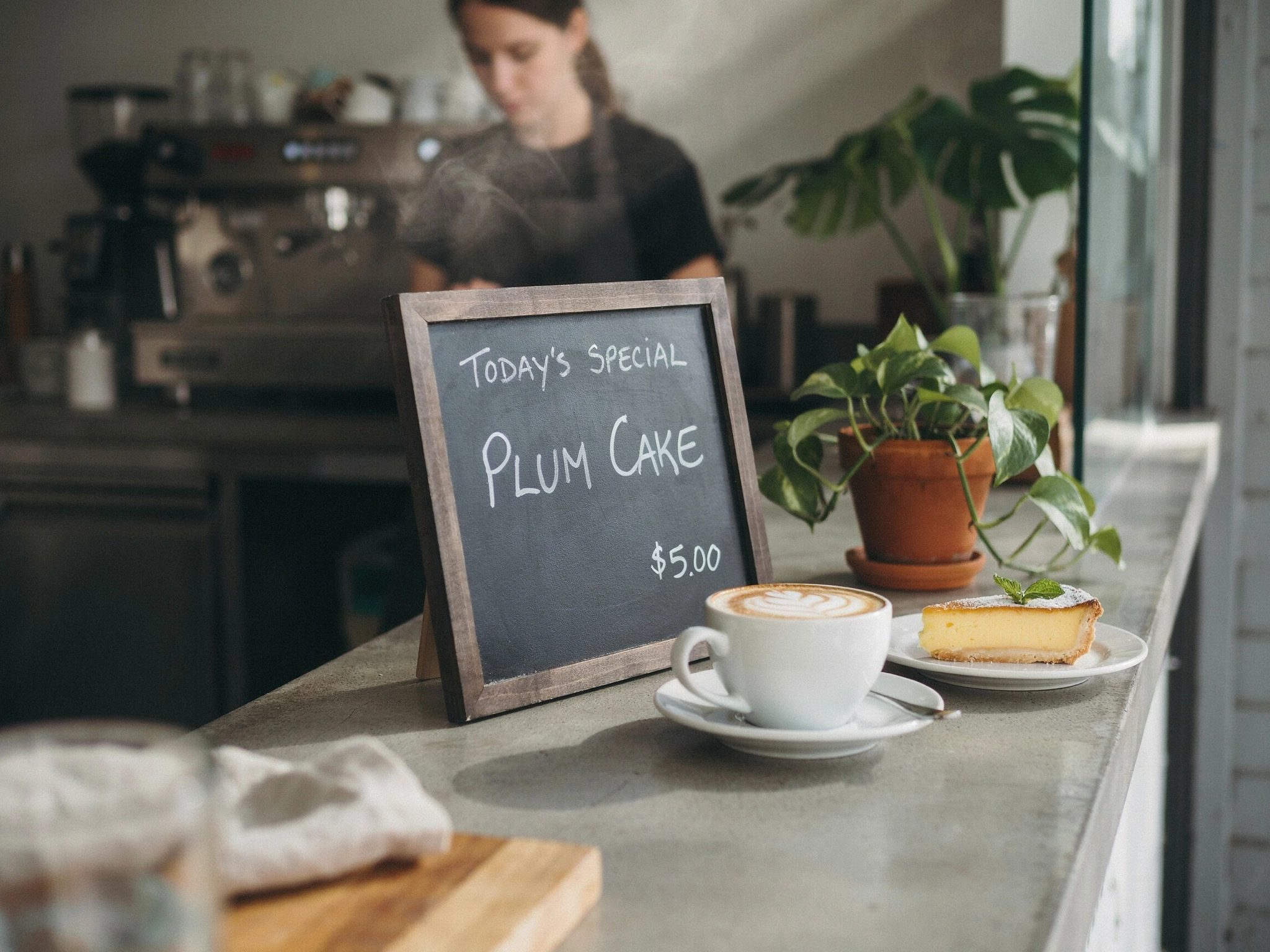
The same cafe counter with only the chalkboard changed to TODAY'S SPECIAL, PLUM CAKE, $5.00

Precise Edit

Change the chalkboard text "LEMON TART" to "PLUM CAKE" and the price to "$5.00".

Precise Edit changed only the named text. The chalk handwriting, TODAY'S SPECIAL, the cup, the tart and the morning light are unchanged.

Precise Edit on packaging

Before: WILD MINT tea tin with a cream label

Before

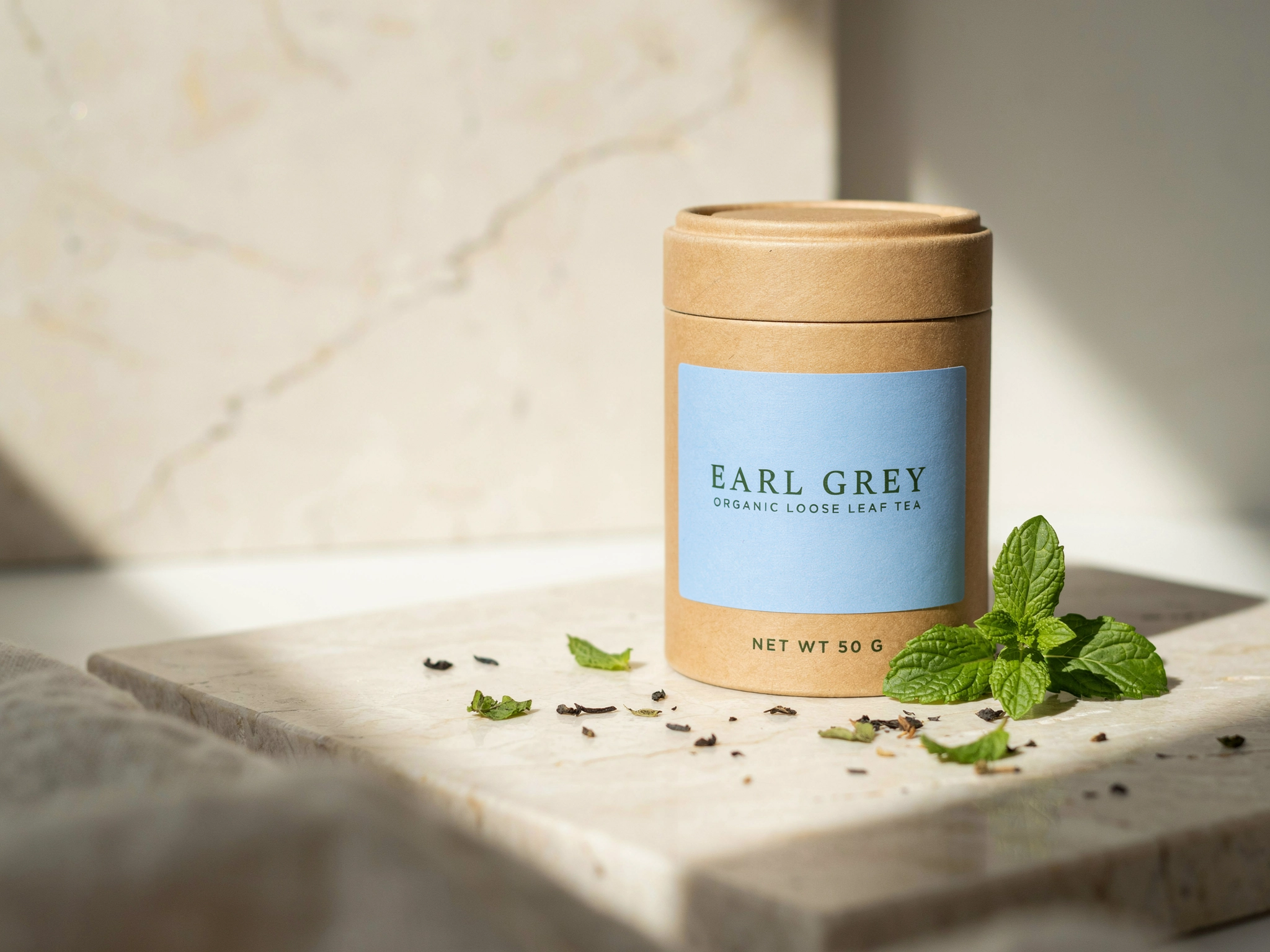
After: the same tin with a pale blue label reading EARL GREY

Precise Edit

Change the label text "WILD MINT" to "EARL GREY" in the same green serif and make the label paper pale blue.

One finished product shot becomes a second flavor. ORGANIC LOOSE LEAF TEA, NET WT 50 G, the mint, the travertine and the shadows are untouched.

Quote old and new text

For a text swap, quote both: Change "LEMON TART" to "PLUM CAKE". The model knows exactly which words to replace.

References with Precise Edit

Image 1 is the one that changes. Add up to 4 more images as references, for example a texture or a product to place.

Compose with Edit

Attach up to 5 images in Edit mode and describe how to combine them, naming each by what it shows.

Mask for exact areas

On the API, pass mask_url. Black marks the area to edit, white is preserved.

Quality Tiers

QualityCredits per imageNoteUse for
Draft0.5Edits onlyQuick edit tries before committing
Low1Text to image runs Draft as LowLayout scouting, batches of 4
Medium2DefaultEveryday work; every example here except the poster
High6Hero images and small type that must be perfect

Start on Medium. It made every example here except the poster. Explore layouts on Low with 4 images per run, then rerun the winning prompt on High when small type has to be perfect. Price does not change with size.

Pro Tips

  • Keep each quoted string short. Split long copy into a headline, a subhead and small print, each placed separately.
  • Describe lettering by look (condensed, spaced serif, chalk script, gold leaf) instead of naming a typeface.
  • Reduce clutter around important text. Simpler backgrounds behind words read more cleanly.
  • English text renders most reliably. Test other scripts on Low first.
  • Pick the exact output shape: 1792×2240 for posters, 1664×2496 for book covers, 3072×1024 for banners.
  • Finish a design, then use Precise Edit to make variants: new names, prices, dates or colorways.
  • Fix a seed when you want to compare small prompt changes side by side.

Parameters

ParameterValuesNotes
promptTextWhat to create, or the edit to make when images are attached. Put rendered text in quotes.
image_urls1 to 5 imagesOmit for text to image. With images the prompt becomes an edit or composition instruction.
precisetrue / falseEdits only. Image 1 is edited, the rest are references (up to 4). Changes only what the prompt names.
mask_urlBlack and white imageOptional. Black pixels are edited, white pixels are kept. Match the first image's size.
qualityvery_low, low, medium, high0.5 (edits only), 1, 2 or 6 credits per image.
resolutionauto, 2048x2048, 2560x1440, 1440x2560, 2304x1728, 1728x2304, 2496x1664, 1664x2496, 1792x2240, 2880x1440, 3072x1024, 1024x1024 and moreText to image. Auto lets Ideogram pick the shape from the prompt. Same price at every size.
edit_sizesource, 1024x1024, 1280x896, 896x1280, 1344x768, 768x1344, 1536x640, 640x1536Edits without a mask. source keeps the first image's proportions.
num_images1 to 4Billed per image.
seedIntegerOptional, for repeatable results.

Names match the public API. See the Ideogram 4.5 API docs for request examples.

FAQ

What is Ideogram 4.5?

Ideogram 4.5 is the newest image model from Ideogram. On PixelDojo one tool covers three jobs: text to image, editing or combining up to 5 images with a written instruction, and Precise Edit, which changes only what the prompt names.

How do I get text spelled correctly?

Put every string you want rendered in double quotes, near the start of the prompt, and say where it goes and how it looks. Keep each string short. Ideogram's own guidance notes that longer text raises the chance of spelling errors, so split long copy into separately placed lines.

When should I use Precise Edit instead of Edit?

Use Edit when you want the model to rework the scene: a new season, a new mood, several objects swapped. Use Precise Edit when the image is finished and only one thing should change, like a product name, a price or a jacket color.

How do masks work?

Pass a black and white mask the same size as the first image. Black areas are edited and white areas are preserved. This follows Ideogram's convention, which is the reverse of some other tools.

How much does Ideogram 4.5 cost?

Low is 1 credit, Medium 2 credits and High 6 credits per image. Edits can also run on Draft for 0.5 credits. Edits and Precise Edits cost the same as new images at each quality. Every PixelDojo plan includes the model, from $10/month.

Can I use Ideogram 4.5 through the API?

Yes. POST to /api/v1/models/ideogram-4-5/run with a prompt. Add image_urls to edit and precise: true for Precise Edit. Full reference on the API docs page.