Ideogram Character Prompting Guide

One reference image.
Infinite consistent variations.

Ideogram Character pins identity from a single reference photo and writes that same person into any scene, outfit, style, or genre you describe. The fastest way to build a character set without training a LoRA.

Ideogram Character — fantasy armor character variation

Overview

Ideogram Character solves the persistent-identity problem without training. Drop in one reference photo of a person and Ideogram pins facial features, hair, and proportions — then writes that same character into any new prompt you give it. New outfit, new scene, new genre, same face.

Three speed/quality tiers (Turbo / Default / Quality), three style modes (Auto / Fiction / Realistic), seven aspect ratio presets, and an optional magic-prompt rewrite. The result is a character set you can build in minutes — no LoRA training, no checkpoint juggling, no consistency drift.
1

Reference image needed

3

Style modes

7

Aspect ratio presets

Key Features

Identity Pinning
Same face, every variation

Identity Pinning

Ideogram Character keeps the reference subject's face, hair, proportions, and key features consistent across every output — even when the rest of the scene changes radically. Different style, different lighting, different era; same person.

Cross-Genre Versatility
Realistic, fiction, anime, noir

Cross-Genre Versatility

Style modes (Realistic, Fiction, Auto) let you push the same character across photoreal portraits, fantasy/sci-fi illustration, and stylized media. Anime variations, noir compositions, period photography — identity holds across the genre jump.

Speed / Quality Toggle
Turbo · Default · Quality

Speed / Quality Toggle

Turbo for rapid iteration — get 10 variations cheaply, pick the best. Default is the sweet spot for production work. Quality for hero shots and final renders where identity fidelity matters most. Same prompt language across all three.

No LoRA Training Required
Instant character set

No LoRA Training Required

Train a LoRA only when you need very specific aesthetic control or extreme fidelity. For most character-set needs — comic panels, storyboards, social campaigns, product mascots — Ideogram Character ships consistent variations in minutes instead of hours.

Example Images

Each example shows the exact prompt that produced the result. Copy any prompt with one click.

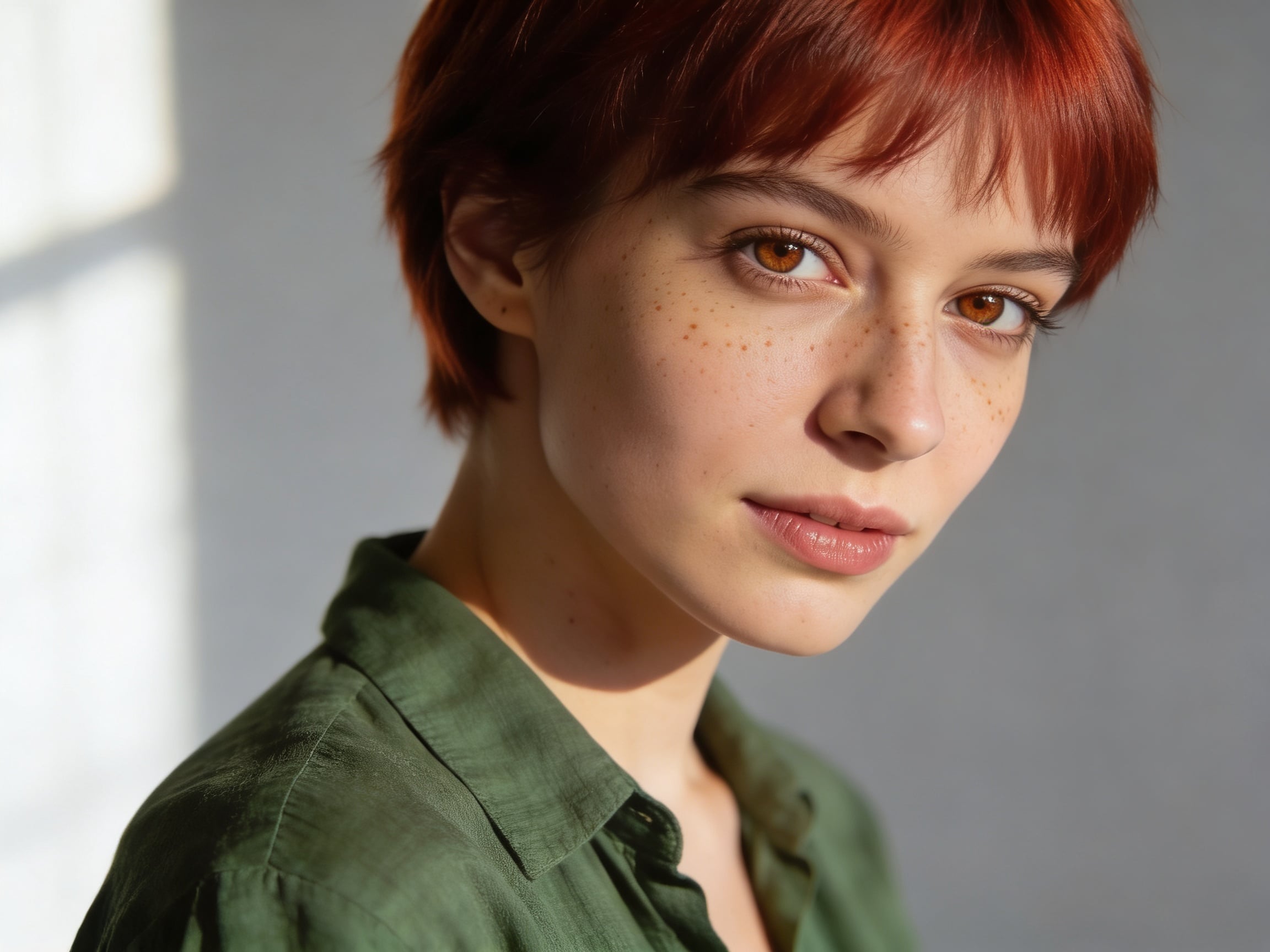
Reference Image (the input)

Reference Image (the input)

Studio portrait, neutral backdrop

Studio portrait of a 28-year-old woman with short auburn pixie cut, freckles, hazel eyes, wearing a forest-green linen shirt, soft window light, neutral light-gray backdrop, three-quarter view, 85mm lens

Reference image best practice: clean lighting, neutral backdrop, three-quarter or front view, sharp eyes, no occlusion of features. A clear reference makes downstream variations dramatically more consistent.

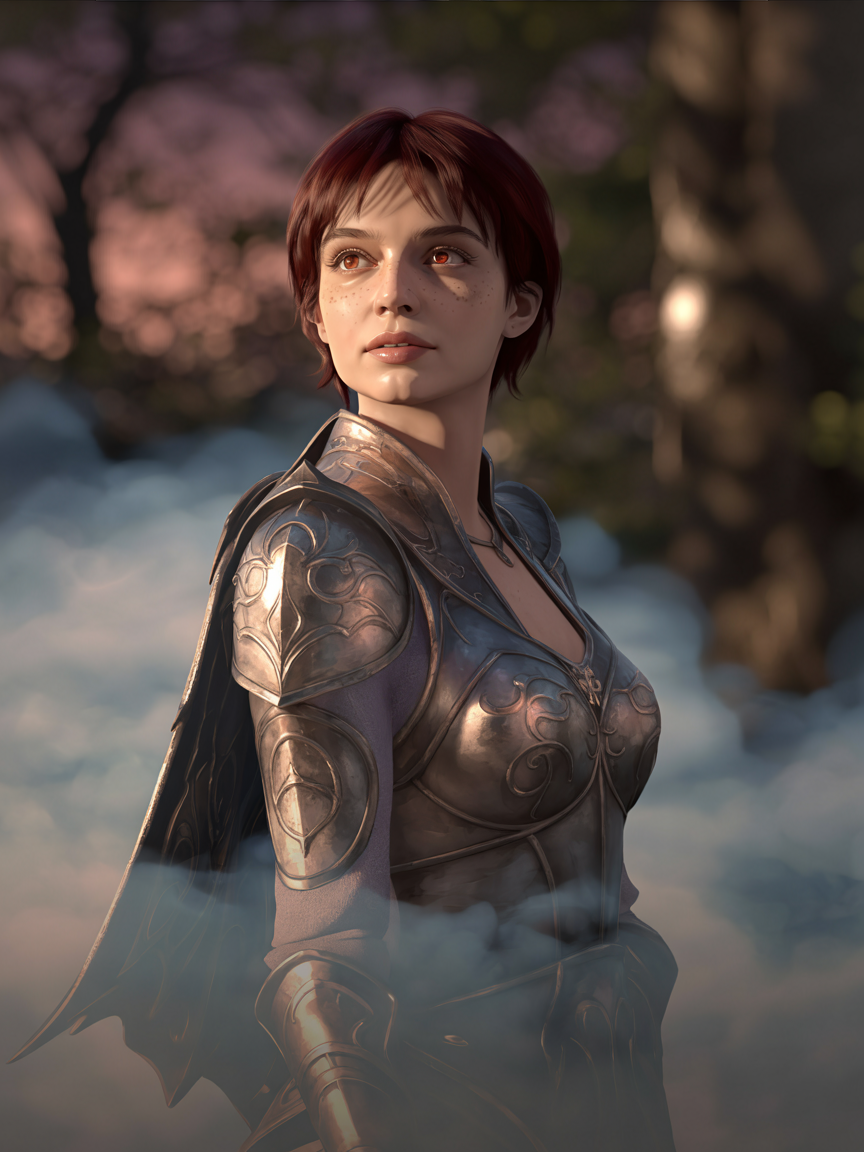
Fantasy Armor Variation

Fantasy Armor Variation

Default speed · 3:4 · Fiction style

the same woman wearing ornate fantasy elven armor with engraved silver pauldrons, standing in a misty forest at dusk, cinematic key light from the right, soft volumetric fog, detailed atmospheric lighting

Lead with "the same woman" or "the same character" — Ideogram treats this phrase as the identity anchor. Fiction style pushes the model to lean into fantasy aesthetics while preserving the reference face.

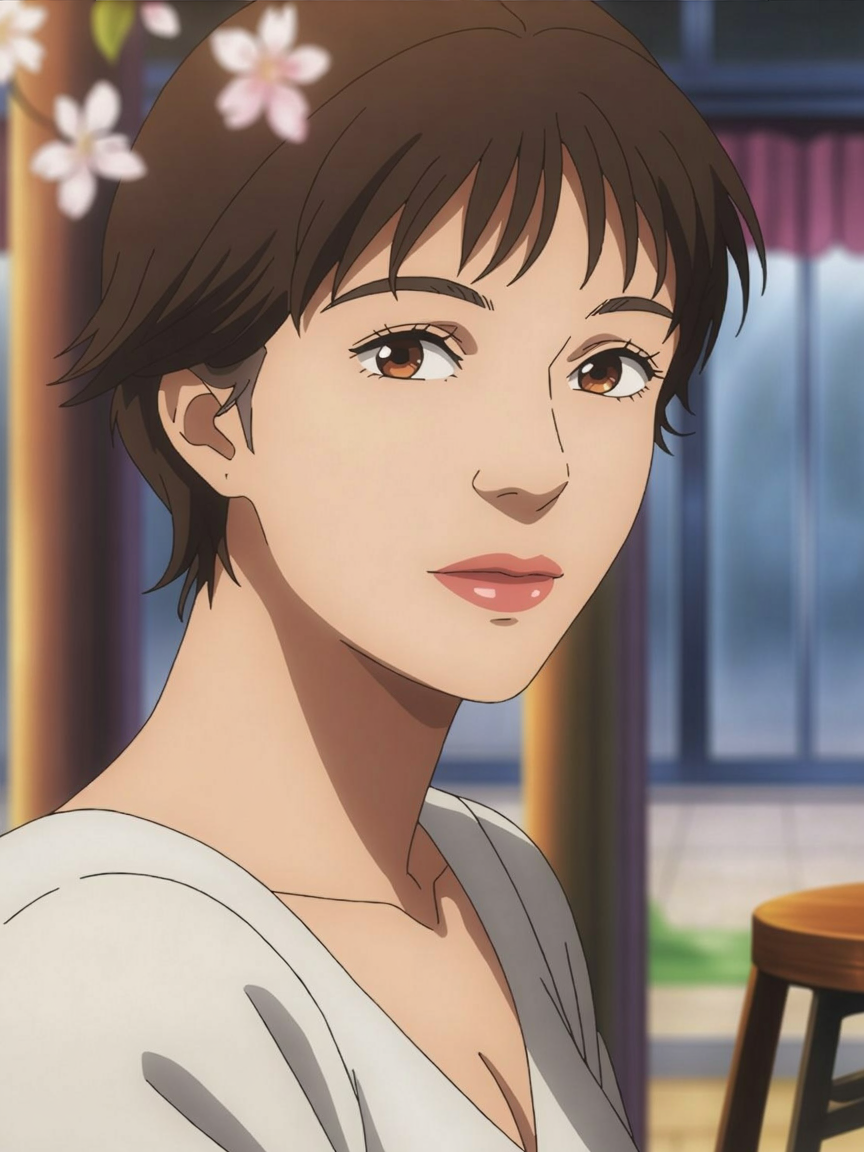
Anime Style Variation

Anime Style Variation

Default speed · 3:4 · Auto style

the same woman in anime style, expressive eyes, soft cel-shaded coloring, outdoor cafe in spring with cherry blossoms drifting past, looking off-frame with a small smile

Anime variations are one of the most impressive demonstrations of identity transfer. The reference face translates into stylized form while preserving recognizable proportions, hair, and expression. Auto style works best for cross-genre jumps.

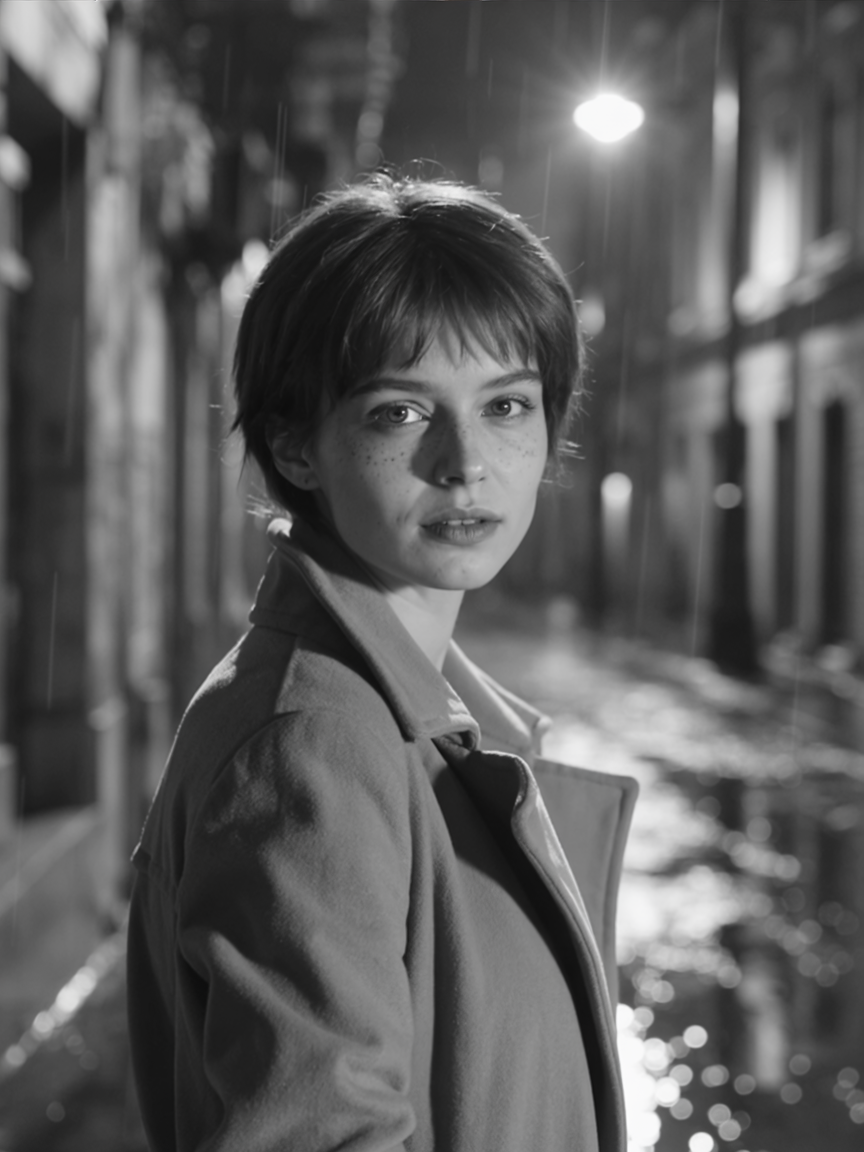
Film Noir Detective

Film Noir Detective

Default speed · 3:4 · Realistic style

the same woman as a 1940s film noir detective in a charcoal wool coat with the collar turned up, standing under a rain-soaked street lamp at night, smoky high-contrast black-and-white, harsh shadows across her face

Period and genre transformations work well — name the era, the mood, and the lighting. Realistic mode keeps photographic texture even when pushing into stylized noir compositions.

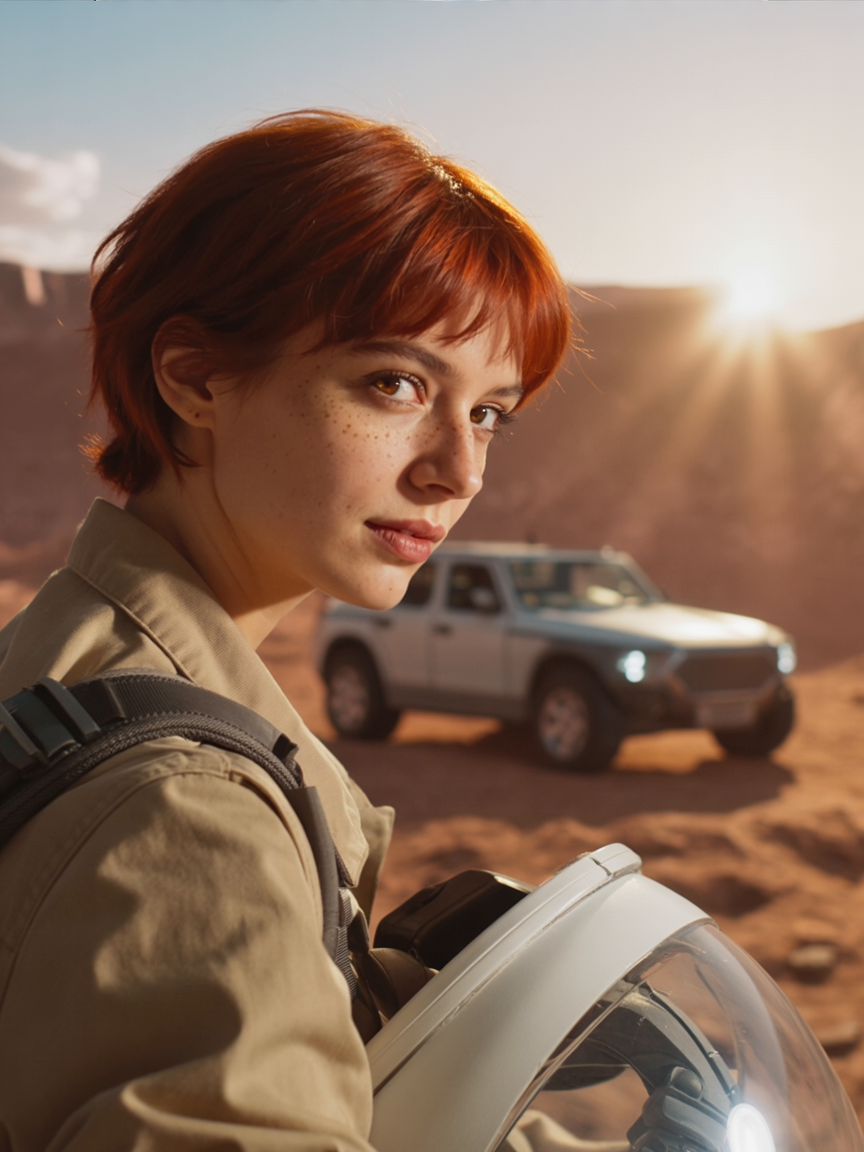
Photoreal Sci-Fi

Photoreal Sci-Fi

Default speed · 3:4 · Realistic style

the same woman in a tan utility spacesuit (helmet off, tucked under her arm), short auburn hair tousled, standing on a Martian ridge at golden hour with a small rover behind her, lens flare, photoreal sci-fi editorial

Sci-fi and concept-art variations land cleanly when you describe environment + costume + lighting separately. The character's signature features (hair color, freckles) survive even when wardrobe and scale change radically.

Prompting Tips

Reference image quality matters most

Spend the time getting one great reference: clean lighting, neutral backdrop, front or three-quarter view, sharp eyes, hair clearly visible, no occlusion. A clean reference dramatically improves consistency across every downstream variation.

Use "the same character" as the identity anchor

Phrases like "the same woman", "the same man", "this character" signal to Ideogram that identity must be preserved. Start every variation prompt with that phrase, then describe the new scene/wardrobe/style.

Pick the style mode for the genre jump

Realistic for photoreal output (period photo, sci-fi editorial, fashion). Fiction for stylized/fantasy work (armor, magic, illustrative). Auto when you're not sure — it picks based on the prompt. Mismatched style modes produce hybrid outputs.

Default speed is the sweet spot

Turbo for rapid iteration (5+ variations to pick from), Default for production work (best identity-vs-quality tradeoff), Quality for hero shots and final renders. Most character-set work is Default-tier territory.

Describe wardrobe separately

List the outfit explicitly ("wearing a charcoal wool coat with the collar turned up") rather than implying it. Ideogram preserves identity but happily restyles wardrobe — explicit wardrobe direction prevents random default outfits.

Magic Prompt is optional

Magic Prompt expands your wording into richer descriptive prose before generation. Useful when prompts are sparse; turn it off when you have precise wording you don't want rewritten.

Settings Reference

SettingValuesNotes
Reference imageRequired (one image)Cleaner reference = more consistent variations. Front or three-quarter view, sharp eyes.
Rendering speedTurbo · Default · QualityTrades speed for identity fidelity. Default is the production sweet spot.
Style typeAuto · Fiction · RealisticRealistic for photoreal, Fiction for stylized/fantasy, Auto picks based on prompt.
Aspect ratio1:1 · 16:9 · 9:16 · 4:3 · 3:4 · 3:2 · 2:3Seven presets covering square through portrait/landscape extremes.
ResolutionAuto via aspect ratio · or fixed presets"None" defers to aspect_ratio. Fixed pixel presets available for precise output sizing.
Magic promptAuto · On · OffOptional prompt rewriting for richer detail. Off when your prompt is already precise.
Outputs1–4 per callEach output counts as its own credit charge.

FAQ

LoRA training requires a dataset of 10-30 images, takes 20-60 minutes to train, and produces a model file you reuse forever. Ideogram Character needs one reference image and writes consistent variations on demand — no training, no model file. LoRAs win on extreme fidelity and aesthetic control; Ideogram wins on speed-to-character-set.