Sensei · AI influencer post
Post your AI creator anywhere, with the same face every time
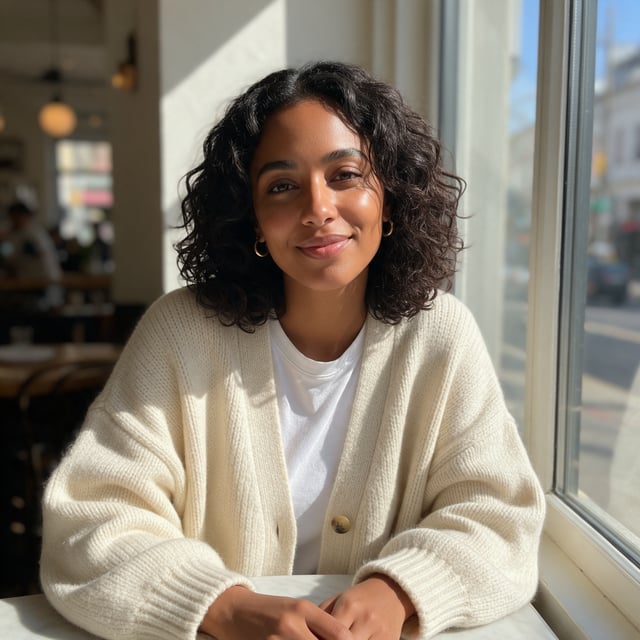
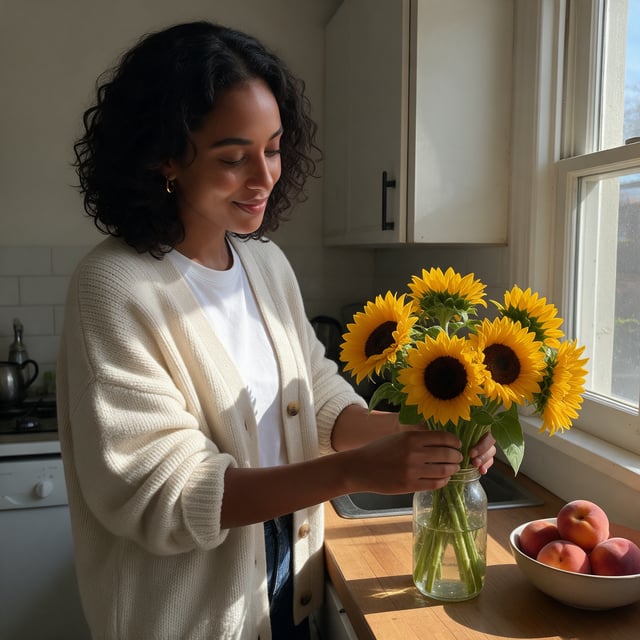
Sensei's AI influencer recipe makes one portrait of your creator (or uses one you saved), then shoots every slide of the carousel with that portrait as the reference. To test the idea I ran those steps myself on Seedream 5, the model Sensei uses for stills, for Noor, a lifestyle creator who does not exist.
Opens Sensei with the AI influencer post recipe ready to fill in: who the creator is and what the post is about. Sensei shows the plan and price before it spends anything.


Three steps, start to finish
- 1
Describe your creator or pick one from Character Studio.
- 2
Say what the post is about. Sensei plans every slide.
- 3
Sensei shoots the carousel with one face and writes the caption.
What I asked for
Your creator: Noor, late twenties, warm brown skin, dark curly shoulder-length hair, small gold hoops, oversized cream cardigan over a white tee What the post is about: a slow Sunday. Farmers market, flowers at home, journaling on the sofa
- Slides
- 4 (portrait + 3)
- Director
- Sensei
- Model training
- None
The usual advice: train a model first
Most guides to AI influencers start with a LoRA: collect 20 to 30 images of your character, train for half an hour, then prompt the trained model. That was the right call a year ago, when a reference photo alone gave you a cousin of your character, not your character.
What I saw with one portrait
I made Noor's portrait first, then three more photos with only that portrait as the reference and a different place in each prompt. Her curls, hoops and cardigan are in every slide. Her face reads as the same person at a glance and on a second look, across a café, a crowded market, a kitchen and a sofa. No training, no dataset.
- Three-quarter angles (market, kitchen) match the straight-on portrait exactly.
- The market slide has a believable crowd behind her, and every stranger keeps their own face.
- Pro tip: name the whole outfit, head to toe, to lock the look in every slide.
Ready to scale? Train a LoRA
If you post the same creator every day for months, train one. PixelDojo has LoRA trainers for that, and a LoRA keeps small details (a scar, a tattoo, the exact jawline) steadier across hundreds of posts than any single reference does. It also lets you post without keeping the portrait around.
For a launch, a new account or a brand mascot, one portrait and a carousel recipe gets you posting today. Save the creator in Character Studio and Sensei will find them by name next time.
Made on Pixel Dojo by Brian Lovett, founder.
Questions people ask
Do I need to train a LoRA to keep my AI influencer consistent?
Not to start. One good portrait as the reference held Noor's face, hair and accessories across all three new slides. Train a LoRA when you post the same creator daily and need small details to stay exact.
Can I use a character I already made?
Yes. Name a saved Character Studio character in the recipe (or write @Name) and Sensei uses their photos as the reference for every slide.
What does a carousel cost?
Sensei is included in every plan, from $10/mo, and credits roll over every month. Sensei shows the plan and the price before it makes anything, and you approve it.
Does Sensei write the caption too?
Yes. The recipe ends with a short caption in the creator's voice and three hashtags, which you can edit before posting.
Can I make video posts of the same creator?
Yes. Ask Sensei to animate any slide, or make a talking clip with your creator as the presenter in Marketing Studio.
More to make
Pick a different job
Start with one portrait you love. Everything after it is a reference away.
Make my first post