One still, one line
Talking Photo AI: give any portrait a voice
Upload one still, add a line of speech, and Pixel Dojo makes the face say it with matching lips, blinks and small head moves. Paintings, drawings, statues and ordinary photos all work.
We wanted to know how far a talking photo can go, so we made portraits in four very different styles, from an old master painting to a marble bust, and gave each of them a line. Press play on any of them.
Already a member? Sign in
By Brian Lovett · Updated
How to make a photo talk
- 1
Pick one clear portrait
Face toward the camera, eyes visible, mouth closed. A painting, a scan of a family photo or a drawing all work.
- 2
Add the words
Type the line and pick a voice, or upload a recording. You can make the recording on our text to speech tool in a few seconds.
- 3
Say how it should feel
A short direction like "dry and patient" or "proud, with a warm grin" changes the face as much as the voice does.
- 4
Generate and share
You get an MP4 with the voice built in, ready for a post, a slide or a museum screen.
The stills we started from
Every talking clip on this page began as one of these pictures, made on Nano Banana 2.1. Any photo you have the right to use works the same way.
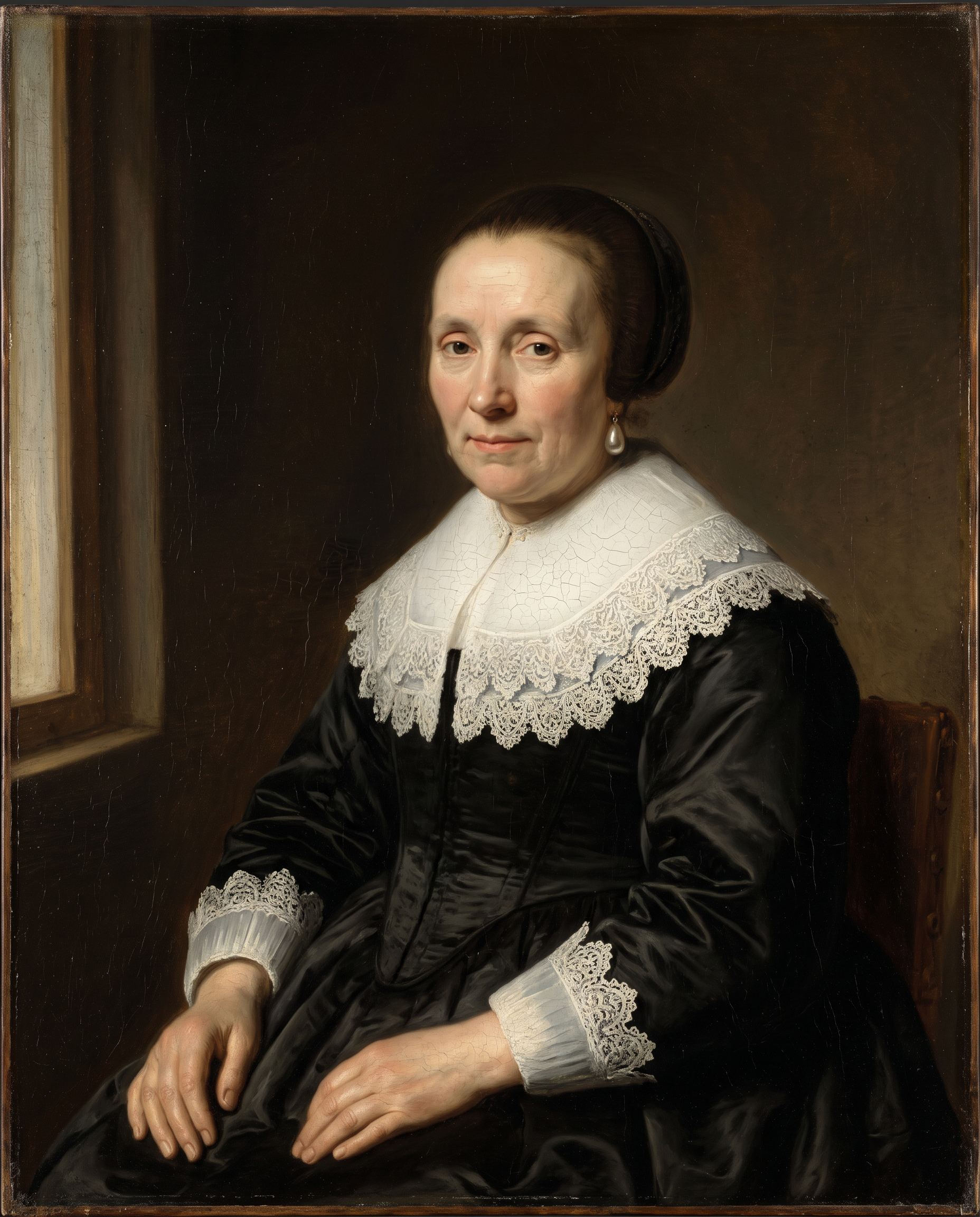
A 17th century style oil portrait, cracks in the varnish included.
Oil painting portrait in the manner of a 17th century Dutch master: a merchant woman in her fifties with a wide white lace collar and a black silk dress, a pearl earring and a calm, knowing look straight at the viewer, mouth closed. Deep brown background, single window light from the left, visible brushwork and fine craquelure, museum photograph of the canvas.
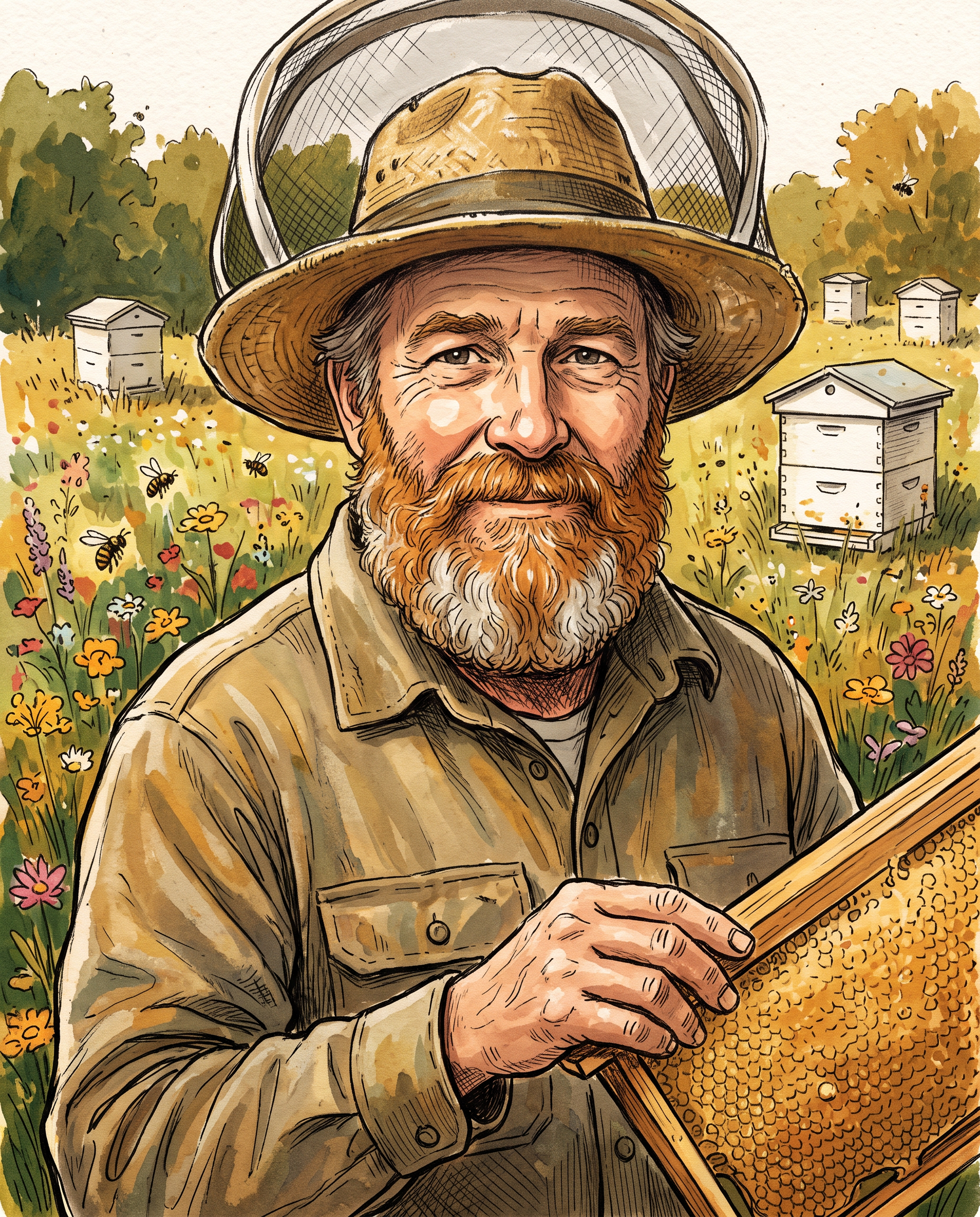
A storybook ink and gouache illustration.
Hand drawn ink and gouache illustration portrait of a beekeeper in his fifties with a ginger beard, a rolled up mesh veil on his straw hat and a honey frame in one hand, facing the viewer, mouth closed, wildflower meadow and white hives behind him, warm storybook palette, visible paper texture.
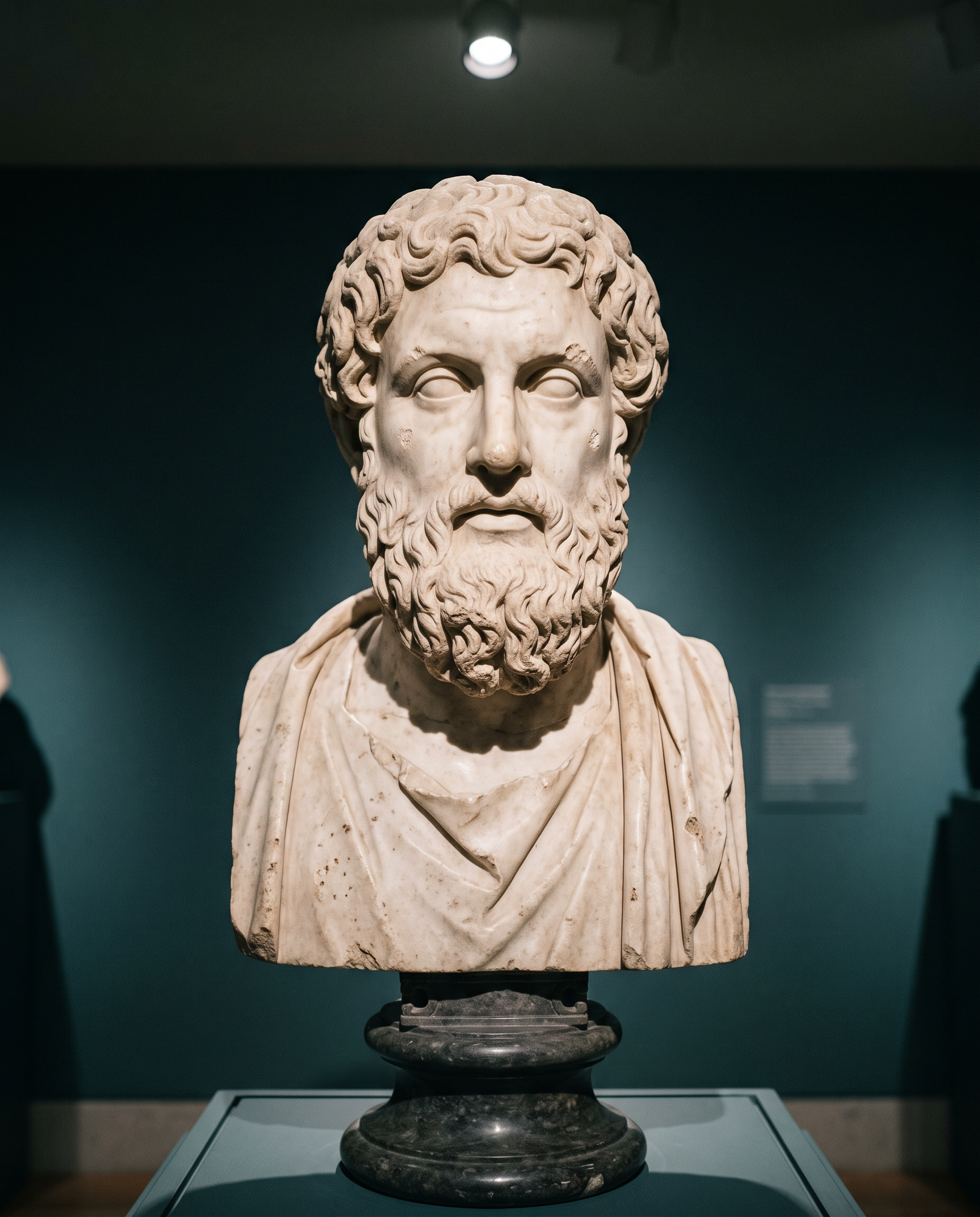
A classical marble bust under a museum spotlight.
Museum photograph of a classical white marble bust of a bearded philosopher with curled hair, carved eyes looking forward, lips closed, on a dark plinth against a deep teal gallery wall, a single spotlight from above, fine stone texture and small chips.
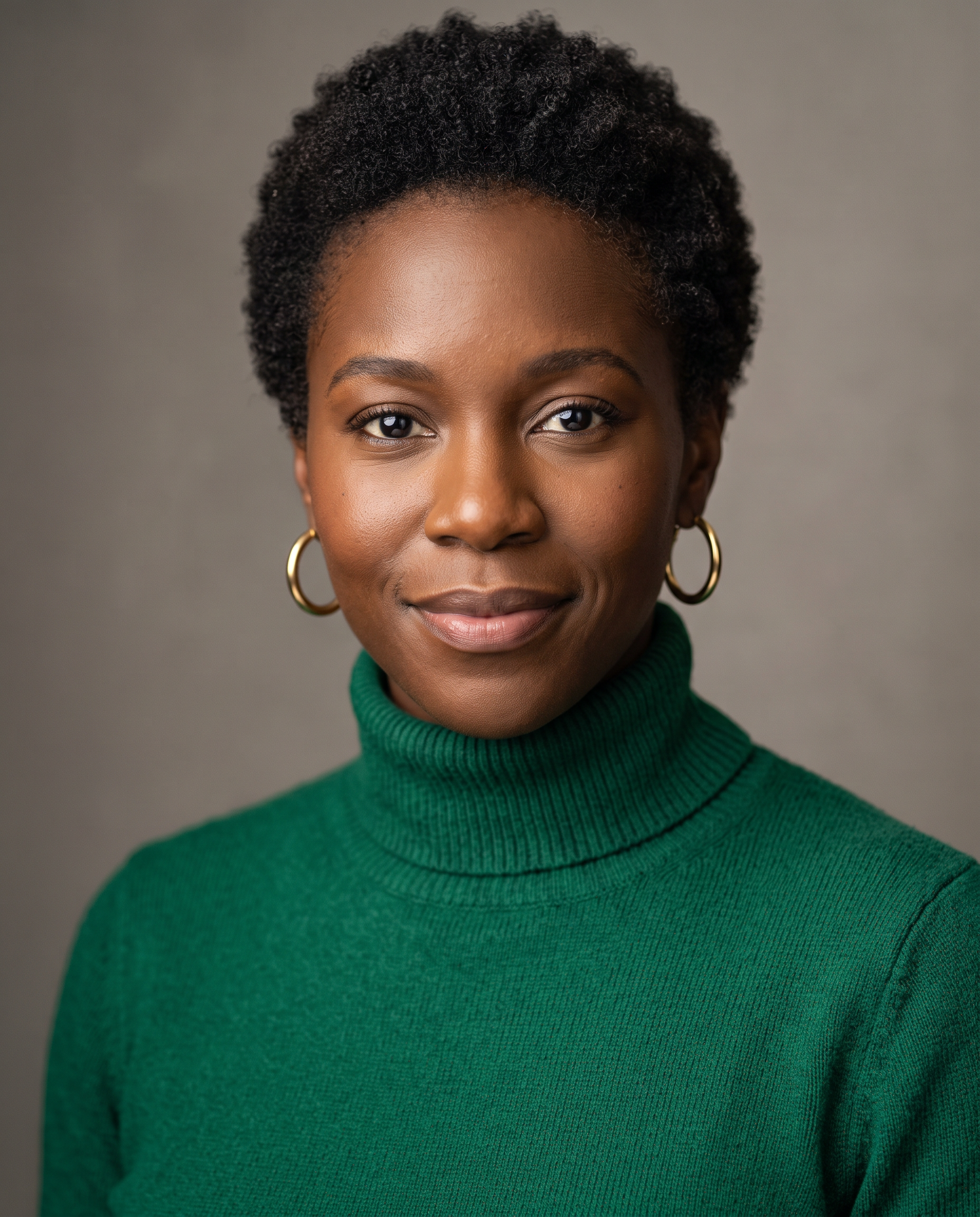
A plain studio headshot, the kind most people start with.
Studio headshot of a woman in her thirties with deep brown skin and close cropped natural hair, gold hoop earrings and an emerald turtleneck, facing the camera with a relaxed half smile, mouth closed, seamless warm grey backdrop, large softbox key light, 85mm lens, crisp detail.
Three portraits, three art forms
We wrote a line for each portrait, voiced it on our text to speech tool and gave the still and the voice to Kling Avatar. Then we watched for one thing: does it still look like the original picture once it moves?
Oil painting on Kling Avatar Pro.
The woman in the painting speaks with dry, patient authority, a slight lift of one eyebrow. The painted texture and lighting stay exactly as they are.
Ink and gouache on Kling Avatar standard.
The illustrated beekeeper speaks proudly with a warm grin, bees drifting past. Keep the ink and gouache illustration style.
Marble bust on Kling Avatar standard.
The marble bust comes to life and speaks with weary dignity, the stone texture unchanged, the gallery spotlight steady.
- The oil painting kept its brushwork, lace collar and fine cracks while the merchant spoke and raised an eyebrow.
- The gouache beekeeper grinned and gestured with his free hand, still in the same hand drawn style.
- Even marble talks: the bust moved its jaw and brow while the stone texture and gallery light held steady.
No recording at all: type the line
If you do not want to record or generate audio, P-Video Avatar reads a typed script in a voice you pick. We gave it the studio headshot above and one sentence.
P-Video Avatar, typed script, voice Kore.
- P-Video Avatar read our typed sentence in the voice we picked, with clear mouth shapes on every word.
- She tilts her head and ends on a warm smile, with no audio file uploaded.
Talking photo or lip sync?
Both make a face speak. The difference is what you start from.
| Compare | Talking photo | Video lip sync |
|---|---|---|
| You start from | One still picture | A video of a person already on camera |
| What moves | The model creates the whole performance: lips, blinks, head and hands | Only the mouth changes to match new audio |
| Best for | Bringing art, old photos and characters to life, presenters without a shoot | Dubbing an existing clip into a new language or a new line |
| Read more | This page | Our AI video lip sync guide |
What else you get on Pixel Dojo
Unlimited on every plan
On every paid plan, Relax runs Qwen Image 2.1, FLUX 3 Image Klein and MiniMax H3 Turbo, plus every video and photo effect, unlimited with no credits spent.
Sensei, the AI director
Describe a project and Sensei plans it, prices it, waits for your approval and reviews every take.
Marketing Studio
Paste a product link and get a video ad with a voiceover, in UGC, unboxing, try on or commercial styles, with every take priced first.
One click video effects
300+ one-click video effects turn a photo into a trend clip, from AI Hug to AI Inflate, with no prompt to write, and 3 are free every day.
Character Studio
Save a face once and call it by @name in any prompt, so the same person shows up in every image and clip.
Start from a genre
Pick a format such as a UGC ad, a micro drama, a movie trailer or an explainer, and the matching studio opens with the settings and a sample idea filled in.
Star in any video
Upload a short clip, pick a saved character or a photo, and Character Swap puts your star in the lead while the scene, camera moves and sound stay the same.
Credits that roll over
Your credits roll over while you stay subscribed, so nothing you pay for disappears at the end of the month.
Every top model, plus an API
More than 80 image and 60 video models in one account, with a public API and a hosted MCP server for your own apps and AI assistants.
What a talking photo costs
Talking photos are priced by the length of the line. The painted merchant on Kling Avatar Pro was 28 credits, the beekeeper on standard mode 14 credits and the typed headshot on P-Video Avatar 7 credits.
Plans are Lite $10 a month for 160 credits, Pro $25 for 500 credits, Pro Max $50 for 1,100 credits. Every model page shows the price before you generate. Credits roll over while you stay subscribed.
Under our refund policy, a first purchase can be refunded within 7 days, in full if under 20% of the credits are used and pro-rated after that. Commercial use is included on every plan.
Talking Photo AI questions
What is talking photo AI?
AI that turns a single still picture of a face into a video of that face speaking, with lips matched to a voice track or a typed script.
Can I make an old family photo talk?
Yes. Scan or photograph the print, crop it to one face looking at the camera, and add a line. Use photos you have the right to use, and be kind with the words you put in someone's mouth.
Do paintings and drawings work?
Yes. On this page an oil painting, an ink and gouache illustration and a marble bust all speak. Kling Avatar handles stylized faces especially well.
Do I need to record my own voice?
No. Type your line into P-Video Avatar and pick a voice, or make a voice file on our text to speech tool and use it with Kling Avatar or OmniHuman.
How is this different from AI lip sync?
Lip sync changes the mouth in a video you already have. A talking photo starts from one still and creates the whole performance. For video, see our AI video lip sync page.
Video Effects New
Your first video is free. One photo, one click.
310 ready-made effects, from AI Hug and Earth Zoom In to product spins and listing walkthroughs. Upload a photo and press Generate. No prompt to write, and a free account gets 3 a day.
Make your first Kling Avatar clip
Write a prompt above or start from any example on this page. One plan covers every top model, six studios and Sensei, and your credits roll over.
Start with Kling Avatar