PopVid AI alternative
PopVid AI alternative: design a character, then hear it speak
Pixel Dojo turns a character portrait into a talking clip on Seedance 2.5, Veo 3.1 or Kling 3.0, shows the credit price before each take, and lets you save the character in Character Studio to call by name in any prompt.
PopVid AI is built around live roleplay calls with AI characters. We make finished clips instead, so we cast one character, a night train conductor, and gave her the same line on three video engines. The Seedance 2.5 take is above.
30 credits ($1.88) per 5 s clip at 720p with audio. Included in every plan, from $10/month.
Already a member? Sign in
By Brian Lovett · Updated
Characters and worlds we built on Pixel Dojo
Every clip and image below was made on Pixel Dojo with the prompt shown.
Sci-fi comedy on Kling 3.0, with his line and the galley hum in the audio.
Medium shot in a cramped starship galley with round portholes full of stars: a cheerful cook in his fifties with a gray beard and a stained apron flips a pancake, it floats up in zero gravity and spins, he catches it on the plate, grins at the camera and says, "Breakfast is served. Hold on to your syrup." Sound: his voice, a sizzle, a low engine hum.
Hand drawn anime on WAN 3.0 for 10 credits, with sound.
Hand drawn anime style, warm painterly backgrounds: an innkeeper in her thirties with a long dark braid kneels at a low table in a lantern lit mountain inn, pours green tea into a cup and slides it toward the camera, then looks up and says softly, "You walked a long way tonight. Sit, the fire is warm." Snow falls past the paper screen behind her. Sound: her voice, pouring tea, a crackling hearth.

A painterly character portrait on Seedream 5, ready to use as a start frame.
Character portrait of a steampunk airship navigator, a man in his sixties with a white handlebar mustache, round brass goggles pushed up on his forehead and a weathered leather flight coat, unrolling a hand drawn sky chart on a wooden map table in a cabin of riveted brass. Golden sunset through a round window, painterly cinematic lighting, rich texture.
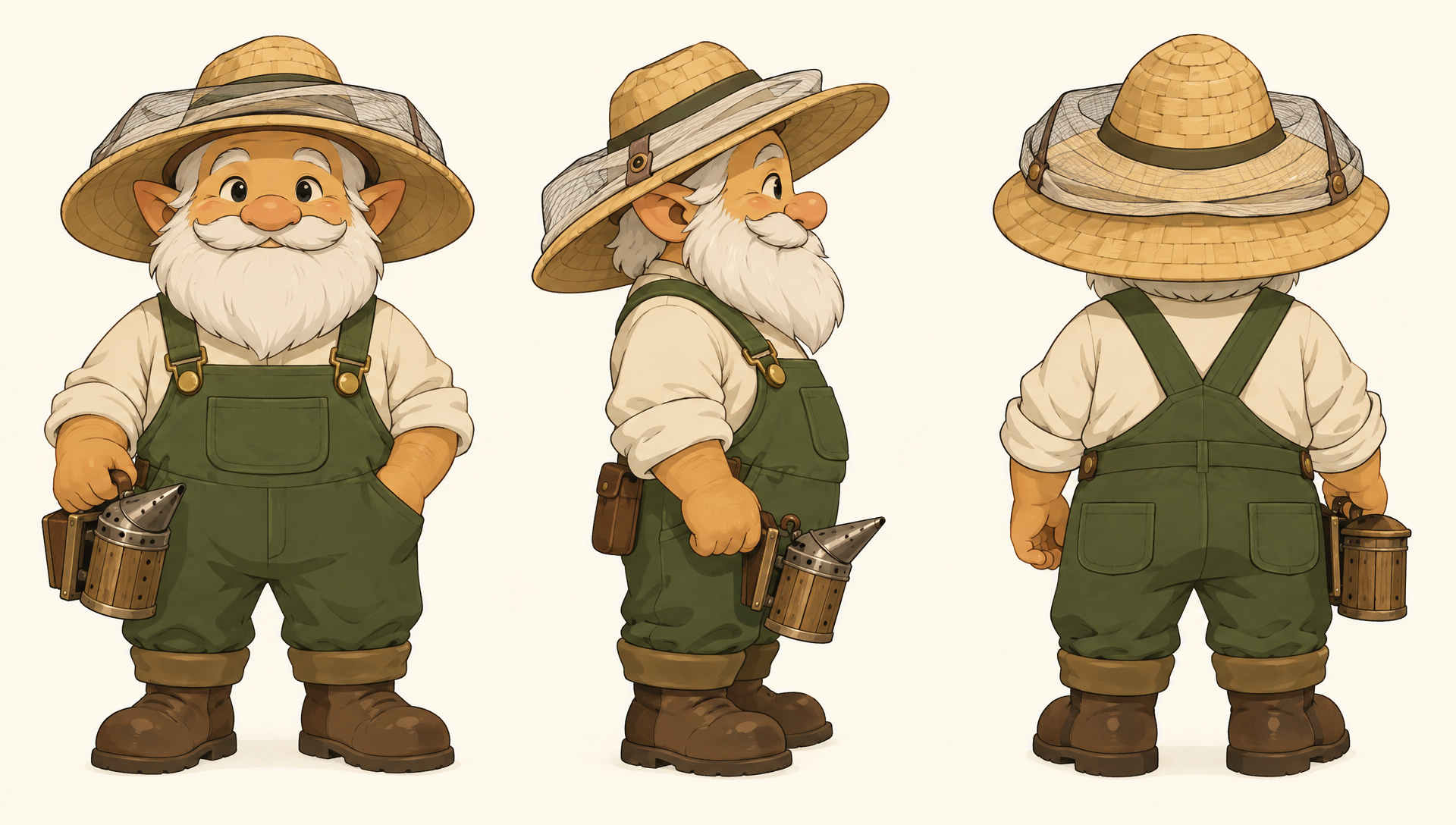
A three view character sheet on GPT Image 2.5. Save it in Character Studio and every scene starts from the same design.
Character design sheet for an animated fantasy story: a stout gnome beekeeper with a round honey colored face, a wide straw hat with a mesh veil folded up, green overalls and a tiny wooden smoker. Show the same character three times on a plain cream background: front view, side view and back view, consistent proportions and colors, clean cel shaded illustration. No text, no labels.
PopVid AI vs Pixel Dojo at a glance
Everything in the PopVid AI column comes from PopVid's home, about, support and community guidelines pages, read on October 15, 2026.
| At a glance | PopVid AI | Pixel Dojo |
|---|---|---|
| Core experience | Live roleplay video calls with AI characters; talk or type | Finished talking clips you can download, edit and post |
| Creation tools | Images from prompts, image to short video, Twist remixes, roleplay stories | Seedance 2.5, Veo 3.1, Kling 3.0 and WAN 3.0 for video; GPT Image 2.5, Nano Banana 2.1 and Seedream 5 for stills |
| Keeping a character | Character Mode keeps identity, expressions and gestures | Character Studio saves a character to call by @name in any prompt |
| Credits | Pro Pass gives 50 credits a day; monthly credits refresh on the billing date; extra top ups never expire | Every model page shows its credit price before you generate |
| Prices | Not listed on its home, about or support pages | Lite $10 a month for 160 credits, Pro $25 for 500 credits, Pro Max $50 for 1,100 credits |
| Cancelling | The plan stays active to the end of the billing cycle | A first purchase can be refunded within 7 days, in full if under 20% of the credits are used and pro-rated after that |
One conductor, one line, three video engines
We made a portrait on Nano Banana 2.1, then used it as the start frame for the same spoken line on Seedance 2.5, Veo 3.1 Fast and Kling 3.0. Each tile shows the settings and credits it used.
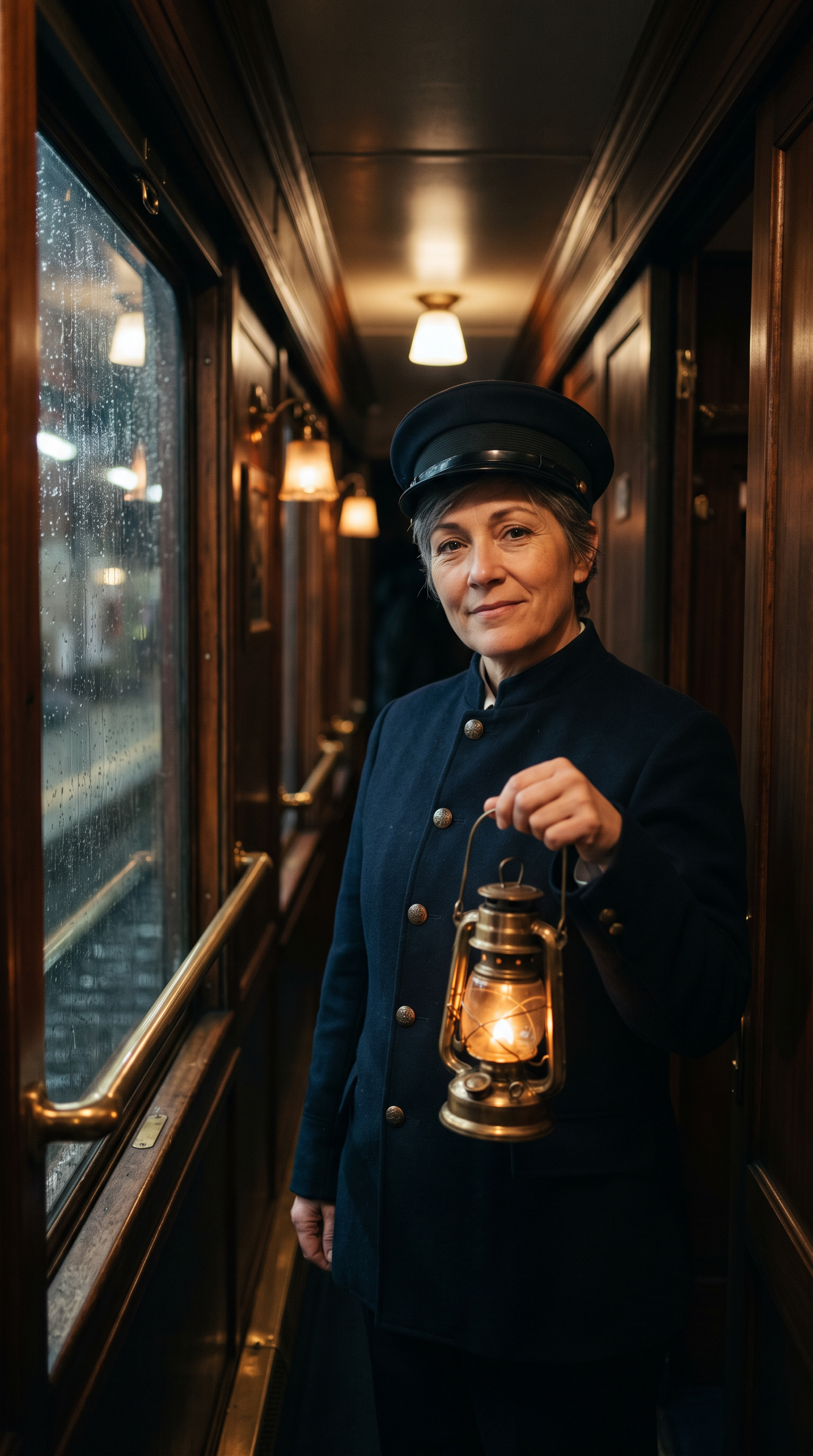
Vertical cinematic portrait of a night train conductor, a woman in her forties with short silver streaked hair and a navy wool uniform with brass buttons, holding a small brass lantern in a narrow wood paneled sleeper car corridor. Rain streaks the window beside her, warm lamp light on her face, a knowing half smile, looking straight into the lens. Shot on 35mm, shallow depth of field.
The conductor lifts the brass lantern a little, looks into the camera and says, "Next stop is the one you will not forget. Keep your ticket close and tell me who you are traveling with." Rain runs down the window beside her and the carriage sways gently. Sound: her voice, rain on glass, the steady clack of the rails.
The conductor lifts the brass lantern a little, looks into the camera and says, "Next stop is the one you will not forget. Keep your ticket close and tell me who you are traveling with." Rain runs down the window beside her and the carriage sways gently. Sound: her voice, rain on glass, the steady clack of the rails.
The conductor lifts the brass lantern a little, looks into the camera and says, "Next stop is the one you will not forget. Keep your ticket close and tell me who you are traveling with." Rain runs down the window beside her and the carriage sways gently. Sound: her voice, rain on glass, the steady clack of the rails.
- All three engines kept her face, cap, brass buttons and lit lantern from the portrait, with rain running down the window.
- Seedance 2.5 moved the most: she lifts the lantern toward the lens in the middle of her line.
- Veo 3.1 Fast ran 6 seconds, the longest take, and closes on a warm smile.
- Kling 3.0 held the steadiest frame and cost 20 credits, the lowest of the three.
Why Pixel Dojo suits finished clips
Pixel Dojo is the better tool when you want a character you can reuse, clips you can post and a price you see before every take.
How we would build a character series here
Design the character once
Make a portrait or a three view sheet, then save it in Character Studio.
Call it by name
Type @ and the character's name in any prompt, on any model, and the saved photos ride along as references.
Give it a voice
Write the line in quotes and Seedance 2.5, Veo 3.1 or Kling 3.0 speak it with sound in the same clip.
Go longer with Film Studio
Script, cast, storyboard and clips in one place, with an editor pass over the whole film.
Why PopVid AI users switch to Pixel Dojo
Unlimited on every plan
On every paid plan, Relax runs Qwen Image 2.1, FLUX 3 Image Klein and MiniMax H3 Turbo, plus every video and photo effect, unlimited with no credits spent.
Sensei, the AI director
Describe a project and Sensei plans it, prices it, waits for your approval and reviews every take.
Character Studio
Save a face once and call it by @name in any prompt, so the same person shows up in every image and clip.
Film Studio
An idea becomes a finished film: script, cast, storyboard, clips and an editor pass that trims every shot, with each step priced before it runs.
One click video effects
300+ one-click video effects turn a photo into a trend clip, from AI Hug to AI Inflate, with no prompt to write, and 3 are free every day.
Star in any video
Upload a short clip, pick a saved character or a photo, and Character Swap puts your star in the lead while the scene, camera moves and sound stay the same.
Credits that roll over
Your credits roll over while you stay subscribed, so nothing you pay for disappears at the end of the month.
Every top model, plus an API
More than 80 image and 60 video models in one account, with a public API and a hosted MCP server for your own apps and AI assistants.
What a talking character costs on Pixel Dojo
Plans are Lite $10 a month for 160 credits, Pro $25 for 500 credits, Pro Max $50 for 1,100 credits. Every plan includes every model and commercial use. Credits roll over while you stay subscribed.
In our test the portrait cost 1.5 credits. The talking takes cost 30 credits on Seedance 2.5, 27 on Veo 3.1 Fast and 20 on Kling 3.0.
Under our refund policy, a first purchase can be refunded within 7 days, in full if under 20% of the credits are used and pro-rated after that.
PopVid AI questions
What is a good alternative to PopVid AI?
For finished character clips, Pixel Dojo turns a portrait into a talking video on Seedance 2.5, Veo 3.1 or Kling 3.0, with the credit price shown first and Character Studio to keep the character consistent.
How do PopVid AI credits work?
PopVid AI's support page says Pro Pass users get 50 credits that refresh every day, monthly credits refresh on the billing date, and extra credits bought as top ups never expire.
Who can use PopVid AI?
PopVid AI's community guidelines say you must be at least 18 years old to use it.
Can I make an AI character talk with my own line?
Yes. Put the line in quotes in the prompt with a portrait as the start frame. All three takes in our test spoke from a single portrait.
Can I keep the same character across many clips?
Yes. Save the character in Character Studio and call it by @name in any prompt, or use a three view sheet like our gnome beekeeper as the reference.
Video Effects New
Your first video is free. One photo, one click.
310 ready-made effects, from AI Hug and Earth Zoom In to product spins and listing walkthroughs. Upload a photo and press Generate. No prompt to write, and a free account gets 3 a day.






Switch from PopVid AI to Pixel Dojo today
Write a prompt above or start from any example on this page. One plan covers every top model, six studios and Sensei, and your credits roll over.
Start with Seedance 2.5Sources
Facts about PopVid AI come from these public pages, checked on Oct 15, 2026. Prices and plans change; check the source before you buy.