GPT Image 2.5 提示詞指南

提示詞 GPT Image 2.5

這份 GPT Image 2.5 提示詞指南,帶你掌握 OpenAI 最新影像模型的兩個版本。Sunburst 忠實保留參考主體,只改你指定的部分。Flare 以約一半的時間,交付相同品質等級的成果。以下所有範例,皆在 PixelDojo 使用所列提示詞生成。

總覽

GPT Image 2.5 延續了 GPT Image 2 接續前作,解決了大家最常抱怨的兩個問題:編輯結果偏離參考圖片,以及光線看起來像後製合成。它能保留參考主體的身分特徵與材質,只修改指定區域、不動其餘畫面,呈現自然光線與紋理,並讓多格版面維持一致的視覺風格。生成與編輯都在同一頁完成:加入參考圖片,同一個提示詞輸入框就能直接下編輯指令。

Sunburst 與 Flare 比較

Sunburst

頂級模型。參考圖片保留度最強、局部編輯最精準,也最擅長處理密集版面。使用 High 設定時,等待時間約為 Flare 的兩倍。適合定稿、客戶專案,以及任何使用參考圖片的創作。

Flare

主打速度的模型。畫質優於 GPT Image 2,延遲約只有一半,點數價格則與 Sunburst 相同。先用它反覆調整構圖與文案,再切換 Sunburst 產出定稿。

兩個版本價格相同。 唯一的取捨就是速度與還原度,所以草稿不必用 Sunburst。用 Flare 反覆調整,再用 Sunburst 定稿。

提示詞實戰攻略

指定文字加引號

所有必須原字呈現的文字,都加上雙引號,並註明用途:主標、副標、重點標語、標籤、頁尾。

先光線,再材質

說清楚光從哪裡來、照在什麼上面,例如:「北向窗光斜掠過濕潤陶土」。2.5 會根據光線推理表面質感。

先說要做什麼

海報、資訊圖表、分鏡、產品照、編輯攝影。作品類型不同,版面規則也不同。

固定特徵,一次鎖定

需要重複出現的角色或產品,先在提示詞開頭寫明識別特徵,各分鏡只描述變動的部分。

需要多少留白,直接說

「右側留出乾淨空間放文案」確實有效。在提示詞裡先規劃後續版面,就不用事後擴圖。

編輯時,說清楚哪些不變

每次編輯都在提示詞最後列出要保留的內容:「桌子、光線與拍攝視角完全不變」。

生成範例

以下每張圖片,都是在 PixelDojo 使用 GPT Image 2.5,搭配所列提示詞與設定生成。直接複製提示詞,每次只調整一個變因。

精準呈現指定文字

精準呈現指定文字

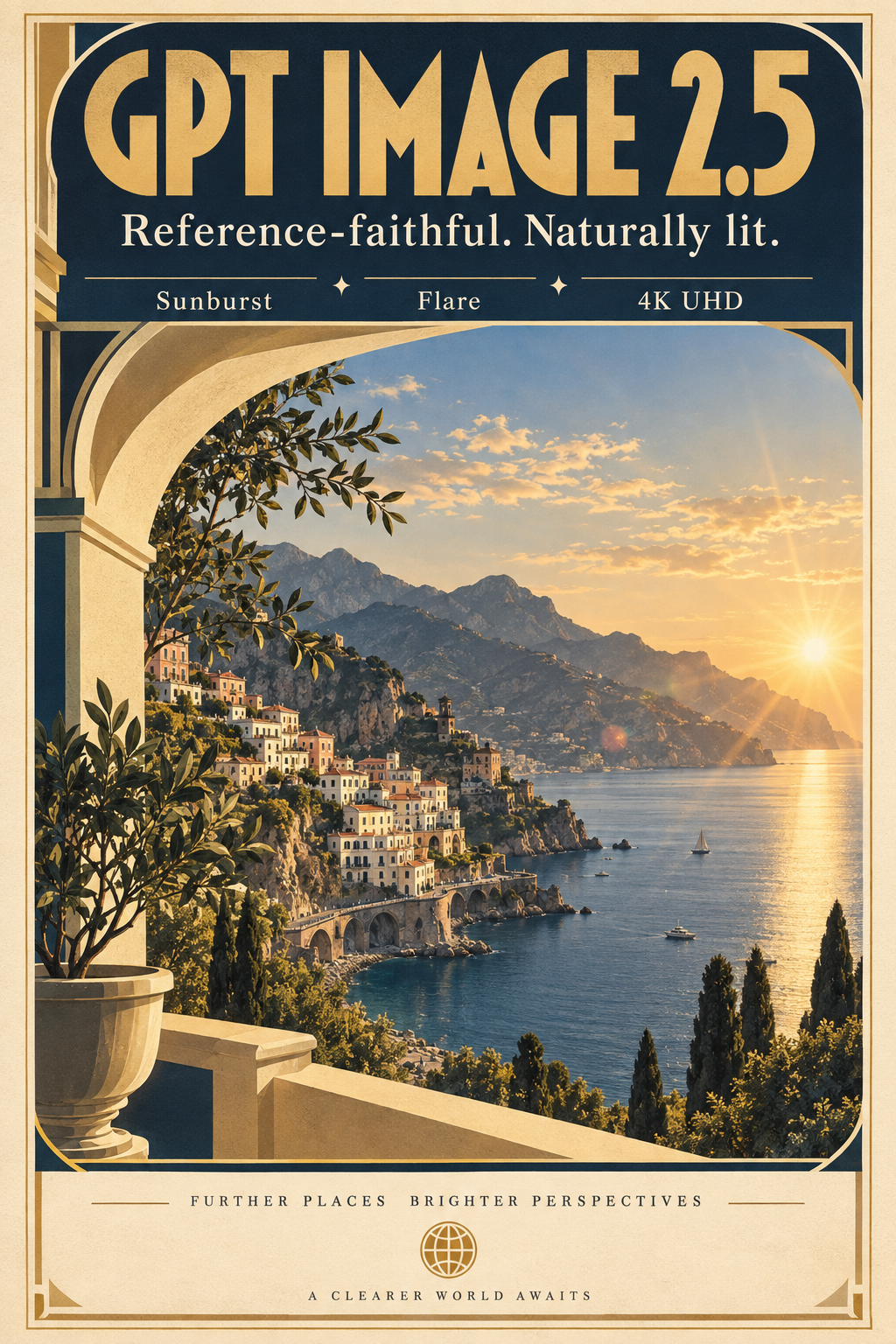
海報級大標、副標與重點標註

Sunburst · High · 1024×1536

A premium art-deco travel poster on thick matte paper. Large headline in bold geometric type: "GPT IMAGE 2.5". Subhead in clean serif: "Reference-faithful. Naturally lit." Three small callouts in perfect alignment: "Sunburst", "Flare", "4K UHD". Cream, navy, and warm gold palette, subtle paper grain, museum-grade typography.

必須原樣呈現的文字都加上引號,並標明用途,如大標、副標、重點標註。這三個層級的文案,拼字與間距都正確呈現。
自然光與濕潤材質

自然光與濕潤材質

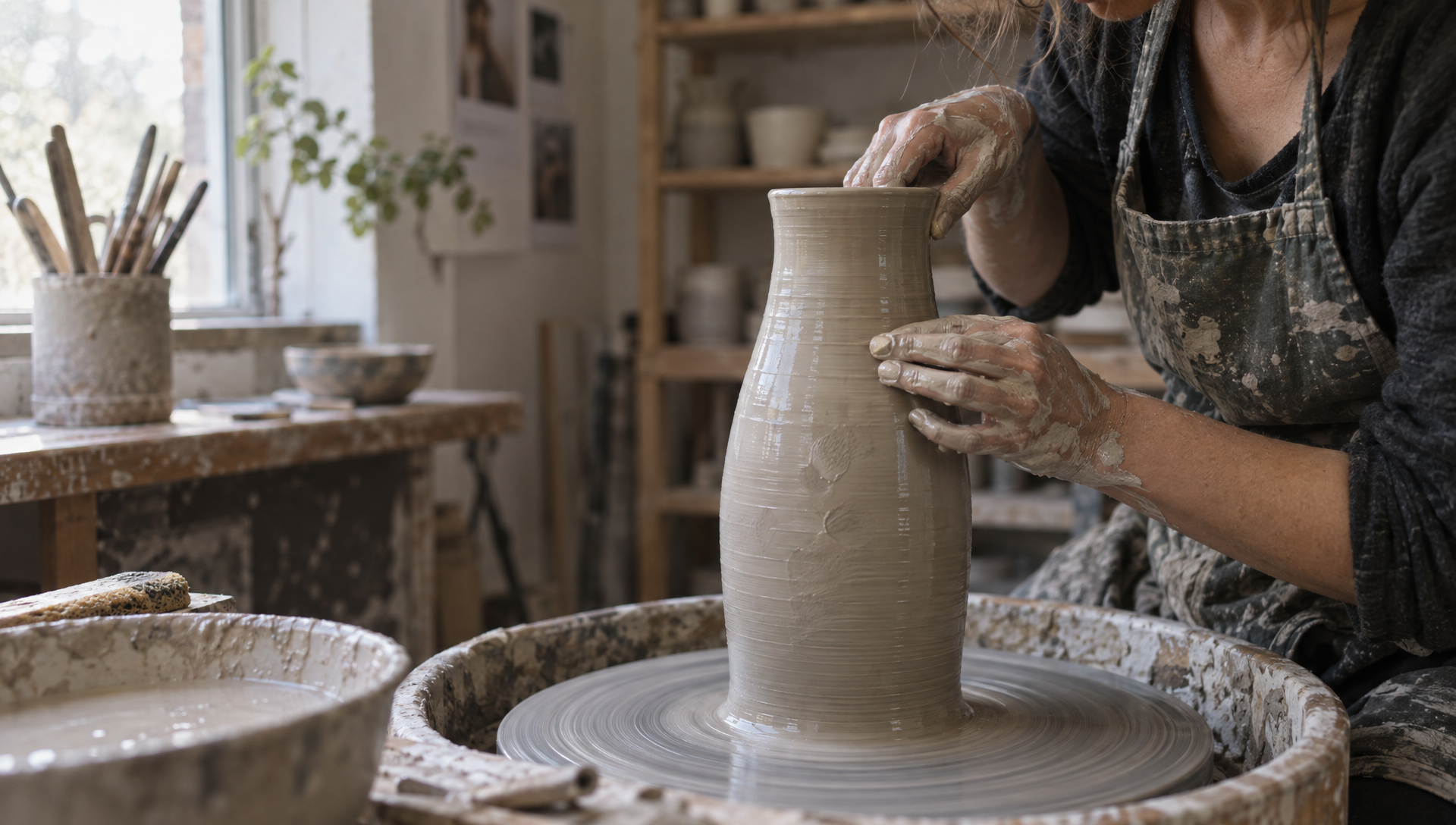
斜掠泥漿表面的窗光

Sunburst · High · 1920×1088

Editorial photograph of a ceramicist's hands shaping a tall stoneware vase on a wheel, clay slip glistening, north-facing window light raking across wet clay, visible fingerprints in the surface, Kodak Portra palette, shallow depth of field, 50mm.

先寫光源與照射方向,再描述受光的材質。2.5 能呈現濕潤表面的鏡面反光與肌膚質感,不會出現舊模型常見的蠟感。

文案留白產品照

文案留白產品照

單一硬光主燈、柔光補光、精心安排的留白

Sunburst · High · 1920×1088

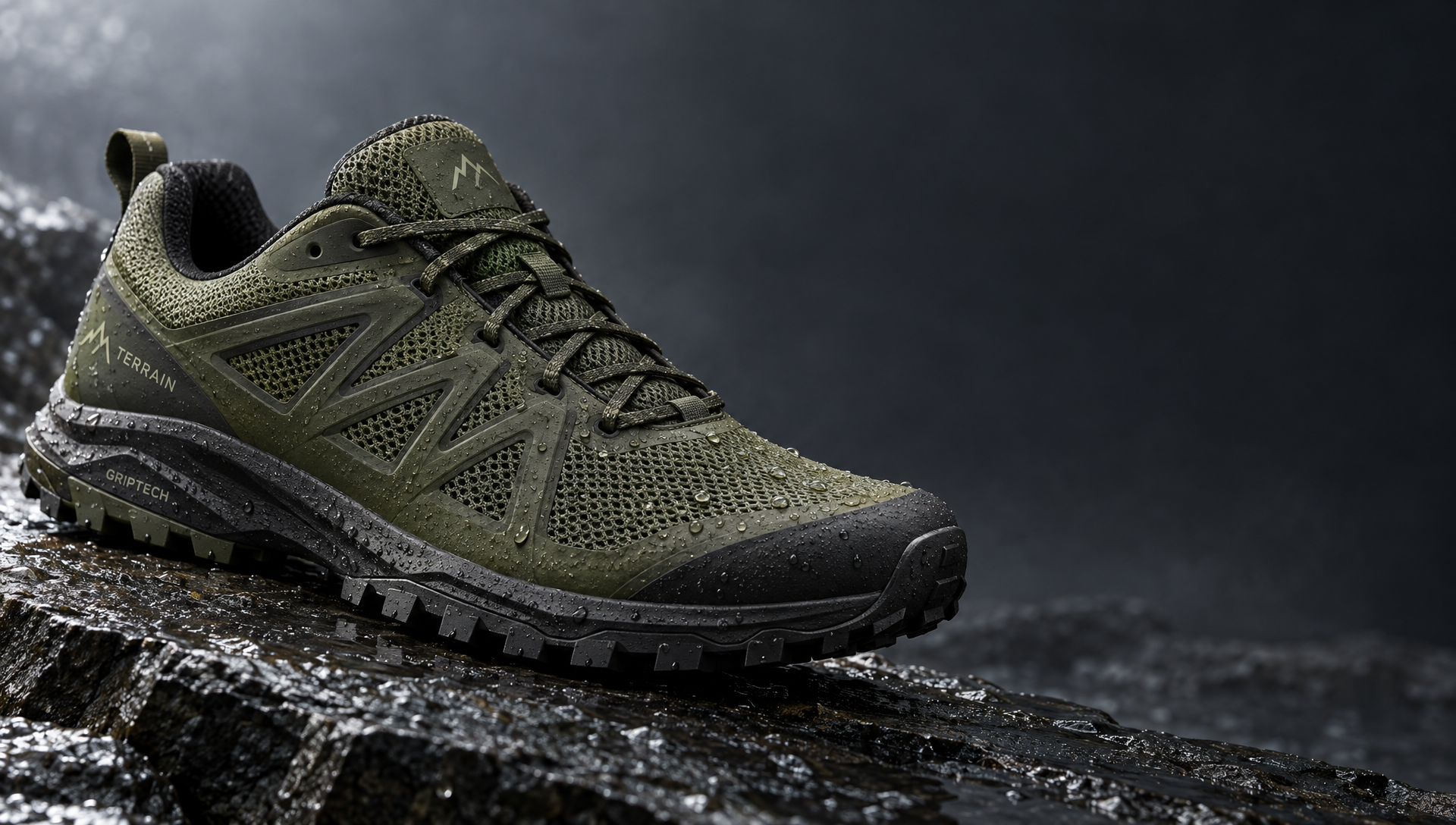
Studio product photograph of a matte olive-green trail running shoe on wet slate, water droplets beading on the mesh, single hard key light from upper left with soft fill, crisp stitching detail, clean negative space to the right for copy.

直接說明後續需要的版面。「右側留白放文案」確實有效,省去之後再擴圖的步驟。

高密度資訊圖表版面

高密度資訊圖表版面

五個附標籤的階段、說明文字與頁尾

Sunburst · High · 1024×1024

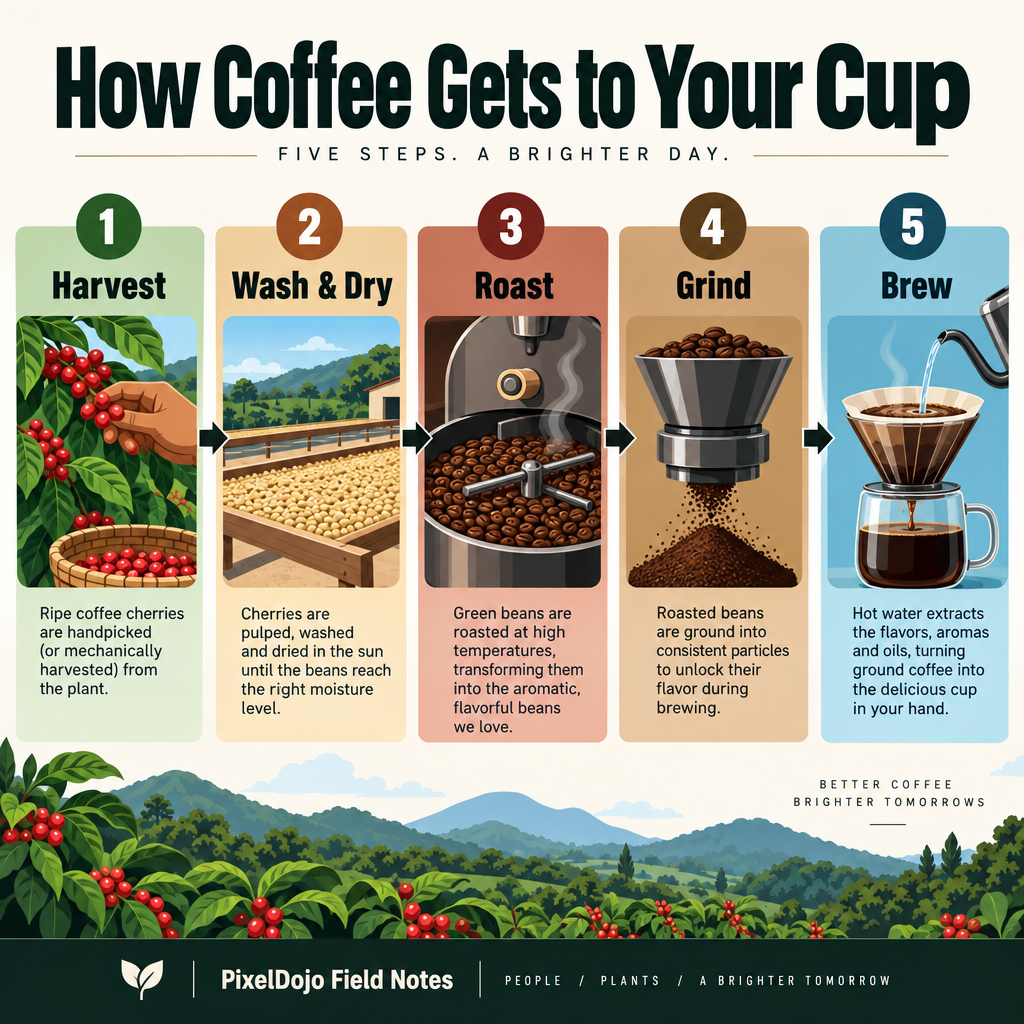
A dense editorial infographic titled "How Coffee Gets to Your Cup" in bold sans-serif at the top. Five clearly labeled stages left to right with arrows: "1. Harvest", "2. Wash & Dry", "3. Roast", "4. Grind", "5. Brew". Each stage has a small icon and one-sentence caption. Footer: "PixelDojo Field Notes". Clean vector style, strong hierarchy, legible at thumbnail size.

一開始就交代結構:有幾個階段、排列順序,以及各階段包含什麼。每段說明文字都清楚可讀,編號順序也準確保留。

統一視覺方向

統一視覺方向

2×2 分鏡,角色始終一致

Sunburst · High · 1024×1024

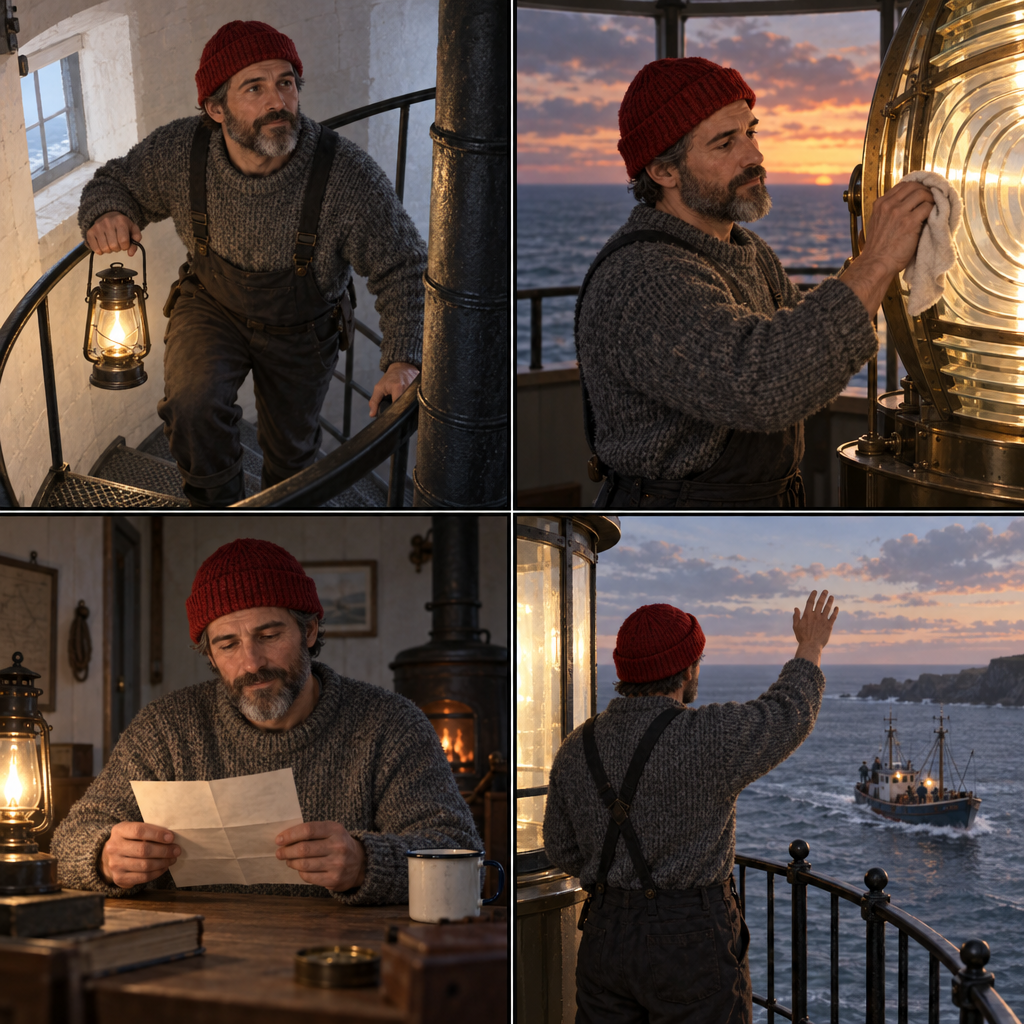
A 2x2 storyboard of the same young lighthouse keeper in each panel: grey wool sweater, red knit cap, salt-and-pepper beard, always the same face and proportions. Panel 1: climbing the spiral stair with a lantern. Panel 2: polishing the great lens at dusk. Panel 3: reading a letter at a small table. Panel 4: waving to a fishing boat from the gallery. Thin black panel borders, semi-realistic illustration, consistent visual direction.

固定特徵只需交代一次,例如毛衣、帽子、鬍子,接著每格只描述變動的部分。四格都能維持同一角色。

Flare 中品質

Flare 中品質

用快速版模型拍出滿滿質感的美食照

Flare · 中 · 1024×1024 · 1 點數

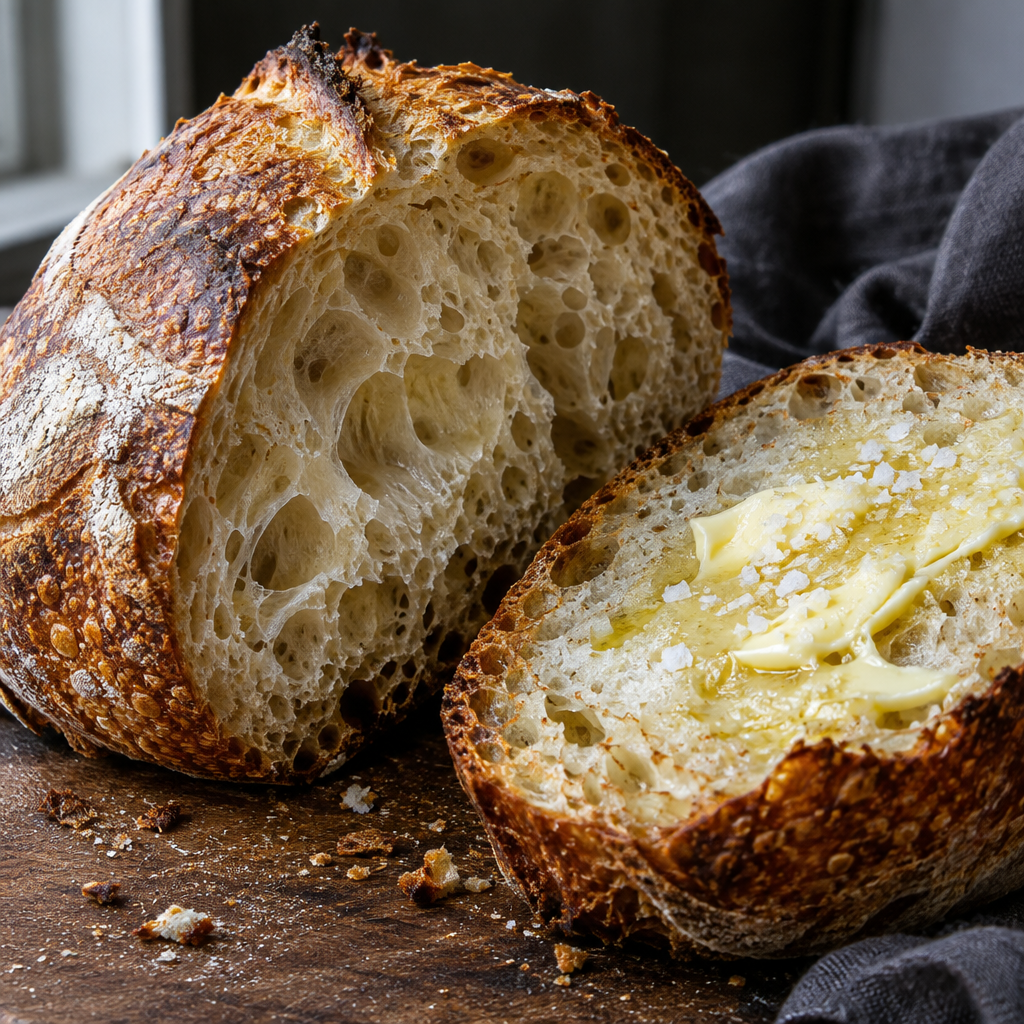
Close-up food photograph of a sourdough loaf split open, open crumb with translucent walls, blistered caramelized crust, a smear of salted butter melting on one half, dark linen, side window light, crumbs on the board, macro texture.

Flare 的中品質最適合反覆調整:這張圖約 14 秒就完成,只花 1 點數,麵包內部的孔洞結構與奶油光澤都呈現得很完整。

參考圖編輯

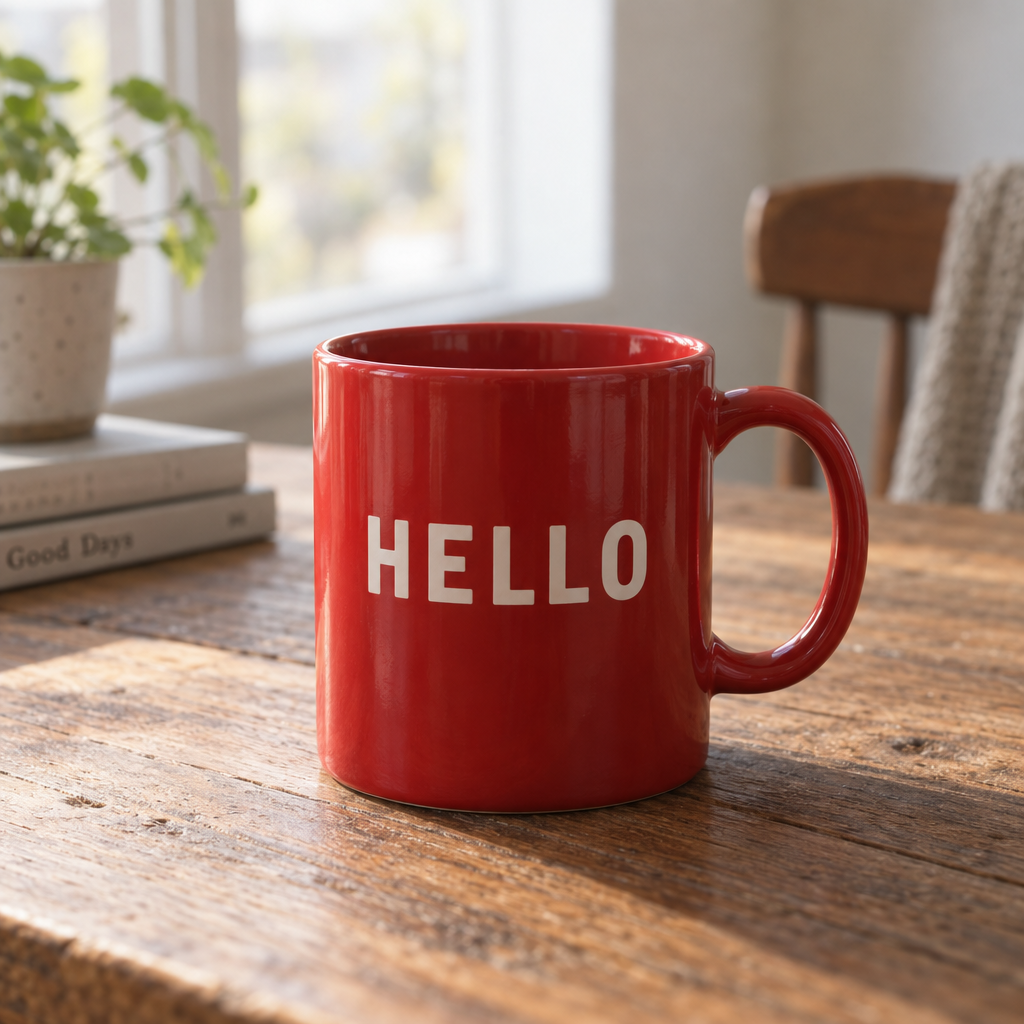
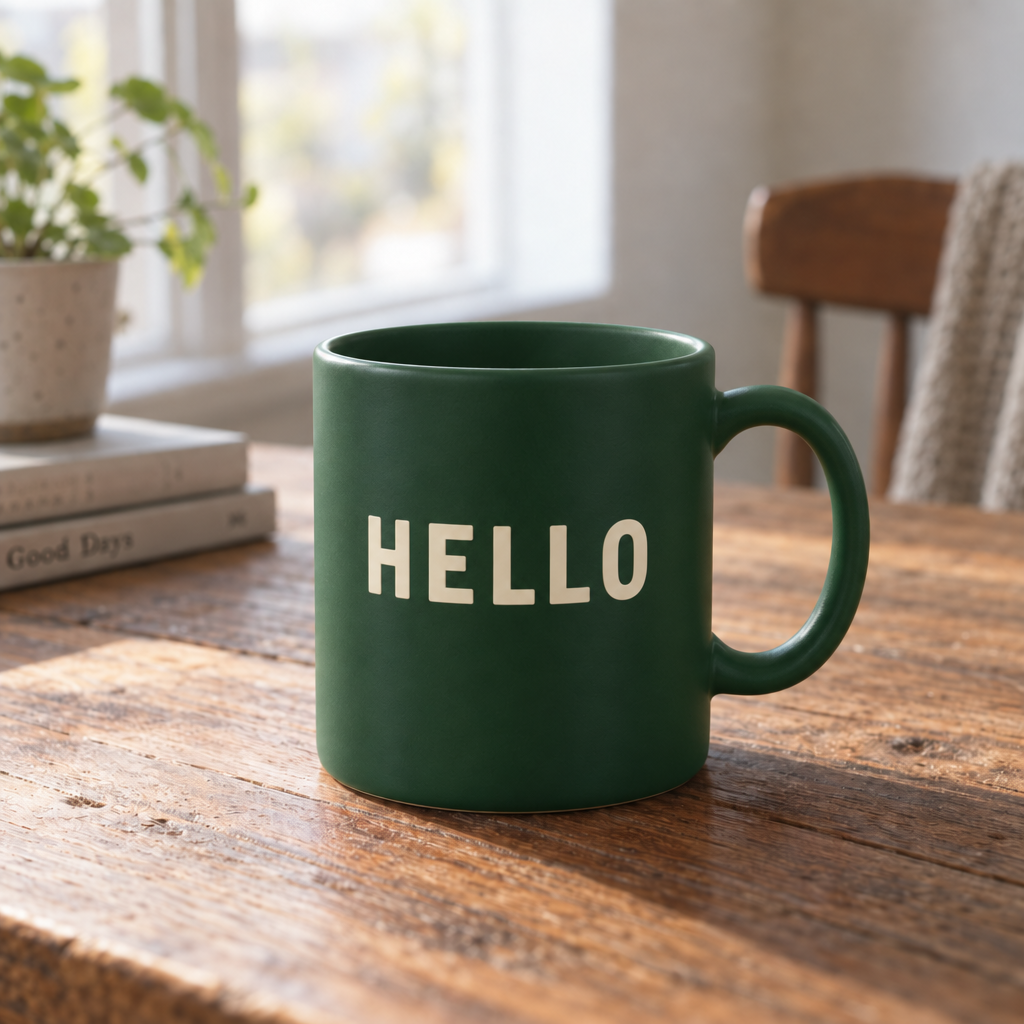
在工具頁面加入最多 8 張參考圖,提示詞就會轉為編輯指令。這正是 Sunburst 的拿手好戲:下圖只改了馬克杯。桌面木紋、植物、椅子、窗光與拍攝視角,都與原圖維持像素級一致。

原始圖片:紅色馬克杯

參考圖

編輯後圖片:綠色馬克杯

Sunburst 編輯

Change the mug to a matte forest green with the word "HELLO" in cream, keep the table, plant, chair, lighting, and camera exactly the same.

更換配色

附上產品照,輸入提示詞:「將鞋子改為深藍色搭配白色鞋底,石板、水滴與光線完全不變。」

整合多張參考圖

附上產品照、背景底圖與風格參考圖。在提示詞中標明每張圖的用途,並指定光線以哪張為準。

修正文字排版

附上海報,提示詞只寫要修正的地方:「將副標改為確切文字『OPEN 8 TO 6』,其餘全部保留。」

遮罩局部重繪

使用 API 時,將 mask_url 與 image_urls 一起傳入。白色標示要編輯的區域,黑色區域則保留。

品質與價格

品質點數4K 解析度下適用情境
低0.50.5草稿、版面探索、縮圖
中12日常首選、反覆調整
高24定稿、主視覺、印刷

兩款價格相同。 使用參考圖片時,每個輸出需加收 0.5 點數。尺寸從 1024×768 到 4K UHD 3840×2160;Full HD 為 1920×1088,因為模型要求長寬皆為 16 的倍數。

提示詞範本

參考圖編輯範本

附上一張參考圖,只改一個地方,再列出要保留的內容。

Change [the one thing] to [exact new state]. Keep [subject identity], [background], [lighting], and [camera framing] exactly the same.

自然光攝影範本

以材質受光表現為主角的寫實場景。

[Editorial / studio] photograph of [subject and action]. [Light source and direction] on [material], [what the light does: raking, beading, glistening]. [Film stock or palette], [lens], [depth of field].

文字排版範本

海報、封面,以及所有文字必須像素級精準的作品。

A [artifact type] with flawless typography. Headline: "[HEADLINE]". Subhead: "[subhead]". Callouts with exact text: "[A]", "[B]", "[C]". [Style and palette], editorial layout, high readability.

視覺方向統一範本

適合需要維持角色一致的分鏡與多場景系列。

A [grid] featuring the same [character: age, hair, clothing, distinguishing marks] in each panel, always the same face and proportions. Panel 1: [scene]. Panel 2: [scene]. Panel 3: [scene]. Panel 4: [scene]. [Art style], consistent visual direction.

產品攝影範本

預留文案空間的棚拍產品照。

Studio product photograph of [product] on [surface], [one detail that proves the material]. [Key light direction] with soft fill, crisp [detail], clean negative space to the [side] for copy.

檢查清單

  • 用 Flare 的中品質打草稿,再用 Sunburst 的高品質完成定稿。
  • 先指定作品類型。
  • 精確文字都加引號,並標明用途。
  • 先寫光源與方向,再寫材質。
  • 角色不變的特徵說一次就好,接著只寫各格的變化。
  • 編輯時,在提示詞最後列出要保留的內容。
  • 只有主視覺才選 4K,中、高品質的費用都會加倍。