PixelBinの代替
PixelBinの代替: 1枚の商品写真を3つのエディターで比較
PixelBinの代替となるPixel Dojoなら、同じ商品写真をFLUX 2 Pro、Nano Banana、Qwenで編集して見比べ、ベストな1枚を高解像度化、横長に拡張、動画化できます。各工程の必要クレジットは、クリック前に確認できます。
タンカラーのスエード製アンクルブーツを写したシンプルなスタジオ写真を用意し、ブーツは変えずに秋の石畳の通りに置くよう、3つのAIエディターに指示しました。まずはプランとクレジットから比較します。
1.5 credits ($0.09) すべてのプランに含まれます。月額$10から。
すでに会員の方は ログイン
執筆 Brian Lovett · 更新日
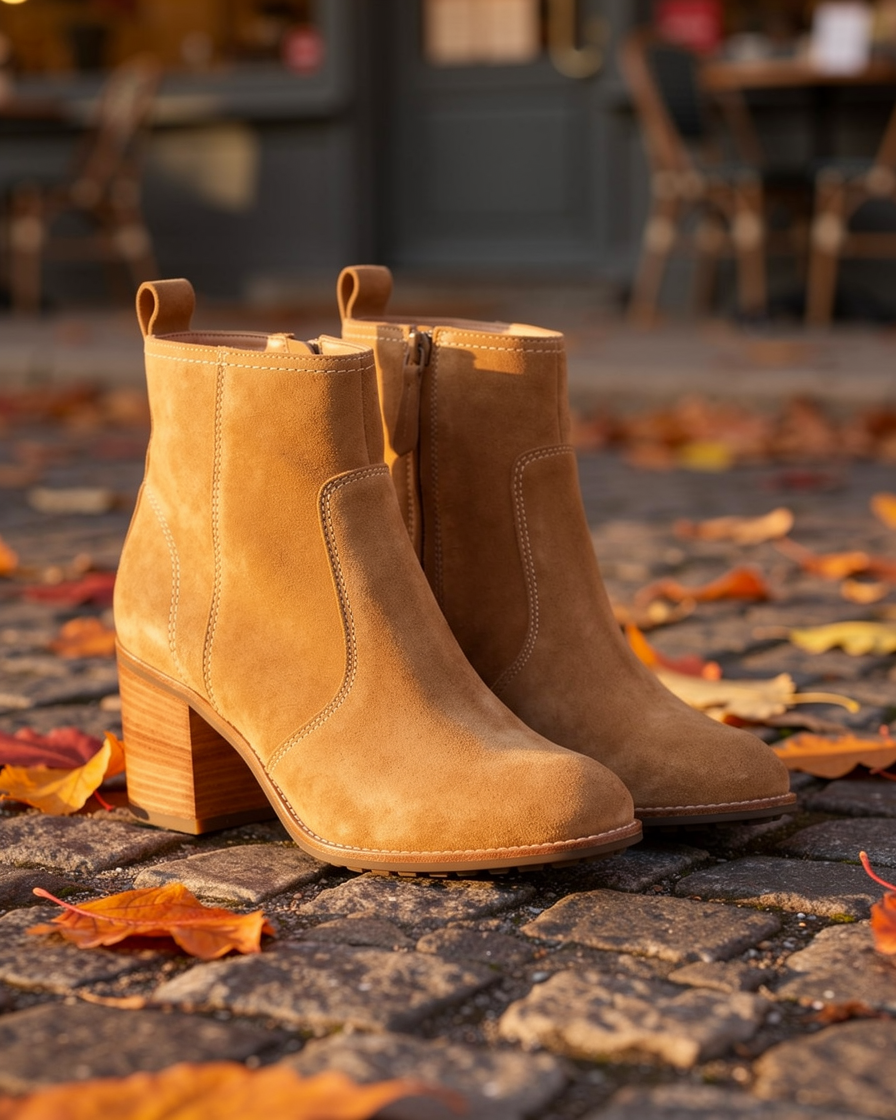
同じプランで、ショップに必要な写真をもっと
以下の画像はすべて、掲載のプロンプトを使ってPixel Dojoで制作しました。
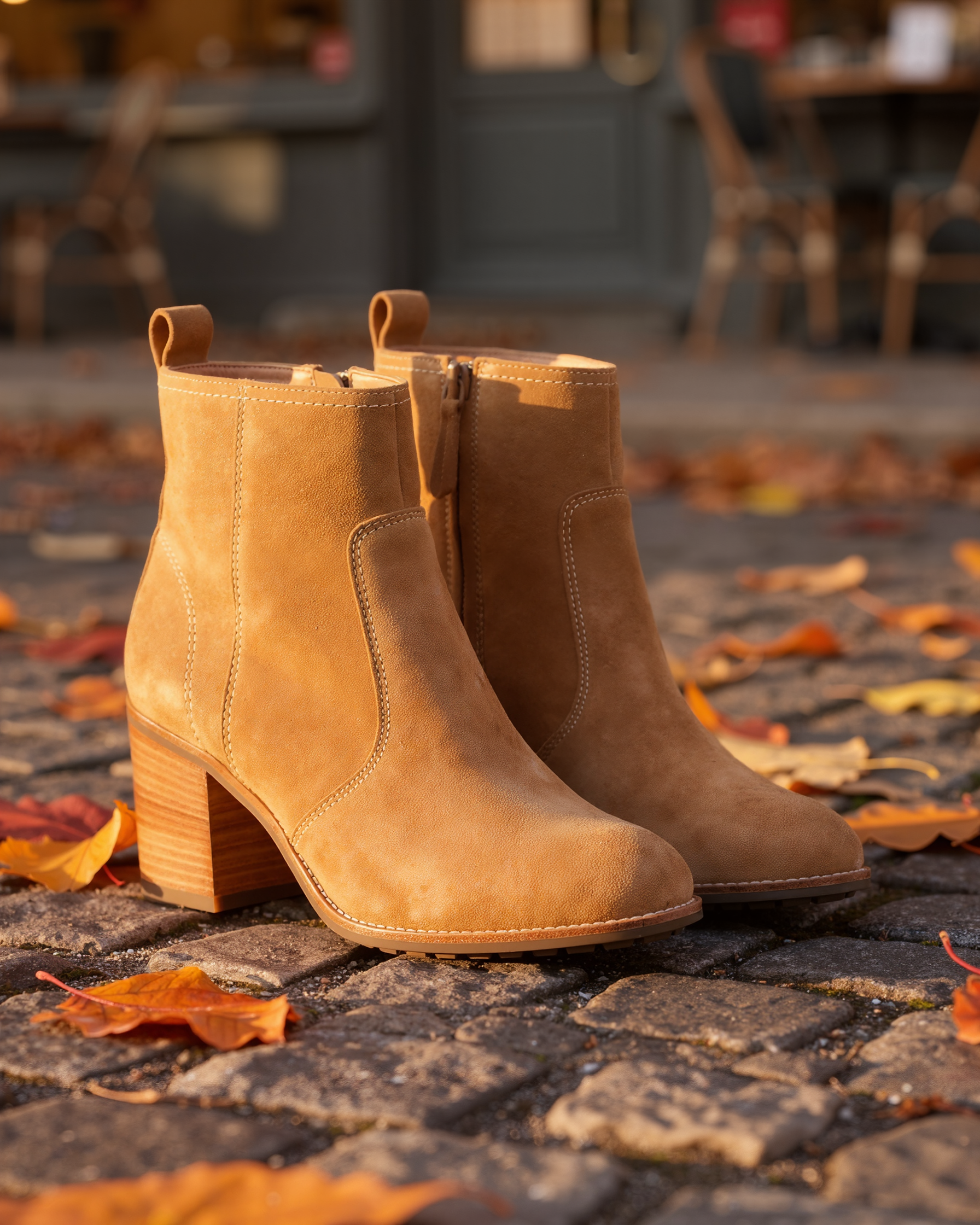
Clarity Proでベストショットを2倍の1792 × 2240に。使用したのは5クレジットです。
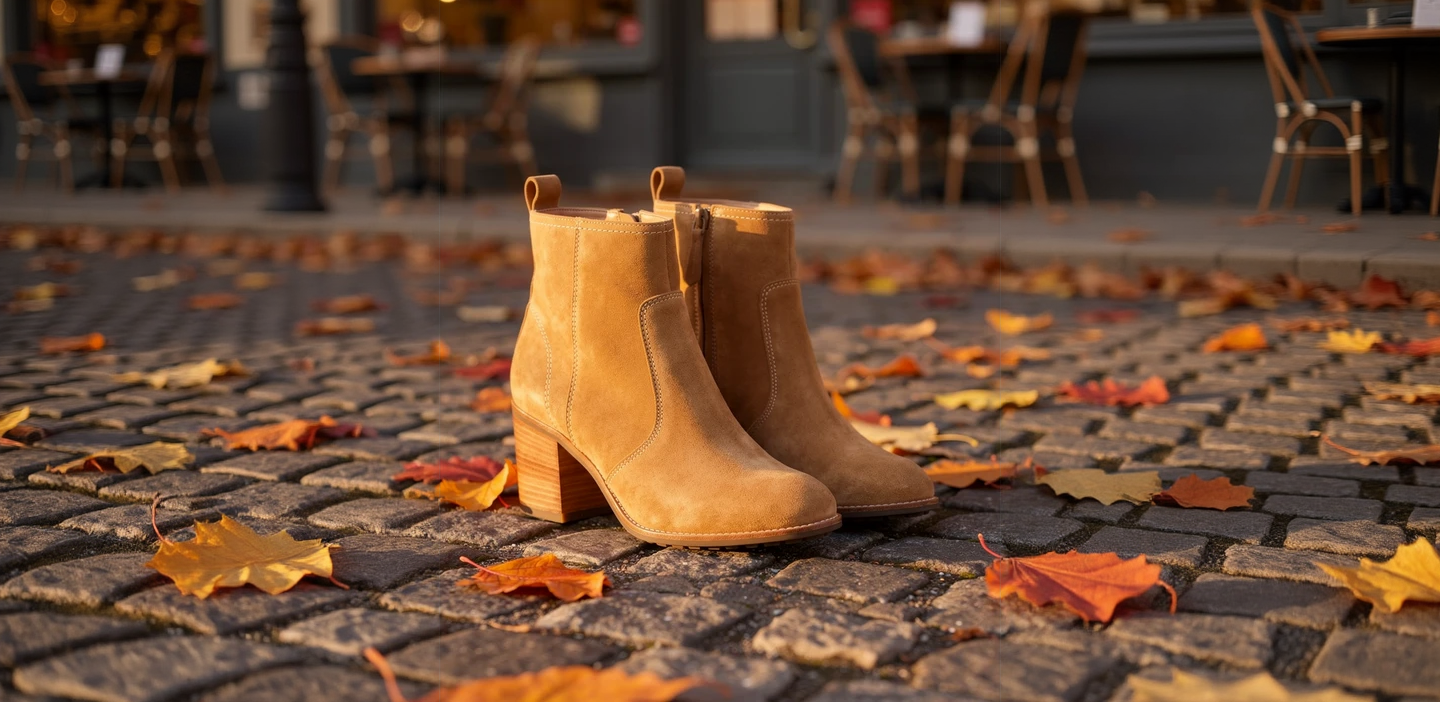
アウトペインティングで縦長の写真をワイドなヒーローバナーに。使用したのは1クレジットです。
Continue the autumn cobblestone street to both sides: more wet grey cobbles, scattered orange and yellow leaves, the softly blurred cafe fronts with chairs and warm windows, the same low golden side light.

Seedream 5でチーム紹介ページ用のプロフィール写真を制作。2.5クレジット。
Professional headshot of an architect in his forties with salt and pepper hair and a navy knit polo, arms relaxed, soft window light, a blurred bright studio office behind him, friendly confident expression, 85mm lens.
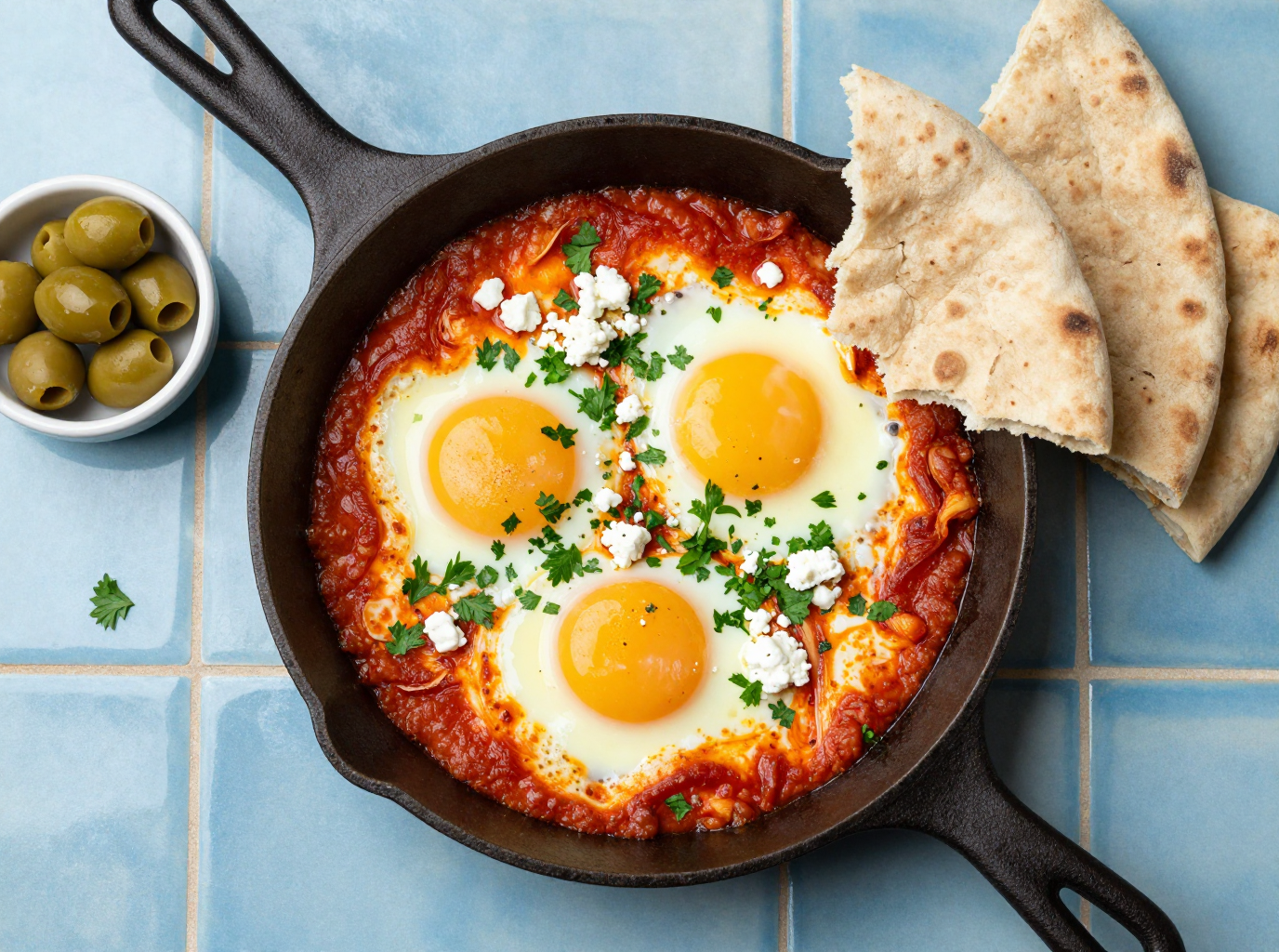
Z-Image Turboでカフェのメニュー写真を制作。0.25クレジット。
Overhead food photograph for a cafe menu: a cast iron pan of shakshuka with three eggs, crumbled feta and fresh parsley on a blue tiled table, torn flatbread and a small bowl of olives beside it, bright natural light.
PixelBinとPixel Dojoを項目別に比較
PixelBin欄の情報はすべて、2026年10月15日に確認した料金ページとホームページに基づきます。
| 比較項目 | PixelBin | Pixel Dojo |
|---|---|---|
| 月額プラン | Creator: $15で250クレジット、Lite: $30で600クレジット、Pro: $60で1,500クレジット | Lite: 月額$10で160クレジット、Pro: 月額$25で500クレジット、Pro Max: 月額$50で1,100クレジット |
| 編集ツールの料金 | 透かし除去、高解像度化、背景除去は各1クレジット。リサイズは無料 | 各ツールのページに必要クレジットを表示。今回の街角シーンへの編集は0.5〜1.5クレジット |
| 生成 | Nano Banana Proの画像生成とSeedance Liteの動画生成。生成数はプランごとに設定 | FLUX 2 Pro、Nano Banana 2.1、Seedream 5、Qwenなどに加え、Seedance 2.5、Kling 3.0、WAN 3.0、Veo 3.1 |
| 高解像度化 | 画像を最大4xに高解像度化 | Clarity Pro、Magnific、Portrait Upscaler、Creative Upscaler |
| 開発者向け機能 | API、SDK、Webhook、CDN | 各モデルの仕様から生成したドキュメント付きの公開API、ホスト型MCPサーバー、$5からのAPIクレジットパック |
1枚の商品写真で、3つのAI商品撮影
3つすべてに同じ指示を出しました。このブーツを、落ち葉が散り、背景にカフェがぼけて見える、日差しの差す秋の石畳の通りに配置。色、ステッチ、ファスナー、積み重ねた木製ヒールはそのままに。各画像に設定と使用クレジットを掲載しています。
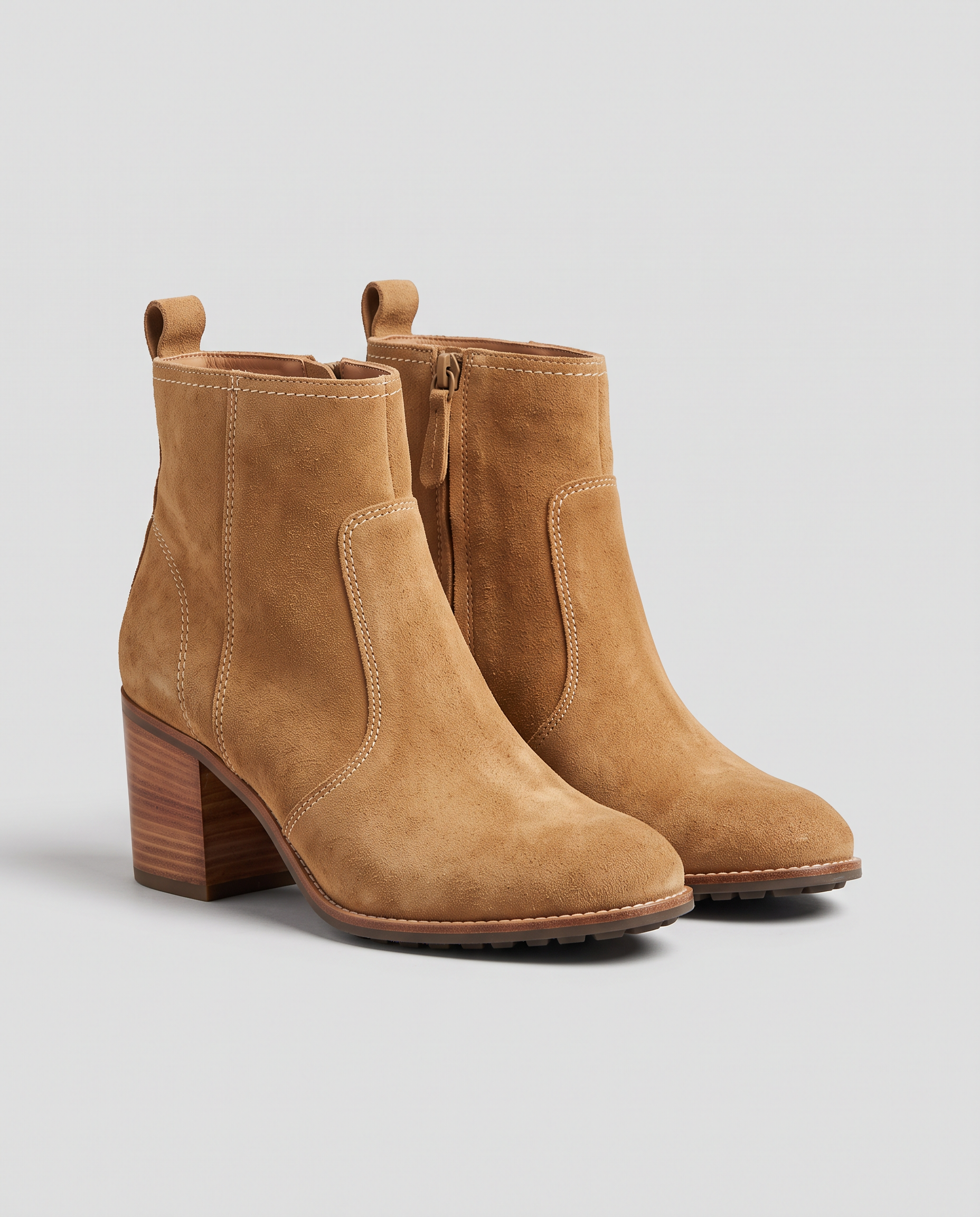
E-commerce packshot of a pair of tan suede ankle boots with stacked wooden heels and cream stitching, standing side by side on a plain light grey background, soft even studio light, a gentle shadow below, no logos, no text.
Place these exact tan suede ankle boots on a sunlit cobblestone street in autumn, standing on the stones beside scattered orange and yellow leaves, a softly blurred cafe front behind, warm late afternoon light from the side with natural shadows. Keep the boots, their color, stitching, zipper and stacked wooden heels exactly unchanged.
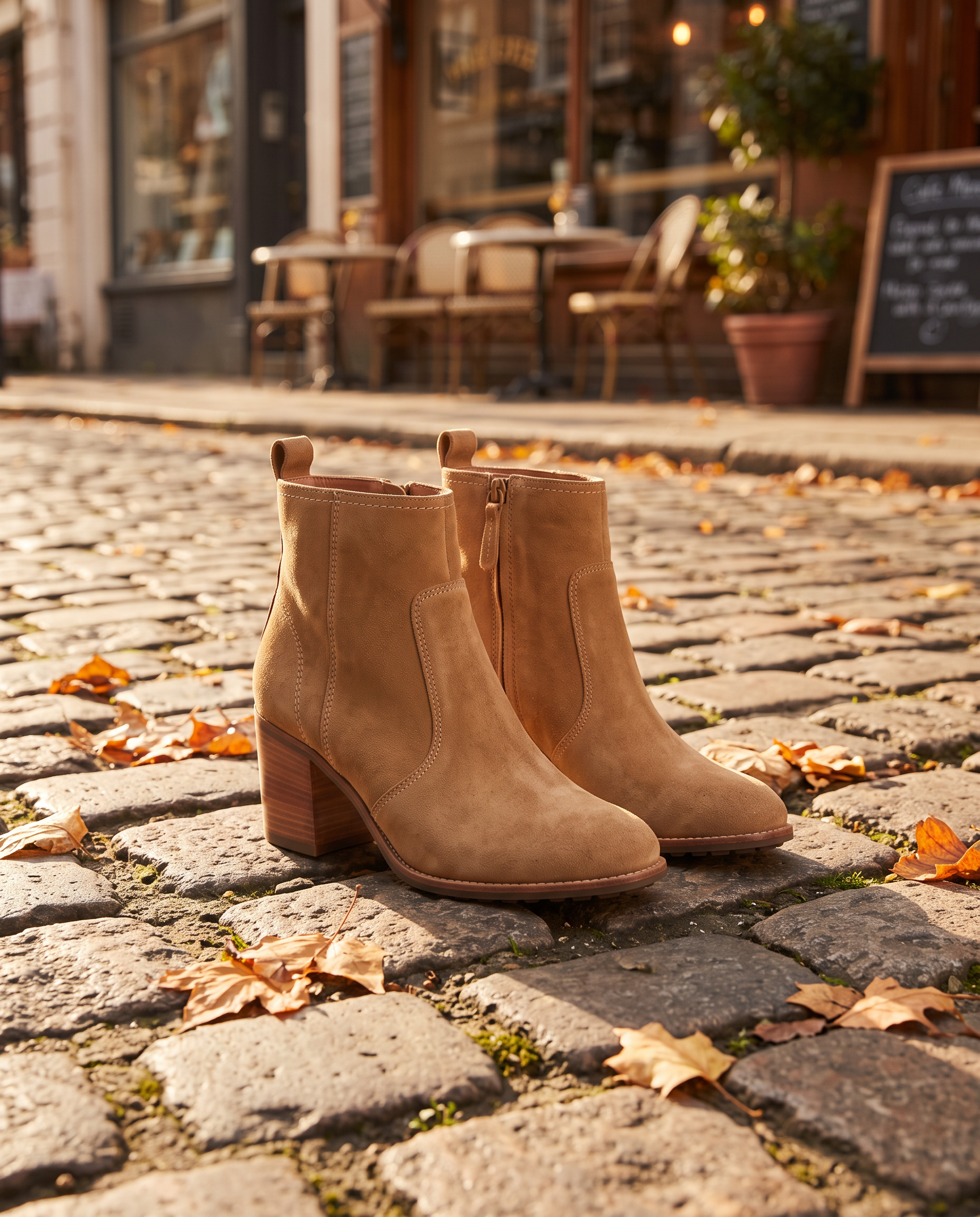
Place these exact tan suede ankle boots on a sunlit cobblestone street in autumn, standing on the stones beside scattered orange and yellow leaves, a softly blurred cafe front behind, warm late afternoon light from the side with natural shadows. Keep the boots, their color, stitching, zipper and stacked wooden heels exactly unchanged.
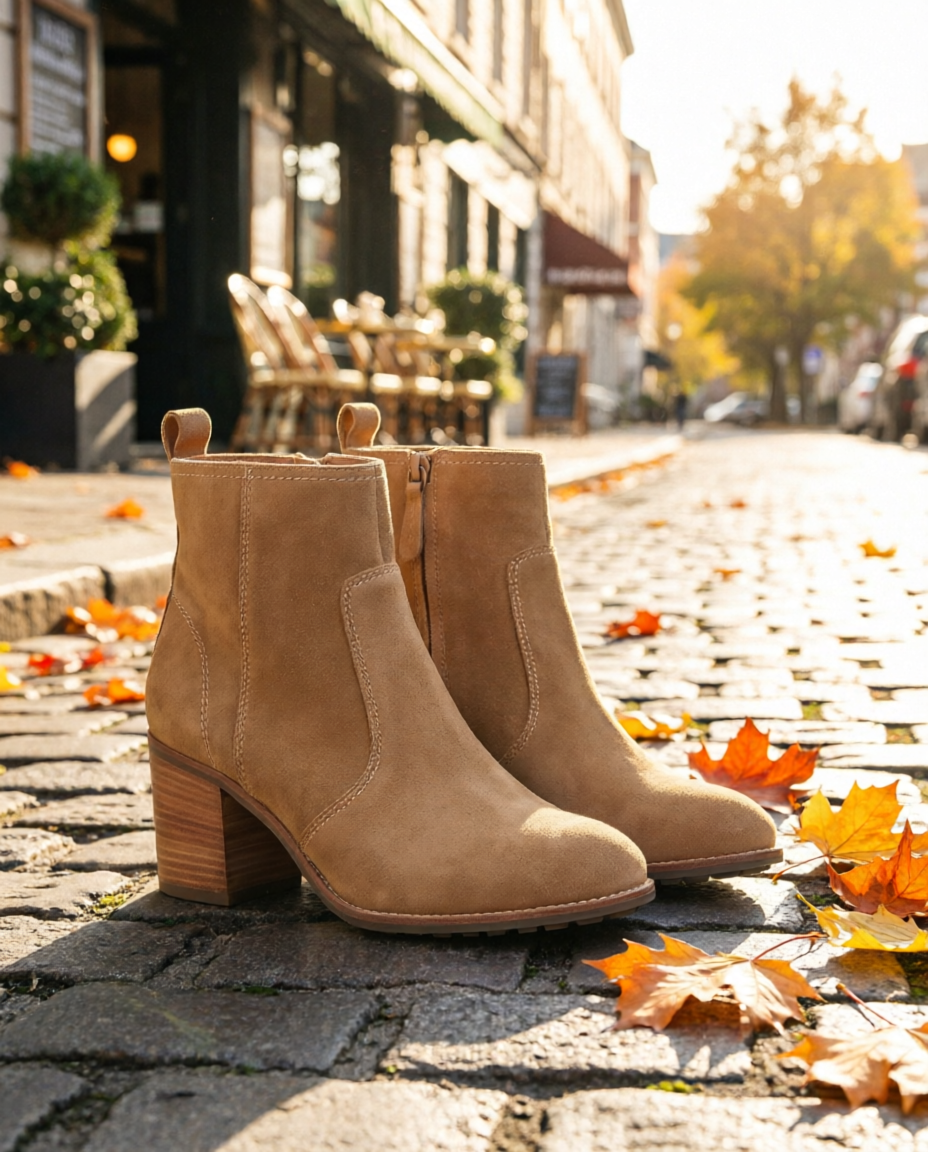
Place these exact tan suede ankle boots on a sunlit cobblestone street in autumn, standing on the stones beside scattered orange and yellow leaves, a softly blurred cafe front behind, warm late afternoon light from the side with natural shadows. Keep the boots, their color, stitching, zipper and stacked wooden heels exactly unchanged.
- FLUX 2 Proは、広告に最も使いやすい仕上がりでした。ブーツに寄った温かみのある構図と、横から差す柔らかな光。ステッチとヒールも正確に再現し、1.5クレジットでした。
- Nano Bananaは引きの構図で、通りを広く見せました。文字を入れるスペースが必要なときに選びたい1枚です。
- Qwen Image 2 Editは、明るく日差しのある仕上がりで0.5クレジット。低コストで複数の見せ方を試すのに向いています。
- 3つとも、スエードの色、ファスナー、積み重ねた木製ヒールを維持しました。
商品撮影の可能性が、ここで広がる
商品に合わせてエディターを選ぶ
細部のアップが得意なエディターも、広いシーンが得意なエディターもあります。同じ指示を2つ、3つのエディターで試しても数クレジット。商品の魅力が伝わる1枚を見極められます。
仕上げまで、同じ場所で
ベストショットをClarity Proで高解像度化。アウトペインティングでバナーに拡張したり、背景を除去したり。すべて同じプラン内で完結します。
商品を動かす
完成した静止画をSeedance 2.5、Kling 3.0、WAN 3.0の開始フレームに使えば、音付きの商品動画を制作できます。
カタログ制作を自動化
すべてのモデルを同じ公開APIから利用できます。新しい商品写真に同じ編集と高解像度化の処理を適用する流れを、スクリプトで自動化できます。
商品の世界観づくりにPixel Dojoを選ぶ理由
商品の世界観を表現する写真や動画には、生成エンジンを選べるスタジオが力を発揮します。
PixelBinユーザーがPixel Dojoに乗り換える理由
全プランで無制限
すべての有料プランで、RelaxならQwen Image 2.1、FLUX 3 Image Klein、MiniMax H3 Turboに加え、すべての動画・写真エフェクトをクレジット消費なしで無制限に使えます。
AIディレクター、Sensei
作りたいものを伝えると、Senseiが制作プランと必要クレジットを提示。承認を待って制作し、すべてのテイクをレビューします。
単機能AIツール
35の専用ツールで、アップロードした画像に必要な編集を。透かし・不要な物・文字の除去、古い写真の修復とカラー化、背景の差し替え、ポートレートのレタッチ、サムネイル制作に対応します。
写真エフェクト
45+の写真エフェクトで、画像をワンクリックでスタイルチェンジ。手描きアニメのワンシーン、箱入りアクションフィギュア、雑誌の表紙まで、すべて自分でアップロードした画像から作れます。
Character Studio
顔を一度保存すれば、どのプロンプトでも@nameで呼び出せます。画像でも動画でも、同じ人物を登場させられます。
クレジットは繰り越し可能
契約を継続している間、クレジットは翌月に繰り越されます。購入したクレジットが月末に消えることはありません。
主要モデルもAPIも、ひとつに
80を超える画像モデルと60の動画モデルを、ひとつのアカウントで。公開APIとホスト型MCPサーバーで、自分のアプリやAIアシスタントにも組み込めます。
商品写真向けPixel Dojoの料金
Liteは月額$10で160クレジット、Proは$25で500クレジット、Pro Maxは$50で1,100クレジット。すべてのプランで全モデルと商用利用に対応。契約を継続している間、クレジットは繰り越されます。
今回のテストでは、Qwenでの編集は0.5クレジット、FLUX 2 ProとNano Bananaでの編集は各1.5クレジットでした。高解像度化は5クレジット、バナーへの拡張は1クレジットです。
返金ポリシーに基づき、初回購入は7日以内であれば返金を受けられます。クレジットの使用率が20%未満なら全額、それ以降は使用分に応じた差額を返金します。
PixelBinについてのよくある質問
PixelBinの代替には何がおすすめですか?
Pixel Dojoなら、商品シーンを作るFLUX 2 Pro、Nano Banana、Qwen Image 2 Editに加え、Clarity Proなどの高解像度化ツール、アウトペインティング、動画モデルをひとつのプランで使えます。必要クレジットはすべて生成前に表示されます。
PixelBinの料金はいくらですか?
PixelBinの料金ページでは、Creatorは月額$15で250クレジット、Liteは$30で600クレジット、Proは$60で1,500クレジットです。登録時に10クレジットが無料で付与されます。
PixelBinのクレジットは繰り越せますか?
PixelBinの料金ページによると、未使用クレジットは毎月の請求期間の終了時に失効し、翌月には繰り越されません。
AIで商品の見た目を変えずに、写真を別のシーンに配置できますか?
はい。変えたくない要素をプロンプトで指定してください。今回のテストでは、FLUX 2 Pro、Nano Banana、Qwen Image 2 Editのすべてが、ブーツの色、ファスナー、ヒールを保ったままシーンを変更できました。
商品写真に最適なエディターは?
広告にそのまま使える寄りの写真なら、FLUX 2 Proが好印象でした。コピーを入れる余白のあるワイドなシーンならNano Banana。低コストで試すなら、0.5クレジットのQwen Image 2 Editです。
今すぐPixelBinからPixel Dojoへ
上にプロンプトを書くか、このページの例から始めましょう。ひとつのプランで主要モデル、6つのスタジオ、Senseiがすべて使え、クレジットは繰り越されます。
FLUX 2 Proで始める出典
PixelBinに関する情報は、2026年10月15日に確認した以下の公開ページによるものです。価格やプランは変わるため、購入前に出典をご確認ください。