PixelBin alternative
PixelBin alternative: product photos from one packshot, on three editors
Pixel Dojo lets you put the same packshot through FLUX 2 Pro, Nano Banana and Qwen side by side, then upscale, widen or animate the winner, each step priced before you click.
We started with a plain studio packshot of tan suede ankle boots and asked three AI editors to place them on an autumn cobblestone street without changing the boots. The comparison below starts with plans and credits.
1.5 credits ($0.09) per image at 1 MP. Included in every plan, from $10/month.
Already a member? Sign in
By Brian Lovett · Updated

What else a shop needs from the same plan
Every image below was made on Pixel Dojo with the prompt shown.

Clarity Pro doubled the winning shot to 1792 by 2240 for 5 credits.

Outpainting turned the portrait shot into a wide hero banner for 1 credit.
Continue the autumn cobblestone street to both sides: more wet grey cobbles, scattered orange and yellow leaves, the softly blurred cafe fronts with chairs and warm windows, the same low golden side light.

A team page headshot on Seedream 5 for 2.5 credits.
Professional headshot of an architect in his forties with salt and pepper hair and a navy knit polo, arms relaxed, soft window light, a blurred bright studio office behind him, friendly confident expression, 85mm lens.

A cafe menu photo on Z-Image Turbo for a quarter of a credit.
Overhead food photograph for a cafe menu: a cast iron pan of shakshuka with three eggs, crumbled feta and fresh parsley on a blue tiled table, torn flatbread and a small bowl of olives beside it, bright natural light.
PixelBin vs Pixel Dojo, row by row
Everything in the PixelBin column comes from its pricing and home pages, read on October 15, 2026.
| Compared on | PixelBin | Pixel Dojo |
|---|---|---|
| Monthly plans | Creator $15 for 250 credits, Lite $30 for 600, Pro $60 for 1,500 | Lite $10 a month for 160 credits, Pro $25 for 500 credits, Pro Max $50 for 1,100 credits |
| Editing tool prices | Watermark remover, upscale and background removal 1 credit each; resize free | Each tool page shows its credit price; our street scene edits cost 0.5 to 1.5 credits |
| Generation | Nano Banana Pro images and Seedance Lite videos, with counts per plan | FLUX 2 Pro, Nano Banana 2.1, Seedream 5, Qwen and more, plus Seedance 2.5, Kling 3.0, WAN 3.0 and Veo 3.1 |
| Upscaling | Image upscaler up to 4x | Clarity Pro, Magnific, Portrait Upscaler and Creative Upscaler |
| Developer access | APIs, SDKs, webhooks and a CDN | Public API with docs generated from each model's spec, a hosted MCP server and API credit packs from $5 |
One packshot, three AI product photoshoots
Our instruction to all three: put these exact boots on a sunlit autumn cobblestone street with leaves and a blurred cafe behind, and keep the color, stitching, zipper and wooden heels unchanged. Each tile shows its settings and credits.
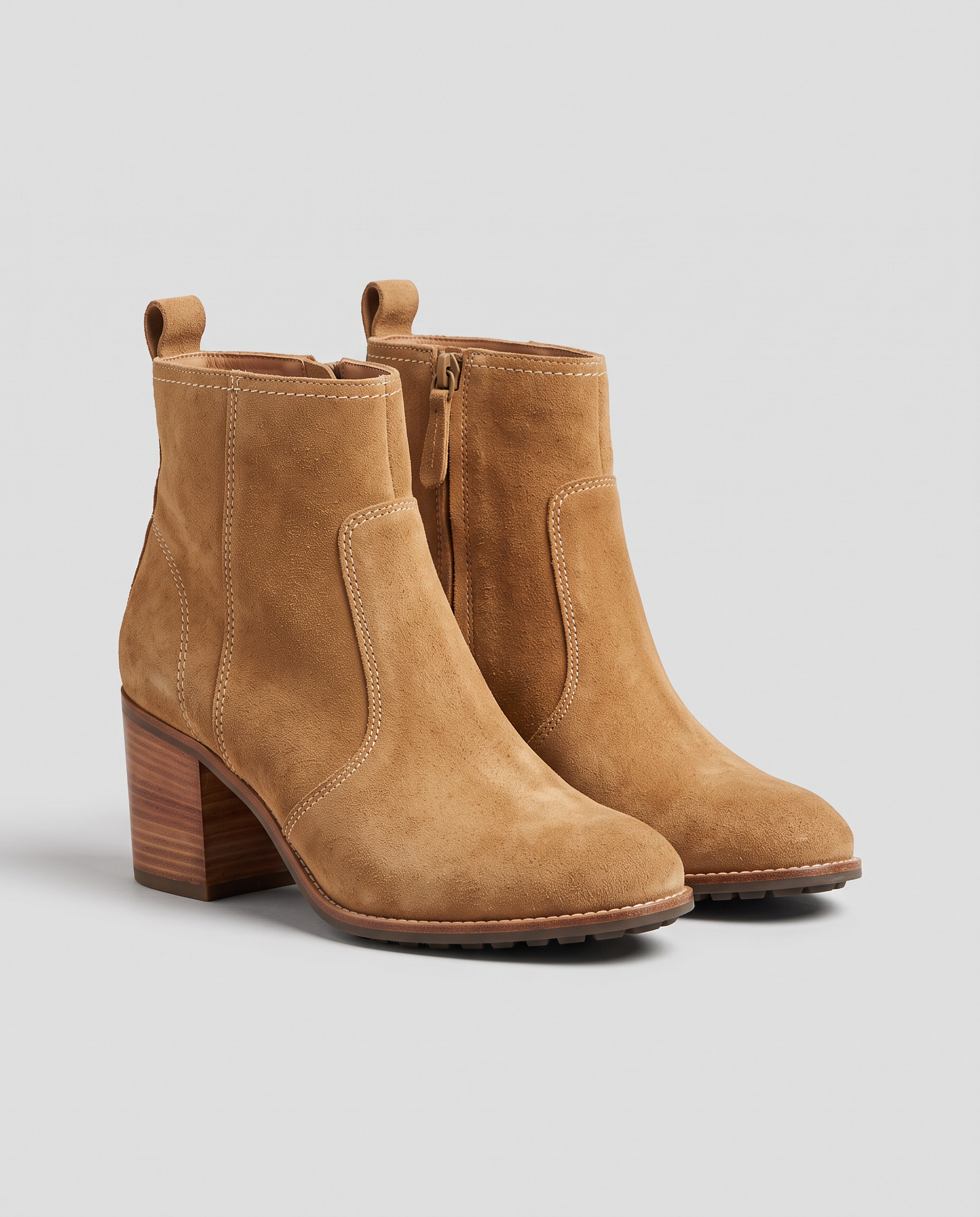
E-commerce packshot of a pair of tan suede ankle boots with stacked wooden heels and cream stitching, standing side by side on a plain light grey background, soft even studio light, a gentle shadow below, no logos, no text.
Place these exact tan suede ankle boots on a sunlit cobblestone street in autumn, standing on the stones beside scattered orange and yellow leaves, a softly blurred cafe front behind, warm late afternoon light from the side with natural shadows. Keep the boots, their color, stitching, zipper and stacked wooden heels exactly unchanged.
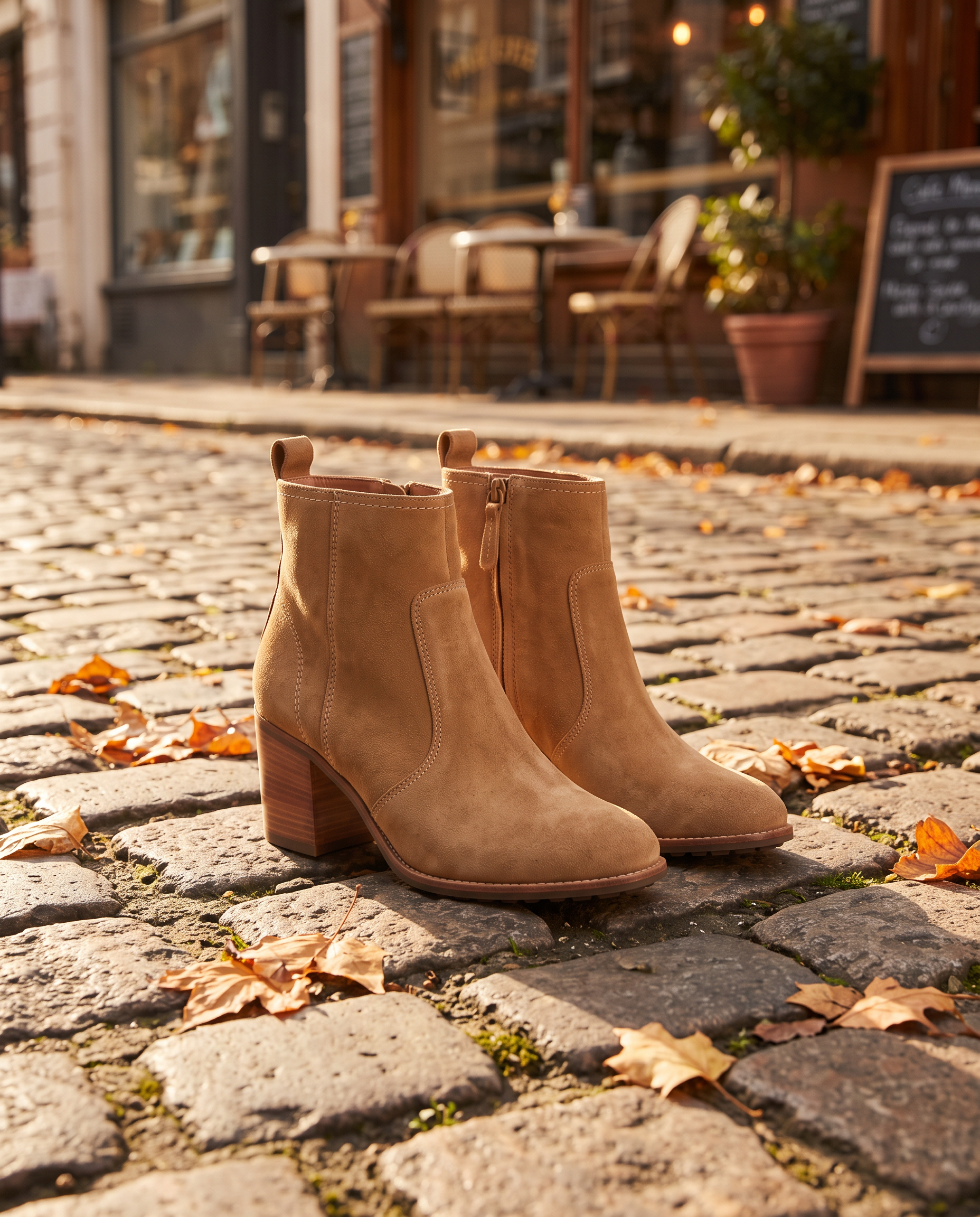
Place these exact tan suede ankle boots on a sunlit cobblestone street in autumn, standing on the stones beside scattered orange and yellow leaves, a softly blurred cafe front behind, warm late afternoon light from the side with natural shadows. Keep the boots, their color, stitching, zipper and stacked wooden heels exactly unchanged.
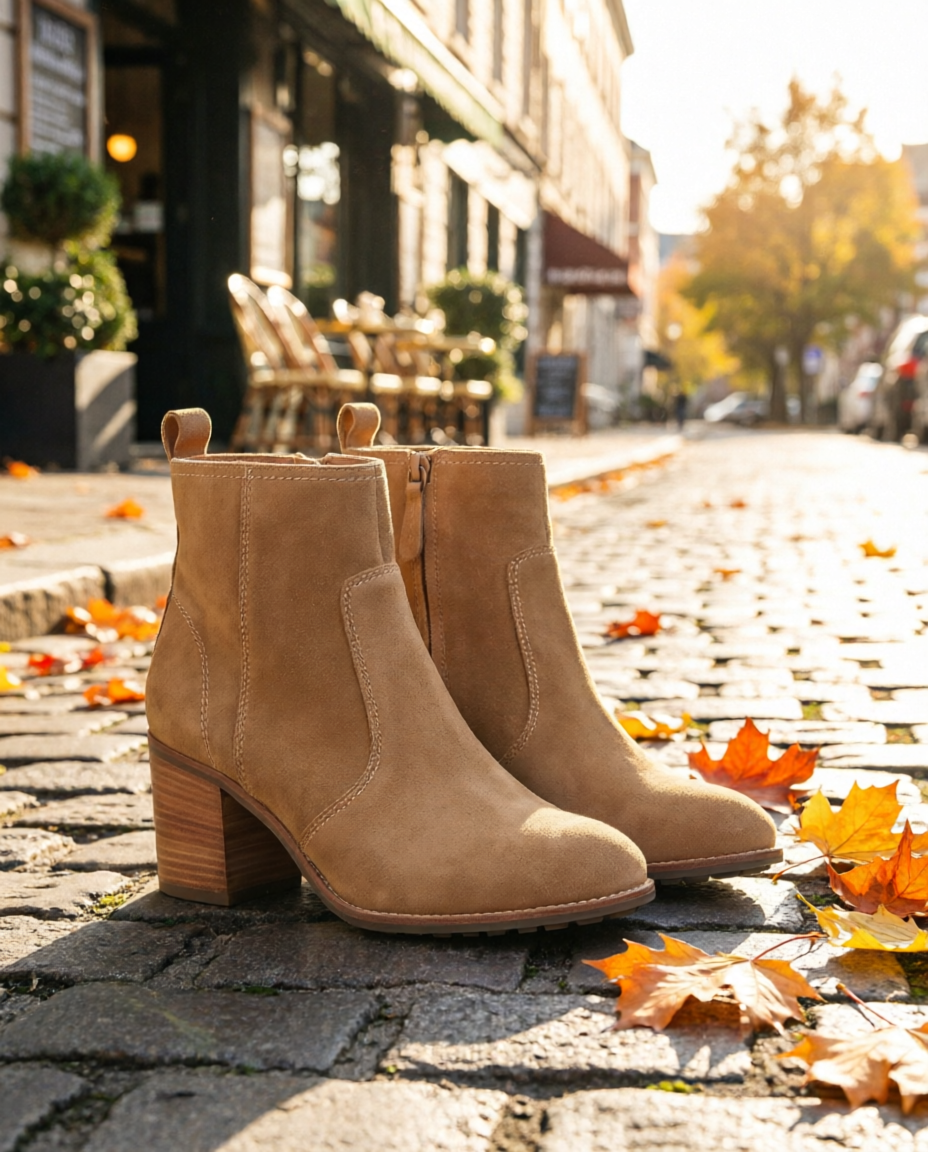
Place these exact tan suede ankle boots on a sunlit cobblestone street in autumn, standing on the stones beside scattered orange and yellow leaves, a softly blurred cafe front behind, warm late afternoon light from the side with natural shadows. Keep the boots, their color, stitching, zipper and stacked wooden heels exactly unchanged.
- FLUX 2 Pro gave the most ad ready frame, close and warm with soft side light, and kept the stitching and heels exact, for 1.5 credits.
- Nano Banana pulled back for a wider street scene, the version we would use when you need room for text.
- Qwen Image 2 Edit made a bright, sunny take for 0.5 credits, a good pick for testing several looks cheaply.
- All three kept the suede color, the zipper and the stacked wooden heels.
Why product shoots go further here
Pick the editor per product
One editor nails close detail, another a wide scene. Running the same sentence on two or three costs a few credits and shows you which one sells the product.
Finish the shot in the same place
Upscale the winner on Clarity Pro, widen it into a banner with outpainting, or remove a background, without leaving the plan.
Put the product in motion
Hand the finished still to Seedance 2.5, Kling 3.0 or WAN 3.0 as a start frame for a product clip with sound.
Automate the catalog
Every model runs through the same public API, so a shop can push new packshots through the same edit and upscale steps in a script.
Why Pixel Dojo for creative product scenes
For creative product scenes and video, a studio with a choice of engines goes further.
Why PixelBin users switch to Pixel Dojo
Unlimited on every plan
On every paid plan, Relax runs Qwen Image 2.1, FLUX 3 Image Klein and MiniMax H3 Turbo, plus every video and photo effect, unlimited with no credits spent.
Sensei, the AI director
Describe a project and Sensei plans it, prices it, waits for your approval and reviews every take.
One job AI tools
35 single purpose tools each do one edit from an upload: remove a watermark, an object or text, restore and colorize an old photo, swap a background, retouch a portrait or make a thumbnail.
Photo effects
45+ photo effects restyle a picture in one click, from a hand painted anime still to a boxed action figure or a magazine cover, and every one starts from your own upload.
Character Studio
Save a face once and call it by @name in any prompt, so the same person shows up in every image and clip.
Credits that roll over
Your credits roll over while you stay subscribed, so nothing you pay for disappears at the end of the month.
Every top model, plus an API
More than 80 image and 60 video models in one account, with a public API and a hosted MCP server for your own apps and AI assistants.
Pixel Dojo pricing for product photos
Plans are Lite $10 a month for 160 credits, Pro $25 for 500 credits, Pro Max $50 for 1,100 credits. Every plan includes every model and commercial use. Credits roll over while you stay subscribed.
In our test the Qwen edit cost 0.5 credits and the FLUX 2 Pro and Nano Banana edits 1.5 each. The upscale cost 5 and the banner 1.
Under our refund policy, a first purchase can be refunded within 7 days, in full if under 20% of the credits are used and pro-rated after that.
PixelBin questions
What is a good alternative to PixelBin?
Pixel Dojo runs FLUX 2 Pro, Nano Banana and Qwen Image 2 Edit for product scenes, Clarity Pro and other upscalers, outpainting and video models on one plan, with every credit price shown before you generate.
How much does PixelBin cost?
PixelBin's pricing page lists Creator at $15 a month for 250 credits, Lite at $30 for 600 and Pro at $60 for 1,500, with 10 free credits on sign up.
Do PixelBin credits roll over?
PixelBin's pricing page says unused credits expire at the end of the monthly billing cycle and do not carry over.
Can AI put my product photo in a new scene without changing it?
Yes. Name what must stay the same in the prompt. In our test FLUX 2 Pro, Nano Banana and Qwen Image 2 Edit all kept the boots' color, zipper and heels while changing the scene.
Which editor is best for product photos?
For close, ad ready shots we liked FLUX 2 Pro. For wide scenes with room for copy, Nano Banana. For cheap test runs, Qwen Image 2 Edit at 0.5 credits.
Switch from PixelBin to Pixel Dojo today
Write a prompt above or start from any example on this page. One plan covers every top model, six studios and Sensei, and your credits roll over.
Start with FLUX 2 ProSources
Facts about PixelBin come from these public pages, checked on Oct 15, 2026. Prices and plans change; check the source before you buy.