PromeAI alternative
PromeAI alternative: from pencil sketch to rendered walkthrough
Pixel Dojo renders a sketch on GPT Image 2 Edit, Nano Banana Edit, FLUX 2 Pro or Qwen Image 2 Edit, prices each render before you click, then animates the result on Kling 3.0 or Seedance 2.5 for a client ready clip.
PromeAI is best known for sketch rendering for architects and designers. We drew a timber cabin in pencil, rendered it on four image models with one prompt, then turned our favorite into the blue hour push in above.
20 credits ($1.25) per 5 s clip with audio. Included in every plan, from $10/month.
Already a member? Sign in
By Brian Lovett · Updated
PromeAI alternative: quick answers
What does PromeAI do?
Dupple's listing describes sketch rendering as PromeAI's core feature, turning hand sketches, line drawings and 3D viewport screenshots into photoreal renders, among roughly forty tools for editing, generation and video.
What does PromeAI cost?
Dupple lists Base at $19 a month for 500 coins, Standard at $39 for 2,000 coins with commercial rights, and Pro at $79 for 6,000 coins, with lower prices billed yearly.
What do PromeAI users report?
On Trustpilot PromeAI shows 2.1 from 10 reviews, 80% of them one star. The most common complaints are uploads and prompts refused as content violations and credits taken for refused generations.
Can a general image model render a sketch?
Yes. In our test four edit models on Pixel Dojo turned one pencil sketch into photoreal renders that kept the building's shape.
More design renders we made on Pixel Dojo
Every image below was made on Pixel Dojo with the prompt shown.
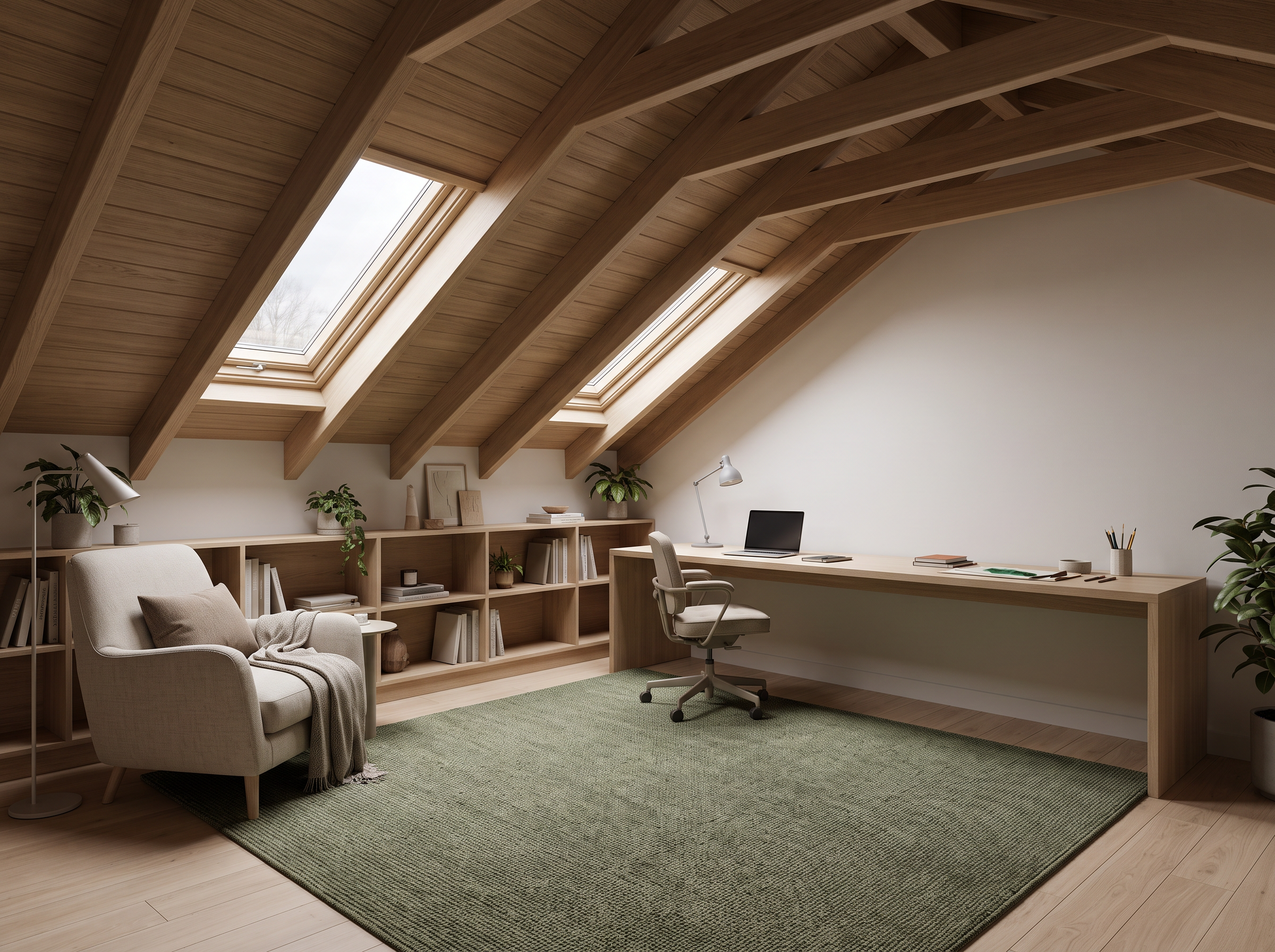
An interior concept on Nano Banana 2.1 for 1.5 credits.
Interior design rendering of an attic studio under a sloped timber ceiling with two skylights: built in white oak shelves along the knee wall, a long desk under the skylights, a green wool rug and a reading chair in the corner. Soft overcast daylight from above, Scandinavian palette, wide angle eye level view, photoreal.
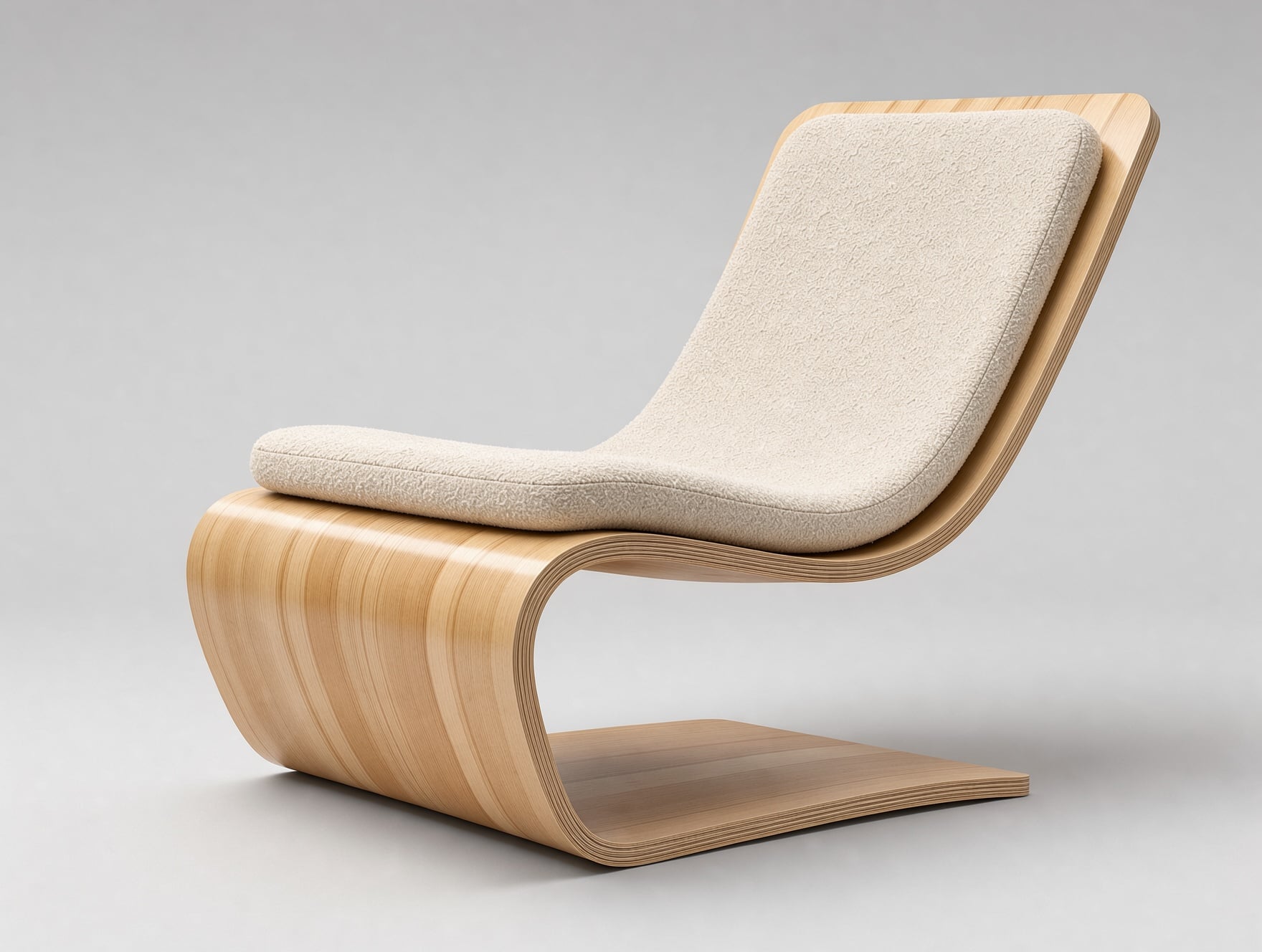
A product design render on FLUX 3 Image with visible plywood layers on the edge.
Product design render of a lounge chair made from a single sheet of bent birch plywood with a curved seat flowing into the backrest and a cream boucle cushion, shown three quarter on a pale gray studio sweep. Soft area light, subtle reflections on the lacquer, visible plywood edge layers, photoreal industrial design presentation.
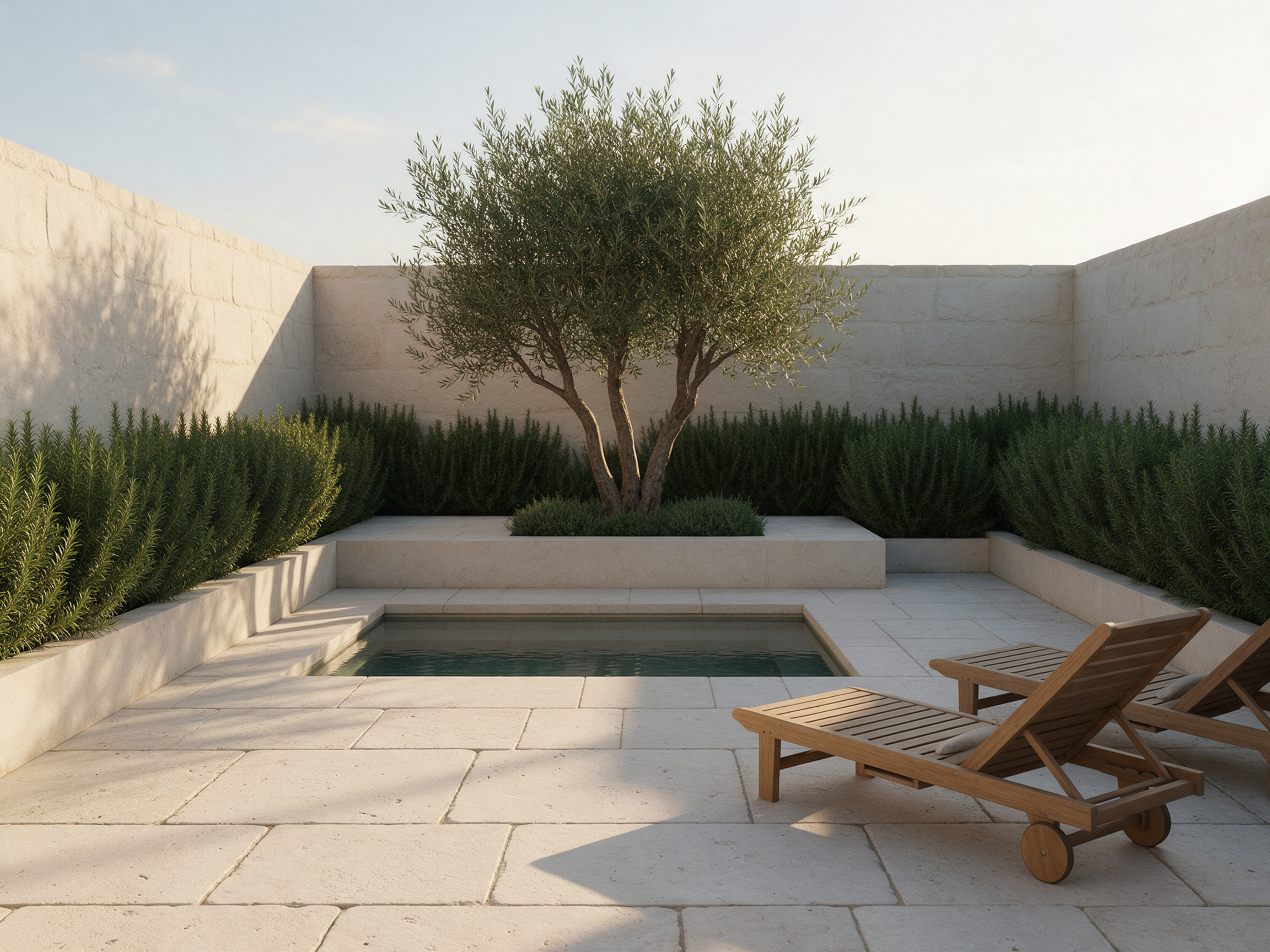
A landscape visualization on Seedream 5 in late afternoon light.
Landscape architecture visualization of a small walled courtyard garden: pale limestone pavers, a shallow rectangular reflecting pool, a single multi stem olive tree in a raised planter, clipped rosemary hedges and two teak loungers. Late afternoon sun casting long shadows across the stone, eye level view, photoreal render.
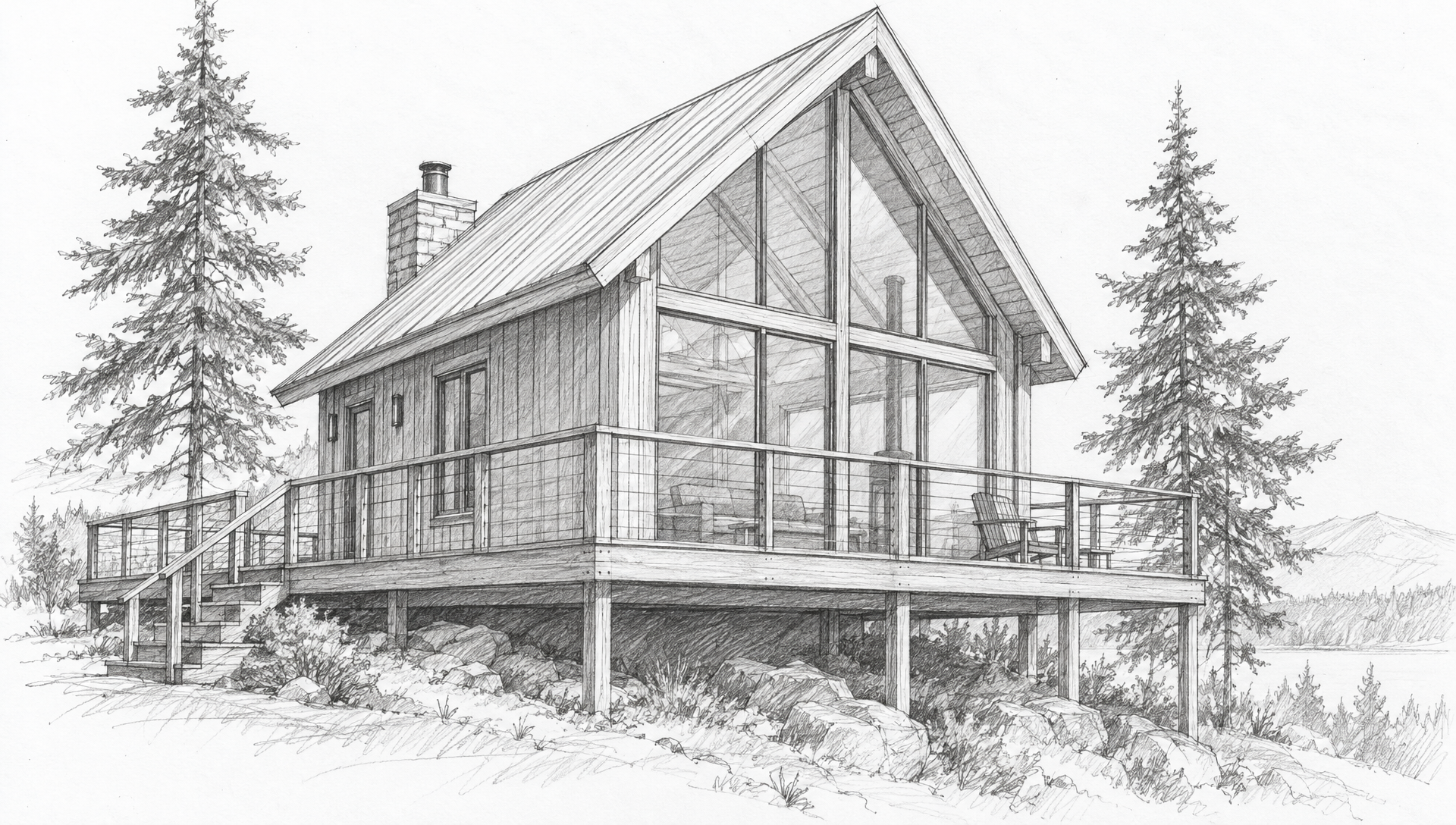
The source sketch for our test, drawn on GPT Image 2.5. Upload your own instead.
Architect's loose graphite pencil sketch on white paper of a small timber cabin with a steep gable roof, a full height glass front, a wraparound deck with simple railings and two pine trees beside it, perspective view from the lower left. Confident construction lines, light hatching for shadows, no color, no text, no people.
How sketch to render works on an image model
A dedicated sketch renderer and a modern edit model do the same thing underneath: they read the lines of your drawing as the structure and paint materials, light and setting over it. The prompt is where you take control.
We write render prompts in two parts. First, what must not move: the roof pitch, the glass front, the deck, the trees and the viewpoint. Then, what to add: cladding, frames, interior glow, season and time of day. Naming the fixed parts is what keeps a model from redesigning the building.
A clean drawing helps. Dark confident lines, little shading and no text give the model less to misread. Once you have a render you like, a video model can use it as the first frame for a slow push in or orbit to show a client.
One pencil sketch, four render engines
We drew the cabin on GPT Image 2.5, then gave the same render prompt to GPT Image 2 Edit, Nano Banana Edit, FLUX 2 Pro and Qwen Image 2 Edit. Each tile shows the settings and credits it used.
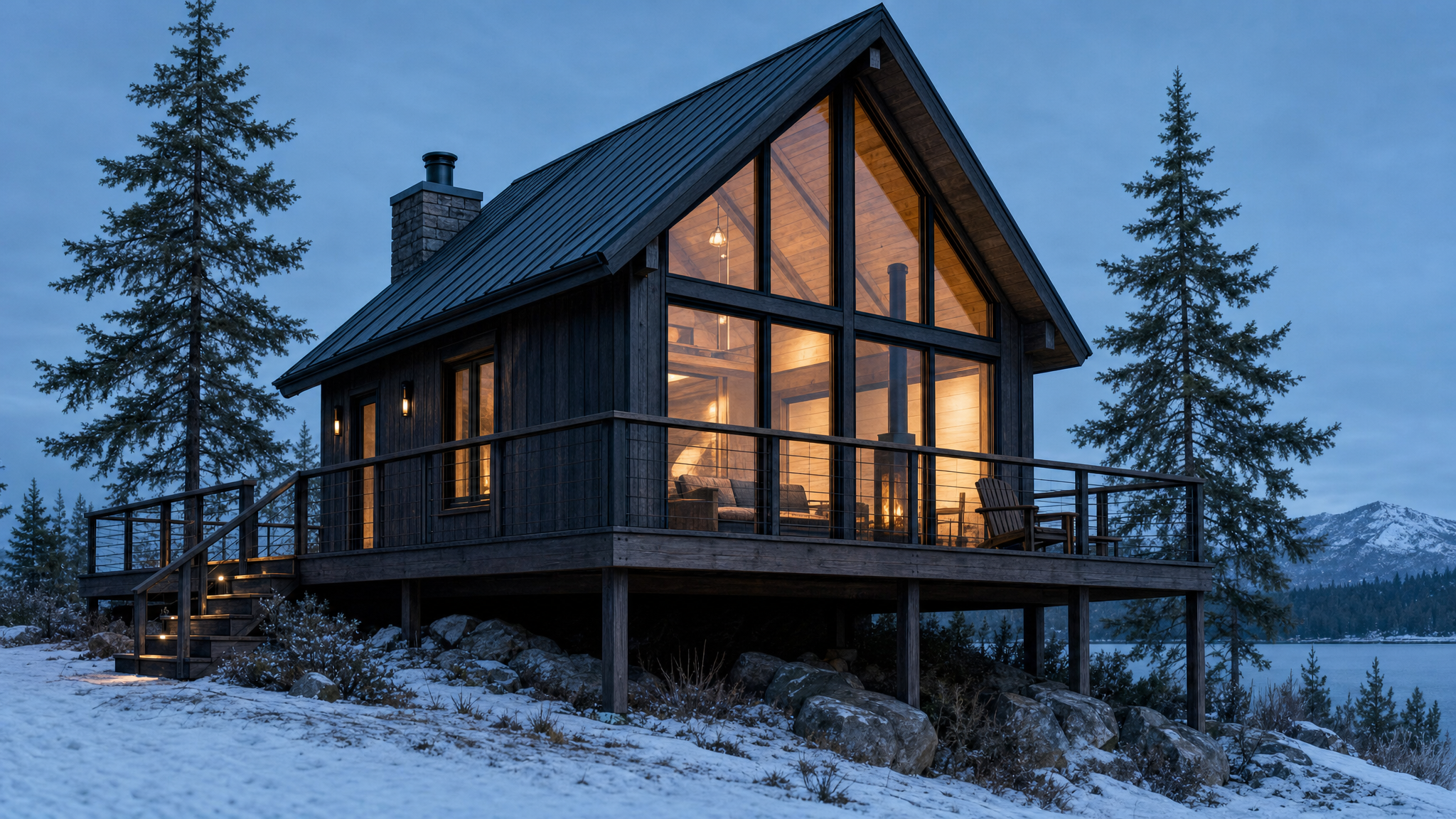
Render this pencil sketch as a photorealistic architectural photograph. Keep the exact building: the steep gable roof, the chimney, the full height glass front, the wraparound deck with its railings and the two pine trees in the same places, from the same viewpoint. Charred dark timber cladding, black window frames, warm light glowing inside, a pine forest at blue hour and a light dusting of snow on the ground.
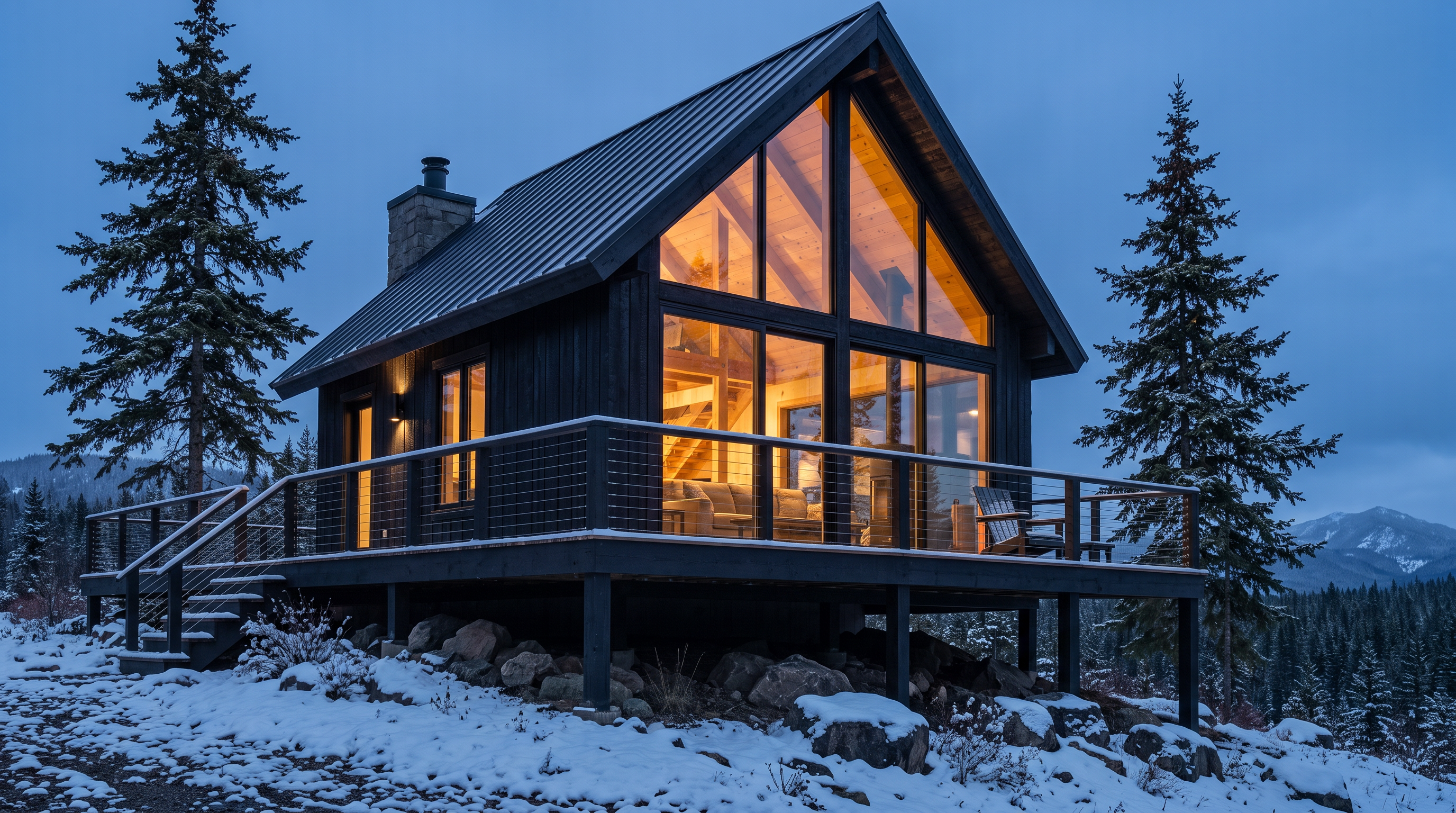
Render this pencil sketch as a photorealistic architectural photograph. Keep the exact building: the steep gable roof, the chimney, the full height glass front, the wraparound deck with its railings and the two pine trees in the same places, from the same viewpoint. Charred dark timber cladding, black window frames, warm light glowing inside, a pine forest at blue hour and a light dusting of snow on the ground.
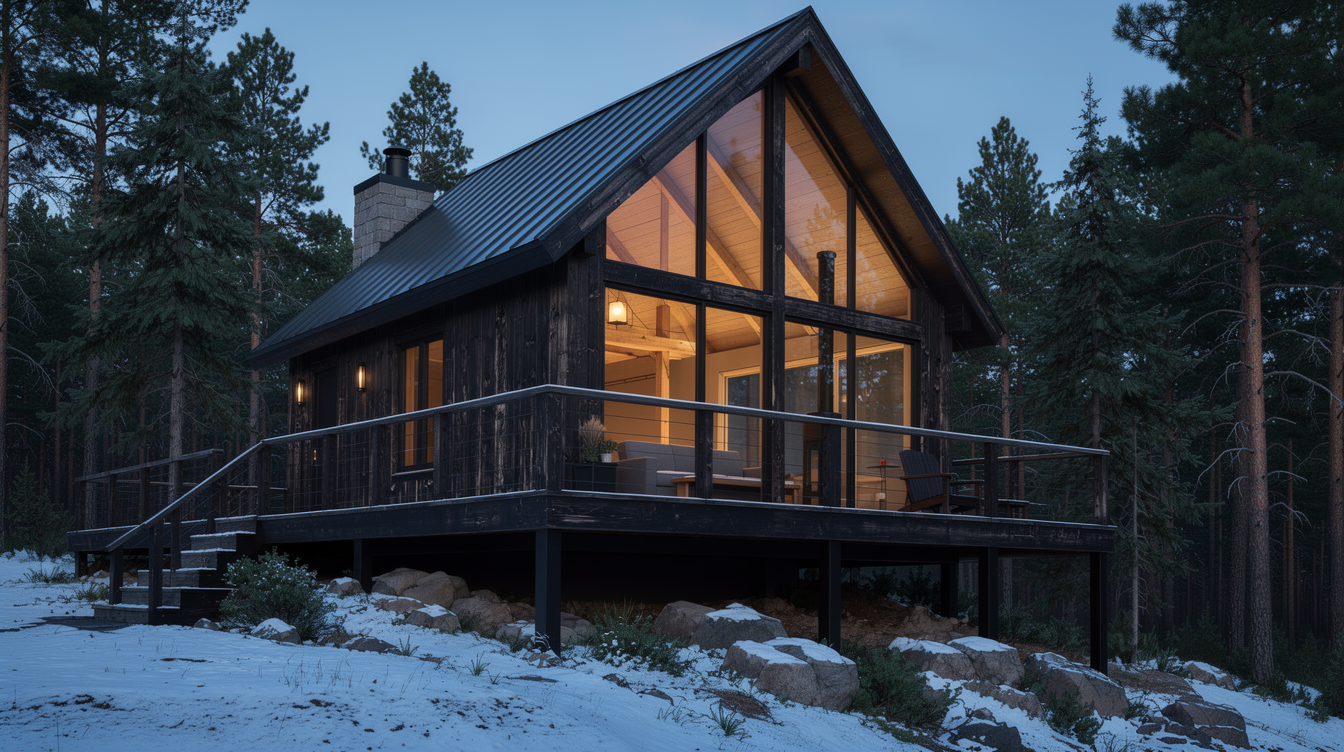
Render this pencil sketch as a photorealistic architectural photograph. Keep the exact building: the steep gable roof, the chimney, the full height glass front, the wraparound deck with its railings and the two pine trees in the same places, from the same viewpoint. Charred dark timber cladding, black window frames, warm light glowing inside, a pine forest at blue hour and a light dusting of snow on the ground.
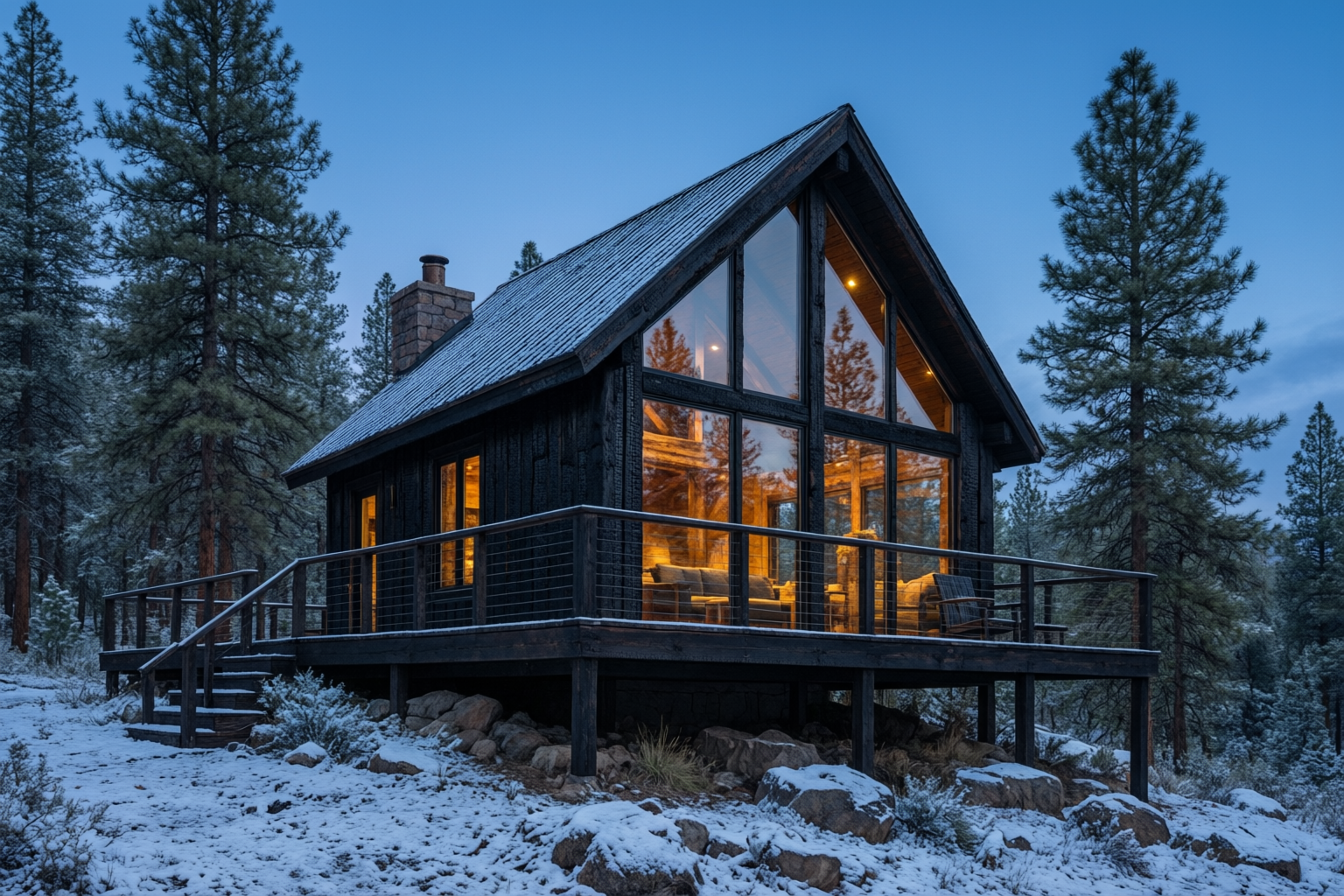
Render this pencil sketch as a photorealistic architectural photograph. Keep the exact building: the steep gable roof, the chimney, the full height glass front, the wraparound deck with its railings and the two pine trees in the same places, from the same viewpoint. Charred dark timber cladding, black window frames, warm light glowing inside, a pine forest at blue hour and a light dusting of snow on the ground.
- All four kept the steep gable, the chimney, the full glass front, the wraparound deck and both pines from the sketch.
- GPT Image 2 Edit held the sketch's viewpoint most closely and added a lake and mountains behind, so it became our start frame.
- Nano Banana Edit gave the strongest interior glow, which reads well on a dusk presentation board.
- FLUX 2 Pro and Qwen Image 2 Edit each cost 1.5 credits, the cheapest renders of the four.
PromeAI plans vs Pixel Dojo
PromeAI's site blocked our page reader, so the PromeAI column uses Dupple's listing (prices checked September 24, 2026) and Trustpilot, both third party sources.
| At a glance | PromeAI | Pixel Dojo |
|---|---|---|
| Plans | Base $19 a month for 500 coins, Standard $39 for 2,000, Pro $79 for 6,000 | Lite $10 a month for 160 credits, Pro $25 for 500 credits, Pro Max $50 for 1,100 credits |
| Billed yearly | About $16, $29 and $59 a month | Monthly plans; API credit packs from $5 |
| Commercial use | From the Standard plan | Commercial use on every plan |
| Rendering tools | Sketch, Consistency, TextureLock and Region rendering | GPT Image 2 Edit, Nano Banana Edit, FLUX 2 Pro and Qwen Image 2 Edit, each priced on its page |
| Video | Image to video and text to video | Kling 3.0, Seedance 2.5, Veo 3.1 and WAN 3.0, using a render as the first frame |
Why Pixel Dojo is the stronger studio
Pixel Dojo is the stronger studio when you want the general models that are moving fastest, a clear price per render, commercial use on the entry plan and video from the same render.
Why PromeAI users switch to Pixel Dojo
Unlimited on every plan
On every paid plan, Relax runs Qwen Image 2.1, FLUX 3 Image Klein and MiniMax H3 Turbo, plus every video and photo effect, unlimited with no credits spent.
Sensei, the AI director
Describe a project and Sensei plans it, prices it, waits for your approval and reviews every take.
One job AI tools
35 single purpose tools each do one edit from an upload: remove a watermark, an object or text, restore and colorize an old photo, swap a background, retouch a portrait or make a thumbnail.
Photo effects
45+ photo effects restyle a picture in one click, from a hand painted anime still to a boxed action figure or a magazine cover, and every one starts from your own upload.
Character Studio
Save a face once and call it by @name in any prompt, so the same person shows up in every image and clip.
Credits that roll over
Your credits roll over while you stay subscribed, so nothing you pay for disappears at the end of the month.
Every top model, plus an API
More than 80 image and 60 video models in one account, with a public API and a hosted MCP server for your own apps and AI assistants.
What our sketch to render test cost
Plans are Lite $10 a month for 160 credits, Pro $25 for 500 credits, Pro Max $50 for 1,100 credits. Every plan includes every model. Credits roll over while you stay subscribed.
The sketch cost 2 credits. The renders cost 5 credits on GPT Image 2 Edit, 4.5 on Nano Banana Edit and 1.5 each on FLUX 2 Pro and Qwen Image 2 Edit. The 5 second Kling 3.0 push in cost 20 credits.
Under our refund policy, a first purchase can be refunded within 7 days, in full if under 20% of the credits are used and pro-rated after that.
PromeAI questions
What is a good alternative to PromeAI?
Pixel Dojo renders sketches on four leading edit models, shows each price first, includes commercial use on every plan and turns a render into a walkthrough clip on Kling 3.0 or Seedance 2.5.
How much does PromeAI cost?
Dupple's listing, checked September 24, 2026, shows PromeAI Base at $19 a month for 500 coins, Standard at $39 for 2,000 coins and Pro at $79 for 6,000 coins.
Which AI model renders a sketch most faithfully?
In our test GPT Image 2 Edit kept the cabin's viewpoint and proportions closest to the pencil sketch, with Nano Banana Edit close behind.
Can I render interiors and products the same way?
Yes. Upload the sketch to an edit model and name what must stay fixed. Our attic studio and plywood chair renders show the kind of finish to expect.
Can I turn a render into a video for a client?
Yes. Use the render as the start frame on Kling 3.0 or Seedance 2.5. Our cabin push in at blue hour was made that way.
Video Effects New
Your first video is free. One photo, one click.
310 ready-made effects, from AI Hug and Earth Zoom In to product spins and listing walkthroughs. Upload a photo and press Generate. No prompt to write, and a free account gets 3 a day.






Switch from PromeAI to Pixel Dojo today
Write a prompt above or start from any example on this page. One plan covers every top model, six studios and Sensei, and your credits roll over.
Start with Kling 3.0Sources
Facts about PromeAI come from these public pages, checked on Oct 15, 2026. Prices and plans change; check the source before you buy.