Pixelcut alternative
Pixelcut alternative for product photos that move
Pixel Dojo puts your product into any scene on Nano Banana, GPT Image or Qwen Image Edit, keeps the label intact, and turns the best shot into a video with sound on the same plan.
Pixelcut is built for sellers: background removal, product scenes, upscaling and UGC style ads. We took one plain packshot of a jar, put it on a tide pool rock with three edit models, then animated our favorite on Seedance 2.5.
30 credits ($1.88) per 5 s clip at 720p with audio. Included in every plan, from $10/month.
Already a member? Sign in
By Brian Lovett · Updated
What Pixelcut is, in plain terms
Pixelcut is an AI photo and video editor for people who sell things. Its home page leads with background removal for images and video, product photography from a prompt, AI actors, an upscaler of up to 16x and AI UGC ads, on the web and in iOS and Android apps. It says 70 million sellers, creators and brands use it.
Under the hood, the generative parts run on models such as Nano Banana Pro and Sora 2, paid for with monthly AI credits. Unlimited background removal and upscaling come with the paid plans.
More seller assets from the same session
Every image and clip below was made on Pixel Dojo with the prompt shown.
The Qwen Image 2 Edit scene animated on Seedance 2.5: water swirls, the kelp sways and the label stays put. Sound included, 30 credits.
A small wave washes into the tide pool and swirls around the base of the jar, fine spray drifts past the glass, the strand of kelp sways in the water, the camera slowly pushes in on the jar. Sound: gentle surf, trickling water and a distant gull.
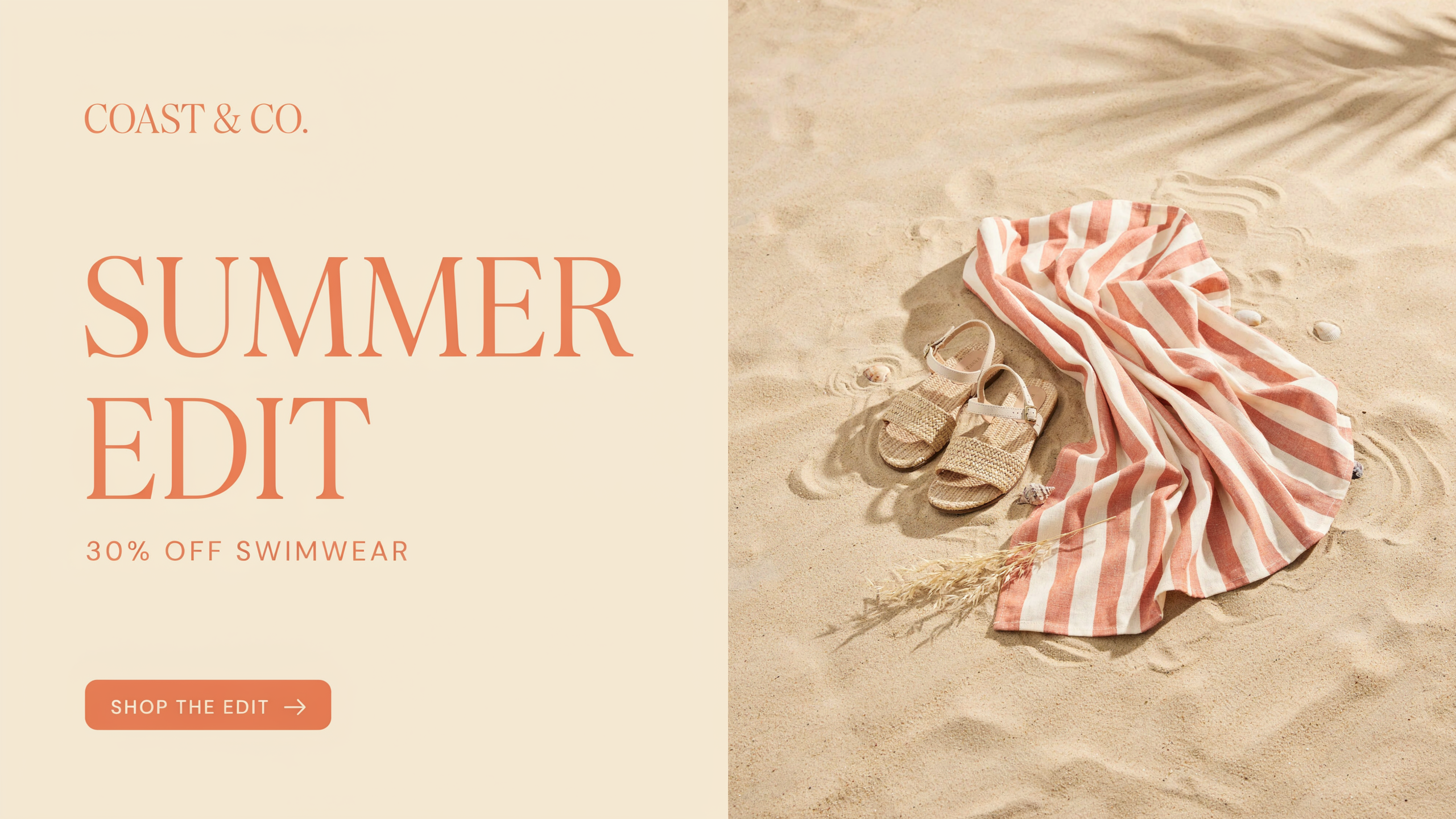
Ideogram 4.5 set both lines of the sale text correctly.
Wide web banner for a beach shop summer sale: the words "SUMMER EDIT" in tall cream serif letters and "30% OFF SWIMWEAR" in a smaller line below, a striped beach towel and straw sandals on sand at the right, coral and cream palette, clean layout.
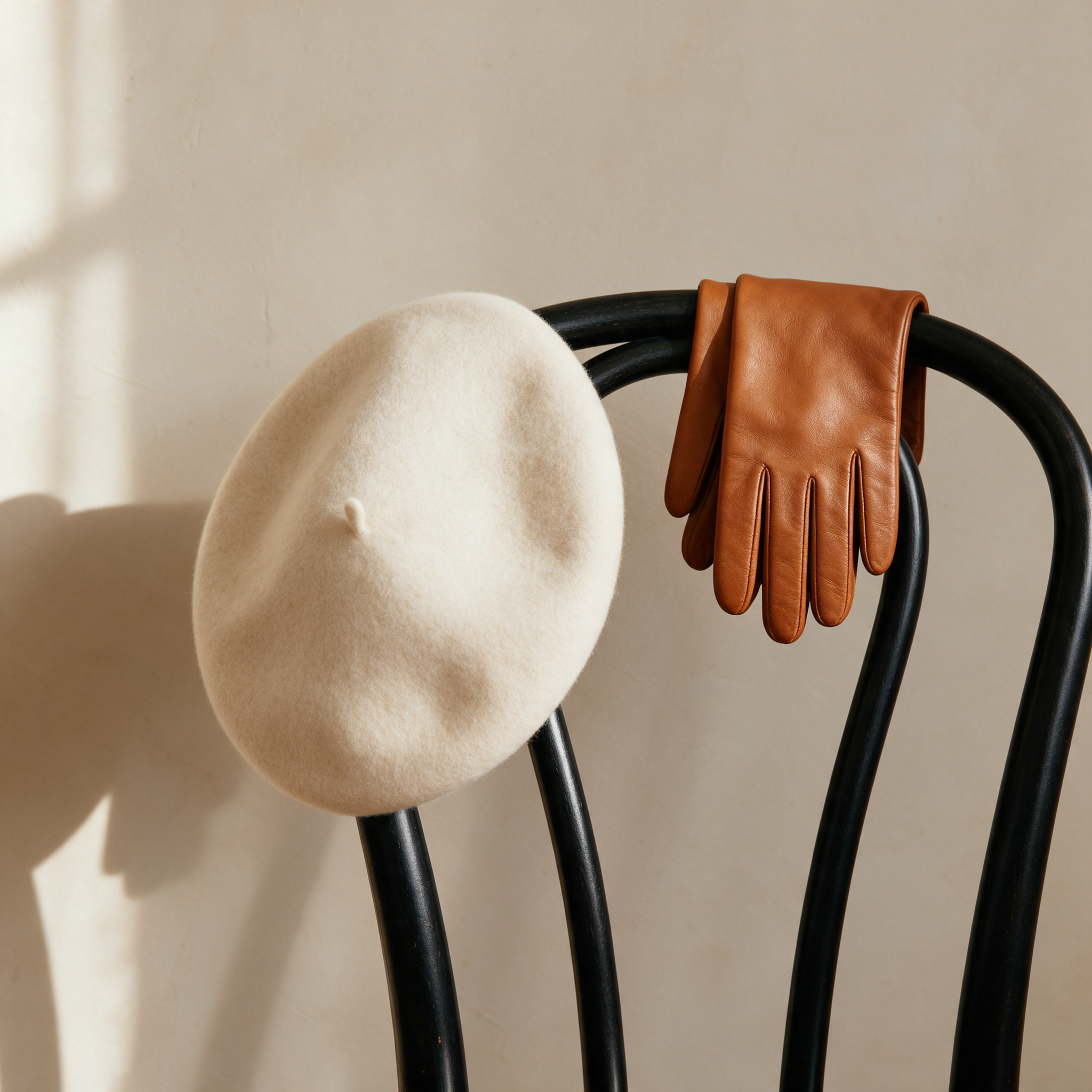
An autumn catalog shot on Seedream 5 with soft window light.
Product photograph of a cream wool beret and a pair of tan leather gloves draped over a black bentwood chair against a warm plaster wall, soft window light from the left, gentle shadows, autumn catalog styling, no text, no logos.
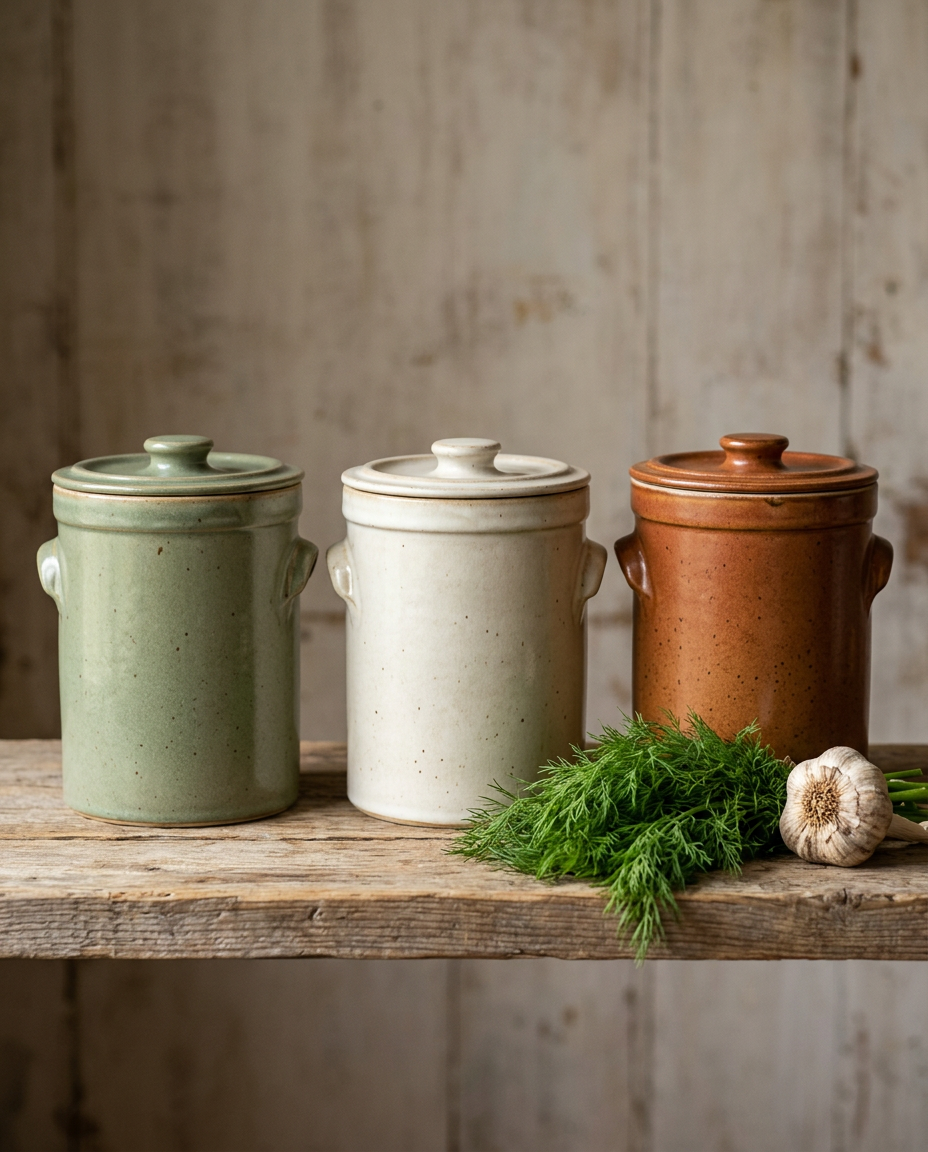
A kitchenware catalog shot on Nano Banana 2.1 for 1 credit.
Product photograph of three stoneware fermentation crocks in sage, cream and rust glazes lined up on a reclaimed pine shelf, a bunch of dill and a bulb of garlic beside them, soft north window light, catalog styling, no text, no logos.
How an edit model keeps your product intact
A product scene is not a fresh image. The model gets your photo plus an instruction, and it has to change everything around the product while leaving the product itself alone: shape, lid, label, glass.
Edit models do this in different ways. Some redraw the whole frame and try to copy the product back in; others edit only what the instruction names. That is why we always run a product through more than one, and why we tell each model in plain words what to keep.
We wrote one instruction for all three: put this exact jar on a wet basalt rock in a tide pool with kelp and pebbles, soft overcast light, and keep the jar, lid and blank label exactly as they are.
One jar, three AI edit models
We made a plain white packshot on FLUX 3 Image, then gave it and the same instruction to Nano Banana Edit, GPT Image 2 Edit and Qwen Image 2 Edit. Each tile shows its settings and credits.
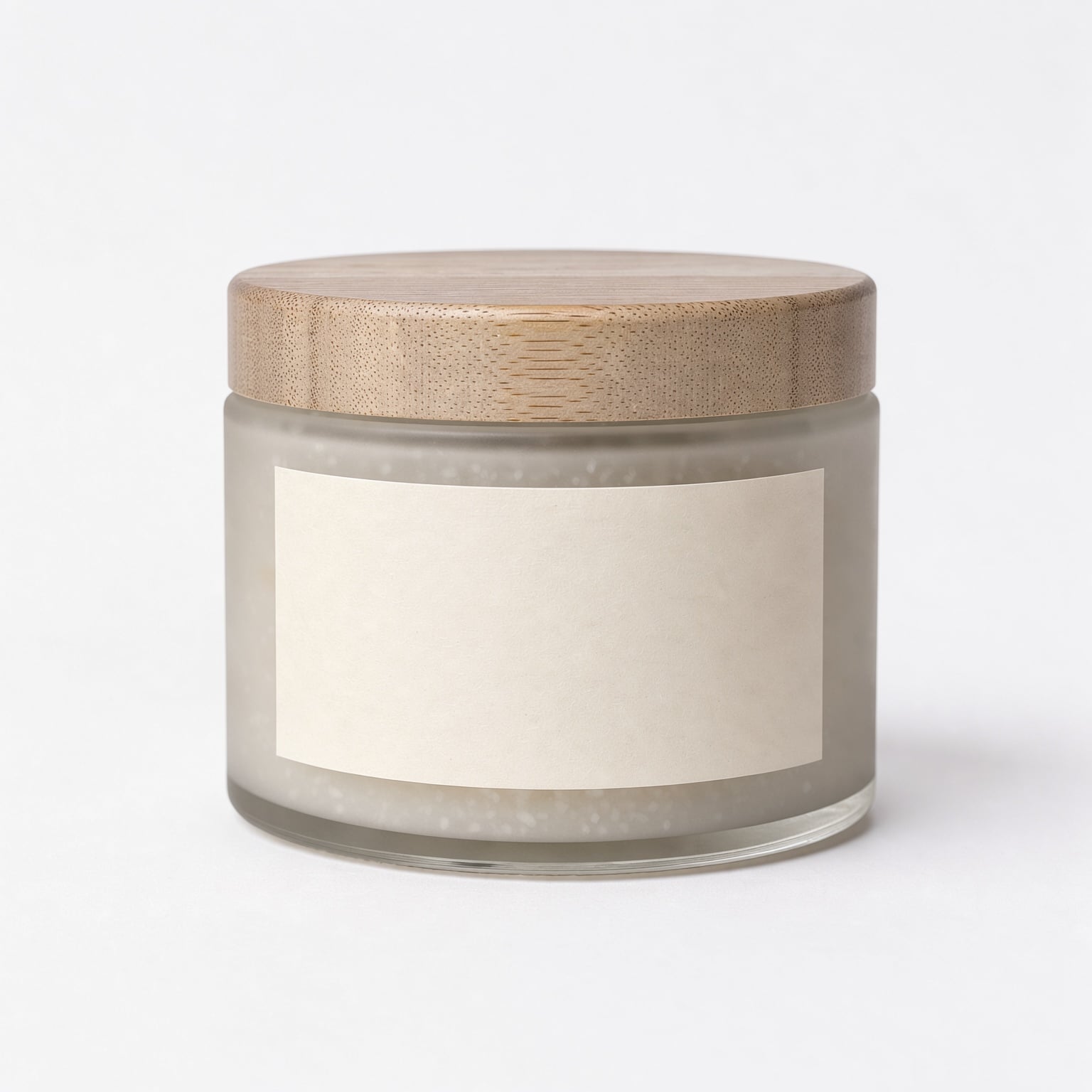
Studio packshot of a frosted glass jar of sea salt scrub with a pale ash wood lid and a blank cream label, centered on a pure white background, soft even light, gentle shadow under the jar, no text, no logos.
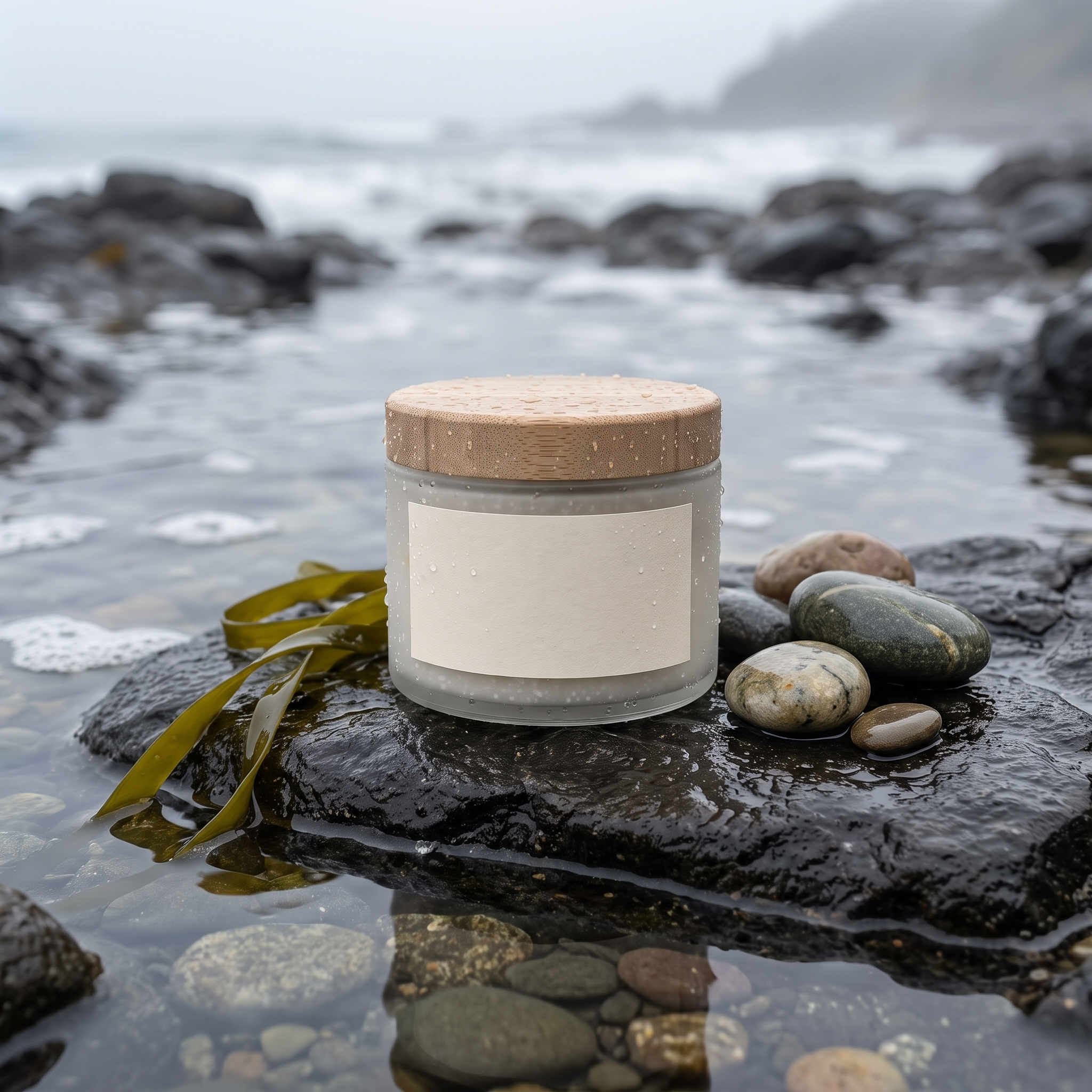
Place this exact jar on a wet black basalt rock at the edge of a tide pool, a strand of green kelp and a few smooth pebbles beside it, soft overcast seaside light, fine spray droplets on the glass, shallow depth of field. Keep the jar, the wooden lid and the blank cream label exactly as they are.
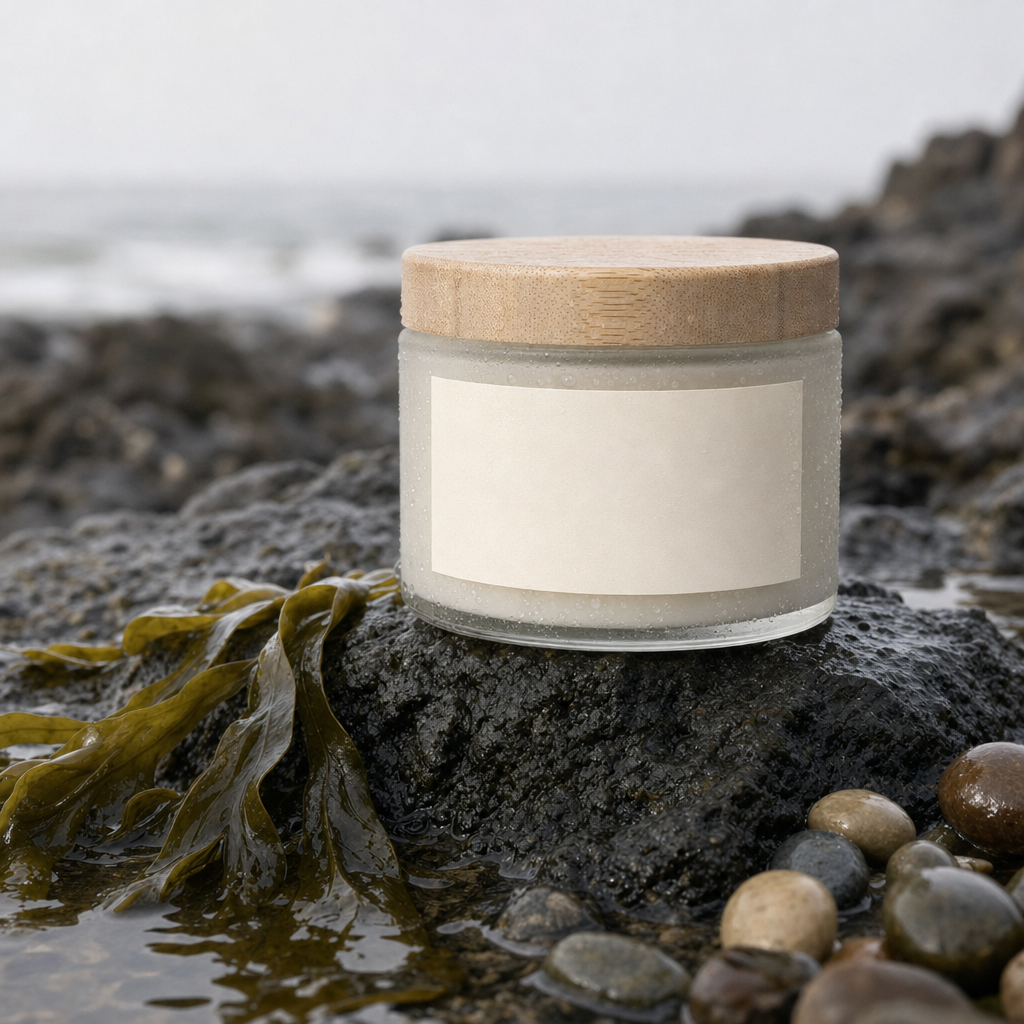
Place this exact jar on a wet black basalt rock at the edge of a tide pool, a strand of green kelp and a few smooth pebbles beside it, soft overcast seaside light, fine spray droplets on the glass, shallow depth of field. Keep the jar, the wooden lid and the blank cream label exactly as they are.
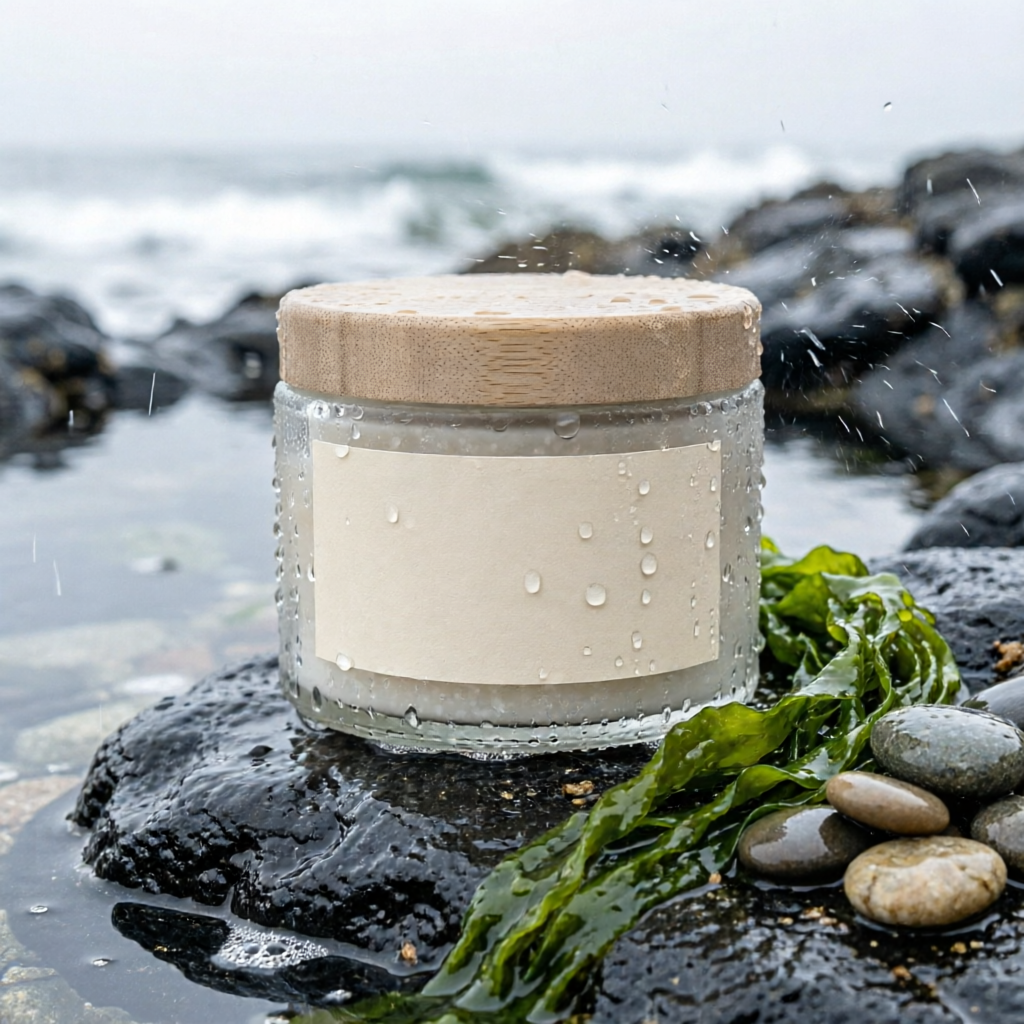
Place this exact jar on a wet black basalt rock at the edge of a tide pool, a strand of green kelp and a few smooth pebbles beside it, soft overcast seaside light, fine spray droplets on the glass, shallow depth of field. Keep the jar, the wooden lid and the blank cream label exactly as they are.
- All three kept the jar's shape, the wooden lid and the blank cream label, so the product still reads as the same item.
- Qwen Image 2 Edit framed the jar biggest and added droplets on the glass, the most ad ready result, for 0.5 credits. We animated that one.
- Nano Banana Edit pulled back to show the whole tide pool, good for a wide banner with room for text.
- GPT Image 2 Edit gave the darkest, moodiest sea and the most kelp.
Pixelcut plans vs Pixel Dojo
Everything in the Pixelcut column comes from its home and pricing pages, read on October 15, 2026.
| Question | Pixelcut | Pixel Dojo |
|---|---|---|
| What do plans cost? | Free; Pro $10 a month or $8 billed yearly with 600 AI credits; Business $30 a month or $24 billed yearly with 3,600 AI credits | Lite $10 a month for 160 credits, Pro $25 for 500 credits, Pro Max $50 for 1,100 credits |
| How are AI scenes and videos paid for? | AI credits for advanced third party models; video credits are based on 5 seconds of video | Credits for every model, with the price shown on each model page before you generate |
| Can I use the images commercially? | Commercial license on Pro and Business | Commercial use on every plan |
| Video | AI UGC ads, an AI video generator and video background removal | Seedance 2.5, Kling 3.0, Veo 3.1, WAN 3.0 and more, plus Film Studio and auto captions |
| Agent | Creative Agent for multi step tasks | Sensei: plans the project, prices it, waits for your approval and reviews every take |
Why Pixelcut users switch to Pixel Dojo
Unlimited on every plan
On every paid plan, Relax runs Qwen Image 2.1, FLUX 3 Image Klein and MiniMax H3 Turbo, plus every video and photo effect, unlimited with no credits spent.
Sensei, the AI director
Describe a project and Sensei plans it, prices it, waits for your approval and reviews every take.
One job AI tools
35 single purpose tools each do one edit from an upload: remove a watermark, an object or text, restore and colorize an old photo, swap a background, retouch a portrait or make a thumbnail.
Photo effects
45+ photo effects restyle a picture in one click, from a hand painted anime still to a boxed action figure or a magazine cover, and every one starts from your own upload.
Character Studio
Save a face once and call it by @name in any prompt, so the same person shows up in every image and clip.
Credits that roll over
Your credits roll over while you stay subscribed, so nothing you pay for disappears at the end of the month.
Every top model, plus an API
More than 80 image and 60 video models in one account, with a public API and a hosted MCP server for your own apps and AI assistants.
What our product test cost
Plans are Lite $10 a month for 160 credits, Pro $25 for 500 credits, Pro Max $50 for 1,100 credits. Every plan includes every model and commercial use. Credits roll over while you stay subscribed.
The packshot cost 1 credit. The three scene edits cost 4.5, 5 and 0.5 credits, and the 5 second Seedance 2.5 clip with sound cost 30 credits.
Under our refund policy, a first purchase can be refunded within 7 days, in full if under 20% of the credits are used and pro-rated after that.
Pixelcut questions
What is a good alternative to Pixelcut?
Pixel Dojo places your product into new scenes on several edit models, including Nano Banana Edit, GPT Image 2 Edit and Qwen Image 2 Edit, and animates the result on Seedance 2.5, Kling 3.0 or Veo 3.1, with commercial use on every plan.
How much does Pixelcut cost?
Pixelcut lists a free plan, Pro at $10 a month or $8 billed yearly with 600 AI credits, and Business at $30 a month or $24 billed yearly with 3,600 AI credits.
Which AI edit model keeps a product label intact?
In our test all three edit models kept the jar, lid and blank label intact. Qwen Image 2 Edit gave the most ad ready close up for 0.5 credits.
Can I turn a product photo into a video?
Yes. Use the photo as the start frame on Seedance 2.5, Kling 3.0 or Veo 3.1. Our 5 second tide pool clip on Seedance 2.5 cost 30 credits with sound.
Video Effects New
Your first video is free. One photo, one click.
310 ready-made effects, from AI Hug and Earth Zoom In to product spins and listing walkthroughs. Upload a photo and press Generate. No prompt to write, and a free account gets 3 a day.






Switch from Pixelcut to Pixel Dojo today
Write a prompt above or start from any example on this page. One plan covers every top model, six studios and Sensei, and your credits roll over.
Start with Seedance 2.5Sources
Facts about Pixelcut come from these public pages, checked on Oct 15, 2026. Prices and plans change; check the source before you buy.