LightX alternative
LightX alternative: one product photo, staged, expanded and animated
Pixel Dojo stages your product on Kling Image, Qwen Image 2 or Nano Banana 2.1 with one sentence, widens the frame with outpainting and animates it on Kling 3.0, with every credit price shown before you generate.
LightX is a photo editor packed with AI tools, from background removal to product photoshoots and logos. We took one of its core jobs, the product photoshoot, and ran it end to end on Pixel Dojo.
20 credits ($1.25) per 5 s clip with audio. Included in every plan, from $10/month.
Already a member? Sign in
By Brian Lovett · Updated
LightX: quick answers
What is LightX?
LightX is a photo editing and AI design app for the web, iPhone and Android, with a developer API. Its tools cover image generation, avatars, headshots, product and person photoshoots, background removal, retouching, logos, cards and short videos.
Which AI models does LightX use?
LightX's home page names Nano Banana 2 and Seedream 4.5 for creating and editing images.
What does LightX Pro include?
LightX lists 1,000 AI credits a month on Pro, enough for up to 500 images and 20 videos, exports up to 4096px with no watermark, and a 7 day free trial.
Is LightX free?
LightX has a free Starter plan with 6 daily AI credits, exports up to 512px in JPG only, and a watermark.
Does LightX have an API?
Yes. LightX sells API credits per call, for example 0.50 credits to remove a background and 1.00 for an AI avatar, and quotes a custom enterprise AI from $3,000 a month.
Other LightX style jobs, made on Pixel Dojo
We made each of these with the prompt shown. Tap one to start from it.
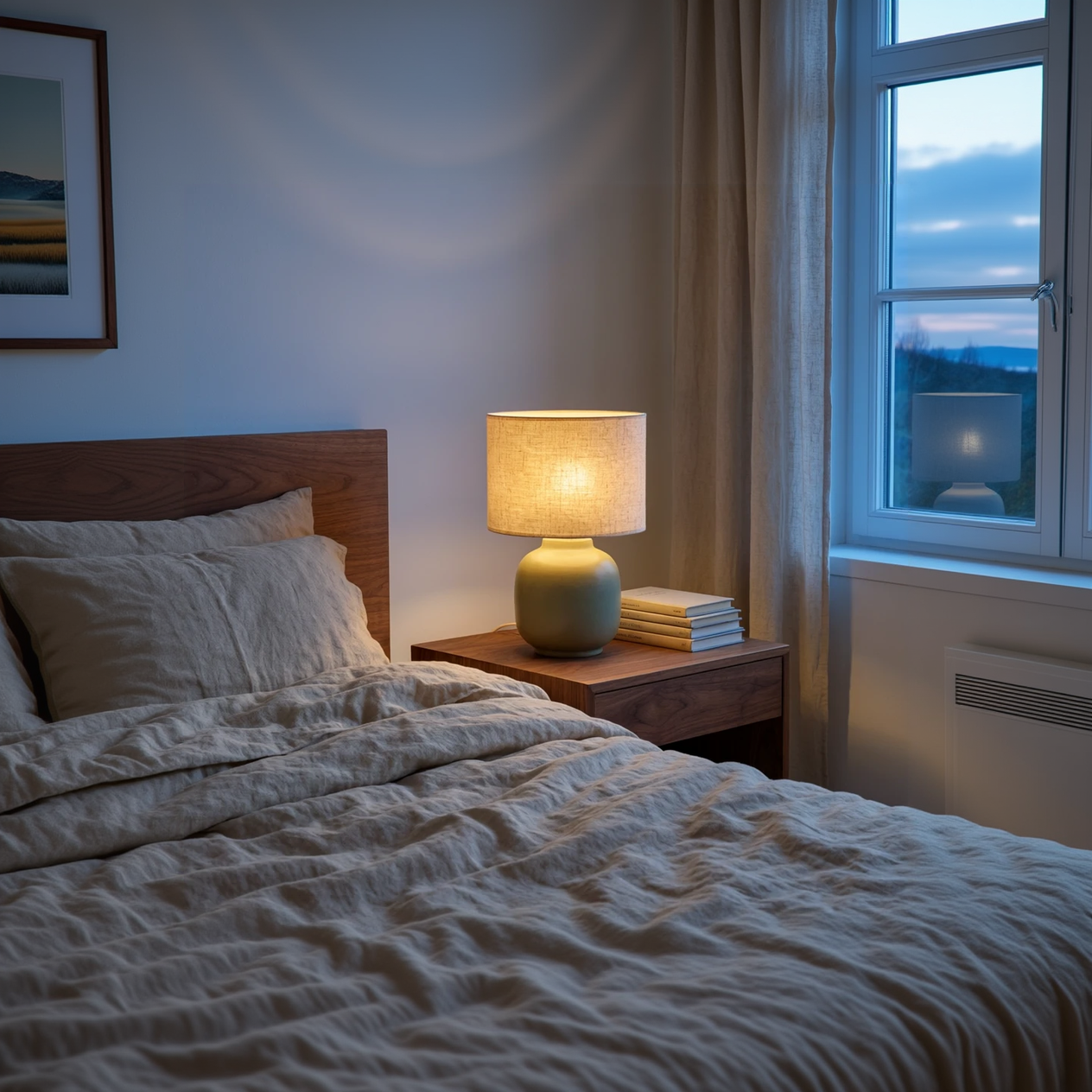
The staged photo animated on Kling 3.0 with soft room sound, a short clip for a product page.
Slow push in toward the glowing lamp on the bedside table as the sheer curtain drifts in a light breeze, daylight fading softly outside, quiet room tone and a faint rustle of fabric.

A professional headshot on Seedream 5.
Professional headshot of a man in his fifties with close cropped grey hair in a charcoal suit and open collar white shirt, soft grey studio backdrop, even key light, friendly confident expression.

A wedding monogram on Ideogram 4.5 with the letters set exactly as asked.
Elegant wedding monogram with the letters "A & J" intertwined in a gold foil serif inside a thin laurel wreath, ivory background, flat vector style.

A birthday card on GPT Image 2.5 with clean hand lettered text.
Illustrated birthday card with the words "HAPPY BIRTHDAY, NORA" in hand lettered script, a three tier lemon cake with lit candles in the center, watercolor wildflowers around the border, cream paper texture.
Deep dive: how an AI product photoshoot works
An AI product photoshoot starts from a clean packshot, your product on plain white. An image editor then keeps the product and builds a scene around it from your words: the surface, the room, the time of day.
The hard part is keeping the product exact. Shape, color and material must survive while light and shadows change around them. That is why we test one packshot on several editors before we pick a scene.
After the scene, two steps finish the job: outpainting widens the frame for banners and ads, and image to video turns the still into a short clip for product pages and social posts.
One lamp packshot, three scenes, one wider frame
We made a white background packshot on Nano Banana 2.1, staged it in the same bedroom brief on three editors, then widened our pick with outpainting. Each tile shows its settings and credits.
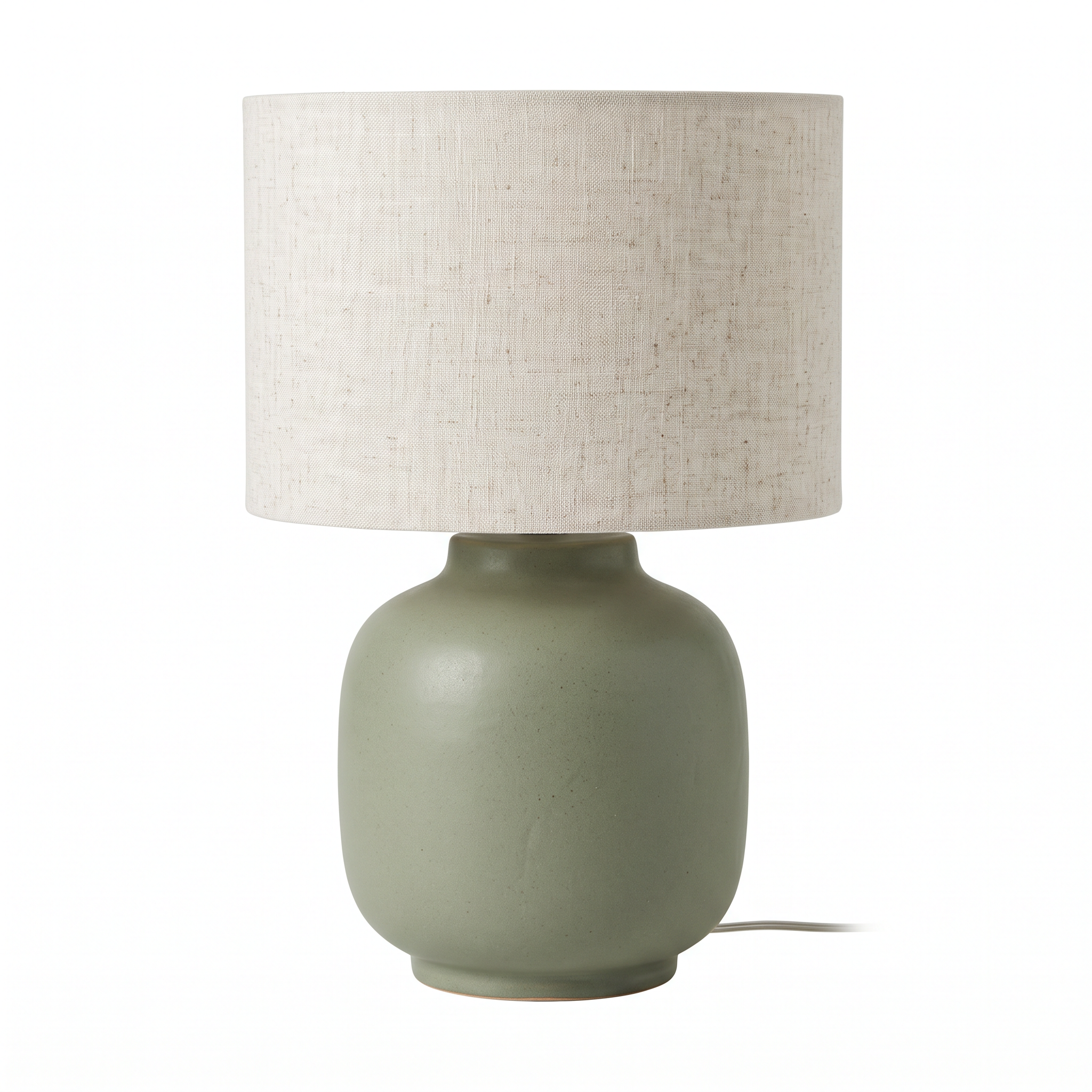
Studio packshot of a matte sage green ceramic table lamp with a natural linen drum shade, pure white background, soft even light, no text, no logos.
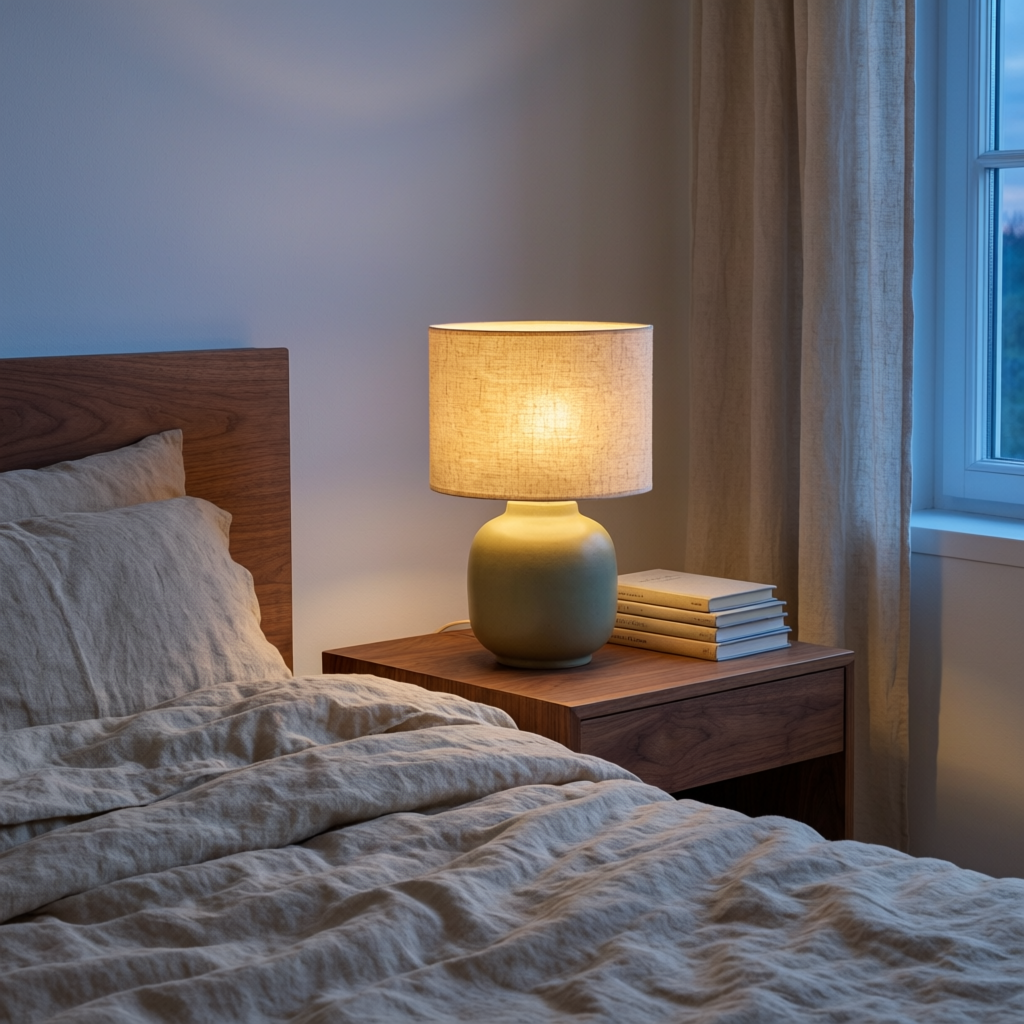
Place this exact lamp on a walnut bedside table in a calm Scandinavian bedroom at dusk, the lamp switched on with a warm glow through the linen shade, rumpled oatmeal linen bedding, a small stack of books, soft blue window light.
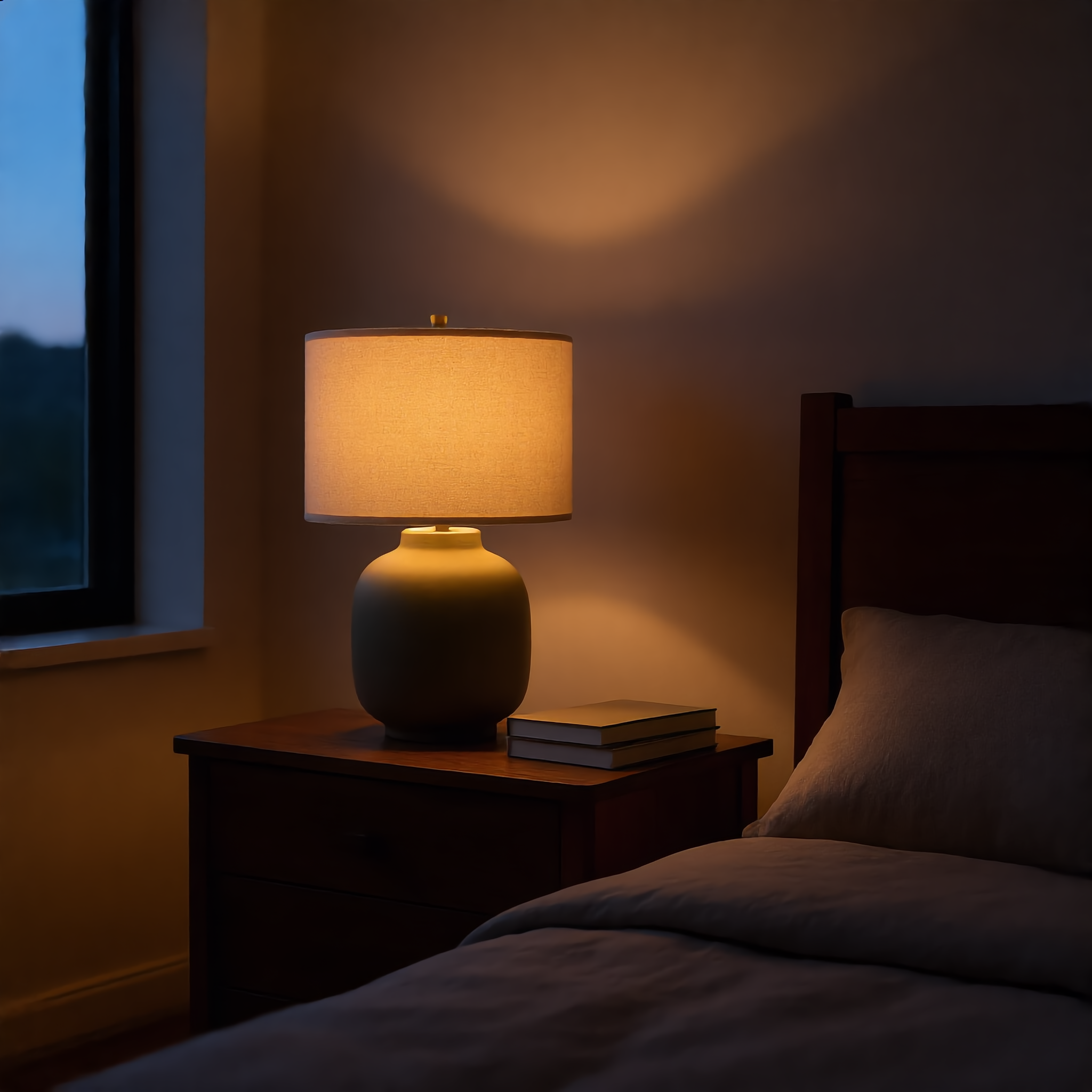
Place this exact lamp on a walnut bedside table in a calm Scandinavian bedroom at dusk, the lamp switched on with a warm glow through the linen shade, rumpled oatmeal linen bedding, a small stack of books, soft blue window light.
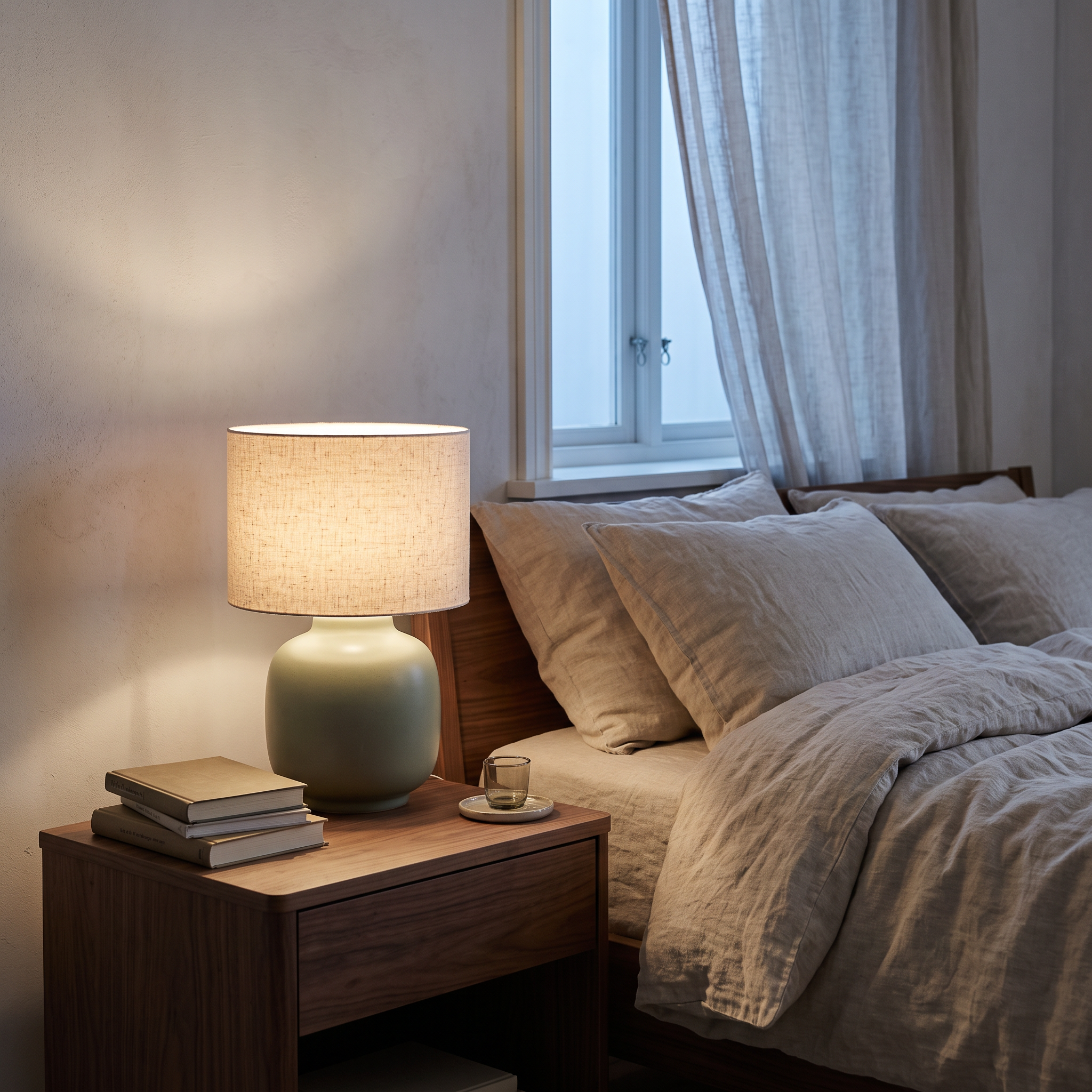
Place this exact lamp on a walnut bedside table in a calm Scandinavian bedroom at dusk, the lamp switched on with a warm glow through the linen shade, rumpled oatmeal linen bedding, a small stack of books, soft blue window light.
Extend the calm Scandinavian bedroom on every side: more of the linen bed, the walnut bedside table, a wooden floor and a pale wall, same soft light.
- All three editors kept the lamp's rounded sage body and linen drum shade, the thing a product shot cannot get wrong.
- Qwen Image 2 balanced the brief best: a warm glow, soft dusk at the window and linen bedding, so we expanded and animated it.
- Kling Image took dusk literally, the moodiest of the three, for 1 credit.
- Nano Banana 2.1 lit the room like midday, bright and clean, a better fit for a catalog than an evening mood.
LightX plans vs Pixel Dojo
Everything in the LightX column comes from its pricing and home pages, read on October 15, 2026. Its pricing page showed local currency prices when we read it, so we list what each plan includes.
| At a glance | LightX | Pixel Dojo |
|---|---|---|
| Paid plan | Pro: 1,000 AI credits a month, up to 500 images and 20 videos | Lite $10 a month for 160 credits, Pro $25 for 500 credits, Pro Max $50 for 1,100 credits |
| Image models | Nano Banana 2 and Seedream 4.5 | Nano Banana 2.1, Seedream 5, FLUX 3 Image, GPT Image 2.5, Qwen Image 2, Kling Image, Ideogram 4.5 and more |
| Video | Image to video and AI video templates | Kling 3.0, Seedance 2.5, Veo 3.1 and WAN 3.0, from text or from your photo |
| Extra credits | AI credits pack of 400 credits with lifetime validity | API credit packs from $5 |
| API | Per call credits, such as 0.50 to remove a background | Public API on every model, docs generated from each model's spec, hosted MCP server |
| Bigger projects | Templates for designs, cards and social sizes | Sensei plans and prices a project and reviews every take; Film Studio builds whole films |
Why LightX users switch to Pixel Dojo
Unlimited on every plan
On every paid plan, Relax runs Qwen Image 2.1, FLUX 3 Image Klein and MiniMax H3 Turbo, plus every video and photo effect, unlimited with no credits spent.
Sensei, the AI director
Describe a project and Sensei plans it, prices it, waits for your approval and reviews every take.
One job AI tools
35 single purpose tools each do one edit from an upload: remove a watermark, an object or text, restore and colorize an old photo, swap a background, retouch a portrait or make a thumbnail.
Photo effects
45+ photo effects restyle a picture in one click, from a hand painted anime still to a boxed action figure or a magazine cover, and every one starts from your own upload.
Character Studio
Save a face once and call it by @name in any prompt, so the same person shows up in every image and clip.
Credits that roll over
Your credits roll over while you stay subscribed, so nothing you pay for disappears at the end of the month.
Every top model, plus an API
More than 80 image and 60 video models in one account, with a public API and a hosted MCP server for your own apps and AI assistants.
What the lamp shoot costs on Pixel Dojo
Plans are Lite $10 a month for 160 credits, Pro $25 for 500 credits, Pro Max $50 for 1,100 credits. Every plan includes every model and commercial use. Credits roll over while you stay subscribed.
The packshot cost 1.5 credits, each staged scene 1 or 1.5 credits, the wider frame 1 credit and the Kling 3.0 clip 20 credits. Every tile lists its own price.
Under our refund policy, a first purchase can be refunded within 7 days, in full if under 20% of the credits are used and pro-rated after that.
LightX questions
What is a good alternative to LightX?
Pixel Dojo stages product photos on Kling Image, Qwen Image 2 and Nano Banana 2.1, widens them with outpainting, animates them on Kling 3.0 or Seedance 2.5, and adds headshots, logos, cards and an API on the same plan.
How many credits does LightX Pro include?
LightX lists 1,000 AI credits a month on Pro, which it says covers up to 500 images and 20 videos, with a 7 day free trial.
Which AI model is best for product photoshoots?
In our lamp test Qwen Image 2 balanced mood and accuracy best, Kling Image was the moodiest and Nano Banana 2.1 the brightest. All three kept the product exact.
Can I turn a product photo into a video?
Yes. Use the staged photo as the start frame on Kling 3.0, Seedance 2.5 or Veo 3.1. The lamp clip at the top of this page was made that way.
Video Effects New
Your first video is free. One photo, one click.
310 ready-made effects, from AI Hug and Earth Zoom In to product spins and listing walkthroughs. Upload a photo and press Generate. No prompt to write, and a free account gets 3 a day.






Switch from LightX to Pixel Dojo today
Write a prompt above or start from any example on this page. One plan covers every top model, six studios and Sensei, and your credits roll over.
Start with Kling 3.0Sources
Facts about LightX come from these public pages, checked on Oct 15, 2026. Prices and plans change; check the source before you buy.