Artguru alternative
Artguru alternative: restore, colorize and bring old photos to life
Pixel Dojo repairs and colorizes old prints on Nano Banana 2.1, GPT Image 2.5, Qwen Image 2 Edit and Kling Image Edit, prices each run before you click, and can turn the result into a moving clip on the same plan.
Artguru is built around one click enhancing. We wanted to see how far a plain sentence gets instead, so we took one torn, stained vintage print and asked four image editors to repair and colorize it.
0.5 credits ($0.03) per image. Included in every plan, from $10/month.
Already a member? Sign in
By Brian Lovett · Updated
What else you can make from the same account
We made each of these on Pixel Dojo with the prompt shown. Tap one to start from it.
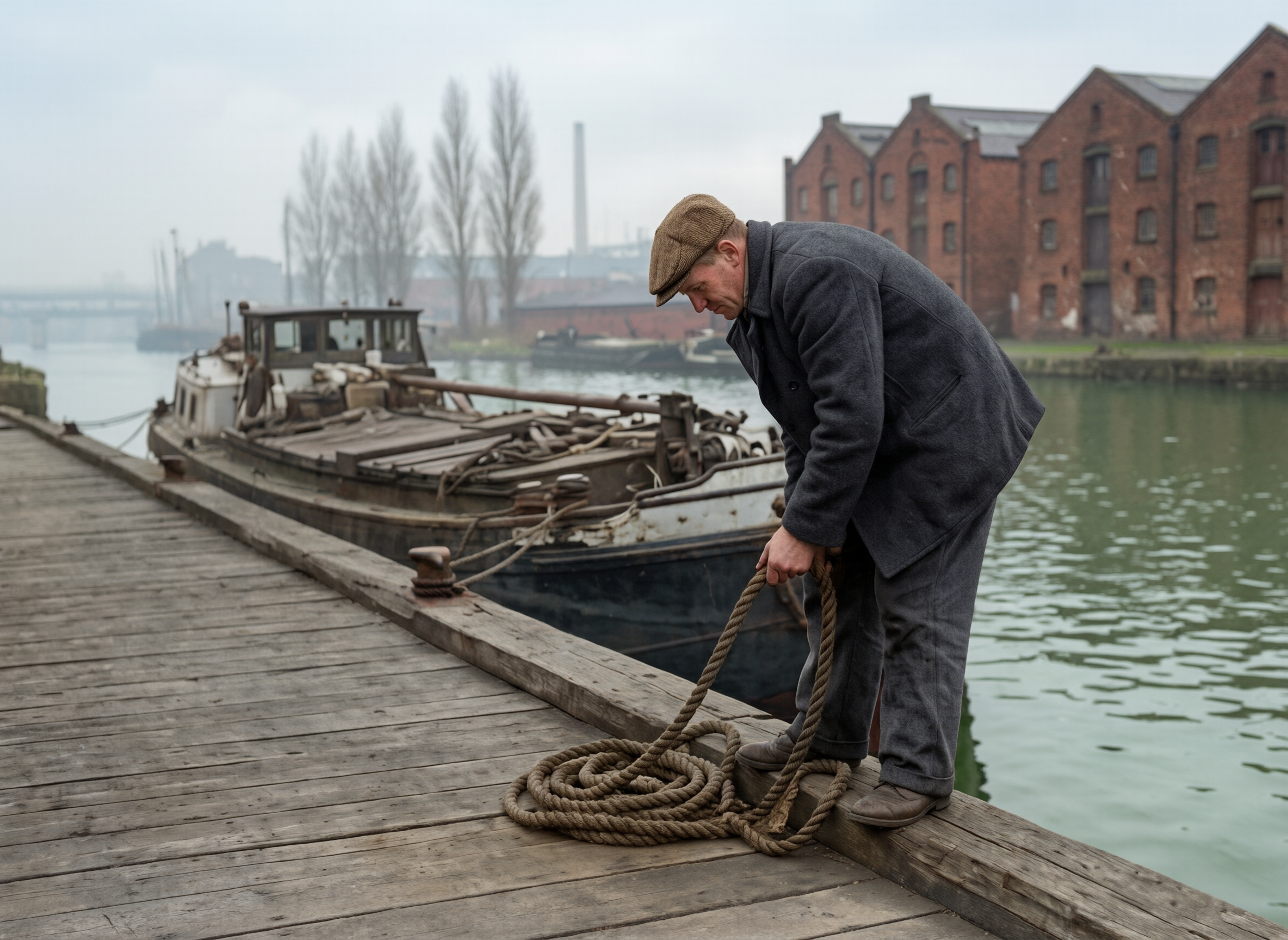
We gave the Qwen restoration to Seedance 2.5 as a start frame. It cut a three shot scene: his hands on the rope, the man on the quay, the barge in the mist.
The dock worker pulls the last loop of rope tight, straightens up and looks along the canal as the moored barge rocks gently, mist drifting past the brick warehouses. Sound: water lapping against the hull, a creaking rope and a distant boat horn.
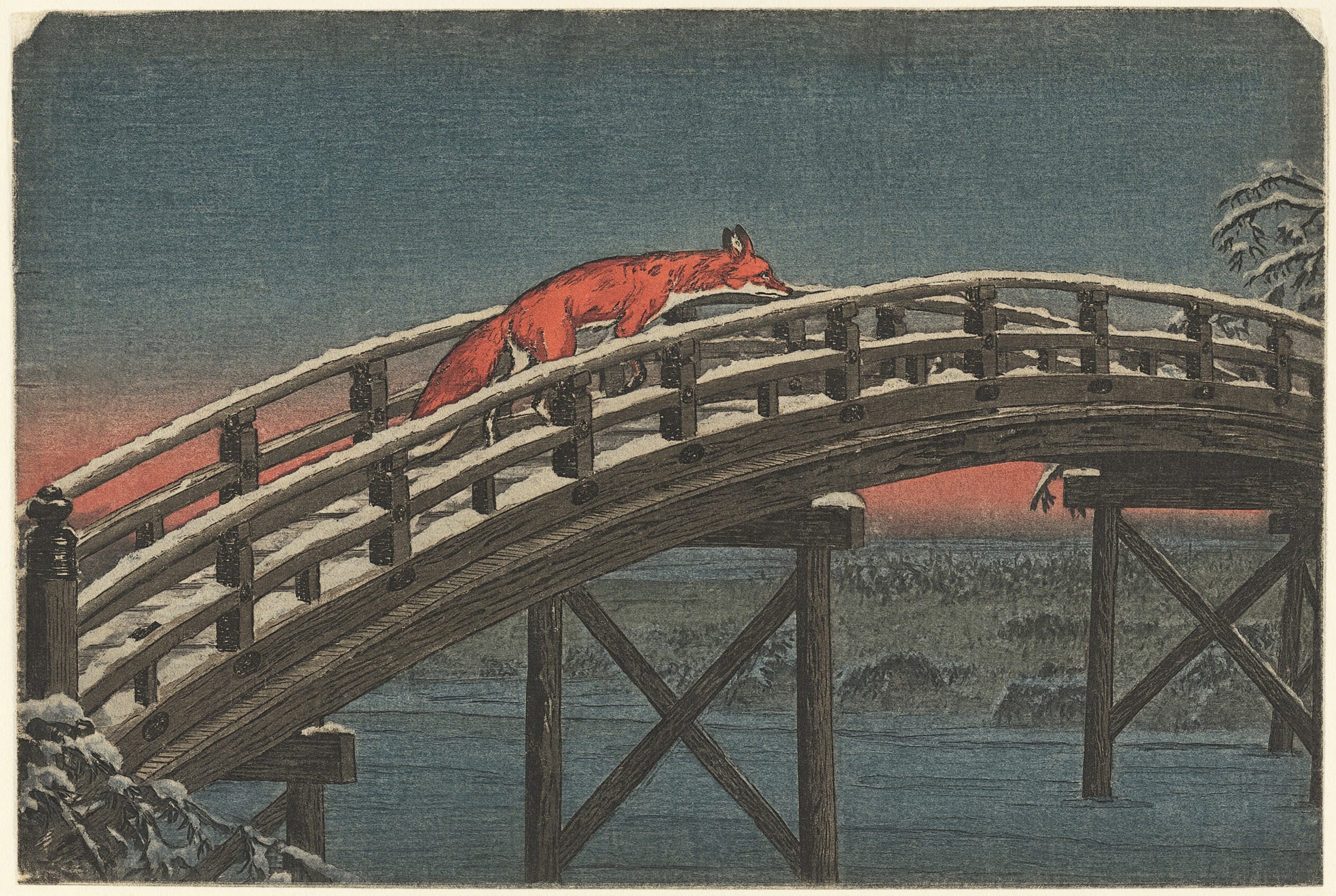
Photo to art styles on Qwen Image 2.1, with real print texture.
Japanese woodblock print of a red fox crossing an arched wooden bridge over a frozen stream at dusk, snow on the railings, flat indigo and vermilion inks, visible wood grain in the print, bold carved outlines.
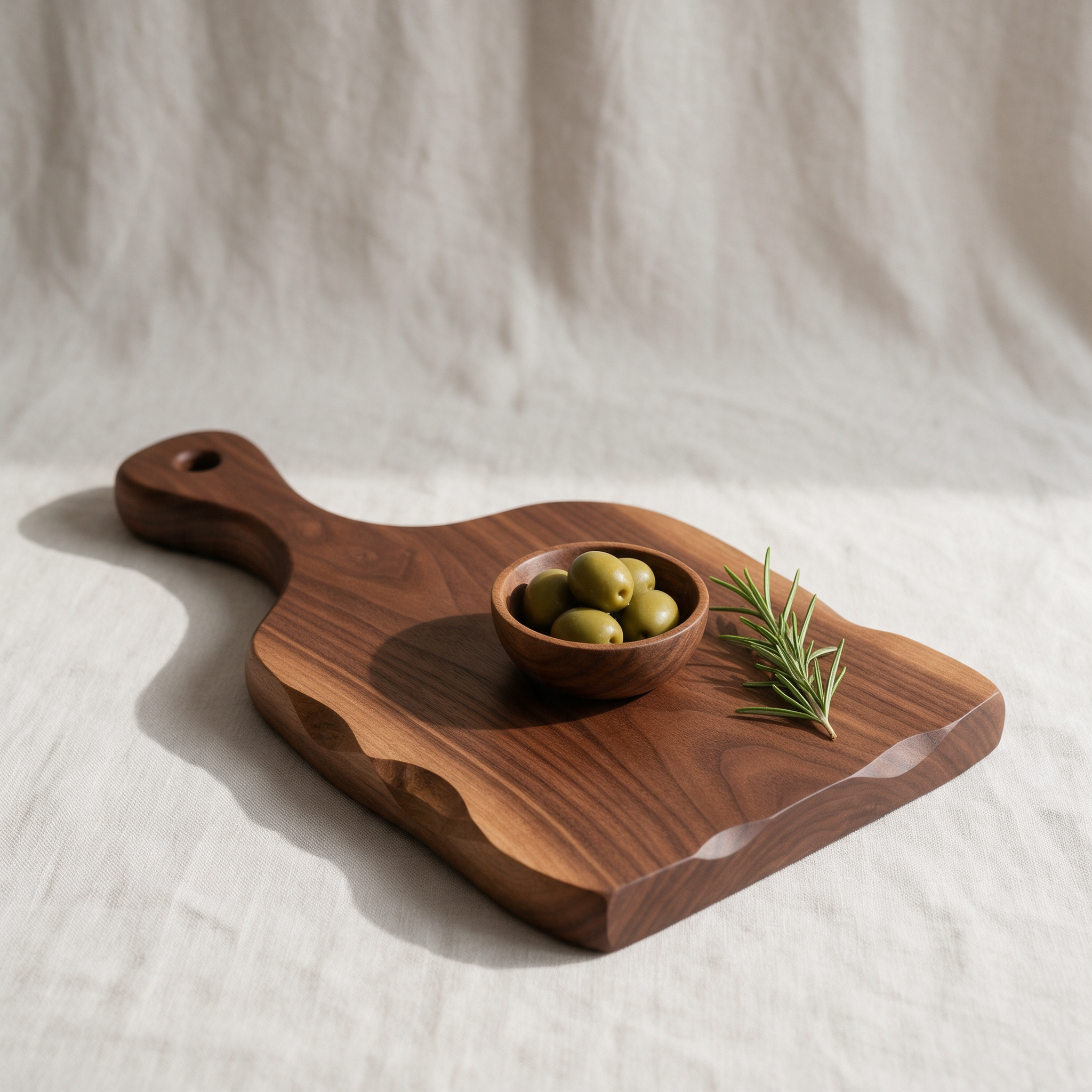
A product shot on Seedream 5 for shop listings.
Studio product photograph of a hand carved walnut serving board with a small bowl of green olives and a sprig of rosemary on a pale linen backdrop, soft window light from the left, a gentle shadow, crisp wood grain detail.
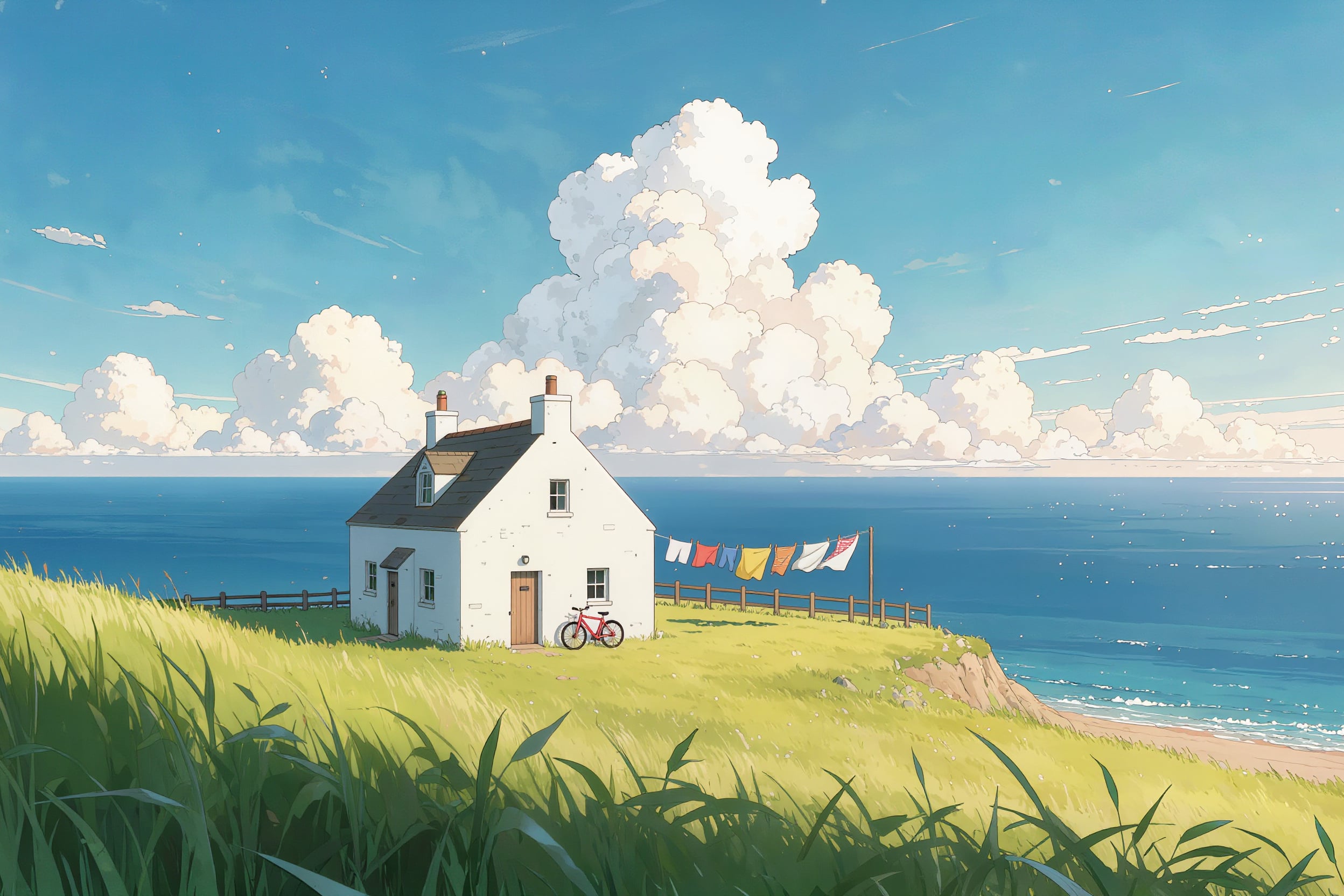
Anime scenery on Kling Image for 1 credit.
Anime background art of a white cottage on a windy grass headland above the sea, laundry flapping on a line, a red bicycle against the fence, tall summer clouds, clean cel shading and soft painted sky.
Artguru vs Pixel Dojo for photo repair
Everything in the Artguru column comes from its pricing page and home page, read on October 15, 2026. Artguru lists each credit at $0.01.
| At a glance | Artguru | Pixel Dojo |
|---|---|---|
| Old photo restoration | Standard 4K 1 credit, Deep Repair 4K or 8K 20 credits per image | Nano Banana 2.1, GPT Image 2.5, Qwen Image 2 Edit and Kling Image Edit, from 1 credit, steered with your own words |
| Upscaling | Photo enhancer from 1 credit at Standard 4K to 20 credits at Advanced 8K | Clarity Pro, Magnific, Portrait Upscaler and Creative Upscaler |
| Video | Video enhance 10 credits a second at 1080p, 40 at 4K | Animate a restored photo on Seedance 2.5, Kling 3.0 or Veo 3.1, with sound |
| Credits | Do not roll over; add-on credits only for subscribers | Lite $10 a month for 160 credits, Pro $25 for 500 credits, Pro Max $50 for 1,100 credits |
| API | API access for teams | Public API for every model, hosted MCP server, API credit packs from $5 |
One torn vintage print, four AI editors
We made a damaged black and white print on Nano Banana 2.1, with a tear, a crease, water stains and a missing corner. Then we gave the same repair and colorize instruction to four editors. Each tile shows its settings and credits.
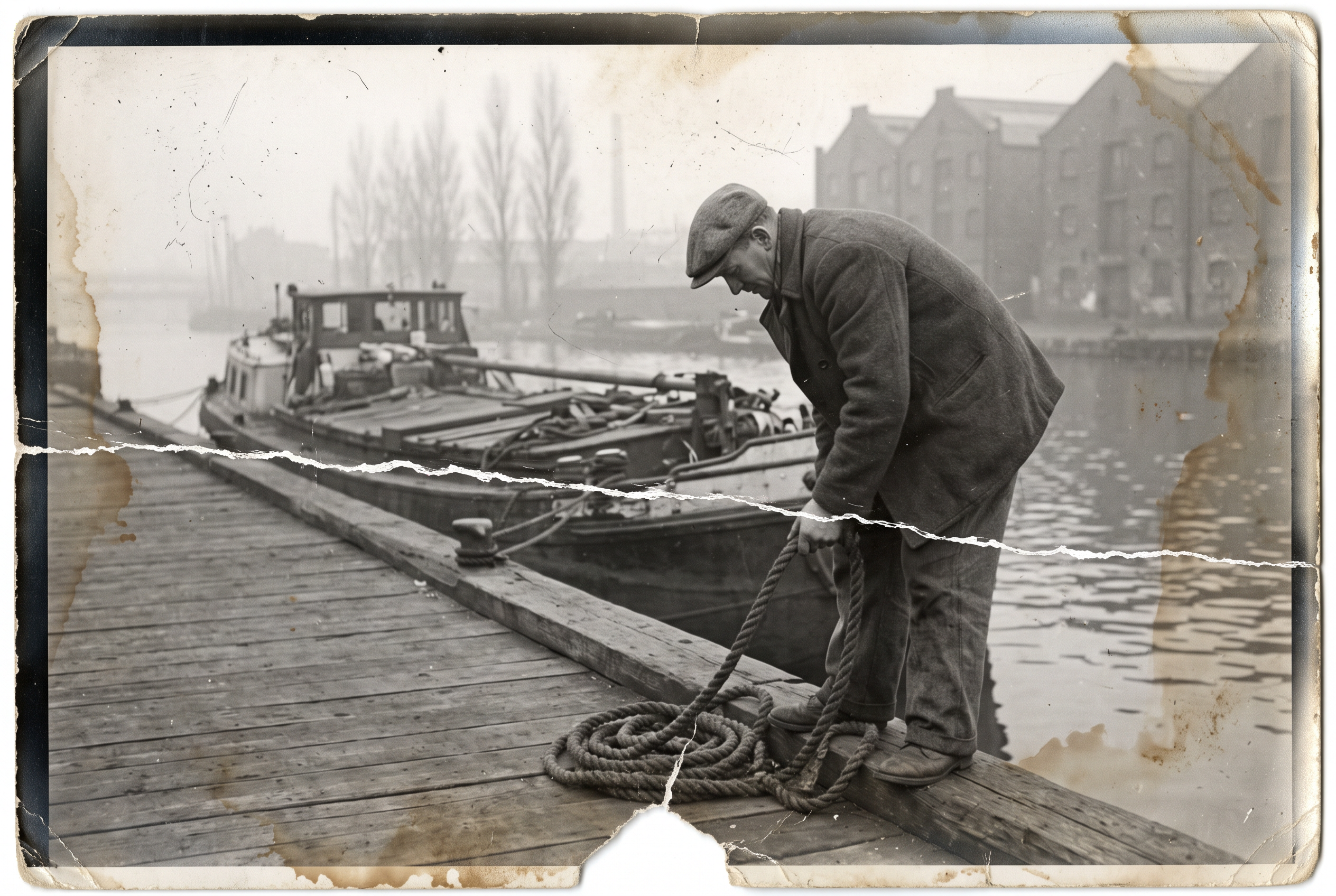
Scanned black and white photograph from the 1950s, badly faded and creased: a dock worker in a flat cap and wool coat coils a thick mooring rope on a wooden quay beside a moored canal barge, brick warehouses and misty poplars behind him. A torn lower corner, a long white crease across the print, dust specks and brown water stains, silvering at the edges.
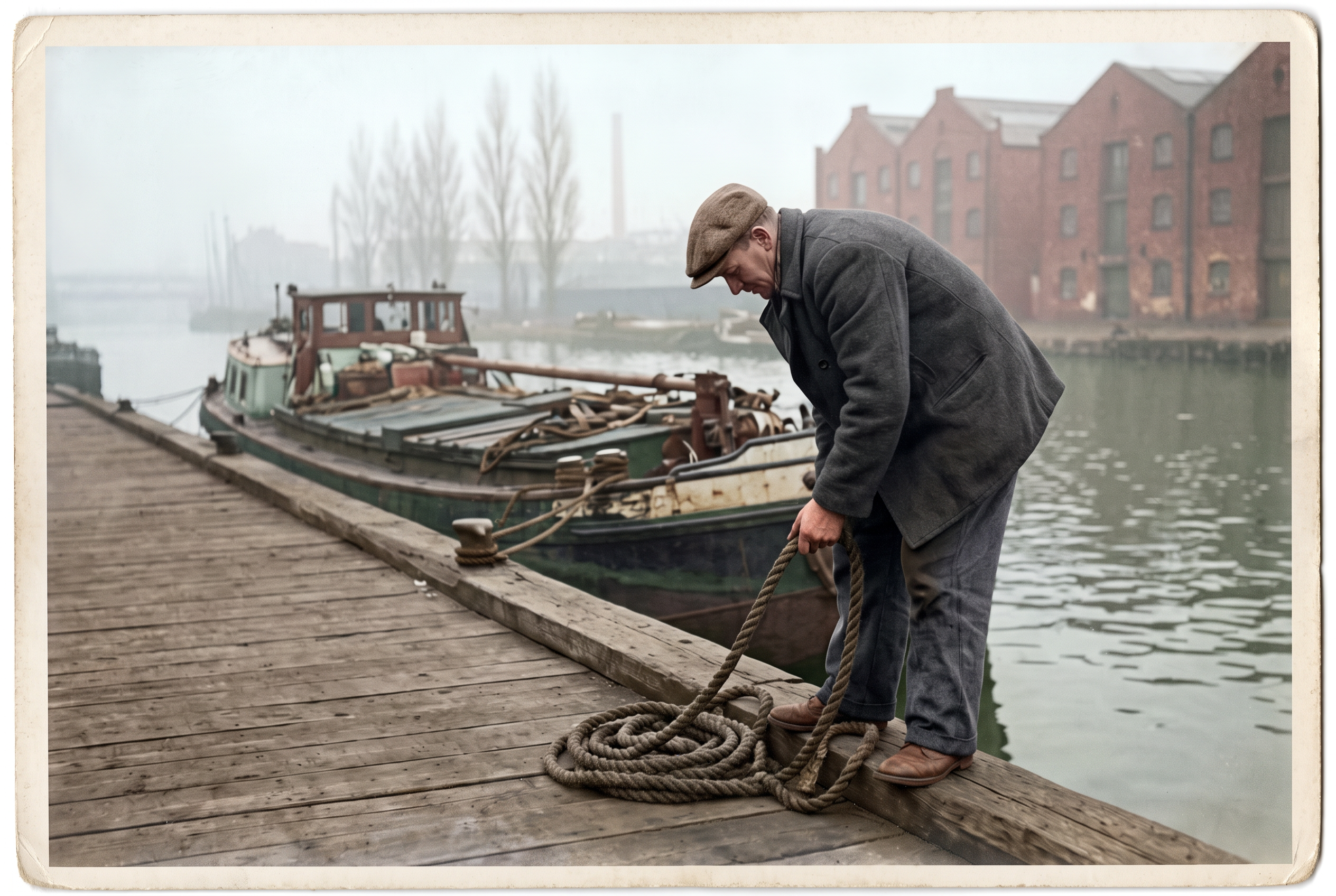
Restore this old photograph: remove the tear, the white crease, the dust specks and the brown water stains, rebuild the torn lower corner, recover detail in his face, coat, cap and the coiled rope, then colorize it with natural period colors: a charcoal wool coat, a brown tweed cap, weathered skin, red brick warehouses, green grey water and a pale overcast sky. Keep his face, his pose and the framing exactly the same.
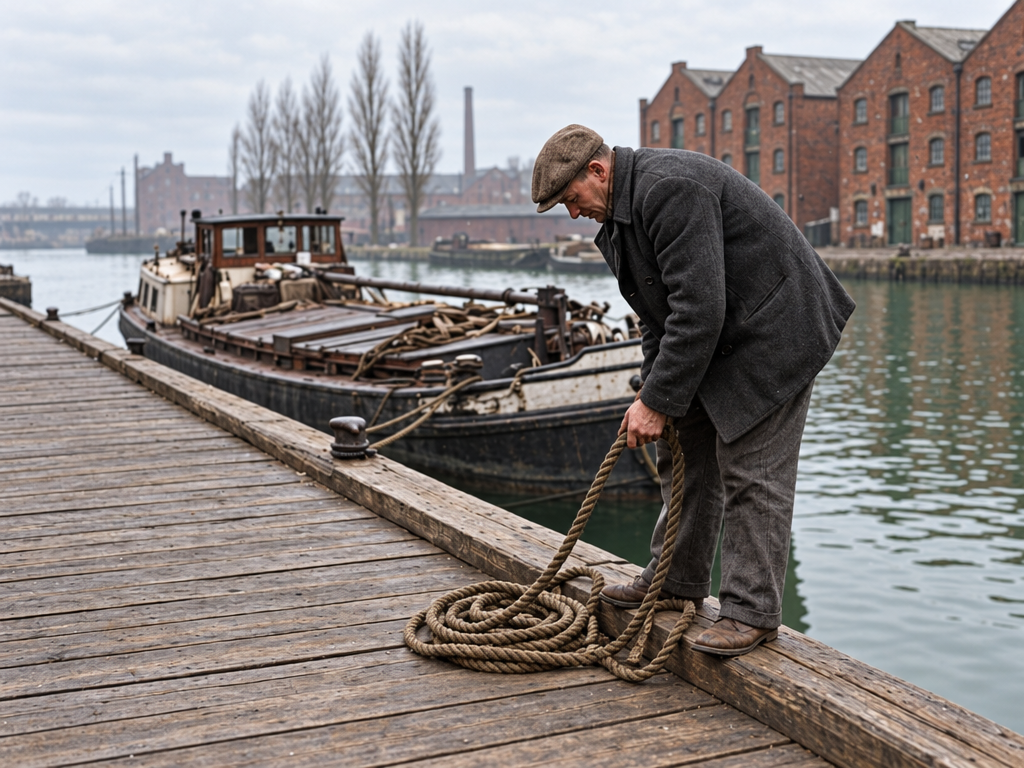
Restore this old photograph: remove the tear, the white crease, the dust specks and the brown water stains, rebuild the torn lower corner, recover detail in his face, coat, cap and the coiled rope, then colorize it with natural period colors: a charcoal wool coat, a brown tweed cap, weathered skin, red brick warehouses, green grey water and a pale overcast sky. Keep his face, his pose and the framing exactly the same.
Restore this old photograph: remove the tear, the white crease, the dust specks and the brown water stains, rebuild the torn lower corner, recover detail in his face, coat, cap and the coiled rope, then colorize it with natural period colors: a charcoal wool coat, a brown tweed cap, weathered skin, red brick warehouses, green grey water and a pale overcast sky. Keep his face, his pose and the framing exactly the same.
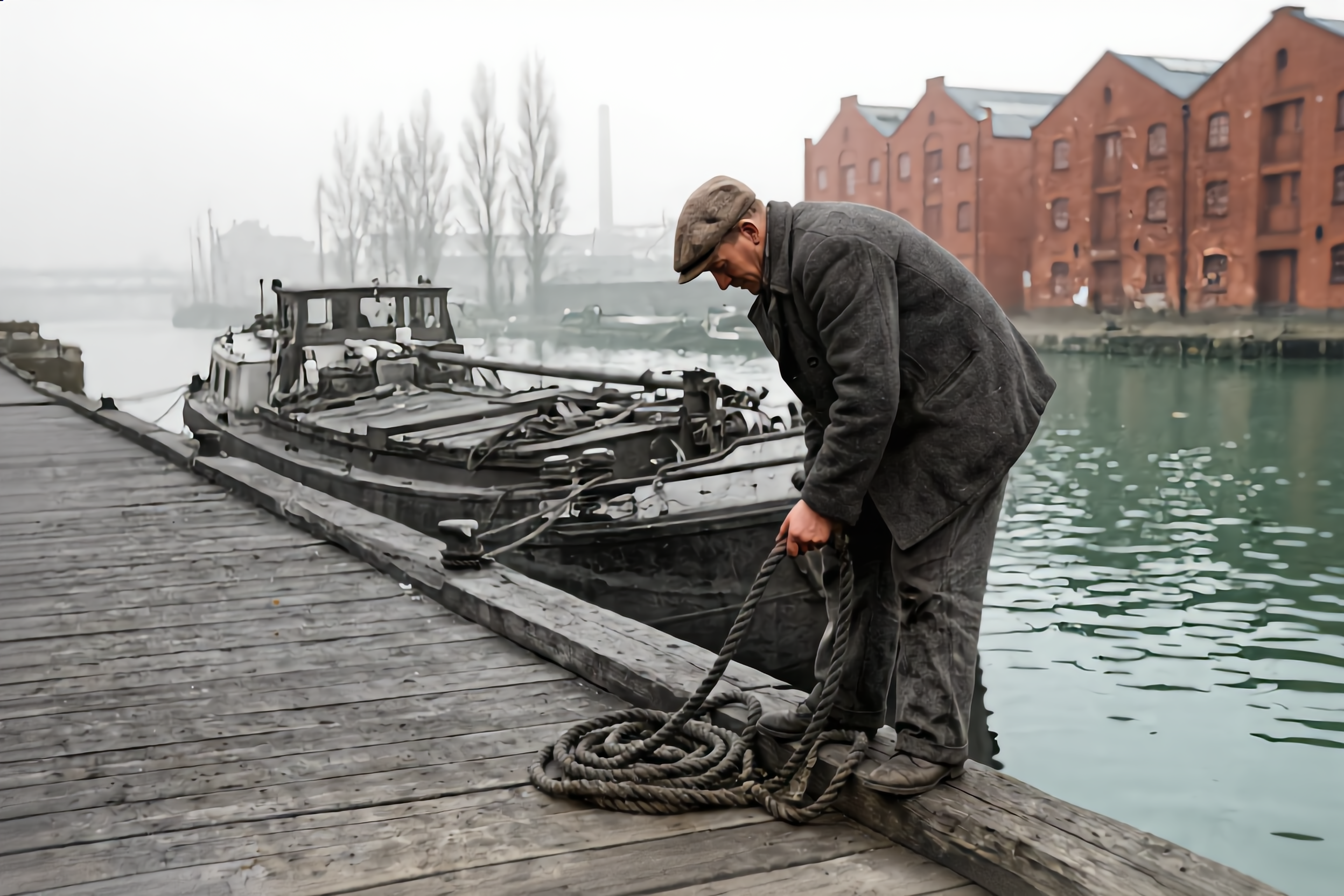
Restore this old photograph: remove the tear, the white crease, the dust specks and the brown water stains, rebuild the torn lower corner, recover detail in his face, coat, cap and the coiled rope, then colorize it with natural period colors: a charcoal wool coat, a brown tweed cap, weathered skin, red brick warehouses, green grey water and a pale overcast sky. Keep his face, his pose and the framing exactly the same.
- All four removed the tear, the crease, the stains and the missing corner, and kept the man's pose and the framing.
- Qwen Image 2 Edit gave the most faithful full color result, so we used it as the start frame for the clip below.
- GPT Image 2.5 cropped away the old border and returned the sharpest, most modern looking photo.
- Nano Banana 2.1 kept a cream print border, nice for a framed gift, and Kling Image Edit gave a soft, muted palette.
Why restore old photos here
Say what you want fixed
Name the damage, the colors and what must stay the same. A sentence steers the result more than a preset.
Try a second editor in one click
If one model looks too modern or too muted, run the same instruction on another. Each model page shows its price first.
Then make it move
Hand the restored photo to Seedance 2.5, Kling 3.0 or Veo 3.1 as a start frame, as we did with the dock worker.
Upscale for print
Finish on Clarity Pro or the Portrait Upscaler when the restoration is headed for a frame.
Why Artguru users switch to Pixel Dojo
Unlimited on every plan
On every paid plan, Relax runs Qwen Image 2.1, FLUX 3 Image Klein and MiniMax H3 Turbo, plus every video and photo effect, unlimited with no credits spent.
Sensei, the AI director
Describe a project and Sensei plans it, prices it, waits for your approval and reviews every take.
One job AI tools
35 single purpose tools each do one edit from an upload: remove a watermark, an object or text, restore and colorize an old photo, swap a background, retouch a portrait or make a thumbnail.
Photo effects
45+ photo effects restyle a picture in one click, from a hand painted anime still to a boxed action figure or a magazine cover, and every one starts from your own upload.
Character Studio
Save a face once and call it by @name in any prompt, so the same person shows up in every image and clip.
Credits that roll over
Your credits roll over while you stay subscribed, so nothing you pay for disappears at the end of the month.
Every top model, plus an API
More than 80 image and 60 video models in one account, with a public API and a hosted MCP server for your own apps and AI assistants.
Pixel Dojo pricing for photo restoration
Plans are Lite $10 a month for 160 credits, Pro $25 for 500 credits, Pro Max $50 for 1,100 credits. Every plan includes every model and commercial use. Credits roll over while you stay subscribed.
The four restorations in our test cost between 1 and 2.5 credits each, and the moving clip cost 30 credits. Every tile lists its own price.
Under our refund policy, a first purchase can be refunded within 7 days, in full if under 20% of the credits are used and pro-rated after that.
Artguru questions
What is a good alternative to Artguru?
Pixel Dojo restores and colorizes old photos on four AI editors, with your own instructions, the credit price shown first, upscalers, and video models on the same plan.
How much does Artguru charge to restore a photo?
Artguru's pricing page lists old photo restoration at 1 credit for Standard 4K and 20 credits for Deep Repair, with each credit worth $0.01.
Do Artguru credits roll over?
No. Artguru says credits are valid until the end of the current subscription cycle and do not roll over.
Which AI model restores old photos best?
In our test Qwen Image 2 Edit gave the most faithful color, GPT Image 2.5 the sharpest result and Nano Banana 2.1 kept the vintage print border. All four removed the tear and stains.
Can I animate a restored photo?
Yes. Restore it on Pixel Dojo, then use it as the start frame on Seedance 2.5, Kling 3.0 or Veo 3.1. The dock worker scene on this page was made that way.
Switch from Artguru to Pixel Dojo today
Write a prompt above or start from any example on this page. One plan covers every top model, six studios and Sensei, and your credits roll over.
Start with Qwen Image 2 EditSources
Facts about Artguru come from these public pages, checked on Oct 15, 2026. Prices and plans change; check the source before you buy.