YouCam Perfect alternative
YouCam Perfect alternative: one photo, every edit, on a big screen
Pixel Dojo runs Nano Banana 2.1, GPT Image 2.5, Qwen Image Edit and a relighting tool side by side in the browser, prices each edit before you click, and turns the result into video on the same plan.
YouCam Perfect is one of the most downloaded photo editors on phones. We wanted to see the browser route, so we took one casual cafe photo and changed her outfit on three editors, then restyled her hair, relit the room, moved the table to the sea and made the photo move.
1 credit ($0.06) per image at 1K. Included in every plan, from $10/month.
Already a member? Sign in
By Brian Lovett · Updated
YouCam Perfect alternative: quick answers
What is YouCam Perfect?
A photo and video editor app from Perfect Corp for iPhone and Android, with AI retouching, object and background removal, hairstyle and outfit try on, text to image and image to video. Perfect Corp says it has more than 800 million downloads.
What does YouCam Perfect cost?
The app is free to download with in-app purchases. On the US App Store, YouCam Perfect Premium is listed at $5.99 for one month and Premium Pro at $79.99 a year, among other offers.
What do people use instead?
For edits you want to see on a big screen, a browser studio with several editors. We changed one outfit on Nano Banana 2.1, GPT Image 2.5 and Qwen Image Edit for 1.5 to 2.5 credits each.
Can it turn the edit into video?
Yes. We animated our edit on Kling 3.0 as a start frame, with sound, for 27.5 credits.
The same photo, four more edits
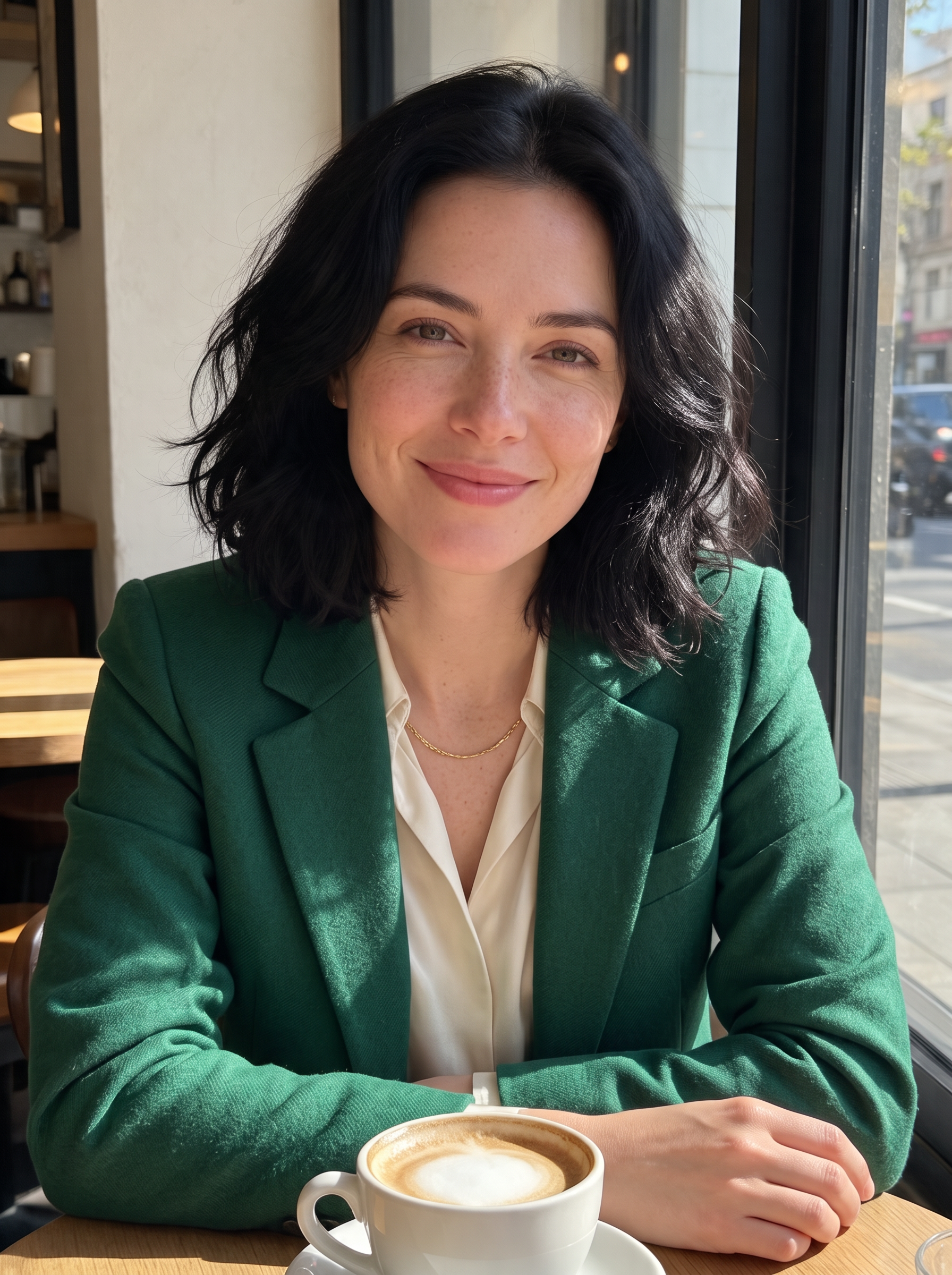
Each edit below started from the original cafe photo or from our outfit edit, with the instruction shown on its tile.
The Nano Banana 2.1 edit animated on Kling 3.0, with cafe sound built in.
She lifts the cappuccino with both hands, takes a small sip, sets the cup back on the saucer and smiles at the camera as it slowly pushes in, sunlight moving softly across the table. Sound: a gentle clink of the cup, quiet cafe chatter and an espresso machine hiss.

A new hairstyle on Kling Image Edit for 1 credit, with her face and sweatshirt kept.
Change only her hairstyle to a sleek chin length bob with soft curtain bangs, same black color. Keep her face, freckles, smile, sweatshirt, pose, the cafe and the light exactly the same.
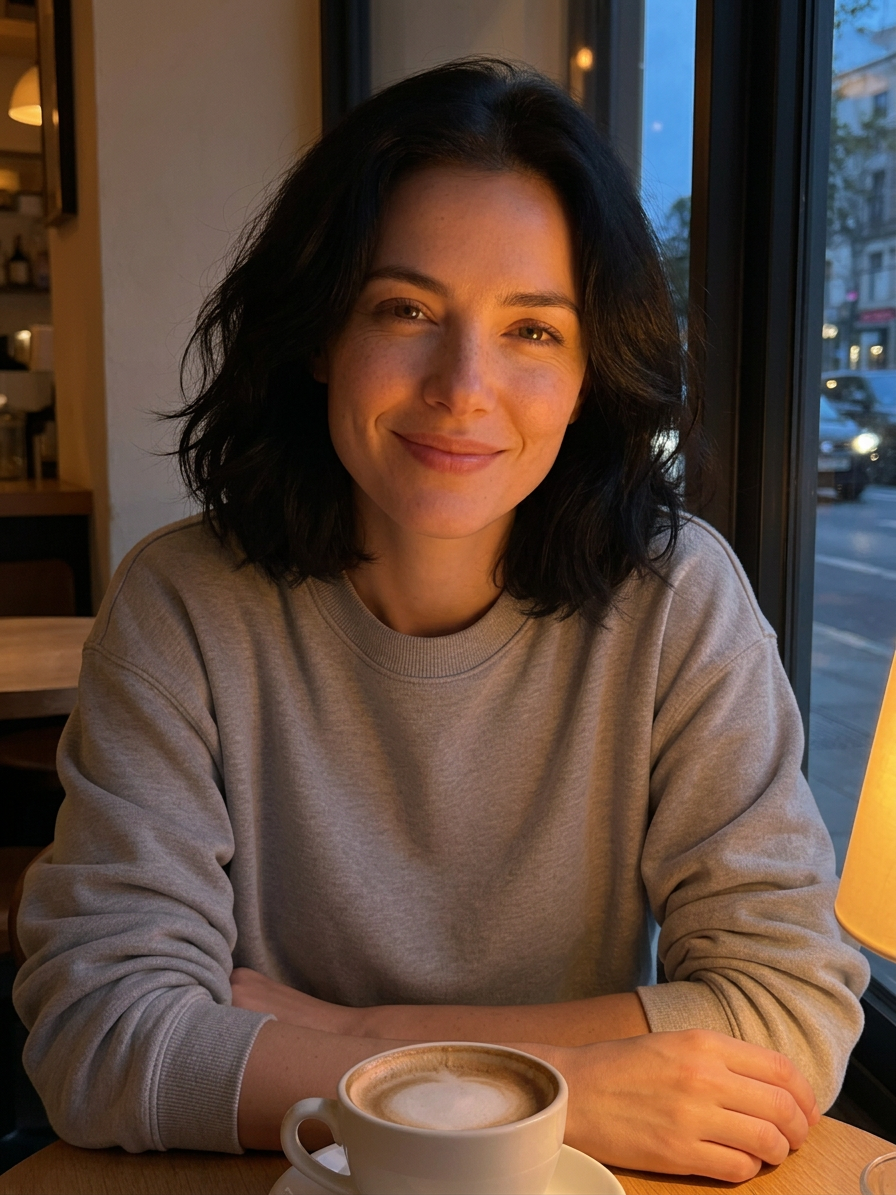
Relighting turned midday into early evening for 1 credit.
Relight as early evening in the cafe: warm amber light from a small table lamp on the right, cool blue dusk outside the window, gentle glow on her cheek. Keep her face, hair, sweatshirt, pose and the cappuccino exactly the same.
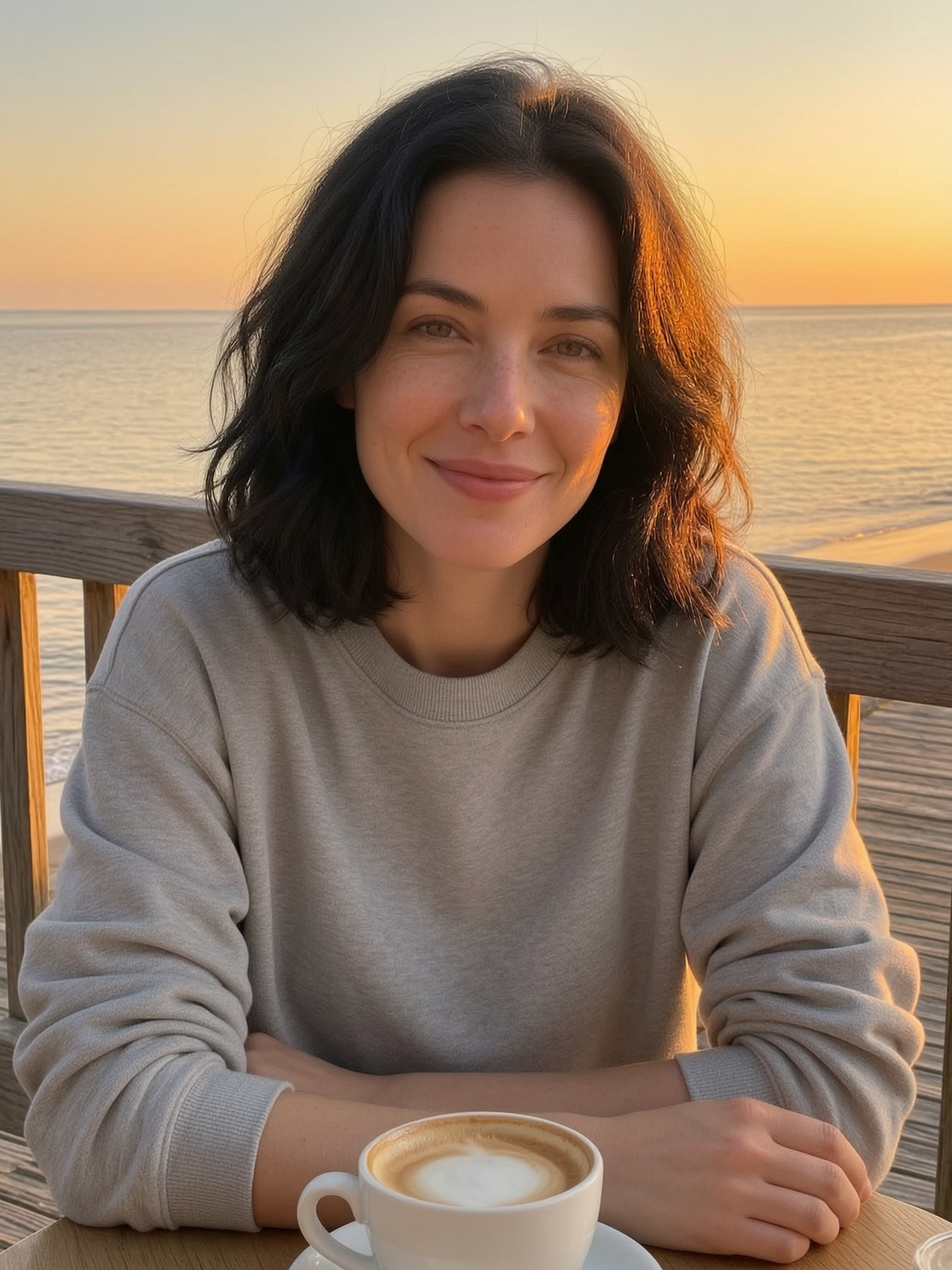
A background swap on WAN 2.7 Image Edit for 0.5 credits.
Replace the cafe background with a wooden seaside boardwalk railing and a calm sea at sunset, matching warm light on her. Keep her face, hair, sweatshirt, pose and the cappuccino on the table exactly the same.
One cafe photo, one outfit change, three editors
We made a casual cafe photo on Seedream 5, then gave each editor the same instruction: swap the grey sweatshirt for an emerald blazer over a cream silk blouse with a thin gold chain, and keep everything else. Each tile shows the settings and credits it used.
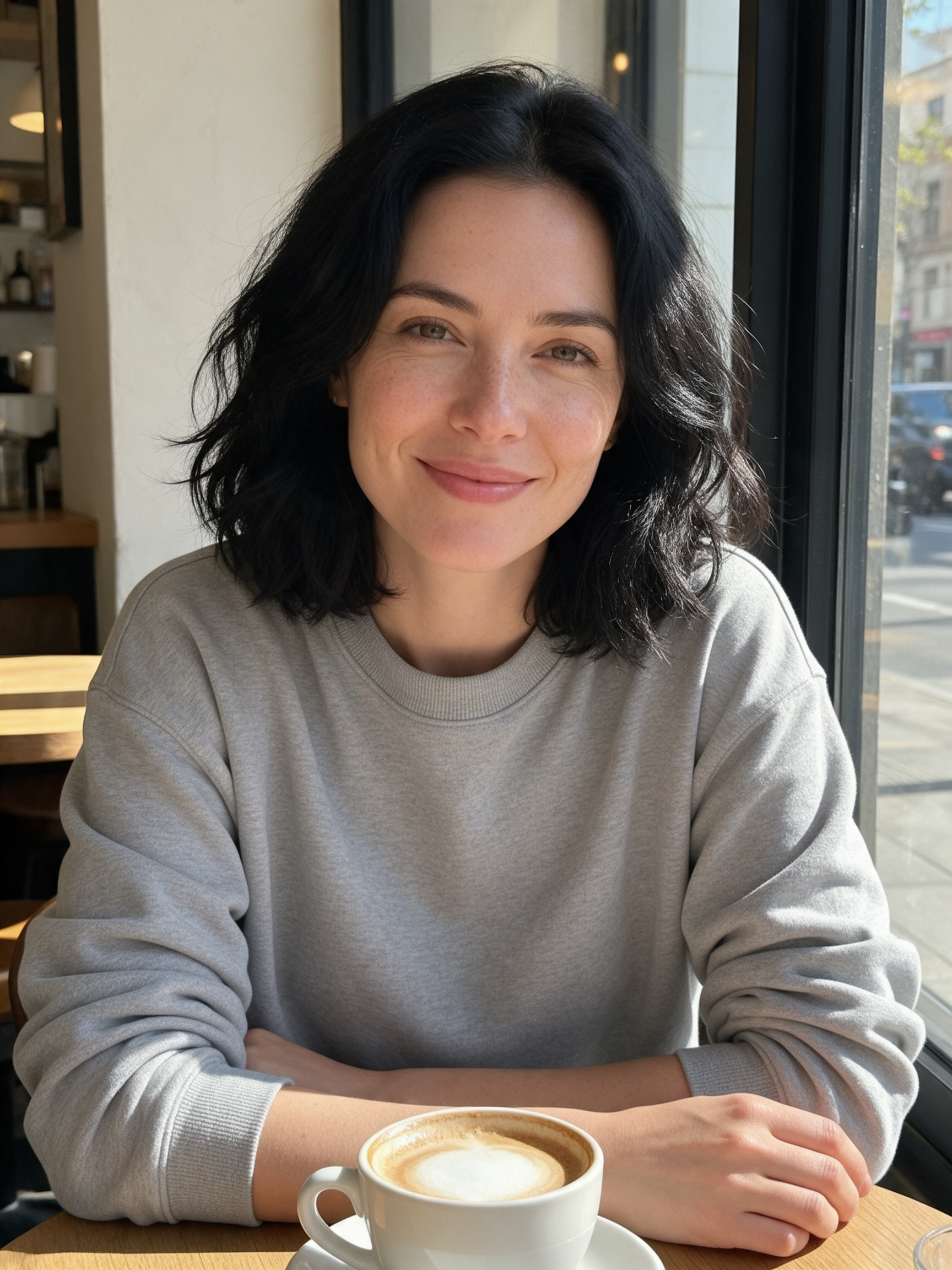
Casual phone photo of a woman in her early thirties with shoulder length wavy black hair and a few freckles, wearing a plain grey crew neck sweatshirt, sitting at a sunny cafe window table with a cappuccino in front of her, relaxed smile, soft daylight, natural skin texture.
Change only her outfit: dress her in a tailored emerald green wool blazer over a cream silk blouse with a thin gold chain necklace. Keep her face, hair, freckles, smile, pose, the cafe window, the cappuccino and the light exactly the same.
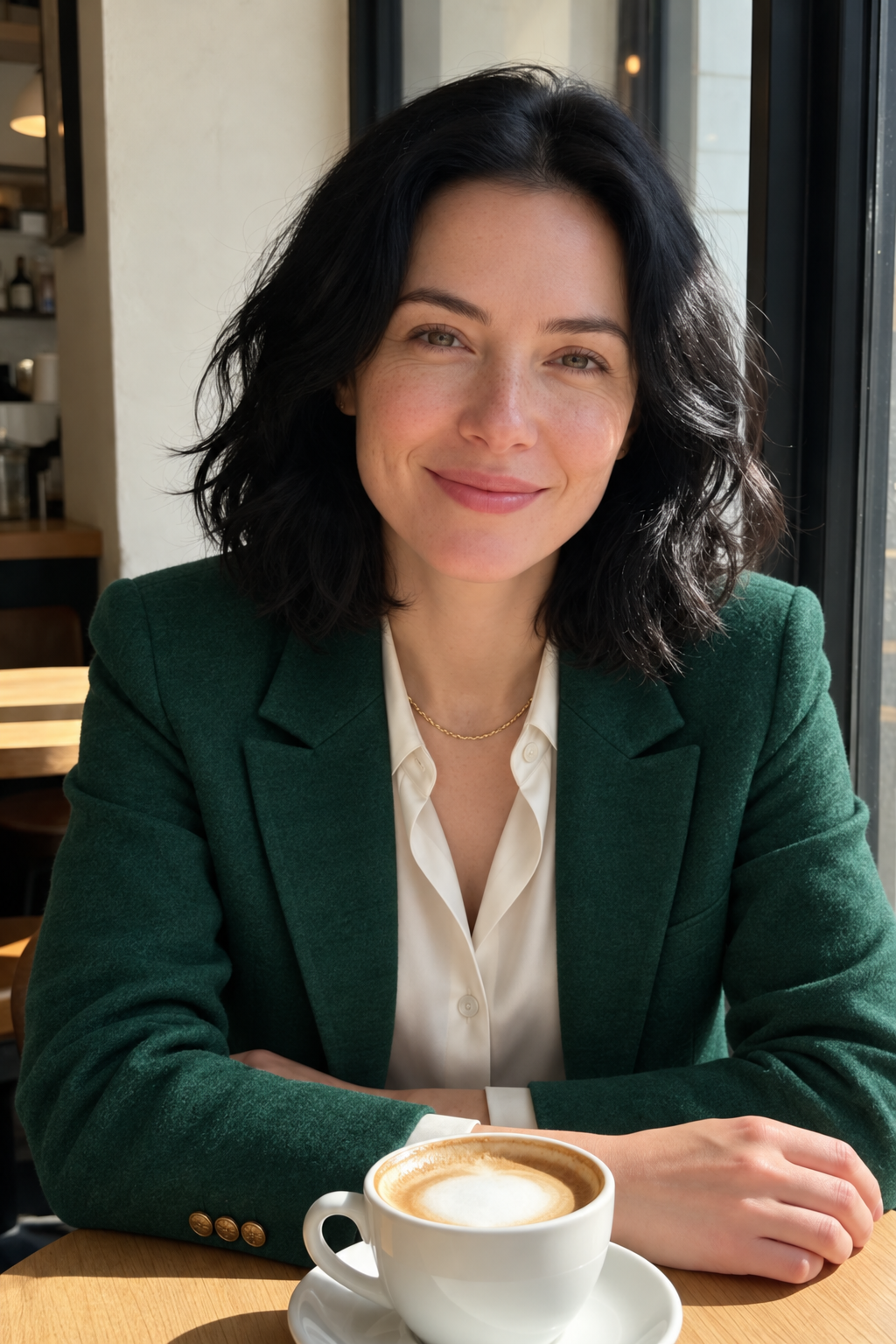
Change only her outfit: dress her in a tailored emerald green wool blazer over a cream silk blouse with a thin gold chain necklace. Keep her face, hair, freckles, smile, pose, the cafe window, the cappuccino and the light exactly the same.

Change only her outfit: dress her in a tailored emerald green wool blazer over a cream silk blouse with a thin gold chain necklace. Keep her face, hair, freckles, smile, pose, the cafe window, the cappuccino and the light exactly the same.
- All three kept her face, freckles, smile, hair, the cappuccino and the window light, and all three added the thin gold chain.
- GPT Image 2.5 gave the blazer the softest wool texture and an open collar on the blouse, for 2.5 credits.
- Nano Banana 2.1 and Qwen Image Edit cost 1.5 credits each; Qwen buttoned the blouse higher for a more office ready look.
- The three results look so alike that the cheapest editor is a fine first try for outfit swaps.
YouCam Perfect vs Pixel Dojo: plans and reach
Everything in the YouCam Perfect column comes from its App Store listing and Perfect Corp's product page, read on October 15, 2026.
| At a glance | YouCam Perfect | Pixel Dojo |
|---|---|---|
| Price | Free download with in-app purchases; Premium $5.99 for one month or Premium Pro $79.99 a year on the US App Store | Lite $10 a month for 160 credits, Pro $25 for 500 credits, Pro Max $50 for 1,100 credits |
| Where it runs | iPhone, iPad and Android apps | Any browser, plus a public API and hosted MCP server |
| AI editors | One app with its own tools for retouch, hairstyles, wardrobe, backgrounds and object removal | Nano Banana 2.1, GPT Image 2.5, Qwen Image Edit, Kling Image Edit, WAN 2.7 Image Edit and relighting, each priced before you click |
| Photo to video | AI Animation (image to video) | Kling 3.0, Seedance 2.5, Veo 3.1 and WAN 3.0 start frames |
The deep dive: retouching vs editing
YouCam Perfect is built for selfies on a phone: skin smoothing, blemish removal, face reshape, makeup and quick filters in one tap. That is a different job from the edits we tested.
The edits on this page change what is in the picture: new clothes, a new haircut, new light, a new place. That work goes best when you can try more than one model and compare them at full size, which is what a browser studio is good at.
We also kept going past the still. The outfit edit became a 5 second clip on Kling 3.0, and Character Studio can save the person so you can call her by @name in any later prompt.
Why Pixel Dojo for big screen edits
Pixel Dojo is the better fit when you want to compare several AI editors on one photo, keep the results at full size, and move on to video, ads or a whole film on the same plan.
Why YouCam Perfect users switch to Pixel Dojo
Unlimited on every plan
On every paid plan, Relax runs Qwen Image 2.1, FLUX 3 Image Klein and MiniMax H3 Turbo, plus every video and photo effect, unlimited with no credits spent.
Sensei, the AI director
Describe a project and Sensei plans it, prices it, waits for your approval and reviews every take.
One job AI tools
35 single purpose tools each do one edit from an upload: remove a watermark, an object or text, restore and colorize an old photo, swap a background, retouch a portrait or make a thumbnail.
Photo effects
45+ photo effects restyle a picture in one click, from a hand painted anime still to a boxed action figure or a magazine cover, and every one starts from your own upload.
Character Studio
Save a face once and call it by @name in any prompt, so the same person shows up in every image and clip.
Credits that roll over
Your credits roll over while you stay subscribed, so nothing you pay for disappears at the end of the month.
Every top model, plus an API
More than 80 image and 60 video models in one account, with a public API and a hosted MCP server for your own apps and AI assistants.
What our photo edits cost
Plans are Lite $10 a month for 160 credits, Pro $25 for 500 credits, Pro Max $50 for 1,100 credits. Every plan includes every model and commercial use. Credits roll over while you stay subscribed.
In our test the outfit edits cost 1.5 to 2.5 credits, the hairstyle and relight 1 credit each, the background swap 0.5 credits and the animated clip 27.5. Each tile lists its own price.
Under our refund policy, a first purchase can be refunded within 7 days, in full if under 20% of the credits are used and pro-rated after that.
YouCam Perfect questions
What is a good alternative to YouCam Perfect?
Pixel Dojo runs Nano Banana 2.1, GPT Image 2.5, Qwen Image Edit and other AI editors in the browser, shows each price before you click, and can turn any edit into video.
How much is YouCam Perfect Premium?
On the US App Store, YouCam Perfect Premium is listed at $5.99 for one month and Premium Pro at $79.99 a year, with other offers in between.
Can AI change the outfit in a photo and keep the face?
Yes. In our test Nano Banana 2.1, GPT Image 2.5 and Qwen Image Edit all swapped a grey sweatshirt for an emerald blazer and kept her face, hair and the cafe the same.
Can I try a new hairstyle on my photo online?
Yes. Describe the cut on Kling Image Edit or Nano Banana 2.1. Our chin length bob cost 1 credit.
Can I turn an edited photo into a video?
Yes. Use the edit as the start frame on Kling 3.0, Seedance 2.5 or Veo 3.1. The cafe clip above was made that way.
Switch from YouCam Perfect to Pixel Dojo today
Write a prompt above or start from any example on this page. One plan covers every top model, six studios and Sensei, and your credits roll over.
Start with Nano Banana 2.1Sources
Facts about YouCam Perfect come from these public pages, checked on Oct 15, 2026. Prices and plans change; check the source before you buy.