Kaze AI alternative
Kaze AI alternative: one sentence edits on four top editors
Pixel Dojo lets you edit a photo by describing the change, on Nano Banana 2.1, GPT Image 2.5, Qwen Image 2 Edit or Kling Image Edit, with each price shown before you click and commercial use on every plan.
Kaze AI edits photos by chat. We gave one sentence to four editors here: turn a kitchen snapshot into a professional headshot. Then we restored a faded print, relit a portrait and upscaled the winner.
1 credit ($0.06) per image at 1K. Included in every plan, from $10/month.
Already a member? Sign in
By Brian Lovett · Updated
More fixes people open Kaze AI for
Every image below was made on Pixel Dojo with the prompt shown. Tap one to start from the same prompt.
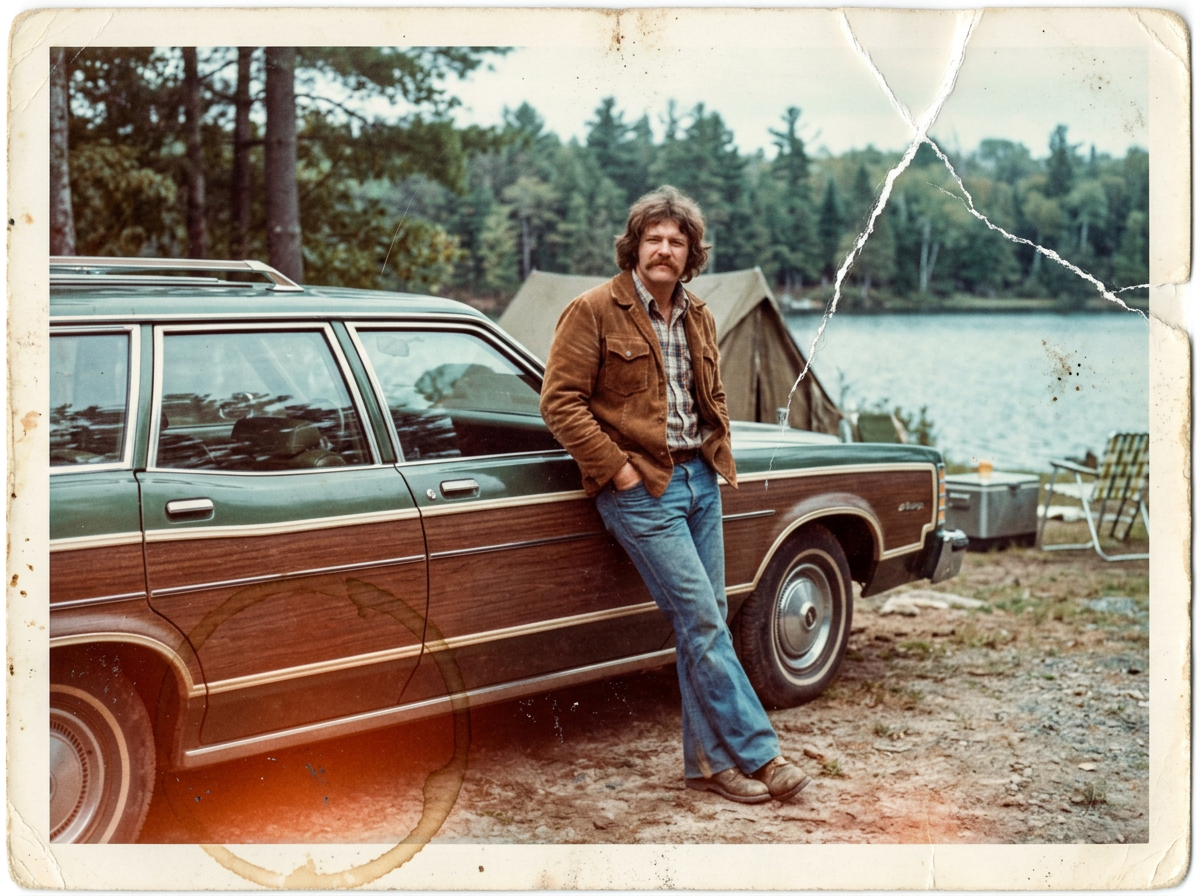
The damaged print we started from, made on Nano Banana 2.1: a crease, scratches and a coffee ring.
A damaged faded color print from the 1970s: a man in his thirties with a thick mustache and a brown corduroy jacket leans on a green station wagon at a lakeside campground, the colors washed out to orange and cyan, a white crease across one corner, scratches, dust specks and a coffee ring stain on the paper.
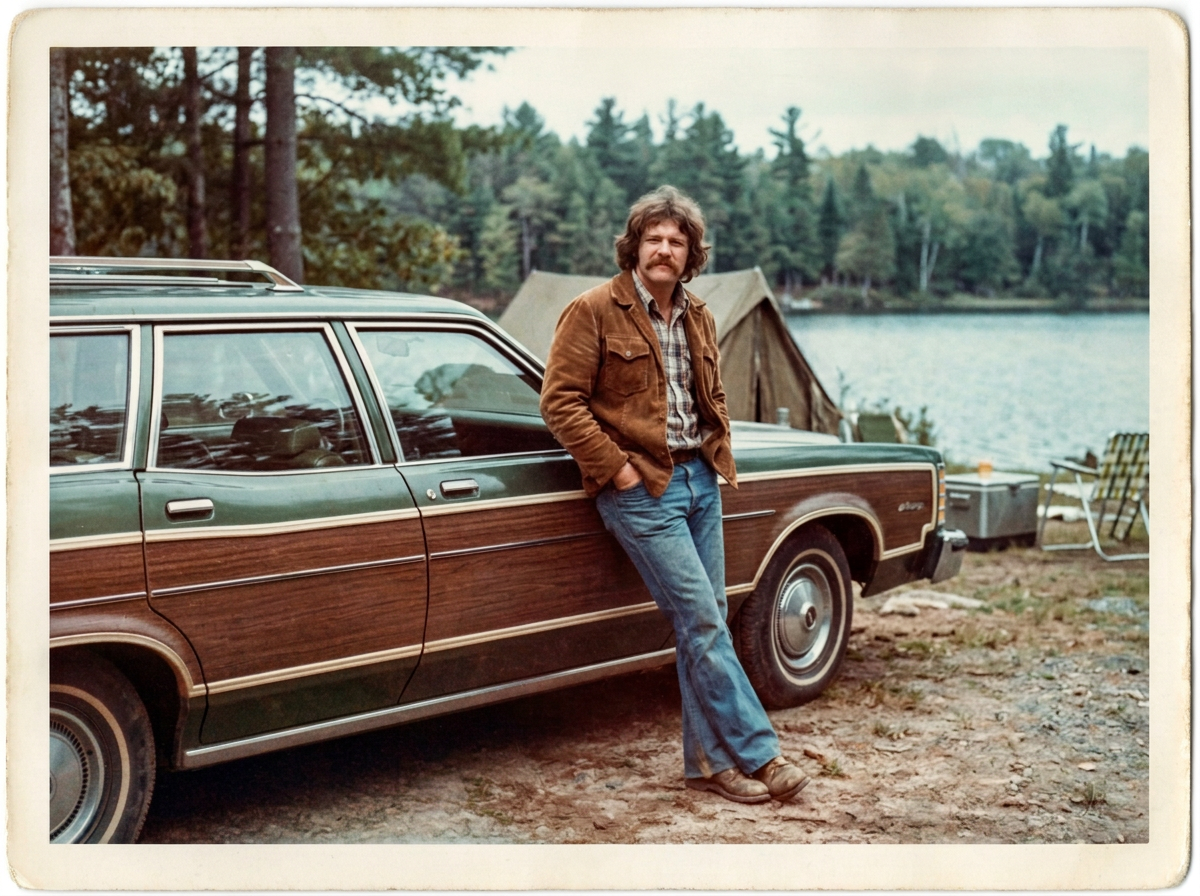
One sentence on Nano Banana 2.1 removed the crease and the coffee ring and kept the man and the car the same.
Restore this damaged photo: remove the white crease, the scratches, the dust specks and the coffee ring stain, and bring back natural 1970s color with true greens, browns and blue lake water. Keep the man, his mustache, his corduroy jacket, the station wagon, the campground and the framing exactly the same.
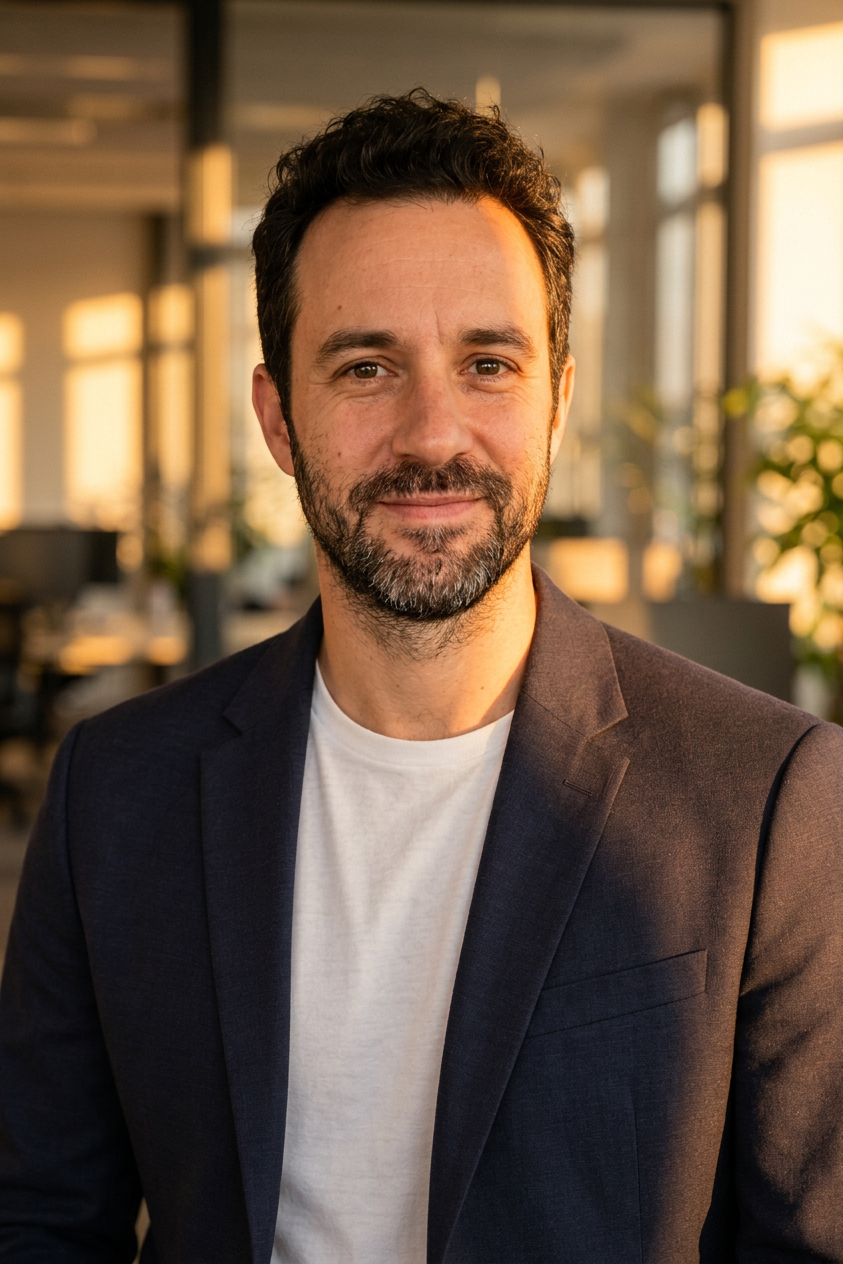
Magic Lighting changed only the light: warm sun across his face and jacket.
Warm golden hour sunlight from a window on the right, soft warm glow across his face and jacket, gentle long shadows in the office behind him
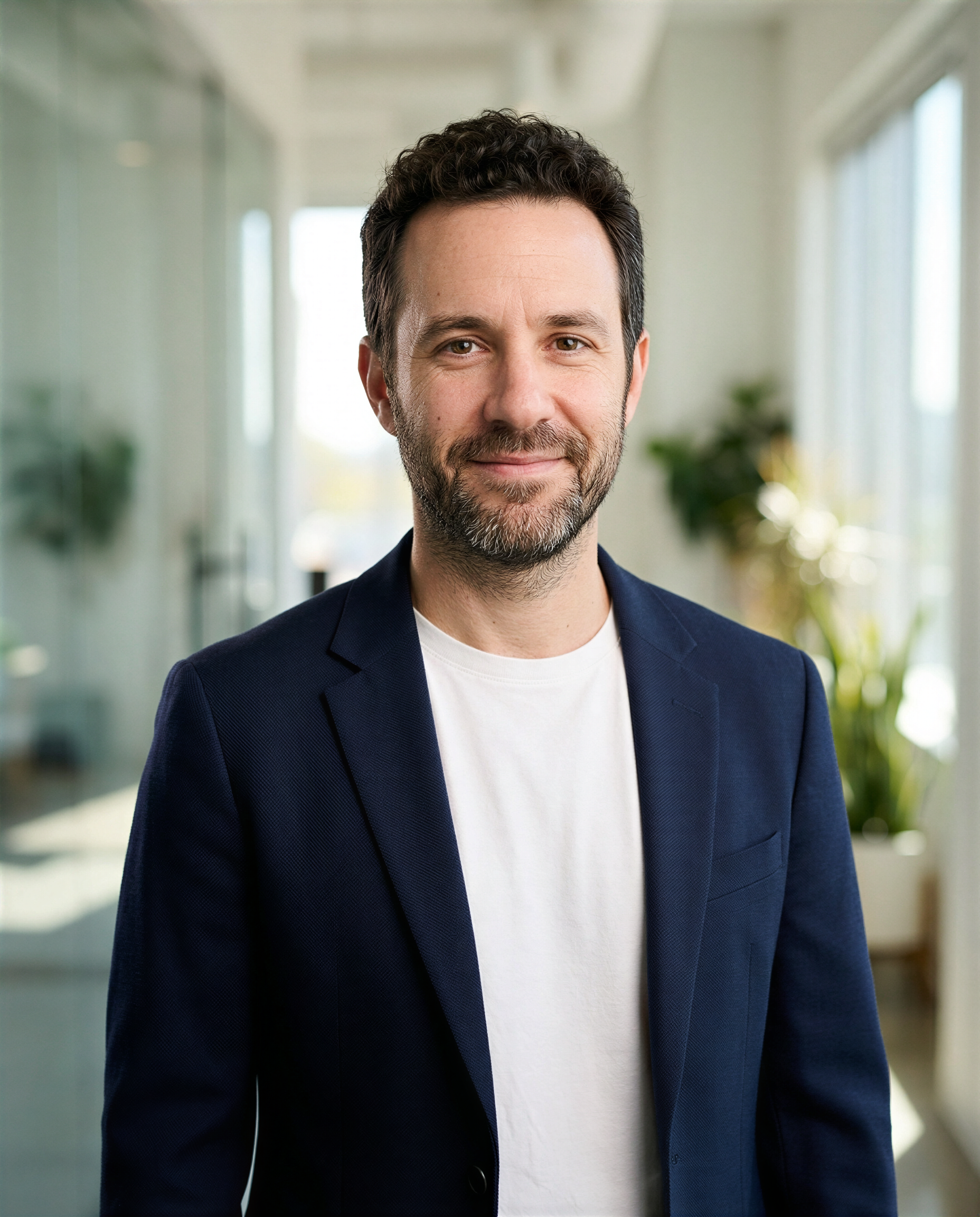
The Portrait Upscaler doubled the winner's size for 1.5 credits and kept his face true.
The problem: one editor, one look
Kaze AI puts a lot of photo jobs behind one chat box: restoration, enhance and upscale, headshots, face, hair and outfit editors and background tools. That is handy until the result is not quite you, and there is nowhere else to send the same request.
Every edit model reads a sentence a little differently. Some hold a face perfectly and play safe on the background. Others change the smile or the framing. The quickest fix is to run the same sentence on a second editor and keep the one that looks like you.
One kitchen snapshot, one sentence, four editors
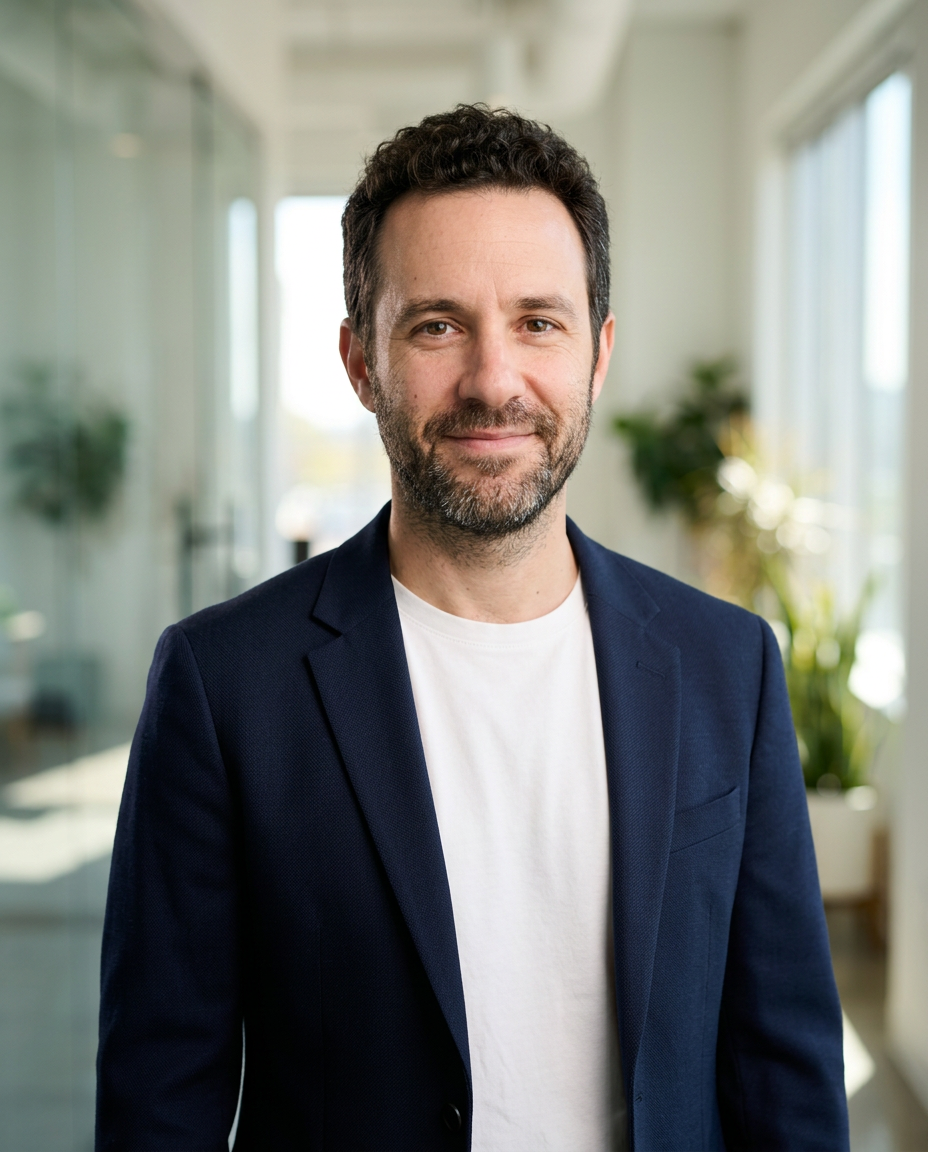
We asked each editor to keep his face, swap the hoodie for a navy blazer and the kitchen for a bright office. Each tile shows the settings and credits it used.
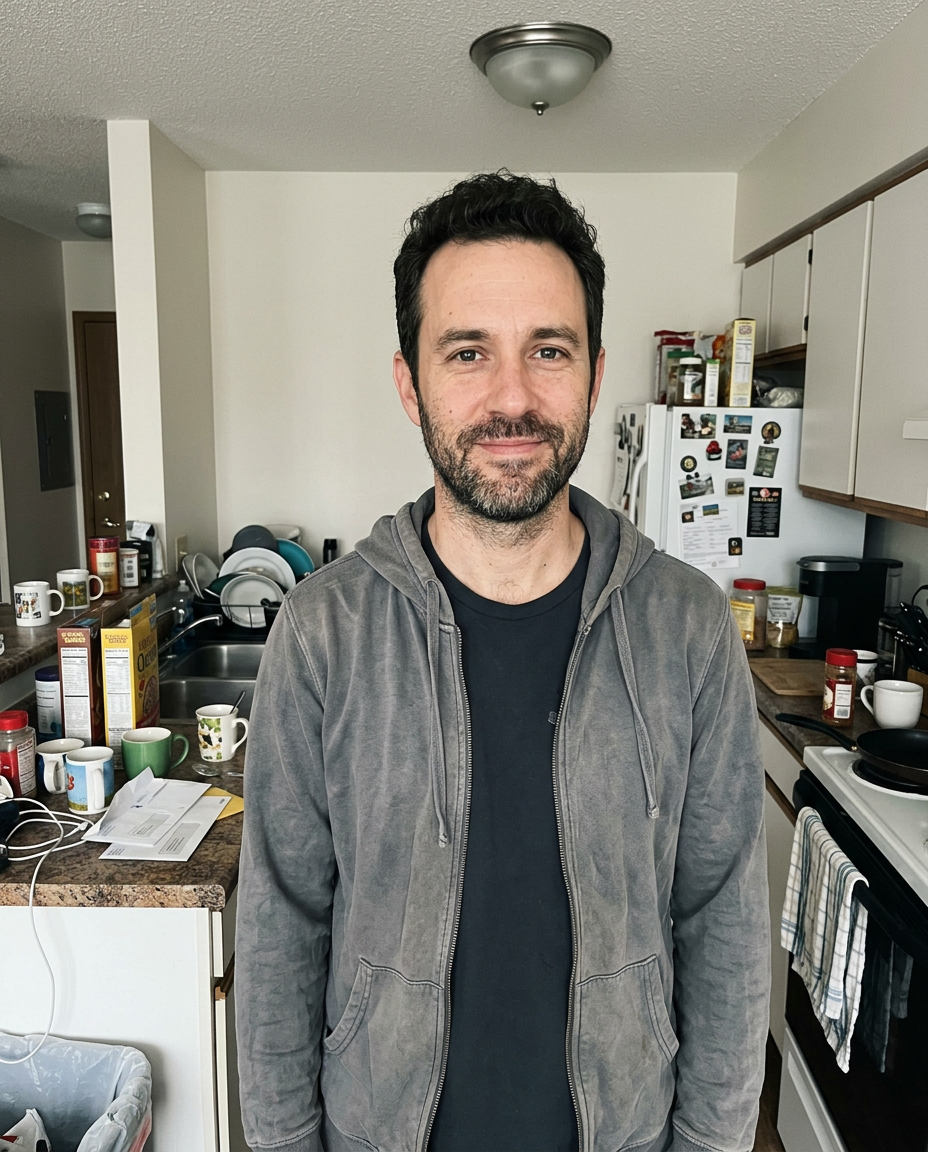
Casual phone snapshot of a man in his forties with a short dark beard and curly hair wearing a wrinkled grey hoodie, standing in a cluttered apartment kitchen with dishes in the sink, flat overhead light, slightly soft focus, looking at the camera with a small smile.
Turn this snapshot into a professional headshot: keep his exact face, beard, curly hair and smile. Replace the grey hoodie with a navy blazer over a plain white crew neck tee, replace the kitchen with a softly blurred bright modern office, soft studio key light from the left, chest up framing.
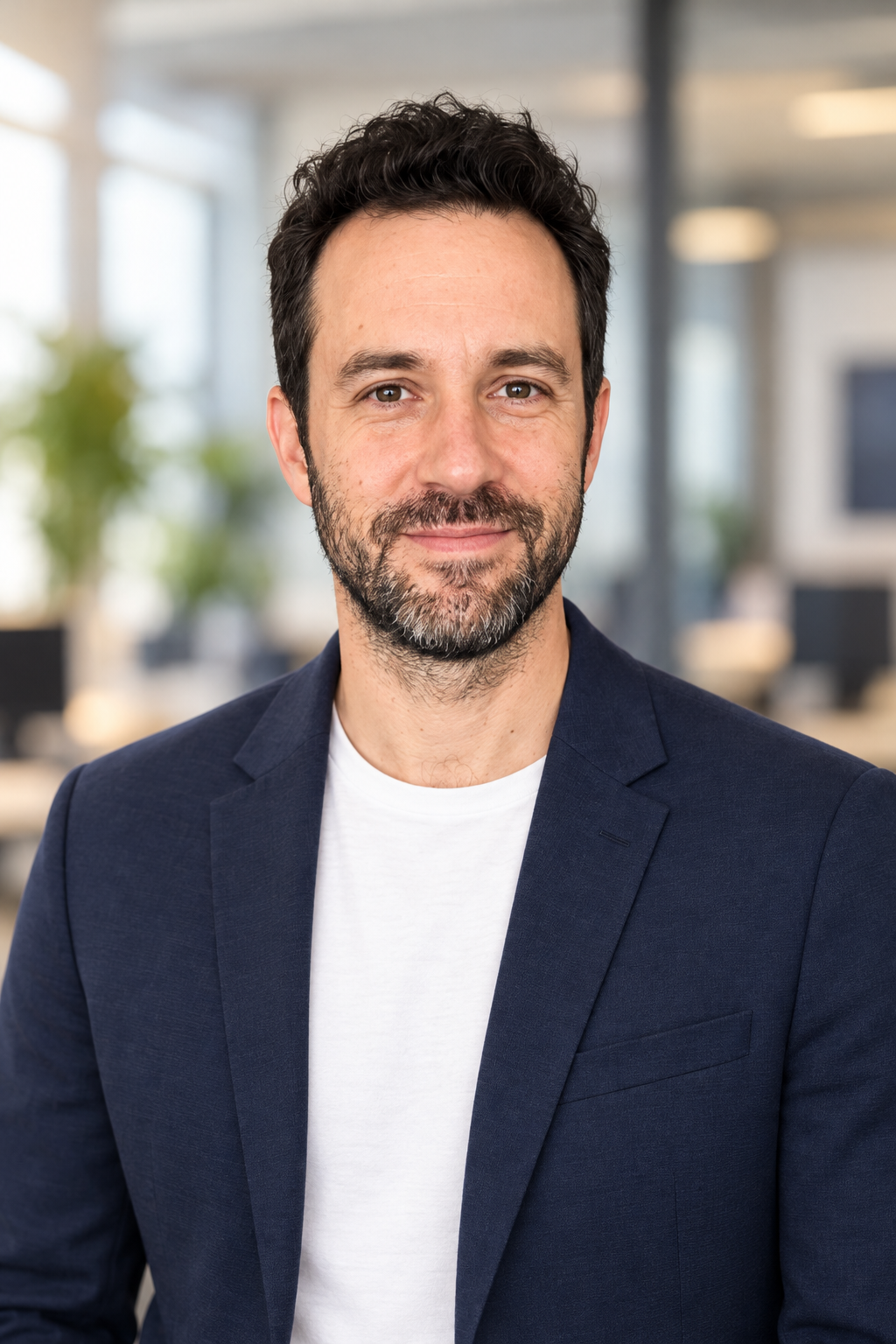
Turn this snapshot into a professional headshot: keep his exact face, beard, curly hair and smile. Replace the grey hoodie with a navy blazer over a plain white crew neck tee, replace the kitchen with a softly blurred bright modern office, soft studio key light from the left, chest up framing.
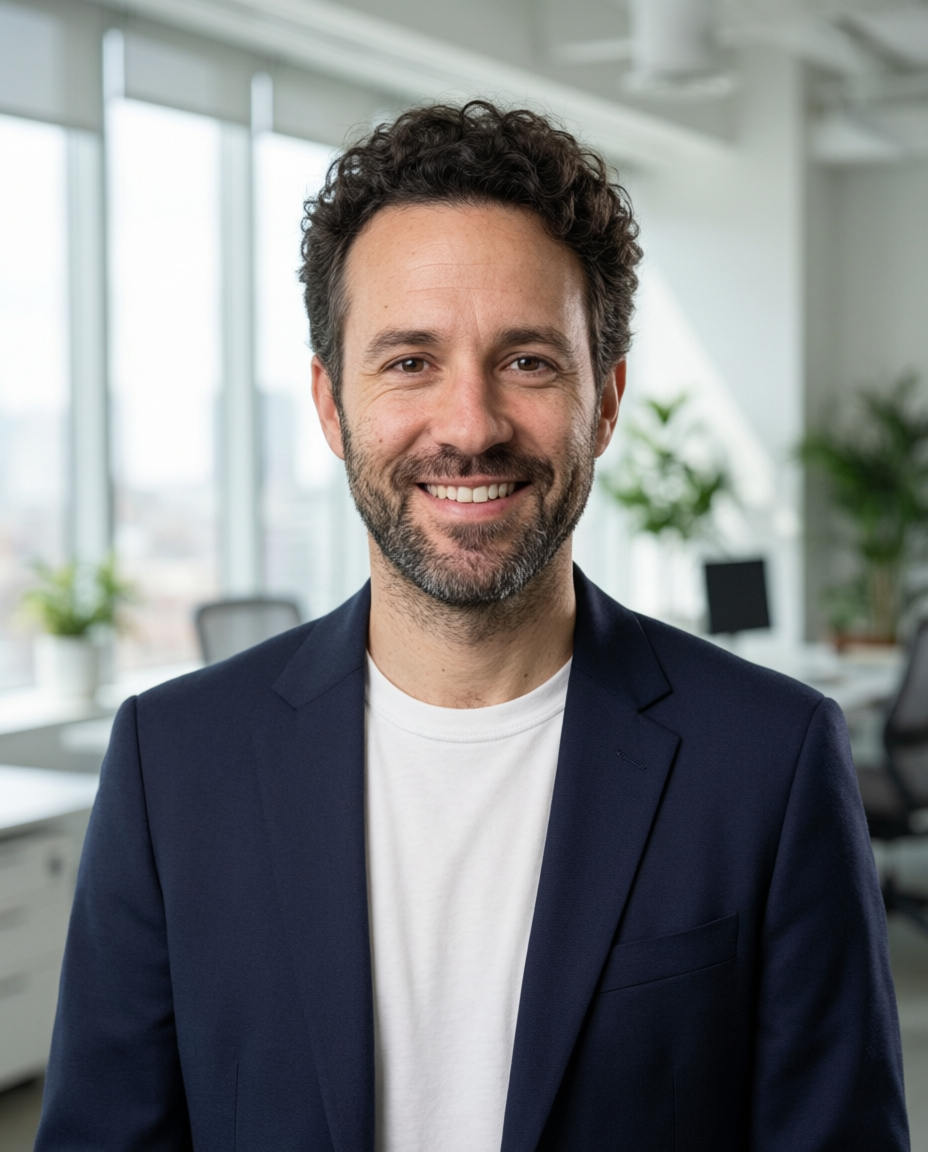
Turn this snapshot into a professional headshot: keep his exact face, beard, curly hair and smile. Replace the grey hoodie with a navy blazer over a plain white crew neck tee, replace the kitchen with a softly blurred bright modern office, soft studio key light from the left, chest up framing.
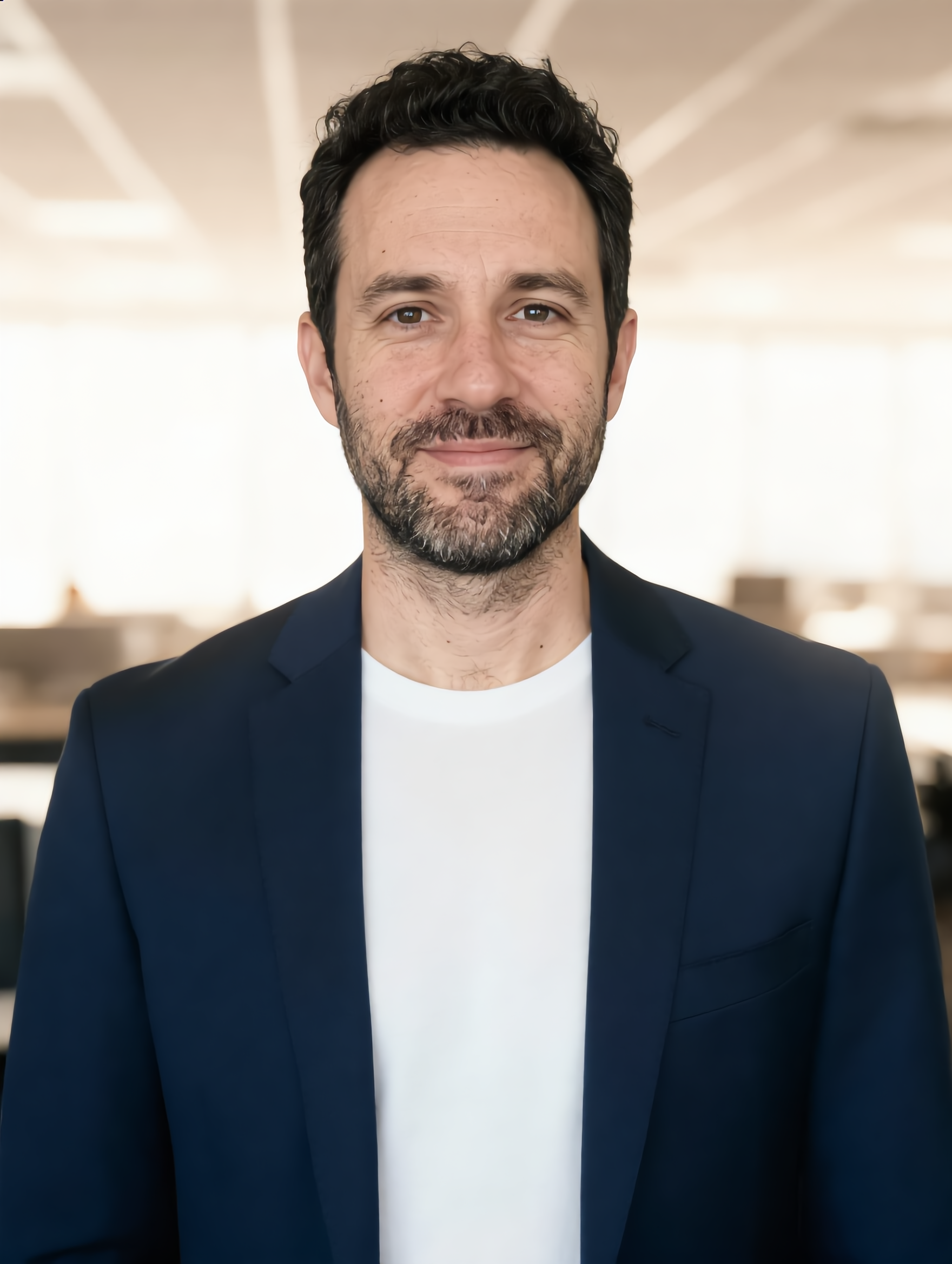
Turn this snapshot into a professional headshot: keep his exact face, beard, curly hair and smile. Replace the grey hoodie with a navy blazer over a plain white crew neck tee, replace the kitchen with a softly blurred bright modern office, soft studio key light from the left, chest up framing.
- Nano Banana 2.1 kept his curls, beard and small smile closest to the snapshot, for 1 credit. It is our pick for headshots.
- GPT Image 2.5 gave the most polished studio look and the crispest blazer, for 2.5 credits.
- Qwen Image 2 Edit gave him a wide, friendly grin.
- Kling Image Edit framed him tightest with the most even light, for 1 credit.
Verdict
All four editors got rid of the hoodie and the dishes on the first try. The difference was in the face: run your own photo on two or three editors and pick the one that still looks like you. On Pixel Dojo that costs 1 to 2.5 credits per try, and each tile shows the exact price.
For finishing, Magic Lighting changes only the light, the Portrait Upscaler enlarges without changing the face, and the same image models restore old prints.
Kaze AI plans vs Pixel Dojo
Everything in the Kaze AI column comes from its home page, pricing page FAQ and Fulfillment Policy, read on October 15, 2026. Kaze's plan prices load inside the page, so we list the terms.
| At a glance | Kaze AI | Pixel Dojo |
|---|---|---|
| Plans | Pro, Pro+ and Max, monthly or yearly, with 50% off on yearly billing | Lite $10 a month for 160 credits, Pro $25 for 500 credits, Pro Max $50 for 1,100 credits |
| Refunds | Only if the account has generated fewer than 10 tasks in its lifetime, free tasks included | A first purchase can be refunded within 7 days, in full if under 20% of the credits are used and pro-rated after that |
| Extra credits | Add-on credits only while subscribed, valid for 60 days | API credit packs from $5 |
| Edit models | One chat editor | Nano Banana 2.1, GPT Image 2.5, Qwen Image 2 Edit, Kling Image Edit and more, each priced on its page |
| Beyond editing | Image and video generation, motion control, an agent | Image and video models, Character Studio, LoRA training, Film Studio, Sensei and a public API |
Why Kaze AI users switch to Pixel Dojo
Unlimited on every plan
On every paid plan, Relax runs Qwen Image 2.1, FLUX 3 Image Klein and MiniMax H3 Turbo, plus every video and photo effect, unlimited with no credits spent.
Sensei, the AI director
Describe a project and Sensei plans it, prices it, waits for your approval and reviews every take.
One job AI tools
35 single purpose tools each do one edit from an upload: remove a watermark, an object or text, restore and colorize an old photo, swap a background, retouch a portrait or make a thumbnail.
Photo effects
45+ photo effects restyle a picture in one click, from a hand painted anime still to a boxed action figure or a magazine cover, and every one starts from your own upload.
Character Studio
Save a face once and call it by @name in any prompt, so the same person shows up in every image and clip.
Credits that roll over
Your credits roll over while you stay subscribed, so nothing you pay for disappears at the end of the month.
Every top model, plus an API
More than 80 image and 60 video models in one account, with a public API and a hosted MCP server for your own apps and AI assistants.
What our edits cost on Pixel Dojo
The four headshots cost 1 credit on Nano Banana 2.1, 2.5 on GPT Image 2.5, 1.5 on Qwen Image 2 Edit and 1 on Kling Image Edit. Each tile lists its own price.
Plans are Lite $10 a month for 160 credits, Pro $25 for 500 credits, Pro Max $50 for 1,100 credits, with commercial use on every plan. Credits roll over while you stay subscribed.
Under our refund policy, a first purchase can be refunded within 7 days, in full if under 20% of the credits are used and pro-rated after that.
Kaze AI questions
What is a good Kaze AI alternative?
Pixel Dojo edits photos from a sentence on several top editors, Nano Banana 2.1, GPT Image 2.5, Qwen Image 2 Edit and Kling Image Edit, so you can compare results, with each price shown first.
What is Kaze AI's refund policy?
Kaze AI's Fulfillment Policy says you can only get a refund if your account has generated fewer than 10 tasks in its lifetime, counting free, subscription, pay as you go and headshot credits.
Do Kaze AI credits roll over?
Kaze AI's pricing FAQ says subscription credits reset at the end of each billing cycle, and add-on credits last 60 days and can only be bought while subscribed.
How do I turn a selfie into a professional headshot?
Upload the photo to Nano Banana 2.1 or GPT Image 2.5 on Pixel Dojo and describe the outfit, background and light, and ask it to keep your face. Our kitchen snapshot test shows four editors on the same sentence.
Can AI restore an old faded photo?
Yes. Describe the damage to remove and what to keep. Our faded vintage print lost its crease and coffee ring on Nano Banana 2.1 in one step.
Switch from Kaze AI to Pixel Dojo today
Write a prompt above or start from any example on this page. One plan covers every top model, six studios and Sensei, and your credits roll over.
Start with Nano Banana 2.1Sources
Facts about Kaze AI come from these public pages, checked on Oct 15, 2026. Prices and plans change; check the source before you buy.