Clipdrop alternative
Clipdrop alternative for fixing a photo in four steps
Pixel Dojo does the jobs people open Clipdrop for, cleanup, uncrop, relight and upscale, with a choice of models at each step and the credit price shown first.
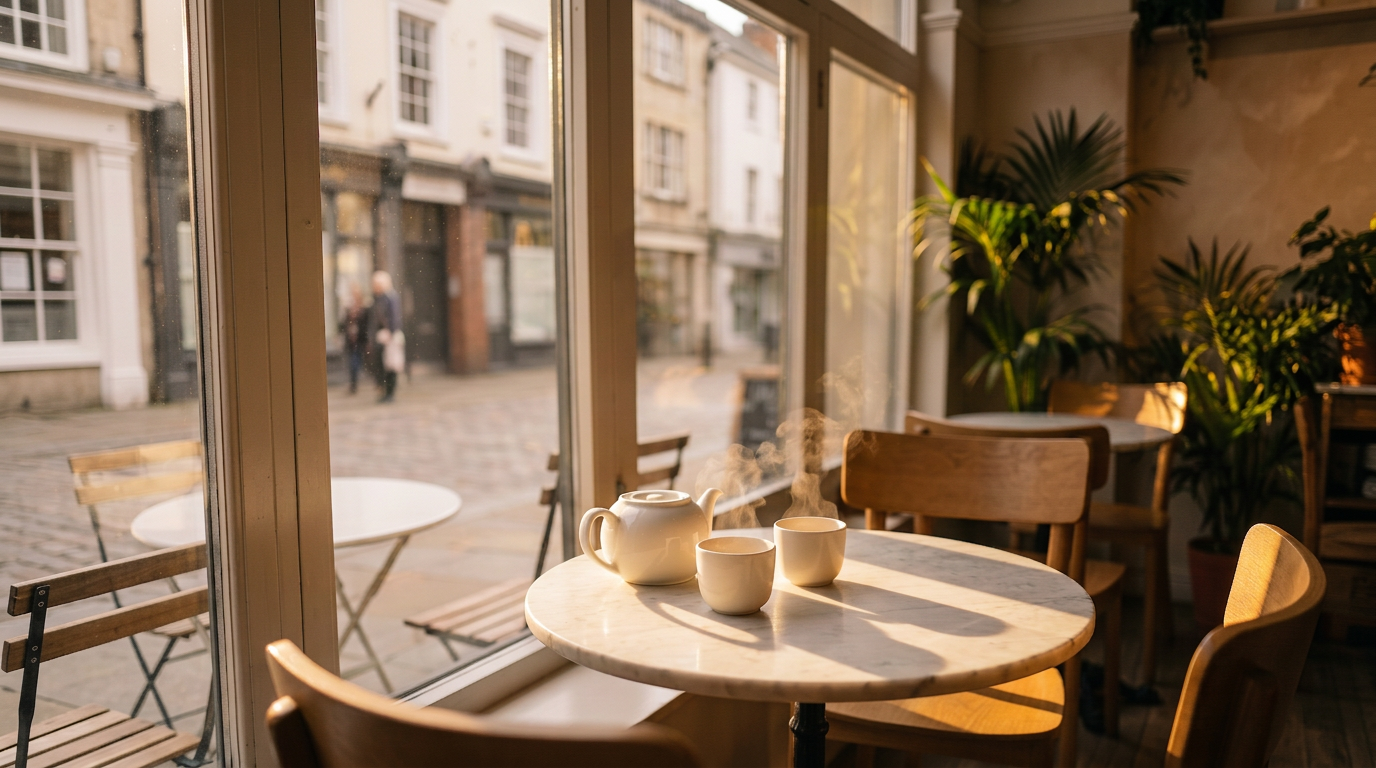
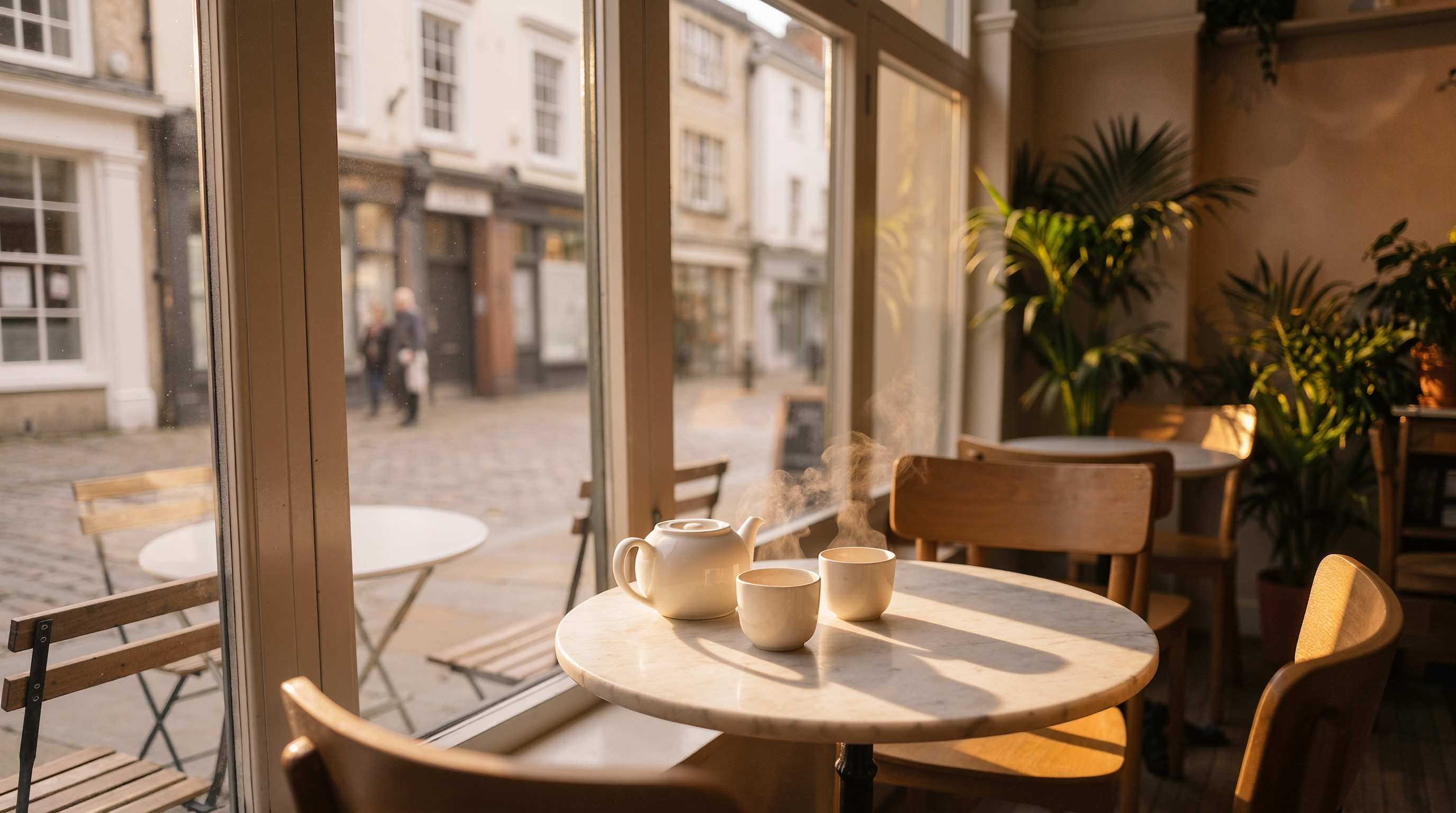
Clipdrop is a set of quick photo tools. We ran its four most used jobs on one cafe photo, each step feeding the next, and the result above is the relit version.
1 credit ($0.06) per image. Included in every plan, from $10/month.
Already a member? Sign in
By Brian Lovett · Updated
Clipdrop: quick answers
What is Clipdrop?
A web app of AI photo tools: remove background, replace background, cleanup, uncrop, relight, text remover, an image upscaler, a universal resizer and text to image.
Who owns Clipdrop?
Clipdrop says its maker, InitML, was acquired by Stability in February 2023 and sold to Jasper in February 2024.
Is Clipdrop free?
Partly. Its free tier allows 20 background removals, 20 cleanups, 20 relights and 20 2x upscales per 24 hours, and 50 text removals.
What does Clipdrop Pro add?
Up to 1,000 uses per tool per 24 hours, high resolution outputs, a 16x upscaler and skipping the queue. The Pro price did not show on its pricing page when we read it.
Can I use Clipdrop images commercially?
Clipdrop says generated images can be used commercially under its terms.
Fresh images from a prompt, the text to image side
Clipdrop also makes images from text. Here are four we made on Pixel Dojo, each with its prompt.

Food on FLUX 3 Image for 1 credit.
Macro food photo of a glossy lemon tart with a scorched meringue top on a speckled ceramic plate, one slice cut away, a dusting of zest, low side light, shallow focus.
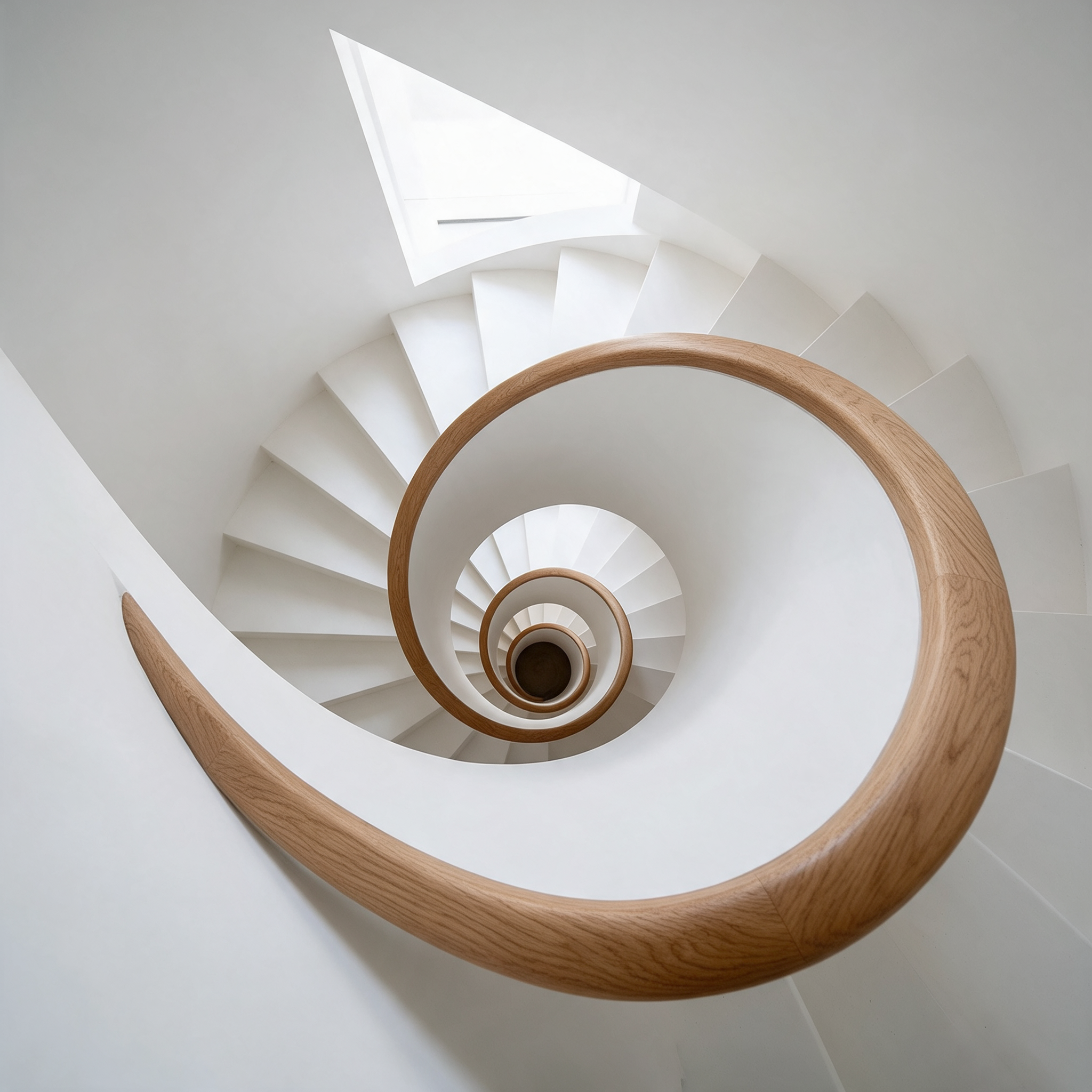
Architecture on Seedream 5.
Architectural photo looking straight down a white spiral stairwell with a curved oak handrail, the steps forming a perfect nautilus pattern, soft daylight from a skylight above, clean minimal geometry.
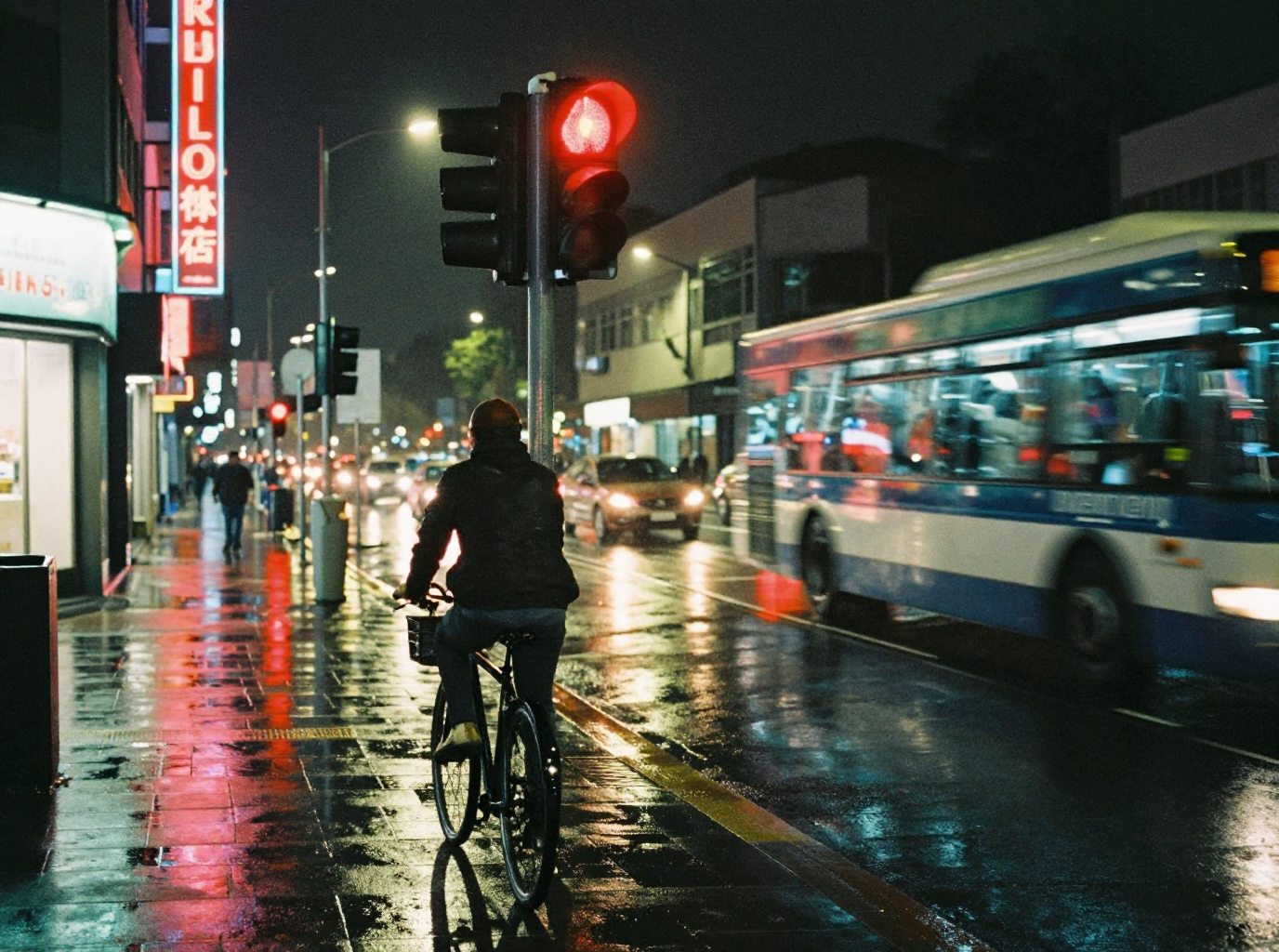
Street photography on Z-Image Turbo for 0.25 credits.
Street photograph at night of a cyclist waiting at a red light in the rain, reflections of neon shop signs on wet asphalt, a bus passing in motion blur, 35mm film grain.
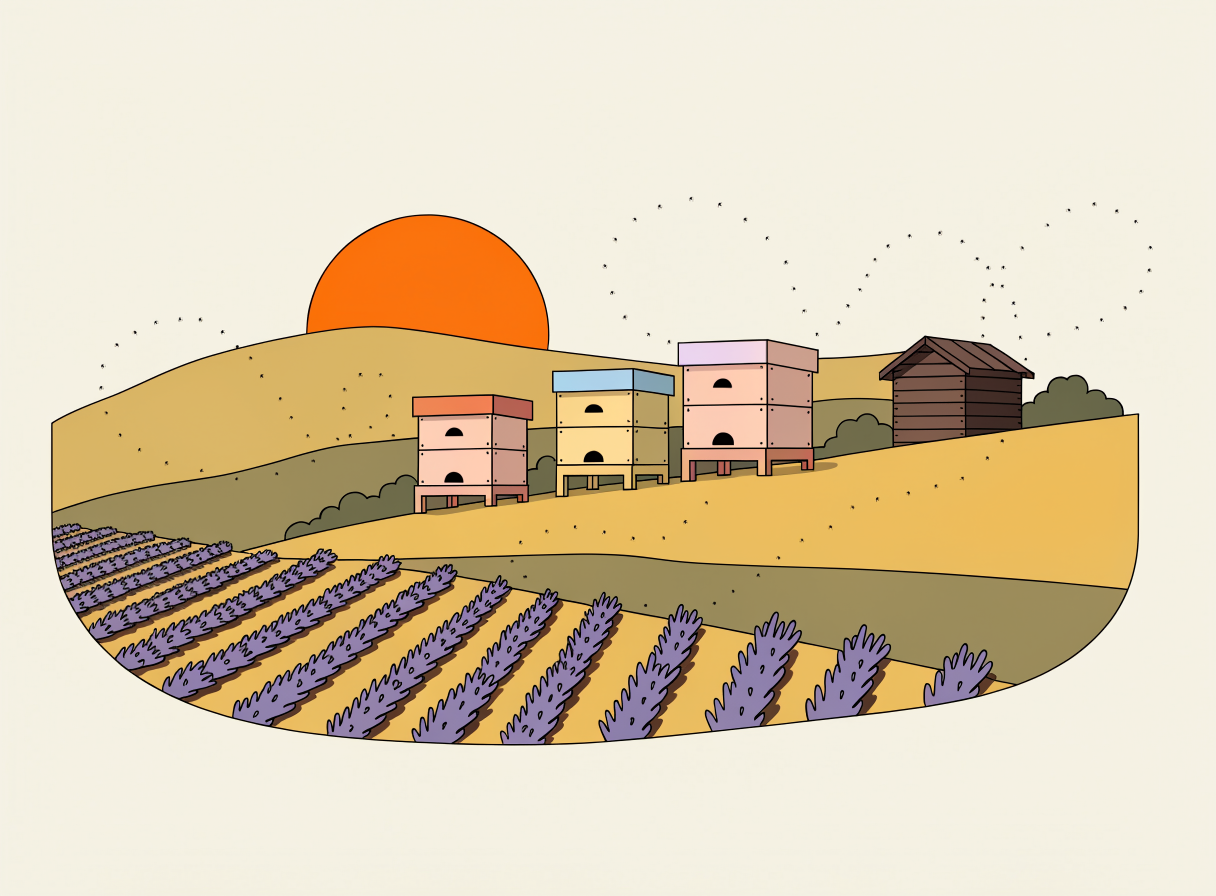
A flat vector look on Recraft V4.1.
Flat vector style illustration of a hillside apiary at sunrise: three pastel painted beehives, lavender rows, a small wooden shed and bees drawn as tiny dots in looping paths, limited warm palette, no text.
Deep dive: why one photo needs several models
Each photo fix is a different problem. Cleanup has to invent what was behind an object. Uncrop has to invent everything past the edge. Relighting has to move shadows without moving the furniture. Upscaling has to add detail without changing a face.
On a single purpose tool you get one model for each job. On Pixel Dojo you can pick the model per step, and we did exactly that: an edit model for cleanup, Nano Banana 2.1 with a zoom out instruction for the uncrop, a lighting model and then an upscaler.
Each step feeds the next, so you can chain the models in one session and keep the result of every stage.
One cafe photo through four fixes
We started from a 4:3 photo with a phone and a receipt on the table. Each step used the previous output. Each tile shows its settings and credits.
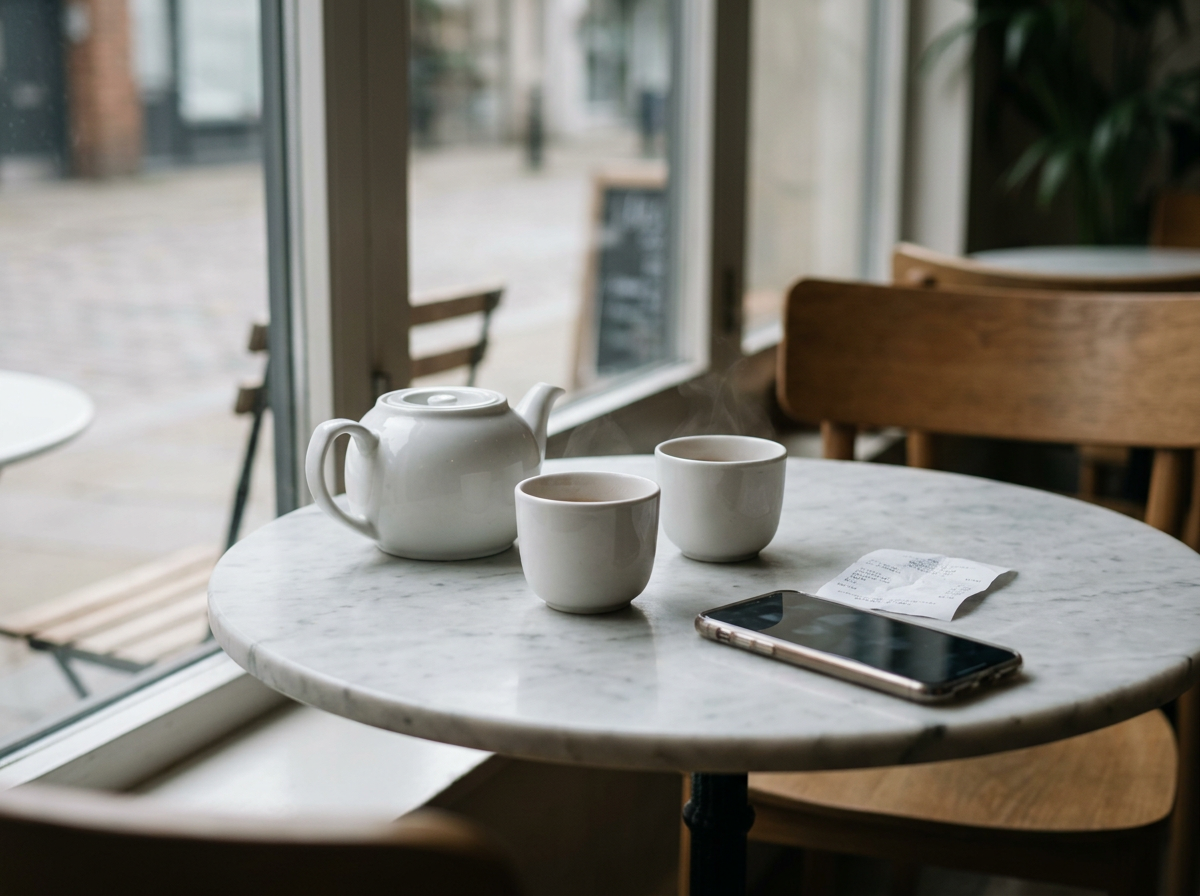
Lifestyle photo of a white ceramic teapot and two small cups on a round marble cafe table beside a window, a smartphone and a crumpled paper receipt lying next to the cups, soft flat midday light, muted colors, 50mm lens.
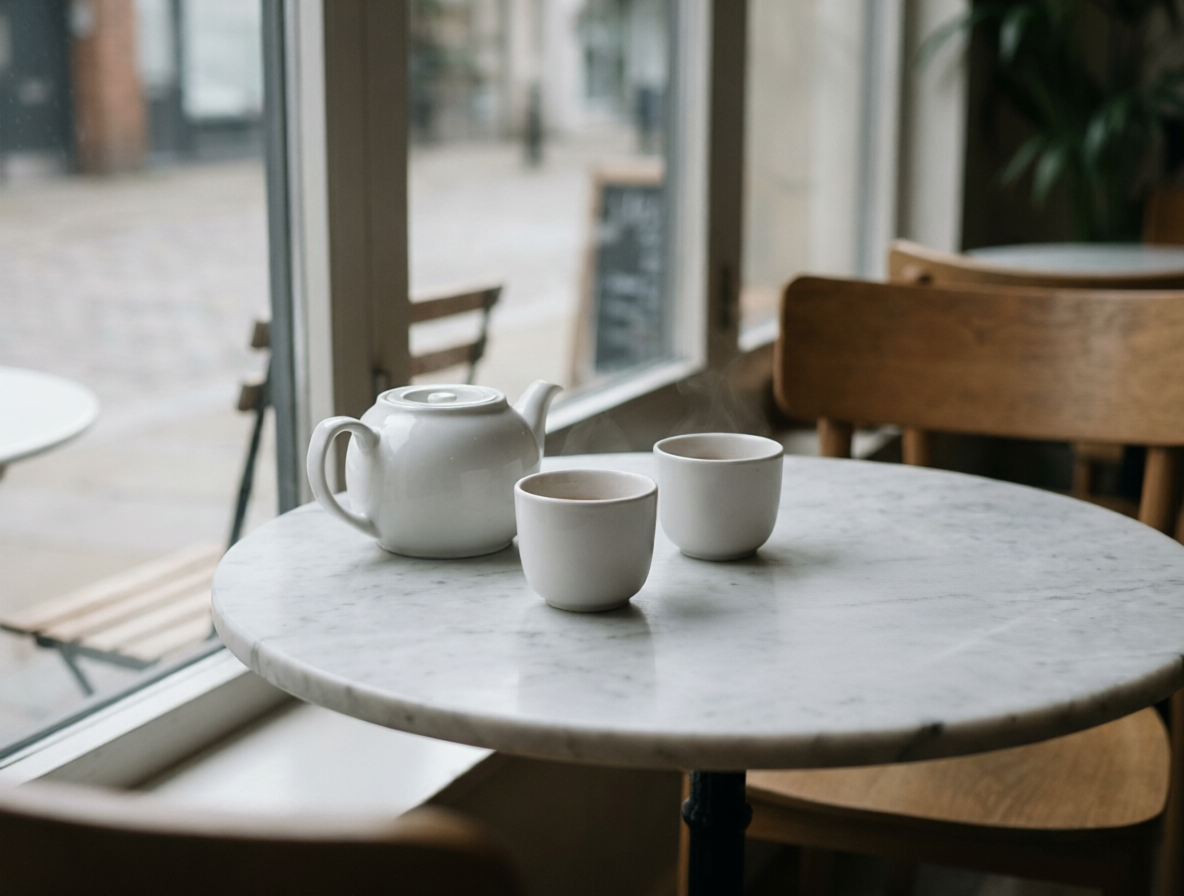
Remove the smartphone and the crumpled paper receipt from the table. Fill the space with the same marble tabletop. Keep the teapot, the cups, the window and the light exactly the same.
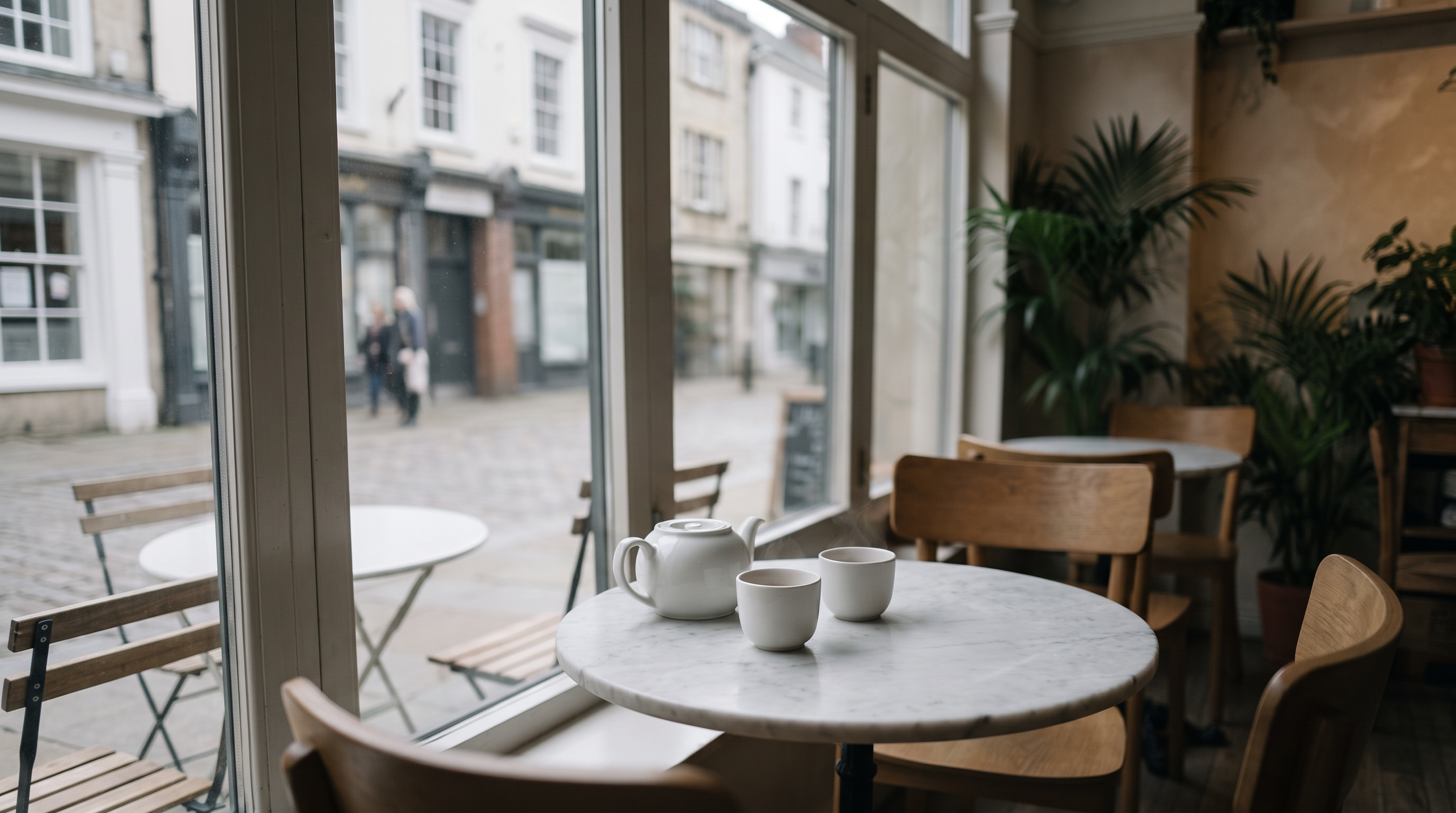
Zoom out from this exact photo to a wider 16:9 view of the same cafe corner: keep the teapot, the two cups, the marble table, the chairs and the window exactly as they are, and extend the scene on every side with more of the window, the street outside and the cafe interior, same soft daylight and color.
Warm golden hour sunlight streaming low through the window from the left, long soft shadows of the teapot and cups across the marble table, a warm glow on the chairs
- Qwen Image 2 Edit removed the phone and the receipt for 0.5 credits and left no trace on the marble.
- Nano Banana 2.1 widened the frame with a believable street, a second table and plants, keeping the teapot and cups where they were.
- The relight turned flat midday light into golden hour, with shadows of the cups across the table and steam it added on its own.
- Clarity Pro doubled the size and kept the glaze on the teapot and the steam crisp.
Clipdrop tools and their Pixel Dojo match
Clipdrop tool names and limits from its pricing and home pages, read on October 15, 2026.
| Job | Clipdrop | Pixel Dojo |
|---|---|---|
| Remove objects | Cleanup, 20 a day free, 1,000 a day on Pro | Qwen Image 2 Edit, Nano Banana 2.1 or GPT Image 2.5 with a one line instruction |
| Extend the frame | Uncrop | Image Outpainting, or a zoom out edit on Nano Banana 2.1 |
| Change the light | Relight, 20 a day free | Relight with four lighting models to choose from |
| Upscale | 2x free, up to 16x on Pro | Clarity Pro, Magnific, Portrait Upscaler and Creative Upscaler |
| Text to image | Text to image | FLUX 3 Image, Seedream 5, Nano Banana 2.1, GPT Image 2.5, Recraft and more |
| API | Usage based | Public API with docs generated from each model's spec, API credit packs from $5 |
Why Clipdrop users switch to Pixel Dojo
Unlimited on every plan
On every paid plan, Relax runs Qwen Image 2.1, FLUX 3 Image Klein and MiniMax H3 Turbo, plus every video and photo effect, unlimited with no credits spent.
Sensei, the AI director
Describe a project and Sensei plans it, prices it, waits for your approval and reviews every take.
One job AI tools
35 single purpose tools each do one edit from an upload: remove a watermark, an object or text, restore and colorize an old photo, swap a background, retouch a portrait or make a thumbnail.
Photo effects
45+ photo effects restyle a picture in one click, from a hand painted anime still to a boxed action figure or a magazine cover, and every one starts from your own upload.
Character Studio
Save a face once and call it by @name in any prompt, so the same person shows up in every image and clip.
Credits that roll over
Your credits roll over while you stay subscribed, so nothing you pay for disappears at the end of the month.
Every top model, plus an API
More than 80 image and 60 video models in one account, with a public API and a hosted MCP server for your own apps and AI assistants.
What photo fixes cost on Pixel Dojo
Plans are Lite $10 a month for 160 credits, Pro $25 for 500 credits, Pro Max $50 for 1,100 credits. Every plan includes every model and commercial use. Credits roll over while you stay subscribed.
The fixes in our test cost between 0.5 and 5 credits each, and each tile lists its own price.
Under our refund policy, a first purchase can be refunded within 7 days, in full if under 20% of the credits are used and pro-rated after that.
Clipdrop questions
What is a good Clipdrop alternative?
Pixel Dojo covers cleanup, uncrop, relight and upscaling with several models for each job, plus text to image and video, with every credit price shown before you generate.
Is Clipdrop owned by Stability AI?
Not anymore. Clipdrop says InitML, its maker, was acquired by Stability in February 2023 and sold to Jasper in February 2024.
How many free uses does Clipdrop give?
Clipdrop's pricing page lists 20 uses per 24 hours for background removal, cleanup, relight and the 2x upscaler on the free tier, and 50 for the text remover.
Can I relight a photo on Pixel Dojo?
Yes. Upload a photo, describe the light you want, and pick one of four lighting models. Our golden hour version above cost 1 credit.
Can I animate the fixed photo?
Yes. Use the final image as a start frame on Seedance 2.5, Kling 3.0 or Veo 3.1 to turn it into a short clip.
Switch from Clipdrop to Pixel Dojo today
Write a prompt above or start from any example on this page. One plan covers every top model, six studios and Sensei, and your credits roll over.
Start with RelightSources
Facts about Clipdrop come from these public pages, checked on Oct 15, 2026. Prices and plans change; check the source before you buy.