Fooocus alternatives
Fooocus alternatives with newer models and nothing to install
Fooocus is a free SDXL app that needs an Nvidia card. Pixel Dojo runs FLUX 3 Image, Seedream 5, Qwen Image 2.1 and Z-Image Turbo in the browser, with editing and upscaling on the same plan.
Fooocus made SDXL simple: type a prompt, get a picture. Its README now says the project is in limited long term support with bug fixes only. We wrote one documentary photo prompt and ran it on four newer models to see what the step up looks like.
1 credit ($0.06) per image at 1K. Included in every plan, from $10/month.
Already a member? Sign in
By Brian Lovett · Updated

Why people look past Fooocus now
Fooocus is free, open source under GPL-3.0, and runs offline. Its README asks for at least 4GB of Nvidia VRAM and 8GB of system RAM, and says running on CPU alone is about 17 times slower than an RTX 3000 series card.
The bigger change is the model. Fooocus is built entirely on SDXL, its last release on GitHub is v2.5.5 from August 2024, and the README says there are no plans to move to newer architectures. It points people who want FLUX to other local apps.
So most people searching for a Fooocus alternative want one of two things: newer models without a gaming PC, or the same simple prompt box with more power behind it. This list covers both.
The Fooocus feature list, done here
Fooocus users reach for inpaint, upscale and styles. Every image below was made on Pixel Dojo with the prompt shown.

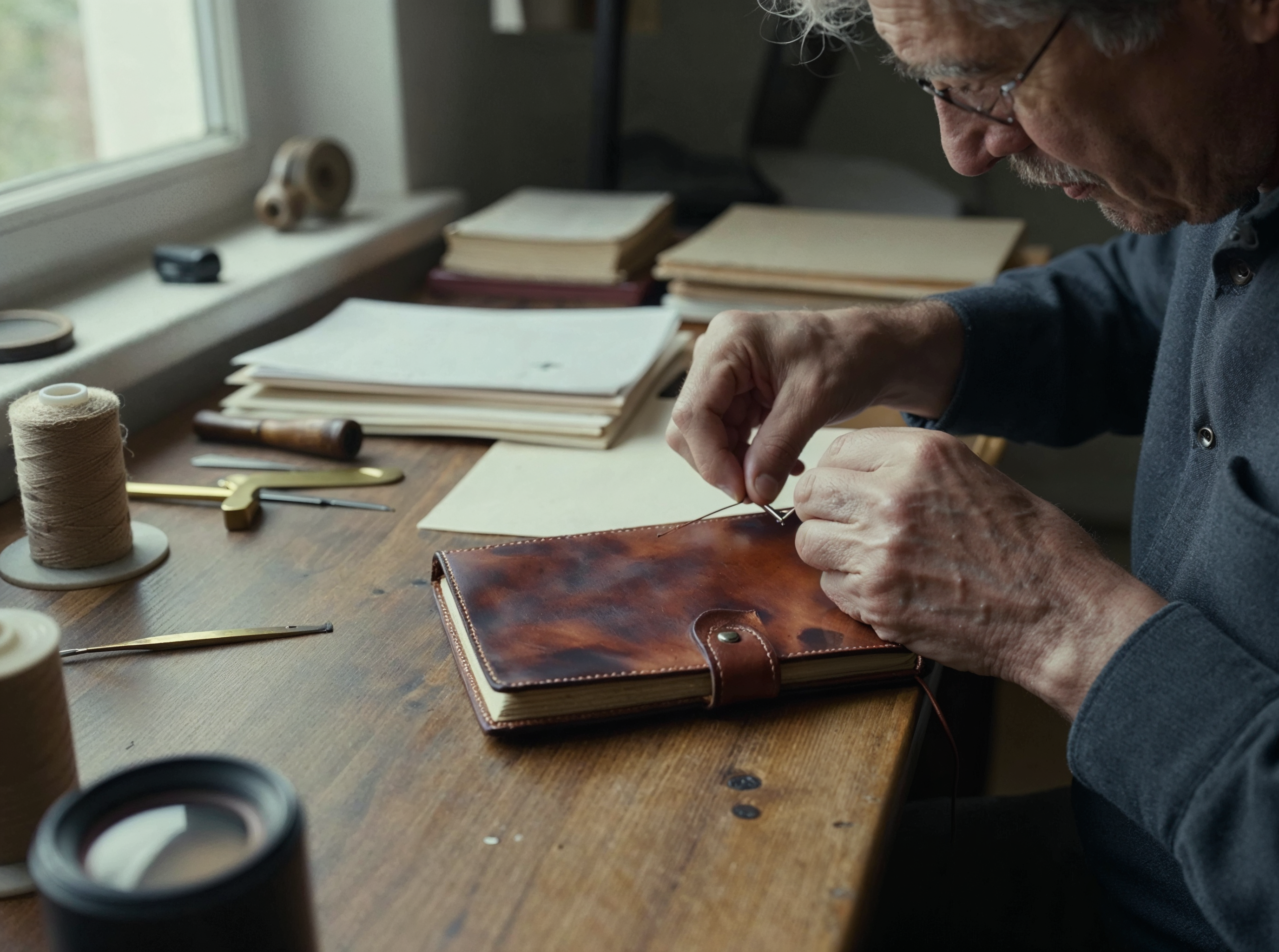
An edit on Kling Image Edit for 1 credit: a typed instruction swapped only his shirt, no mask to paint.
Change only his blue work shirt to a deep red and black buffalo check flannel shirt. Keep his face, glasses, apron, hands, the leather journal, the tools, the workbench and the window light exactly the same.
The Z-Image Turbo bookbinder upscaled 2x on Magnific for 3 credits, the job Fooocus calls Upscale.
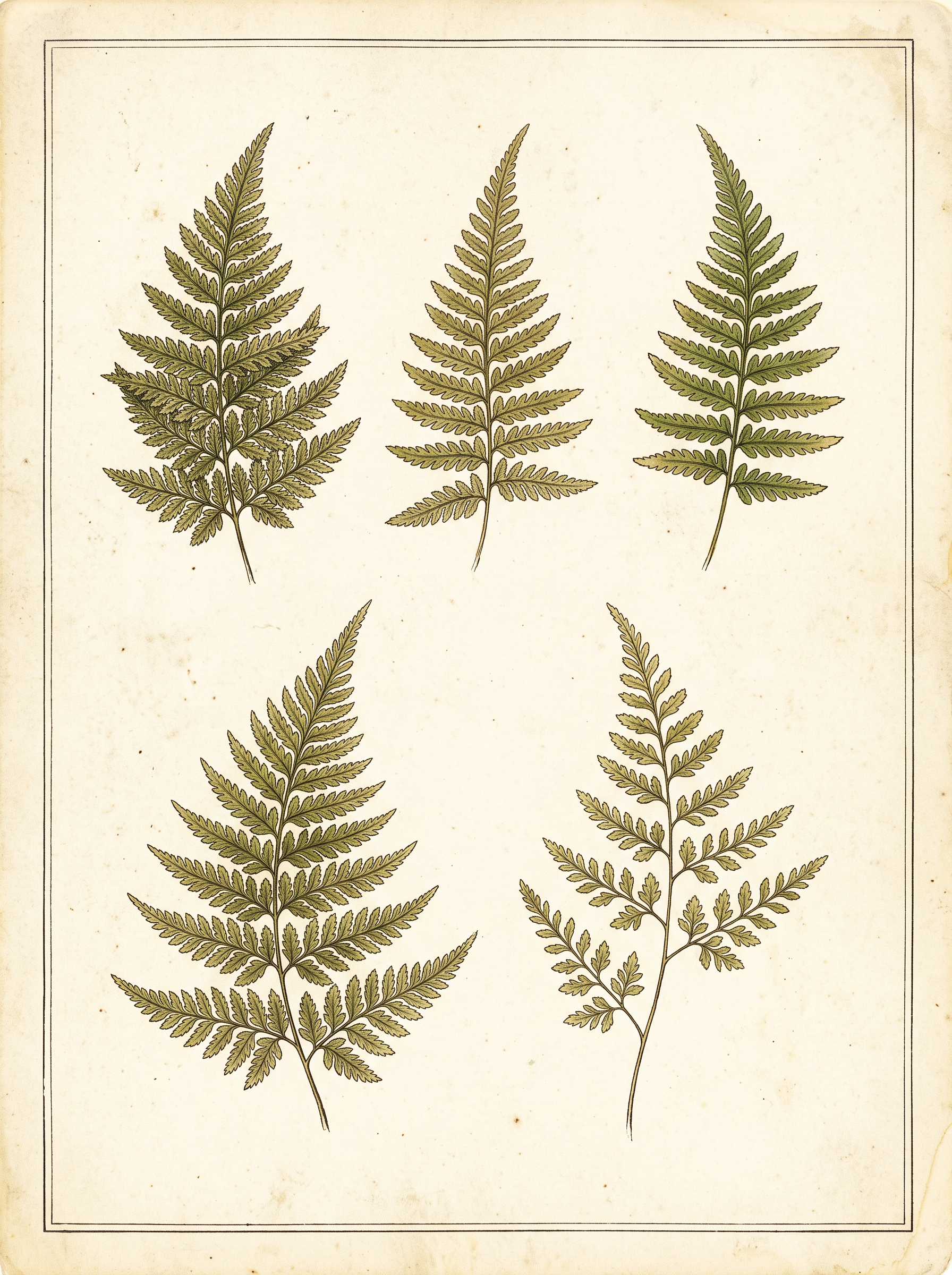
A vintage botanical style on Nano Banana 2.1, written as a plain prompt instead of a style preset.
Vintage botanical study of five fern fronds drawn in fine ink and soft watercolor washes on aged cream paper, arranged in a loose grid with generous margins, a thin ruled border, no lettering, no labels and no text anywhere, museum archive look.
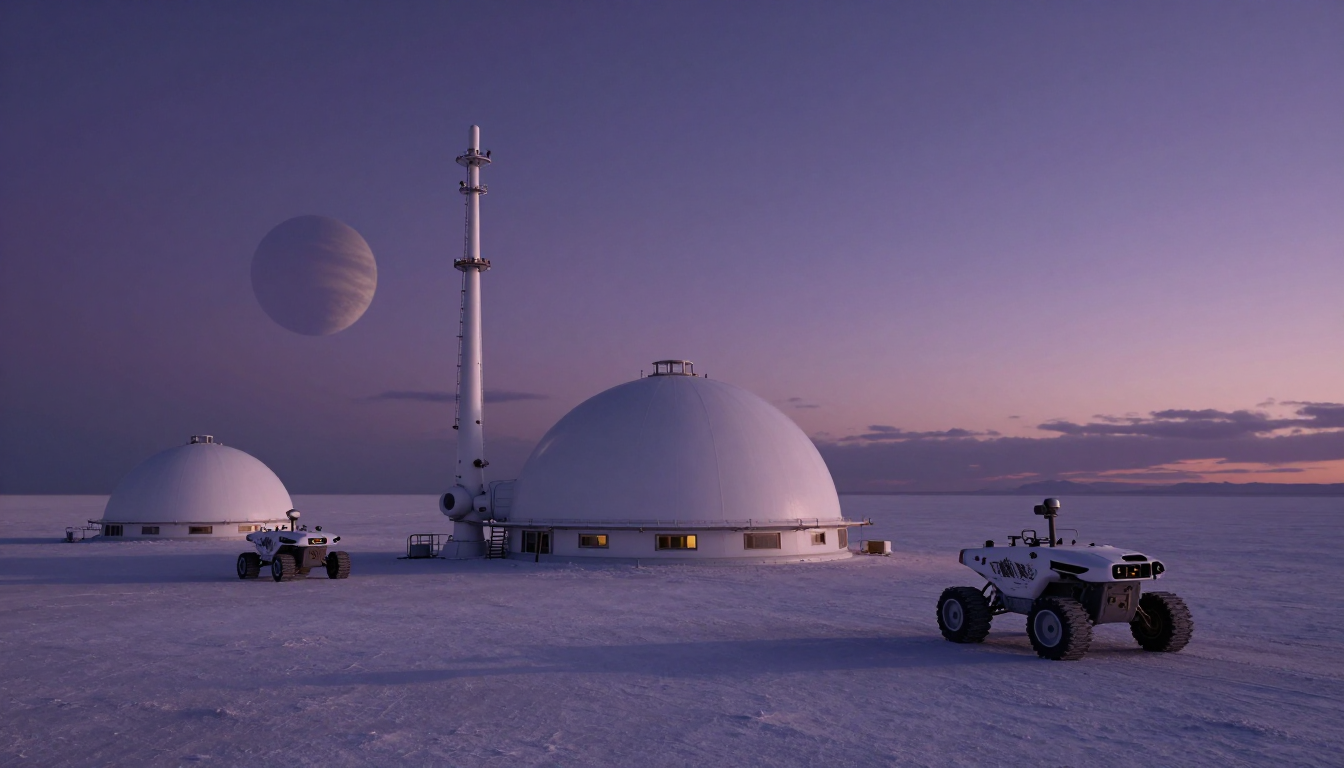
Sci fi concept art on Z-Image Turbo for 0.25 credits.
Science fiction concept art of a solar powered research outpost on a salt flat at dusk, white domes and tall antenna masts, two rovers parked outside, long violet shadows, a ringed planet low on the horizon, cinematic matte painting.
One photo prompt on four newer image models
We wrote a documentary portrait of a bookbinder at his bench, with window light, an 85mm lens and film grain, and ran it unchanged on four models. Each tile shows the settings and credits it used.
Documentary photograph of a bookbinder in his sixties stitching the spine of a leather journal at a cluttered oak workbench, waxed thread pulled tight, brass tools and paper stacks around him, window light from the left, 85mm lens, shallow depth of field, fine film grain.
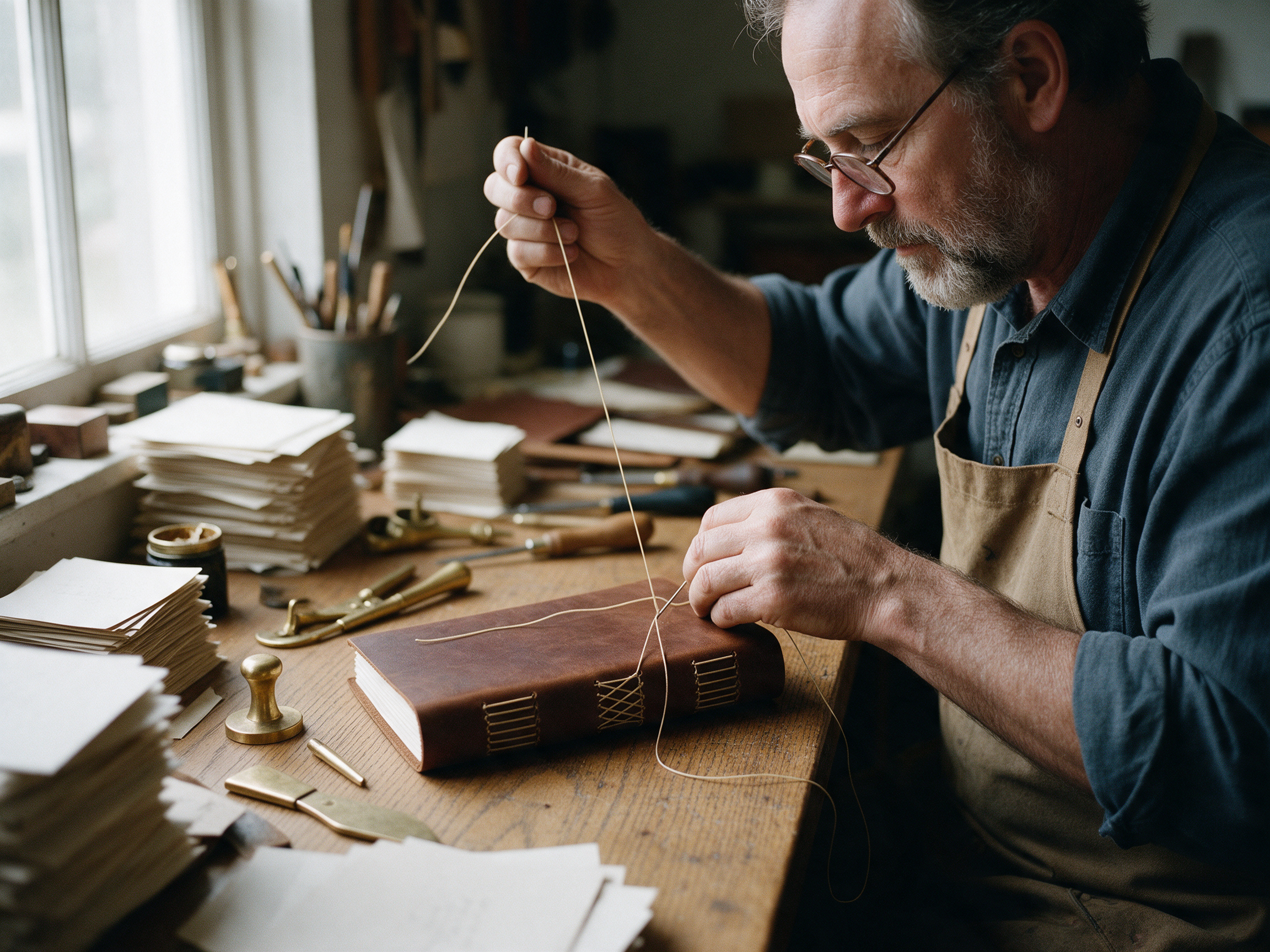
Documentary photograph of a bookbinder in his sixties stitching the spine of a leather journal at a cluttered oak workbench, waxed thread pulled tight, brass tools and paper stacks around him, window light from the left, 85mm lens, shallow depth of field, fine film grain.
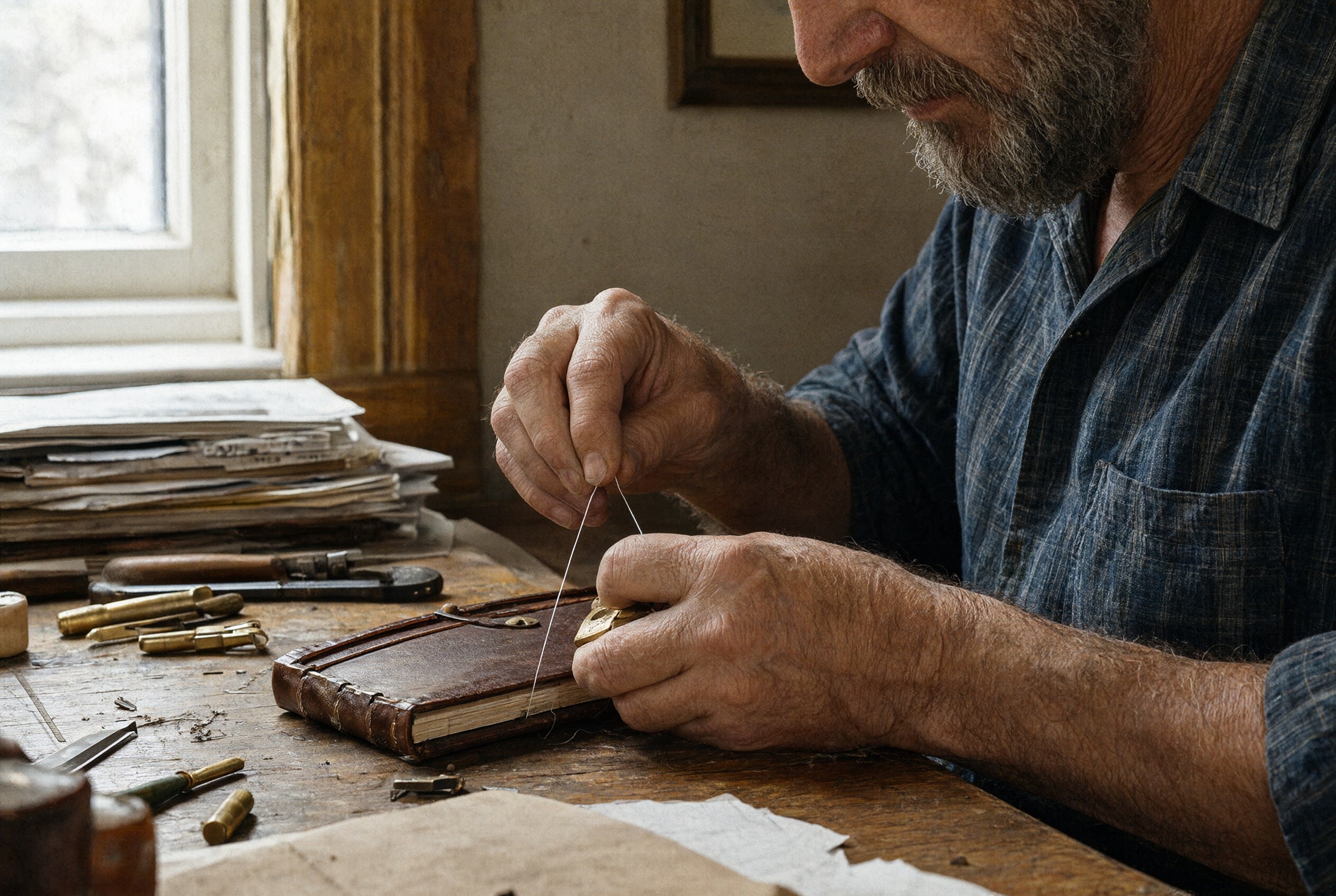
Documentary photograph of a bookbinder in his sixties stitching the spine of a leather journal at a cluttered oak workbench, waxed thread pulled tight, brass tools and paper stacks around him, window light from the left, 85mm lens, shallow depth of field, fine film grain.
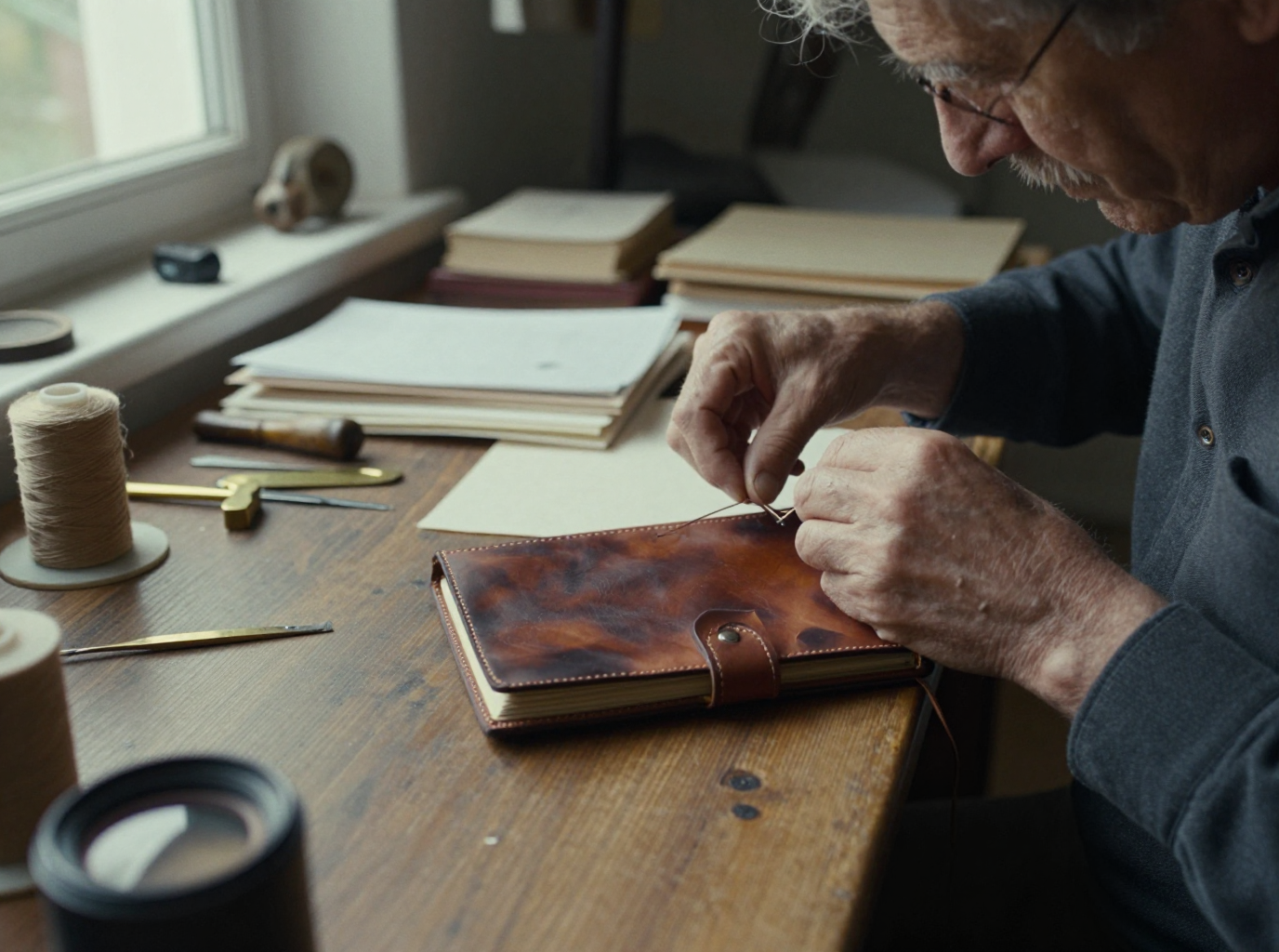
Documentary photograph of a bookbinder in his sixties stitching the spine of a leather journal at a cluttered oak workbench, waxed thread pulled tight, brass tools and paper stacks around him, window light from the left, 85mm lens, shallow depth of field, fine film grain.
- FLUX 3 Image told the whole story in one frame, with the press, the tool wall and the stacked books, for 1 credit.
- Seedream 5 gave the most natural portrait, with clear eyes behind the glasses and thread pulled tight in his hands.
- Qwen Image 2.1 and Z-Image Turbo went in tight on the hands, a good fit for detail shots.
- Z-Image Turbo came back first, for 0.25 credits, the fastest and cheapest of the four.
Six Fooocus alternatives, by what you used Fooocus for
FLUX 3 Image for full scenes
Our pick for prompts with many objects. It kept every prop we listed in the bookbinder test, for 1 credit.
Seedream 5 for people
Faces, hands and skin read as photographs. Use it for portraits and lifestyle shots.
Z-Image Turbo for quick drafts
The closest thing to a fast local SDXL run: 0.25 credits per image and the fastest return in our test.
Kling Image Edit in place of inpaint
Describe the change in words and the rest of the picture stays put. No mask, no denoise slider.
Magnific in place of Upscale
Enlarge 2x with added texture, or pick Clarity Pro and the Portrait Upscaler on the same plan.
LoRA trainers in place of custom checkpoints
Train a FLUX, Qwen, WAN or Z-Image LoRA on your own photos in the browser, no local training setup.
Fooocus vs Pixel Dojo, side by side
Fooocus facts come from its official GitHub README and releases page, read October 15, 2026.
| Question | Fooocus | Pixel Dojo |
|---|---|---|
| What does it cost? | Free and open source under GPL-3.0 | Lite $10 a month for 160 credits, Pro $25 for 500 credits, Pro Max $50 for 1,100 credits |
| What hardware do I need? | At least 4GB of Nvidia VRAM and 8GB of RAM, or 32GB of RAM on CPU at about 17x slower | Any browser on any device |
| Which models can I use? | SDXL only, with no plans to add newer architectures | FLUX 3 Image, Seedream 5, Qwen Image 2.1, Z-Image Turbo, Nano Banana 2.1, GPT Image 2.5 and more |
| How current is it? | Limited long term support with bug fixes only; latest release v2.5.5 from August 2024 | New models added as they launch, priced on each model page |
| Can I edit and upscale? | Built in inpaint, 1.5x and 2x upscale, styles and face swap | Instruction based editing, four upscalers, relighting and outpainting |
| Can I use it from code? | Runs locally; you script it yourself | A public API with docs generated from each model's spec, and a hosted MCP server |
Why Pixel Dojo is the easier home
One warning from its own README: many websites use the Fooocus name, and the GitHub repository is the only official source. Download it there.
Pixel Dojo is the easier home if you want newer models, no hardware to maintain, or images and video on one plan.
Why Fooocus users switch to Pixel Dojo
Unlimited on every plan
On every paid plan, Relax runs Qwen Image 2.1, FLUX 3 Image Klein and MiniMax H3 Turbo, plus every video and photo effect, unlimited with no credits spent.
Sensei, the AI director
Describe a project and Sensei plans it, prices it, waits for your approval and reviews every take.
One job AI tools
35 single purpose tools each do one edit from an upload: remove a watermark, an object or text, restore and colorize an old photo, swap a background, retouch a portrait or make a thumbnail.
Photo effects
45+ photo effects restyle a picture in one click, from a hand painted anime still to a boxed action figure or a magazine cover, and every one starts from your own upload.
Character Studio
Save a face once and call it by @name in any prompt, so the same person shows up in every image and clip.
Credits that roll over
Your credits roll over while you stay subscribed, so nothing you pay for disappears at the end of the month.
Every top model, plus an API
More than 80 image and 60 video models in one account, with a public API and a hosted MCP server for your own apps and AI assistants.
What the bookbinder test cost here
Plans are Lite $10 a month for 160 credits, Pro $25 for 500 credits, Pro Max $50 for 1,100 credits. Every plan includes every model and commercial use. Credits roll over while you stay subscribed.
The four test images cost 1, 2.5, 1.5 and 0.25 credits. The shirt edit cost 1 credit and the 2x upscale 3 credits.
Under our refund policy, a first purchase can be refunded within 7 days, in full if under 20% of the credits are used and pro-rated after that.
Fooocus questions
What is the best Fooocus alternative?
If you want the same simple prompt box with newer models and no GPU, Pixel Dojo runs FLUX 3 Image, Seedream 5, Qwen Image 2.1 and Z-Image Turbo in the browser. FLUX 3 Image won our scene test.
Is Fooocus still being updated?
Its README says Fooocus is in limited long term support with bug fixes only, built on SDXL, with no plans to move to newer model architectures. The latest release on GitHub is v2.5.5 from August 2024.
Can I run Fooocus without a GPU?
The README says CPU only use needs 32GB of system memory and is about 17 times slower than an RTX 3000 series card. A browser studio like Pixel Dojo needs no GPU at all.
Is there an official Fooocus website?
The Fooocus README says the GitHub repository is the only official source and warns about fake websites using the name.
How do I inpaint without Fooocus?
On Pixel Dojo, Kling Image Edit changes one part of a picture from a typed instruction. We swapped the bookbinder's shirt for 1 credit and the rest of the frame stayed the same.
Switch from Fooocus to Pixel Dojo today
Write a prompt above or start from any example on this page. One plan covers every top model, six studios and Sensei, and your credits roll over.
Start with FLUX 3 ImageSources
Facts about Fooocus come from these public pages, checked on Oct 15, 2026. Prices and plans change; check the source before you buy.