PixelBin 替代方案
PixelBin 替代方案:一張商品照,三款編輯器打造新場景
想找 PixelBin 替代方案?Pixel Dojo 讓你把同一張商品照交給 FLUX 2 Pro、Nano Banana 和 Qwen 並排比較,再將最出色的版本放大、擴圖或製成影片,每一步都在點擊前清楚標示點數。
我們從一張棕褐色麂皮短靴的純背景棚拍照開始,請三款 AI 編輯器把短靴放進秋日石板街景,同時保留靴子原貌。以下先從方案與點數比較看起。
1.5 credits ($0.09) 所有方案皆包含,每月 US$10 起。
已經是會員? 登入
作者 Brian Lovett · 更新於
同一個方案,滿足店家的更多需求
以下每張圖片都在 Pixel Dojo 製作,並附上使用的提示詞。
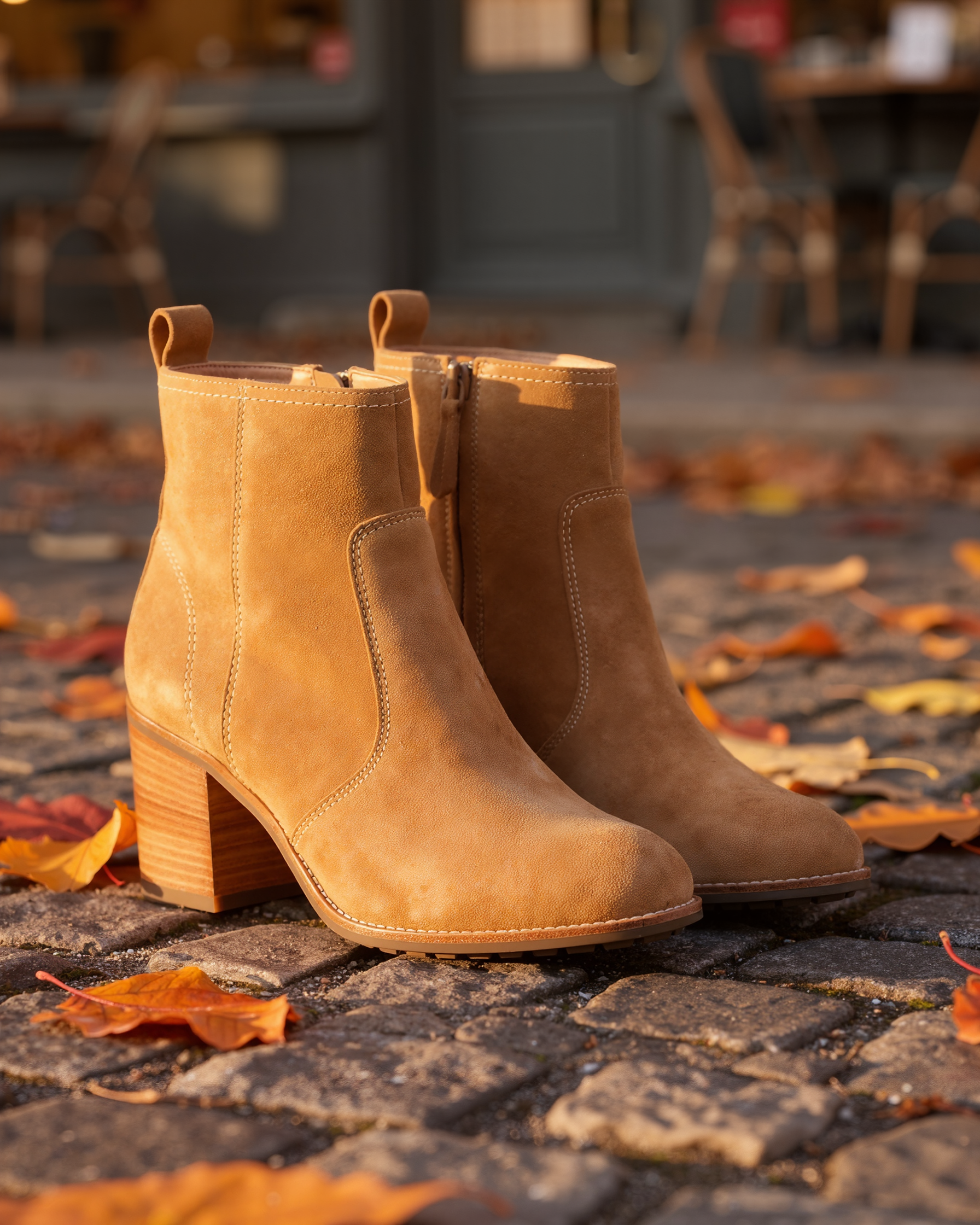
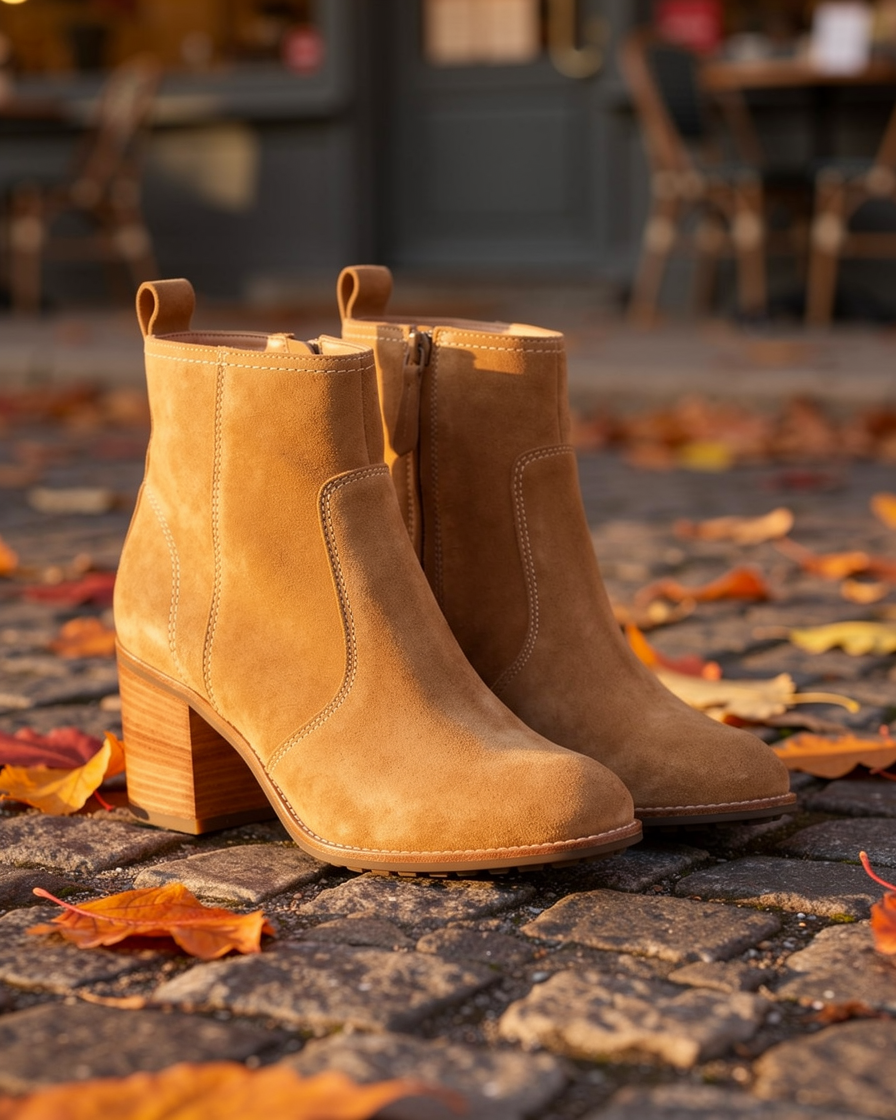
Clarity Pro 花費 5 點,將勝出照片放大一倍至 1792 × 2240。
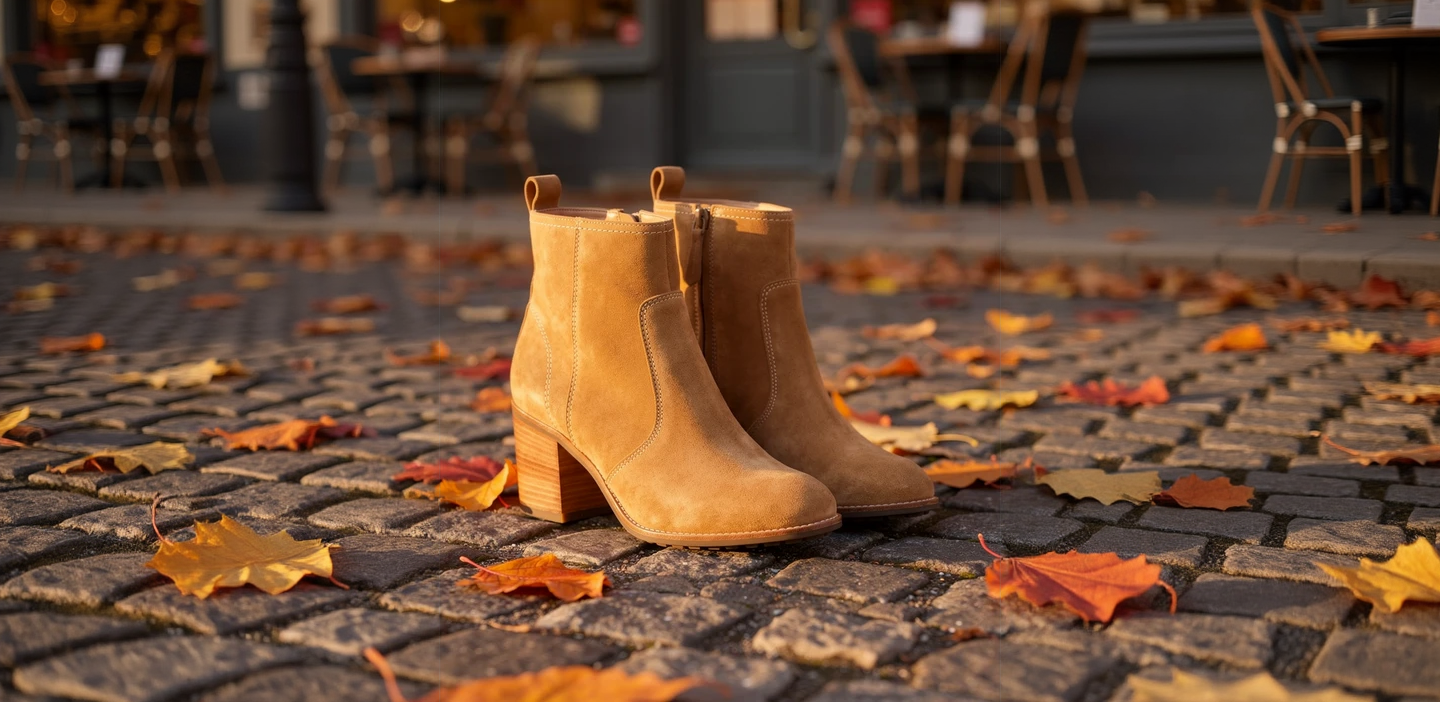
透過擴圖,只花 1 點就把直式照片變成寬版主視覺橫幅。
Continue the autumn cobblestone street to both sides: more wet grey cobbles, scattered orange and yellow leaves, the softly blurred cafe fronts with chairs and warm windows, the same low golden side light.

用 Seedream 5 製作團隊頁面形象照,花費 2.5 點。
Professional headshot of an architect in his forties with salt and pepper hair and a navy knit polo, arms relaxed, soft window light, a blurred bright studio office behind him, friendly confident expression, 85mm lens.
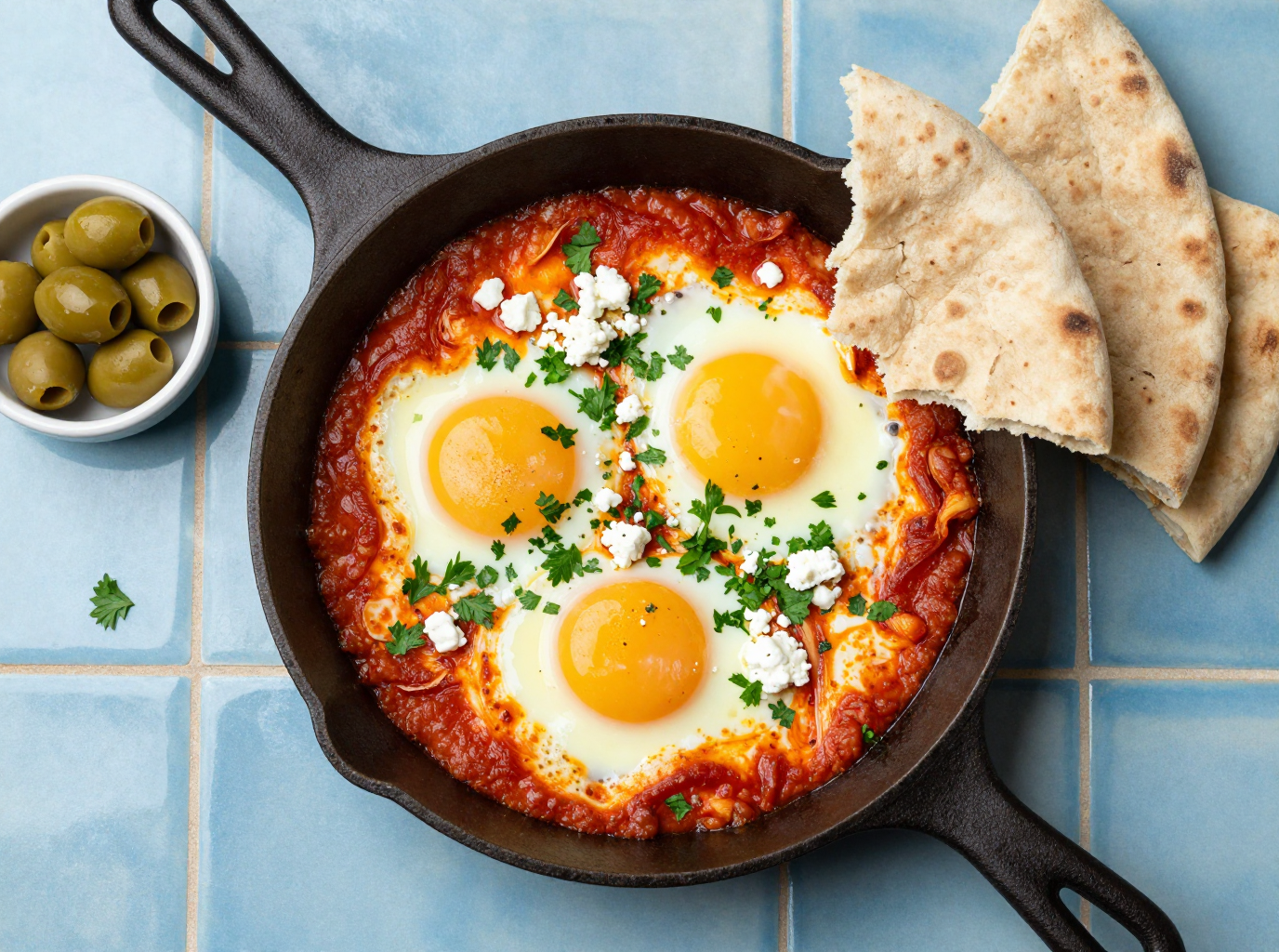
用 Z-Image Turbo 製作咖啡館菜單照,只花四分之一點。
Overhead food photograph for a cafe menu: a cast iron pan of shakshuka with three eggs, crumbled feta and fresh parsley on a blue tiled table, torn flatbread and a small bowl of olives beside it, bright natural light.
PixelBin 與 Pixel Dojo,逐項比較
PixelBin 欄位的所有資訊皆取自其價格頁與首頁,查閱日期為 2026 年 10 月 15 日。
| 比較項目 | PixelBin | Pixel Dojo |
|---|---|---|
| 月費方案 | Creator $15,250 點;Lite $30,600 點;Pro $60,1,500 點 | Lite 每月 $10,160 點;Pro $25,500 點;Pro Max $50,1,100 點 |
| 編輯工具點數 | 去浮水印、放大與去背各 1 點;調整尺寸免費 | 每個工具頁面都會顯示所需點數;我們的街景編輯每次花費 0.5 至 1.5 點 |
| 生成內容 | Nano Banana Pro 圖片與 Seedance Lite 影片,各方案提供對應生成數量 | FLUX 2 Pro、Nano Banana 2.1、Seedream 5、Qwen 等模型,以及 Seedance 2.5、Kling 3.0、WAN 3.0 和 Veo 3.1 |
| 放大畫質 | 圖片最高可放大 4x | Clarity Pro、Magnific、Portrait Upscaler 和 Creative Upscaler |
| 開發者存取 | API、SDK、webhook 與 CDN | 公開 API,文件依各模型規格產生,另提供代管 MCP 伺服器與 $5 起的 API 點數包 |
一張商品照,三款 AI 商品攝影實測
我們給三款編輯器的指令相同:將這雙靴子放在陽光灑落的秋日石板街道上,搭配落葉與失焦的咖啡館背景,保留原有顏色、縫線、拉鍊與木質鞋跟。每張圖卡都列出設定與點數。
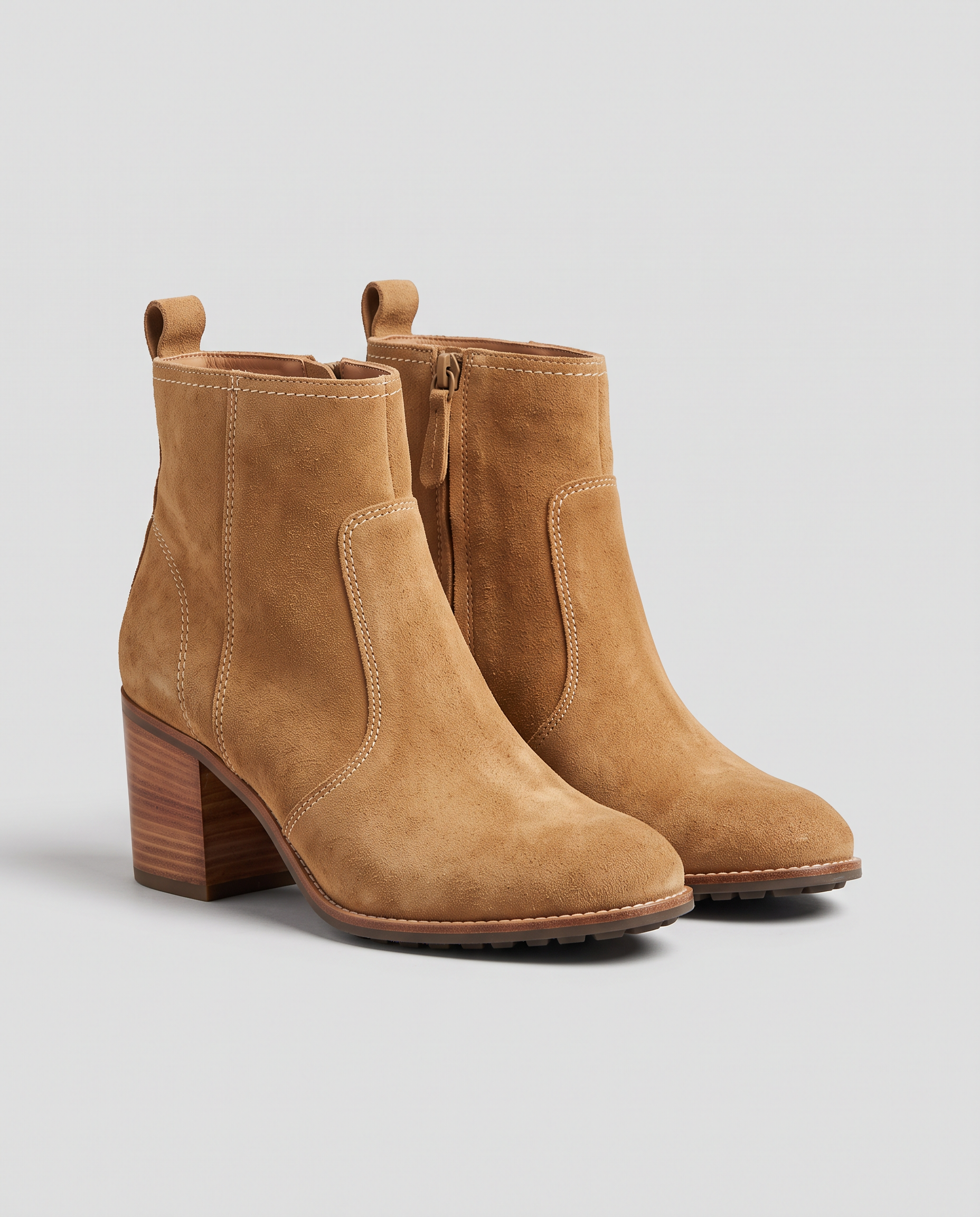
E-commerce packshot of a pair of tan suede ankle boots with stacked wooden heels and cream stitching, standing side by side on a plain light grey background, soft even studio light, a gentle shadow below, no logos, no text.
Place these exact tan suede ankle boots on a sunlit cobblestone street in autumn, standing on the stones beside scattered orange and yellow leaves, a softly blurred cafe front behind, warm late afternoon light from the side with natural shadows. Keep the boots, their color, stitching, zipper and stacked wooden heels exactly unchanged.
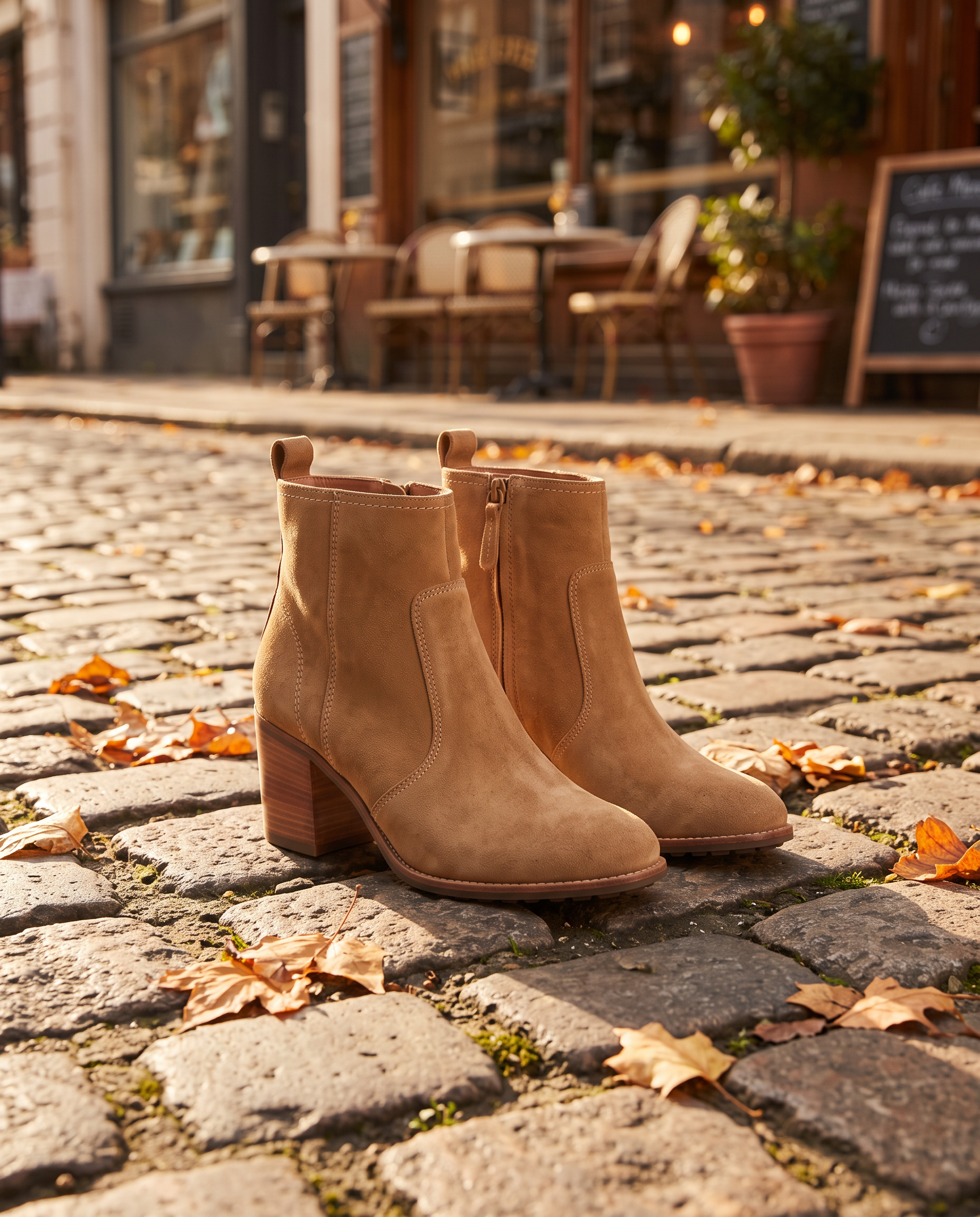
Place these exact tan suede ankle boots on a sunlit cobblestone street in autumn, standing on the stones beside scattered orange and yellow leaves, a softly blurred cafe front behind, warm late afternoon light from the side with natural shadows. Keep the boots, their color, stitching, zipper and stacked wooden heels exactly unchanged.
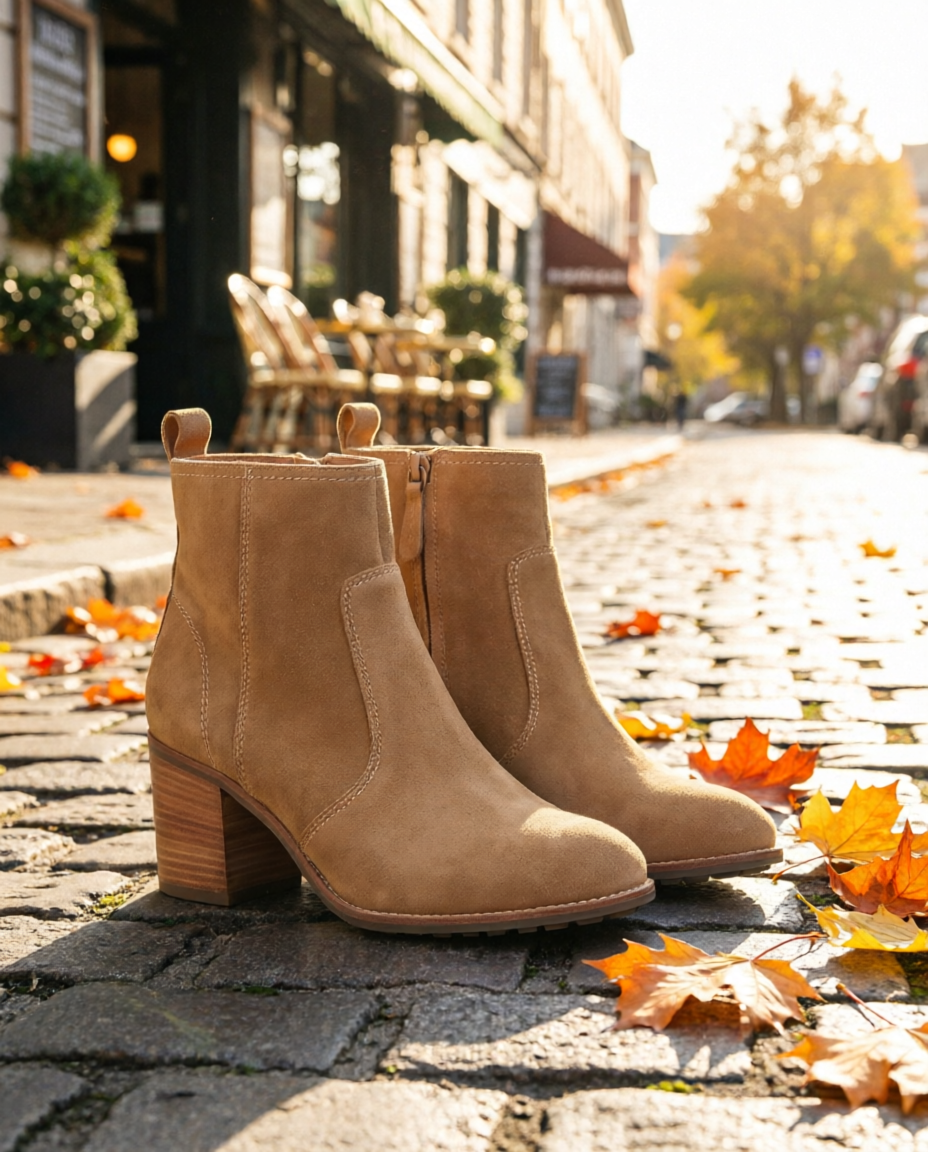
Place these exact tan suede ankle boots on a sunlit cobblestone street in autumn, standing on the stones beside scattered orange and yellow leaves, a softly blurred cafe front behind, warm late afternoon light from the side with natural shadows. Keep the boots, their color, stitching, zipper and stacked wooden heels exactly unchanged.
- FLUX 2 Pro 最有廣告成片感,近景構圖搭配溫暖柔和的側光,縫線與鞋跟也精準保留,花費 1.5 點。
- Nano Banana 拉遠視角,帶出更寬闊的街景。需要留空間放文案時,我們會選這一版。
- Qwen Image 2 Edit 只花 0.5 點,就做出明亮、陽光感十足的版本,適合低成本測試多種風格。
- 三款都保留了麂皮顏色、拉鍊與層疊木質鞋跟。
商品攝影,在這裡能做更多
依商品挑選編輯器
有的編輯器擅長近拍細節,有的擅長寬闊場景。同一句指令交給兩三款模型,只花幾點就能看出哪款最能凸顯商品賣點。
同一平台,完成後製
用 Clarity Pro 放大最出色的照片,透過擴圖延伸成橫幅,或直接去背,全都在同一方案內完成。
讓商品動起來
將完成的靜態圖交給 Seedance 2.5、Kling 3.0 或 WAN 3.0 作為起始影格,製作有聲商品短片。
商品圖流程自動化
每個模型都能透過同一套公開 API 執行,店家可用腳本,讓新商品照自動跑完相同的編輯與放大流程。
創意商品場景,為什麼選 Pixel Dojo
打造創意商品場景與影片,能自由選擇多款模型的工作室,讓你做得更多。
PixelBin 用戶為什麼轉用 Pixel Dojo
每個方案,都能無限創作
所有付費方案都能透過 Relax 無限使用 Qwen Image 2.1、FLUX 3 Image Klein、MiniMax H3 Turbo,以及所有影片與照片特效,不消耗點數。
Sensei,你的 AI 導演
說出專案構想,Sensei 就會規劃流程、計算點數,等你確認後執行,並逐一檢視每次生成成果。
單項 AI 工具
35 款專用工具,上傳圖片就能完成單項編輯:去除浮水印、物件或文字,修復老照片並上色、更換背景、人像修圖,或製作縮圖。
照片特效
45+ 種照片特效,一鍵改造照片風格,從手繪動畫定格畫面、盒裝公仔到雜誌封面,每種都從你上傳的照片開始。
Character Studio
儲存一次臉孔,之後在任何提示詞中用 @name 呼叫,讓每張圖片與每段影片都出現同一個人。
點數持續累積
只要持續訂閱,點數就能結轉累積,付費取得的點數不會在月底消失。
頂尖模型齊備,還有 API
一個帳號整合超過 80 款圖片模型與 60 款影片模型,並提供公開 API 與代管 MCP 伺服器,串接你自己的應用程式與 AI 助理。
Pixel Dojo 商品照方案價格
Lite 每月 $10,160 點;Pro $25,500 點;Pro Max $50,1,100 點。每個方案都包含所有模型與商業使用權。持續訂閱,點數就能結轉累積。
我們實測的 Qwen 編輯花費 0.5 點,FLUX 2 Pro 與 Nano Banana 編輯各花費 1.5 點。放大花費 5 點,橫幅擴圖花費 1 點。
依退款政策,首次購買可於 7 天內申請退款。使用點數低於 20% 可全額退款,超過則按比例退款。
PixelBin常見問題
PixelBin 有什麼好用的替代方案?
Pixel Dojo 在同一方案內提供 FLUX 2 Pro、Nano Banana 與 Qwen Image 2 Edit 製作商品場景,還有 Clarity Pro 等放大工具、擴圖與影片模型,每次生成前都會顯示所需點數。
PixelBin 費用多少?
PixelBin 價格頁列出的月費方案為 Creator $15,250 點;Lite $30,600 點;Pro $60,1,500 點。註冊可獲得 10 點免費點數。
PixelBin 點數可以累積到下個月嗎?
PixelBin 價格頁說明,未使用的點數會在每月帳單週期結束時到期,無法結轉累積。
AI 能把商品照換到新場景,又保留商品原貌嗎?
可以。在提示詞中寫清楚哪些細節不能變。我們實測 FLUX 2 Pro、Nano Banana 和 Qwen Image 2 Edit,換了場景,靴子的顏色、拉鍊和鞋跟都維持不變。
拍產品照,哪款編輯器最好用?
要做近拍、可直接投廣告的照片,我們喜歡 FLUX 2 Pro。要做寬幅場景、留空間放文案,就選 Nano Banana。想低成本試效果,就用每次 0.5 點數的 Qwen Image 2 Edit。
資料來源
關於 PixelBin 的資訊來自以下公開頁面,查證日期為 2026年10月15日。價格與方案可能變動,購買前請確認來源。