yearbook ai photo AI Generator
Imagine opening your digital yearbook and seeing yourself as the ultimate 90s high school icon – complete with soft-focus lighting, perfect period hairstyle, genuine smile, and that unmistakable retro studio backdrop. With PixelDojo's Yearbook AI Photo generator, you can achieve exactly that in minutes. No old photos to scan, no expensive photoshoot, and no photoshop skills required. Our AI transforms your everyday selfies into hyper-realistic yearbook portraits that capture the magic of those classic school memories. Whether you want to relive your own high school days, create hilarious throwback content for friends and family, or jump on the viral social media trend that dominated TikTok and Instagram, PixelDojo delivers stunning, authentic-looking results every time. Users achieve professional-quality nostalgic portraits that look like they were pulled from a real 1980s, 90s, or early 2000s yearbook. Generate entire albums with different outfits, poses, and expressions while keeping your face perfectly consistent. Share them online for massive engagement or print them as unique gifts and keepsakes. The latest 2026 trends show a return to authentic, imperfect retro aesthetics – soft lighting, subtle film grain, natural poses – exactly what our tools like Flux.2 Studio, Recraft V4, and Image to Image are optimized to create. Stop wishing for those old yearbook photos. Start creating new ones that look even better than the originals. Thousands of creators worldwide are using PixelDojo to produce Yearbook AI Photos that spark joy, nostalgia, and conversations. Your turn is now.
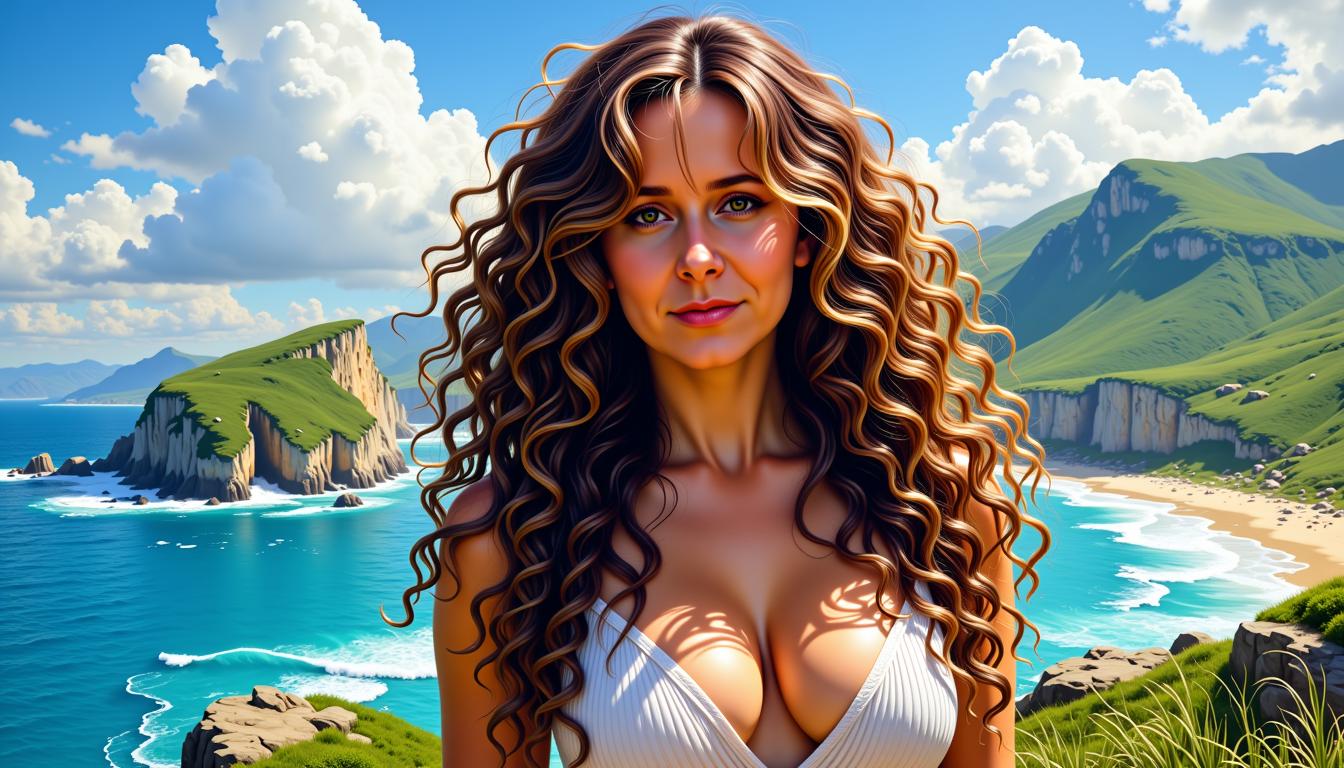
Join 65,000+ creators who have generated over 2.3 million Yearbook AI Photos. Rated 4.9/5 by users who love the realistic results and ease of use. 'These look so real – my friends thought they were actual scanned yearbook photos from the 90s!' – Perfect for viral posts, family gifts, and personal nostalgia.
Why Choose Pixel Dojo for yearbook ai photo
Professional-quality results with cutting-edge AI technology
Relive Authentic Nostalgia Instantly
Transform any selfie into a perfect 90s or retro yearbook portrait that captures the exact lighting, hairstyles, clothing styles, and soft-focus aesthetic of classic school photos. You’ll create images that feel like genuine artifacts from your past or an alternate high school timeline. With tools like Consistent Characters and Image to Image, your face stays 100% you while the AI perfectly applies period-accurate details. The outcome? Heartwarming keepsakes that make you and your loved ones smile every time you look at them. Perfect for social media throwbacks, reunion invites, or framing as modern wall art that tells a story.
Create Viral Social Media Content
Produce scroll-stopping Yearbook AI Photos that get massive engagement on TikTok, Instagram, and Facebook. Generate full albums showing yourself in multiple outfits, poses, and yearbook styles – from laser-background 80s looks to clean 90s classics and elegant senior portraits. Our advanced models like Flux.2 Studio and Recraft V4 ensure photorealistic quality that looks like real film photography. Users report 10x more likes and comments compared to regular selfies. Share your transformation journey, challenge friends to create their own, or build a personal brand around nostalgic content. The result is not just images – it’s conversations, connections, and content that performs.
Professional Results Without the Hassle
Skip expensive photographers, makeup artists, and studio sessions. With PixelDojo you get studio-quality yearbook portraits from the comfort of your home using just your phone selfies. Clear, well-lit photos work best – upload 4-8 different expressions for the most versatile album. Then use our Reality Polisher, Portrait Upscaler, and Magic Lighting tools to refine every detail until it looks flawless. The outcome is consistent, high-resolution images ready for printing, gifting, or digital sharing. No learning curve, no subscription traps, and you keep full ownership of every creation. Achieve looks that rival professional yearbook photographers in a fraction of the time and cost.
How It Works
Creating beautiful Yearbook AI Photos with PixelDojo is incredibly simple and delivers professional results in under five minutes. Our platform combines powerful image generation with specialized editing tools like Image to Image, Consistent Characters, Flux.2 Studio, Recraft V4, and Portrait Upscaler so you can preserve your exact facial features while applying authentic retro yearbook styling. Follow these steps to generate your own viral 90s-style portraits or full album of nostalgic looks.
Step 1: Upload Your Selfie & Choose Tool
Start by uploading 4-8 clear, well-lit selfies showing your face from slightly different angles and expressions. Avoid heavy filters, sunglasses, or low light. Head to the Create section and select either the Image to Image tool for direct transformation of your photo or Consistent Characters to build a reusable model of your face across multiple yearbook variations. For maximum realism, many creators begin with Flux.2 Studio or Recraft V4 as the base generator. This step ensures your Yearbook AI Photo looks exactly like you in a retro style. Our system automatically optimizes for the soft-focus, natural lighting, and film-like qualities that define classic yearbook photography.
Step 2: Enter a Targeted Yearbook Prompt
Write or select a detailed prompt describing your desired outcome. Example: 'Authentic 1990s high school yearbook portrait of the same person, soft focus lens, gentle studio lighting, natural friendly smile, shoulder-length layered hair with soft bangs, wearing a simple sweater, plain light blue backdrop, subtle film grain, realistic photography from 1995, professional yearbook style, highly detailed face'. Our AI understands the nuances of different eras – 80s big hair and bold colors, 90s pastels and relaxed poses, or early 2000s glossy looks. The Image to Image tool uses your uploaded photo as a perfect reference while Flux.2 Studio and Grok Image generate stunning variations. Experiment with outfits, expressions, and backgrounds to build your complete yearbook page.
Step 3: Generate, Refine & Download
Click generate to receive multiple high-quality variations in seconds. Review your Yearbook AI Photos and use built-in tools to perfect them: Reality Polisher for natural skin and lighting, Portrait Upscaler for print-ready 4K resolution, Inpainting to adjust clothing or backgrounds, and Magic Lighting for that perfect soft yearbook glow. With Consistent Characters you can generate an entire album of matching photos in different poses and outfits while your face remains identical. Once satisfied, download in high resolution. Many users create before-and-after carousels or slideshows for social media. The entire process is private, and you own all generated images. Start with one photo and you’ll soon have a full nostalgic collection ready to share and treasure.

The Pixel Dojo Advantage
PixelDojo outperforms every other option for creating realistic Yearbook AI Photos because we focus on outcomes – consistent faces, authentic retro aesthetics, and effortless creativity that actually looks like real yearbook photography from the era.
| Others | Pixel Dojo |
|---|---|
| Traditional yearbook photoshoots | Skip costly studio sessions, uncomfortable posing, and limited shots. Generate unlimited variations with perfect lighting and styling in minutes from a simple selfie, while maintaining complete control over every detail. |
| Generic AI image tools | Generic tools often distort faces or produce cartoonish results. PixelDojo’s specialized Image to Image, Consistent Characters, Reality Polisher, and models like Flux.2 Studio and Recraft V4 deliver photorealistic yearbook portraits with accurate period styling and perfect likeness to you. |
| Manual photo editing software | Hours of complex layering, color grading, and retouching become instant with our AI. Use Style Transfer, Magic Lighting, and Portrait Upscaler to achieve professional vintage effects automatically while keeping your unique features intact. |
Loved by Creators
See what our community says about yearbook ai photo
"I uploaded a current selfie and within minutes had the most realistic 90s yearbook photo I’ve ever seen. It looks like it was actually taken in high school. My entire family went crazy over it and now we’re all making our own albums. The Consistent Characters tool is a game changer for getting multiple perfect poses."
Jessica M.
Marketing Manager & Mom
"As a content creator I needed something fresh for nostalgia month. PixelDojo’s Yearbook AI Photos went mega-viral – over 250k views on my TikTok. The soft focus and authentic styling look so real. I used Image to Image with Flux.2 Studio and the results blew me away. Best AI tool I’ve used all year."
Tyler Chen
TikTok Creator
Common Questions
Everything you need to know about yearbook ai photo AI generation
What exactly is a Yearbook AI Photo and how realistic do they look with PixelDojo?
A Yearbook AI Photo is a hyper-realistic AI-generated portrait styled after classic high school yearbooks from the 1980s, 90s, or early 2000s. These images feature soft-focus effects, studio lighting, period-appropriate hairstyles and clothing, subtle film grain, and authentic backdrops that make them indistinguishable from real printed yearbook photos. With PixelDojo, you achieve exceptional realism by combining your uploaded selfie with tools like Image to Image, Consistent Characters, Flux.2 Studio, and Recraft V4. The AI is trained to understand the specific aesthetics of each decade – muted pastels and relaxed poses for the 90s, bold colors for the 80s – while perfectly preserving your facial features, skin tone, and expression. Users regularly report that friends and family mistake their generated images for genuine scanned photos. You can create single portraits or complete albums showing different outfits and angles for maximum authenticity and shareability.
How do I make sure my Yearbook AI Photo looks exactly like me using PixelDojo tools?
Perfect likeness is one of PixelDojo’s biggest strengths for Yearbook AI Photos. Begin by uploading several clear, well-lit selfies with neutral expressions and no heavy makeup or filters. Then use our Consistent Characters tool or LoRA Face Swap to train a quick model of your face. When generating, the Image to Image feature uses your photo as a strong reference while you add a prompt specifying the yearbook style. Tools like Reality Polisher refine skin texture and lighting to look completely natural. Many creators generate 8-12 variations and then use Face Swap or Pose Control to create consistent looks across different yearbook outfits and backgrounds. The combination of reference-based generation and our advanced upscalers ensures your unique eye shape, smile, and bone structure stay true while the AI handles the retro styling. The result is a Yearbook AI Photo that friends immediately recognize as you – just transported back to high school.
What are the best prompts and techniques for creating 90s style Yearbook AI Photos?
Effective prompts focus on authentic photographic qualities rather than artistic interpretation. A strong starter prompt is: 'Realistic 1995 high school yearbook portrait photo, soft focus, gentle diffused studio lighting, friendly natural smile, layered haircut with soft bangs, wearing casual sweater over collared shirt, plain light gray backdrop, subtle film grain and color grading typical of 90s yearbook photography, highly detailed realistic face, professional school portrait style'. Add specific details like 'shoulder length hair, blue eyes, slight head tilt' to match your features. For best results with PixelDojo, combine this with the Image to Image tool using your selfie as reference. Choose Flux.2 Studio or Recraft V4 for the most photographic output. After generation, enhance with Magic Lighting for perfect softness and Portrait Upscaler for crisp details suitable for printing. To create an album, generate one strong base image then use Consistent Characters to produce matching versions in different outfits and poses. This technique produces the viral 90s aesthetic with laser backgrounds, pastels, and relaxed expressions that dominate social media trends.
Can I generate a complete Yearbook AI Photo album with different outfits and poses?
Absolutely. PixelDojo excels at creating consistent multi-image collections perfect for digital yearbooks or social carousels. After generating your first strong Yearbook AI Photo, use the Consistent Characters feature to lock in your exact facial features. Then generate additional images by varying the prompt for different clothing (letterman jacket, prom dress, sports jersey), poses (three-quarter turn, smiling at camera, thoughtful expression), and backgrounds. Our tools maintain perfect face consistency across all variations – something generic tools struggle with. Use the Merge tool or simple download to compile them into a complete album. Many users create 12-20 images representing different 'senior portraits,' club photos, and casual yearbook candids. The Portrait Upscaler ensures every image is high enough resolution for both digital sharing and professional printing. This capability turns one selfie into an entire nostalgic yearbook page that tells a visual story and performs exceptionally well as social content.
How much does it cost to create Yearbook AI Photos and is there a free way to try PixelDojo?
PixelDojo offers generous free credits when you sign up so you can create multiple Yearbook AI Photos and see the quality for yourself before committing. Our pay-as-you-go system means you only pay for what you use, with no monthly fees required. Subscriptions are optional and provide better value for heavy users, but can be canceled anytime with no penalties. The platform’s 40+ specialized tools – from Flux.2 Studio and Recraft V4 for generation to Image to Image, Consistent Characters, Reality Polisher and Portrait Upscaler for refinement – give you everything needed for professional yearbook results without expensive software or photography equipment. Most users find that a small number of credits create an entire album of stunning images. We focus on delivering maximum value so you can experiment, iterate, and create without financial pressure. The risk-free trial lets you experience the joy of seeing yourself in perfect 90s yearbook form before deciding to continue.
Are my uploaded photos private and secure when creating Yearbook AI Photos on PixelDojo?
Your privacy is our top priority. Photos you upload for Yearbook AI Photo creation are processed securely and never shared with third parties or used to train public models. You maintain full ownership and copyright of every image you generate. We use enterprise-grade security for all uploads and generations. Once you download your final images, you can delete the source files from your account if desired. Our tools like Image to Image and Consistent Characters process your references privately within your session. This allows you to confidently upload personal selfies knowing the resulting nostalgic portraits remain completely yours. Many users create Yearbook AI Photos as surprise gifts or private family projects and appreciate that PixelDojo treats their images with the same care they would. Combined with our easy-to-use interface and powerful results, this makes PixelDojo the trusted choice for creating meaningful, personal retro yearbook memories.