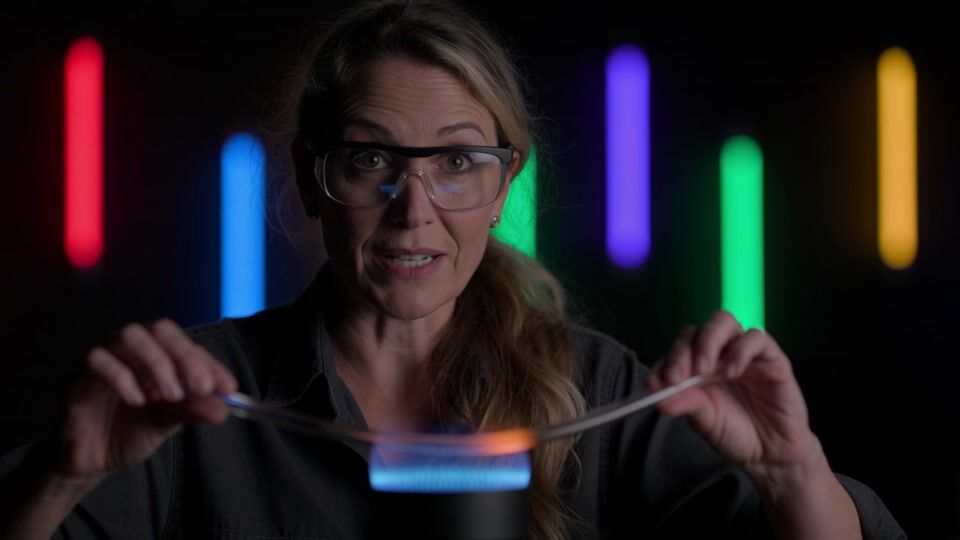
Kling 4.0,已在 Pixel Dojo 上線
Kling AI:在 Pixel Dojo 用 Kling 4.0 製作有聲影片
Kling 由 Kuaishou 打造,在 Pixel Dojo 就能用:Kling 4.0 生成有聲影片、Kling 4.0 Flash 快速出片、Kling Image 4 創作圖片。我們這支 4 秒、720p 的 Kling 4.0 影片,花費 18 點數。
這支影片是我們親自用 Kling 4.0 生成的作品:霓虹招牌師傅彎製玻璃管,一鏡收進對白與噴燈的嘶嘶聲。下方完整拆解 Pixel Dojo 上的 Kling 創作流程,從 Kling Image 4 圖片一路做到完成影片,每張作品卡都附上費用。
33 credits ($2.06) 所有方案皆包含,每月 US$10 起。
已經是會員? 登入
作者 Brian Lovett · 更新於
更多 Kling 實作成品
兩支 Kling 4.0 Flash 影片、兩張 Kling Image 4 圖片。每張作品卡都附上提示詞、設定與點數費用。
Kling 4.0 Flash,10 點數:躍起的瞬間、飛濺的浪花、夕陽下的風箏,連風聲與海浪聲都收進影片。
Low angle slow motion shot of a kite surfer in her thirties launching off a breaking wave under a huge orange kite, water sheeting off the board, the sun flaring behind her. Sound: the kite snapping in the wind, crashing surf.
用 Kling 4.0 Flash 拍出美食特寫,巧克力翻折時映出窗邊的光。
Close-up of a chocolatier in his fifties spreading a wave of glossy melted dark chocolate across a white marble slab with a steel spatula, folding it back and forth until it shines, a shaft of window light catching the sheen. Sound: the scrape of the spatula on marble, a quiet pastry kitchen.

Kling Image 4,2K 畫質,斜陽穿過高聳的拱形窗,掠過帆布表面。
Wide interior photograph of a sailmaker in his sixties with a grey beard kneeling on the wooden floor of a vast loft, stitching the edge of a huge cream canvas sail spread out around him, late afternoon sun through tall arched windows raking across the cloth, coils of rope and brass grommets nearby, 35mm lens.
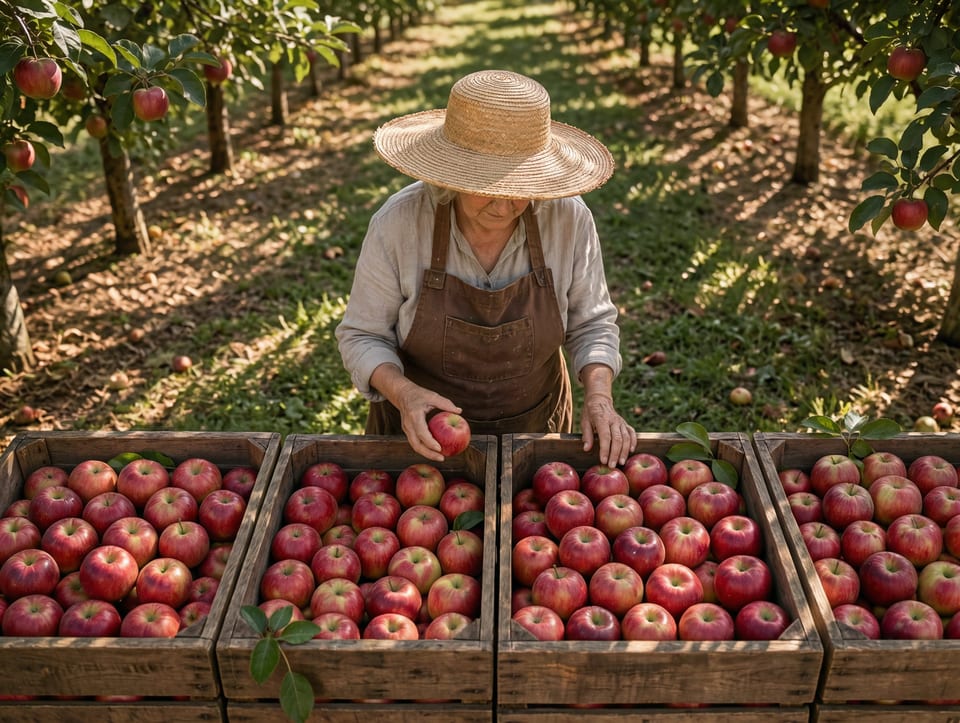
Kling Image 4,2K 畫質,1.75 點數,每顆蘋果都色澤飽滿、紋理清晰。
Overhead photograph of a woman in her seventies in a wide straw hat and a linen apron sorting crimson apples into old wooden crates between orchard rows, dappled late summer light through the leaves, rich still life texture, medium format.
如何在 Pixel Dojo 使用 Kling AI
- 1
開啟 Kling 4.0 或 Kling Image 4
Kling 4.0 做影片,Kling Image 4 做圖片。兩個頁面都會在生成前,直接於按鈕上顯示所需點數。
- 2
寫出你的鏡頭
交代攝影機、人物、一個動作、場景與光線。再加上用引號框住的台詞和幾種聲音,Kling 4.0 就會把它們放進影片。
- 3
選擇 Standard 或 Flash
Standard 是完整規格的 Kling 4.0,解析度最高支援 4K。Flash 則主打快速生成,費用更低。
- 4
想定住視覺風格,就從圖片開始
先用 Kling Image 4 做出畫面,再交給 Kling 4.0 作為首幀。下方實作就是這樣完成的。
實作流程:從 Kling Image 4 圖片到 Kling 4.0 影片
我們先用 Kling Image 4 生成一張圖片,再交給 Kling 4.0 作為首幀,描述接下來的動作:海浪拍上礁石,她提起籃子走開。
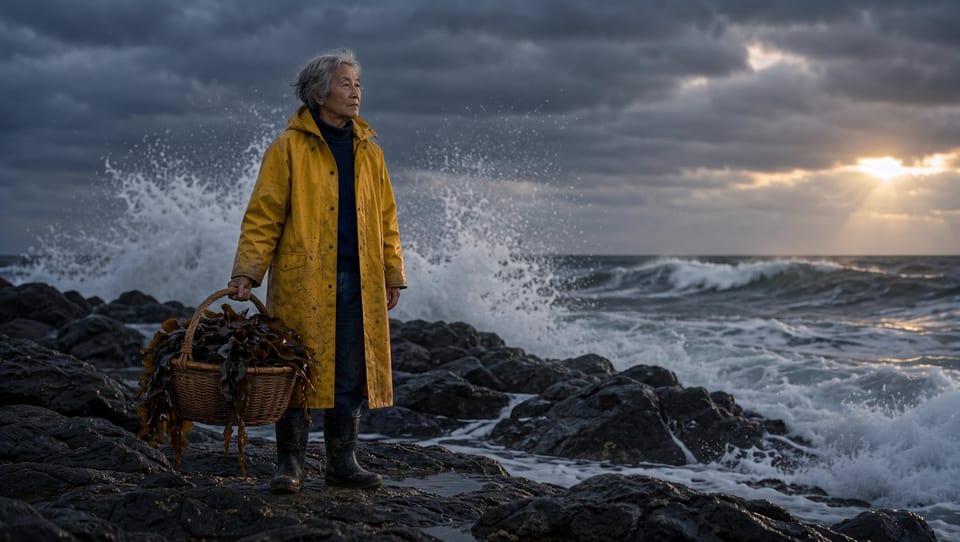
第一步:Kling Image 4,2K,1.75 點數。
Cinematic photograph of a seaweed harvester in her sixties with a weathered face and a yellow oilskin coat standing on black tidal rocks at dusk, a basket of dark kelp on her hip, storm clouds breaking over a churning grey sea, spray bursting on the rocks behind her, 35mm film grain.
第二步:用這張圖片生成 Kling 4.0 影片,720p、4 s、18 點數,含聲音。
A wave bursts against the rocks behind her and spray rises into the dusk light; she shifts the basket of kelp on her arm, turns her face into the wind and walks slowly along the rocks, her yellow coat flapping. Sound: crashing surf, howling wind, gulls.
- Kling 4.0 直接以我們的 Kling Image 4 圖片開場:同一件外套、同一只籃子、同一片礁石,以及雲層透光的天空。
- 她提起籃子往前走時,臉部與黃色油布雨衣都維持一致。
- 海面全程流動,浪花在她身後迸開,音軌裡也有海浪與風聲。
Kling 4.0 Standard 與 Kling 4.0 Flash,同提示詞對決
兩個版本用同一份創作指令:陡坡街道上,一名列車長探出復古電車,花店老闆娘拋給他一朵向日葵,他接住後輕抬帽沿致意。兩支影片都是 4 秒,並附有聲音。
Kling 4.0 Standard,720p、4 s、18 點數。
Tracking shot beside a vintage green tram climbing a steep cobbled street at golden hour. A conductor in his fifties in a peaked cap leans out of the open door and waves to a florist in her thirties at her stall, who tosses him a single sunflower; he catches it and tips his cap. Sound: the tram bell, steel wheels on rails, street chatter.
Kling 4.0 Flash,4 s、10 點數。
Tracking shot beside a vintage green tram climbing a steep cobbled street at golden hour. A conductor in his fifties in a peaked cap leans out of the open door and waves to a florist in her thirties at her stall, who tosses him a single sunflower; he catches it and tips his cap. Sound: the tram bell, steel wheels on rails, street chatter.
- 兩個版本都完整演出這段情節:電車、花攤,以及列車長手中的向日葵。
- Standard 拉遠鏡頭帶出街景,把花店老闆娘與她的攤位一起收進電車旁的畫面。
- Flash 則聚焦列車長近景,以抬帽致意收尾,花費 10 點數,而非 18 點數。
- 兩支影片的檔案都自帶聲音,也都保留了黃金時刻的暖色光線。
Pixel Dojo 上可用的所有 Kling 模型
一個方案,就能使用 Kling 系列。上方作品卡列出我們實際生成的費用,每個模型頁面也都會在生成前顯示價格。
| Kling 模型 | 生成內容 | 使用入口 |
|---|---|---|
| Kling 4.0 | 透過文字、首尾幀、參考圖片或參考影片,生成最高 4K 的有聲影片 | /kling-4-0 |
| Kling 4.0 Flash | Kling 4.0 的快速版本,我們的 4 秒影片花費 10 點數 | /kling-4-0 |
| Kling Image 4 | 生成 2K、4K 或 8K 圖片,另有系列圖、商品與網頁模式,我們的 2K 圖片花費 1.75 點數 | /kling-image-4 |
| Kling 3.0 | 上一代 Kling 影片模型,所有方案仍可使用 | /kling-video |
| Kling Image | 上一代 Kling 圖片模型 | /kling-image |
| Kling Motion Control | 將參考影片的動作套用到你的角色 | /kling-motion-control |
| Kling Avatar | 用一張照片與一段語音,生成開口說話的影片 | /kling-avatar |
| Kling Video Edit | 用文字指令編輯現有影片 | /kling-video-edit |
Kling AI 是誰做的?最新版本是哪個?
Kling 由 Kuaishou 打造,在 Pixel Dojo 就能使用。Kling 官網 kling.ai 目前主推影片模型 Kling 4.0 與圖片模型 Kling Image 4.0,本頁作品也都是用這些版本生成。
在 Pixel Dojo,Kling 與 Seedance 2.5、Veo 3.1、WAN 3.0、MiniMax H3 共用同一套點數。你可以把同一段提示詞交給兩個模型,留下更喜歡的版本。這裡每一種 Kling 生成操作,也都能透過我們的公開 API 與 MCP 伺服器執行。
Pixel Dojo 還能做什麼
每個方案都有無限生成
所有付費方案皆可透過 Relax,無限使用 Qwen Image 2.1、FLUX 3 Image Klein、MiniMax H3 Turbo,以及所有影片與照片特效,不扣點數。
Sensei,你的 AI 導演
說出你的企劃,Sensei 會規劃流程、列出費用,等你核准後執行,並逐一檢視生成結果。
Video Studio
選用適合鏡頭的頂尖影片引擎,在同一處完成影片生成、編輯與延長。
一鍵影片特效
300+ 種一鍵影片特效,從 AI Hug 到 AI Inflate,不用寫提示詞,就能把照片變成潮流短片,每天還有 3 次免費使用。
Film Studio
從靈感到完整影片:劇本、選角、分鏡、片段生成,再由剪輯流程逐一修整鏡頭,每一步都會先顯示費用再執行。
從類型開始創作
選擇 UGC 廣告、微短劇、電影預告或解說影片等形式,就會開啟對應的工作室,並預先填好設定與創意範例。
點數可累積
只要持續訂閱,點數就能累積到下個月,付費取得的點數不會在月底消失。
頂尖模型全到位,還有 API
一個帳號,整合超過 80 款圖片模型與 60 款影片模型,並提供公開 API 與代管 MCP 伺服器,讓你的應用程式與 AI 助理直接串接。
在 Pixel Dojo 使用 Kling 要多少錢?
Kling 4.0 Standard 生成 4 秒、720p 含音效影片,每段 18 點數;Kling 4.0 Flash 每段 10 點數;Kling Image 4 生成 2K 靜態圖片,每張 1.75 點數。
Lite 每月 $10,含 160 點數;Pro 每月 $25,含 500 點數;Pro Max 每月 $50,含 1,100 點數。Kling 依點數計費。所有付費方案還能無限生成 720p MiniMax H3 Turbo 影片,不扣點數。持續訂閱,剩餘點數就能累積到下期。
依退款政策,首次購買可於 7 天內申請退款。點數使用未達 20% 可全額退款,超過後則按比例退款。
Kling AI常見問題
Kling AI 是誰開發的?
Kling 由 Kuaishou 開發。在 Pixel Dojo,一個方案就能使用 Kling,以及 Seedance、Veo、WAN 和 MiniMax。
這是 Kling AI 官方網站嗎?
不是。Pixel Dojo 是獨立創作工作室,提供 Kling 4.0、Kling Image 4、舊版 Kling,以及多款影片與圖片模型。
在 Pixel Dojo 使用 Kling AI 免費嗎?
不是。這裡的 Kling 依點數計費:Kling 4.0 生成 4 秒、720p 影片,每段 18 點數,Flash 則為 10 點數。所有付費方案都能無限生成 MiniMax H3 Turbo 影片,只要有帳號,每天還能免費使用 3 次特效。
Kling 最新版本是什麼?
影片模型是 Kling 4.0,靜態圖片模型是 Kling Image 4。兩款目前都能在 Pixel Dojo 使用,想用前一版,也有 Kling 3.0。
可以透過 API 使用 Kling 嗎?
可以。Pixel Dojo 公開 API 已提供 Kling 4.0 與 Kling Image 4,並依各模型規格產生文件,也能透過我們的代管 MCP 伺服器使用。