Krea 3,已在 Pixel Dojo 上線
Krea AI:在這裡用 Krea 3,每張只要 1.5 點數
想用 Krea AI?Krea 打造的 Krea 3,在 Pixel Dojo 就能用。生成自然、有雜誌質感的 2K 照片只要 1.5 點數,還能搭配參考圖編輯,讓平拍商品直接穿上模特兒。
我們想看看 Krea 3 能不能真正派上用場,於是從頭到尾用它製作一套小型大衣形象型錄:模特兒照、商品照、替第二位模特兒換裝,再到寬版網站橫幅。以下每張圖片都是原始生成結果。
1.5 credits ($0.09) 所有方案皆包含,每月 US$10 起。
已經是會員? 登入
作者 Brian Lovett · 更新於
Krea AI 是什麼?一次說清楚
Krea 是開發 AI 創作工具的公司。根據 Krea 官網介紹,旗下工具涵蓋圖片生成、影片、即時繪圖、畫質放大、模型訓練與 3D,並將 Krea 3 定位為專為製作流程打造的全新圖片編輯模型。
Krea 3 就是你能在 Pixel Dojo 使用的模型。它能根據提示詞生成照片,也能編輯圖片:提供最多八張參考圖,再說清楚什麼要放在哪裡。我們用它製作形象型錄、替換商品,以及重新構圖。
型錄之外,再看四張 Krea 3 作品
這些圖片都以 Krea 3 生成,解析度為 2K,每張 1.5 點數。點選任一圖片,就能在 Krea 3 開啟對應提示詞。
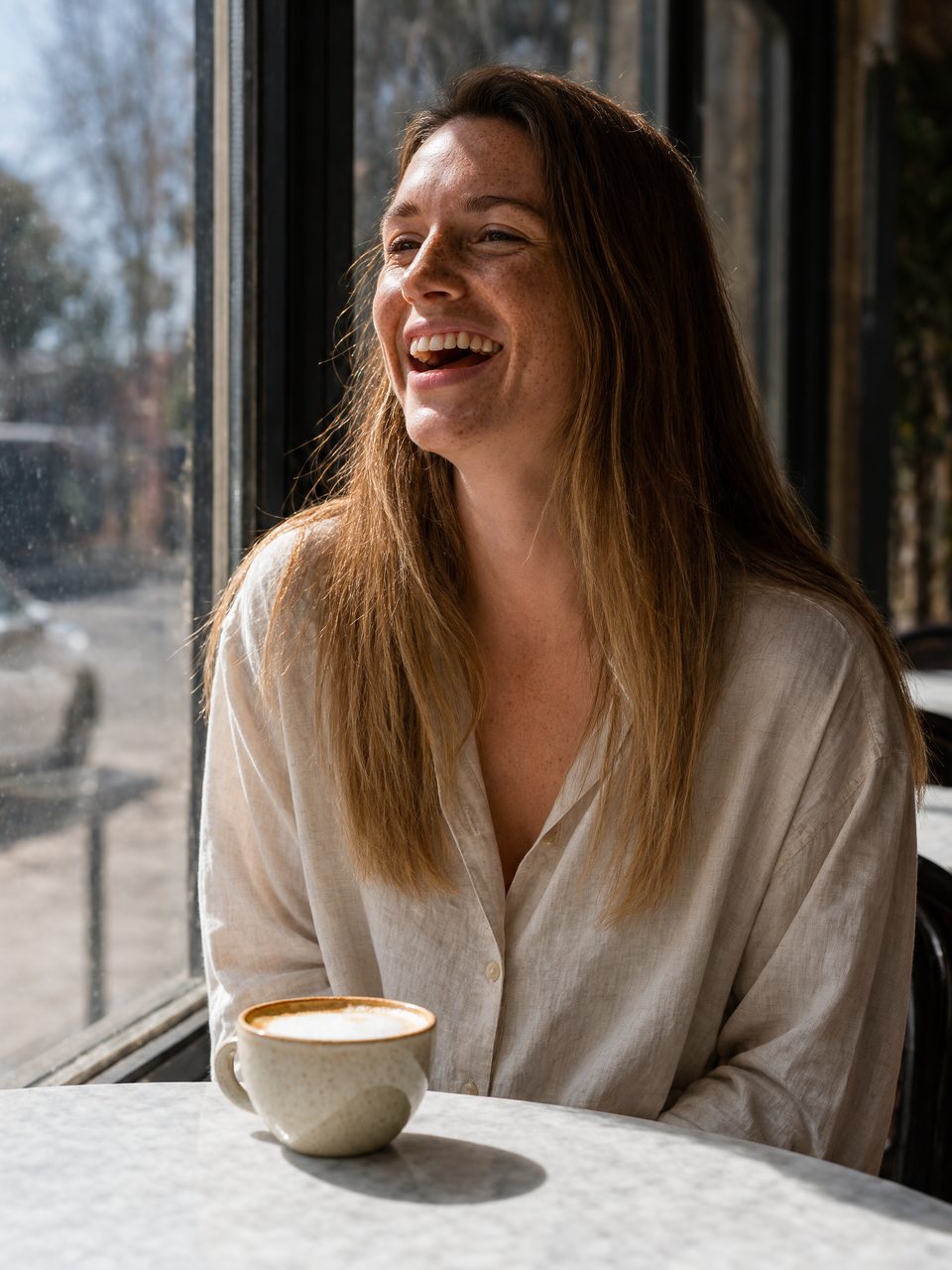
生活感人像:柔和窗光,笑得自然。
A candid portrait of a beautiful woman in her late twenties with freckles and long light brown hair, laughing over a cup of cappuccino at a marble cafe table by a large window, morning light, linen shirt, shallow depth of field, editorial lifestyle photography.
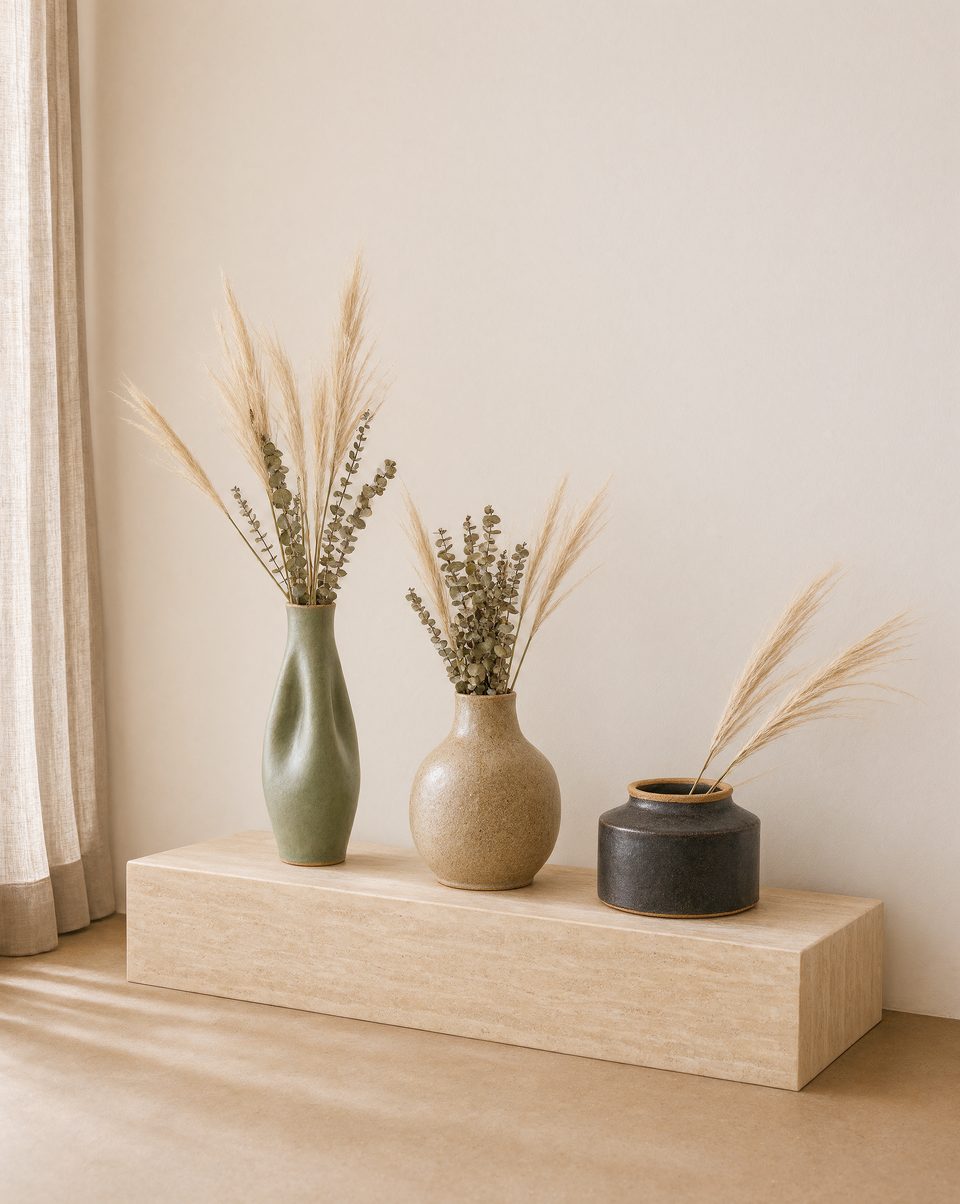
室內靜物,以沉靜中性色調呈現。
A still life of three hand thrown ceramic vases in sage, sand and charcoal glazes with dried pampas and eucalyptus on a travertine plinth, soft shadow from a window with a linen curtain, warm neutral palette, minimalist interior magazine style. No text.
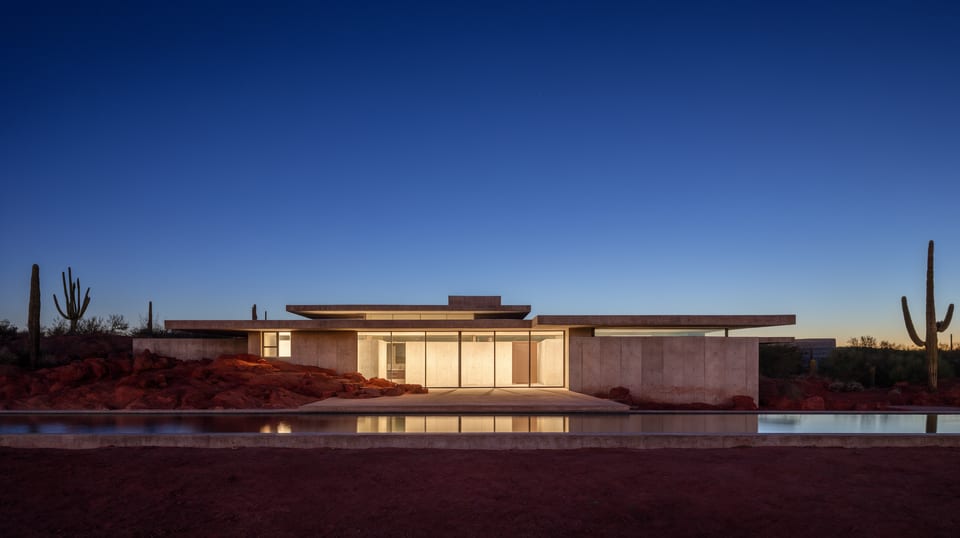
藍調時刻的建築,線條俐落鮮明。
Architectural photograph of a low modernist concrete house set into red desert rocks at blue hour, floor to ceiling windows glowing warm inside, a long reflecting pool in front, saguaro silhouettes, first stars above. Wide 24mm lens, crisp lines.
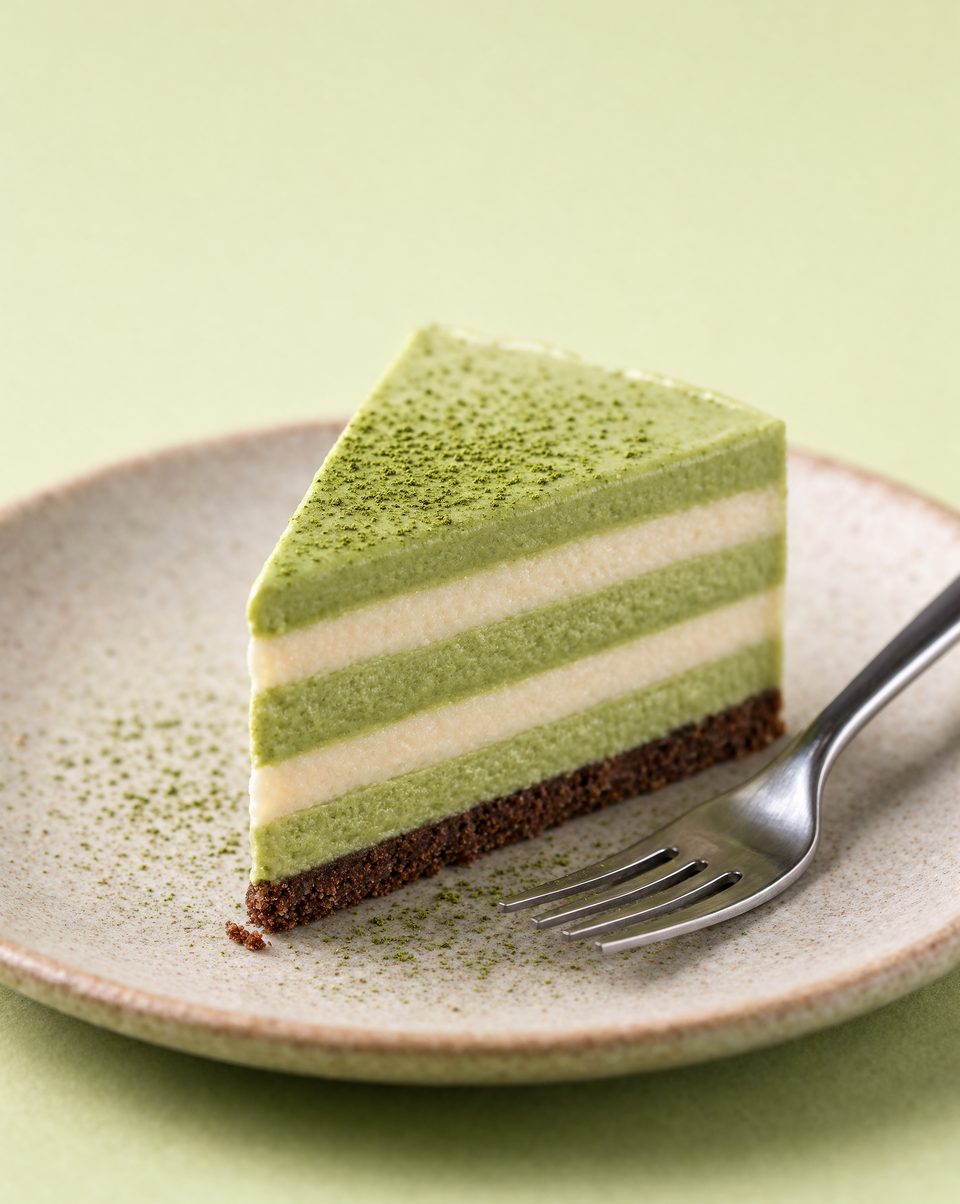
甜點商品照,層次乾淨分明。
Close up product photograph of a layered matcha and white chocolate mousse cake slice on a speckled stoneware plate, dusted with matcha powder, a fork beside it, soft morning light, pale green backdrop, appetizing shallow depth of field. No text.
實作案例:全程用 Krea 3 打造大衣形象型錄
一個品牌、一件大衣、四張圖片。每個步驟都用 Krea 3 以 2K 生成一次,後續步驟則沿用前面產出的圖片。
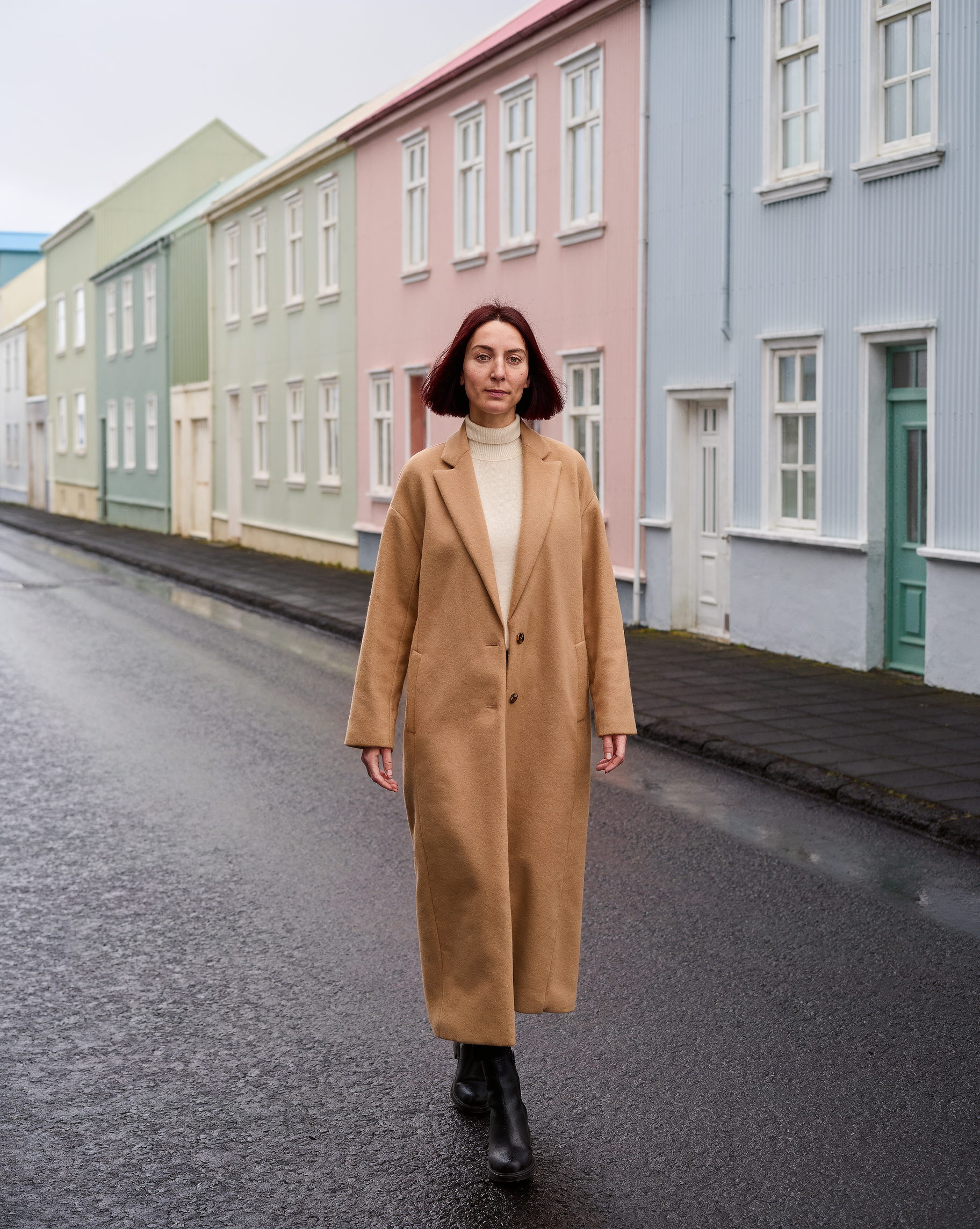
步驟 1,模特兒照。1.5 點數。
A fashion lookbook photograph: a striking woman in her early thirties with a dark auburn bob wearing a long camel wool coat over a cream turtleneck, walking toward camera on a wet street of colorful corrugated houses in Reykjavik on an overcast morning. Soft diffused light, muted pastel facades, 50mm lens, natural skin texture, quiet Scandinavian styling.
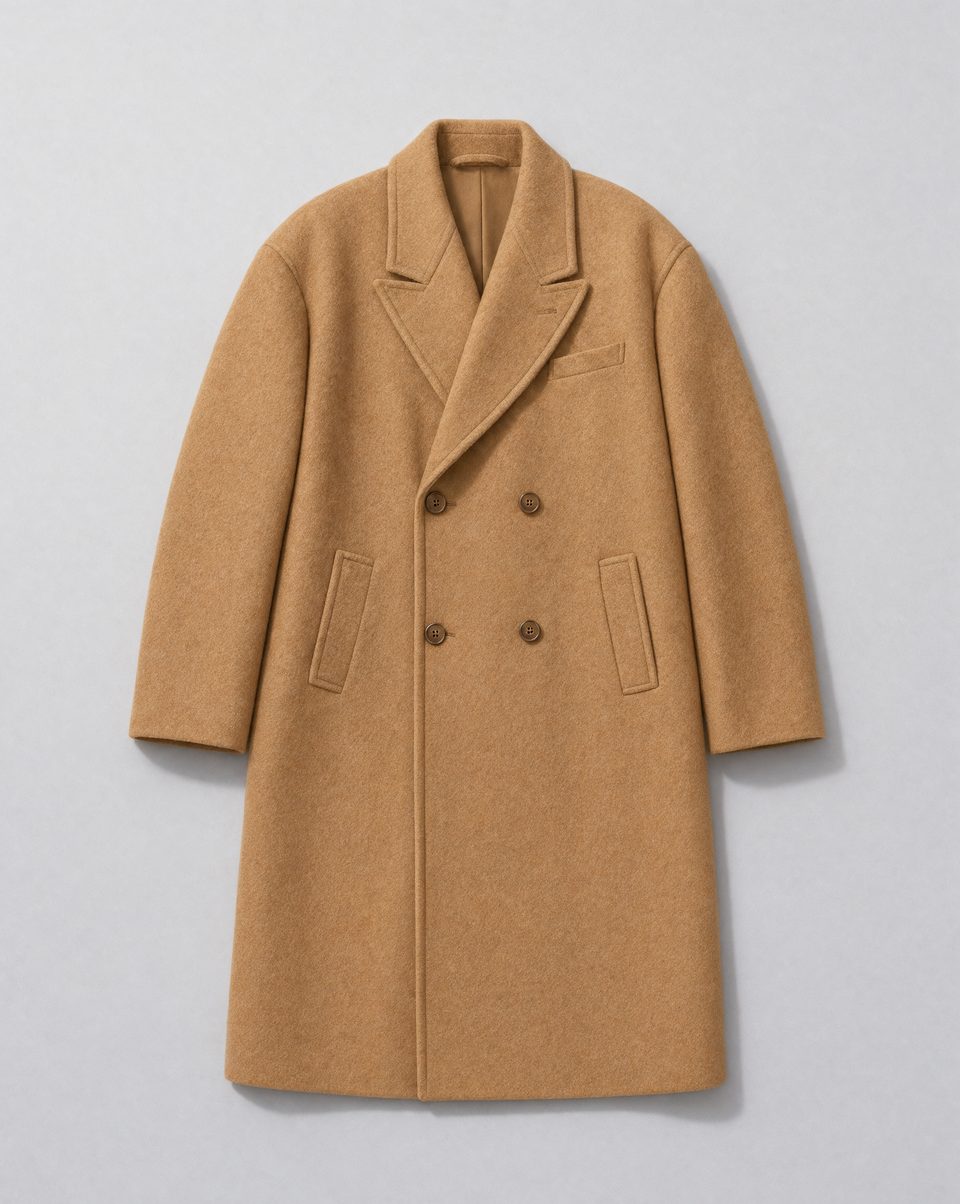
步驟 2,商品照。1.5 點數。
A clean studio flat lay of a single long double breasted camel wool coat laid out on a pale grey paper backdrop, horn buttons, notch lapels, soft even top light, gentle shadow, catalog product photo. No text, no logo, no person.
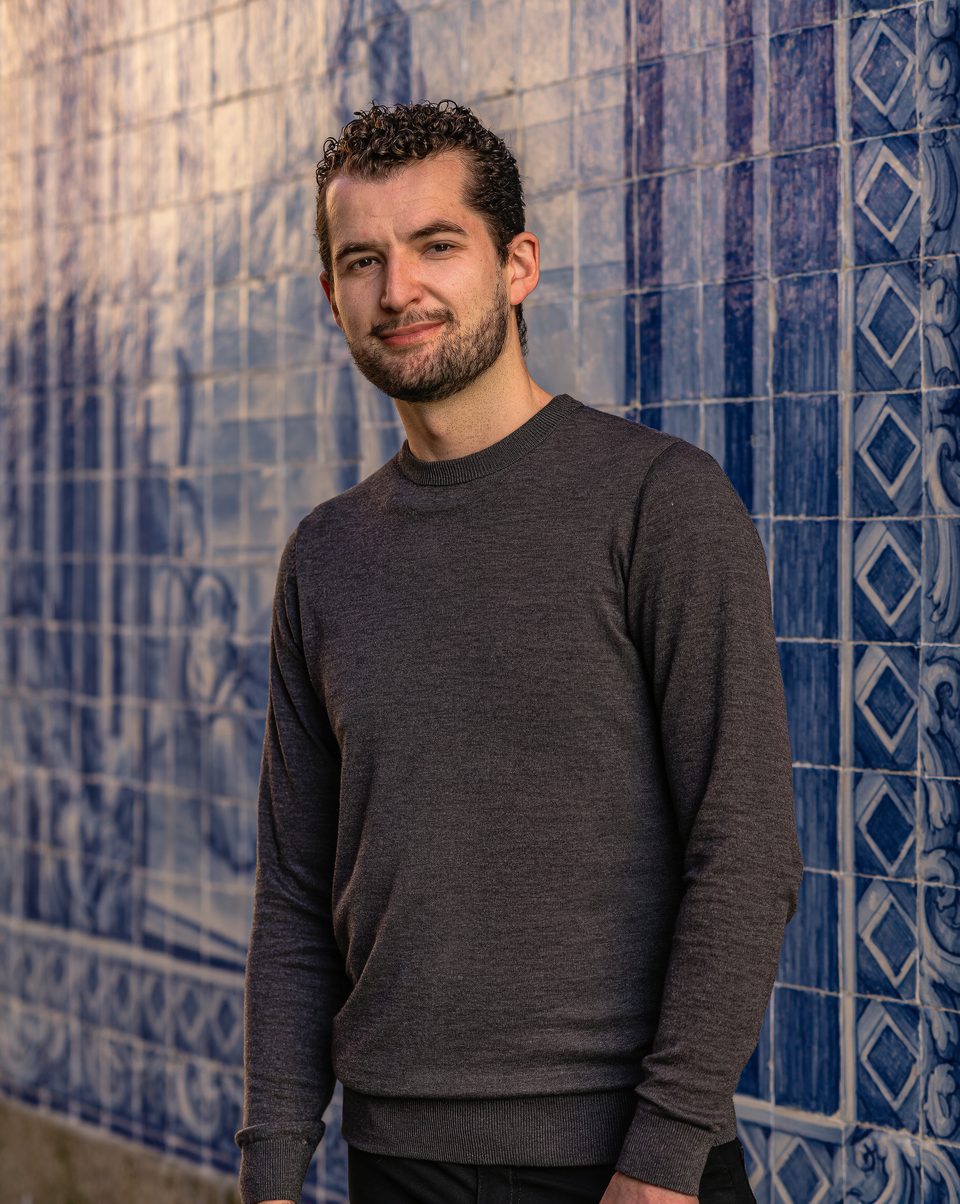
步驟 3,第二位模特兒,穿著素面毛衣。1.5 點數。
A street style photograph of a handsome man in his early thirties with short dark curls and a trimmed beard, wearing a plain charcoal crewneck sweater and dark trousers, standing by a blue azulejo tiled wall in Porto in late afternoon sun. Relaxed half smile, 85mm lens, warm natural light.
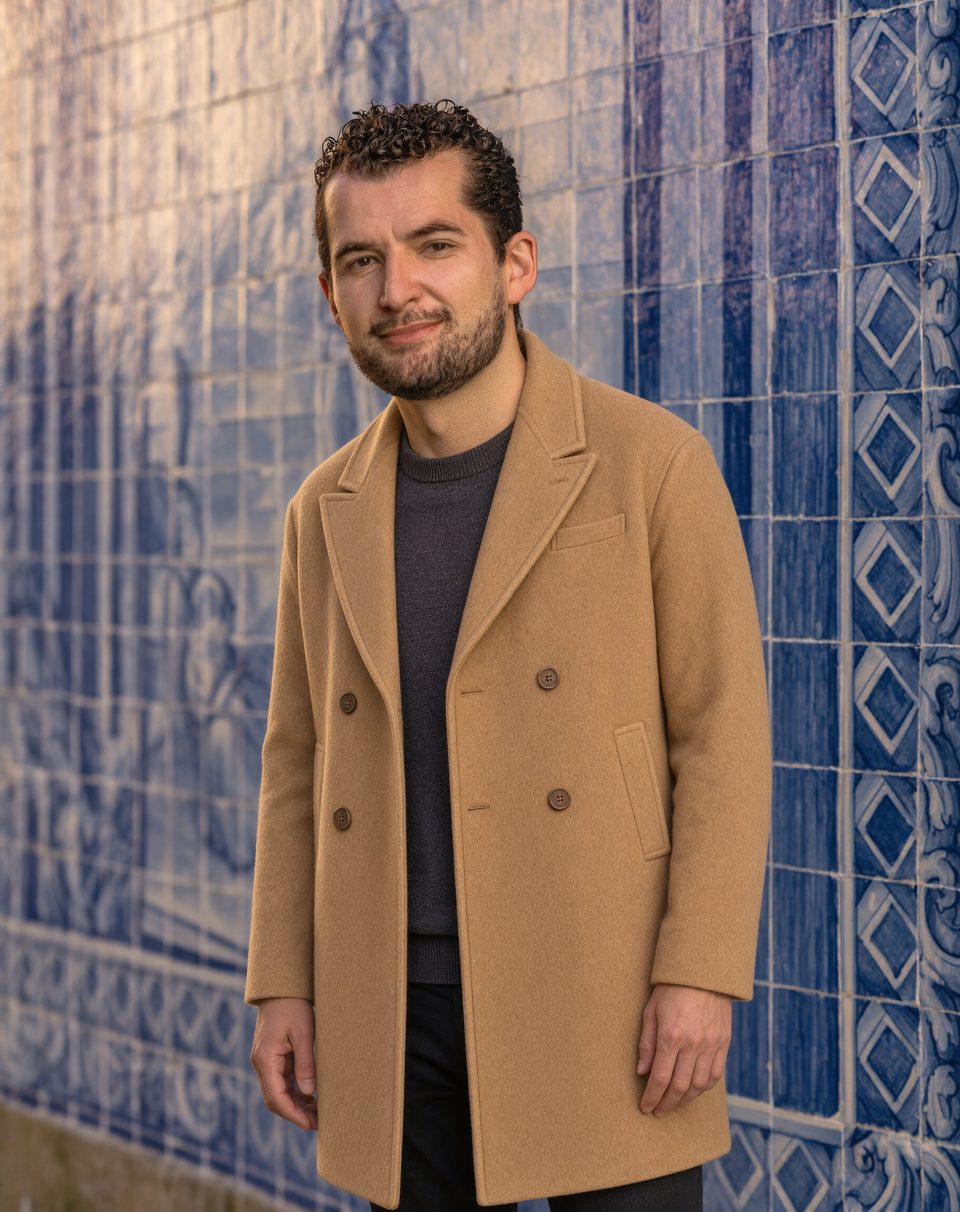
步驟 4,用兩張參考圖完成商品換裝。4 點數。
Dress the man from the first image in the camel double breasted wool coat from the second image, worn open over his charcoal sweater. Keep his face, hair, pose, the blue tiled wall and the light the same.
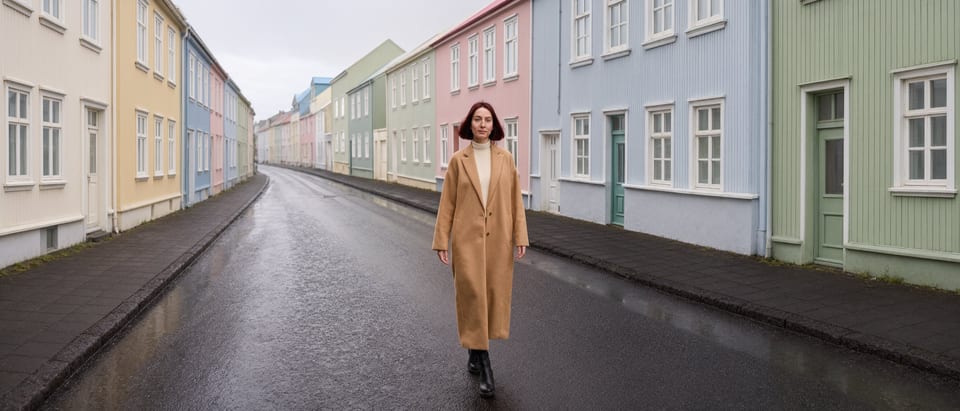
步驟 5,用一張參考圖製作網站橫幅。3 點數。
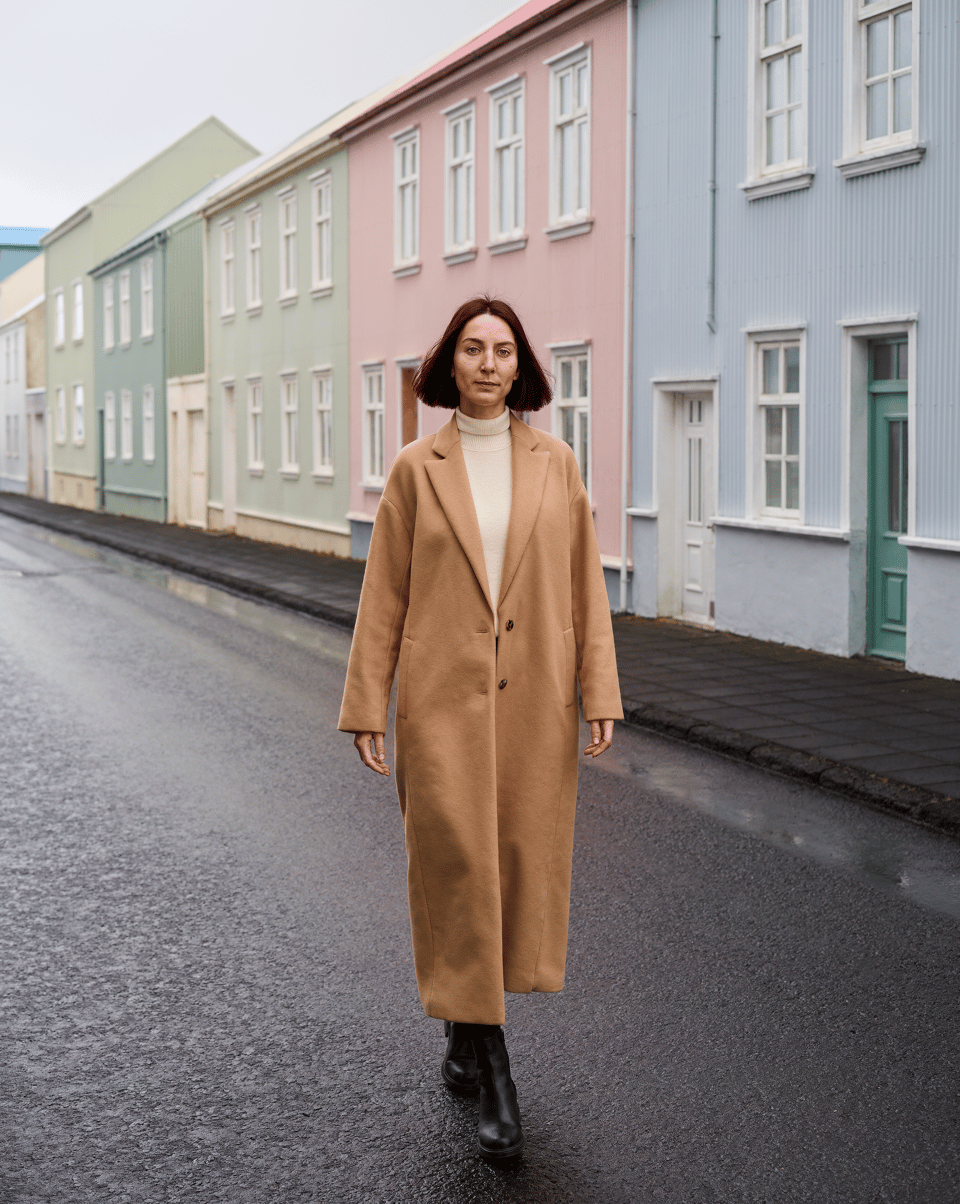
Reframe this photo as a wide web banner: show more of the wet street and the colorful houses on both sides. Keep the woman, her coat, her face and the light exactly the same.
- 換裝後,男子的臉、捲髮、毛衣與磁磚牆都保留下來,平拍圖中的雙排扣大衣則穿到了他身上,連鈕扣與翻領都一併呈現。
- 橫幅重新構圖時,保留了女子、大衣與灰調晨光,並向周圍延伸街景,成為寬版頁首圖片。
- 兩張模特兒照都有實拍感:膚質自然、光線柔和、姿態放鬆。
在 Pixel Dojo 使用 Krea 3,各步驟花多少點數
| 步驟 | 輸入內容 | 點數 |
|---|---|---|
| 用提示詞生成 2K 照片 | 僅提示詞 | 1.5 點數 |
| 商品換裝 | 提示詞加兩張參考圖 | 4 點數 |
| 改變比例,重新構圖 | 提示詞加一張參考圖 | 3 點數 |
我們怎麼寫 Krea 3 提示詞
用順序指定參考圖
「讓第一張圖的男子穿上第二張圖的大衣。」Krea 3 會依照你加入圖片的順序讀取參考圖。
列出要保留的細節
臉、頭髮、姿勢、牆面、光線。明確寫出哪些不能變,編輯後才會像同一場拍攝。
指定比例,重新構圖
設定新的長寬比,再說明要多呈現哪些內容。用 21:9,就能把直式照片變成網站橫幅。
商品照,拍得單純就好
把服飾平鋪在灰色紙張上,不放人物,讓模型有清楚的服裝圖片可以參照。
Pixel Dojo 還有這些
每個方案都有無限使用
所有付費方案都能透過 Relax 無限使用 Qwen Image 2.1、FLUX 3 Image Klein、MiniMax H3 Turbo,以及所有影片與照片特效,不消耗點數。
Sensei,你的 AI 導演
說出你的專案構想,Sensei 就會規劃流程、計算費用,等你核准後執行,並檢視每次產出。
專項 AI 工具
35 款專用工具,上傳檔案就能完成一項編輯:移除浮水印、物件或文字、修復老照片並上色、更換背景、人像修圖,或製作縮圖。
照片特效
45+ 種照片特效,一鍵改變圖片風格,從手繪動畫劇照、盒裝公仔到雜誌封面,每一種都從你上傳的照片開始。
Character Studio
儲存一次臉孔,之後在任何提示詞中用 @name 呼叫,就能讓同一位角色出現在每張圖片與每段影片中。
點數可累積
持續訂閱,點數就能累積,不會一到月底,你付費買的點數就消失。
頂尖模型全到位,還有 API
一個帳號就能使用超過 80 個圖片模型與 60 個影片模型,另提供公開 API 與代管 MCP 伺服器,供你自己的應用程式與 AI 助理串接。
在 Pixel Dojo 使用 Krea AI 要多少錢
Krea 3 以提示詞生成一張 2K 圖片需 1.5 點數。編輯時,每多加入一張參考圖,費用就會增加:我們用兩張圖片完成的商品換裝花了 4 點數,用一張圖片重新構圖則花了 3 點數。
根據 Krea 的價格頁面,Krea 官網以運算單位計費,免費方案每天提供 100 單位,付費方案則有 Basic、Pro、Max 與 Business。
方案價格為 Lite 每月 $10,含 160 點數;Pro 每月 $25,含 500 點數;Pro Max 每月 $50,含 1,100 點數。依退款政策,首次購買可在 7 天內申請退款,使用未滿 20% 點數可全額退款,超過則按比例退款。持續訂閱,點數就能累積。
Krea AI常見問題
Pixel Dojo 是 Krea 官方網站嗎?
不是。Krea 3 由 Krea 打造,官方網站為 krea.ai。你可以在 Pixel Dojo 使用 Pixel Dojo 點數執行 Krea 3。
Krea AI 免費嗎?
Krea 的價格頁面列有免費方案,在其官網每天提供 100 個運算單位。在 Pixel Dojo,Krea 3 採點數計費:一張 2K 圖片需 1.5 點數。這裡的所有付費方案也都包含無限生成圖片,可使用 1K 的 Qwen Image 2.1 Turbo、FLUX 3 Image Klein,以及 2K 的 MiniMax H3 Image。
Krea 3 能讓模特兒穿上我的商品嗎?
可以。先加入模特兒照,再加入商品照,接著寫下「讓第一張圖的人物穿上第二張圖的商品」,並列出要保留不變的細節。上方的大衣換裝案例有完整提示詞。
Krea 3 和 Krea Image 有什麼不同?
Krea 3 是較新的模型,本頁所有圖片生成與編輯都使用它完成。Krea Image 是較早的模型,目前仍可在 Pixel Dojo 使用,並有獨立定價。
可以透過 API 使用 Krea 3 嗎?
可以。Krea 3 已上架 Pixel Dojo 公開 API 與代管 MCP 伺服器,文件直接依模型本身的設定產生。