Krea 3 Prompting Guide

Prompt Krea 3

Krea 3 starts from your images. Bring up to 8, describe the change and keep the parts you like. Every example below was made with Krea 3 from the prompt shown.

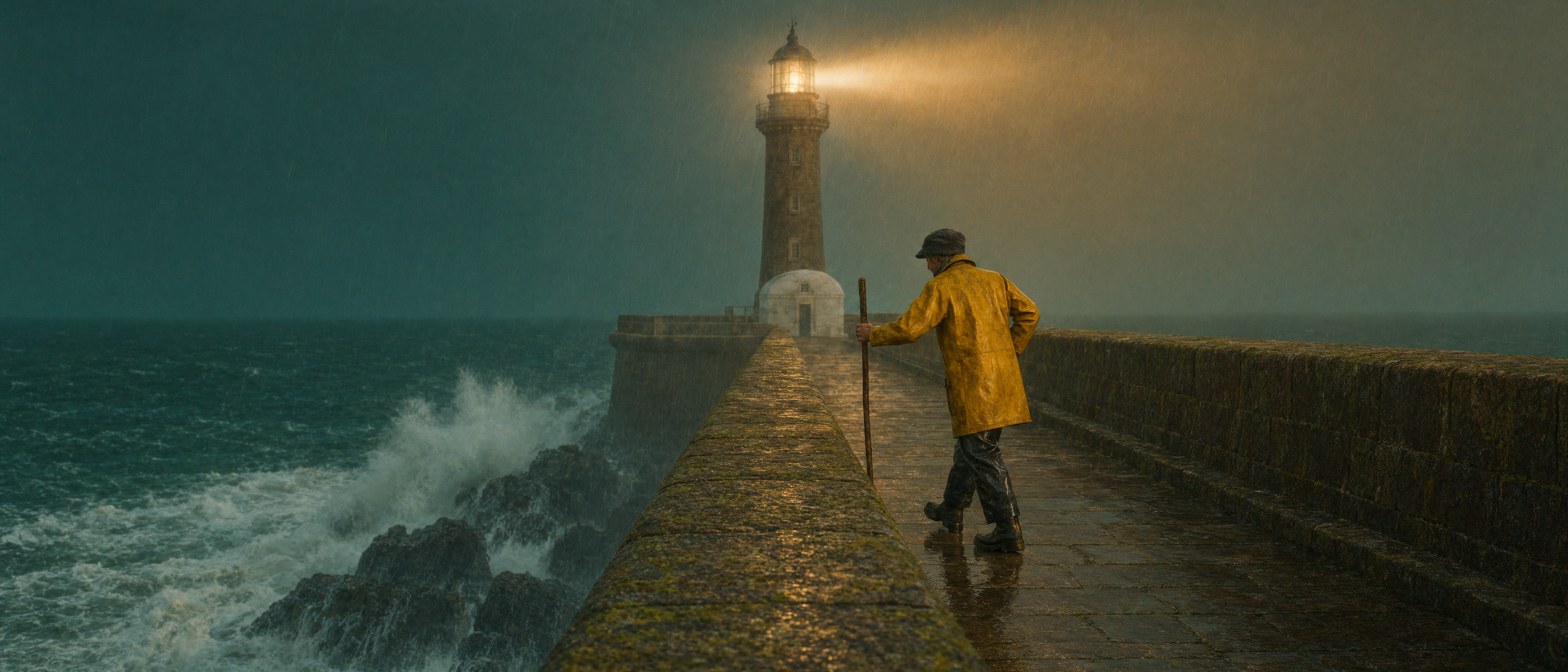
Krea 3 cinematic still of a lighthouse keeper on a stone jetty as a storm rolls in

Overview

Krea 3 is an image model from Krea for generating and editing from references. Add up to 8 images and write what you want to change. Refer to each image by its position, like "the jacket from the second image". The first image is the one being edited. You can also write a prompt with no images at all. Results come in 1K, 2K or 4K across 10 aspect ratios.

Strengths

Products In Scenes

Drop a bottle, a shoe or a mug into any photo. Light and shadow are matched to the scene.

The Same Person, Again

Start from one portrait and place the person in new places, outfits and poses.

Borrow A Style

Show one image and get its look in another. Prints, paint and film grain all carry over.

Relight And Restyle

Change the time of day, the season or the whole look. Keep the parts you like.

New Backgrounds

Keep your subject and move it somewhere else, from a studio to a street.

Reframe Anywhere

Go from a portrait to full length, or from square to widescreen, across 10 aspect ratios.

Prompt Framework

  1. 1

    Say what to change

    Start with the action. Place, redraw, relight, reframe or change.

  2. 2

    Point to images by position

    Write "the jacket from the second image". The first image is always the one being edited.

  3. 3

    Name what stays

    End with the parts to keep, like the face, the light or the composition.

  4. 4

    Add the look

    Finish with light, lens and mood. One clear style beats a long list.

[Action] the [thing] from the [second] image into the [first] image. Keep [what stays]. [Light, lens and mood].

Generated Examples

These six images were made from a prompt alone. Several of them become the references in the edits further down.

Cinematic Wide Frame

Cinematic Wide Frame

A storm scene in ultra-wide 21:9

Text to image · 21:9

A lighthouse keeper in a yellow oilskin coat walks along a stone jetty at dusk while a storm rolls in over a dark green sea, the lighthouse beam cutting through rain, waves bursting against the rocks, cinematic film still, anamorphic, rich teal and amber color grade

Name the subject, the weather and the film look. One strong color grade ties the whole frame together.
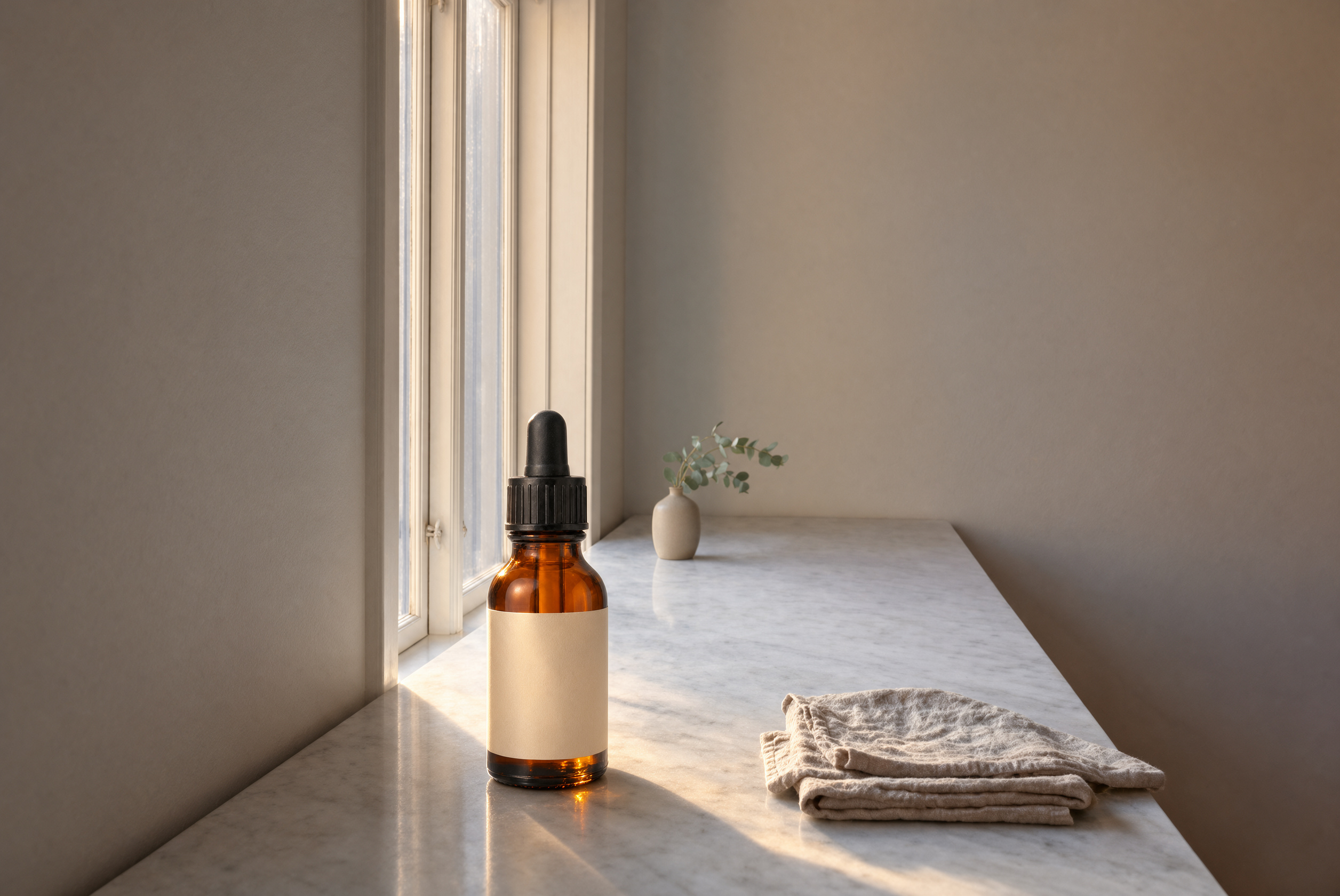
A Scene Made To Be Edited

A Scene Made To Be Edited

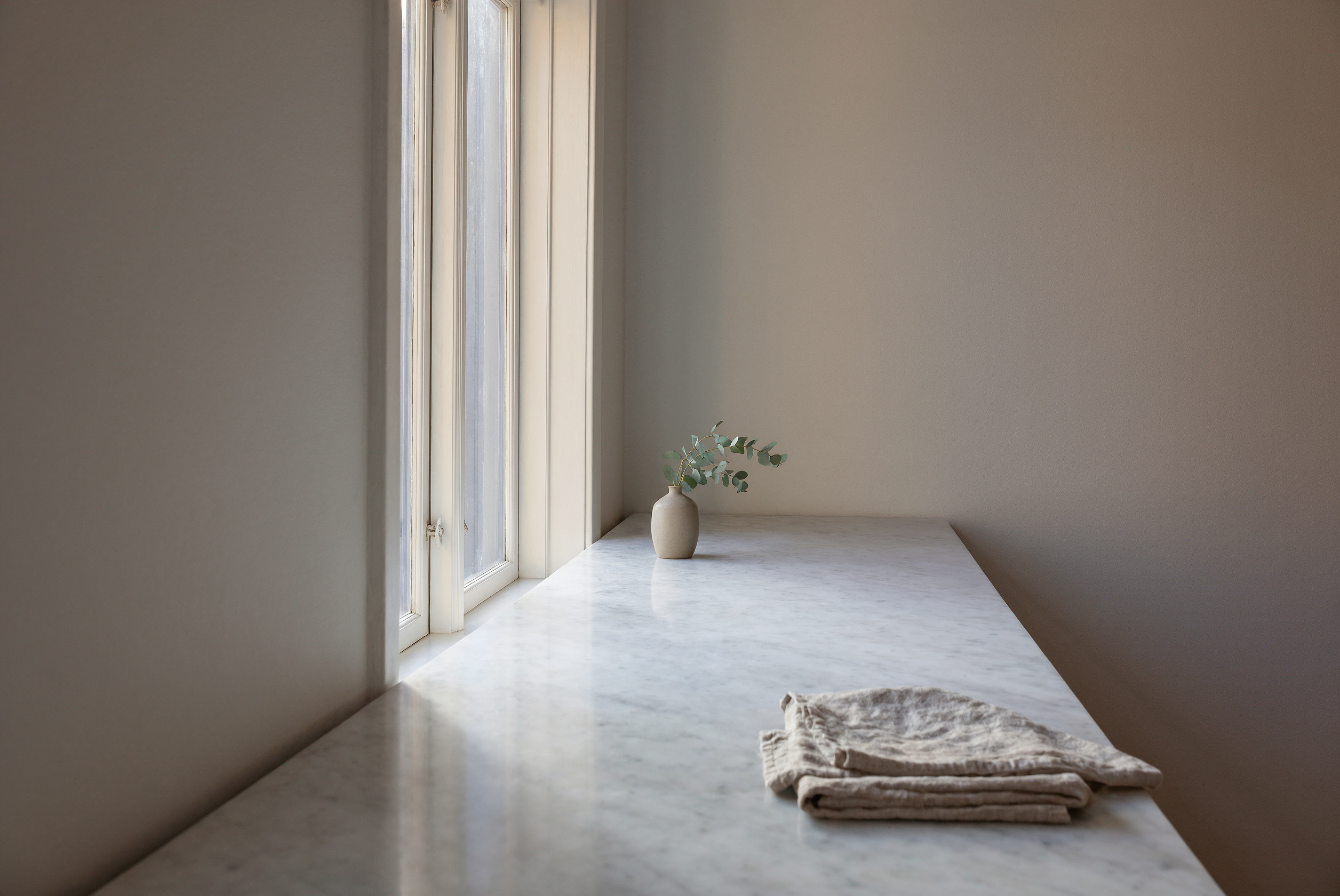
An empty counter that leaves room for a product

Text to image · 3:2

An empty white marble kitchen counter beside a tall window with soft morning light, a sprig of eucalyptus in a ceramic vase at the far end, linen towel folded on the right, calm minimal interior photograph, nothing else on the counter

Say what is not there. "Nothing else on the counter" gives you clean space for the next step.

Clean Product Shot

Clean Product Shot

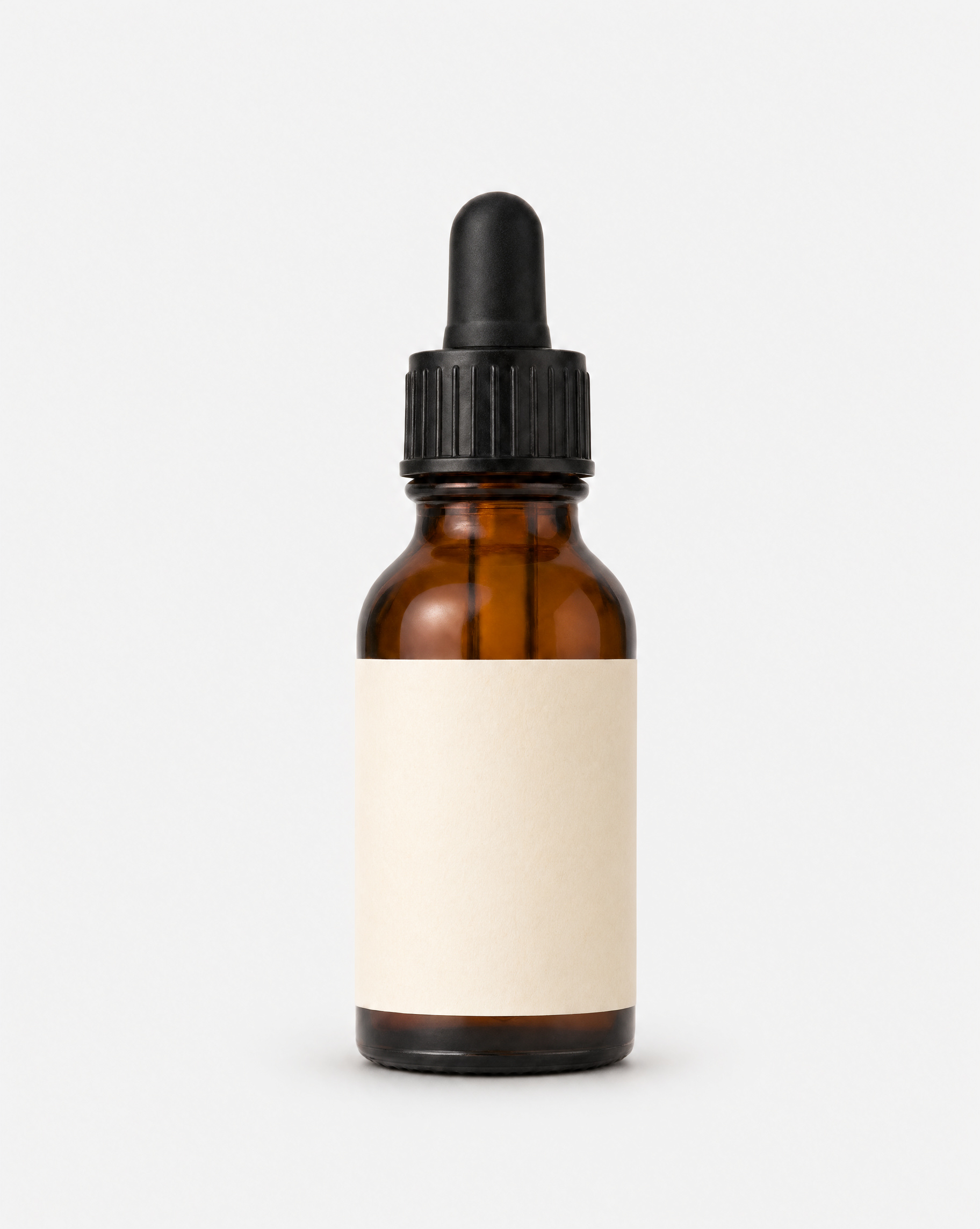
A bottle on a seamless backdrop

Text to image · 4:5

Studio product photo of an amber glass dropper bottle of face serum with a matte black cap and a plain cream label, standing on a seamless light grey background, soft even light, sharp detail, no text

A plain background and even light make the best reference photo. Use shots like this as the object you bring into other scenes.

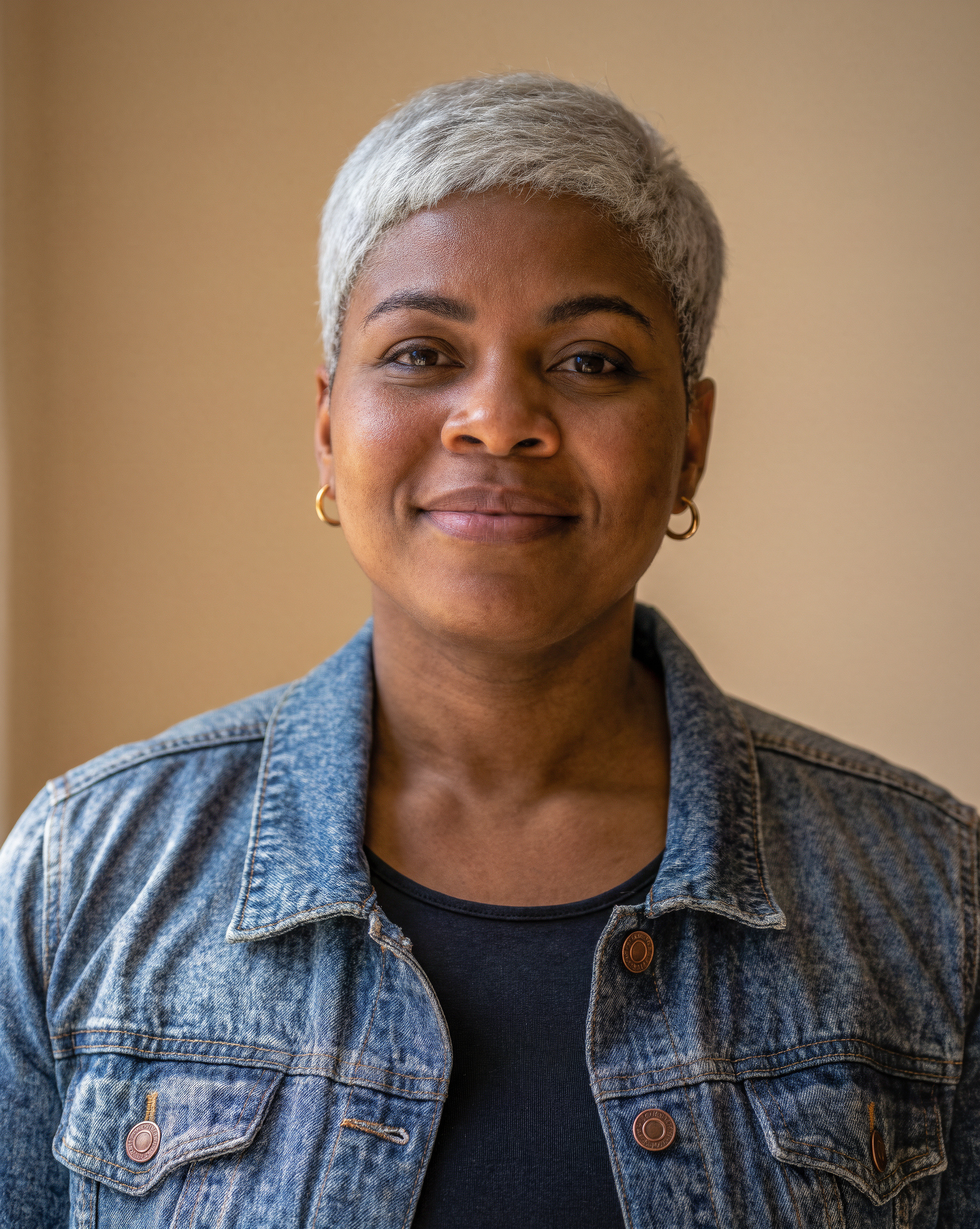
A Person To Keep

A Person To Keep

A portrait that works as a character reference

Text to image · 4:5

Portrait photo of a woman in her thirties with short silver hair, warm brown skin, small gold hoop earrings and a faded denim jacket, smiling softly, plain warm beige wall behind her, natural window light, 85mm lens

Give her a few clear marks, like hair, earrings and a jacket. They are easy to ask for again in every new scene.

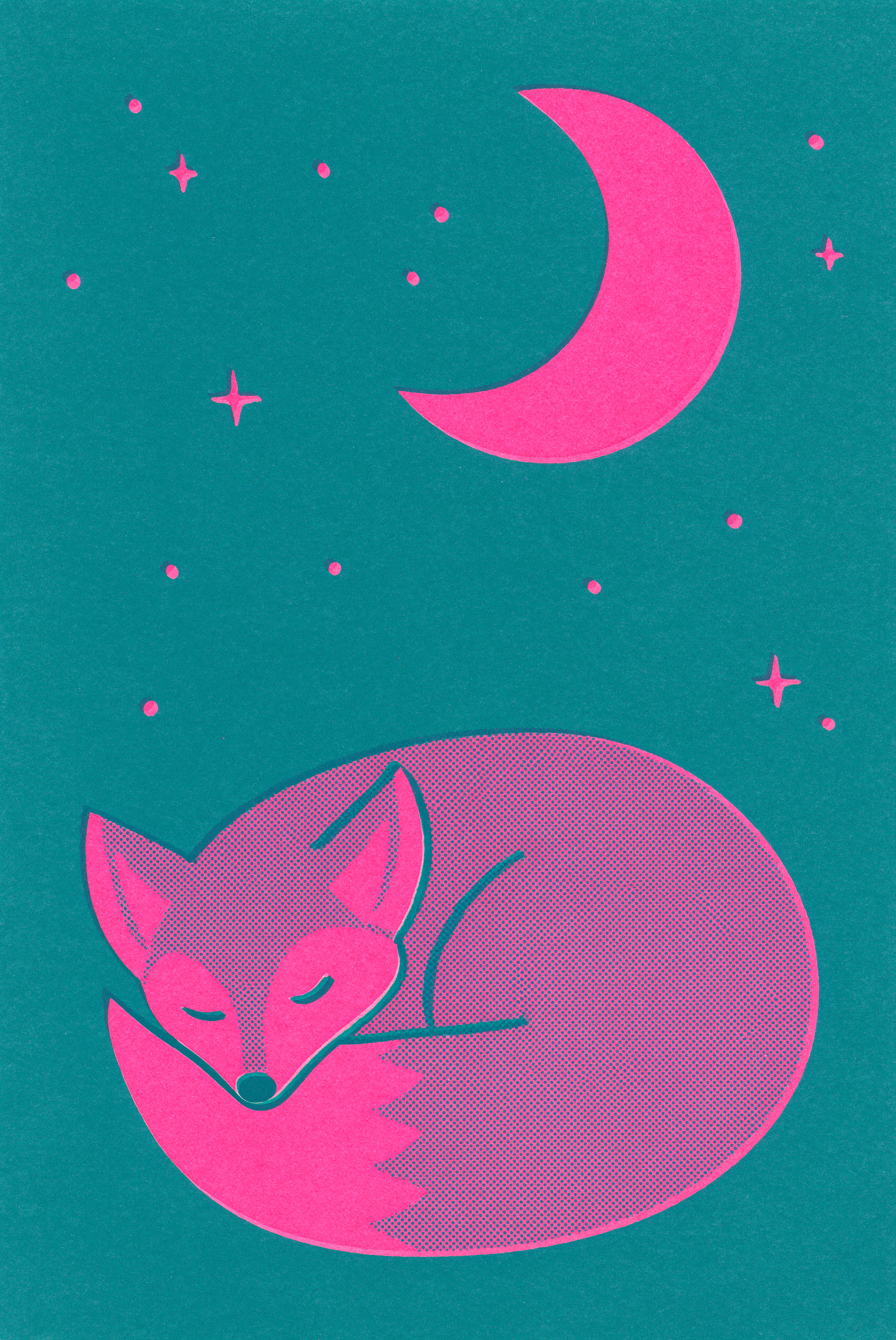
A Style To Borrow

A Style To Borrow

A two-color print with grain and halftone

Text to image · 2:3

Risograph print poster of a fox curled up asleep under a crescent moon, two-color print in fluorescent pink and teal with visible grain, slight misregistration and halftone texture, flat shapes, bold and playful

Describe the print method, the inks and the texture. This image becomes a style reference in the edits below.

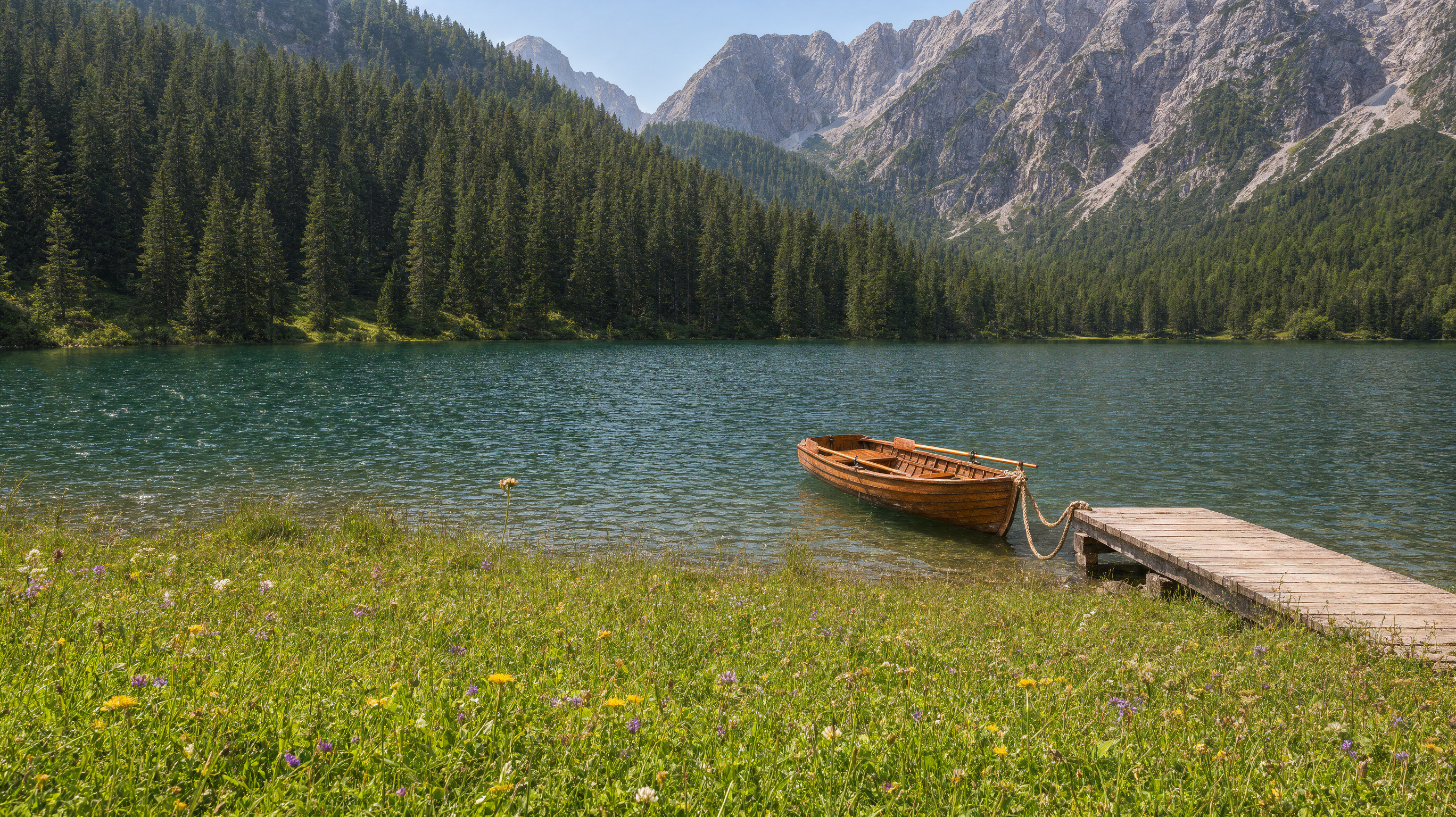
Landscape Photograph

Landscape Photograph

Summer light, lots of detail

Text to image · 16:9

An alpine lake in high summer, turquoise water, a wooden rowing boat tied to a small dock, green meadows with wildflowers, pine forest and rocky peaks behind, bright clear afternoon, landscape photograph

List the layers from front to back: boat, dock, meadow, forest, peaks. Each one shows up.

Edits With References

Each edit below shows the input images, then the result. The first image is the one being edited.

Product In A Scene input, Image 1
Image 1
Product In A Scene input, Image 2
Image 2
Product In A Scene result
Result
Product In A Scene

Product In A Scene

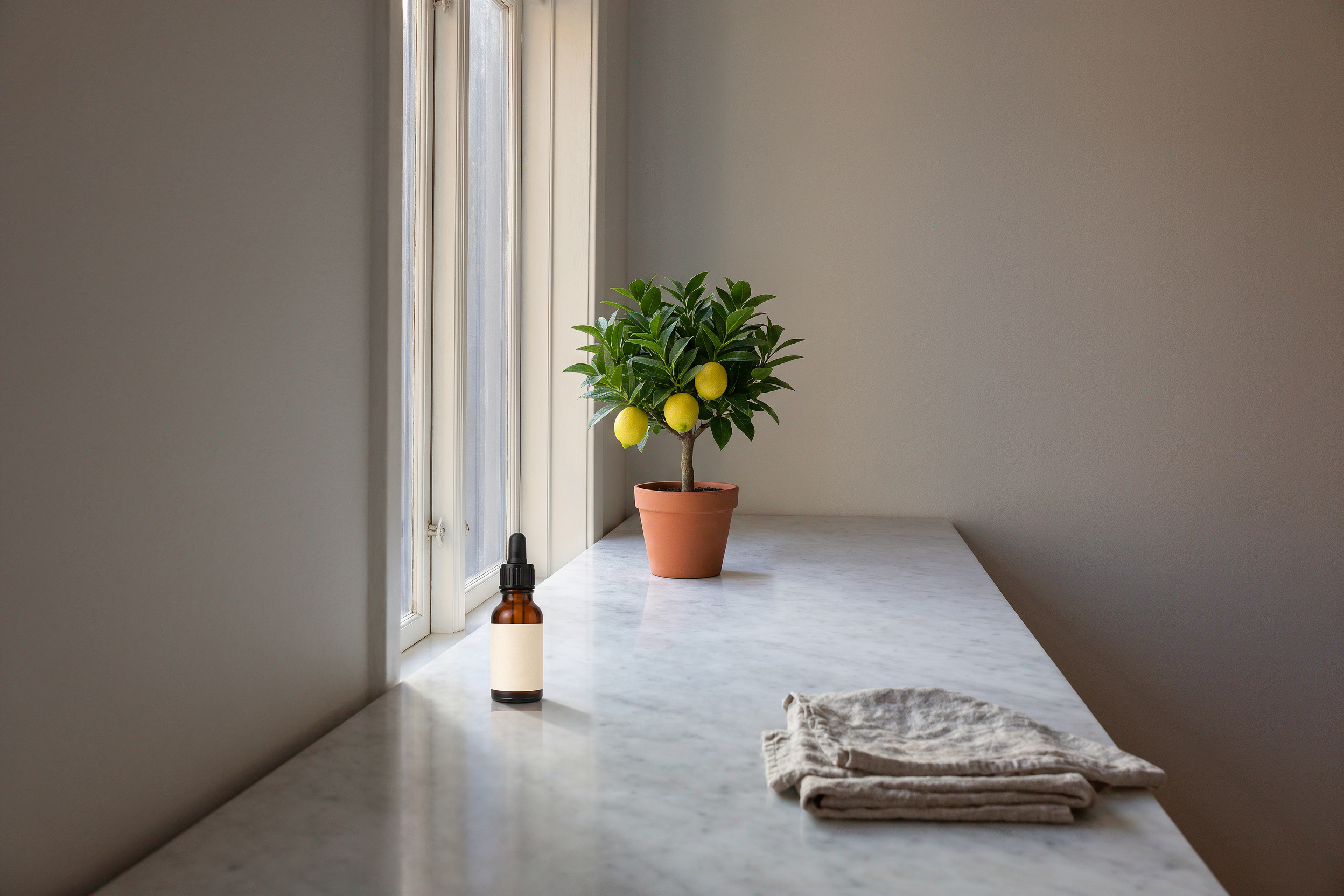
The serum bottle placed on the marble counter

2 references · Aspect Auto

Place the serum bottle from the second image on the marble counter in the first image, near the window, keep the morning light and add a soft natural shadow

The first image is the one being edited. Point to the second image by position and ask for the light and shadow to match.

The Same Person, New Scene input, Image 1
Image 1
The Same Person, New Scene result
Result
The Same Person, New Scene

The Same Person, New Scene

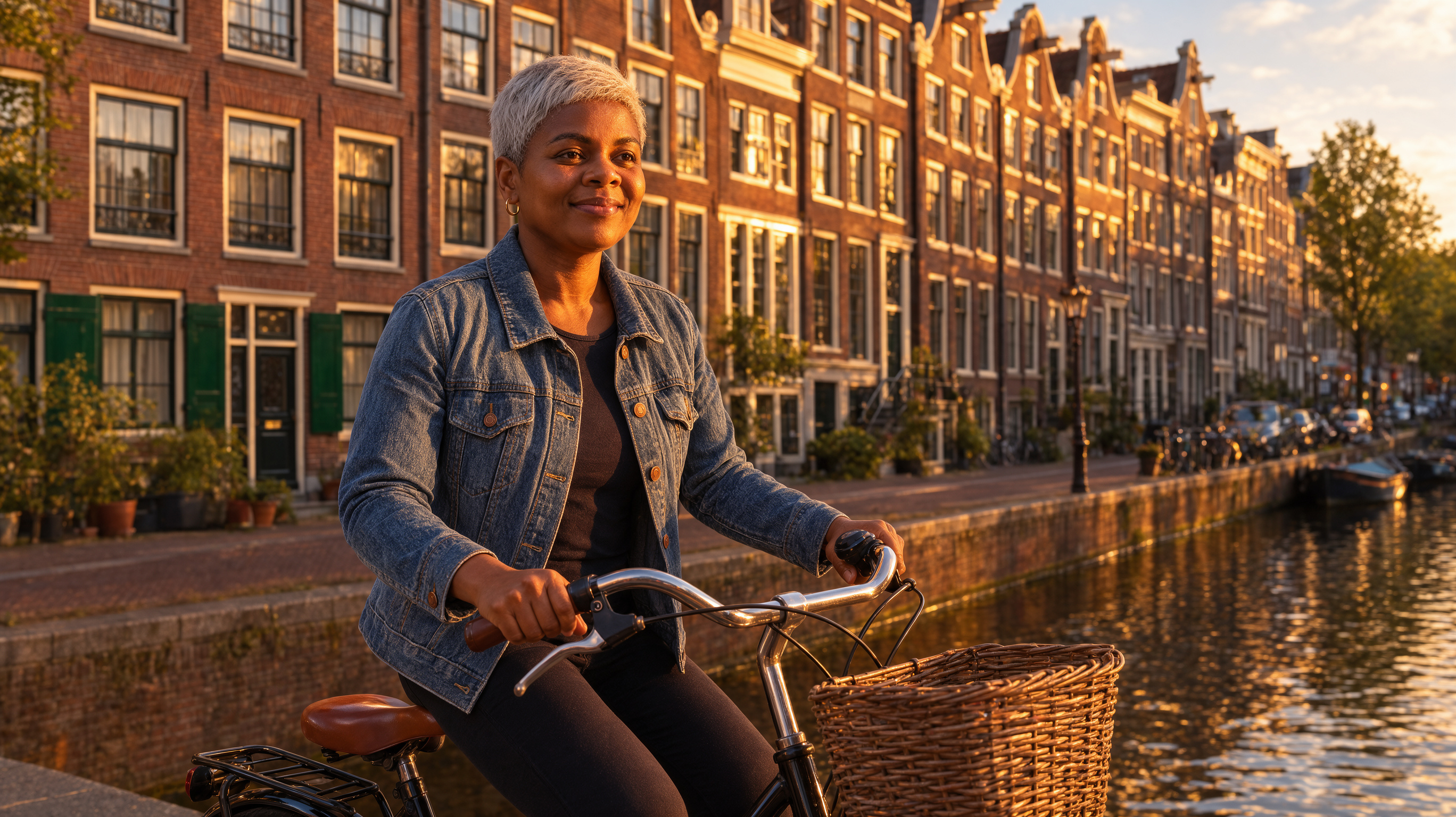
One portrait, one canal street in Amsterdam

1 reference · 16:9

The same woman from the image riding a bicycle along a canal street in Amsterdam at golden hour, wearing the same denim jacket and earrings, candid street photograph

Repeat the marks you want to keep, like the jacket and earrings. The face and the look carry over.

Borrow A Style input, Image 1
Image 1
Borrow A Style input, Image 2
Image 2
Borrow A Style result
Result
Borrow A Style

Borrow A Style

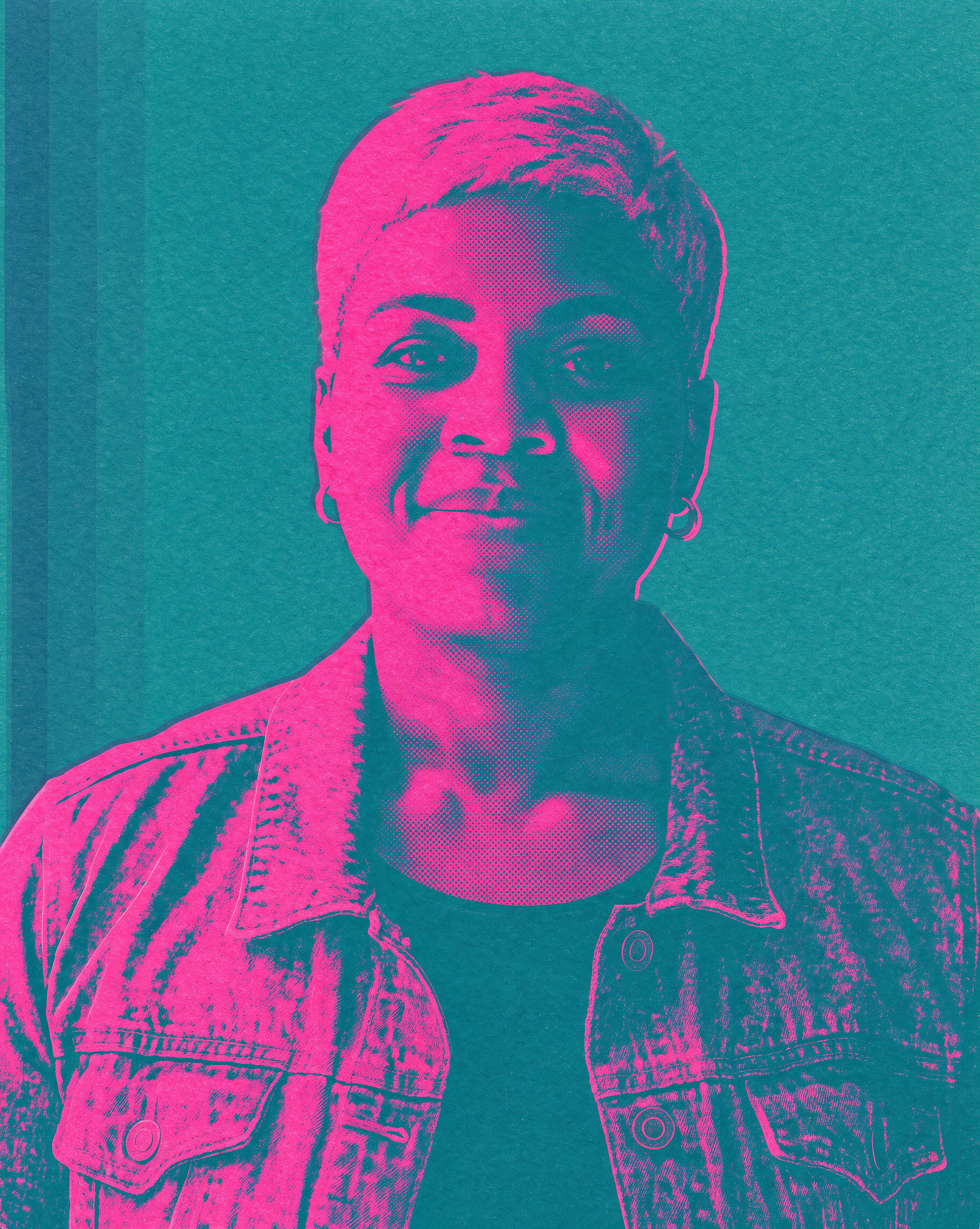
The portrait redrawn in the print style

2 references · Aspect Auto

Redraw the woman from the first image as a poster in the exact print style of the second image: two-color fluorescent pink and teal, visible grain and halftone, slight misregistration

Say who comes from the first image and which style comes from the second. Then list the style traits in words too.

Change The Season input, Image 1
Image 1
Change The Season result
Result
Change The Season

Change The Season

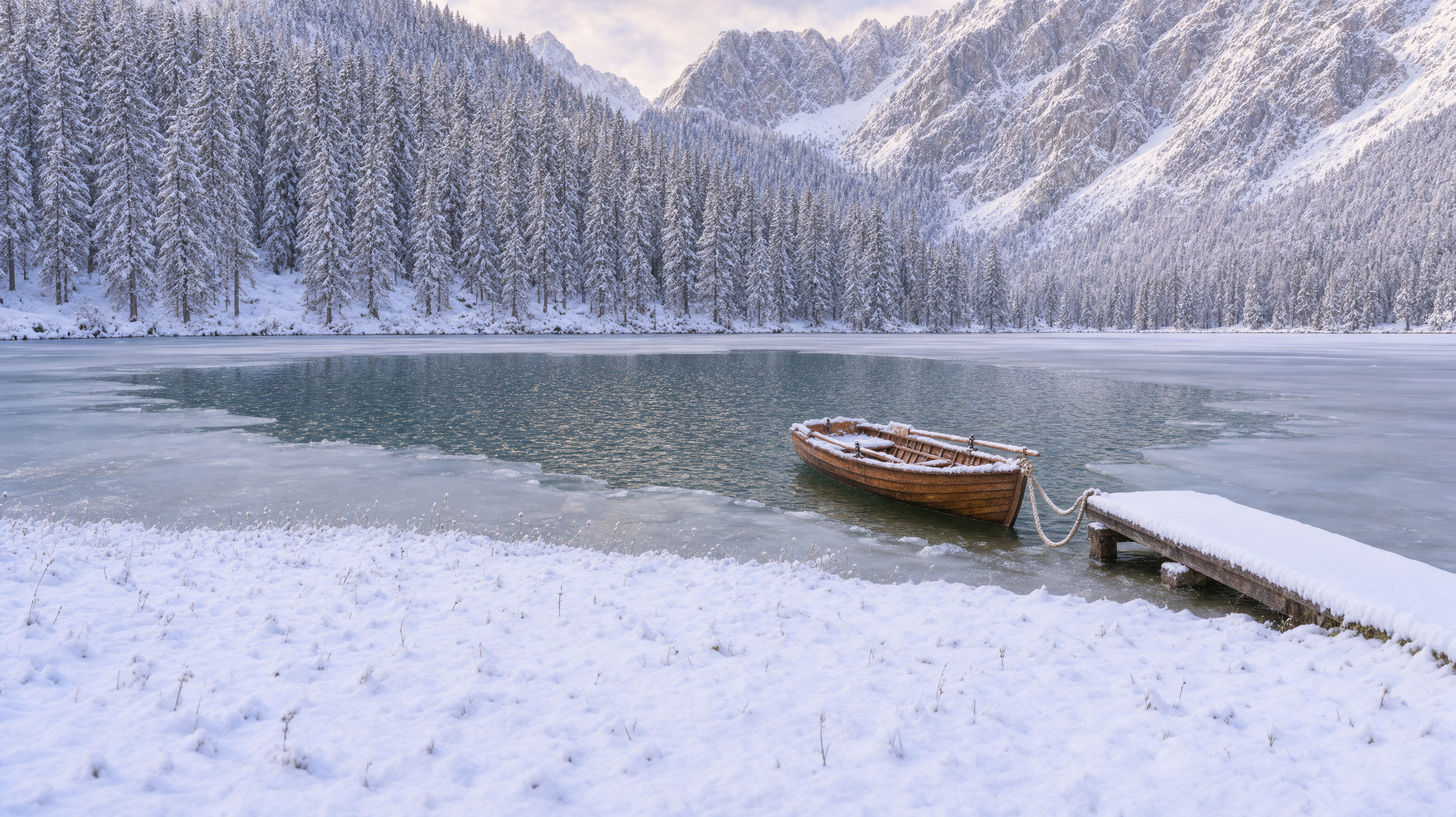
Summer lake to deep winter

1 reference · Aspect Auto

Change the season to deep winter: heavy snow on the peaks, trees and dock, the lake partly frozen with ice at the edges, overcast soft light, keep the same composition and the boat

Describe what the new season does to each part of the scene, then name what stays the same.

Reframe To A New Shape input, Image 1
Image 1
Reframe To A New Shape result
Result
Reframe To A New Shape

Reframe To A New Shape

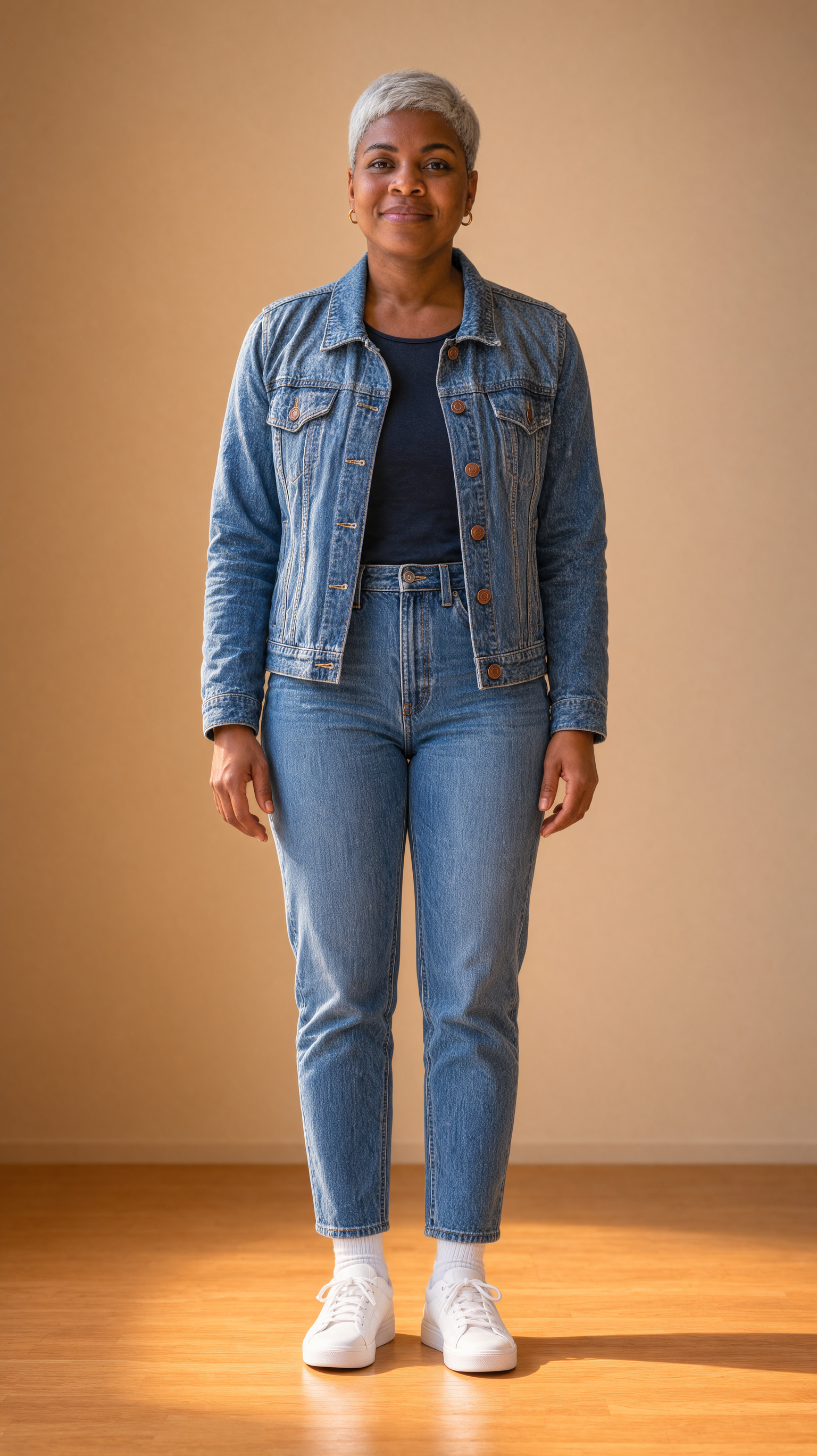
A portrait extended to a full-length 9:16

1 reference · 9:16

Reframe this portrait as a tall full-length photo: show her from head to toe standing against the same warm beige wall, wearing the same denim jacket with light jeans and white sneakers

Pick a new aspect ratio, then describe what appears in the extra space. Leave the aspect on Auto to keep the photo's own shape.

Edit Regions

Draw up to 24 boxes on your reference images. Boxes on the first image mark where the edit happens. Boxes on other images mark the objects to bring in. Give a box a label and call it in your prompt as @label. Labels have no spaces. A note up to 600 characters on a box overrides the prompt inside that box. Edit regions work through the API today. On the site you use your reference photos and your prompt.

Image 1, box: spot
Image 1, box: spot
Image 2, box: bottle
Edit regions result
Result
Serum bottle placed in the marked spot and the vase turned into a potted lemon tree

API · 2 boxes · Deep thinking

Place @bottle on @spot, keep the window light, and turn the vase into a small potted lemon tree

{
  "prompt": "Place @bottle on @spot, keep the window light, and turn the vase into a small potted lemon tree",
  "image_urls": ["<kitchen image>", "<serum image>"],
  "thinking_level": "high",
  "edit_regions": [
    { "reference_index": 0, "x": 0.2, "y": 0.45, "width": 0.3, "height": 0.35, "label": "spot" },
    { "reference_index": 1, "x": 0.25, "y": 0.1, "width": 0.5, "height": 0.85, "label": "bottle" }
  ]
}

Send this to POST /api/v1/models/krea-3/run. Coordinates run from 0 to 1. Each box can also take a note.

Pro Tips

Four or fewer references

Up to four images keep full detail. From five up, each one is made smaller.

Use clean reference photos

A plain background and even light make a product or person easy to reuse.

Leave the aspect on Auto

With references, Auto keeps the photo's shape. Pick a ratio only when you want to reframe.

Go Deep for hard edits

Deep thinking plans multi-step edits and many references. Use Fast for everything else.

Draft at 1K

Test the idea at half a credit. Move to 2K or 4K once the edit works.

Write long if you need to

Prompts can run up to 10,000 characters. Spell out every detail you care about.

Settings & Pricing

SettingOptions
ReferencesUp to 8 images. The first one is edited.
Resolution1K, 2K or 4K
Aspect ratioAuto, 1:1, 4:5, 3:4, 2:3, 9:16, 5:4, 4:3, 3:2, 16:9, 21:9
ThinkingFast (default) or Deep
Images per run1 to 4
Prompt lengthUp to 10,000 characters
SizeCreditsWith one photoUse for
1K0.51Drafts and quick tests
2K1.53Everyday finals
4K5.511Print and hero images

Prices are per image. Each reference image adds about the same again.

FAQ

Krea 3 is an image model from Krea built around reference images. Start from up to 8 photos, describe the change and keep the parts you like. It also makes images from a prompt alone.