Krea's newest image model: edit from up to 8 references
Krea 3 AI Image Generator: Reference Edits up to 4K
Give it your photos and say what to change: Krea 3 keeps the product, the person and the light you like, and changes only what you ask.
Krea 3 is Krea's newest image model for reference-driven generation and editing. Start from up to 8 images to place a product in a scene, keep a person consistent, borrow a style, relight, swap a background, change the season or reframe, or make an image from a prompt alone at 1K, 2K or 4K. On Pixel Dojo it comes with every top image model in one plan, six studios and Sensei, the AI director, with commercial use on every plan. We made every example below here, and each one comes with the exact prompt behind it.
1.5 credits ($0.09) per image at 2K. Included in every plan, from $10/month.
Already a member? Sign in
By Brian Lovett · Updated
What Krea 3 is built for
Krea 3 is Krea's newest image model, made for reference-driven generation and editing. Give it up to 8 images and refer to each one by position, like the jacket from the second image or the room in the first. It keeps the parts you like and changes only what you describe.
That makes it a strong pick for real production work: putting a product into a lifestyle scene, keeping the same person across a series, borrowing a style from one image for another, relighting, swapping a background, changing the season, restyling and reframing. It also makes images from a prompt alone, at 1K, 2K or 4K in 10 aspect ratios.
We made every image on this page on Pixel Dojo at 2K, and each one comes with the exact prompt behind it.
What you can make with Krea 3
We made all of these with Krea 3 on Pixel Dojo at 2K, three from a prompt alone and two from our own reference images. Each tile shows its settings and credit cost. Tap Use this prompt on any tile to load it into the prompt box at the top of the page.
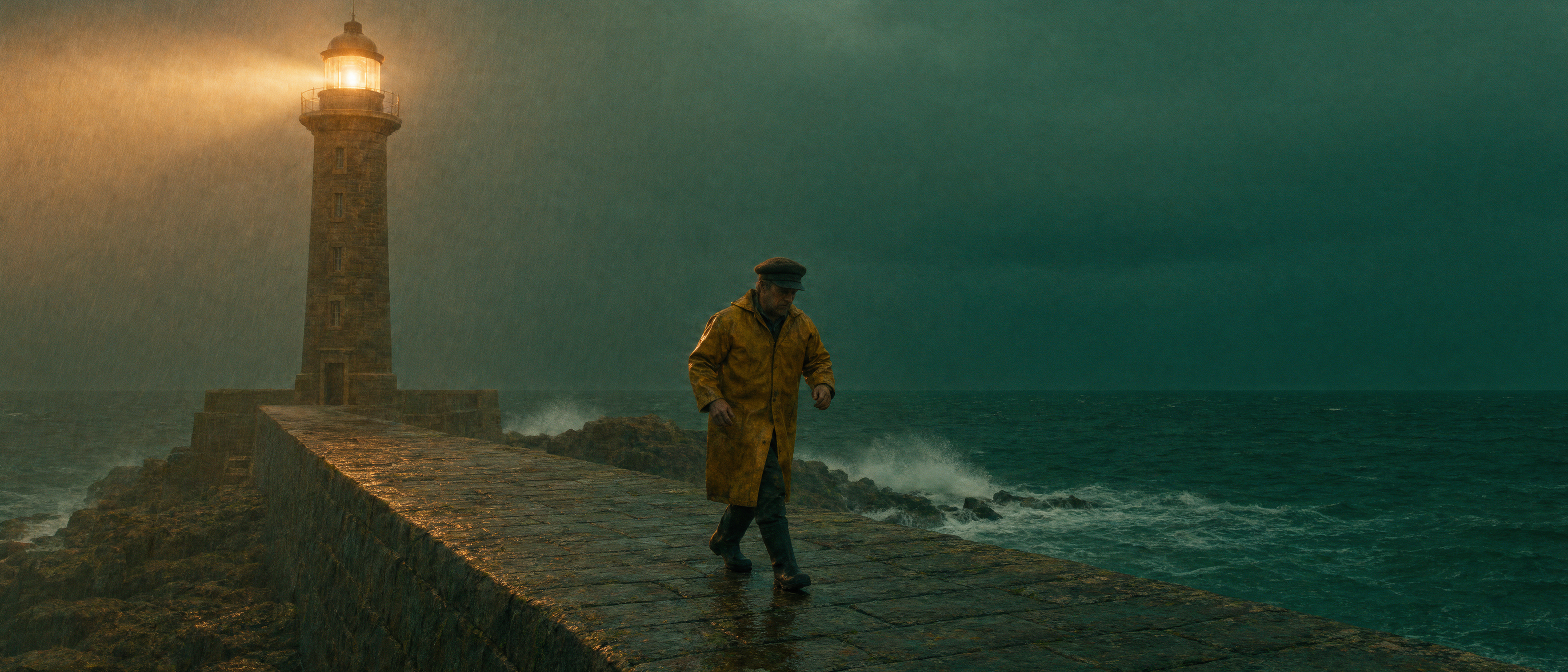
A wide anamorphic film still from a prompt alone: one figure, one beam of light and a teal and amber grade you can drop straight into a mood board.
A lighthouse keeper in a yellow oilskin coat walks along a stone jetty at dusk while a storm rolls in over a dark green sea, the lighthouse beam cutting through rain, waves bursting against the rocks, cinematic film still, anamorphic, rich teal and amber color grade
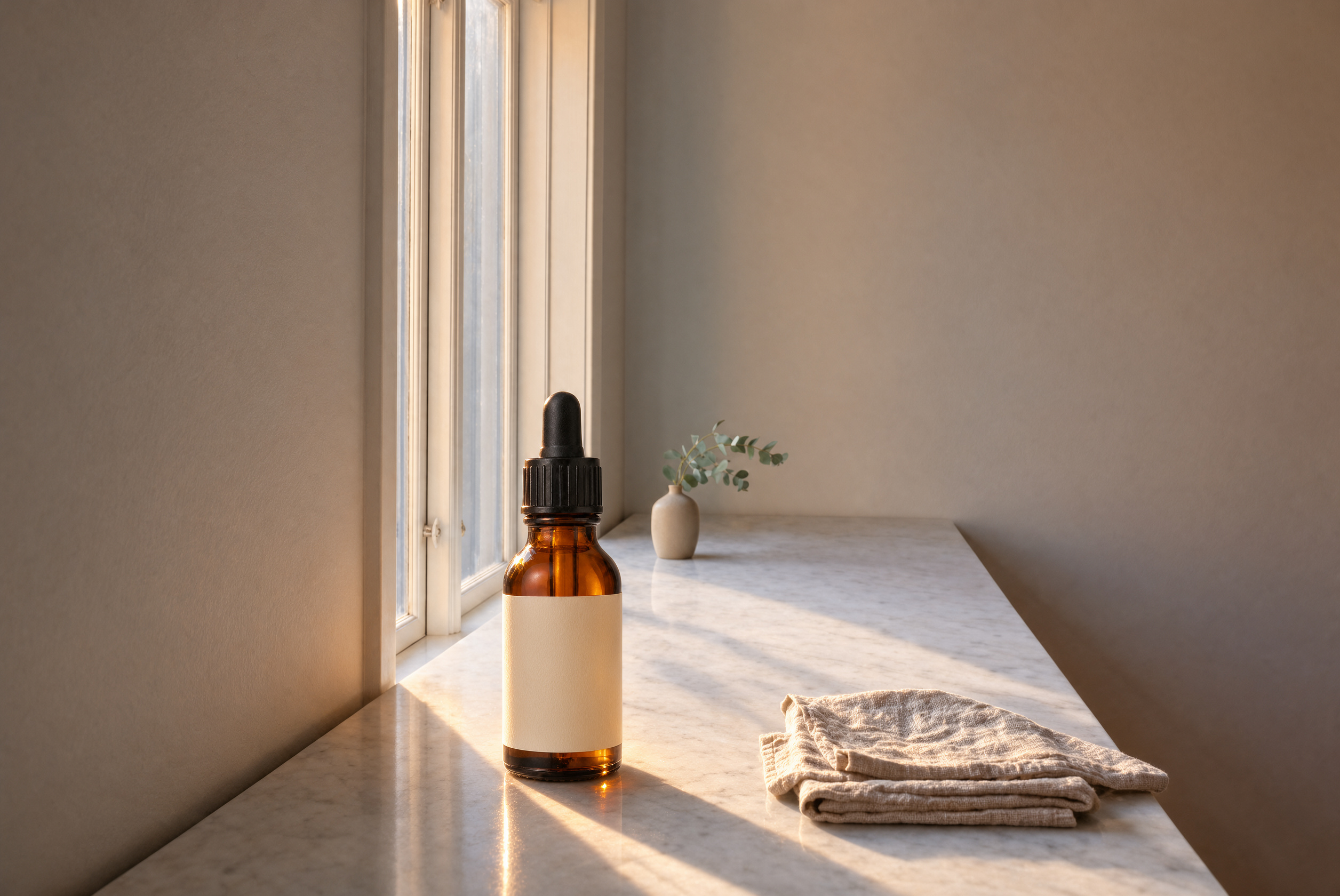
Product placement from two images: an empty marble counter first, the serum bottle second. Krea 3 set the bottle by the window, kept the vase, towel and morning light, and added a natural shadow.
Place the serum bottle from the second image on the marble counter in the first image, near the window, keep the morning light and add a soft natural shadow
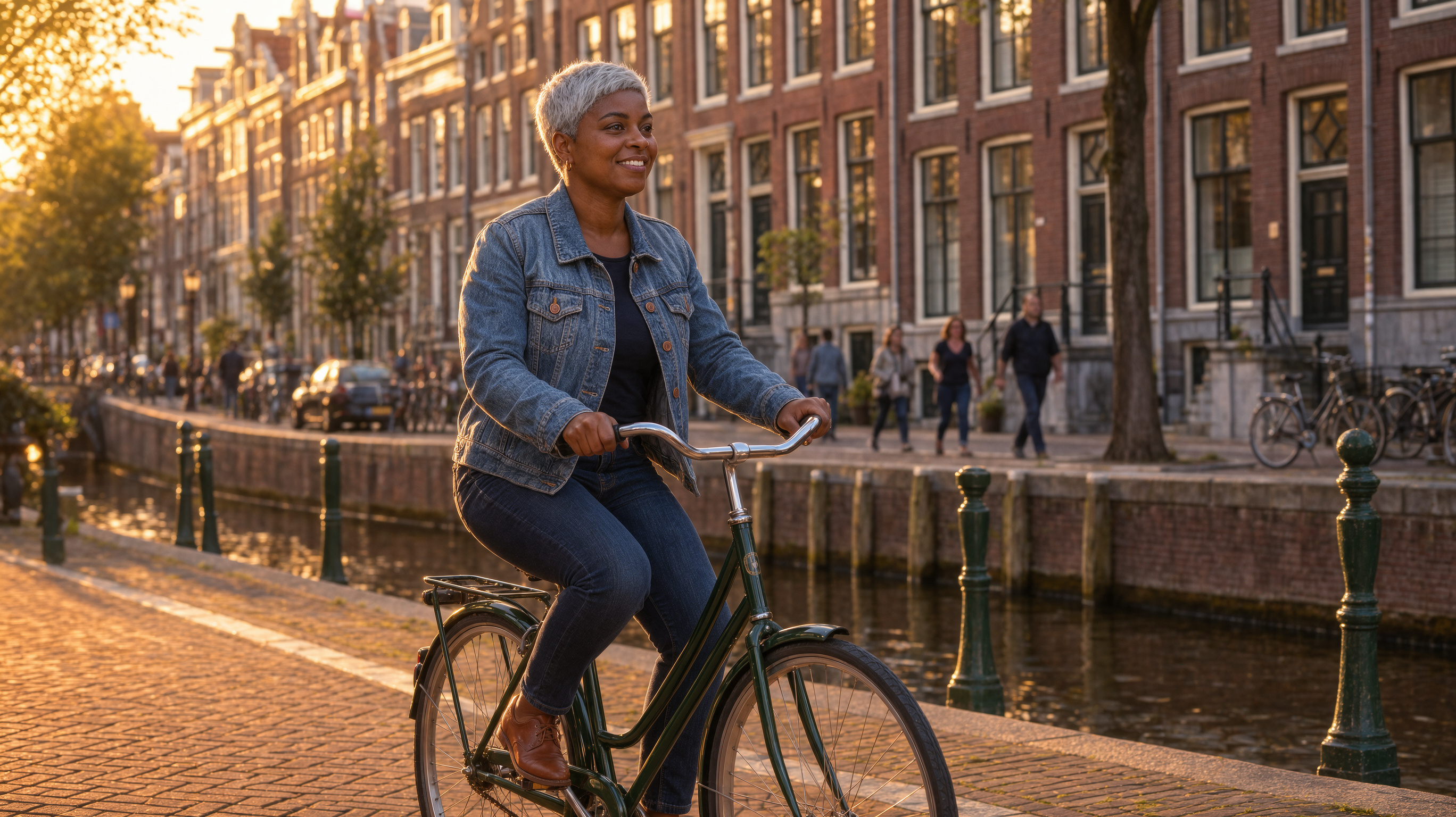
One portrait photo in, a new scene out. The same silver hair, earrings and denim jacket, now on a bike by a canal at golden hour. Use this to keep a person consistent across a whole campaign.
The same woman from the image riding a bicycle along a canal street in Amsterdam at golden hour, wearing the same denim jacket and earrings, candid street photograph
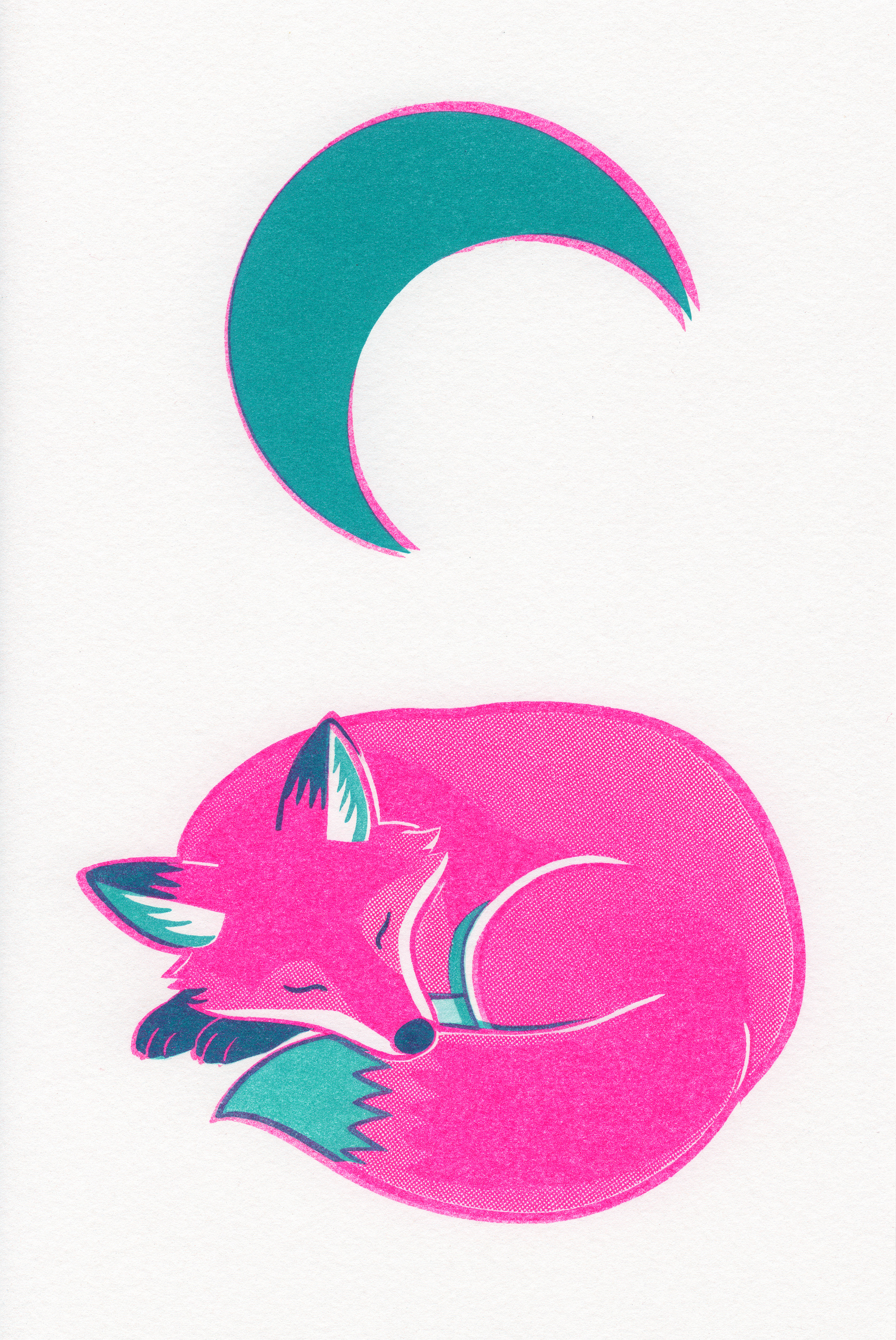
A risograph print look with real grain, halftone and offset color layers. This poster became the style reference for the portrait further down the page.
Risograph print poster of a fox curled up asleep under a crescent moon, two-color print in fluorescent pink and teal with visible grain, slight misregistration and halftone texture, flat shapes, bold and playful
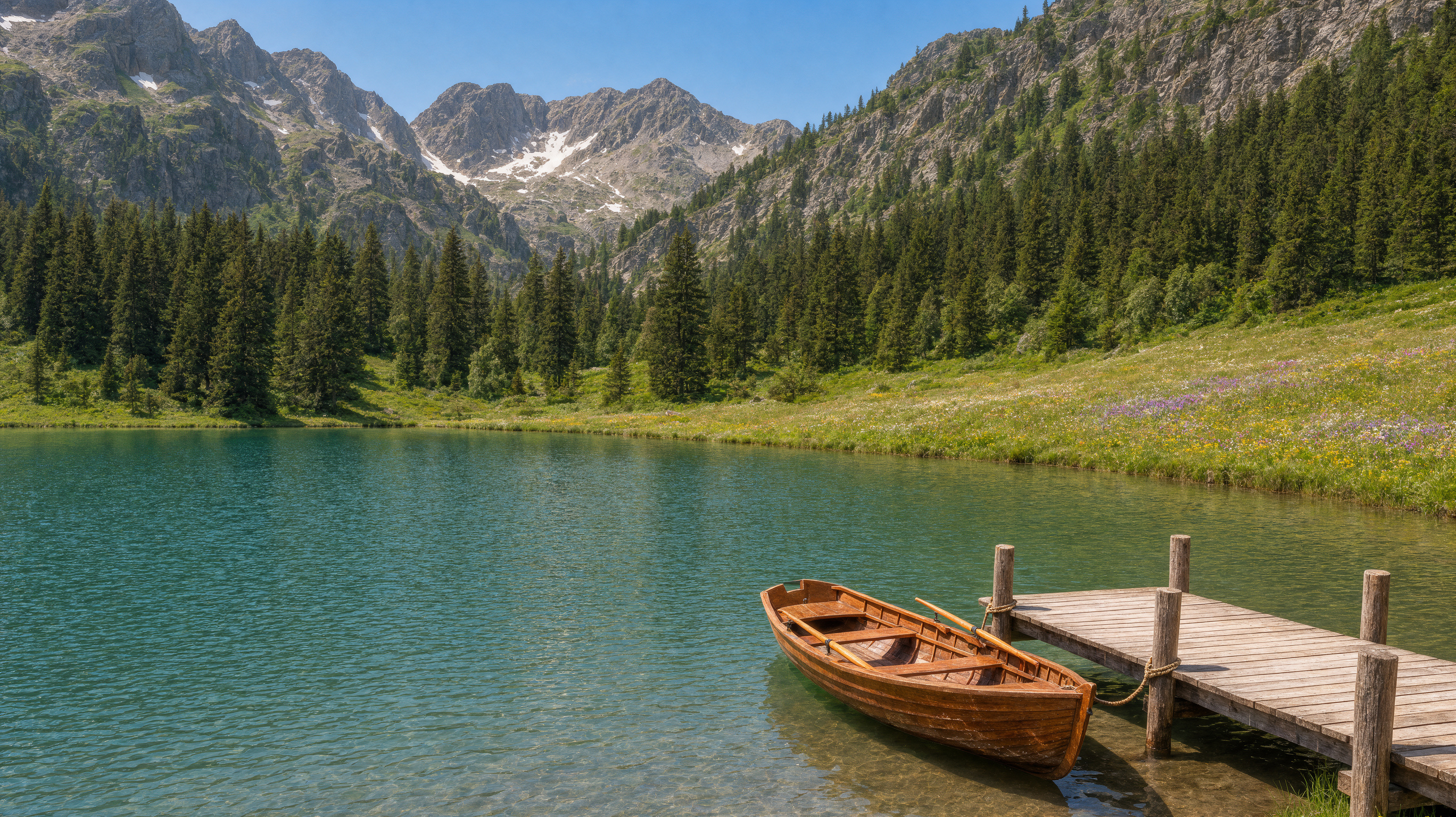
A bright landscape photo with clear water and sharp peaks. We used it as the starting image for the season change below.
An alpine lake in high summer, turquoise water, a wooden rowing boat tied to a small dock, green meadows with wildflowers, pine forest and rocky peaks behind, bright clear afternoon, landscape photograph
Change the season, borrow a style
We fed our own images back in as references. One prompt turned the summer lake from the showcase into deep winter. The other redrew the portrait subject in the exact print style of the fox poster.
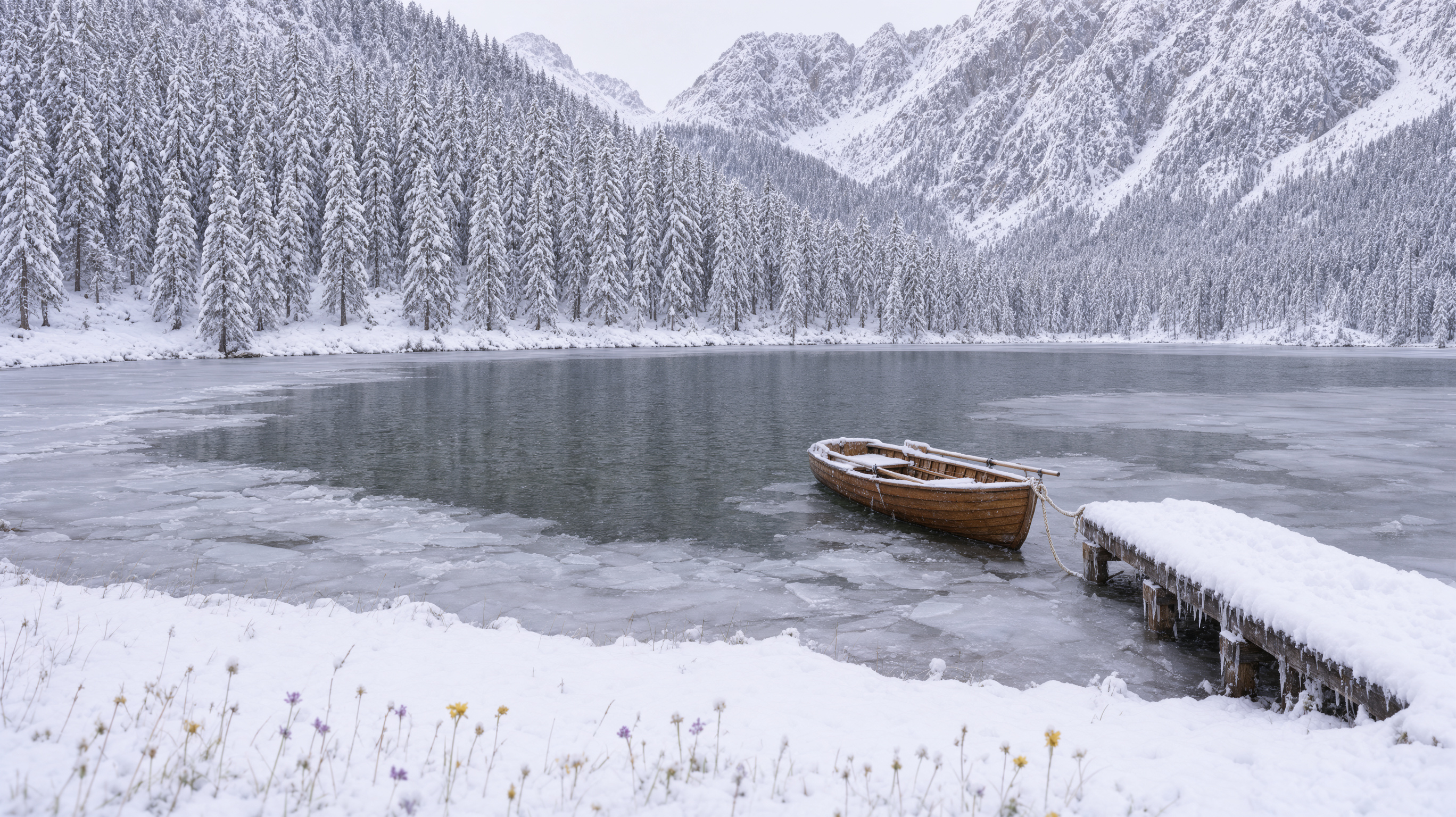
One reference, the summer lake. Krea 3 kept the composition, the dock and the boat, and turned everything around them to winter.
Change the season to deep winter: heavy snow on the peaks, trees and dock, the lake partly frozen with ice at the edges, overcast soft light, keep the same composition and the boat
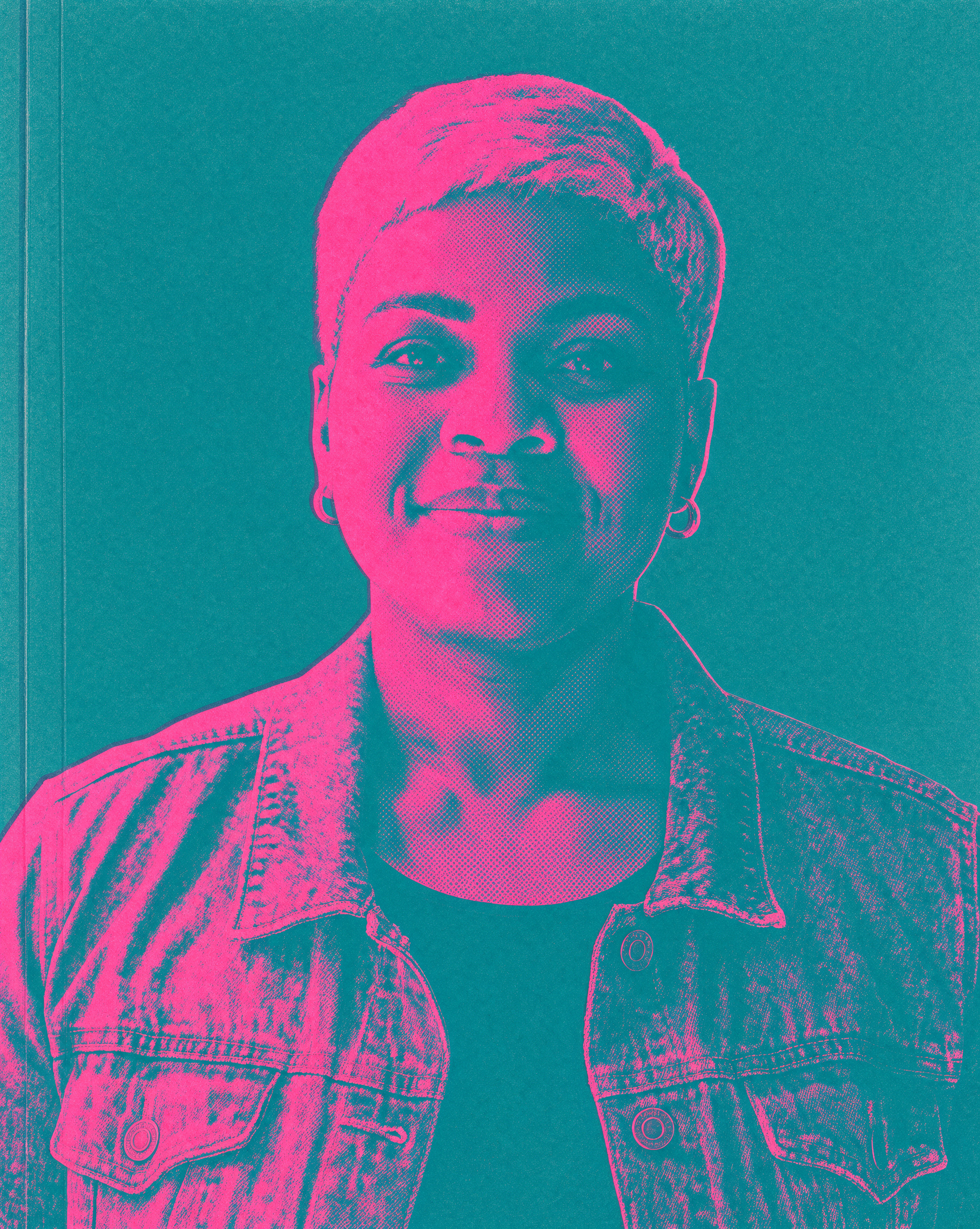
Two references: the portrait first, the fox poster second. Her face, earrings and jacket stay hers while the pink and teal print style comes from the poster.
Redraw the woman from the first image as a poster in the exact print style of the second image: two-color fluorescent pink and teal, visible grain and halftone, slight misregistration
- Name what to keep. Our season prompt said keep the same composition and the boat, and both stayed put.
- Point at images by position. The first image is the one being edited, the others bring in a product, a person or a style.
- Each reference adds to the cost, so send only the images the edit needs.
Krea 3 settings worth knowing
- Reference imagesNone, or up to 8
- The first image is the one being edited. Four or fewer keep the most detail.
- Resolution1K, 2K, 4K
- Every example here is 2K. Use 4K for print and large ads.
- Aspect ratio1:1, 4:5, 3:4, 2:3, 9:16, 5:4, 4:3, 3:2, 16:9, 21:9
- With references, leave it on Auto to keep the input shape, or pick a new one to reframe the image.
- ThinkingFast or Deep thinking
- Fast suits most images. Deep thinking plans harder for multi-step edits and many references.
- Edit regionsLabeled boxes, through the API
- Draw a box, give it a label and call it in the prompt as @label to say exactly where a change goes.
How to edit with reference images in Krea 3
- 1
Add your images
Upload the photo you want to change first, then any product, person or style images you want to bring in.
- 2
Say what changes and what stays
Describe the edit in plain words and name what to keep. Our product prompt asked to keep the morning light, and the light stayed.
- 3
Refer to images by position
Write the bottle from the second image or the woman from the first image so Krea 3 knows which reference is which.
- 4
Pick a size and shape
Choose 1K, 2K or 4K, and keep the input shape or pick a new aspect ratio to reframe.
Krea 3 pricing per image
Krea 3 is included in every Pixel Dojo plan, with plans from $10/month. A prompt-only image costs 0.5 credits at 1K, 1.5 credits at 2K and 5.5 credits at 4K. Each reference image adds about the same again, so a one-reference edit at 2K costs 3 credits.
Krea 3 questions
What is Krea 3?
Krea 3 is Krea's newest image model for reference-driven generation and editing. It works from up to 8 reference images or from a prompt alone, and renders at 1K, 2K or 4K in 10 aspect ratios.
What is Krea 3 good at?
Editing with references while keeping the parts you like: product placement in scenes, consistent people, borrowing a style, relighting, new backgrounds, season changes, restyling and reframing. It also makes strong images from text alone.
How many reference images can Krea 3 use?
Up to 8. Refer to them by position in your prompt, like the bottle from the second image. The first image is the one being edited.
How much does Krea 3 cost?
Krea 3 is included in every plan from $10/month. A prompt-only image is 0.5 credits at 1K, 1.5 credits at 2K and 5.5 credits at 4K, and each reference image adds about the same again.
Can I use Krea 3 images commercially?
Yes. You own what you make, on every plan.
Is Krea 3 available in the API?
Yes. Developers can call it as krea-3 through the Pixel Dojo API, with reference images, Fast or Deep thinking and labeled edit regions, at the same credit prices as on the site.
Make your first Krea 3 image
Write a prompt above or start from any example on this page. One plan covers every top model, six studios and Sensei, and your credits roll over.
Start with Krea 3