
Consistent characters
“Put my characters in front of a giant blue balloon dragon, same faces and outfits.”
Made with Seedream 5 with Character Studio references
Connect the Pixel Dojo MCP server to Claude, ChatGPT or Cursor, then just ask for an image, a video, audio like music or a voiceover, or a whole film. One connection to 150+ models, including FLUX 3 Image, Ideogram 4.5, Seedance 2.5 and Veo 3.1.
Browser sign-in. Nothing to install.
In your terminal.
claude mcp add --transport http pixeldojo https://pixeldojo.ai/mcpSign in once and click Approve. No API key.
“Make an image of a giant blue balloon dragon over a harbor at sunset.”
Then add 11 ready-made workflows
npx skills add https://pixeldojo.ai/pixeldojo-skills.zipRuns on your Pixel Dojo credits, the same as the web app. Plans from $10/mo, and failed jobs are refunded. See plans No AI app? Sensei is built into Pixel Dojo and included with every plan. Try Sensei
Real Pixel Dojo images, videos and ads. Try a request like it in Claude, or copy the prompt into ChatGPT, Cursor, Grok or Codex.
“Put my characters in front of a giant blue balloon dragon, same faces and outfits.”
Made with Seedream 5 with Character Studio references

“Localize this static ad into Spanish. Keep the typeface, layout, product and logo.”
Made with pixeldojo_edit, the image edit tool
“Make a short horror film: a lighthouse keeper gets an answer from the dark water. Plan it and show me the cost first.”
Made with Film Studio
“Make a UGC testimonial ad for my vitamin C serum. The creator holds the bottle up to camera and says my line.”
Made with Marketing Studio, UGC Testimonial style
“Animate this static ad into a 5-second motion ad. Keep the headline still and legible.”
Made with pixeldojo_generate, image to video
“Make a 60-second faceless explainer about why we yawn, paper diorama style.”
Made with Faceless Studio
Also on call: upscales up to 16x, music, narration and full sound scenes, and a whole campaign from one product page.
Make or transform one piece of media.
pixeldojo_generateCreate a new image or video; optional presets and supported first-frame references.
pixeldojo_editChange an existing image while preserving the parts you do not mention.
pixeldojo_characterRender the same person in a new scene from their reference photos.
pixeldojo_upscaleIncrease image resolution with conservative or creative enhancement, or upscale a video clip.
pixeldojo_captionBurn animated word-by-word captions onto a video, placed clear of the TikTok, Reels and Shorts buttons.
pixeldojo_overlayAdd ad text layouts to a video: hook title, lower-third callout, review card, progress bar, countdown timer, price tag, offer badge and a branded end card.
pixeldojo_effectsFind one-click effects: 283 video effects (AI Hug, Earth Zoom In), 30 photo effects (action figure, Ghibli style, sticker) and one-job tools (watermark, object or background removal, headshots, restoration).
pixeldojo_effectRun one effect on your photos with its prompt built in: a 5 second clip for video effects, a styled image for photo effects and tools.
pixeldojo_audioCreate narration or a complete audio scene with dialogue, effects, and music.
Compose several generation steps into a production.
pixeldojo_storyboardGenerate one video storyboard preview from one scene brief.
pixeldojo_adTurn a product URL or photos into one rendered video ad with voiceover.
pixeldojo_filmPlan and produce a multi-shot short film with dialogue, score, and stitched export.
pixeldojo_campaignProduce a hero image, lifestyle variants, and an optional vertical launch video.
pixeldojo_videoChange, move, or extend a video you already have: restyle a clip, put a character into it, or lengthen it.
pixeldojo_episodeMake a finished narrated faceless video (explainer, history, kids story) from one topic.
Turn local files and product pages into reusable inputs.
pixeldojo_uploadUpload a local image or video so another skill can use it by URL.
pixeldojo_from_urlExtract a structured product profile from a public product page.
Track jobs, find assets, retain outputs, and reuse repeatable chains.
pixeldojo_statusCheck a single long-running generation job.
pixeldojo_campaign_statusCheck all sub-jobs in a campaign.
pixeldojo_libraryFind permanent Library items and recent API/MCP generations.
pixeldojo_save_workflowSave a named multi-step skill chain for reuse.
pixeldojo_run_workflowRun a previously saved workflow with new inputs.
pixeldojo_list_workflowsList saved workflows before choosing one to run.
The skills bundle, installed with the command in the install card.
/pixeldojo-ad-localizer
Translate and adapt static image ads into other languages and markets with Pixel Dojo, keeping the layout, product and brand intact.
/pixeldojo-ad-resizer
Adapt one static ad to other placements and aspect ratios (1:1 and 4:5 feed, 9:16 Stories and Reels, 16:9) with Pixel Dojo while keeping the copy and product clear.
/pixeldojo-headline-variants
Produce several versions of a static ad with different headlines or calls to action for testing, using Pixel Dojo image edits.
/pixeldojo-hook-variants
Make several versions of a product video ad that differ only in the opening 1 to 2 seconds, for hook testing, with Pixel Dojo.
/pixeldojo-static-to-motion
Animate a finished static ad or product image into a short motion ad with Pixel Dojo while keeping text and logos legible.
/pixeldojo-research-to-ads
Turn a product page into a first batch of static ad concepts across different angles, rendered with Pixel Dojo.
/pixeldojo-ugc-ad
Make a UGC-style video ad (testimonial, unboxing, try-on, fit check, day in the life) for a product with Pixel Dojo.
/pixeldojo-faceless-video
Make a narrated faceless video (explainer, history, kids story) from one topic with Pixel Dojo: script, scene visuals, narration, music and one exported file.
/pixeldojo-short-film
Make a short film or music video from an idea with Pixel Dojo: screenplay, storyboard, clips with dialogue, soundtrack and a stitched export.
/pixeldojo-consistent-character
Keep the same person or character across many images (scenes, outfits, angles) with Pixel Dojo.
/pixeldojo-product-launch
Create a product launch package (hero image, lifestyle shots and a vertical video) from one product URL with Pixel Dojo.
Prime Time · Season 1 · Made over MCP
Every shot of our Prime Time series was generated by an AI agent, Claude, through the Pixel Dojo MCP: the frames on Seedream 5, the motion on Seedance 2.5 and the funk scores on Seed Audio, with the same cast in every episode. Connect your AI and run your own show.

A three-headed parade dragon breaks loose over the rooftops. The chase is on.
Seedance 2.5 · 67 sec
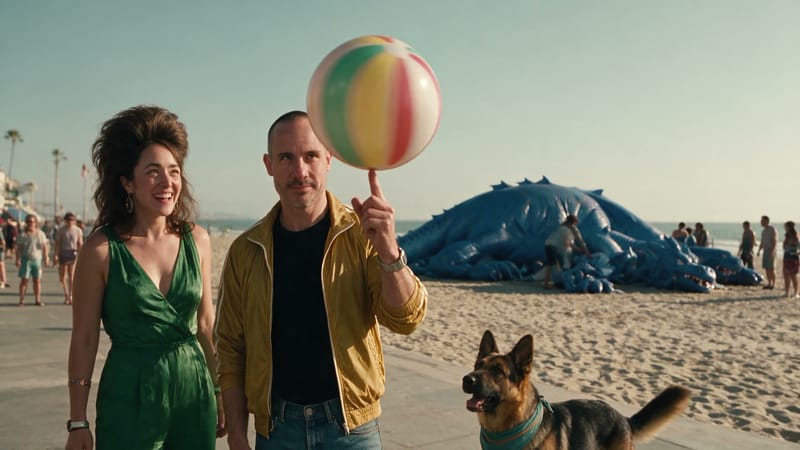
A giant beach ball flattens the boardwalk. Circe goes straight for the valve.
Seedance 2.5 · 23 sec
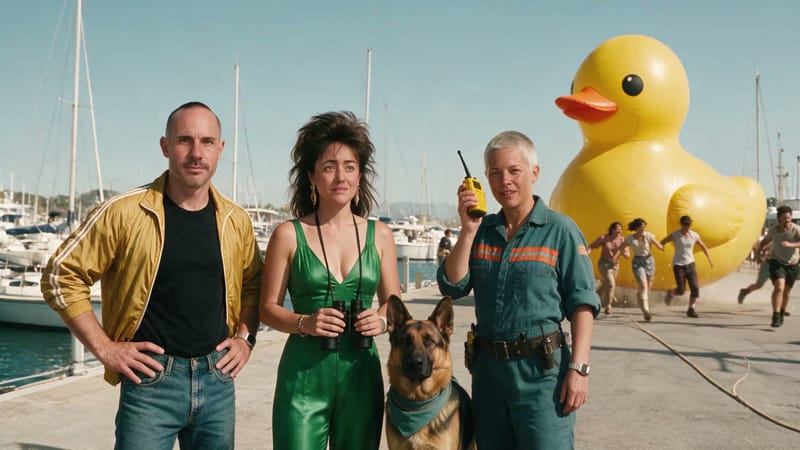
A giant rubber duck breaks loose in the marina. Dot radios in: “Yeah. It’s the duck again.”
Seedance 2.5 · 33 sec

The dragon crashes the harbor regatta. Theo floors it, Brian pulls the plug.
Seedance 2.5 · 27 sec
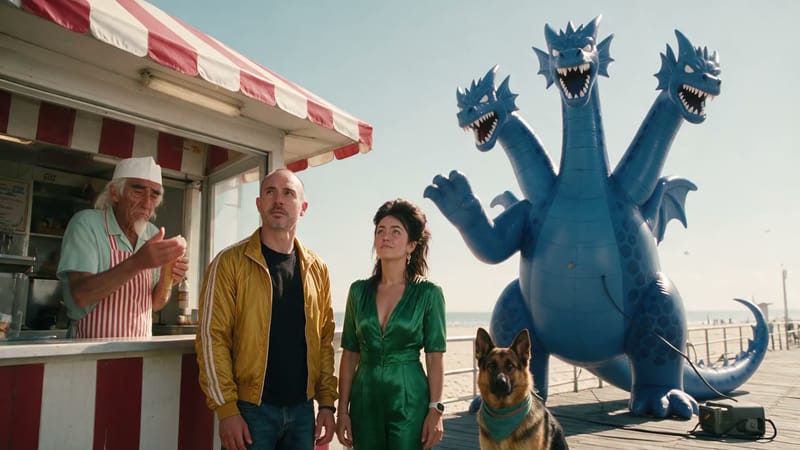
The dragon flattens Gus’s ice cream stand. “Every Tuesday.” Pamela spots the plug.
Seedance 2.5 · 33 sec
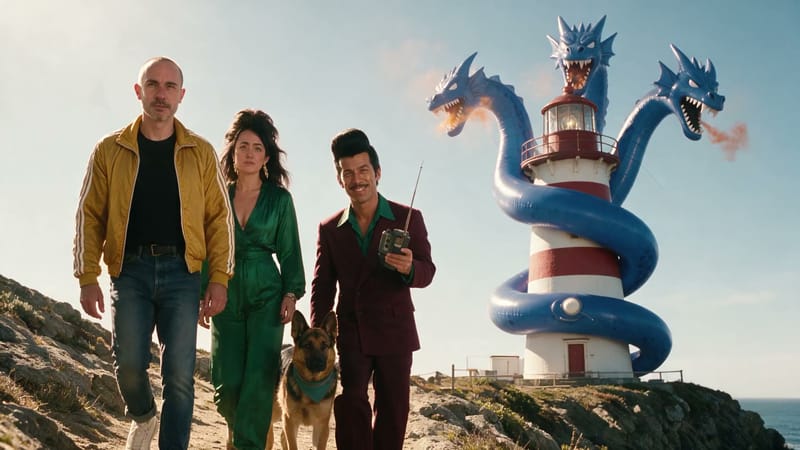
Vince’s “weather balloon test” wraps the dragon around a lighthouse. “Slight miscalculation.”
Seedance 2.5 · 33 sec
Everything the MCP server does is one plain HTTP call, described in the OpenAPI spec and the LLM reference.
API documentation · Get an API key · Browse all 150+ models · Buy credits · TypeScript SDK
import { PixelDojoClient } from "@pixeldojo/sdk";

const pd = new PixelDojoClient({ apiKey: "pd_your_api_key" });

// Generate an image and wait for the result
const job = await pd.generate("google-nano-banana", {
  prompt: "A fantasy castle on a cliff at sunset",
  aspect_ratio: "16:9",
});

console.log(job.assets[0].url);
Questions & Answers
MCP, the Model Context Protocol, is the open standard AI apps use to call outside tools. The Pixel Dojo MCP server at https://pixeldojo.ai/mcp gives Claude, ChatGPT, Cursor and other agents 23 tools for images, video and audio across 150+ models. Your agent picks the tool, sends the request and hands you a link to the finished file, right in the chat.
Pick your client in the install card above. Claude Code, Claude, ChatGPT, Cursor, Codex, Grok Bot and Cowork have guided steps; Windsurf, Zed, Cline and any other client that supports remote MCP can connect to the hosted server at https://pixeldojo.ai/mcp. It needs no install: point your client at it and approve the connection in your browser. Prefer local? Run npx @pixeldojo/mcp init to print the config for Claude Code or Cursor, then add your API key.
Yes. On chatgpt.com in a browser, turn on developer mode under Settings, Security, then in Plugins create an MCP app with the hosted server URL, https://pixeldojo.ai/mcp, sign in and approve. It works on Plus, Pro, Business, Enterprise and Edu plans, and on Business and Enterprise an admin turns developer mode on. Then ask ChatGPT for an image, a video or an ad and it calls Pixel Dojo for you.
Not for the hosted MCP server: connect and approve in your browser, and Pixel Dojo handles the credentials (you can revoke the connection anytime from your API Keys page). The local npx package and the REST API use a key, free with any Pixel Dojo account at pixeldojo.ai/api-platform/api-keys. The same key works for the TypeScript SDK, Python and plain cURL calls.
The full Pixel Dojo API catalog: 150+ image, video, and audio models, including FLUX 3 Image, Ideogram 4.5, Nano Banana, GPT Image 2, Seedream 5, Flux 2, Seedance 2.5, Kling, Veo 3.1, WAN 2.7, and Seed Audio 1.0. List them live at /api/v1/models, or call pixeldojo_generate with just a prompt and it uses a strong default.
Images, videos with native audio, narration and full audio scenes, storyboard previews, multi-shot short films with dialogue, narrated faceless videos, the same character across many scenes, video edits and extensions, upscales up to 16x, and product video ads and campaigns from a single product URL. Every example on this page is a real Pixel Dojo output, and the request behind each one is a click away.
Skills are ready-made workflows that sit on top of the MCP server. The skills bundle adds 11 of them, from ad localizing and hook variants to faceless videos, short films and product launch packs, and installs into Claude Code, Codex, Cursor and other agents with one npx skills command. Each one tells your agent which Pixel Dojo tools to call, in what order, and when to confirm before a big batch.
Your agent spends the same credits you use in the Pixel Dojo web app. Plans start at $10/month for 160 credits, and credit packs top you up anytime. Credits depend on the model, length and resolution; your agent sees the cost before it runs, and credits are refunded automatically if a job fails. One balance covers your agent, the API and every Pixel Dojo studio.
Images usually land in seconds and come back right in the chat. Longer jobs (video, audio scenes, films and campaigns) hand back a job ID instead, and your agent checks on it until the file is ready. On the REST API, a webhook can tell your app instead.
Generated files from the API and MCP are available for one hour, so your agent should download or pass along anything you want to keep. Films and faceless videos are saved to your Library. Files you upload with pixeldojo_upload last 24 hours. Want to refine a result by hand? Pick it up in Canvas, where you can chain image and video tools in one browser session.
Yes. pixeldojo_library searches your saved Library items and your recent API and MCP generations, and returns URLs you can feed straight back into edit, upscale, video or character calls. So your agent can pick up a portrait you saved last week, restyle it, animate it and upscale the result in one conversation.
Yes. Everything is plain REST with an OpenAPI 3.1 spec, per-model JSON schemas, and an LLM-optimized reference at /llm.txt. If your stack can fetch a URL, it can generate: LangChain, n8n, custom orchestrators and scheduled scripts all call the same endpoints, and a webhook can tell your app when a video is ready.
More: API model catalog · Presets · AI ad generator · AI film maker · Faceless video generator · Character Studio · AI video studio · AI video effects · Pricing
One connection. 150+ models.