Only the garment changes
Identity & Scene Preserved
The person's face, pose, lighting, and background carry through untouched — Flux Pro VTO swaps just the clothing. That makes outputs usable as drop-in replacements for catalog and lifestyle shots.
Flux Pro Virtual Try-On Guide
Flux Pro Virtual Try-On takes a person photo and a garment image and renders the person wearing that garment — high fidelity, preserving the original pose, lighting, and background. The styling prompt is optional: leave it blank for a straight swap, or use it to control how the garment is worn.
Give it two images — a person and a garment — and Flux Pro VTO composites the garment onto the person while keeping their face, pose, lighting, and background intact. The garment image should be a clean product shot (flat-lay or on a plain background); the model maps it onto the body.
It's the premium try-on option on Pixel Dojo at 2 credits per result, sitting alongside the free IDM-VTON tool. The optional styling prompt is where it pulls ahead — phrases like "tucked in", "open over a white tee", or "sleeves rolled" change how the same garment is worn.
2
Inputs — person + garment
2
Credits per try-on
Prompt
Optional styling control
The person's face, pose, lighting, and background carry through untouched — Flux Pro VTO swaps just the clothing. That makes outputs usable as drop-in replacements for catalog and lifestyle shots.
The optional styling prompt changes the fit and drape: "open over a white tee", "tucked in, collar open", "sleeves rolled". Same garment, different look — no need to re-shoot or re-source the product image.
Feed it a flat-lay or product shot of almost any garment — t-shirts, dresses, jackets, button-ups. Match the person's framing to the garment: chest-up for tops, full-body for dresses and full outfits.
FLUX Pro renders cleaner fabric, better fit, and prompt control compared with the free IDM-VTON tool. Reach for this when the result is going in front of customers; use the free tool for quick drafts.
Each example shows the exact prompt that produced the result. Copy any prompt with one click.
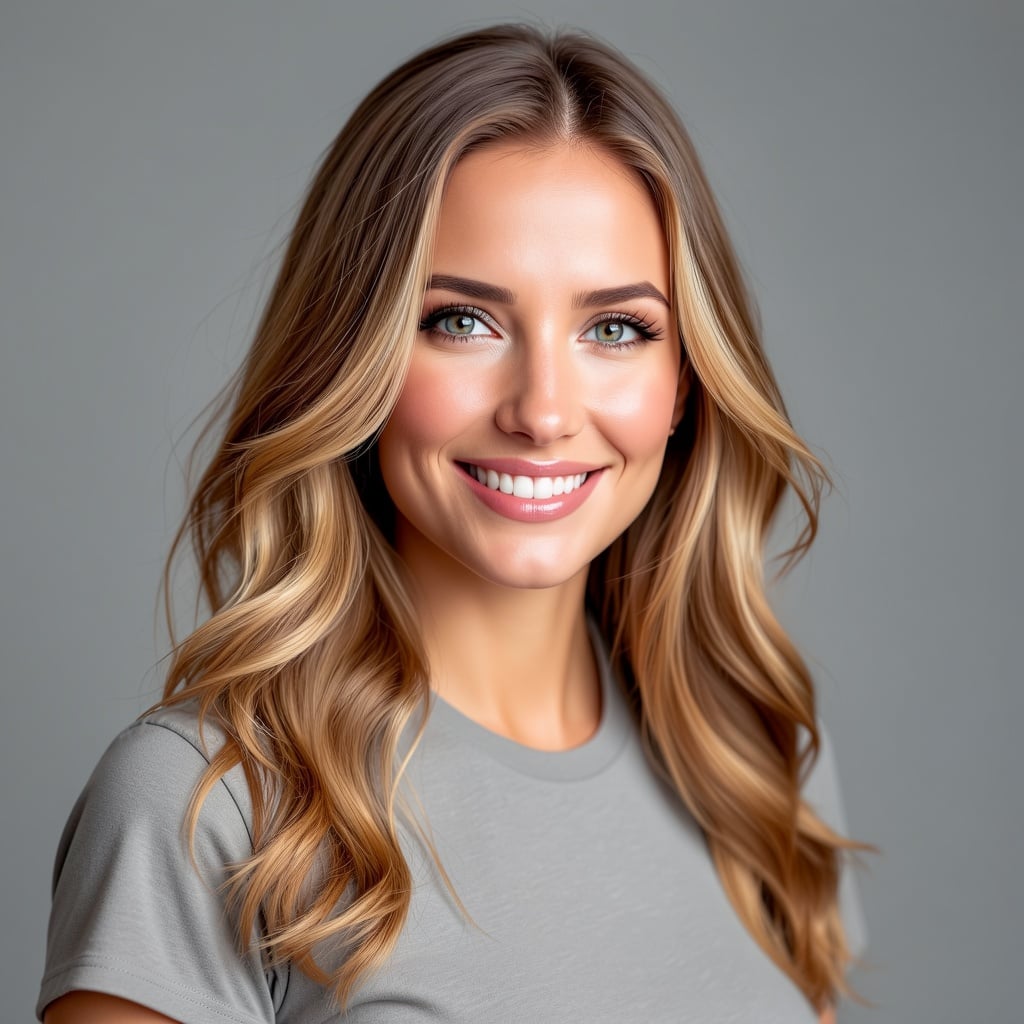
2 credits · chest-up person + flat-lay tee
Person: studio headshot, chest-up, front-facing. Garment: plain grey crew-neck t-shirt on white. Styling: "casual natural fit" (or leave blank).
The cleanest case: a chest-up portrait and a flat-lay top. Framing matches, so the swap is seamless and the background and face are untouched. No styling prompt needed for a straight swap.
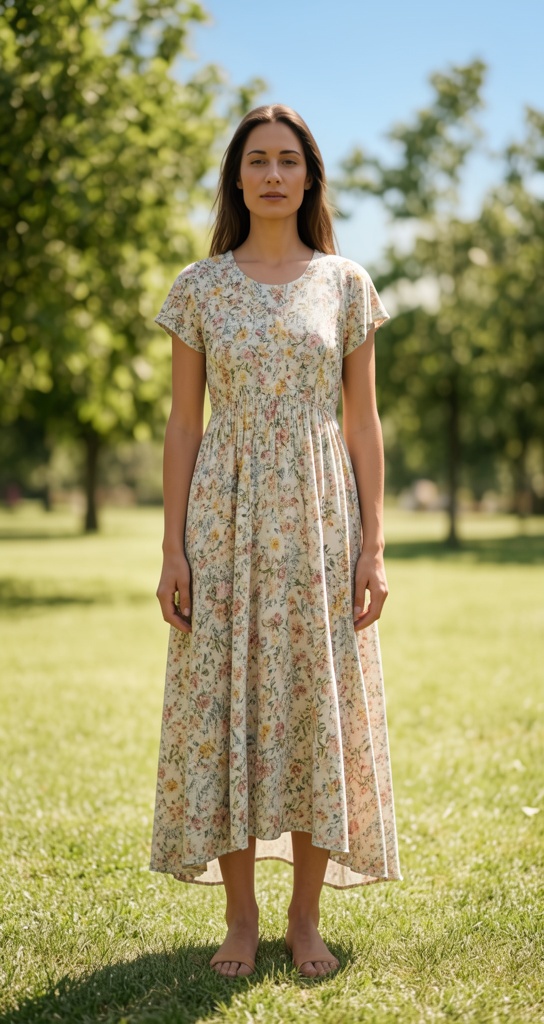
2 credits · full-body person + dress flat-lay
Person: full-length outdoor photo, standing, front-facing. Garment: floral midi dress on white. Styling: "natural full-length drape".
Dresses and full outfits need a full-body person photo so the model has the whole figure to dress. The pose and environment (here, a park) stay exactly as shot — only the outfit changes.
2 credits · styling prompt
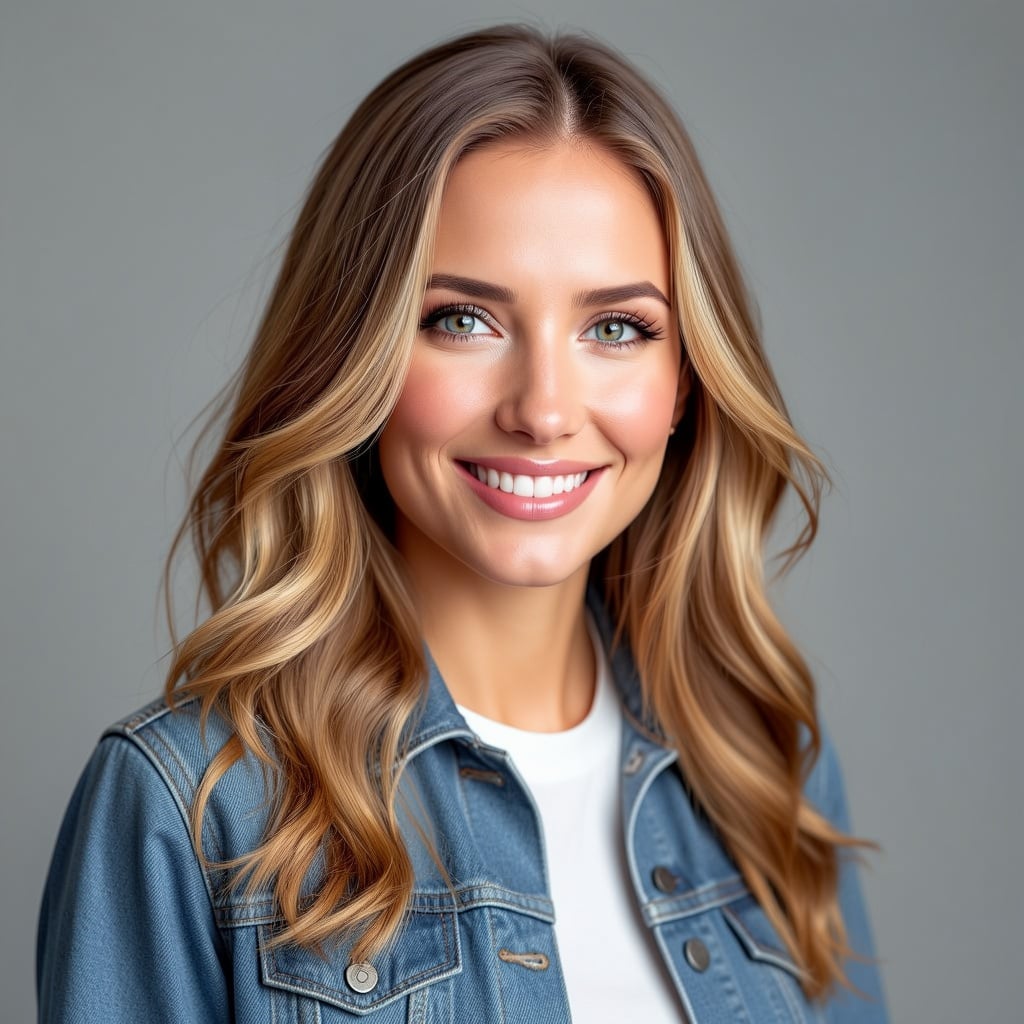
Person: chest-up portrait. Garment: blue denim jacket on white. Styling: "open denim jacket over a plain white tee, relaxed casual".
This is where the styling prompt earns its keep — "open over a white tee" tells the model to layer the jacket rather than button it closed. The same garment image can read as buttoned or open depending on the prompt.
2 credits · styling prompt
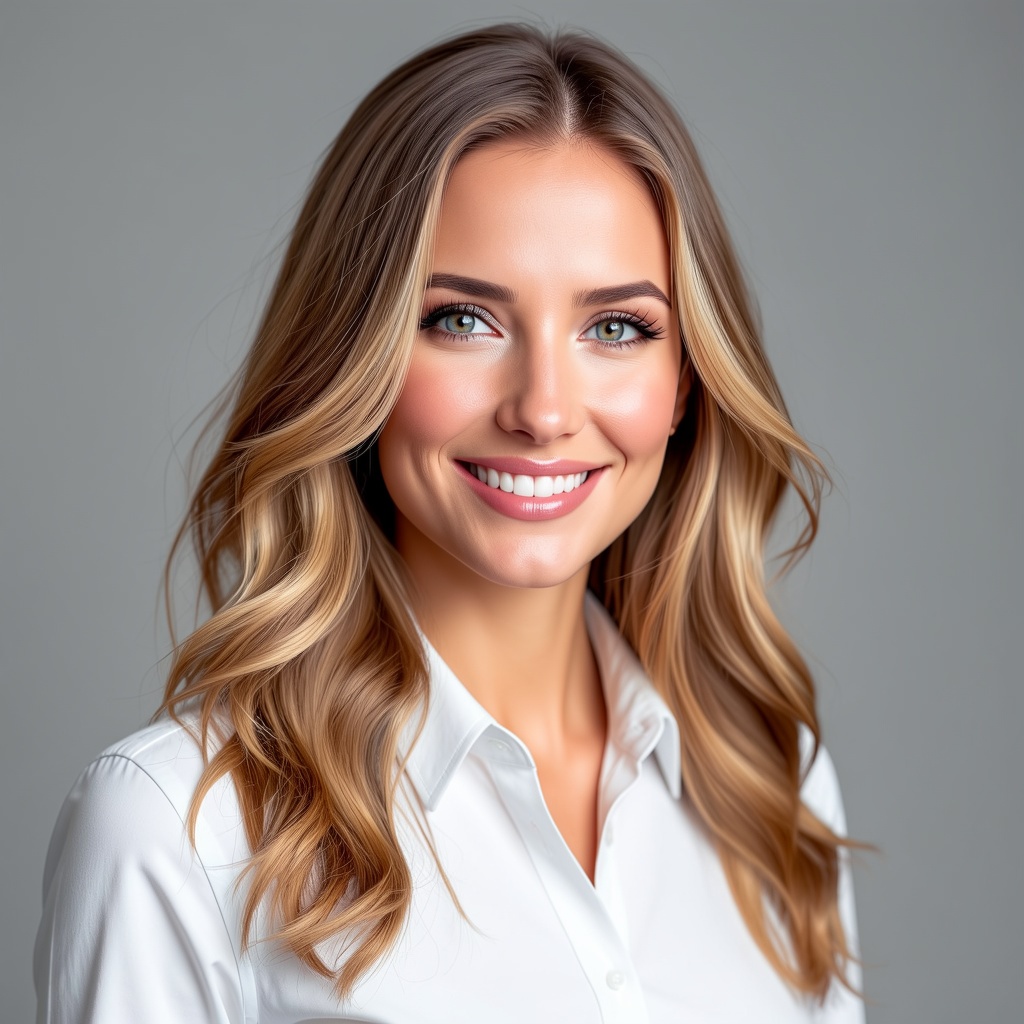
Person: chest-up portrait. Garment: white oxford button-up on white. Styling: "tucked in, collar open".
Fit cues like "tucked in" and "collar open" shape how a formal piece sits. Be specific about the details you care about; vague prompts leave the fit up to the model.
Front-facing or three-quarter, with the area you want dressed clearly visible and unobstructed by hands, bags, or hair. Keep the person image under about 1 MP for the best speed and fidelity.
A flat-lay or plain-background product image works far better than a garment already on a person. Use one image — if you want a multi-piece outfit, merge the pieces into a single garment image first.
Chest-up person for tops and jackets; full-body person for dresses and full outfits. A full garment on a tightly-cropped portrait (or vice versa) is the most common cause of an awkward result.
Spell out how the garment is worn — "tucked in", "open over a white tee", "sleeves rolled", "collar open". This is the lever that separates Flux Pro VTO from a plain swap.
When you just want the garment on as-is, leave the styling prompt empty — a neutral default applies the garment naturally while preserving pose and background.
Lock the seed and change only the styling prompt to compare how "tucked in" vs "untucked" read on the same person and garment. Steps (1–4) trade speed for refinement.
| Setting | Values | Notes |
|---|---|---|
| Person image | Required | The model to dress. Clean, well-lit, front/three-quarter. Recommended under ~1 MP. |
| Garment image | Required | Product/flat-lay shot on a plain background. One image — merge multiple pieces. |
| Styling prompt | Optional text | How the garment is worn. Empty = natural straight swap. |
| Steps | 1–4 | Higher = more refined; default 4. |
| Output format | jpeg · png | jpeg is smaller; png is lossless. |
| Seed | Optional integer | Lock for reproducible A/B comparisons. |
| Pricing | 2 credits | Per try-on result. |
Flux Pro Virtual Try-On uses FLUX Pro — higher fidelity fabric and fit, plus a styling prompt to control how the garment is worn, at 2 credits per result. The free Virtual Try-On (IDM-VTON) is a good quick-draft option; reach for Flux Pro when the output is customer-facing.
A clean product shot — flat-lay or on a plain background — works best, because the model can read the garment clearly. Use a single image; if you want a full multi-piece outfit, combine the pieces into one image before uploading.
A clear, well-lit photo where the area you want dressed is visible and unobstructed. Front-facing or three-quarter angles work best. Match the framing to the garment: chest-up for tops, full-body for dresses and full outfits.
Yes — that's the styling prompt. Phrases like "tucked in", "open over a white tee", or "sleeves rolled" change the fit and drape of the same garment image. Leave it blank for a straight, natural swap.
Yes. Flux Pro VTO preserves the person's face, pose, lighting, and background and changes only the garment — which is what makes the results usable as drop-in catalog or lifestyle images.
Yes. POST to /api/v1/models/flux-pro-vto/run with human_image_url, garment_image_url, and optional prompt, num_inference_steps, output_format, and seed. The output is returned as an image URL.