Riverflow Prompting Guide

Riverflow 2.0.
Clean typography, photoreal, and 4K.

Sourceful Riverflow 2.0 is a text-to-image model with two tiers — Fast for cheap iteration and Pro for finals, including the only true 4K output on Pixel Dojo. It's unusually strong at legible typography and posters, holds painterly styles cleanly, and takes reference images as style/composition guidance (it generates a fresh frame from your prompt — it does not edit the reference).

Riverflow Prompting Guide

Overview

Riverflow 2.0 runs in two variants you pick per generation. Fast is 1 credit per image at 1K or 2K — the iteration tier. Pro is 3 credits at 1K/2K and 7 credits at 4K, and that 4K tier is the highest-resolution output available on Pixel Dojo right now.

It's a generalist that punches above its weight on text rendering (posters, packaging, logos), photoreal portraits and product shots, and painterly illustration. Reference images steer style and composition; Riverflow then writes a brand-new image from your prompt guided by them — it is not an inpainting or edit model.

2

Tiers — Fast · Pro

4K

Pro output (7 credits)

1 / 3

Credits — Fast / Pro at 1K-2K

Key Features

Typography That Actually Reads
Posters, packaging, logos

Typography That Actually Reads

Put the exact words in quotes and Riverflow renders crisp, correctly-spelled type — the area where most image models still fall apart. Great for travel posters, album covers, packaging mockups, and title cards.

Photoreal With Direction
Lenses, lighting, color grade

Photoreal With Direction

Feed it photographic language — focal length, aperture, lighting, color grade — and Riverflow returns convincing photoreal frames with natural skin and material detail. Strong for portraits and editorial work.

Painterly & Illustrated Range
Name the medium

Painterly & Illustrated Range

Call out a medium or art style — watercolor, screen-print, gouache, oil — and Riverflow holds the brushwork and palette instead of defaulting to glossy 3D. Useful for storybook, concept, and editorial illustration.

Fast Tier For Iteration
1 credit, 1K / 2K

Fast Tier For Iteration

Block out composition and prompt wording on the Fast tier at 1 credit, then re-run the keeper on Pro — or Pro 4K for print and hero use. The cost preview updates live as you switch tiers and resolution.

Example Images

Each example shows the exact prompt that produced the result. Copy any prompt with one click.

Vintage Travel Poster

Vintage Travel Poster

Pro · 1:1 · 3 credits

A vintage travel poster of Kyoto in autumn, bold clean typography reading 'KYOTO' across the top, a red pagoda and maple leaves, screen-print texture, limited warm palette, art-deco composition

Quote the literal text you want ('KYOTO') and name a graphic style (art-deco, screen-print). Riverflow renders the lettering cleanly — describe layout ("across the top") so the type lands where you want it.

Cinematic Photoreal Portrait

Cinematic Photoreal Portrait

Pro · 1:1 · 3 credits

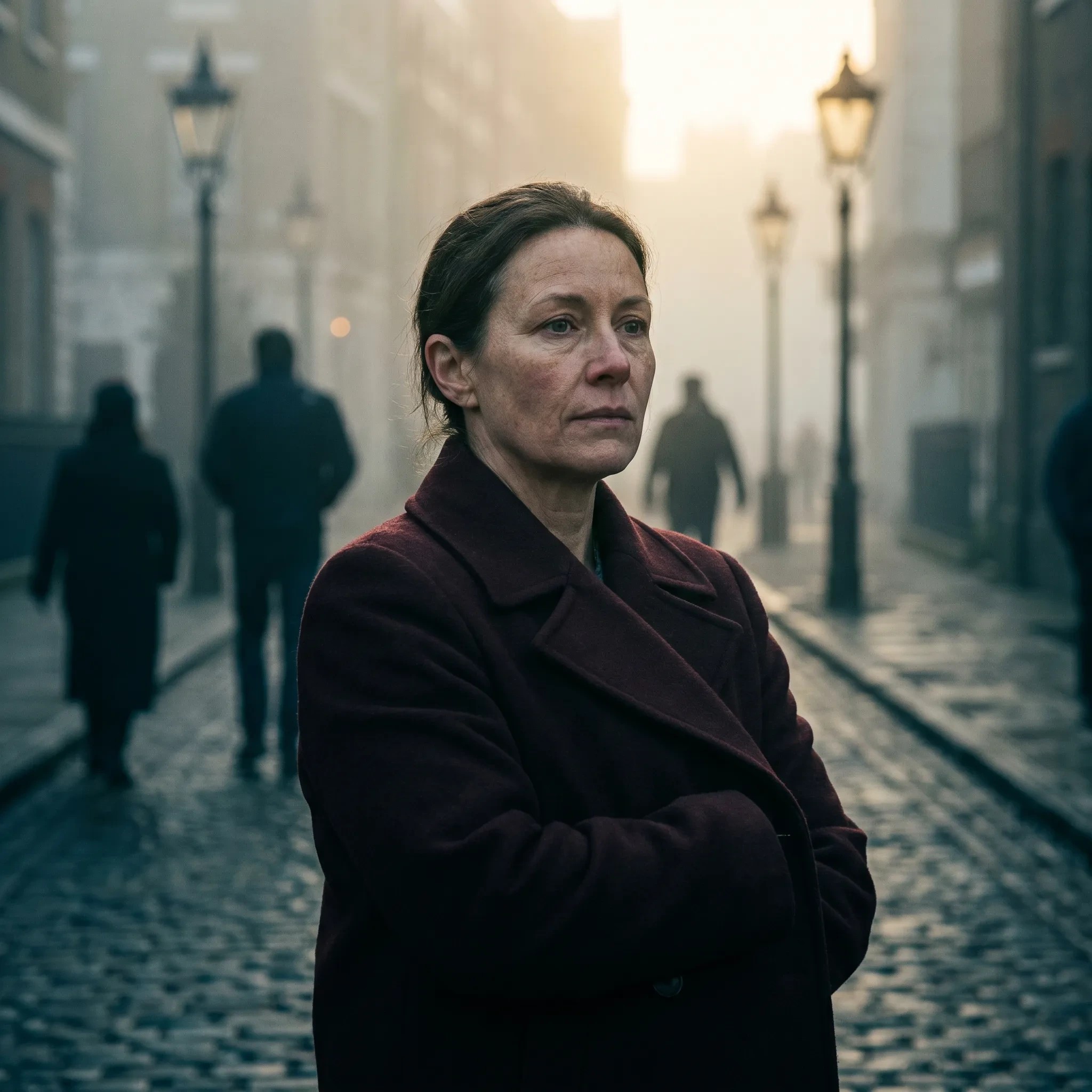
Editorial photoreal portrait of a woman in a deep-red wool coat on a foggy London street at dawn, 85mm lens, shallow depth of field, cinematic color grade, natural skin texture

Lead with the subject, then stack photographic controls: lens (85mm), depth of field, light (foggy dawn), and a color-grade cue. "Natural skin texture" pushes away the plastic look.

Painterly Landscape

Painterly Landscape

Pro · 16:9 · 3 credits

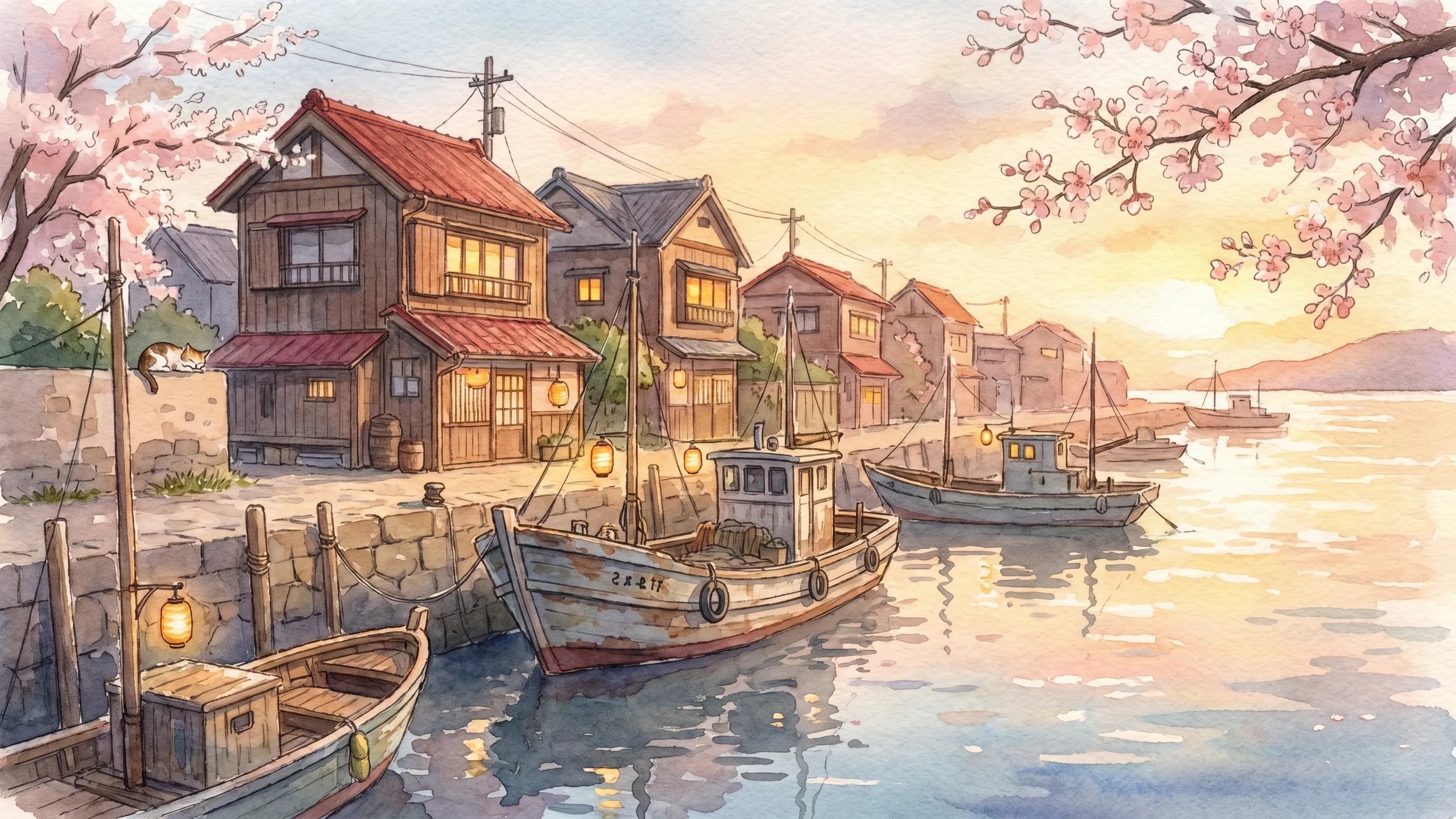
A hand-painted Studio Ghibli-style watercolor of a quiet harbor town at golden hour, fishing boats moored along the dock, warm painterly light, soft brushwork, gentle reflections

Name the medium ("hand-painted watercolor") and a reference aesthetic up front, then describe the scene. Riverflow keeps the brushwork soft instead of rendering it as a photo.

Studio Product Shot

Studio Product Shot

Pro · 1:1 · 3 credits

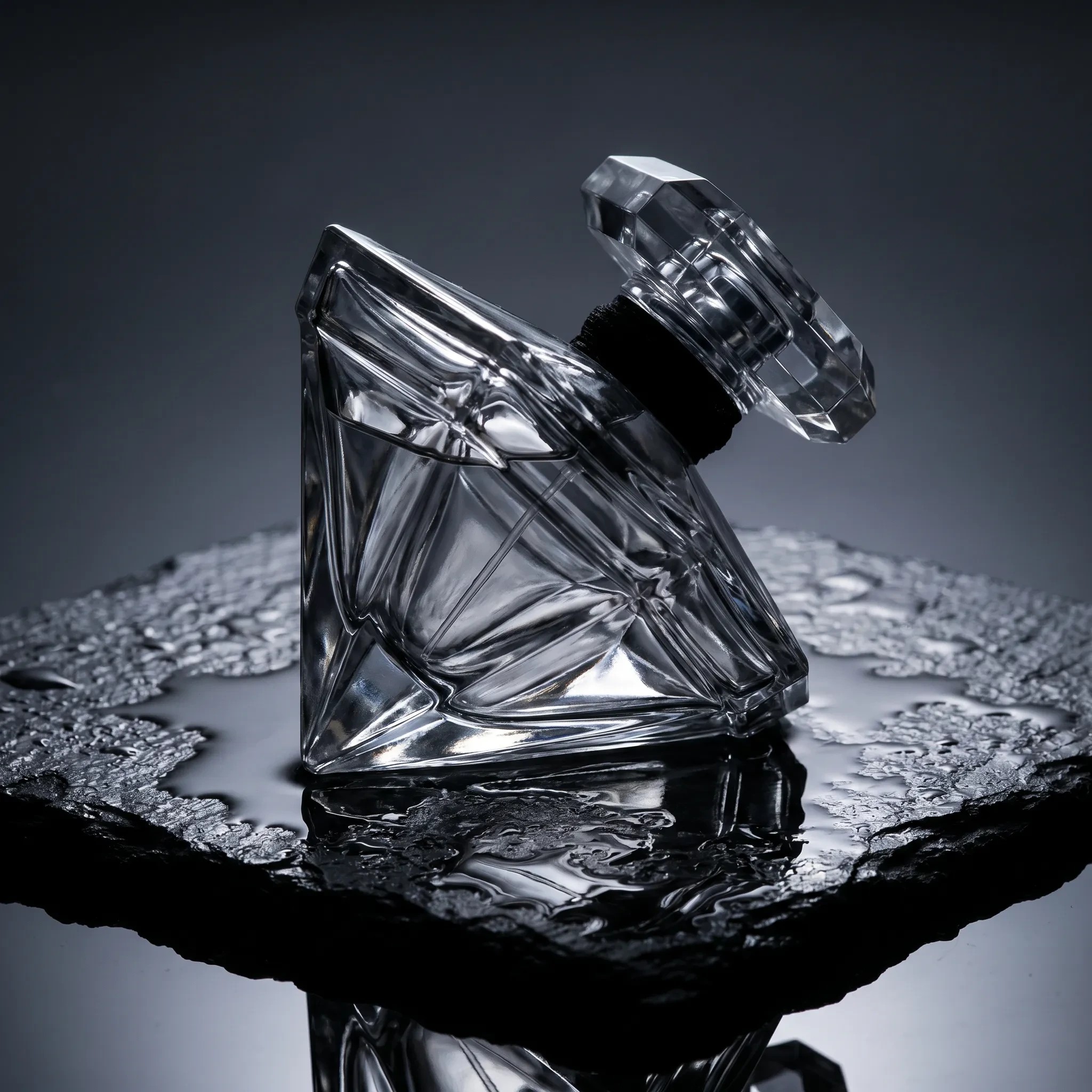
Premium studio product photograph of a faceted glass perfume bottle on wet black stone, dramatic rim lighting, macro detail, crisp reflections, deep shadows, luxury advertising aesthetic

Product work responds to lighting and surface language — "rim lighting", "wet stone", "crisp reflections", "macro detail". Add the intended mood ("luxury advertising") to lock the overall look.

Prompting Tips

Quote the exact text for posters and logos

Typography is Riverflow's standout. Wrap the literal words in quotes — "reading 'KYOTO'" — and add layout hints (across the top, centered). It renders legible, correctly-spelled type far more reliably than most models.

Pick the tier deliberately

Fast (1 credit, 1K/2K) for iteration and volume. Pro (3 credits, 1K/2K) for finished work. Pro 4K (7 credits) for print, large displays, or hero images — it is the only 4K output on Pixel Dojo.

References guide, they don’t edit

Drop in reference images to steer style and composition, but remember Riverflow generates a fresh frame from your prompt — it won't inpaint or modify the reference. For true editing, use an edit model like Luma UNI 1 or a Flux edit tool.

Use photographic language for realism

Focal length, aperture/depth of field, light source and direction, and a color-grade cue do most of the work for photoreal output. Add "natural skin texture" or "film grain" to fight the over-smooth AI look.

Name the medium for illustration

For non-photographic work, lead with the medium — watercolor, gouache, screen-print, ink — and a style reference. Riverflow commits to the medium instead of blending it back toward glossy realism.

Iterate cheap, finalize high

Dial in wording and composition on Fast at 2K, then re-run the winner on Pro — bump to 4K only for the final keeper. The live cost preview means there’s no guesswork on credits.

Settings Reference

SettingValuesNotes
Model variantFast · ProFast = 1 credit (1K/2K). Pro = 3 credits (1K/2K), 7 credits (4K).
Resolution1K · 2K · 4K4K is Pro-only — the highest resolution on Pixel Dojo.
Aspect ratioSquare, widescreen, verticalCombined with resolution to resolve dimensions.
Reference imagesUp to 10Style/composition guidance — not an edit source. Riverflow generates a fresh frame.
Number of outputs1–4Generate variations in one call.
PricingPer imageFast 1 credit. Pro 3 credits (1K/2K) or 7 credits (4K). Scales with output count.

FAQ

Fast (1 credit) is for iteration and volume — nailing composition and prompt wording cheaply at 1K/2K. Pro (3 credits) is for finished work, and Pro 4K (7 credits) is for print, large displays, or hero images. A common workflow: iterate on Fast, finalize on Pro.