Qwen Image Prompting Guide

Qwen Image.
Plus, Max, and pinned snapshots.

Qwen Image is Alibaba's general-purpose image model. Two rolling tiers — qwen-image-plus (fast, balanced) and qwen-image-max (max fidelity) — plus pinned snapshots for reproducibility, smart prompt rewriting, and clean text rendering in Latin and CJK scripts.

Qwen Image hero — cinematic Hokkaido lavender farm

Overview

Qwen Image is Alibaba's image-side flagship — a general-purpose text-to-image model with strong photoreal output and unusually clean text rendering in both Latin and CJK scripts. It ships in two rolling tiers, dated snapshots for pinning, and an optional LoRA path for custom-trained variations.

Plus is the balanced speed/quality tier and the recommended default. Max trades latency for maximum fidelity on hero shots. Dated snapshots (qwen-image-plus-2026-01-09, qwen-image-max-2025-12-30) let you pin a specific version when consistency across a campaign matters. Smart prompt rewriting is on by default — turn it off when you want literal interpretation.

2

Rolling tiers + snapshots
5+

Aspect ratios

Yes

CJK text rendering

Key Features

Plus vs Max Tiers
Speed/quality trade

Plus vs Max Tiers

qwen-image-plus is the balanced default — fast turnaround, strong quality for most production work. qwen-image-max trades speed for max fidelity, recommended for hero shots and final renders where every detail counts. Same prompt language across both.

Clean Text Rendering
Latin + CJK + symbols

Clean Text Rendering

One of Qwen Image's standout strengths — in-image text in Latin scripts AND CJK (Chinese, Japanese, Korean) renders cleanly with proper letterforms. Wrap exact strings in double quotes and the model holds typography reliably.

Smart Prompt Rewriting
Optional expansion on/off

Smart Prompt Rewriting

prompt_extend=true (default) lets the model rewrite your prompt for richer descriptive prose before generation. Useful when your prompt is short. Toggle off when you have precise wording you don't want rephrased.

Stylized + Photoreal
Switches genres cleanly

Stylized + Photoreal

Commits to non-photo aesthetics (watercolor, storybook, pastel illustration) when you commit to them in the prompt. Photoreal by default with no aesthetic-tax for stylized work — same model handles both directions cleanly.

Example Images

Each example shows the exact prompt that produced the result. Copy any prompt with one click.

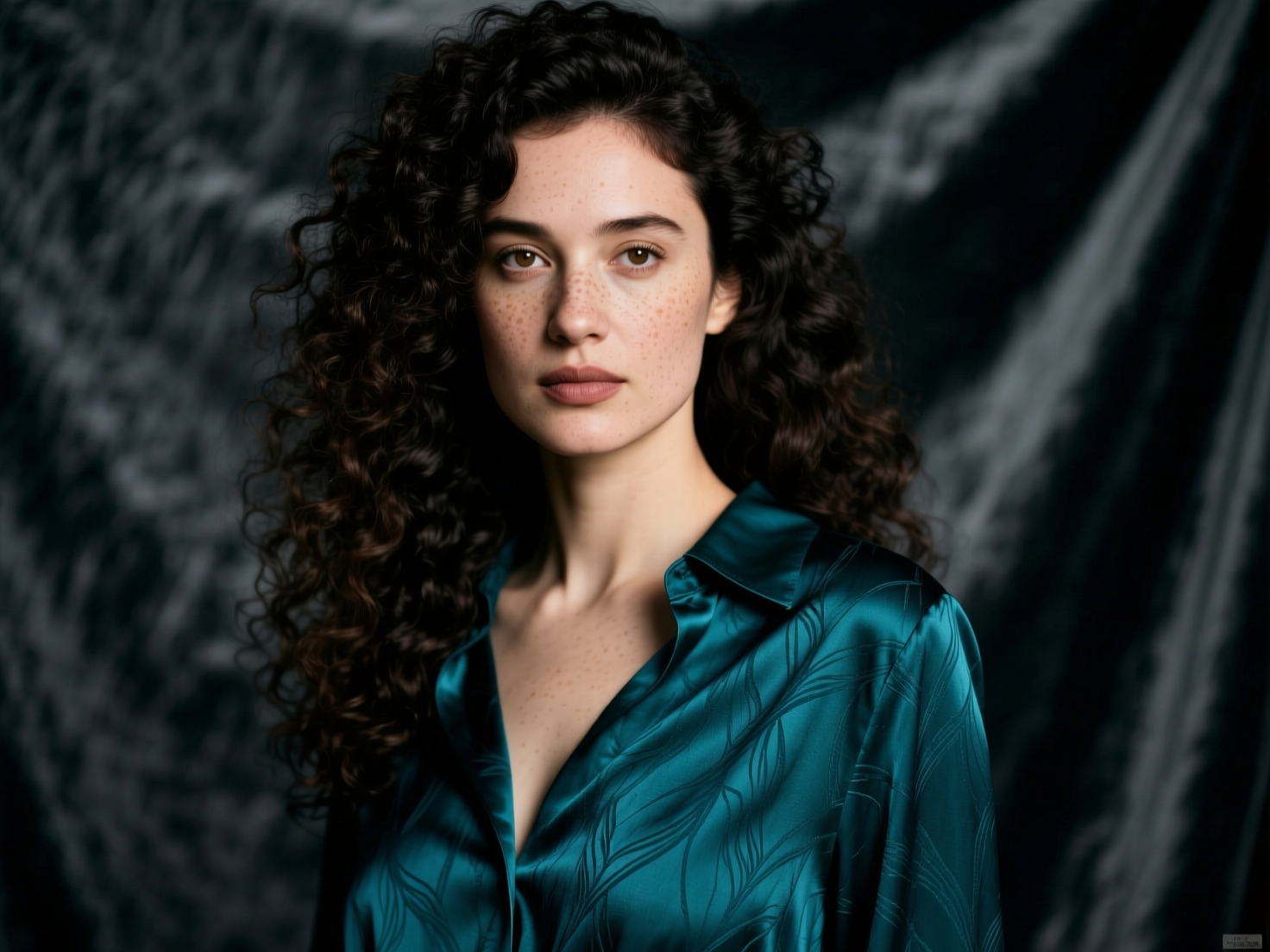
Editorial Portrait

Editorial Portrait

qwen-image-plus · 4:3 · 1 credit

Editorial portrait of a 30-year-old woman with dark curly hair, soft Rembrandt lighting, deep teal silk blouse against a charcoal velvet backdrop, hyper-detailed skin texture, shot on medium format film

Standard editorial recipe — subject + lighting setup + format anchor + texture target. Qwen Image Plus produces strong skin texture and fabric detail at this prompt structure. Use Max tier for the final hero shot.

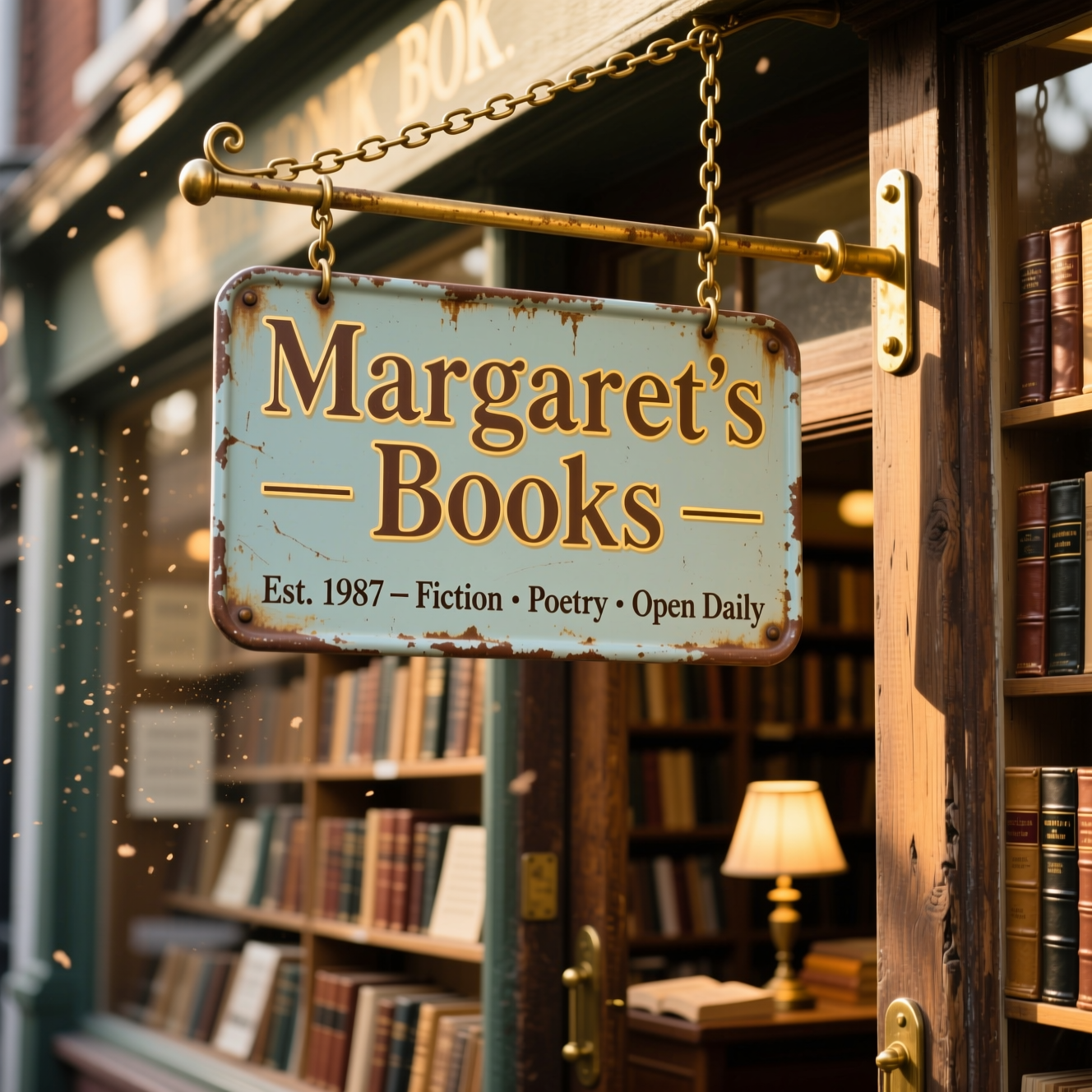
In-Image Text — Bookshop Sign

In-Image Text — Bookshop Sign

qwen-image-plus · 1:1 · 1 credit

A handpainted enamel sign hanging from chains in front of a vintage bookshop, reading "Margaret's Books — Est. 1987 — Fiction · Poetry · Open Daily", weathered paint, brass mounting hardware, golden afternoon light, photoreal

Quote the literal string. Qwen renders multi-line text with proper kerning and weathered paint texture cleanly. Same recipe works for Chinese, Japanese, or Korean text — wrap exact characters in quotes.

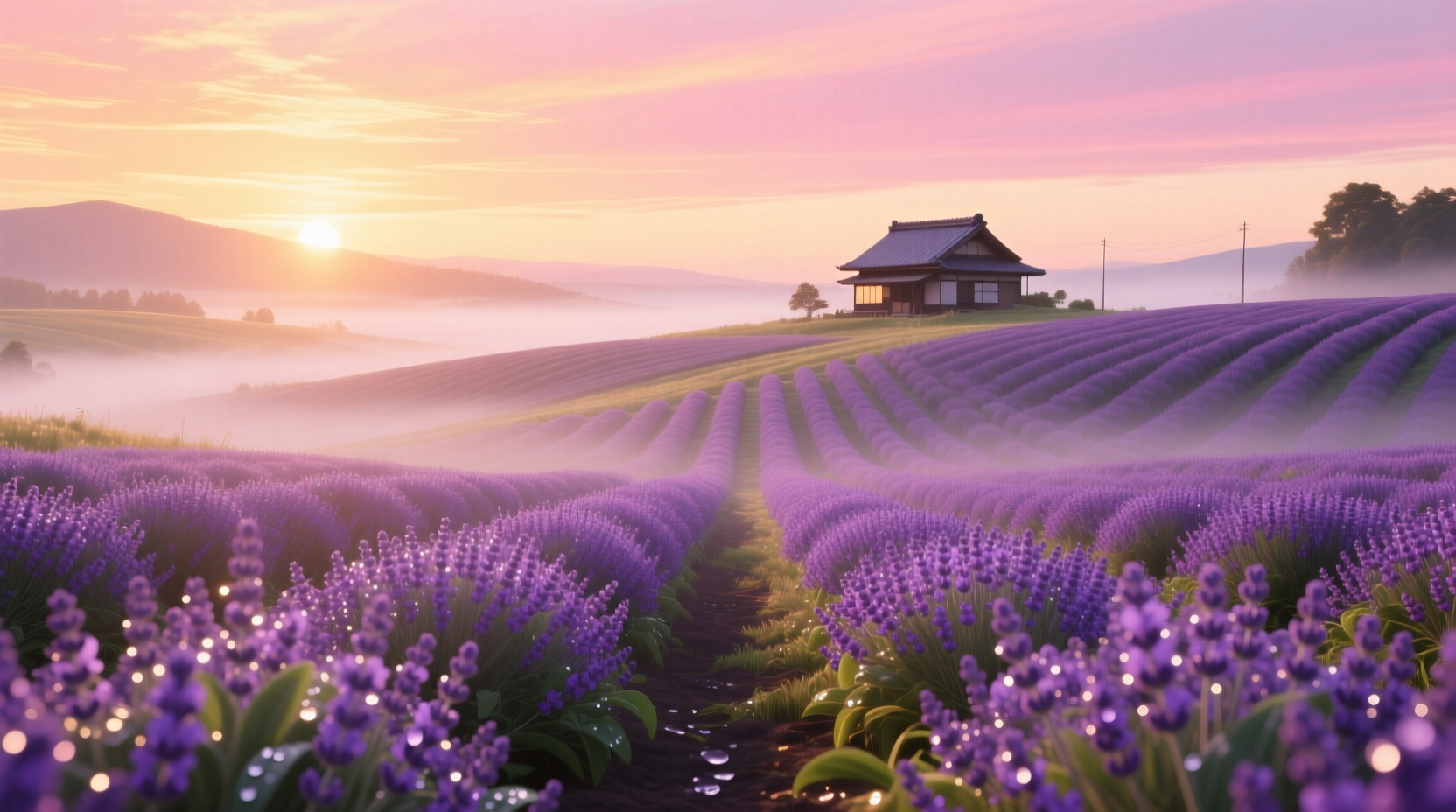
Cinematic Landscape

Cinematic Landscape

qwen-image-plus · 16:9 · 1 credit

Wide cinematic landscape of a Hokkaido lavender farm at sunrise, rolling purple rows leading to a single farmhouse on the horizon, mist clinging to the ground, warm pink-orange sky, hyper-detailed 8k, painterly cinematic

16:9 cinematic landscapes reward "painterly" + atmospheric details (mist, golden hour) over technical camera language. Qwen Image Plus handles depth, atmosphere, and color gradients cleanly without needing "shot on Hasselblad" anchors.

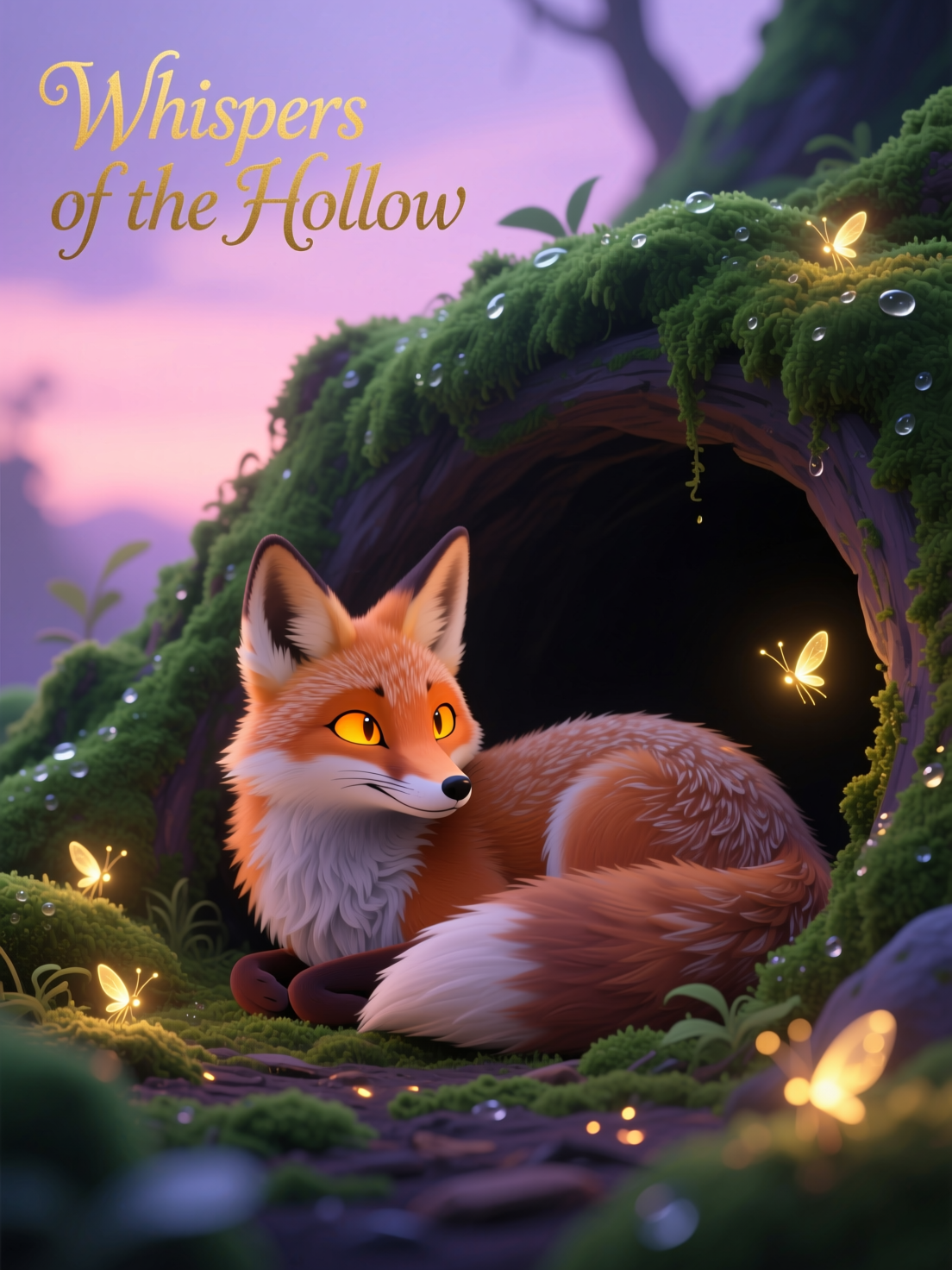
Stylized Illustration

Stylized Illustration

qwen-image-plus · 3:4 · 1 credit

Stylized digital illustration of a fox curled in a mossy hollow at dusk, glowing fireflies drifting around it, soft pastel palette with deep emerald shadows, storybook quality, hand-painted texture

Name the medium ("digital illustration", "hand-painted texture") and the tradition ("storybook") to commit to a non-photo aesthetic. Qwen switches genres cleanly when the prompt does too — vague "stylized" produces photo-illustration hybrids.

Prompting Tips

Default to Plus, finalize in Max

qwen-image-plus is the production sweet spot — fast, 1 credit, strong quality. Use qwen-image-max for hero shots, material-driven scenes (skin, fabric, food), and any time you want the marginal extra fidelity. Plus is fine for 80%+ of iteration.

Pin a snapshot for campaign consistency

Rolling versions evolve. For a campaign where every image needs to look from the same model, pin a dated snapshot (qwen-image-plus-2026-01-09, qwen-image-max-2025-12-30). The snapshot won't shift under you mid-project.

Quote text strings, including CJK

Wrap exact in-image text in double quotes. Qwen Image renders Latin AND Chinese/Japanese/Korean characters cleanly — same recipe applies in any script. Multi-line text holds up better here than on most general models.

prompt_extend on for sparse, off for precise

Smart rewriting helps short prompts get richer output. For precise prompts where wording matters (specific text strings, exact compositions), turn prompt_extend off so your wording isn't paraphrased.

21:9 only via the LoRA path

The DashScope path ships five rec aspect ratios (1:1, 16:9, 9:16, 4:3, 3:4). Ultra-wide 21:9 only renders cleanly on the Replicate LoRA path. If you need cinematic 21:9, attach a LoRA reference or use FLUX / Seedream / WAN Image instead.

Use negative prompts sparingly

Qwen accepts a negative_prompt (max 500 chars) but is well-tuned out of the box. Short focused negatives ('blurry, distorted hands, low quality') help — over-stuffed negatives can strip detail you'd want.

Settings Reference

SettingValuesNotes
Modelqwen-image-plus · qwen-image-max · snapshots · qwen-image (legacy)Plus is default. Max for fidelity. Snapshots for pinning. LoRA path uses Replicate.
Aspect ratio1:1 · 16:9 · 9:16 · 4:3 · 3:4 · 21:9 (LoRA only)Five recommended aspects on DashScope. 21:9 only on the LoRA Replicate path.
Negative promptString, max 500 charsOptional. Keep short and focused.
Prompt extendBoolean (default true)Smart rewriting. Turn off for literal prompt interpretation.
WatermarkBoolean (default false)Adds a "Qwen-Image" watermark to the bottom-right corner when on.
LoRA pathProvide lora_weightsSwitches to Replicate backend with steps/guidance controls.

FAQ

Qwen Image is the original DashScope family with Plus/Max tiers and snapshot pinning. Qwen Image 2 is a newer iteration with different defaults. Both stay live — Qwen Image is the stable production workhorse; Qwen Image 2 is for tasks where the newer aesthetic suits better. Same prompt language carries between them.