Luma UNI 1 Prompting Guide

Luma UNI 1.
Generate and edit, Standard or MAX.

Luma UNI 1 does both text-to-image and reference-guided editing from one prompt box, in two tiers: Standard at 1 credit for fast iteration, and MAX at 3 credits for the quality-first variant. It ships ~3K output across seven aspect ratios, takes up to eight reference images for edits, and has an optional manga style preset.

Luma UNI 1 Prompting Guide

Overview

Luma UNI 1 is a unified generate-and-edit model. With no reference image it's text-to-image; add one or more references and it switches to edit mode, restyling or recomposing them while following your prompt. You pick the tier per generation — Standard (1 credit) is fast and clean, MAX (3 credits) pushes detail and fidelity.

Output lands around 3K across 1:1, 16:9, 9:16, 3:2, 2:3, 2:1, and 1:2 — wide enough for print crops without a separate upscale. The optional manga preset biases the look toward inked panels; otherwise the model stays photoreal or follows whatever medium you describe.

2

Tiers — Standard · MAX

~3K

Native resolution

8

Reference images for edits

Key Features

Generate or Edit, One Box
References flip it to edit mode

Generate or Edit, One Box

No reference image means text-to-image. Add one and Luma switches to edit mode — restyling, recomposing, or extending the reference while following your prompt. Same prompt box, two workflows.

MAX For Detail
3 credits, quality-first

MAX For Detail

MAX is the variant to reach for on hero shots — dense concept scenes, photoreal portraits, anything where fidelity matters. Standard handles the bulk of iteration at a third of the cost; switch up only when the frame is a keeper.

~3K Native Output
Seven aspect ratios

~3K Native Output

Every generation lands around 3K across square, widescreen, vertical, and the ultrawide 2:1 / 1:2 ratios — enough resolution for print crops and large displays without a separate upscale pass.

Manga Style Preset
Inked panels on demand

Manga Style Preset

Flip the style to manga and Luma biases toward crisp ink lines and screentone shading. It's a one-switch shortcut to the look — available on text-to-image (the preset is off when you supply reference images).

Example Images

Each example shows the exact prompt that produced the result. Copy any prompt with one click.

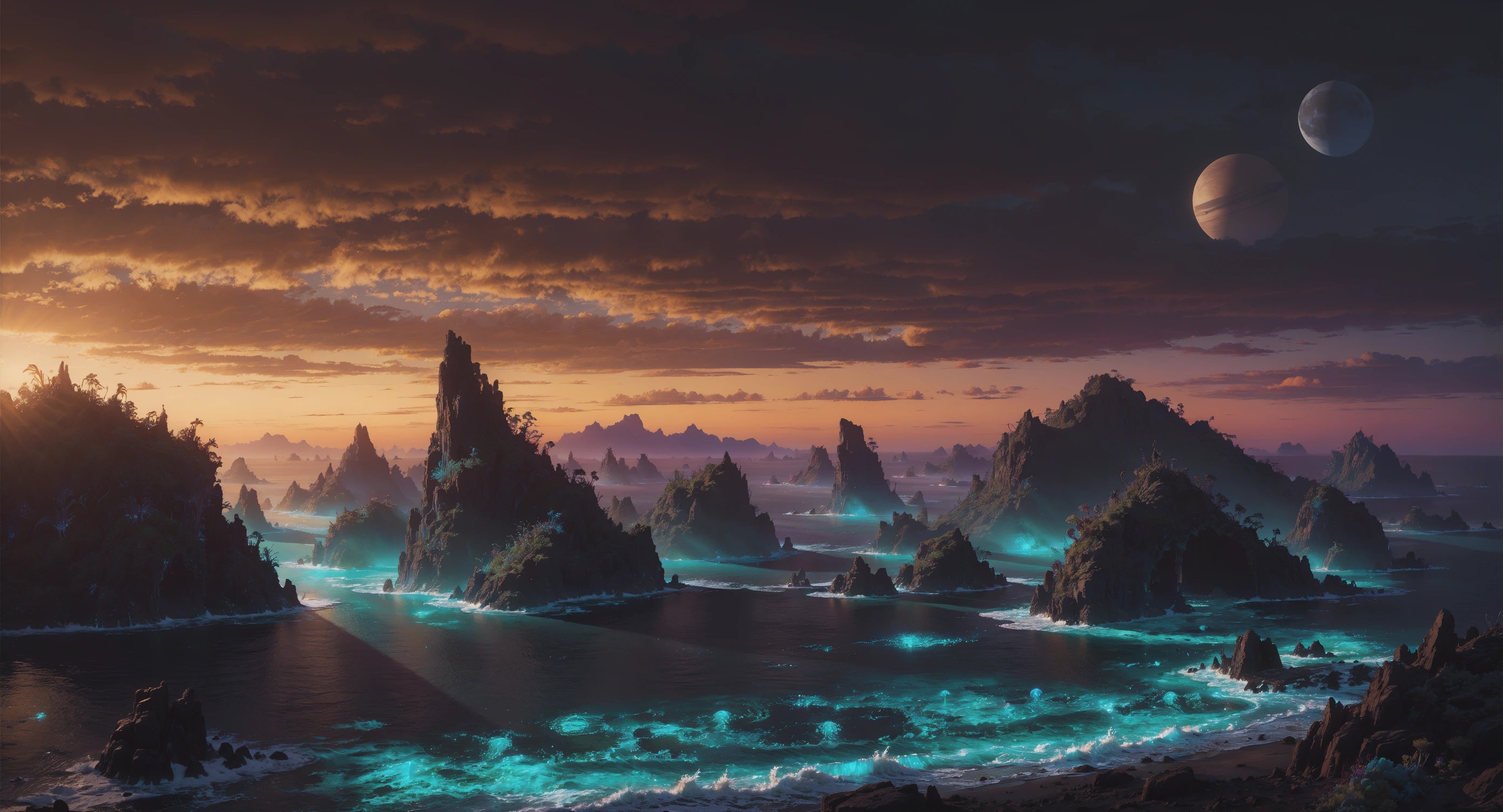
Detail-Dense Concept Scene

Detail-Dense Concept Scene

MAX · 16:9 · 3 credits

A sweeping alien archipelago at sunset, bioluminescent turquoise water between jagged islands, distant twin moons, cinematic concept art, volumetric light, ultra-detailed

MAX earns its credits on busy scenes — atmospheric light, lots of small detail, wide vistas. Stack the scene cues (bioluminescence, twin moons, volumetric light) and let MAX resolve them cleanly.

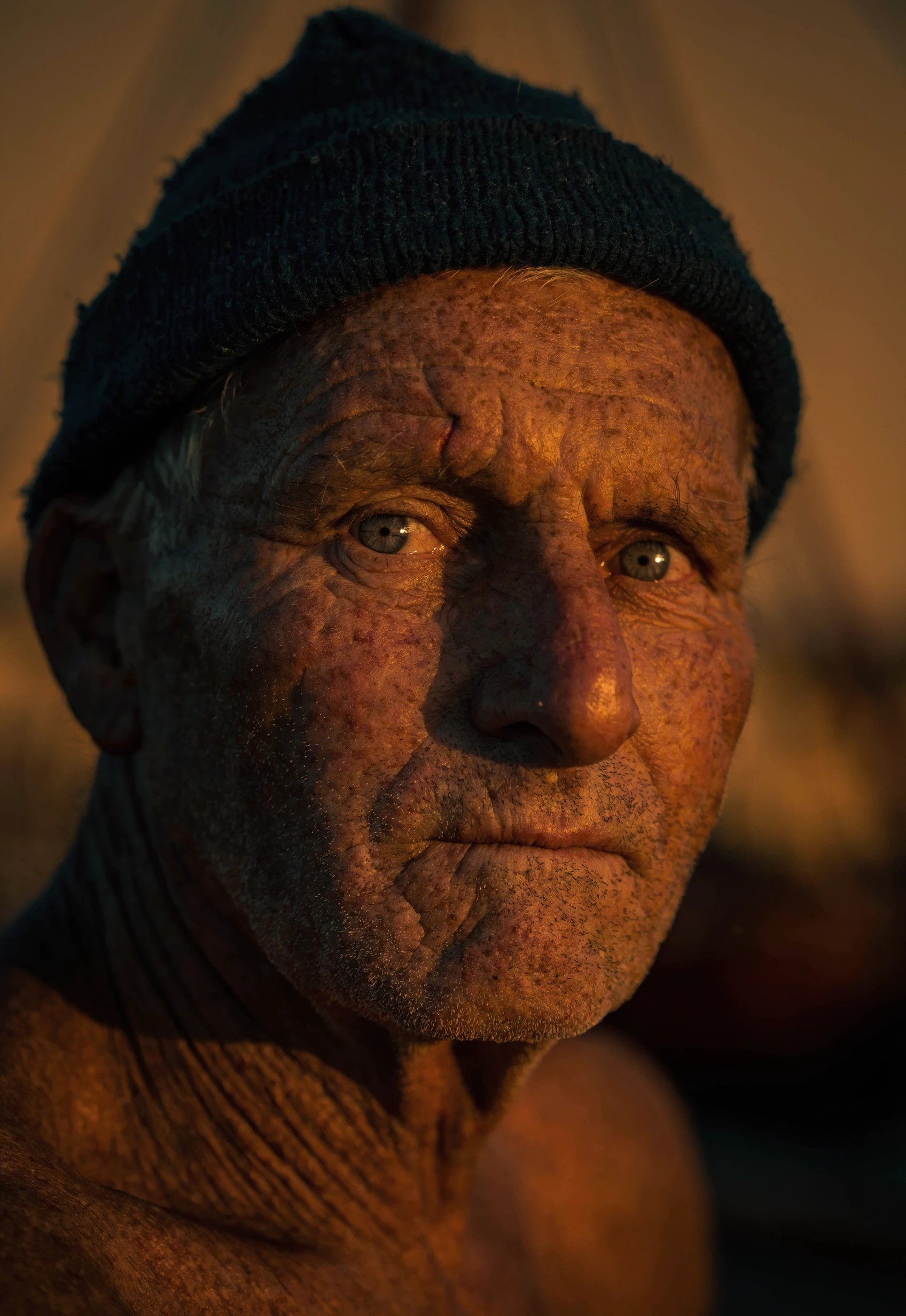
Photoreal Character Portrait

Photoreal Character Portrait

MAX · 2:3 · 3 credits

Photoreal portrait of a weathered elderly fisherman, deep wrinkles, knit cap, golden-hour light, documentary photography, sharp catchlight in the eyes, shallow depth of field

For faces, MAX holds skin texture and micro-detail that Standard softens. Documentary cues ("golden-hour light", "sharp catchlight", "shallow depth of field") give it a clear photographic target.

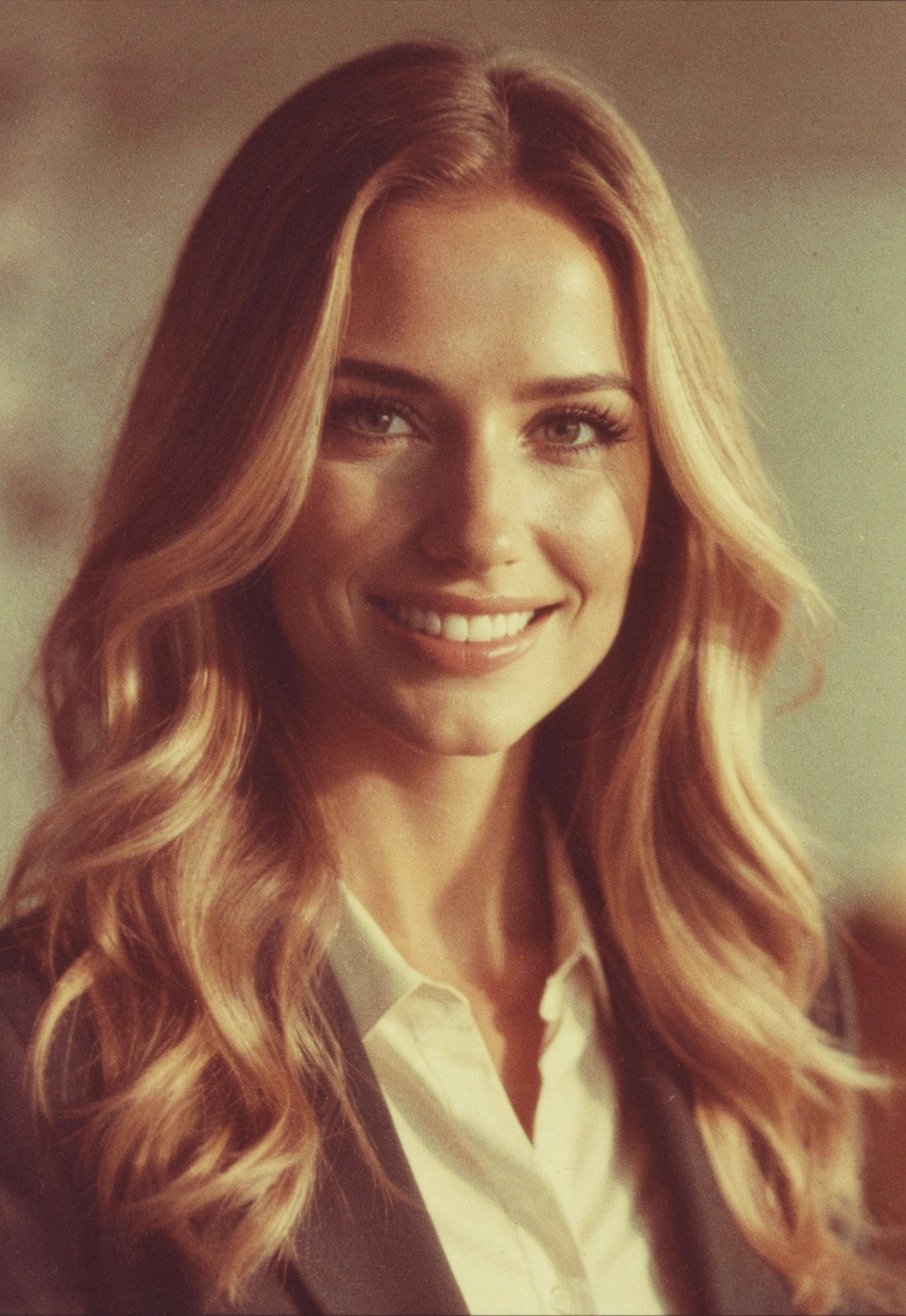
Edit Mode: Restyle a Reference

Edit Mode: Restyle a Reference

MAX · 2:3 · reference image · 3 credits

Restyle this portrait as a 1970s film still — warm Kodachrome grain, soft directional window light, muted earth tones, vintage cinematic color, keep the subject identity

Supply a portrait as a reference and describe only the change — film era, grain, color, light. "Keep the subject identity" tells Luma to restyle rather than reinvent the person.

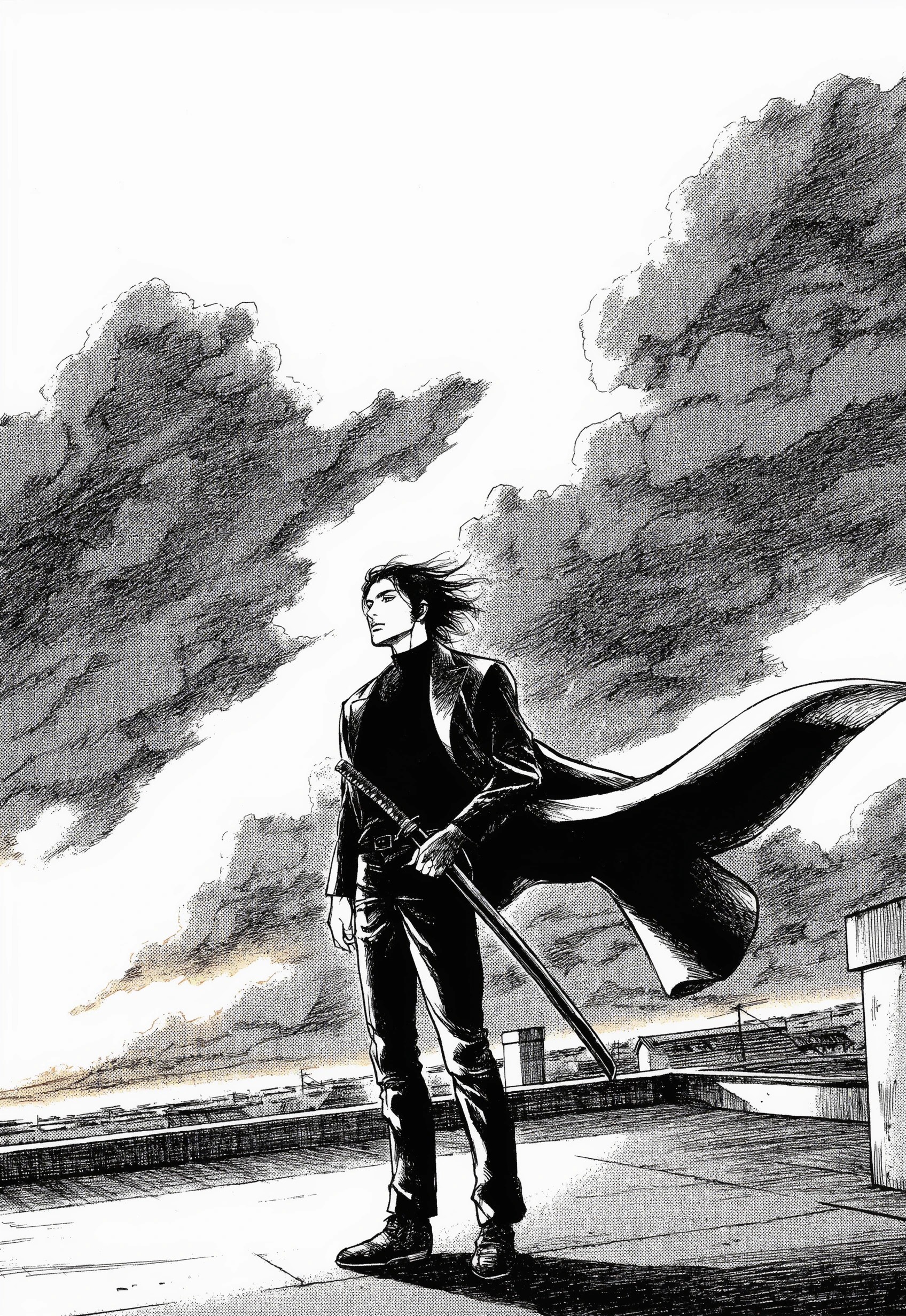
Manga Panel (Standard)

Manga Panel (Standard)

Standard · 2:3 · manga style · 1 credit

A lone swordsman standing on a rooftop at dusk, wind catching his long coat, dramatic clouds behind, dynamic panel composition, crisp ink lines and screentone shading

Turn the style preset to manga and describe composition like a panel. Standard is plenty for stylized line work — you don't need MAX when the look is graphic rather than photoreal.

Prompting Tips

Standard for iteration, MAX for keepers

Standard (1 credit) is fast and clean — use it to find the composition and wording. Switch to MAX (3 credits) only for the final frame, dense scenes, or photoreal faces where the extra fidelity shows.

Add a reference to enter edit mode

With no reference, Luma generates from scratch. Add one (or up to eight) and it edits — restyle, recompose, extend. In edit mode, describe the change, not the whole scene, so the model keeps what you want from the source.

Use the manga preset for inked looks

The manga style switch is the fastest route to crisp ink-and-screentone panels. It applies to text-to-image; when you supply reference images the preset turns off, so style those edits through the prompt instead.

Lean on ~3K for print and crops

Output is already around 3K, so you can crop in or send to print without a separate upscale for most uses. Pick the aspect ratio to match the final placement — including 2:1 / 1:2 for ultrawide banners and tall posters.

Keep multi-reference edits coherent

You can pass up to eight references, but conflicting styles pull the result in different directions. Group references that share a look or purpose, and name in the prompt what each should contribute.

Say "keep the subject" when restyling people

When editing a portrait, an explicit identity cue ("keep the subject identity / same face") biases Luma toward restyling rather than redrawing the person — important for character continuity.

Settings Reference

SettingValuesNotes
Model variantStandard · MAXStandard = 1 credit (fast). MAX = 3 credits (quality-first).
ModeText-to-image · EditAdding reference images switches to edit mode automatically.
Aspect ratio1:1 · 16:9 · 9:16 · 3:2 · 2:3 · 2:1 · 1:2Seven presets resolving to ~3K dimensions.
Reference imagesUp to 8Edit / guidance source. More refs = more to reconcile.
Styleauto · mangamanga biases toward inked panels; available on text-to-image only.
Number of outputs1–4Variations per call; multiplies credit cost.
PricingPer imageStandard 1 credit, MAX 3 credits.

FAQ

Standard (1 credit) is the fast, clean tier for iteration and most everyday work. MAX (3 credits) is quality-first — it resolves more detail on dense scenes and photoreal faces. Iterate on Standard, finalize on MAX when the extra fidelity is worth it.