 FLUX 3 Klein
 Qwen Image 2.1
 MiniMax H3 Turbo video
 310+ video effects
PixelDojo for ComfyUI
Integrate PixelDojo's image generation directly into your ComfyUI workflows
Quick Start Guide
Get up and running with PixelDojo in ComfyUI in minutes
Install the Extension
Install the PixelDojo extension in ComfyUI using the ComfyUI Manager or manually.
cd custom_nodes
git clone https://github.com/blovett80/ComfyUI-PixelDojoSet Up Your API Key
Choose one of the three methods to set up your API key.
Set the PIXELDOJO_API_KEY environment variable before starting ComfyUI.
set PIXELDOJO_API_KEY=your_api_key_here
export PIXELDOJO_API_KEY=your_api_key_here
Use the PixelDojo Node
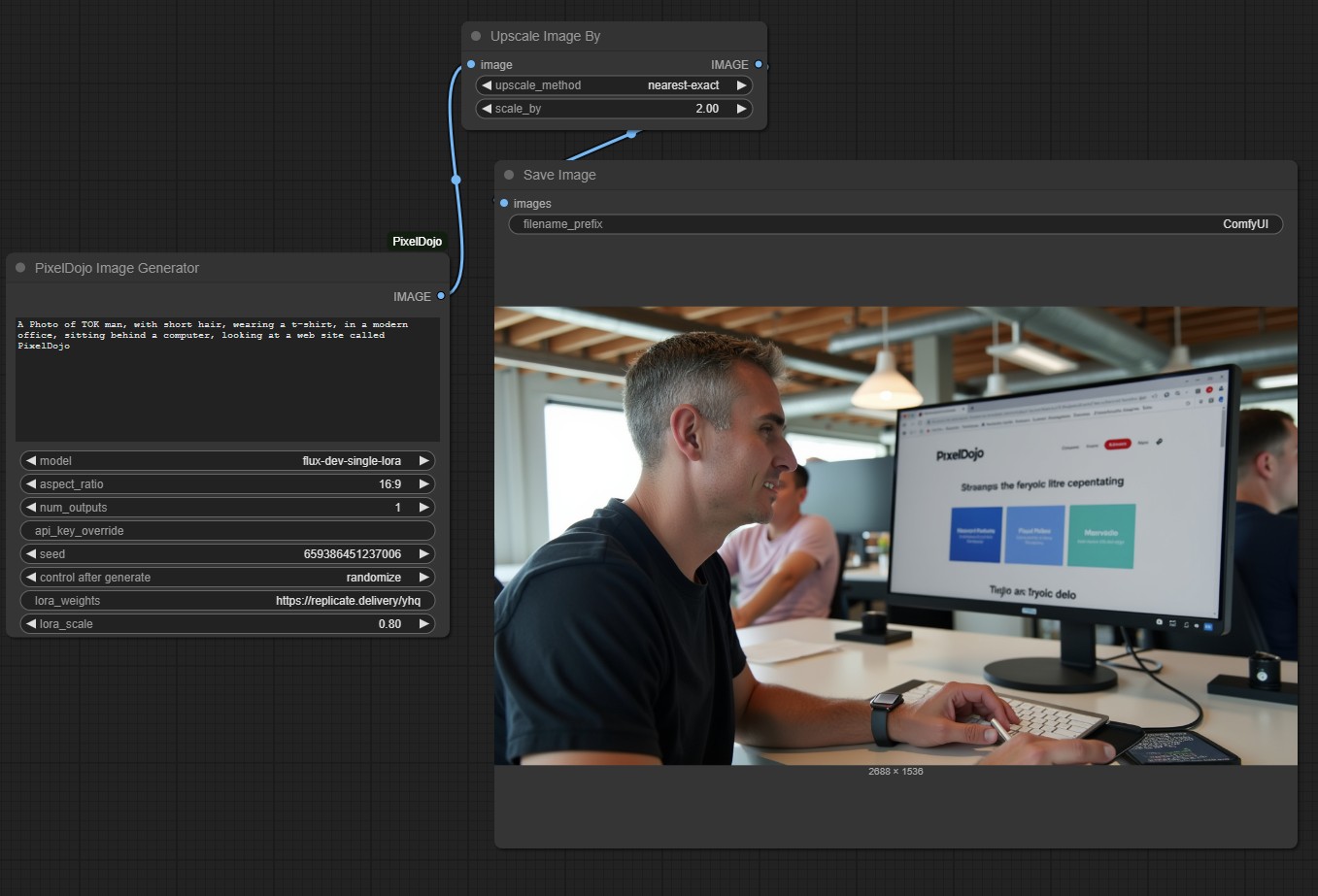
Add the "PixelDojo Image Generator" node to your ComfyUI workflow. You'll find it in the "PixelDojo" category in the node browser.
Example Workflows
Download and try these example workflows to get started
Basic Workflow
Simple image generation with PixelDojo
Advanced Workflow
Image generation with upscaling
LoRA Workflow
Using LoRA models with PixelDojo
Node Parameters
Available parameters for the PixelDojo Image Generator node
promptThe text prompt for image generation
modelThe PixelDojo model to use
aspect_ratioThe aspect ratio for generated images
num_outputsNumber of images to generate (1-4)
api_key_overrideOptional field to directly input your API key
seedRandom seed for reproducible results
lora_weightsLoRA model to use (for flux-dev-single-lora)
lora_scaleStrength of the LoRA effect (0.0-1.0)
Documentation & Resources
Learn more about using PixelDojo with ComfyUI
GitHub Repository
Source code and detailed documentation
API Documentation
Learn about the PixelDojo API
ComfyUI Documentation
Official ComfyUI documentation
Manage API Keys
Create and manage your API keys
Usage Dashboard
Check request logs and remaining credits
Buy Credits
Top up prepaid credits for ComfyUI jobs
Frequently Asked Questions
Do I need a PixelDojo subscription to use this?
No. The PixelDojo API works with prepaid credits. Any signed-in user can create an API key and buy credits. Each image generated costs 1 credit.
How do I check my remaining credits?
You can check your remaining credits in the API Usage section or in your PixelDojo dashboard.
Can I use custom LoRA models?
Yes, you can use custom LoRA models with the flux-dev-single-lora model. Simply provide the Hugging Face model path in the lora_weights parameter.
How do I update the extension?
If you installed via the ComfyUI Manager, you can update through the manager. If you installed manually, navigate to the extension directory and pull the latest changes from GitHub.
Are the generated images stored anywhere?
Images generated through the API are stored on PixelDojo servers for 1 hour. When you save images through ComfyUI, they are saved locally on your computer.