AI video effect · Halloween
Zombie Patient: stumble out of a flickering hospital ward
Upload a photo, press Generate, and post it anywhere.
3 free every day. No card needed.
What Zombie Patient does
The scene turns into an empty hospital corridor with flickering lights. You wear a pale blue gown, your skin turns grey-green and you lurch toward the camera.
Stumble out of a flickering hospital ward
You become a pale, grey-skinned zombie in a hospital gown, lurching down a flickering hospital corridor. Full-body photos work best.
Still looks like you
The video opens on your exact photo, so the face, hair, outfit and surroundings carry through the whole effect.
Ready for spooky season
A costume-free Halloween look for posts, party invites and profile videos. Spooky and fun, never gory.
How to make a Zombie Patient video
- Upload a photo, or pick one from your library.
- Press Generate. There is no prompt to write; the effect is already set up.
- Your 5 second HD video plays right on the page. Save it to your library or download it.
Tips for the best photo
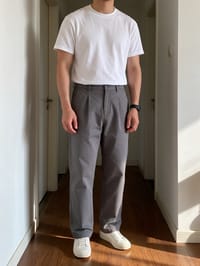
- Use a full-body photo, standing straight, so the walk reads clearly.
- Light, simple clothing will be swapped easily for the gown.
- Pick a simple background.
Ideas for using it
- A Halloween party invite with a campy scare.
- A short horror gag for a costume contest post.
- A profile video for a haunted-attraction account.
More effects



Go further
Zombie Patient FAQ
Is there blood?
No. It is a pale, spooky zombie look with no blood or gore.
Will my face still look like me?
Your face carries over, with a ghostly pale tint added.
Do I need to write a prompt for Zombie Patient?
No. Zombie Patient is a ready-made effect: upload a photo and press Generate. The directions for the motion, camera and lighting are already built in.
How long is the Zombie Patient video?
Every effect makes a 5 second HD video that matches the shape of your photo, portrait or landscape, ready to post anywhere.
Does the video have sound?
Yes. Each clip comes with matching ambient sound effects. It does not add music, so you can lay your own track over it in any editor.
Can I use a photo of someone else?
Only photos of adults, of yourself or of people who agreed to it. Every upload goes through the same safety checks as the rest of PixelDojo.