AI video effect · Camera Moves
Spiral Up: the camera spirals up and away
Upload a photo, press Generate, and post it anywhere.
3 free every day. No card needed.
What Spiral Up does
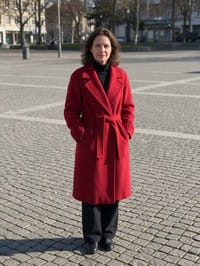
The clip starts at eye level with the subject standing in an open square. The camera circles around them while rising higher and higher, and it ends looking straight down at them on the ground with their long shadow stretching out.
The camera spirals up and away
The camera circles your subject while rising high above them, ending on a top-down view. Outdoor photos work best.
Still looks like you
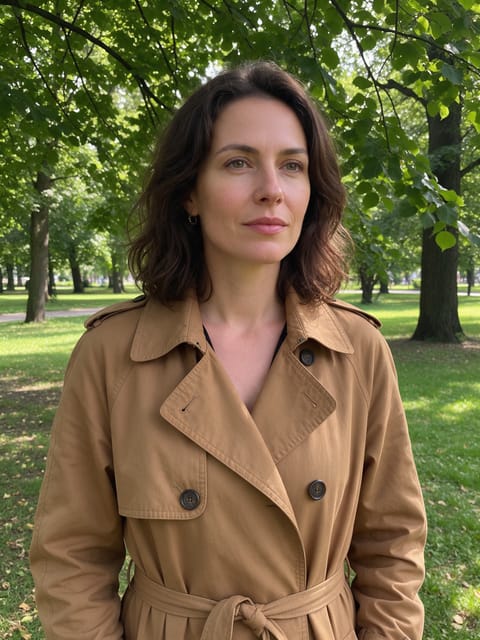
The video opens on your exact photo, so the face, hair, outfit and surroundings carry through the whole effect.
A cinematic camera move from a still photo
The kind of shot that normally takes a drone, a gimbal or a crane, made from one photo. Great as an intro, a reveal or a transition between scenes.
How to make a Spiral Up video
- Upload a photo, or pick one from your library.
- Press Generate. There is no prompt to write; the effect is already set up.
- Your 5 second HD video plays right on the page. Save it to your library or download it.
Tips for the best photo
- Use an outdoor photo with open ground around the subject, like a plaza, beach or field.
- A bright or bold outfit helps the subject stay visible from high above.
- Sunny days give a strong shadow, which makes the overhead view more striking.
Ideas for using it
- A traveler posting a dramatic shot from a famous square on a trip recap.
- A wedding planner making a teaser for an outdoor venue.
- A runner or cyclist marking the end of a big race.
More effects


Go further
Spiral Up FAQ
Do I need a drone photo?
No. Start with a normal eye level photo and the effect creates the rising, circling move.
Will an indoor photo work?
Outdoor photos work best, with open sky for the camera to rise into.
Do I need to write a prompt for Spiral Up?
No. Spiral Up is a ready-made effect: upload a photo and press Generate. The directions for the motion, camera and lighting are already built in.
How long is the Spiral Up video?
Every effect makes a 5 second HD video that matches the shape of your photo, portrait or landscape, ready to post anywhere.
Does the video have sound?
Yes. Each clip comes with matching ambient sound effects. It does not add music, so you can lay your own track over it in any editor.
Can I use a photo of someone else?
Only photos of adults, of yourself or of people who agreed to it. Every upload goes through the same safety checks as the rest of PixelDojo.