AI video effect · Transform
Tarot Card: become the art on a mystic card
Upload a photo, press Generate, and post it anywhere.

3 free every day. No card needed.
What Tarot Card does
A flash of light turns your photo into a candlelit scene on a dark velvet table. A fortune card lifts into view showing a painted portrait of you in flowing robes, and gold dust swirls around it.
Become the art on a mystic card
Your photo turns into an ornate fortune card that flips over on a velvet table. Clear face photos work best.
Still looks like you
The video opens on your exact photo, so the face, hair, outfit and surroundings carry through the whole effect.
A full transformation in one shot
The change happens on camera in one continuous take, so viewers see the before and the after in the same clip.
How to make a Tarot Card video
- Upload a photo, or pick one from your library.
- Press Generate. There is no prompt to write; the effect is already set up.
- Your 5 second HD video plays right on the page. Save it to your library or download it.
Tips for the best photo
- Use a clear front facing portrait with your whole face visible.
- Keep your hair away from your face, since the painted portrait copies it.
- Choose even lighting without harsh shadows, so the card likeness holds.
Ideas for using it
- A mystic themed profile image refresh for a witchy or astrology account.
- A birthday card reveal for a friend who loves fortune telling.
- A book or game launch teaser featuring the author as a character.
More effects

Go further
Tarot Card FAQ
Will the card have words or numbers on it?
No, we direct the card to carry no text, numbers or logos, only the painted portrait and border art.
Does the portrait look like me?
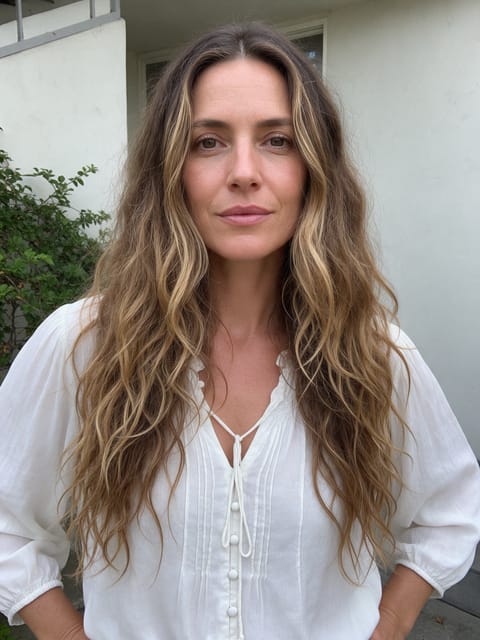
In our test the card showed a painted likeness of her face, and a clear photo helps this the most.
Do I need to write a prompt for Tarot Card?
No. Tarot Card is a ready-made effect: upload a photo and press Generate. The directions for the motion, camera and lighting are already built in.
How long is the Tarot Card video?
Every effect makes a 5 second HD video that matches the shape of your photo, portrait or landscape, ready to post anywhere.
Does the video have sound?
Yes. Each clip comes with matching ambient sound effects. It does not add music, so you can lay your own track over it in any editor.
Can I use a photo of someone else?
Only photos of adults, of yourself or of people who agreed to it. Every upload goes through the same safety checks as the rest of PixelDojo.