Clean up
AI People Remover: empty out the crowd behind you
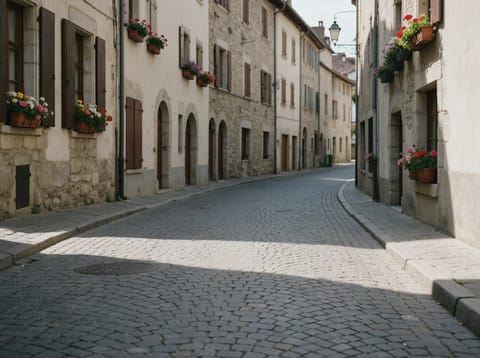
Takes every tourist, passer-by and photobomber out of a travel or street photo and fills in the scene behind them, for that empty-landmark shot you could not get on the day.
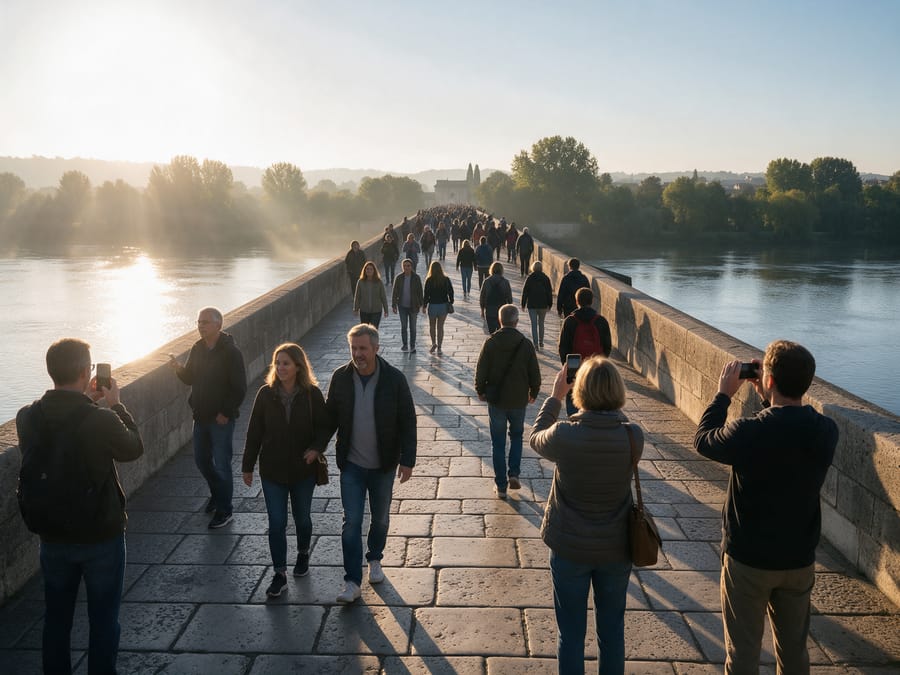
Before
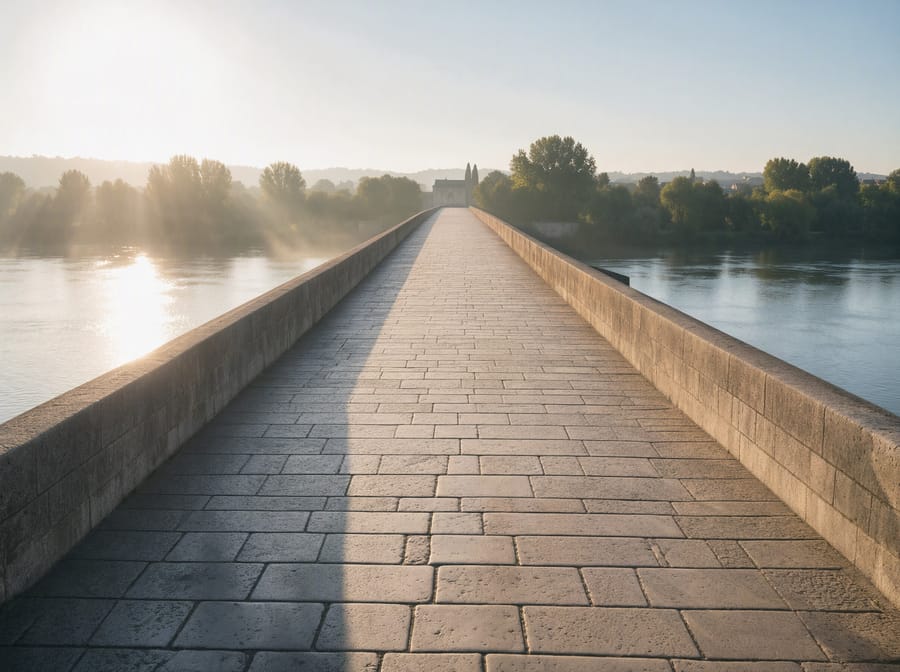
After, straight from our test, no retouching
Add a photo to start.
What AI People Remover does
AI People Remover clears tourists, walkers and photobombers out of a travel or street photo and fills in the ground and scenery behind them, so you get the empty shot of a place you could not get on the day.
How to use AI People Remover
- Upload your photo, or pick it from your library.
- Press Generate. The instructions for the job are already set up, so there is no prompt to write.
- Your image shows up right on the page. Save it to your library or download it.
Tips for the best result
- It removes everyone in the frame, so it suits scenery shots more than group photos.
- Wide shots with lots of visible ground rebuild most convincingly.
- Streets, bridges and plazas with repeating paving come out beautifully empty.
Ideas for using it
- The empty landmark photo for a travel blog or print.
- Clean background plates for a design or a composite.
- Calm hotel, venue or street photos for a listing.
More tools
Watermark Remover
Lift text and logo watermarks off your own photos.
Object Remover
Type what to erase and it is gone.

Remove Text From Image
Strip captions and overlaid text, keep the photo.
AI Headshot Generator
A professional headshot from one casual photo.
Old Photo Restoration
Repair scratches, tears and fading in old photos.
Colorize Black and White Photo
Natural color for black and white photos.
Want motion instead? Video Effects turn one photo into a 5 second clip.
Go further
AI People Remover FAQ
Can it keep me and remove everyone else?
This tool removes everyone, so it is made for empty scenes. To keep one person, use Object Remover and name the people to take out.
Does it work on crowds?
Yes. My test had a full bridge of people, foreground included, and it came out empty.
Is AI People Remover free?
AI People Remover is included with every PixelDojo plan and costs a few credits per image, shown on the Generate button before you run it.
Who owns the result, and can I use it commercially?
We assign you whatever rights we hold in the result, so you can use it in your own projects, commercial ones included, as long as what you uploaded was yours to use. Unsaved results are deleted after 24 hours, so save the ones you want to keep.
Can I use a photo of someone else?
Only photos of adults, of yourself or of people who agreed to it, and only images you have the right to edit. Every upload goes through the same safety checks as the rest of PixelDojo.