PixelDojo API
AI Image and Video API Platform
Build with 150+ AI image, video and audio models through one REST API. Submit an async job, poll or use a webhook, and get output URLs back. It uses the same credits as the web app, with plans from $10/month.
API Reference
Public docs
Endpoints, schemas, and examples.
OpenAPI 3.1
Typed integrations
SDK generation and machine-readable specs.
LLM Docs
Agent-ready docs
llm.txt and agent integration help.
API Keys
Authentication
Create keys for apps and agents.
Usage Dashboard
Requests and credits
Monitor volume, logs, and balance.
Buy Credits
Prepaid capacity
Top up for image and video usage.
On sale now
Veo 3.1 20% off · through October 8 · applied automatically to every API call and tool run

Seedance 2 Reference
Original price 20 credits. Sale price 16 credits. 20 percent off.
Veo 3.1 Fast
Original price 4.5 credits. Sale price 3.6 credits. 20 percent off.
Veo 3.1 Standard
Original price 12 credits. Sale price 9.6 credits. 20 percent off.
Veo 3.1 Lite
Original price 2 credits. Sale price 1.6 credits. 20 percent off.
Available Models
150 AI models for image, video and audio generation behind one async control plane

FLUX 3 Video
FLUX 3 Video generation. Text-to-video or image-to-video up to 20 seconds with synchronized audio, or extend and transform an existing clip.
/api/v1/models/flux-3-video/run
Gemini Omni Flash 1.1
Google Gemini Omni Flash 1.1: text, frames, references, or a source video into 3–10s clips with native audio at 360p to 4K. First/last frame, reference images and videos, edit or extend a clip.
/api/v1/models/google-gemini-omni-flash/run
Grok R2V
xAI Grok Imagine reference-to-video via Replicate. 1 to 7 reference images plus prompt for 1 to 10 second clips at 480p or 720p.
/api/v1/models/grok-r2v/run
Hailuo Standard
Premium quality text-to-video and image-to-video
/api/v1/models/hailuo-standard/run
Hailuo Fast
Fast image-to-video generation
/api/v1/models/hailuo-fast/run
Happy Horse Reference
Alibaba Happy Horse reference-to-video (1.0 or 1.1): multi-reference image input that preserves subject characters, driven by a text prompt. 720p / 1080p, 3-15 second clips. Version 1.1 runs at a lower per-second credit rate.
/api/v1/models/happyhorse-1.0-r2v/run
Happy Horse 1.0 Image-to-Video
Image-to-video animation with 720p/1080p output and 3-15 second durations
/api/v1/models/happyhorse-1.0-i2v/run
Happy Horse Video Edit
Alibaba Happy Horse 1.0 video edit: apply style transfer or local replacement to a source video using text prompts and optional reference images. 720p / 1080p, 3-15 second output.
/api/v1/models/happyhorse-1.0-video-edit/runKling Avatar
Kling Avatar V2: turn a portrait plus an audio file into a talking avatar with audio-driven lip sync. Works on realistic humans, stylized characters, cartoons, and animals.
/api/v1/models/kling-avatar/run
Kling Motion Control v3 Standard
Kling Video v3 Standard motion control (720p)
/api/v1/models/kling-motion-control/run
Kling Motion Control v3 Pro
Kling Video v3 Pro motion control (1080p)
/api/v1/models/kling-motion-control-pro/run
Kling Reference to Video
Kling reference-driven video generation. Image or video references, Standard or Pro tier.
/api/v1/models/kling-reference-to-video/run
Kling 2.6 Pro
Kling Video v2.6 Pro. Text-to-video or image-to-video, 5 or 10 seconds, with audio generation.
/api/v1/models/kling-v2-6/run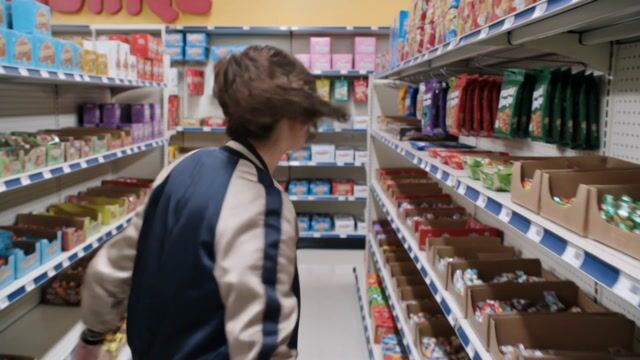
Kling Video v3 Standard (Image)
Standard image-to-video with native audio
/api/v1/models/kling-video-v3-standard-image/run
Kling Video v3 Pro (Image)
Pro image-to-video with cinematic quality and native audio
/api/v1/models/kling-video-v3-pro-image/run
MiniMax H3
MiniMax H3: text-to-video, image-to-video, and reference-to-video (images, video and audio references) in one model. 2K or 768p output, 5-15s, native synced audio. Also carries H3 Max (cheaper 768p/480p, frames only), H3 Max Turbo (faster, tiered 768p/480p, frames only) and H3 Fast (480p, references).
/api/v1/models/minimax-h3/runMiniMax H3 Max
MiniMax H3 Max: the cheaper H3 sibling. Text-to-video and image-to-video at 768p (2 credits/sec) or 480p (1.5 credits/sec), 5-15s, native synced audio. No reference inputs.
/api/v1/models/minimax-h3-max/runMiniMax H3 Turbo
MiniMax H3 open weights, self-hosted with a step-distillation Turbo LoRA for fast, low-cost generation. Text, image, or reference to video at 480p or 720p with synced audio.
/api/v1/models/minimax-h3-turbo/run
OmniHuman
ByteDance OmniHuman 1.5 via Replicate. Audio-driven talking-head video with lip sync.
/api/v1/models/omnihuman/run
P-Video
Pruna P-Video 2 (and P-Video 1): video generation with text/image/audio conditioning, draft mode, and 720p/1080p outputs.
/api/v1/models/p-video/run
P-Video Avatar
Pruna P-Video Avatar: animate a portrait into a talking avatar from a script or an audio file. 30 voices, 10 languages, 720p / 1080p.
/api/v1/models/p-video-avatar/run
PixVerse V5.6
PixVerse v5.6 video generation via Replicate: text-to-video or image-to-video with optional audio, at 360p–1080p.
/api/v1/models/pixverse/run
PixVerse V6
Pixverse V6 video generation via Runware. Text-to-video, image-to-video (start frame), or multi-clip (start + end frame).
/api/v1/models/pixverse-v6/run
Seedance 1.5
ByteDance Seedance 1 video generation. Text-to-video or image-to-video with optional end frame.
/api/v1/models/seedance-1.5/run
Seedance 2 High
Higher-quality Seedance 2.0 video generation (supports 1080p)
/api/v1/models/seedance-2-high/runSeedance 2 Mini
Cost-effective Seedance 2.0 Mini: same creation flow at roughly half the credits (480p / 720p)
/api/v1/models/seedance-2-mini/runSeedance 2.5
Seedance 2.5: text-to-video, first/last frame, and multimodal reference-to-video. Up to 30 seconds in one request with native audio in 11 languages.
/api/v1/models/seedance-2-5/runSeedance 2.5 Video Edit
Edit or extend an existing video with Seedance 2.5. Replace a subject, add or remove objects, or continue a clip forward or backward, with up to 50 reference materials.
/api/v1/models/seedance-2-5-video-edit/runSeedance 2 Reference
Seedance 2.0 multimodal reference-to-video. Combine up to 9 images, 3 video clips, and 3 audio tracks to guide characters, motion, and sound.
/api/v1/models/seedance-2-reference/run
Seedance 2 Video Edit
Edit source videos with Seedance 2.0 using prompted changes, optional reference images, and 480p, 720p, or 1080p output.
/api/v1/models/seedance-video-edit/run
Veo 3.1 Fast
Faster generation at 4.5 credits per second with native audio (3 with generate_audio false)
/api/v1/models/veo-3.1-fast/run
Veo 3.1 Standard
Higher quality at 12 credits per second with native audio (8 with generate_audio false)
/api/v1/models/veo-3.1-standard/run
Veo 3.1 Lite
Runware-powered Lite variant at 1.5 credits/sec for 720p and 2 credits/sec for 1080p. No reference images, no audio generation, no 1:1 aspect ratio.
/api/v1/models/veo-3.1-lite/run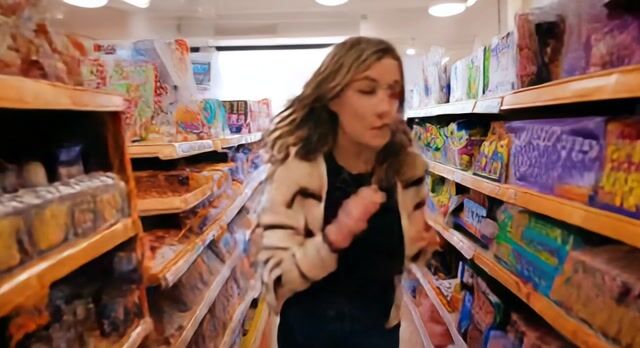
Runway Aleph
Runway Aleph 2.0 via Replicate. Transform up to 30 seconds of video with a prompt.
/api/v1/models/video-transform/run
Vidu Q3
Vidu Q3: text-to-video and image-to-video at 360p, 540p, 720p, or 1080p with optional synchronized audio.
/api/v1/models/vidu-q3/run
WAN 2.1 Video
WAN 2.1 (14B) text & image to video with LoRA support. 480p/720p, 1-5 second clips.
/api/v1/models/wan-2.1-video/run
WAN 2.2 Standard
Premium quality with enhanced detail
/api/v1/models/wan-2.2-standard/run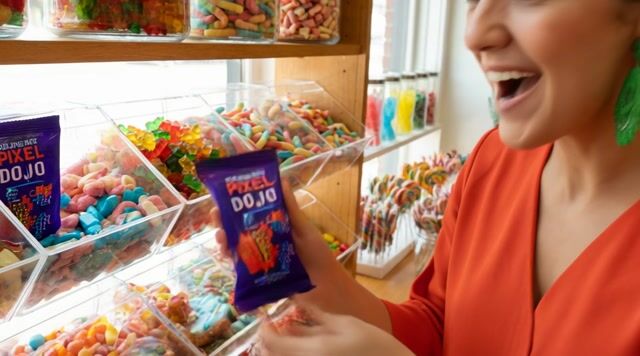
WAN 2.2 Plus
Official Alibaba model with 1080p support
/api/v1/models/wan-2.2-plus/run
WAN 2.2 Animate
WAN 2.2 video animation. Drive a character image with a motion reference video.
/api/v1/models/wan-2.2-animate/run
WAN 2.2 Image-to-Video
Image-to-video with WAN 2.2. Animate a starting image. 480p or 720p, 5s or 8s clips.
/api/v1/models/wan-2.2-i2v-spicy/run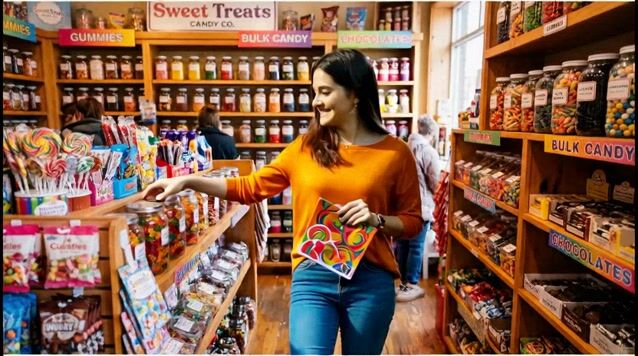
WAN 2.2 Replace
WAN 2.2 character replacement. Swap a character in a source video while preserving scene and motion.
/api/v1/models/wan-2.2-replace/run
WAN 2.6 Standard
Higher quality, 720p/1080p support
/api/v1/models/wan-2.6-standard/run
WAN 2.6 Flash
Fast and affordable image-to-video
/api/v1/models/wan-2.6-flash/run
WAN 2.7 Image-to-Video
Image-to-video with WAN 2.7. Animate a starting image with optional driving audio. 720p or 1080p, 2–15 second clips.
/api/v1/models/wan-2.7-i2v-spicy/run
WAN 2.7 Image-to-Video
Image-to-video and video continuation with optional last-frame control and audio sync
/api/v1/models/wan-2.7-i2v/run
WAN 3.0
Alibaba WAN 3.0 video. Text-to-video with optional reference images or first/last frame control, native audio, up to 30 seconds.
/api/v1/models/wan-3-0-video/run
WAN Reference to Video
Alibaba WAN reference-to-video. Up to 5 image/video references with multi-shot support.
/api/v1/models/wan-reference-to-video/run
WAN Video Character Swap
Alibaba WAN character swap. Combine a character image with a reference video to produce a new clip.
/api/v1/models/wan-video-character-swap/run
Grok Video
xAI Grok Imagine video. Text-to-video or image-to-video, 1-15 seconds at 480p or 720p. Image-to-video can use the Grok Imagine 1.5 backbone for natively-synchronized audio.
/api/v1/models/xai-video/runQuestions & Answers
Frequently Asked Questions
Authentication, pricing, async jobs, and output lifetime for the PixelDojo API
Create an API key on the API Keys page (any signed-in PixelDojo account can) and send it as a Bearer token: Authorization: Bearer pd_your_api_key. The same key works on every model endpoint.
POST to /api/v1/models/{apiId}/run with the model input. You get back a jobId and a statusUrl. Poll GET /api/v1/jobs/{jobId} until the status is completed, or pass webhook_url on the run call to be notified when the job finishes. Every model publishes its JSON schema at /api/v1/models/{apiId}/schema.
Each model lists its credit cost per generation or per second on this page and in GET /api/v1/models. These are the same credits you use in the PixelDojo web app. Plans start at $10/month for 160 credits, and credit packs start at $5 for 80 credits with no subscription needed. Failed jobs are refunded automatically.
150+ image, video, and audio models, including Nano Banana, Flux 2, GPT Image 2, Seedream 5, Kling, Veo 3.1, WAN 2.7, and Seed Audio 1.0. Browse them above, or list them with GET /api/v1/models.
API outputs are available for one hour after a job completes, and every asset in the job response carries an expiresAt time. Download or copy anything you want to keep.
Yes. The OpenAPI 3.1 spec is at /api/openapi, an LLM-optimized reference is at /llm.txt, and the TypeScript SDK is @pixeldojo/sdk on npm.
Yes. Connect the hosted MCP server at https://pixeldojo.ai/mcp from Claude, Cursor, Codex, ChatGPT and other MCP clients, or run npx @pixeldojo/mcp init for a local install. See the Skills and MCP page for every tool.
Quick start:
https://pixeldojo.ai/api/v1