AI video effect · Visual Effects
Petal Storm: swirling flower petals
Upload a photo, press Generate, and post it anywhere.

3 free every day. No card needed.
What Petal Storm does
A light breeze picks up and the first pink petals drift across the frame. As more fill the air your hair lifts and blows back, petals catch on your shoulders, and you end with a soft smile as the swirl thins out.
Swirling flower petals
A swirl of pink petals sweeps around your subject in a soft breeze. Portraits work best.
Still looks like you
The video opens on your exact photo, so the face, hair, outfit and surroundings carry through the whole effect.
Movie-style effects without editing software
Effects that used to mean compositing and particle work in an editor, rendered in one pass with lighting that matches your photo.
How to make a Petal Storm video
- Upload a photo, or pick one from your library.
- Press Generate. There is no prompt to write; the effect is already set up.
- Your 5 second HD video plays right on the page. Save it to your library or download it.
Tips for the best photo
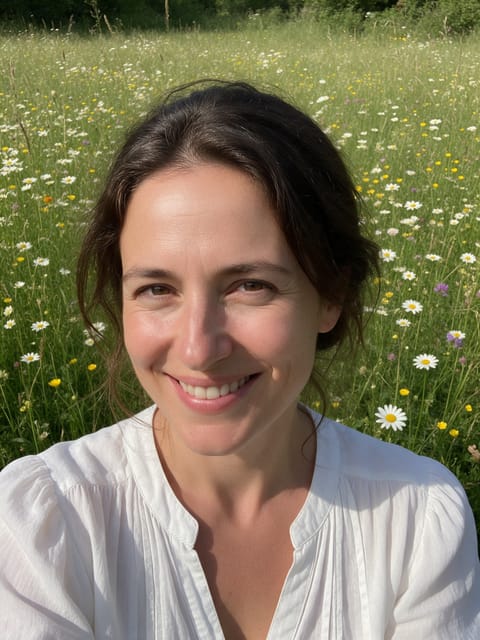
- A head-and-shoulders portrait lets the petals pass close to your face.
- Loose hair shows the breeze best.
- Outdoor daylight photos match the soft spring look of the effect.
Ideas for using it
- Announcing an engagement with a romantic Instagram post.
- A florist showing spring vibes for a seasonal promo.
- A Mother's Day video made from a favorite photo of mom.
More effects

Go further
Petal Storm FAQ
Will the petals hide my face?
No. The petals swirl around and across you, but in our test the face stayed clear for the whole clip.
Can I use this for a winter photo?
Yes. The petals and soft breeze suit a spring or outdoor setting best.
Do I need to write a prompt for Petal Storm?
No. Petal Storm is a ready-made effect: upload a photo and press Generate. The directions for the motion, camera and lighting are already built in.
How long is the Petal Storm video?
Every effect makes a 5 second HD video that matches the shape of your photo, portrait or landscape, ready to post anywhere.
Does the video have sound?
Yes. Each clip comes with matching ambient sound effects. It does not add music, so you can lay your own track over it in any editor.
Can I use a photo of someone else?
Only photos of adults, of yourself or of people who agreed to it. Every upload goes through the same safety checks as the rest of PixelDojo.