AI video effect · Visual Effects
Teleport: vanish in a flash and reappear
Upload a photo, press Generate, and post it anywhere.

3 free every day. No card needed.
What Teleport does
Your subject stands still for a beat, then flickers out in a haze of blue particles. A burst of crackling blue energy outlines their body as they snap back in. The clip ends with them standing a little closer to the camera, grinning.
Vanish in a flash and reappear
Your subject vanishes in a crackle of light and reappears a few steps closer. Full-body photos work best.
Still looks like you
The video opens on your exact photo, so the face, hair, outfit and surroundings carry through the whole effect.
Movie-style effects without editing software
Effects that used to mean compositing and particle work in an editor, rendered in one pass with lighting that matches your photo.
How to make a Teleport video
- Upload a photo, or pick one from your library.
- Press Generate. There is no prompt to write; the effect is already set up.
- Your 5 second HD video plays right on the page. Save it to your library or download it.
Tips for the best photo
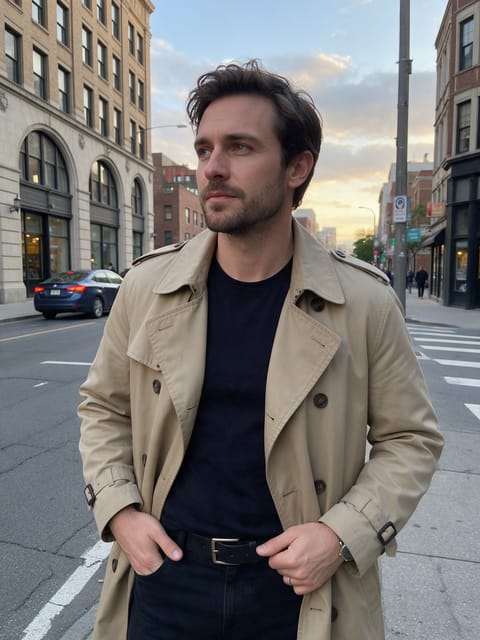
- Pick a full-body photo with floor space in front of you so the effect has somewhere to bring you closer.
- Plain, open backgrounds like garages, hallways or empty lots make the blue light read clearly.
- Keep your hands visible or in pockets so the energy burst outlines your body cleanly.
Ideas for using it
- A gamer opening a stream highlight with a sci-fi entrance.
- A coach or speaker "appearing" at the start of a course promo video.
- Friends making a quick joke clip about arriving at the party instantly.
More effects





Go further
Teleport FAQ
Can the teleport light be a different color?
The effect is built around a blue energy look and keeps that color. Your outfit and background stay as they are in your photo.
Will I end up in a different spot?
You reappear in the same scene, just a few steps nearer to the camera. The location itself does not change.
Do I need to write a prompt for Teleport?
No. Teleport is a ready-made effect: upload a photo and press Generate. The directions for the motion, camera and lighting are already built in.
How long is the Teleport video?
Every effect makes a 5 second HD video that matches the shape of your photo, portrait or landscape, ready to post anywhere.
Does the video have sound?
Yes. Each clip comes with matching ambient sound effects. It does not add music, so you can lay your own track over it in any editor.
Can I use a photo of someone else?
Only photos of adults, of yourself or of people who agreed to it. Every upload goes through the same safety checks as the rest of PixelDojo.