App Store Screenshot Backdrops AI Generator
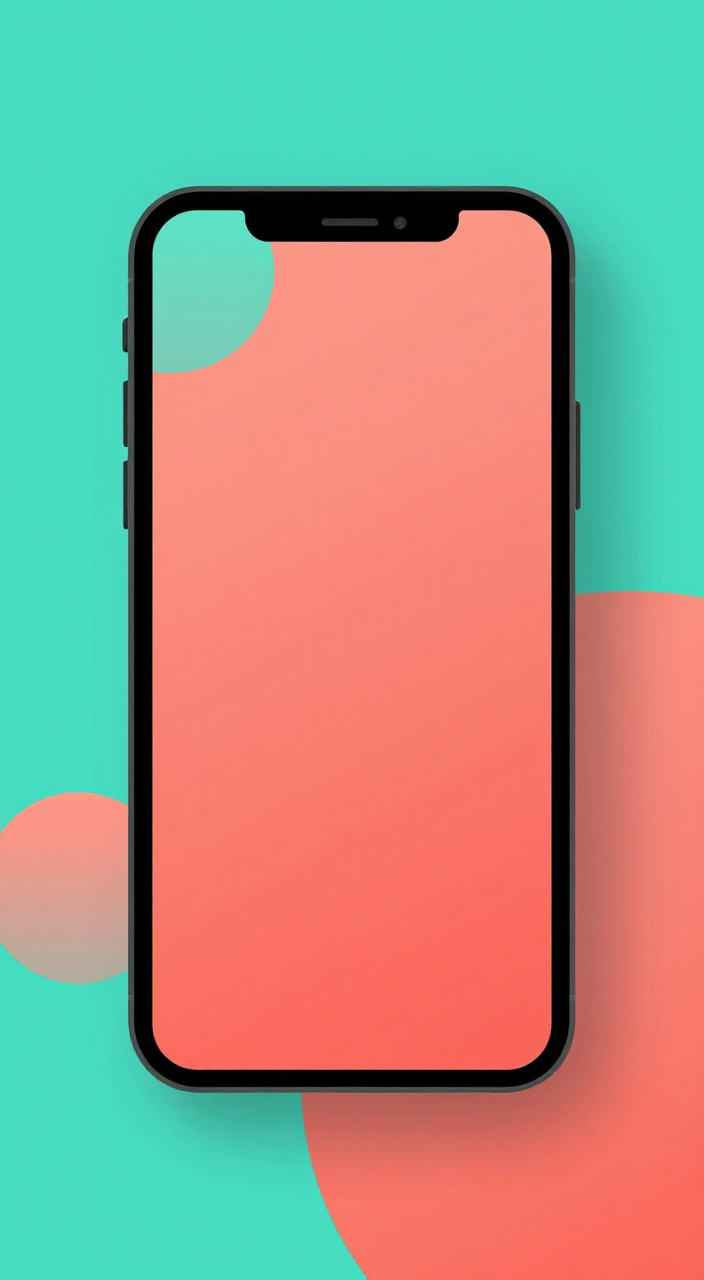
Generated on PixelDojo with Z-Image Turbo. Produced by PixelDojo's generation pipeline.
You can make an app store screenshot backdrop with AI by describing the colors and shapes you want behind the phone, in the portrait aspect ratio your screenshots need. We ran this on Z-Image Turbo on August 26, 2026 for 0.5 credit in about 15 seconds. This page covers the exact prompt, what came back, and how to place a real screenshot over it.
The backdrop, first result kept
Every example below was produced on PixelDojo. Hover to see the prompt.
A vibrant gradient backdrop for an app store screenshot, bold flat color blocks in teal and coral, soft rounded geometric shapes, clean modern app marketing style, open negative space at center for a phone mockup
Z-Image Turbo
One prompt, one backdrop, August 26, 2026: 0.5 credit on Z-Image Turbo, about 15 seconds, kept on the first result.
Why Choose Pixel Dojo for App Store Screenshot Backdrops
Professional-quality results with cutting-edge AI technology
0.5 credit per backdrop
Z-Image Turbo charges the same flat 0.5 credit for a portrait backdrop as it does for any other aspect ratio.
About 15 seconds, measured
Timed from request to finished file on August 26, 2026, with the first result kept.
Already in a portrait screenshot ratio
The 9:16 aspect ratio option outputs 720 by 1280 pixels, matching the tall orientation app store screenshots typically use.
How It Works
Three steps to a store ready screenshot backdrop:
Describe the colors and shapes, not just the mood
Name specific colors and shapes rather than a general style. Ours asked for a teal and coral gradient with bold flat color blocks and soft rounded shapes, in the 9:16 aspect ratio. It ran on Z-Image Turbo for 0.5 credit and came back in about 15 seconds as a 720 by 1280 image.
Check what the model actually drew
Our result rendered its own phone mockup with a blank coral screen sitting on the gradient backdrop, rather than leaving pure empty space. If you need a plain backdrop with nothing on it, add an instruction like no device or no mockup to the prompt and generate again.
Place your real screenshot on top
Send your actual app screenshot and the generated backdrop to the Image Editor with an instruction to compose the screenshot into the device frame, or crop the backdrop yourself and layer the screenshot on top in a design tool.
Loved by creators on PixelDojo
Real feedback from people using PixelDojo, pulled from our in-product surveys.
I have already recommended it to friends
All the tools, plus the guidance
Excellent tools. Ease of use. Well thought out interface. Wide variety of AI tools and features which are up to date with more added each month
I really like how the site is kept up to date, and the leaderboard (where I'm currently #11 most popular artist)
This is the best image generator I've used so far. Well done!
es facil de comprender asi uno no sea programador
Explore more AI tools on PixelDojo
AI Tools
Compare & Switch
- Best AI Image Generators
- Best AI Video Generators
- Midjourney Alternatives
- Civitai Alternatives
- Runway Alternatives
- Leonardo Alternatives
- Pika Alternatives
- Luma Alternatives
- Magnific Alternatives
- Veo Alternatives
- Flux Alternatives
- Freepik Alternatives
- Seedance Alternatives
- Seedream Alternatives
- Pixverse Alternatives
- GPT Image Alternatives
- Synthesia Alternatives
- Playground Alternatives
- NightCafe Alternatives
- Canva AI Alternatives
- ElevenLabs Alternatives
- ComfyUI Alternatives
- Fal Alternatives
- Replicate Alternatives
Common Questions
Everything you need to know about App Store Screenshot Backdrops
What does an AI app store screenshot backdrop cost?
0.5 credit on Z-Image Turbo, the model we used for this run, regardless of aspect ratio.
How fast is it?
About 15 seconds in our August 26, 2026 run, measured from the prompt to the finished 720 by 1280 file.
Will it generate a phone mockup for me?
It can. Our run rendered its own device frame with a blank screen on top of the backdrop, without being asked to. If you only want the background, say so explicitly in the prompt.
What aspect ratio should I use?
We used 9:16, which outputs 720 by 1280 pixels and matches the portrait orientation most app store screenshots use. Check your store's current screenshot dimensions before final export.
How do I get my real screenshot into the frame?
Send both your screenshot and the generated backdrop to the Image Editor with an instruction to place the screenshot inside the device frame, or layer them yourself in a design tool.
Can I generate a set of matching backdrops for multiple screens?
Yes. Reuse the same color and shape description with a fixed seed across several requests to keep the look consistent, then vary the seed slightly for each new screen.