Synthesia alternative
Synthesia alternative: your own presenter from one photo and one script
Pixel Dojo turns any portrait and any voice track into a talking presenter on three avatar engines, and adds the training b-roll, slides and scenes around it under one credit balance.
Synthesia is built for training and internal video with stock avatars. We wanted to see what the same job takes on Pixel Dojo, so we made a presenter, wrote one onboarding line and ran it through three avatar engines.
Already a member? Sign in
By Brian Lovett · Updated
Synthesia alternative: quick answers
What does Synthesia do?
Synthesia makes presenter videos from a script with AI avatars that speak 140+ languages. Its avatars page aims it at training, onboarding, compliance, product explainers and internal communications.
What does Synthesia cost?
Synthesia lists a free Basic plan, Starter at $29 a month ($18 a month billed yearly), Pro at $89 a month ($64 billed yearly) and custom Enterprise pricing. Basic videos carry a Synthesia watermark.
Can I use my own face?
On Synthesia, personal avatars need a live, on camera consent recording from the person shown, who must be 18 or older; Pro includes 5. On Pixel Dojo you animate any portrait you have the rights to, including one you generate.
What does a talking presenter cost on Pixel Dojo?
Avatar engines charge per second of your audio. Our test line cost 12 credits on P-Video Avatar, 24 on Kling Avatar and 60 on OmniHuman, shown on each tile below.
The rest of a training video, made on Pixel Dojo
A presenter is one shot. These are the other shots a course or onboarding video needs, each made from the prompt on its tile.
A Spanish welcome on Seedance 2.5, voice and room tone generated with the picture. Write the line in the language you need.
Medium shot of a cheerful HR manager with curly auburn hair in a sunny open plan office, she smiles at the camera and says in Spanish, "Bienvenidos al equipo. Empezamos el lunes a las nueve." Plants and glass walls behind her, soft office room tone.
A vertical how to clip on Seedance 2.5 for help centers and social, with her line and a tap sound.
Vertical medium shot of a product specialist in a mustard cardigan at a light wooden desk holding up a smartphone, she taps the screen and says to the camera, "Three taps and your expense report is done." Bright studio light, a soft tap sound and room tone.
Procedure b-roll on Kling 3.0 for a safety module, with glove and ventilation sounds.
Training b-roll: a lab technician in a white coat puts on clear safety glasses and blue nitrile gloves, then checks a fume hood airflow gauge, clean modern laboratory, cool daylight, glove snap and a low ventilation hum.
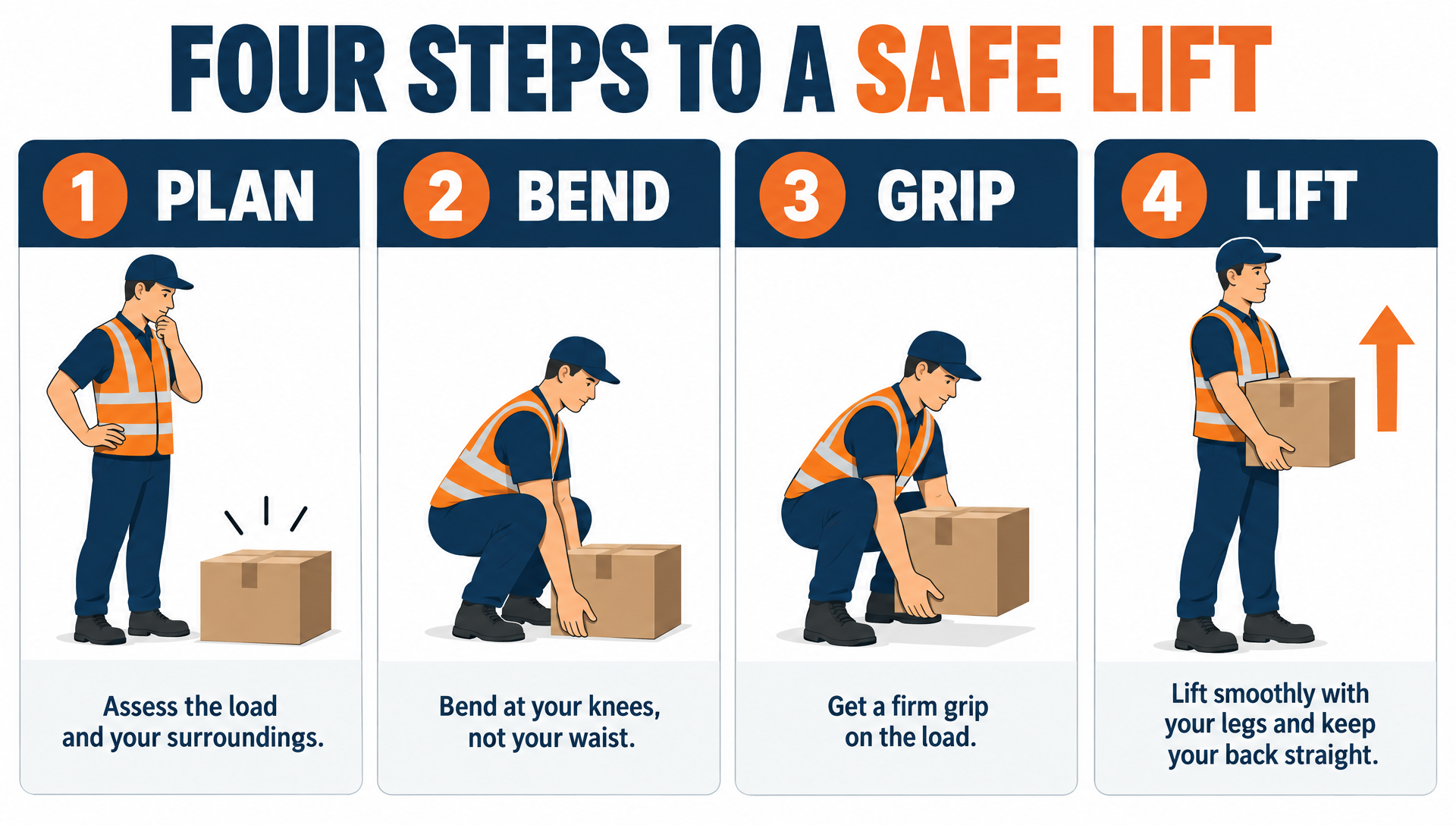
A course slide on GPT Image 2.5. Every heading and caption came out spelled right.
Clean training slide infographic titled "FOUR STEPS TO A SAFE LIFT" with four numbered panels: PLAN, BEND, GRIP, LIFT, each with a simple flat illustration of a worker lifting a cardboard box, navy and safety orange palette, white background, one short caption under each panel.
One presenter, one line, three avatar engines
We generated the presenter on Nano Banana 2.1, voiced one onboarding line with text to speech, then gave the same photo and the same audio file to Kling Avatar, OmniHuman and P-Video Avatar.
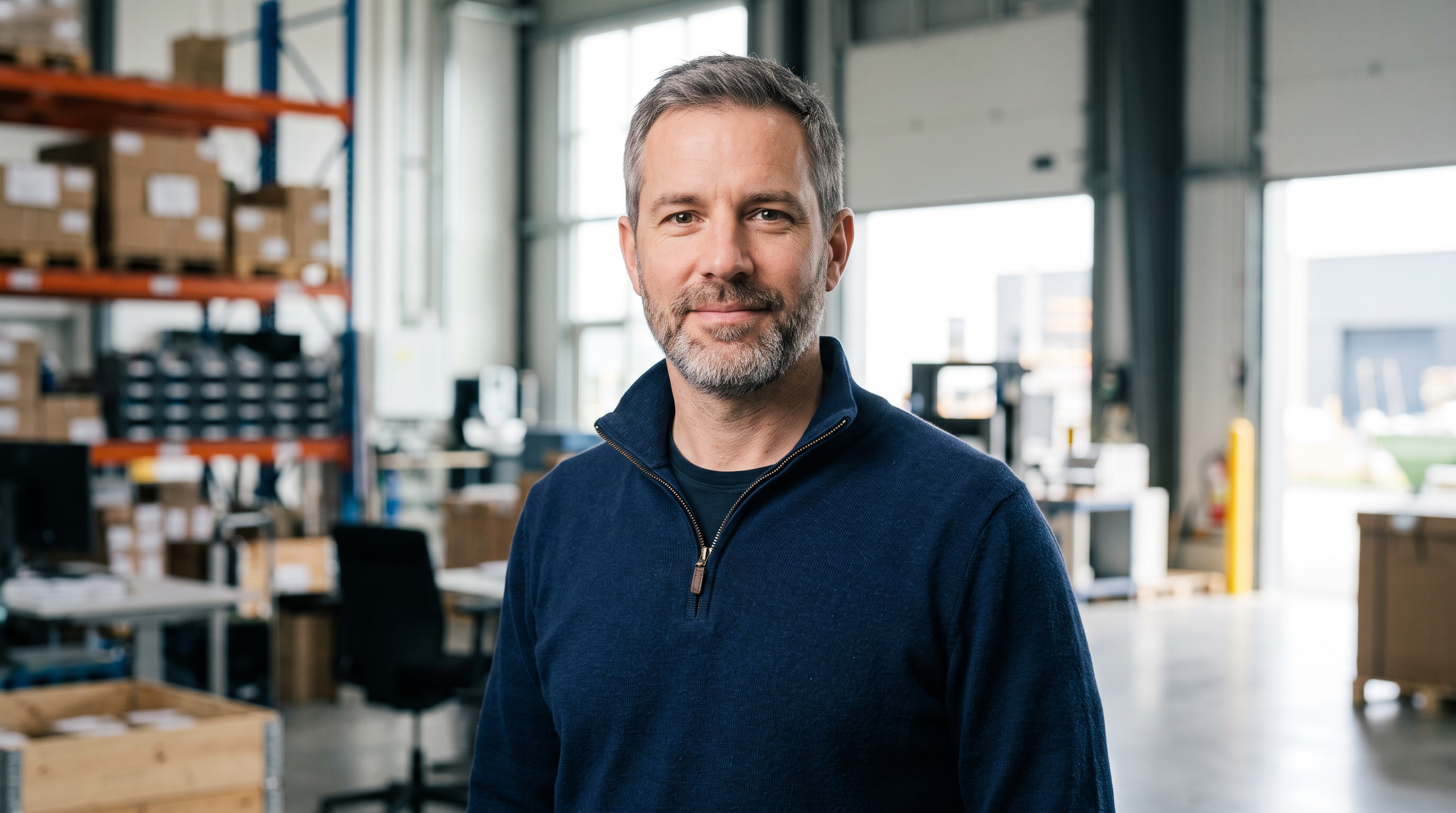
Chest up portrait of a friendly corporate trainer facing the camera: a man in his forties with a trimmed grey beard and a navy quarter zip sweater, standing in a bright modern warehouse office with shelving softly blurred behind him, soft key light, neutral expression with lips closed, sharp detail.
A friendly trainer speaks warmly to the camera with small natural nods and relaxed hand free posture, steady locked off framing.
A friendly trainer speaks warmly to the camera with small natural nods and relaxed hand free posture, steady locked off framing.
- All three kept his face, beard, sweater and the warehouse behind him from the one photo, and lip synced the full line.
- Kling Avatar was the steadiest presenter: small nods, a calm delivery and the closest match to the original portrait.
- OmniHuman moved the most, with head turns and lifted brows, and returned the largest file at 1920 by 1088.
- P-Video Avatar smiled the most and cost the least, a good fit for friendly welcome messages.
Synthesia plans vs Pixel Dojo
Synthesia figures come from its pricing and avatars pages (listed under Sources), read on October 15, 2026, at monthly billing unless noted.
| At a glance | Synthesia | Pixel Dojo |
|---|---|---|
| Paid plans | Starter $29, Pro $89 a month; Enterprise custom; Basic free with a watermark | Lite $10 a month for 160 credits, Pro $25 for 500 credits, Pro Max $50 for 1,100 credits |
| What you get | Starter about 12 video minutes a month, Pro about 60; 1 editor seat | Credits for any model, priced on each model page before you generate |
| Avatars | Stock avatars: 9 on Basic, 125+ on Starter, 180+ on Pro, 240+ on Enterprise | Any portrait you upload or generate, on Kling Avatar, OmniHuman or P-Video Avatar |
| Your own avatar | 5 personal avatars on Pro, unlimited on Enterprise; live consent recording required | Animate your own photo; save a face in Character Studio to reuse it by @name |
| Languages | 140+ languages and voices | Text to speech, or your own recorded audio; video models that speak the language you write |
| Scenes beyond the presenter | Templates, roleplays and surveys | Veo 3.1, Kling 3.0, Seedance 2.5, WAN 3.0 b-roll; GPT Image and Ideogram slides; auto captions |
Deep dive: building a training video on Pixel Dojo
We start with the presenter. Generate a portrait or upload a photo of someone who agreed to it, then save it in Character Studio so every later prompt can call the same face by name.
Next comes the voice. Text to speech turns the script into an audio file in seconds, or you record your own. That file drives the avatar engine, and the price follows its length.
Then the scenes Synthesia's stock library cannot give you: your own warehouse, your own lab, your own app on a phone. We made those on Seedance 2.5 and Kling 3.0 above, and a course slide on GPT Image 2.5. Auto captions add burned in subtitles to any clip.
For a whole module, hand the outline to Sensei. It plans every shot, prices the plan, waits for your approval and reviews each take. Film Studio can then cut the shots into one video with an editor pass.
Why Synthesia users switch to Pixel Dojo
Unlimited on every plan
On every paid plan, Relax runs Qwen Image 2.1, FLUX 3 Image Klein and MiniMax H3 Turbo, plus every video and photo effect, unlimited with no credits spent.
Sensei, the AI director
Describe a project and Sensei plans it, prices it, waits for your approval and reviews every take.
Marketing Studio
Paste a product link and get a video ad with a voiceover, in UGC, unboxing, try on or commercial styles, with every take priced first.
One click video effects
300+ one-click video effects turn a photo into a trend clip, from AI Hug to AI Inflate, with no prompt to write, and 3 are free every day.
Character Studio
Save a face once and call it by @name in any prompt, so the same person shows up in every image and clip.
Start from a genre
Pick a format such as a UGC ad, a micro drama, a movie trailer or an explainer, and the matching studio opens with the settings and a sample idea filled in.
Star in any video
Upload a short clip, pick a saved character or a photo, and Character Swap puts your star in the lead while the scene, camera moves and sound stay the same.
Credits that roll over
Your credits roll over while you stay subscribed, so nothing you pay for disappears at the end of the month.
Every top model, plus an API
More than 80 image and 60 video models in one account, with a public API and a hosted MCP server for your own apps and AI assistants.
What a training video costs on Pixel Dojo
Plans are Lite $10 a month for 160 credits, Pro $25 for 500 credits, Pro Max $50 for 1,100 credits. Commercial use is included on every plan, and every model page shows its credit price before you generate. Credits roll over while you stay subscribed.
A first purchase gets a first purchase can be refunded within 7 days, in full if under 20% of the credits are used and pro-rated after that.
Synthesia questions
What is the best Synthesia alternative?
For a presenter made from your own photo plus the scenes around it, Pixel Dojo runs Kling Avatar, OmniHuman and P-Video Avatar next to Veo 3.1, Kling 3.0 and Seedance 2.5 under one credit balance.
Does Synthesia have a free plan?
Yes. Synthesia's Basic plan is $0 a month with 500 credits, 10 minutes of video or dubbing and 9 stock avatars, and its videos carry a Synthesia watermark.
How many languages does Synthesia support?
Synthesia says its avatars speak 140+ languages, and Enterprise adds one click translation into 140+ languages.
Can I make an AI avatar from my own photo?
Yes. Upload a portrait and an audio file to Kling Avatar, OmniHuman or P-Video Avatar on Pixel Dojo. Use only photos of people who agreed to it.
Which avatar engine should I use?
In our test Kling Avatar was the steadiest presenter, OmniHuman the most expressive and P-Video Avatar the cheapest. Run a short line on two of them and keep the one that fits.
Video Effects New
Your first video is free. One photo, one click.
311 ready-made effects, from AI Hug and Earth Zoom In to product spins and listing walkthroughs. Upload a photo and press Generate. No prompt to write, and a free account gets 3 a day.






Switch from Synthesia to Pixel Dojo today
Write a prompt above or start from any example on this page. One plan covers every top model, six studios and Sensei, and your credits roll over.
Start with Kling AvatarSources
Facts about Synthesia come from these public pages, checked on Oct 15, 2026. Prices and plans change; check the source before you buy.